How to install b2evolution on CentOS 7
To install b2evolution on CentOS 7
b2evolution is an open-source CMS, based on PHP and MySQL with the ability to run multiple blogs using one installation and one database without any need of external plugins. It contains features like file and photo managemeent, advanced skinning, multiple domain support, detailed user permissions and W3C standards compliance. This tutorial covers the ground on the installation procedure of b2evolution on CentOS 7.
Pre- Requisite
LAMP Setup
-Apache
-MariaDB
-PHP 5.6 ( dependencies for PHP 5.6 are mod_php56w php56w-cli php56w-common php56w-gd php56w-mbstring php56w-mcrypt php56w-mysqlnd php56w-xml)
Installation procedure
To proceed with the installation, go to its official website and get the latest stable version and download it wget command followed by the download link and run it.
[root@linuxhelp ~]# wget http://b2evolution.net/media/blogs/downloads/b2evolution-6.9.3-stable-2017-08-25.zip?mtime=1503694700
--2017-09-19 11:33:29--  http://b2evolution.net/media/blogs/downloads/b2evolution-6.9.3-stable-2017-08-25.zip?mtime=1503694700
Resolving b2evolution.net (b2evolution.net)... 50.22.201.156
Connecting to b2evolution.net (b2evolution.net)|50.22.201.156|:80... connected.
HTTP request sent, awaiting response... 200 OK
Length: 16686630 (16M) [application/zip]
Saving to: ‘ b2evolution-6.9.3-stable-2017-08-25.zip?mtime=1503694700’
Extract the downloaded package by running the following command.
[root@linuxhelp ~]# unzip b2evolution-6.9.3-stable-2017-08-25.zip?mtime=1503694700 -d /var/www/html/
Archive:  b2evolution-6.9.3-stable-2017-08-25.zip?mtime=1503694700
   creating: /var/www/html/b2evolution/
  inflating: /var/www/html/b2evolution/.gitignore
   creating: /var/www/html/b2evolution/_cache/
  inflating: /var/www/html/b2evolution/_cache/index.html
   creating: /var/www/html/b2evolution/_cache/plugins/
   creating: /var/www/html/b2evolution/_cache/plugins/tinymce/
  inflating: /var/www/html/b2evolution/_cache/plugins/tinymce/index.html
.
.
.
inflating: /var/www/html/b2evolution/xmlsrv/rdf.comments.php
  inflating: /var/www/html/b2evolution/xmlsrv/rdf.php
  inflating: /var/www/html/b2evolution/xmlsrv/rsd.php
  inflating: /var/www/html/b2evolution/xmlsrv/rss.comments.php
  inflating: /var/www/html/b2evolution/xmlsrv/rss.php
  inflating: /var/www/html/b2evolution/xmlsrv/rss2.comments.php
  inflating: /var/www/html/b2evolution/xmlsrv/rss2.php
  inflating: /var/www/html/b2evolution/xmlsrv/xmlrpc.php
Enter into the HTML location by executing the command.
[root@linuxhelp ~]# cd /var/www/html/
List the contents of the directory in HTML location.
[root@linuxhelp html]# ll
total 4
drwxr-xr-x 20 root root 4096 Aug 26 02:26 b2evolution
Change the ownership and permission for the file and execute the following command.
[root@linuxhelp html]# chown -R apache:apache /var/www/html/b2evolution/
[root@linuxhelp html]# chmod -R 777 /var/www/html/b2evolution/
Open the Apache configuration file using vim command and make the following changes. Save and exit the file.
[root@linuxhelp html]# vim /etc/httpd/conf/httpd.conf
Restart the Apache service.
[root@linuxhelp html]# systemctl restart httpd
Open the PHP configuration file and do the following changes in the file and save it.
[root@linuxhelp html]# vim /etc/php.ini
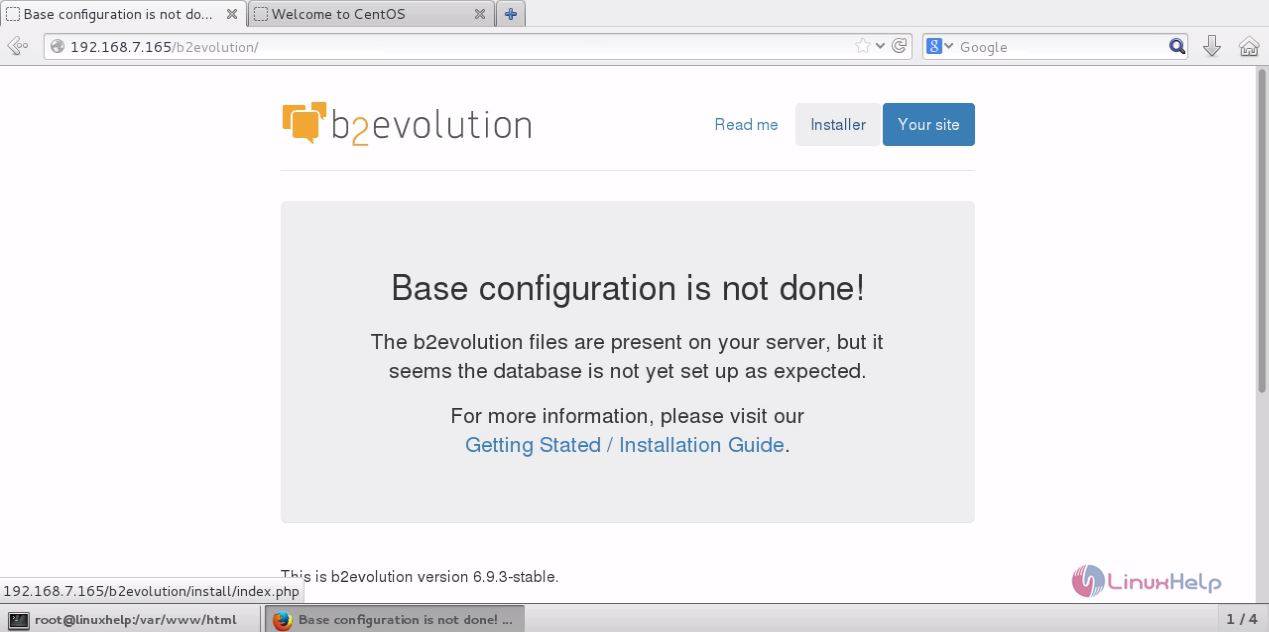
Switch to your browser and enter http://192.168.7.165/b2evolution. The installation wizard of b2evolution is shown as follows.
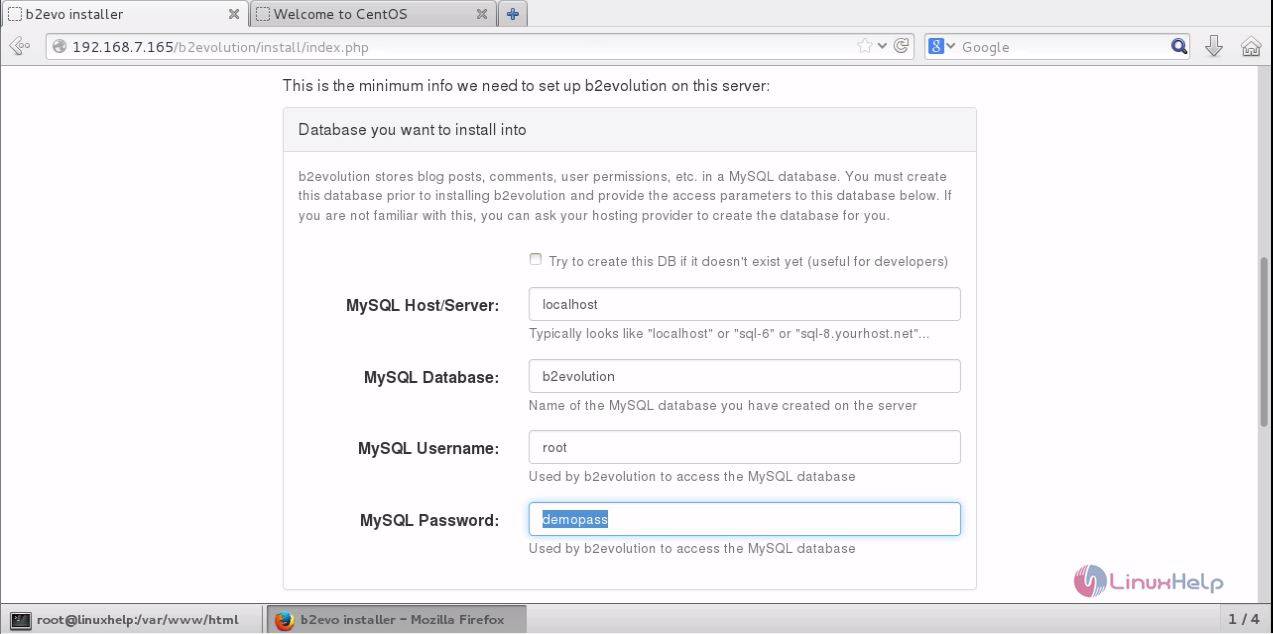
Enter the database details for the b2evolution and save the changes.
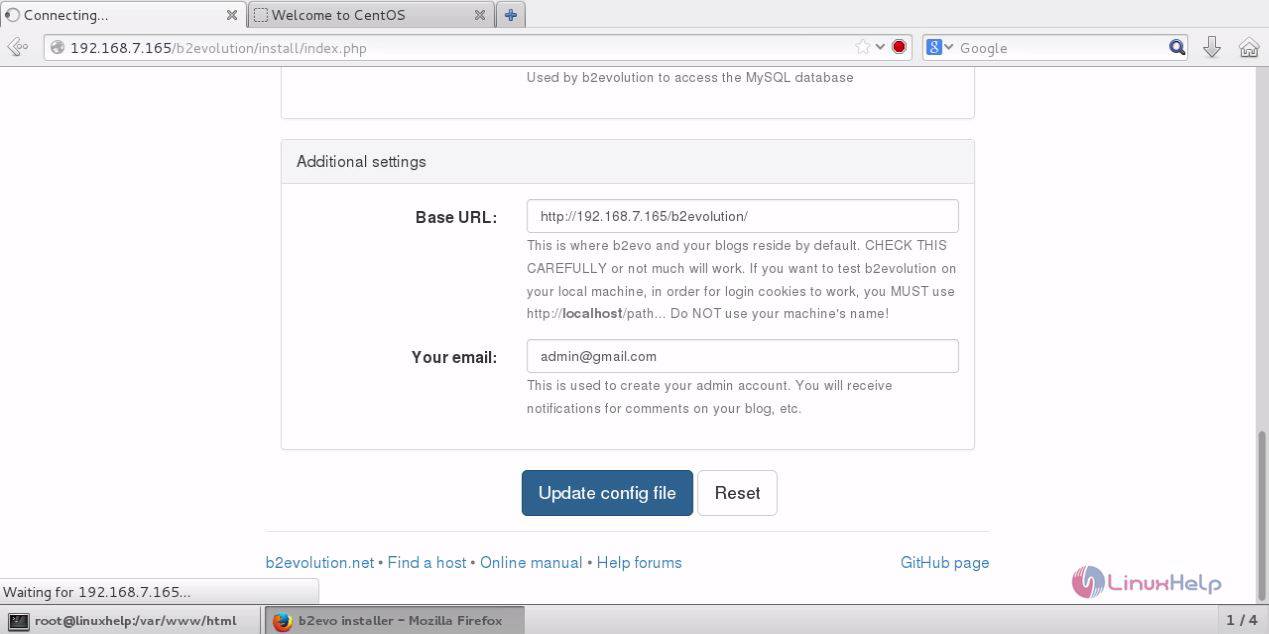
Enter the additional settings and click " update the config file" option.
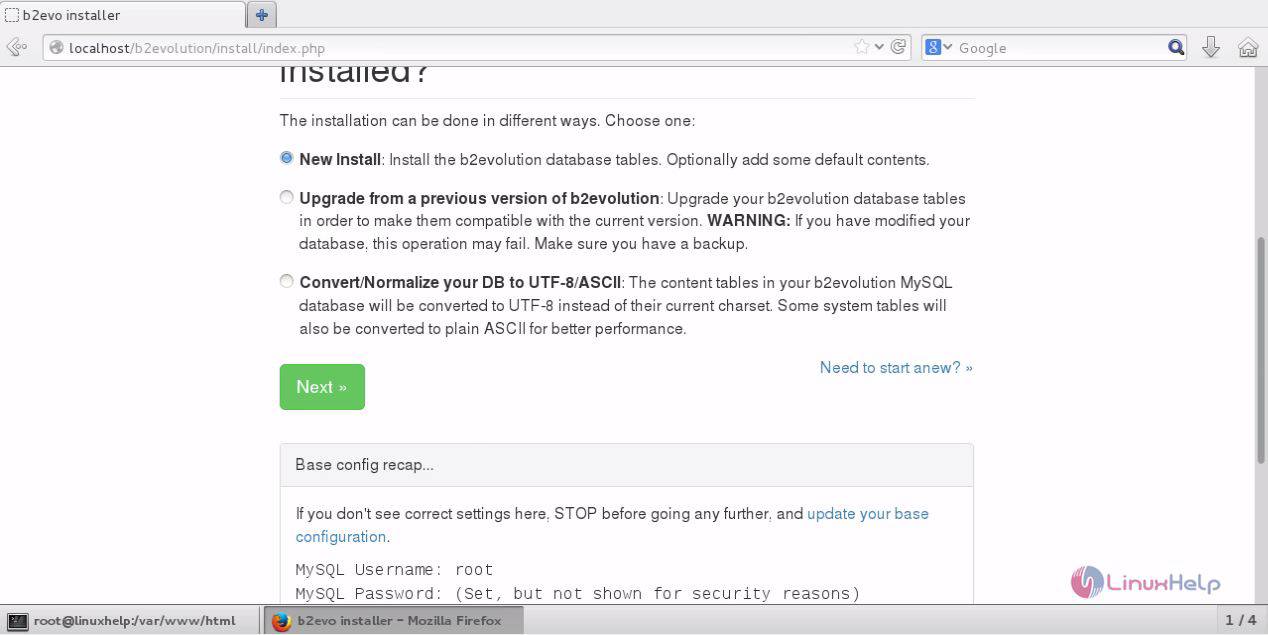
Select the new install option and click next.
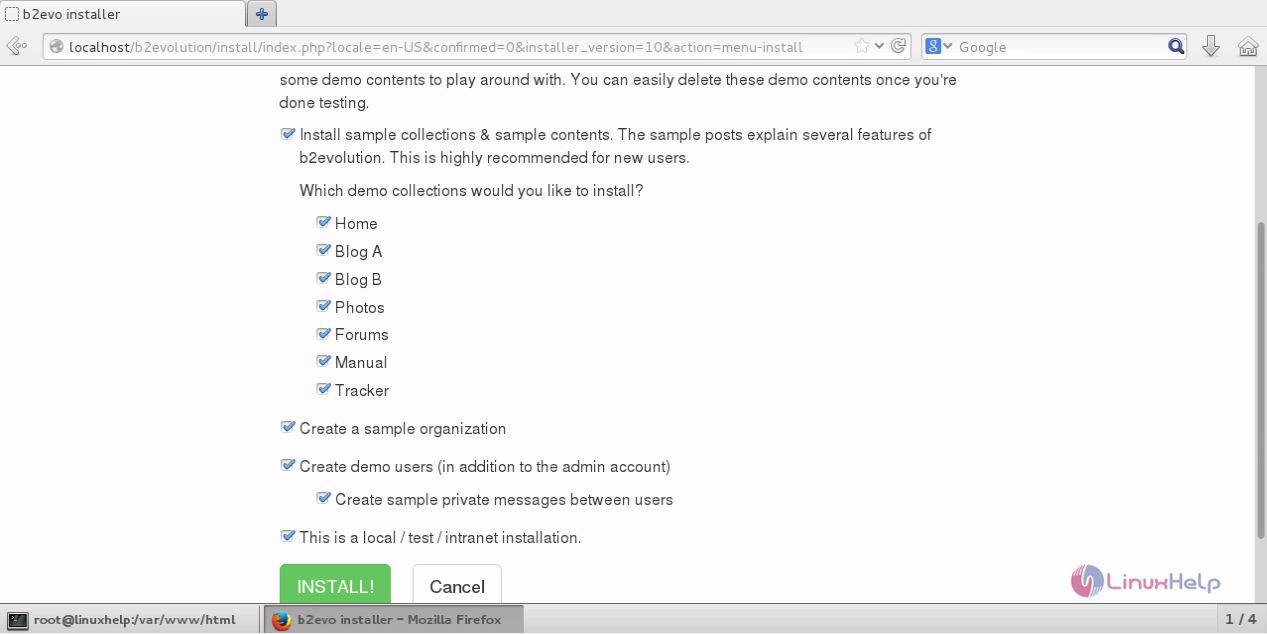
This window shows a checklist to be done before installation.
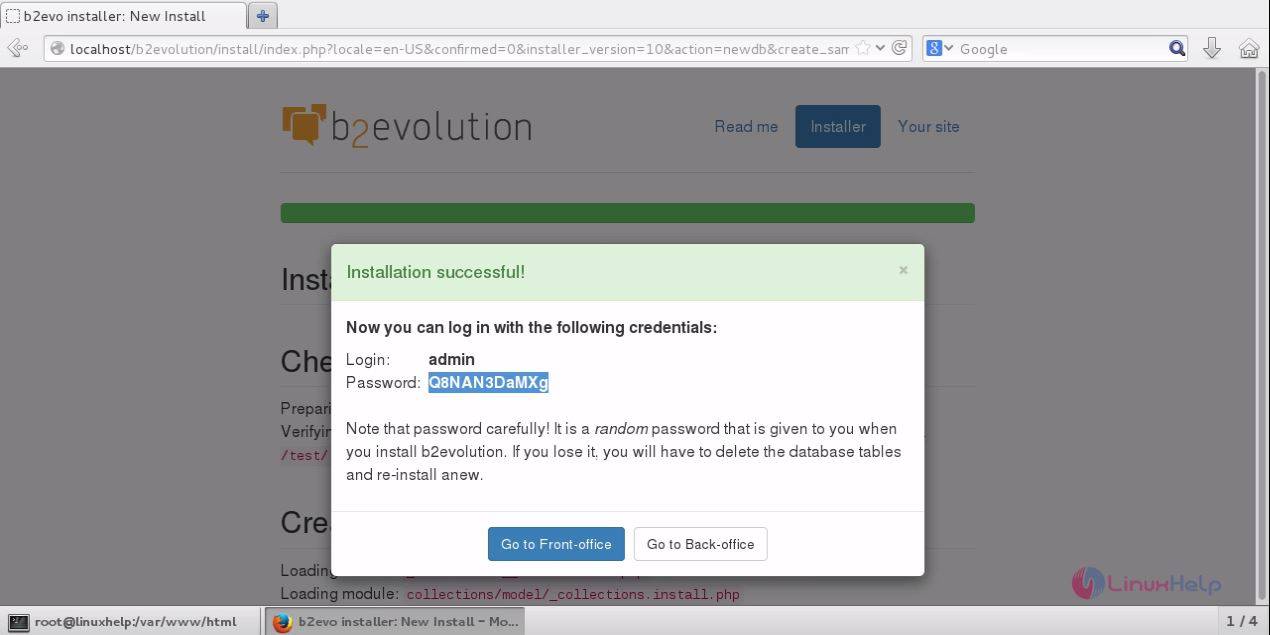
The installation is successfull and now you can enter the admin side by entering the default admin login as shown in screen below.
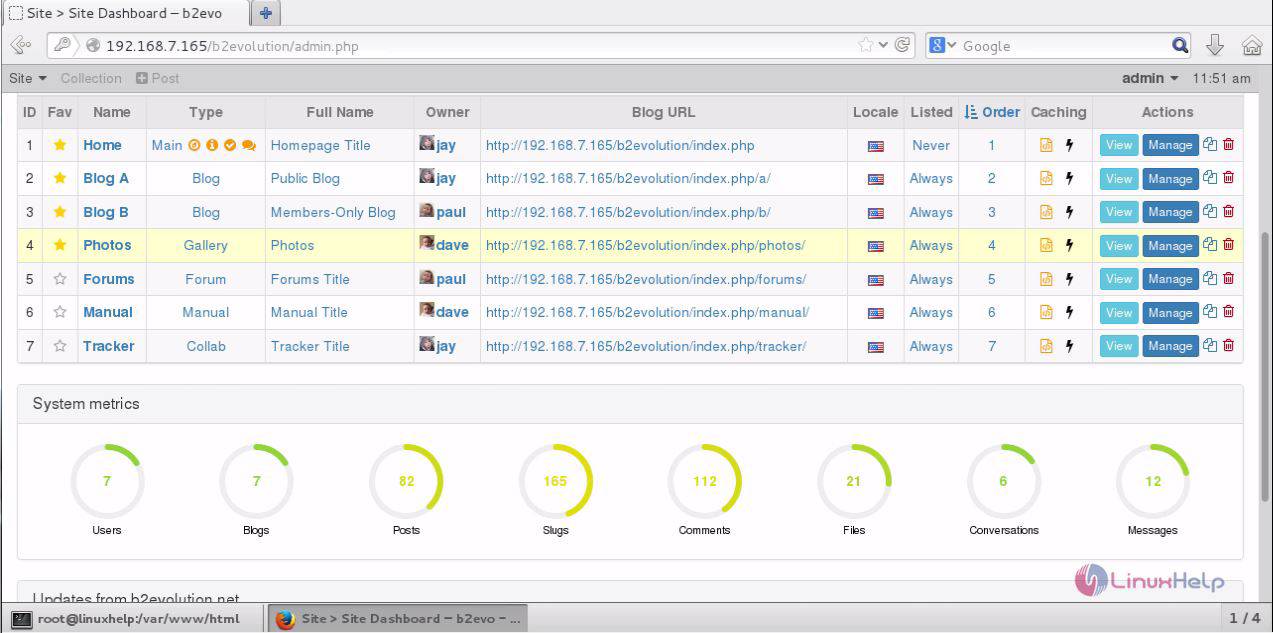
The login is successfully done and now the dashboard of b2evolution is for the user to maintain their website content and other CMS functions.
The installation procedure of b2evolution on CentOS 7 is done without any giltches.
Comments ( 0 )
No comments available