How to install Babiloo on Debian 8.6
{{postValue.id}}
To install Babiloo on Debian
Babiloo is a free and open source software for reading dictionaries in offline.
Features
- Supported by most of the platforms, Windows, Linux, MacOS, Nokia S60 (> 1.9).
- Supports both SDictionary, and StarDict formats.
- HTML displaying for the supported dictionaries.
- Can download more dictionaries within the application.
To install Babiloo
First add repo link on the apt source list. Use the following command to open the file and add the below mentioned line in it.
root@linuxhelp:~# nano /etc/apt/sources.list
deb http://ftp.de.debian.org/debian jessie main
After adding the link, update the apt source.
root@linuxhelp:~# apt-get update
Ign http://dl.google.com stable InRelease
Hit http://dl.google.com stable Release.gpg
Hit http://security.debian.org jessie/updates InRelease
Hit http://dl.google.com stable Release
Hit http://ppa.launchpad.net trusty InRelease
Hit http://ftp.debian.org jessie-updates InRelease
Ign http://ftp.de.debian.org jessie InRelease
Hit http://security.debian.org jessie/updates/main Sources
Hit http://dl.google.com stable/main amd64 Packages
Hit http://ppa.launchpad.net trusty/main Sources
Hit http://ftp.debian.org jessie-updates/main Sources
Hit http://ftp.de.debian.org jessie Release.gpg
Hit http://security.debian.org jessie/updates/contrib Sources
Hit http://ppa.launchpad.net trusty/main amd64 Packages
Hit http://security.debian.org jessie/updates/main amd64 Packages
Hit http://ftp.debian.org jessie-updates/contrib Sources
Hit http://ftp.de.debian.org jessie Release
Hit http://security.debian.org jessie/updates/contrib amd64 Packages
Hit http://ppa.launchpad.net trusty/main Translation-en
Get:1 http://ftp.debian.org jessie-updates/main amd64 Packages/DiffIndex [6,916 B]
Hit http://security.debian.org jessie/updates/contrib Translation-en
Hit http://ftp.de.debian.org jessie/main amd64 Packages
Hit http://security.debian.org jessie/updates/main Translation-en
Hit http://ftp.debian.org jessie-updates/contrib amd64 Packages
Hit http://ftp.de.debian.org jessie/main Translation-en
Hit http://ftp.debian.org jessie-updates/contrib Translation-en
Get:2 http://ftp.debian.org jessie-updates/main Translation-en/DiffIndex [2,704 B]
Ign http://dl.google.com stable/main Translation-en_US
Ign http://dl.google.com stable/main Translation-en
Fetched 9,620 B in 2s (3,712 B/s)
Reading package lists... Done
Once it is updated, install Babiloo by using apt-get install command.
root@linuxhelp:~# apt-get install babiloo
Reading package lists... Done
Building dependency tree
Reading state information... Done
The following extra packages will be installed:
  libmysqlclient18 libqt4-declarative libqt4-designer libqt4-help
  libqt4-network libqt4-opengl libqt4-script libqt4-scripttools libqt4-sql
  libqt4-sql-mysql libqt4-svg libqt4-test libqt4-xmlpatterns
  libqtassistantclient4 libqtwebkit4 mysql-common python-qt4 python-sip
Suggested packages:
  libqt4-declarative-folderlistmodel libqt4-declarative-gestures
  libqt4-declarative-particles libqt4-declarative-shaders qt4-qmlviewer
  libqt4-dev python-qt4-dbg
.
.
.
.
Setting up libqt4-xmlpatterns:amd64 (4:4.8.6+git64-g5dc8b2b+dfsg-3+deb8u1) ...
Setting up libqt4-declarative:amd64 (4:4.8.6+git64-g5dc8b2b+dfsg-3+deb8u1) ...
Setting up libqt4-designer:amd64 (4:4.8.6+git64-g5dc8b2b+dfsg-3+deb8u1) ...
Setting up libqt4-help:amd64 (4:4.8.6+git64-g5dc8b2b+dfsg-3+deb8u1) ...
Setting up libqt4-opengl:amd64 (4:4.8.6+git64-g5dc8b2b+dfsg-3+deb8u1) ...
Setting up libqt4-scripttools:amd64 (4:4.8.6+git64-g5dc8b2b+dfsg-3+deb8u1) ...
Setting up libqt4-sql-mysql:amd64 (4:4.8.6+git64-g5dc8b2b+dfsg-3+deb8u1) ...
Setting up libqt4-svg:amd64 (4:4.8.6+git64-g5dc8b2b+dfsg-3+deb8u1) ...
Setting up libqt4-test:amd64 (4:4.8.6+git64-g5dc8b2b+dfsg-3+deb8u1) ...
Setting up libqtassistantclient4:amd64 (4.6.3-6) ...
Setting up libqtwebkit4:amd64 (2.3.4.dfsg-3) ...
Setting up babiloo (2.0.11-1) ...
Setting up python-sip (4.16.4+dfsg-1) ...
Setting up python-qt4 (4.11.2+dfsg-1) ...
Processing triggers for libc-bin (2.19-18+deb8u6) ...
Type babiloo on your terminal for opening it.
root@linuxhelp:~# babiloo
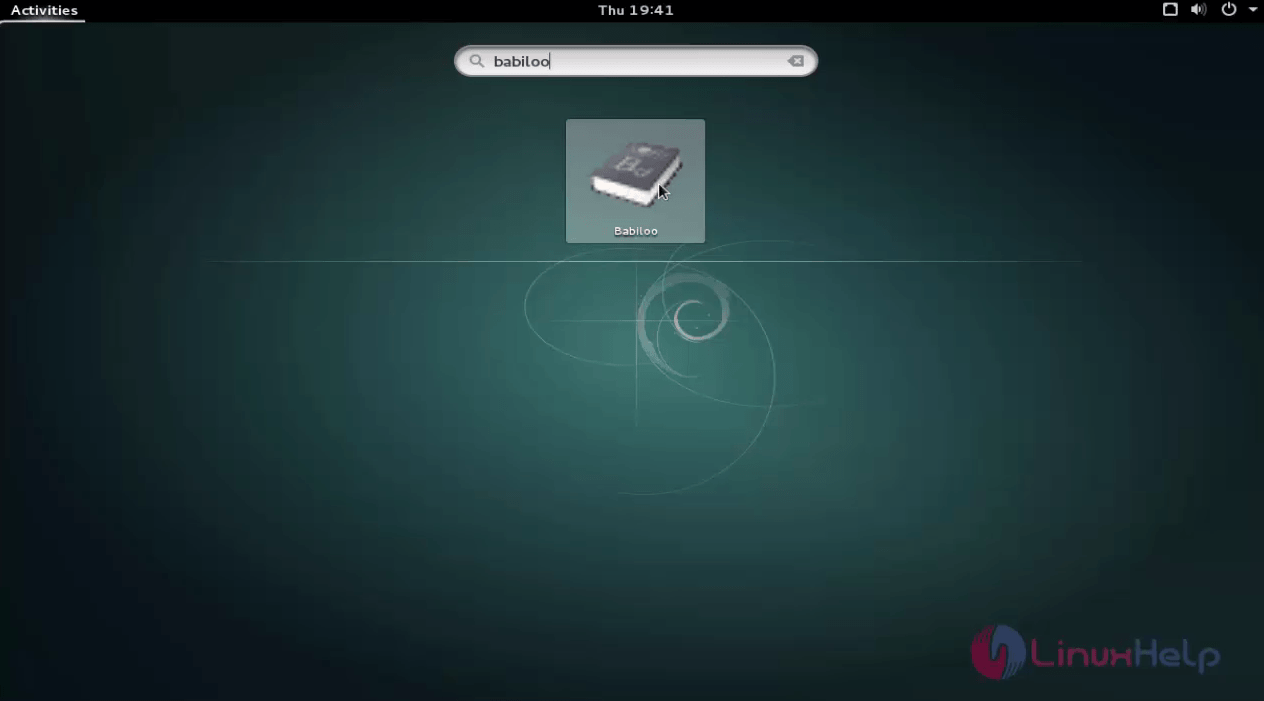
You can also type babiloo on the activities tab, and click the babiloo icon to open it.
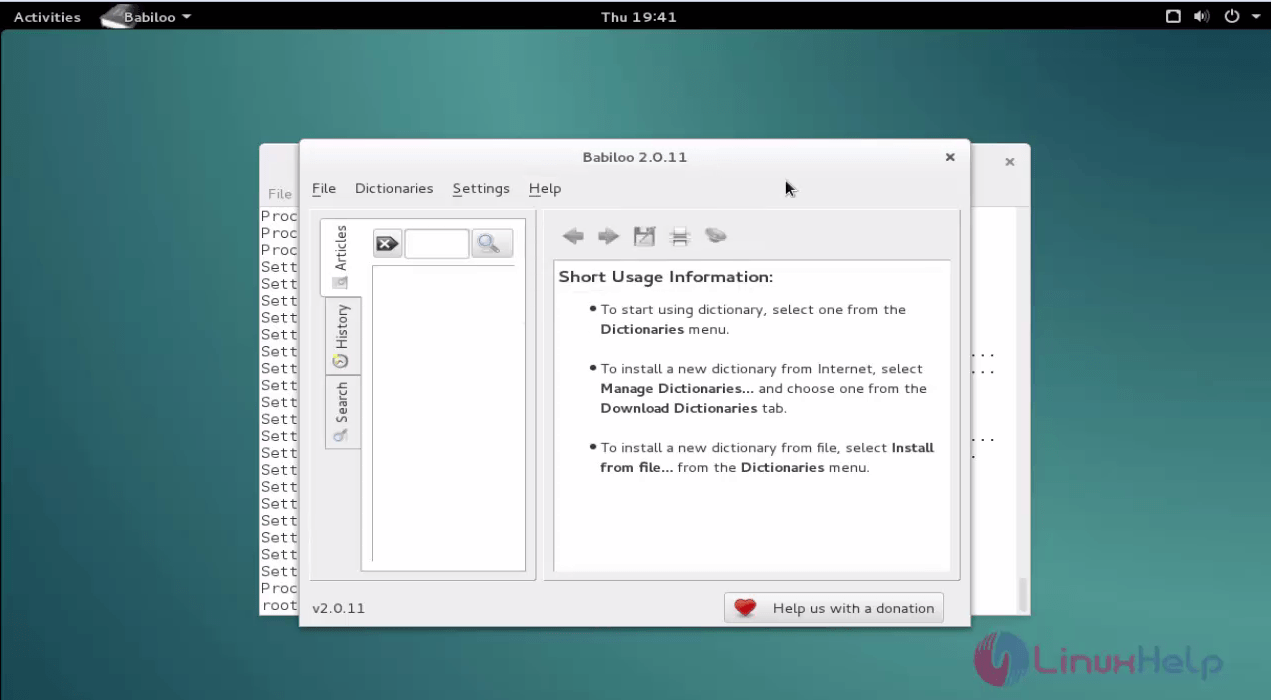
Now its opened. Enjoy using Babiloo.
Comments ( 0 )
No comments available