• Categories
    Category
    {{ postCtrl.tags }}
    • {{ category.tag_type }}

      • {{tag.tag_name}}
      • View more
  • Categories
    Category
    {{ postCtrl.tags }}
    • {{ category.tag_type }}

      • {{tag.tag_name}}
      • View more
  • News
  • Tutorials
  • Forums
  • Tags
  • Users
Tutorial News Comments FAQ Related Articles

How To Install Backdrop CMS on centos 6.9

{{postValue.id}}

To Install Backdrop CMS on CentOS 6.9

Backdrop CMS is a full-featured CMS tool which is used for creating all kinds of web based content including sites, blogs, image galleries, social networks and more. It is very simple to use, that even users with minimal technical knowledge can easily create a web content using this CMS tool. Installation of Backdrop CMS is explained in this manual.

Pre requirements
Install LAMP (apache , php, mysql)
In MySQL ,create database, user and give privileges to user

Installing Backdrop CMS

In order to download the Backdrop CMS package, you need to go to its official site and download it. After downloading the package, you get into the downloads directory as follows. Enter into the downloads as follows.

[root@linuxhelp1 ~]# cd /root/Downloads/

Once in there, do extract the downloaded file by invoking the following command.

[root@linuxhelp1 Downloads]# unzip backdrop.zip 
Archive:  backdrop.zip
  inflating: backdrop/files/.htaccess  
  inflating: backdrop/files/README.md  
  inflating: backdrop/core/includes/database/mysql/query.inc  
  inflating: backdrop/core/includes/database/mysql/install.inc  
  inflating: backdrop/core/includes/database/mysql/database.inc  
.
.
inflating: backdrop/README.md      
  inflating: backdrop/.gitignore     
  inflating: backdrop/settings.php   

After that, move the extracted directory to html location as follows.

[root@linuxhelp1 Downloads]# mv backdrop /var/www/html

Once its done, change the ownership of the file in html location by executing the following command.

[root@linuxhelp1 Downloads]# chown -R apache.apache /var/www/html

You should also change the permission of the file in html location. Run the following command for the same purpose.

[root@linuxhelp1 Downloads]# chmod -R 777 /var/www/html/

Finally, restart the Apache service to give effect to the following changes.

[root@linuxhelp1 Downloads]# service httpd restart
Stopping httpd:                                            [  OK  ]
Starting httpd:                                            [  OK  ]

We are still not through with the installation. So, switch over to your browser and enter http://machineip/backdrop as the URL, the GUI based installation setup of backdrop will appear. Choose your desired language and click Continue.
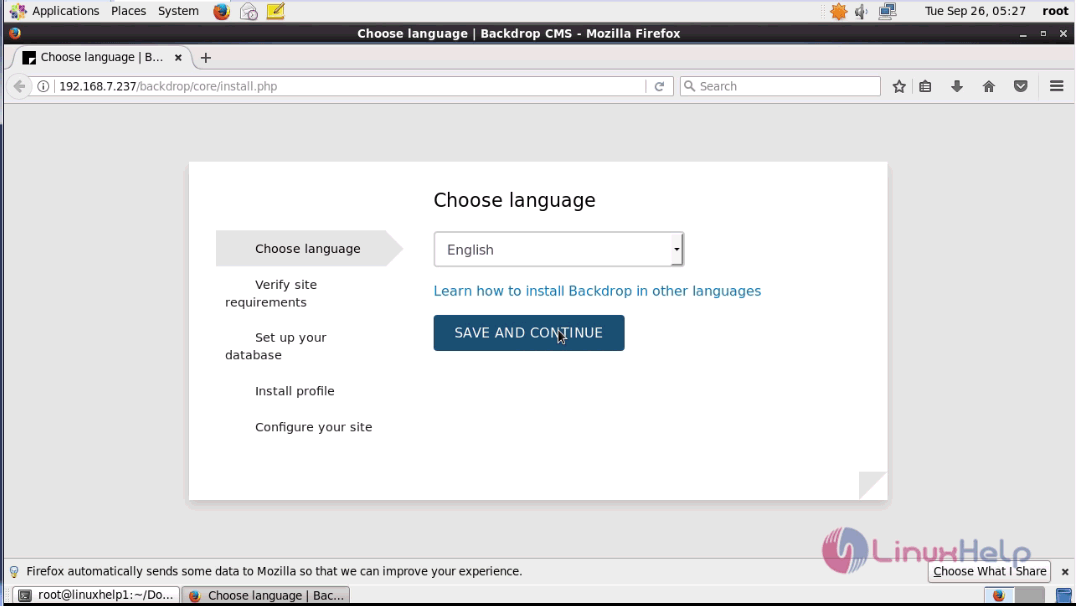
save and continue
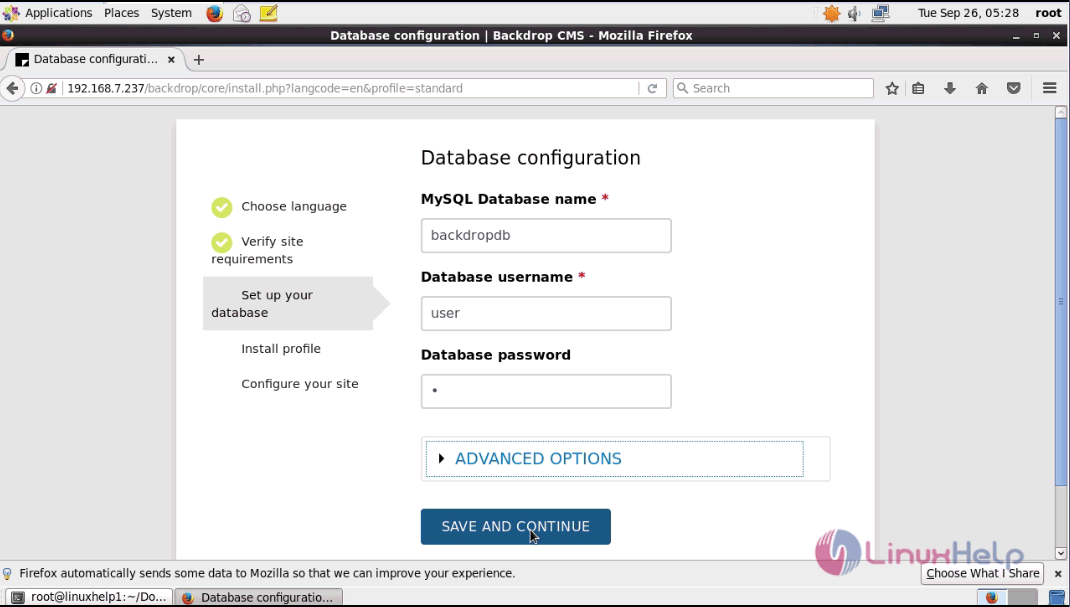
Fill database detail and click continue.
2
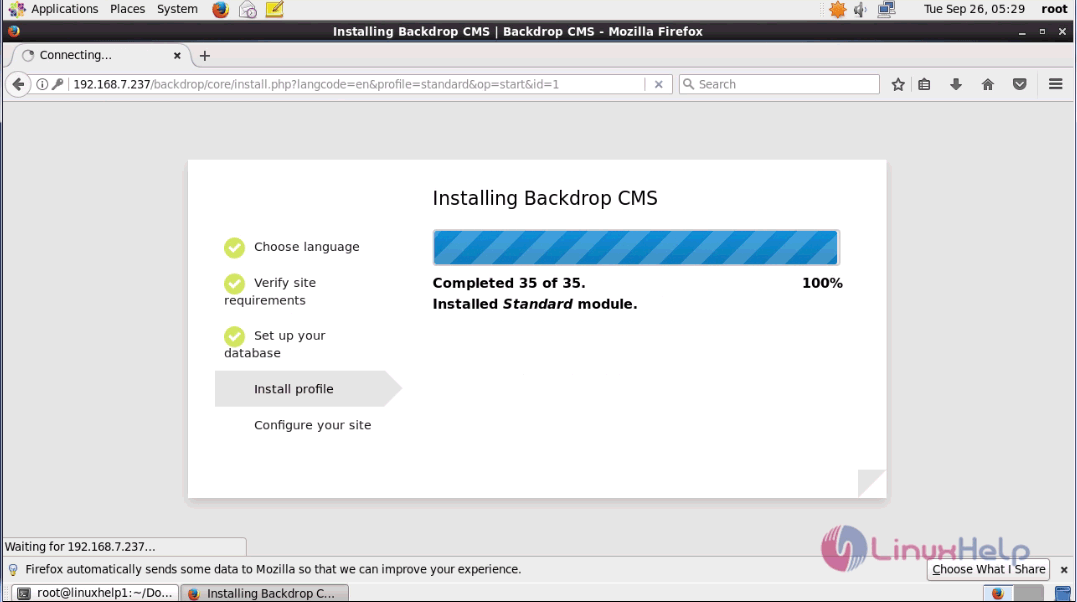
Once it is done, the Backdrop CMS installation process goes on. After that, choose Configure your site.
3
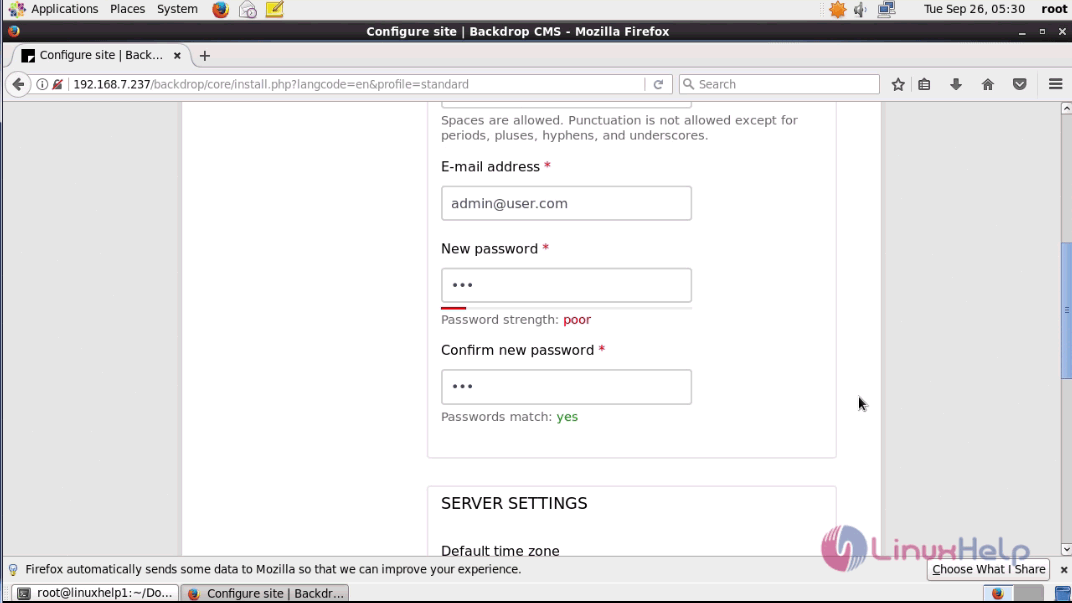
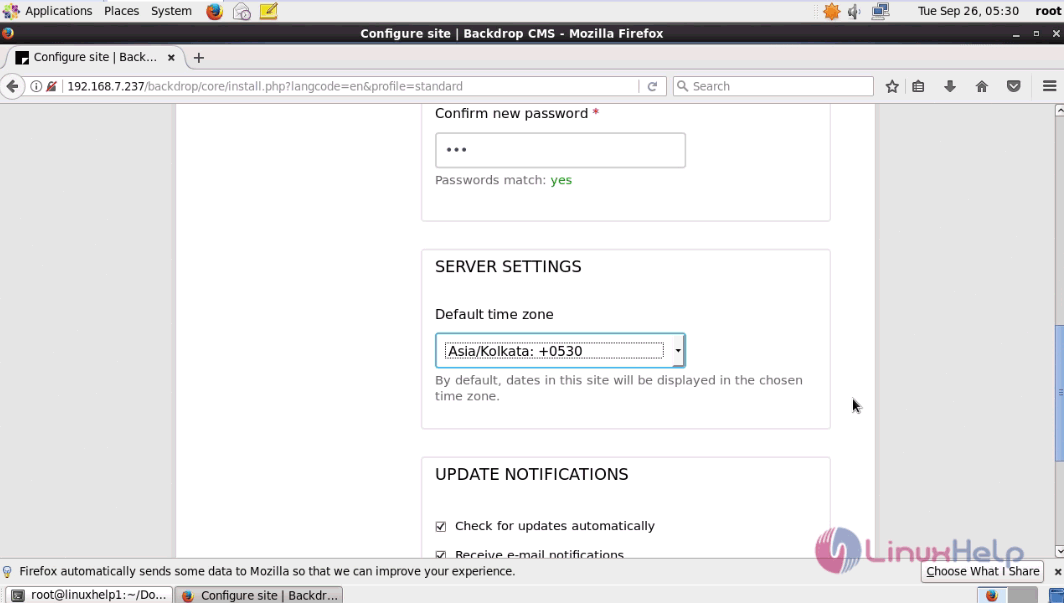
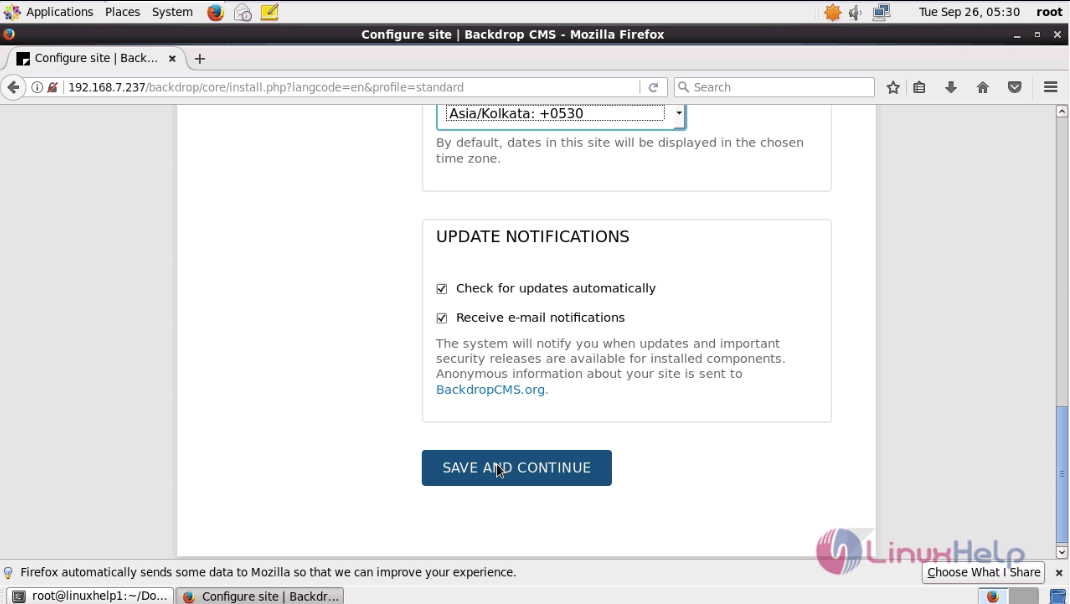
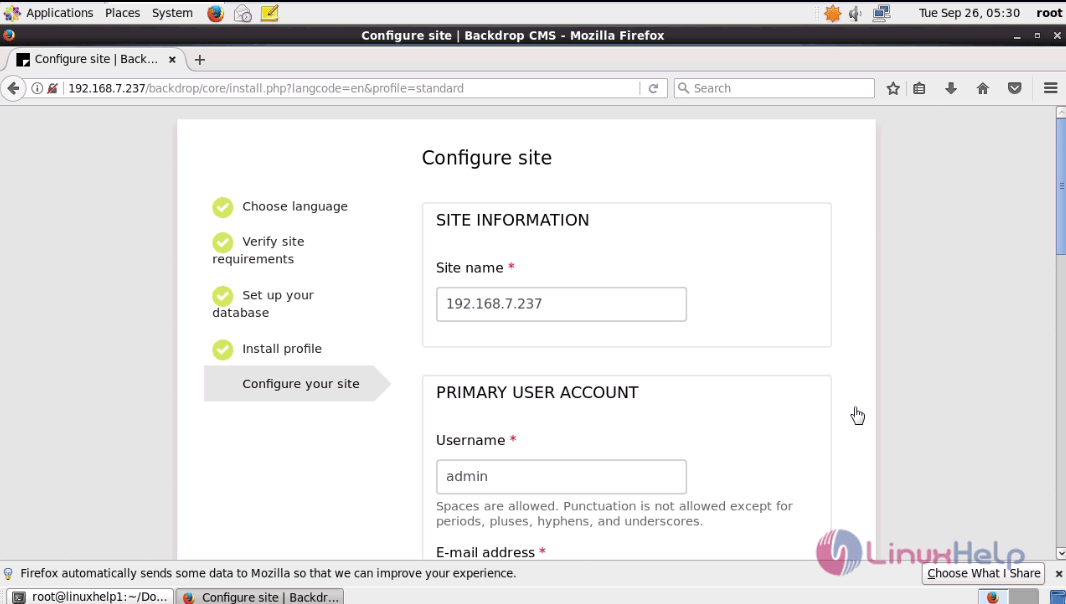
Here, you enter all your site information , user account, time zone and click on Save and Continue.
4
5
6
configuration

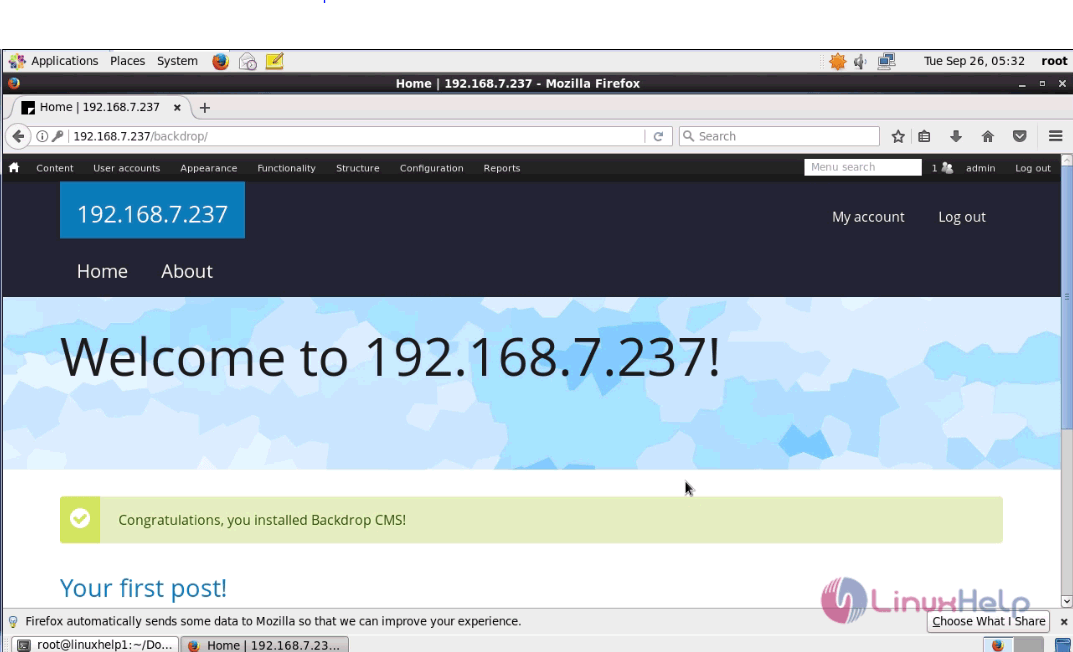
Now, that everything is over, you will be taken to the Admin page of Backdrop CMS.
post
With this, the installation of Backdrop CMS gets completed.

Tags:
ethan
Author: 

Comments ( 0 )

No comments available

Add a comment
{{postCtrl.cmtErrMsg}}

Frequently asked questions ( 5 )

Q

What is a Minimum requirement of Disk space for the Backdrop CMS?

A

A minimum installation requires 15 MB. A website with many contributed modules and themes installed may need 60 MB or more. A lot more space may be required for the database and files or media uploaded by the website's users.

Q

What is the Web Server Details for the Backdrop CMS?

A

Apache

Apache is the most commonly used web server for Backdrop CMS. Backdrop CMS will work on Apache legacy versions (1.3) as well as stable versions (2.x) hosted on UNIX/Linux, OS X, or Windows.

You can use the Apache 'mod_rewrite' extension to allow for clean URLs.
The Apache Virtualhost configuration must contain the directive AllowOverride All to allow Backdrop's .htaccess file to be used.
Sample Apache Virtualhost configuration:

DocumentRoot "/path/to/backdrop"
ServerName example.com
AllowOverride All

Nginx

Nginx is a commonly used web server that focuses on high concurrency, performance, and low memory usage. Backdrop CMS will work on Nginx legacy versions (0.7.x, 0.8.x, 1.0.x, 1.2.x), stable 1.4.x versions, and mainline 1.5.x versions hosted on UNIX/Linux, OS X, or Windows.

Recommended Nginx settings for clean URLs:

server {
listen 80; server_name example.com; location / {
root /path/to/backdrop; index index.php;
error_page 404 = @backdrop;
} location @backdrop { rewrite ^(.*)$ /index.php?q=$1 last; }
}

Q

What is the MySQL requirement of the Backdrop CMS?

A

The MySQL or MariaDB 5.0.15 or higher (with PDO) will be required to use the Backdrop CMS.

Q

What is the PHP requiremwnt to using the Backdrop CMS?

A

The PHP 5.3.2 or higher will be required to use the Backdrop CMS

Q

What are the features available in Backdrop CMS?

A

The following features avaiolable in the Backdrop CMS as,
Configuration
Admin Bar (port of Admin Menu)
Views
Views Bulk Operations
Responsive table
Instantfilter
UUID
Panels (layouts now)
Field as Block (our version was based on CTools, not the original FAB module)
CKEditor
Email
Link
Date

Back To Top!
Rank
User
Points

Top Contributers

userNamenaveelansari
135850

Top Contributers

userNameayanbhatti
92510

Top Contributers

userNamehamzaahmed
32150

Top Contributers

1
userNamelinuxhelp
31040

Top Contributers

userNamemuhammadali
24500
Can you help keel johnston ?
Unhide the folders on windows Explorer

Give any solutions to unhide folder using command prompt?

forum3

Networking
  • Routing
  • trunk
  • Netmask
  • Packet Capture
  • domain
  • HTTP Proxy
Server Setup
  • NFS
  • KVM
  • Memory
  • Sendmail
  • WebDAV
  • LXC
Shell Commands
  • Cloud commander
  • Command line archive tools
  • last command
  • Shell
  • terminal
  • Throttle
Desktop Application
  • Linux app
  • Pithos
  • Retrospect
  • Scribe
  • TortoiseHg
  • 4Images
Monitoring Tool
  • Monit
  • Apache Server Monitoring
  • EtherApe 
  • Arpwatch Tool
  • Auditd
  • Barman
Web Application
  • Nutch
  • Amazon VPC
  • FarmWarDeployer
  • Rukovoditel
  • Mirror site
  • Chef
Contact Us | Terms of Use| Privacy Policy| Disclaimer
© 2025 LinuxHelp.com All rights reserved. Linux™ is the registered trademark of Linus Torvalds. This site is not affiliated with linus torvalds in any way.