• Categories
    Category
    {{ postCtrl.tags }}
    • {{ category.tag_type }}

      • {{tag.tag_name}}
      • View more
  • Categories
    Category
    {{ postCtrl.tags }}
    • {{ category.tag_type }}

      • {{tag.tag_name}}
      • View more
  • News
  • Tutorials
  • Forums
  • Tags
  • Users
Tutorial News Comments FAQ Related Articles

How to install Backslash OS – Anna

{{postValue.id}}

To install Backslash OS &ndash Anna

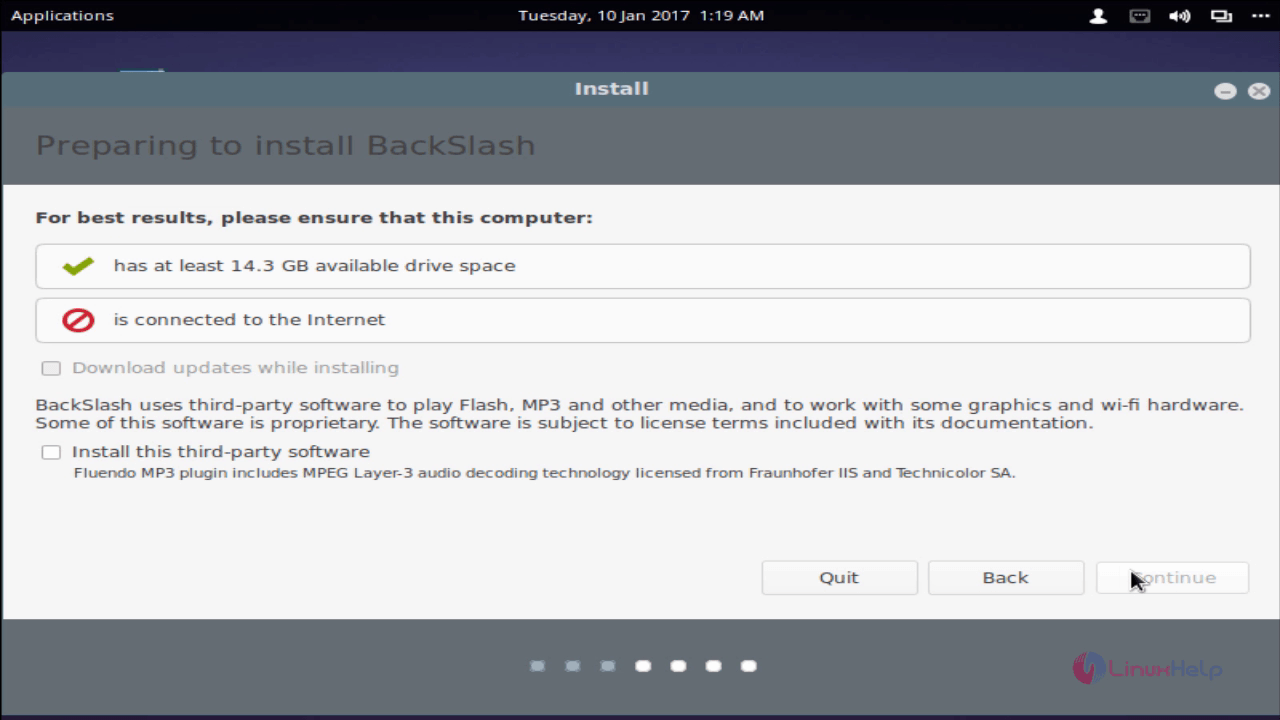
Backslash is a free and easy to use Debian based Linux operating system and can be fully customized. This article covers the installation procedure of Backslash OS. To install Backslash goto backslash official site to download the ISO Image to boot into your hard drive. Insert boot media and then you will see the boot screen shown below.
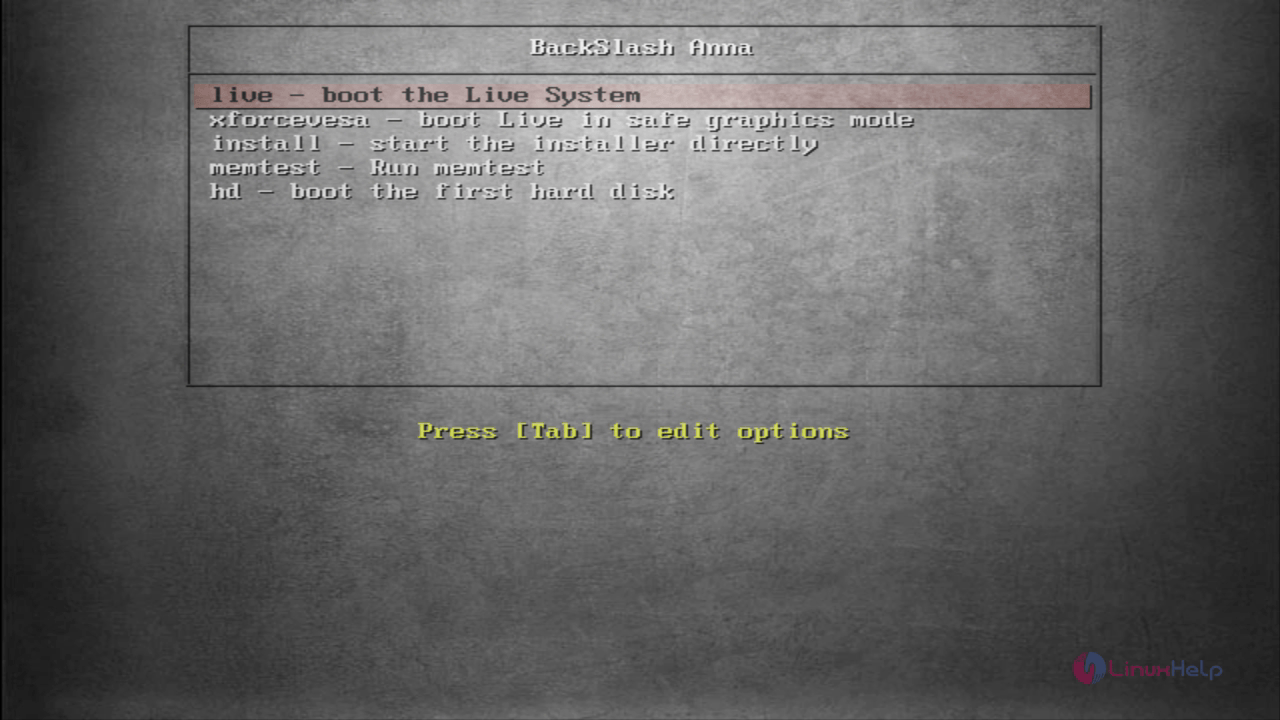
Boot_screen

Boot into live session and start the installation process.
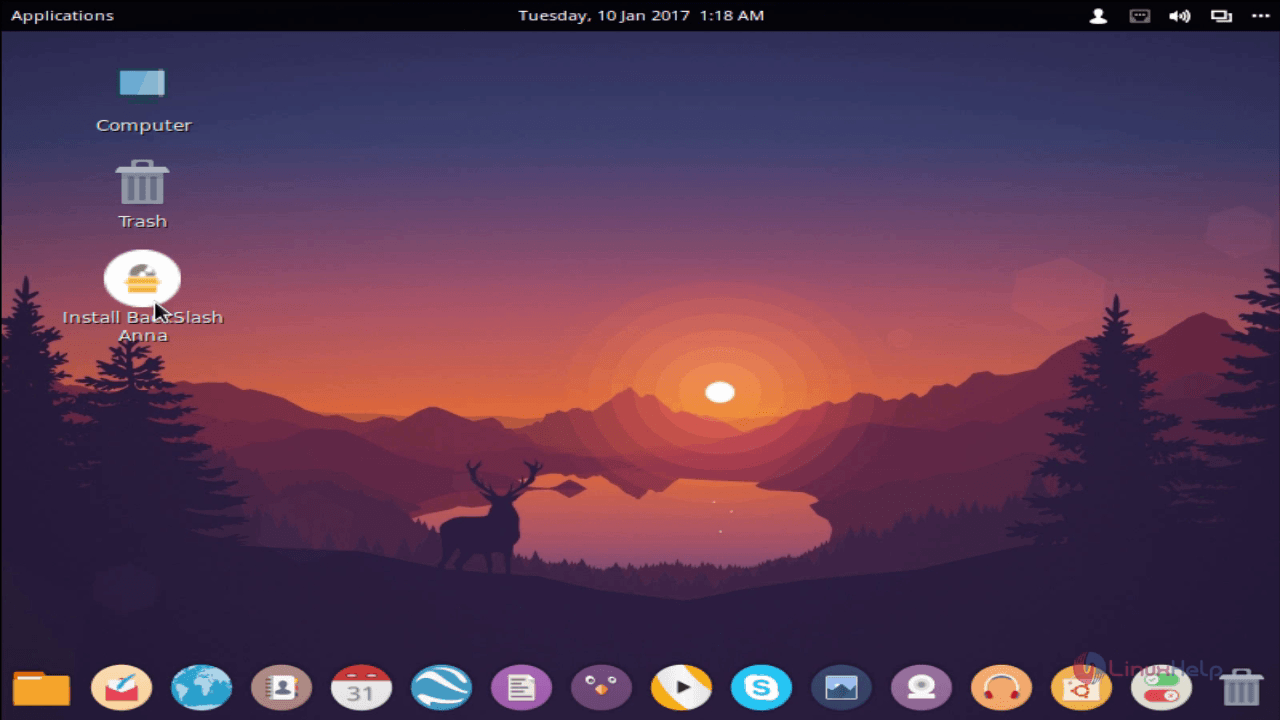
desktop

Choose your language and click continue
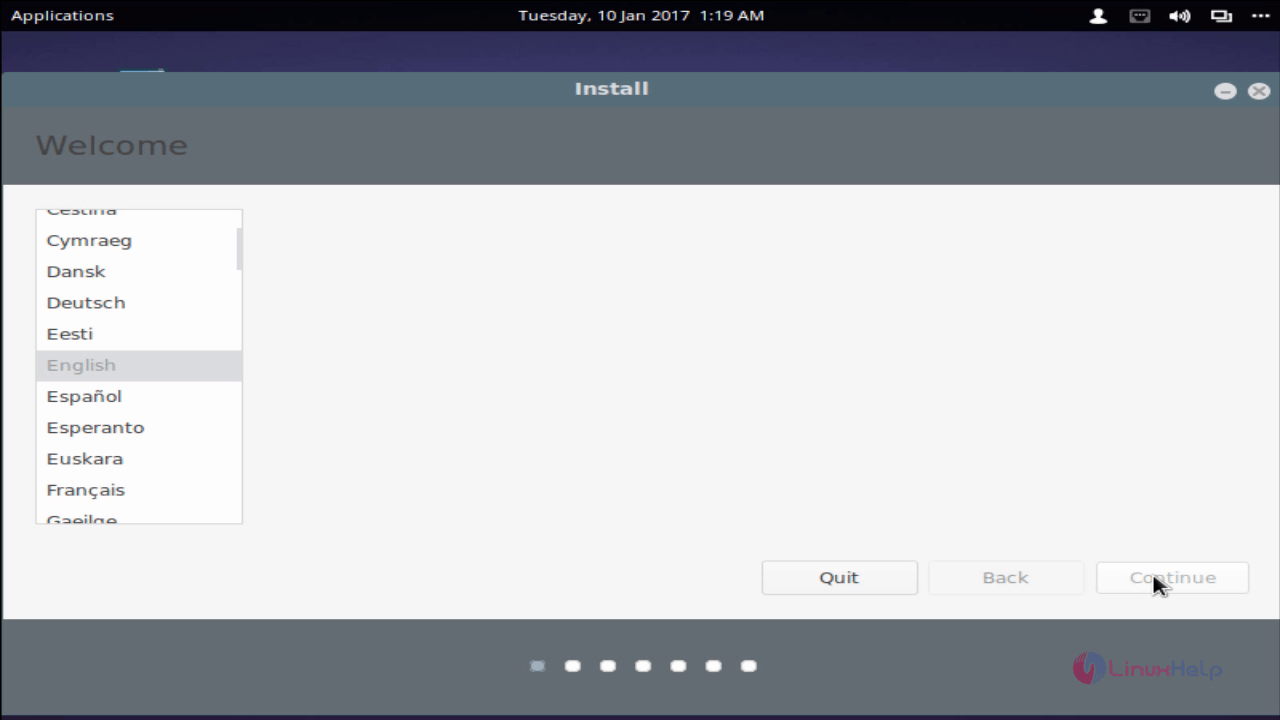
language

install_backslash

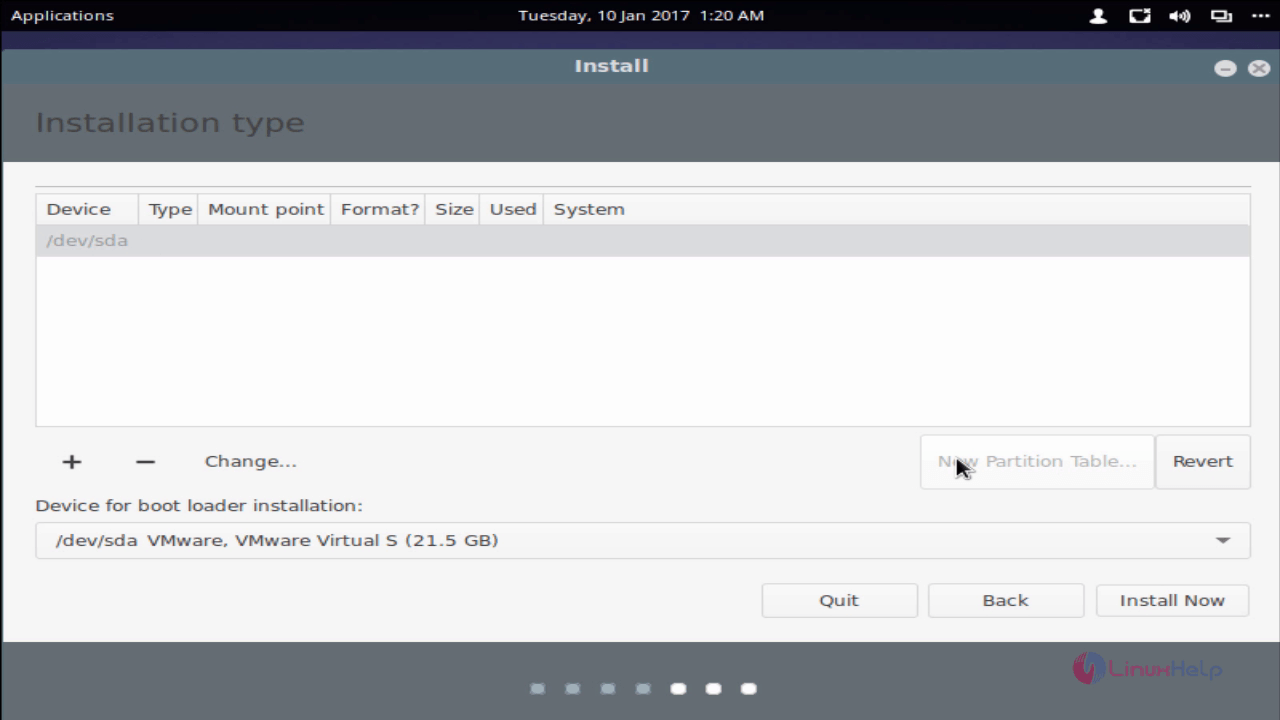
Choose partitioning method (custom or automatic) from the listed option shown below snap.
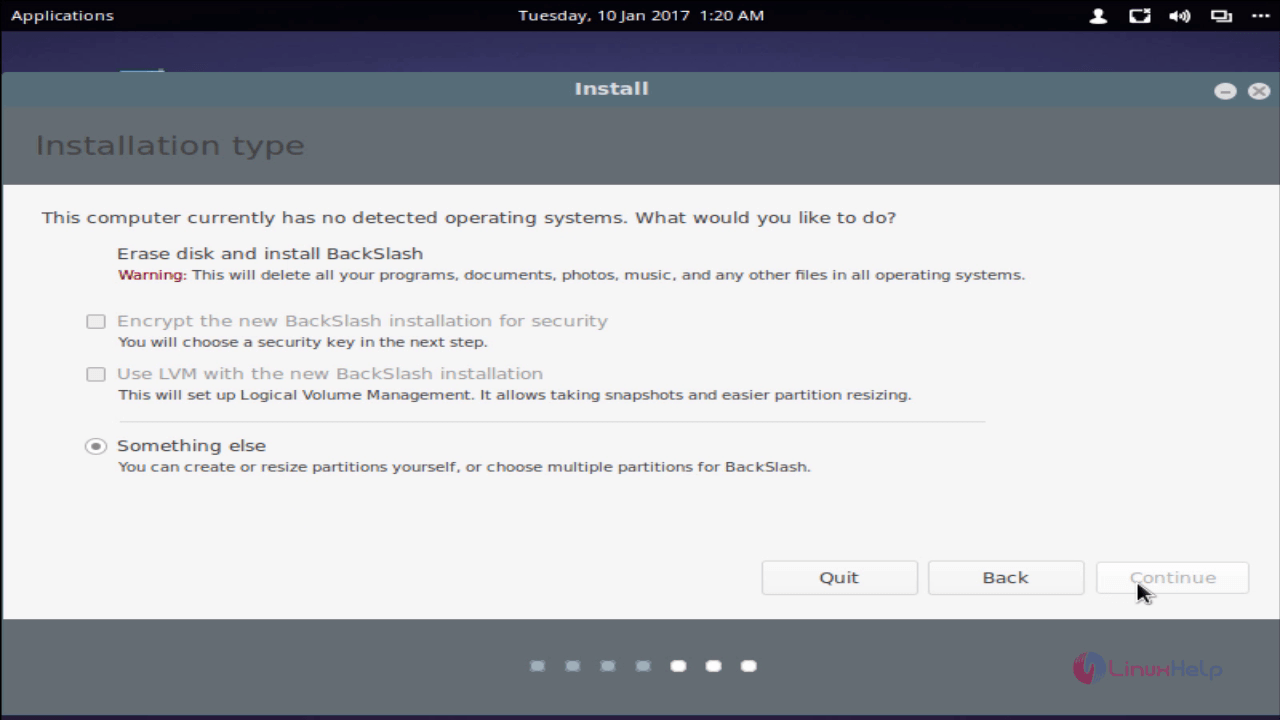
backslash_installation_type

Create New partition table.

new_partition_table

To create each partition, choose the free space option in your /dev/sda (hard drive) then click “ +” symbol and to assign size, file system and mount point for the respected partition as follows.
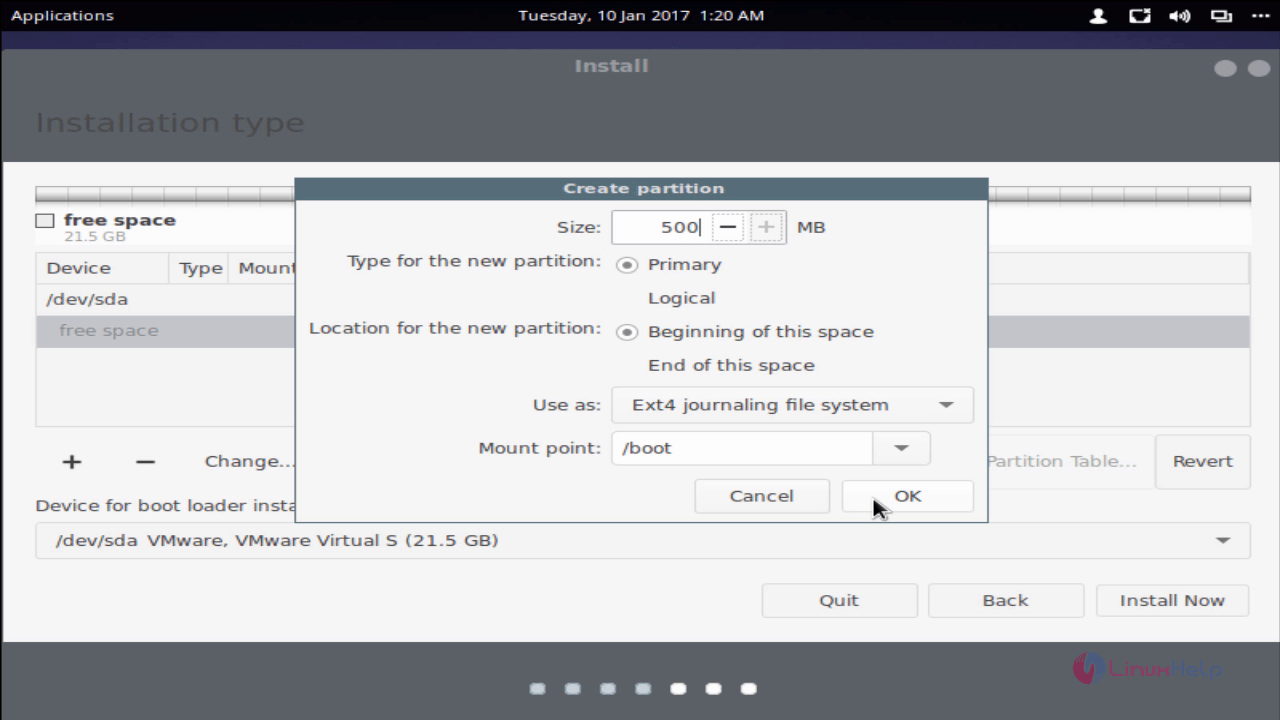
create_partition

We need to create 3 partition
1. Boot partition &ndash should be mounted under /boot
2. Swap partition &ndash should be mounted on swap area
3. Root partition &ndash should be mounted on /

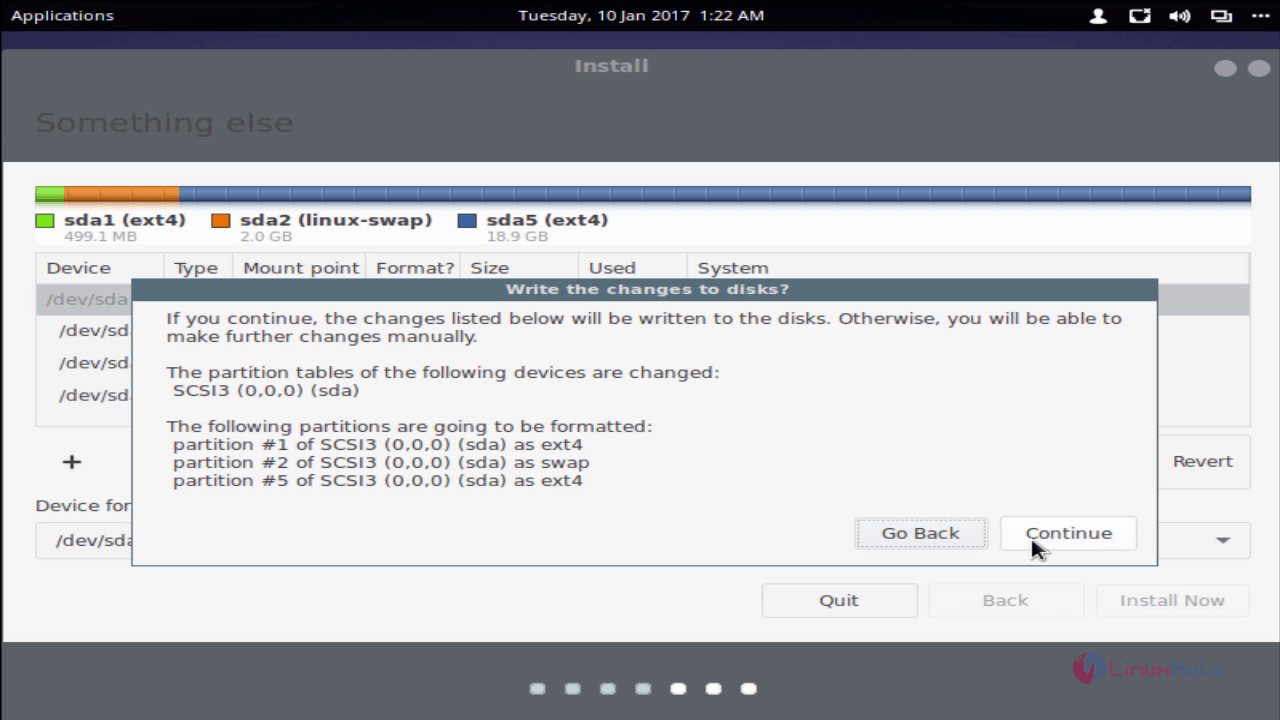
After creating all the partition click install now.
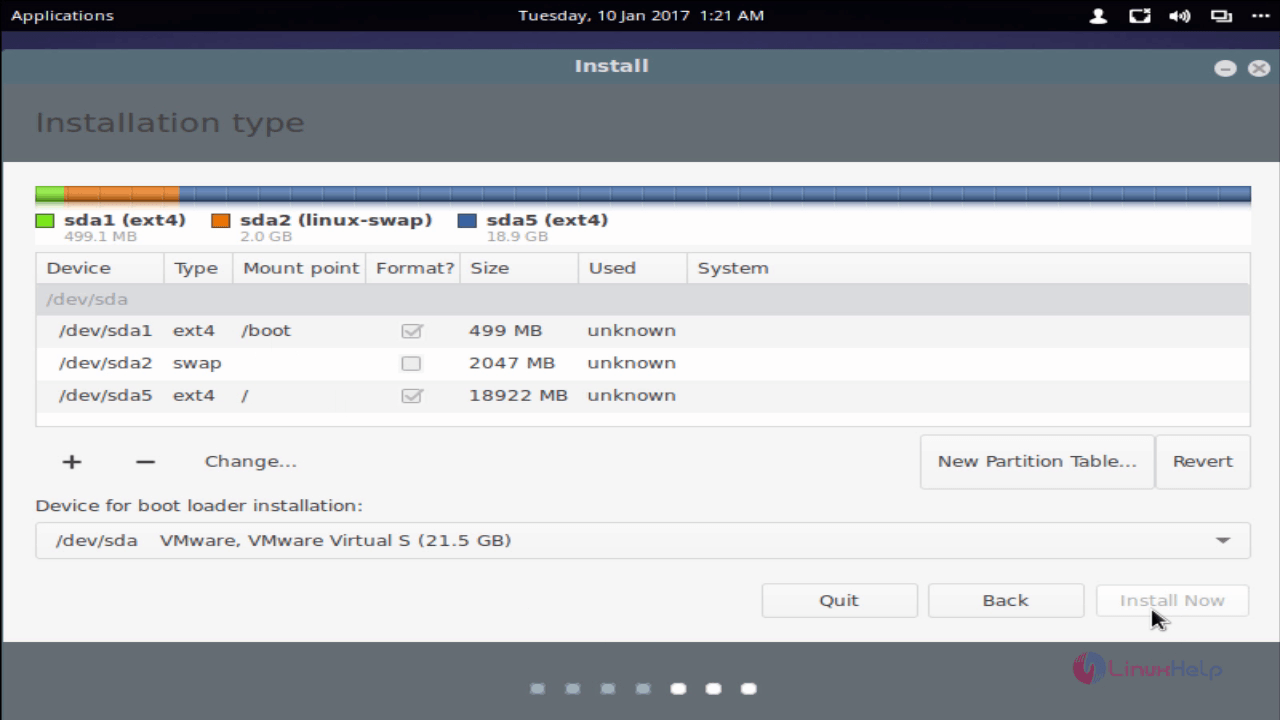
install_now
Changes_to_disk

Choose your current location and click continue.
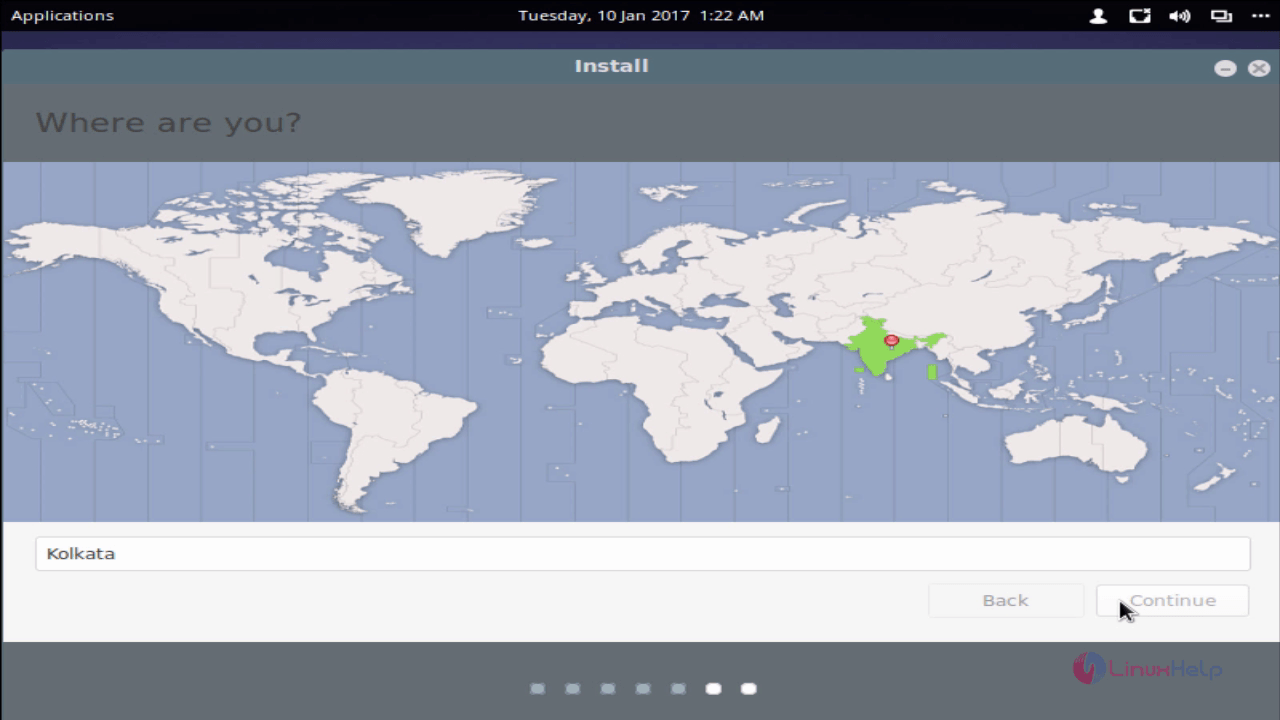
location

Choose keyboard layout and click continue.
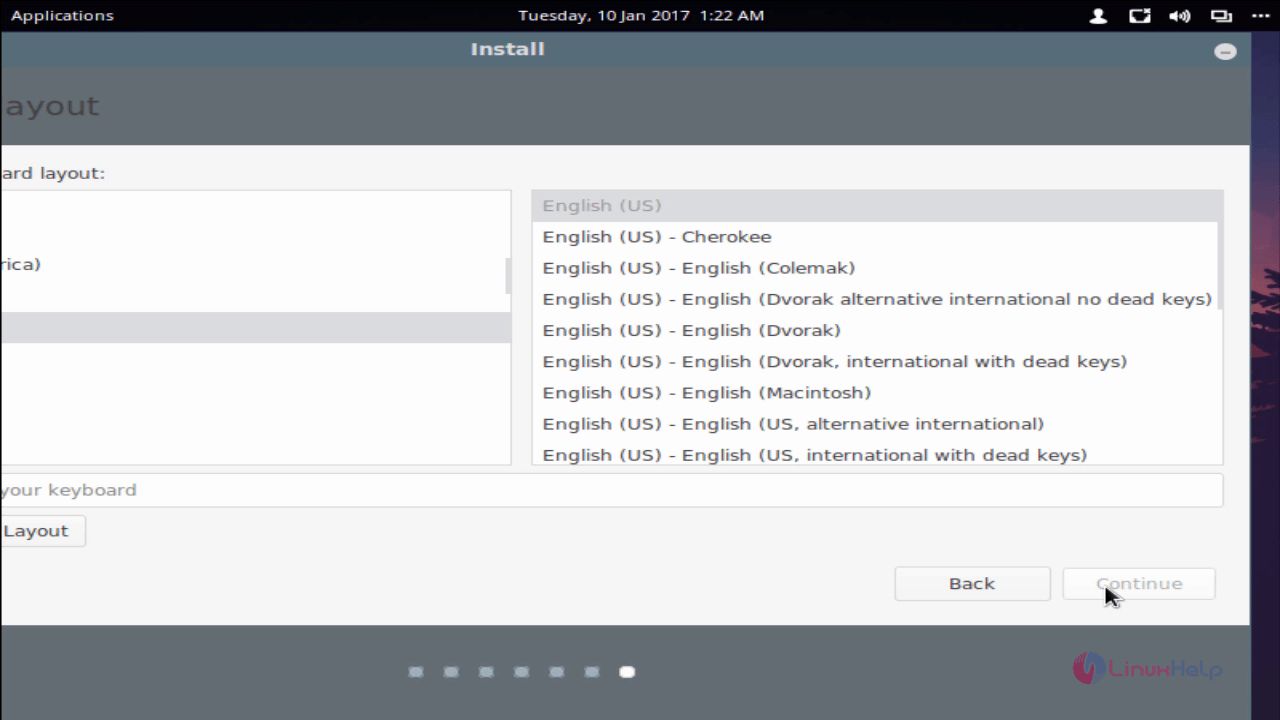
keyboard_type

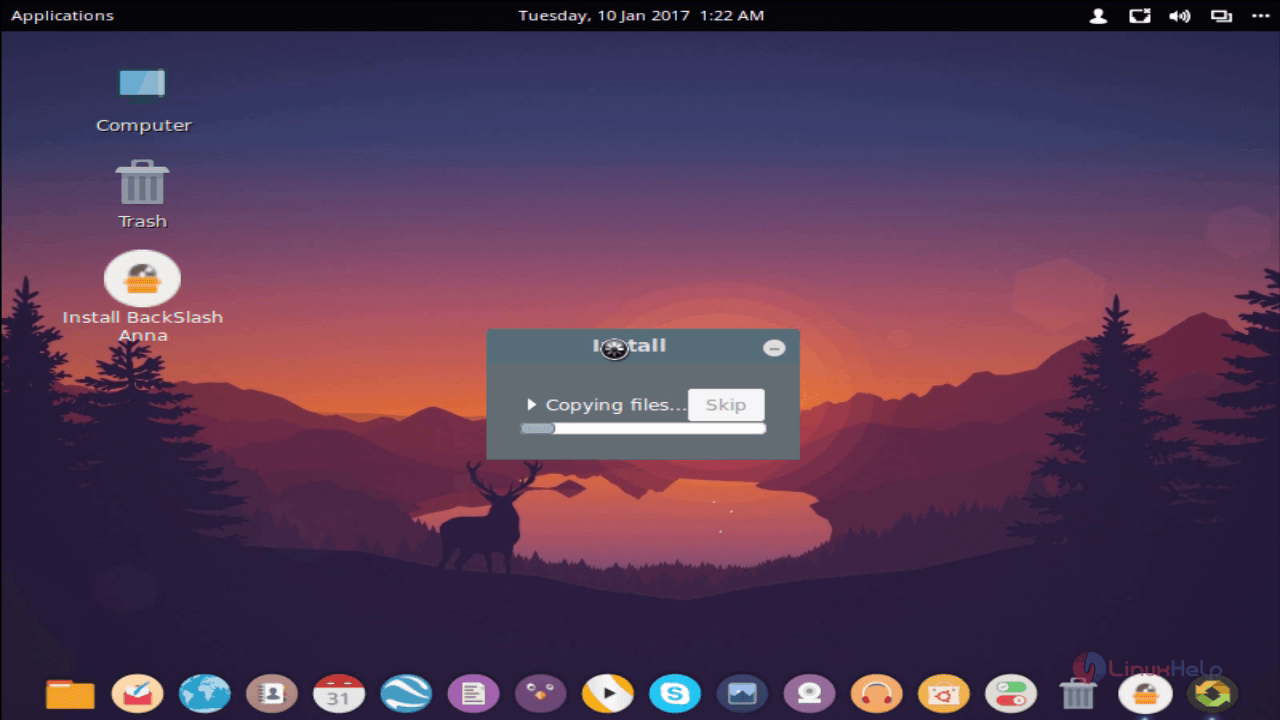
copying_files

After completing installation process, reboot the machine.
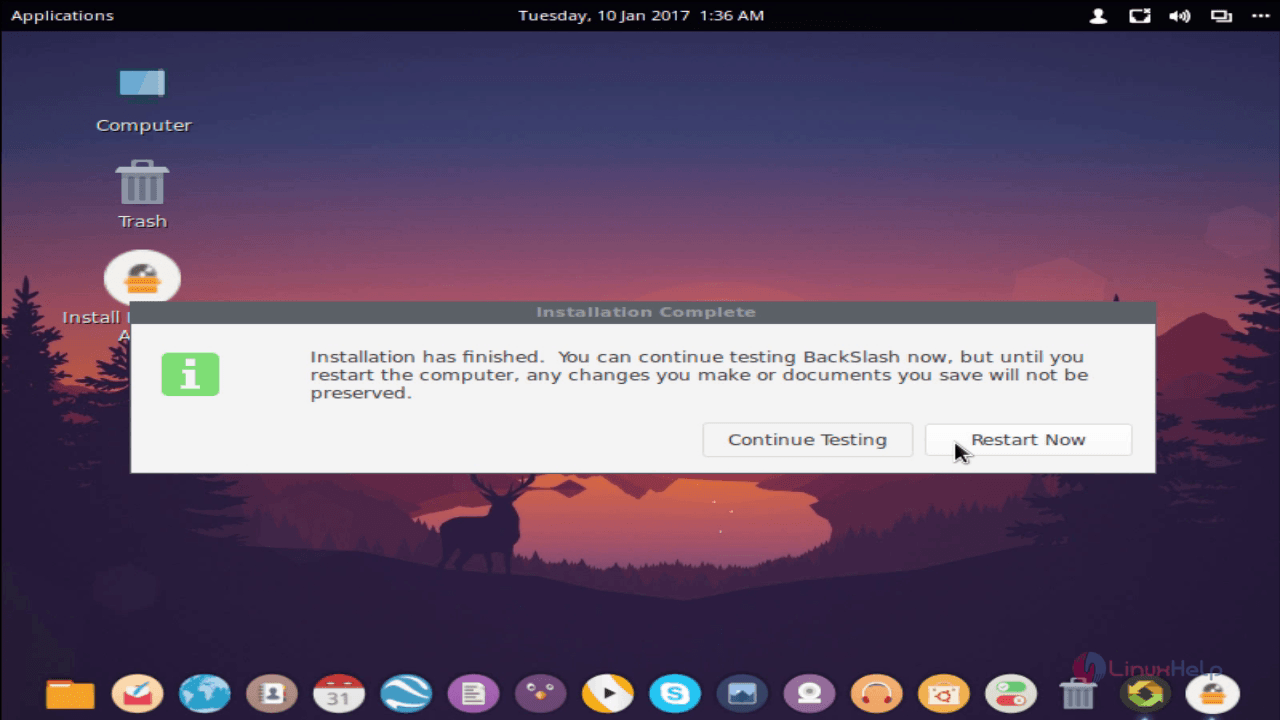
reboot_the_machine

desktop

Tags:
ethan
Author: 

Comments ( 0 )

No comments available

Add a comment
{{postCtrl.cmtErrMsg}}

Frequently asked questions ( 5 )

Q

what is advantageous property of Backslash OS?

A

Backslash is a  free and easy to use Debian based Linux operating system and can be fully customized

Q

where to have manual partitioning in Backslash OS?

A

Under partitioning setup select "something else"

Q

What about /home in Backslash OS?

A

Here I have "/" alone partitioned it is per our needs you can configure /hoem also

Q

How to download the backslash os?

A

To install Backslash goto backslash official site to download the ISO Image to boot into your hard drive. Insert boot media

Q

where to create a custom partioning Backslash OS?

A

create a custom partioning Backslash OS following steps
Choose partitioning method (custom or automatic) from the listed option
Create New partition table.
To create each partition, choose the free space option in your /dev/sda (hard drive) then click &ldquo +&rdquo symbol and to assign size, file system and mount point for the respected partition

Back To Top!
Rank
User
Points

Top Contributers

userNamenaveelansari
135850

Top Contributers

userNameayanbhatti
92510

Top Contributers

userNamehamzaahmed
32150

Top Contributers

1
userNamelinuxhelp
31040

Top Contributers

userNamemuhammadali
24500
Can you help Ryan ?
how to use visual traceroute tool

Am using traceroute command to check for the route. i got this tool while surfing. So pls help me out installation and usage of Visual traceroute tool.

Networking
  • Routing
  • trunk
  • Netmask
  • Packet Capture
  • domain
  • HTTP Proxy
Server Setup
  • NFS
  • KVM
  • Memory
  • Sendmail
  • WebDAV
  • LXC
Shell Commands
  • Cloud commander
  • Command line archive tools
  • last command
  • Shell
  • terminal
  • Throttle
Desktop Application
  • Linux app
  • Pithos
  • Retrospect
  • Scribe
  • TortoiseHg
  • 4Images
Monitoring Tool
  • Monit
  • Apache Server Monitoring
  • EtherApe 
  • Arpwatch Tool
  • Auditd
  • Barman
Web Application
  • Nutch
  • Amazon VPC
  • FarmWarDeployer
  • Rukovoditel
  • Mirror site
  • Chef
Contact Us | Terms of Use| Privacy Policy| Disclaimer
© 2025 LinuxHelp.com All rights reserved. Linux™ is the registered trademark of Linus Torvalds. This site is not affiliated with linus torvalds in any way.