• Categories
    Category
    {{ postCtrl.tags }}
    • {{ category.tag_type }}

      • {{tag.tag_name}}
      • View more
  • Categories
    Category
    {{ postCtrl.tags }}
    • {{ category.tag_type }}

      • {{tag.tag_name}}
      • View more
  • News
  • Tutorials
  • Forums
  • Tags
  • Users
Tutorial News Comments FAQ Related Articles

How to install BirdFont in Ubuntu

{{postValue.id}}

To install BirdFont in Ubuntu

BirdFont is an open source font editor that allows you to create vector graphics and export TTF, EOT and SVG fonts. Installation of Bird Font in Ubuntu is explained in this article.

Installation of BirdFont

First add the birdfont package into repository with the below command.

root@user1-linuxhelp:/home/user1# add-apt-repository ppa:ubuntuhandbook1/birdfont
 BirdFont is a free font editor that lets you create vector graphics and export TTF, EOT &  SVG fonts. It’ s an open-source editor written in Vala, developed by Johan Mattsson.
Press [ENTER] to continue or ctrl-c to cancel adding it
.
.
.
gpg:               imported: 1  (RSA: 1)
OK


Update the added repositories with the update command.

root@user1-linuxhelp:/home/user1# apt-get update
Hit http://security.ubuntu.com wily-security InRelease
Hit http://in.archive.ubuntu.com wily InRelease                                                                        
Hit http://ppa.launchpad.net wily InRelease
.
.
.
Fetched 1,977 kB in 16s (120 kB/s)                                                           
Reading package lists... Done


Now run the below command to install the birdfont package.

root@user1-linuxhelp:/home/user1# apt-get install birdfont
Reading package lists... Done
Building dependency tree       
Reading state information... Done
.
.
.
Setting up birdfont (2.10.5-3) ...
Processing triggers for libc-bin (2.21-0ubuntu4) ...


Type birdfont in the terminal to open the birdfont package.

root@user1-linuxhelp:/home/user1# birdfont


Home page of Birdfont package will display as shown bleow.
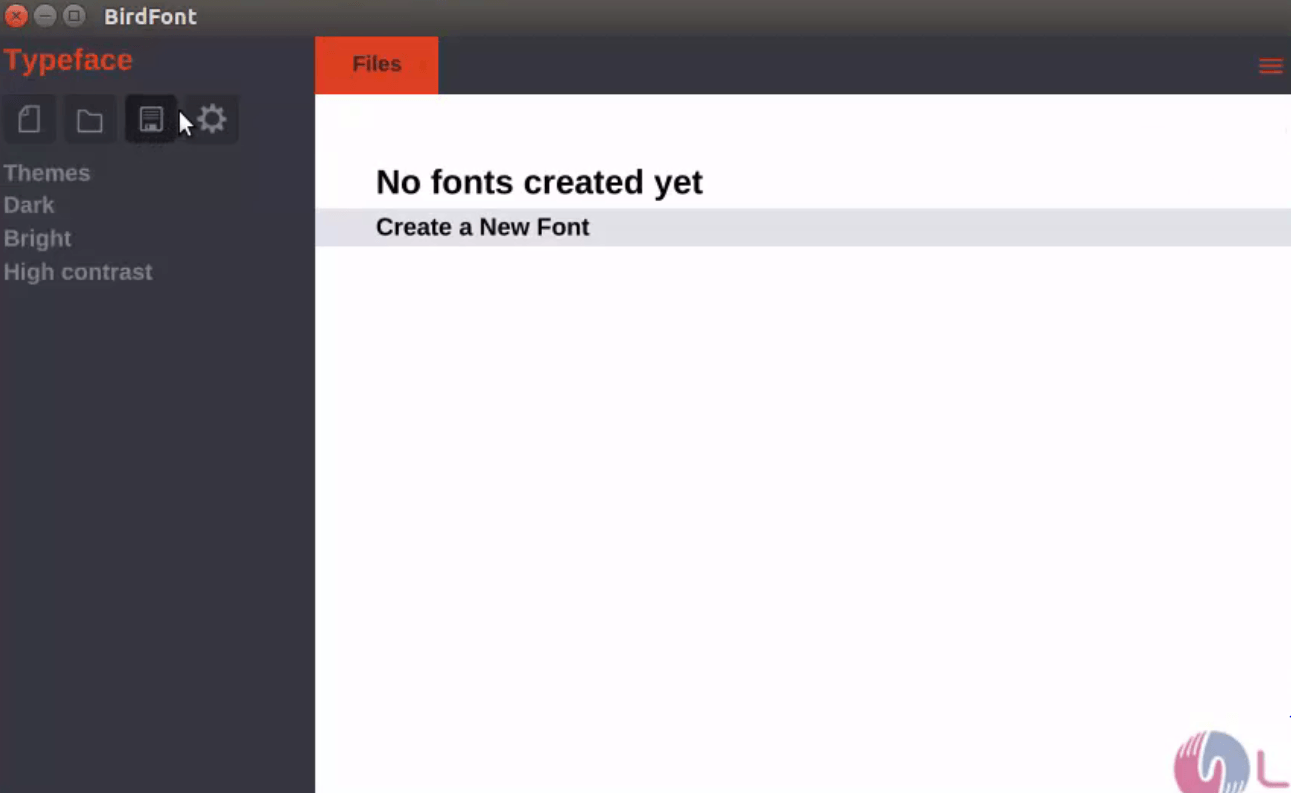
BirdFont_Files

Tags:
grayson
Author: 

Comments ( 1 )

daniilvokhmentsev
Excuse me. I can't run BirdFont. birdfont: error while loading shared libraries: libxmlbird.so.1.0: cannot open shared object file: No such file or directory
Add a comment
{{postCtrl.cmtErrMsg}}

Frequently asked questions ( 5 )

Q

Excuse me. I can't run BirdFont. birdfont: error while loading shared libraries: libxmlbird.so.1.0: cannot open shared object file: No such file or directory

A

please let me know your ppa got added successfully or it throws some error or what?

Q

Whether the BirdFont does supports EOT fonts or not?

A

Yes, The BirdFont will export TTF, EOT and SVG fonts.

Q

Installation completed I don't know how to open them ?

A

just type birdfont in command line

Q

How to completely remove the BirdFont on Ubuntu?

A

For uninstalling the BirdFont on Ubutnu, use the following command as given below "apt-get remove birdfont"

Q

How to download the BirdFont from officially?

A

For download the BirdFont form officially, use the following link as given below "https://birdfont.org/download.php"

Back To Top!
Rank
User
Points

Top Contributers

userNamenaveelansari
135850

Top Contributers

userNameayanbhatti
92510

Top Contributers

userNamehamzaahmed
32150

Top Contributers

1
userNamelinuxhelp
31040

Top Contributers

userNamemuhammadali
24500
Can you help Isaac ?
How to run windows application in linux

I need to run the windows application in my Linux machine, instead of installing from yum repo or any other repos. How to do that..??

Networking
  • Routing
  • trunk
  • Netmask
  • Packet Capture
  • domain
  • HTTP Proxy
Server Setup
  • NFS
  • KVM
  • Memory
  • Sendmail
  • WebDAV
  • LXC
Shell Commands
  • Cloud commander
  • Command line archive tools
  • last command
  • Shell
  • terminal
  • Throttle
Desktop Application
  • Linux app
  • Pithos
  • Retrospect
  • Scribe
  • TortoiseHg
  • 4Images
Monitoring Tool
  • Monit
  • Apache Server Monitoring
  • EtherApe 
  • Arpwatch Tool
  • Auditd
  • Barman
Web Application
  • Nutch
  • Amazon VPC
  • FarmWarDeployer
  • Rukovoditel
  • Mirror site
  • Chef
Contact Us | Terms of Use| Privacy Policy| Disclaimer
© 2025 LinuxHelp.com All rights reserved. Linux™ is the registered trademark of Linus Torvalds. This site is not affiliated with linus torvalds in any way.