• Categories
    Category
    {{ postCtrl.tags }}
    • {{ category.tag_type }}

      • {{tag.tag_name}}
      • View more
  • Categories
    Category
    {{ postCtrl.tags }}
    • {{ category.tag_type }}

      • {{tag.tag_name}}
      • View more
  • News
  • Tutorials
  • Forums
  • Tags
  • Users
Tutorial News Comments FAQ Related Articles

How to Install Bleach Bit on Linux mint-18.03

{{postValue.id}}

To Install Bleach Bit on Linux mint-18.03

Bleach Bit is an open source application which quickly cleans and free the hard disk space from the system and also shield the user's privacy. It is used to delete all traces of installing and uninstalling software while browsing the internet. In this tutorial, we will cover the installation of bleach bit on linuxmint-18.03.

Installation

Let's first start with updating the system repositories

linuxhelp ~ # apt-get update
Hit:1 http://archive.canonical.com/ubuntu xenial InRelease
Hit:2 http://security.ubuntu.com/ubuntu xenial-security InRelease   
Hit:3 http://archive.ubuntu.com/ubuntu xenial InRelease                  
Ign:4 http://packages.linuxmint.com sylvia InRelease                    
Hit:5 http://archive.ubuntu.com/ubuntu xenial-updates InRelease         
Hit:6 http://packages.linuxmint.com sylvia Release                      
Hit:7 http://archive.ubuntu.com/ubuntu xenial-backports InRelease
Reading package lists... Done

Install the Bleach Bit package using the following command.

linuxhelp ~ # apt-get install bleachbit
Reading package lists... Done
Building dependency tree       
Reading state information... Done
The following additional packages will be installed:
  menu
Suggested packages:
  menu-l10n
The following NEW packages will be installed:
  bleachbit menu
0 upgraded, 2 newly installed, 0 to remove and 434 not upgraded.
Need to get 640 kB of archives.
.
.
.
Processing triggers for doc-base (0.10.7) ...
Processing 1 added doc-base file...
Registering documents with scrollkeeper...
Processing triggers for man-db (2.7.5-1) ...
Processing triggers for desktop-file-utils (0.22+linuxmint1) ...
Processing triggers for mime-support (3.59ubuntu1) ...
Setting up menu (2.1.47ubuntu1.16.04.1) ...
Setting up bleachbit (1.10-1) ...
Processing triggers for menu (2.1.47ubuntu1.16.04.1) ...

Once Installation is done you can access the application from the Menu as shown here
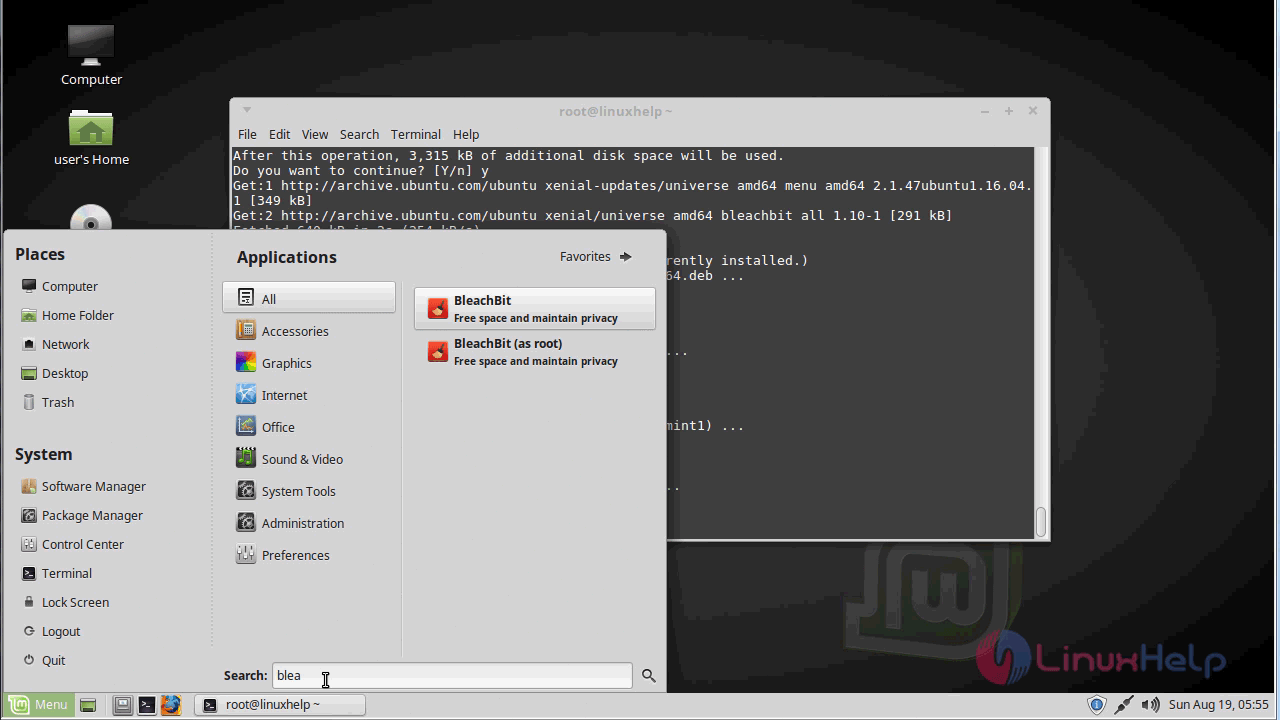
linuxmint menu

Now, you can able to use the bleach bit application.
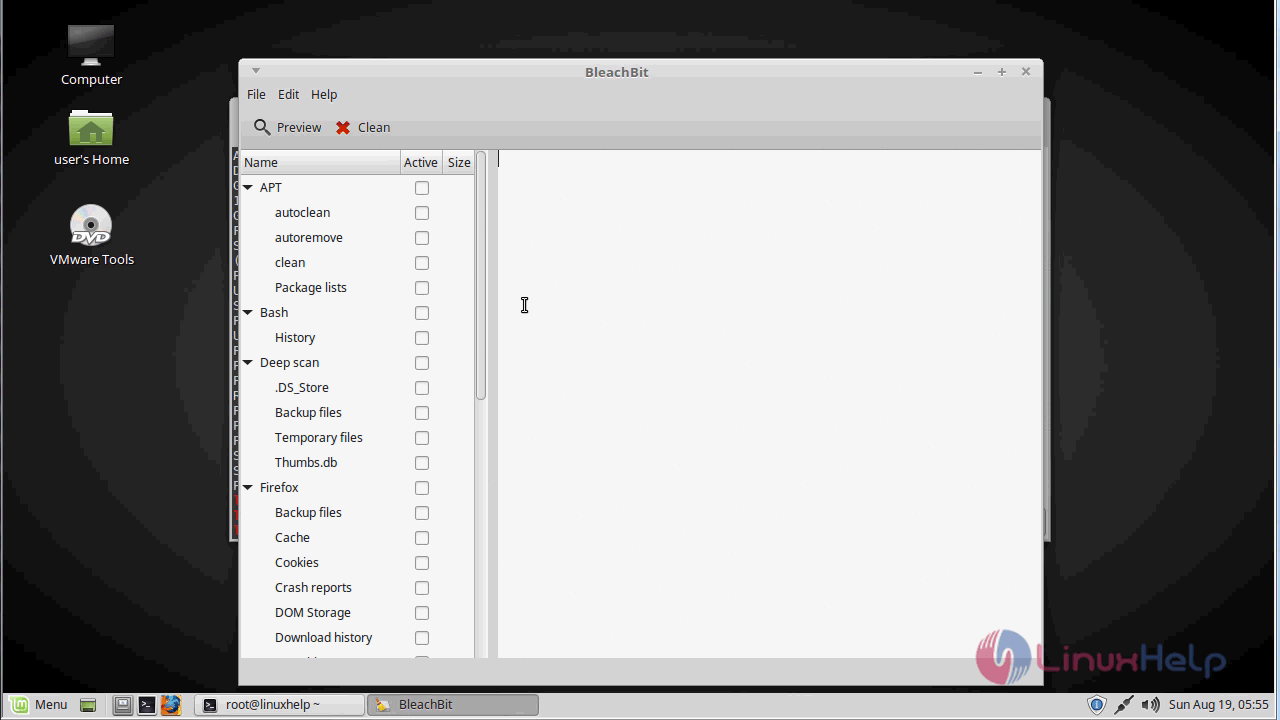
bleach bit application

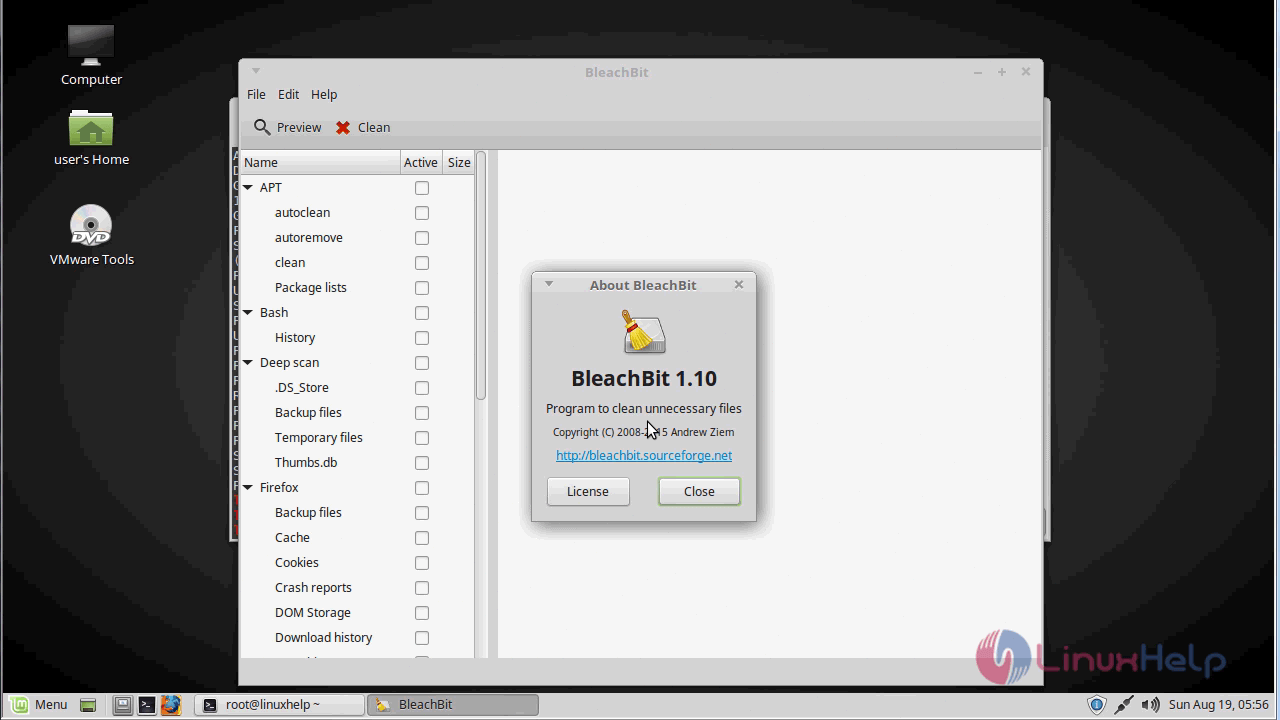
The version of bleach bit.
version

With this, the method to install Bleach Bit on Linuxmint-18.03 comes to an end.

Tags:
mason
Author: 

Comments ( 0 )

No comments available

Add a comment
{{postCtrl.cmtErrMsg}}

Frequently asked questions ( 5 )

Q

How do I see BleachBit in my own language on Microsoft Windows?

A

The language chosen in the installer does not affect the application. Open the Windows Control Panel, click on Regionalization, choose your language under Standards and Formats, and restart BleachBit.

Q

Why do I see permissions denied errors on Linux?

A

If you are trying to clean the system (localizations, APT, or Yum), run BleachBit with root permissions by choosing the menu option "BleachBit as Administrator" or using sudo on the command line.

Q

Will BleachBit make my computer faster?

A

BleachBit probably won't make your computer faster in general, but there are two specific ways you may see your computer become faster. First, by removing excess files, you may see an improvement in the speed of virus scanning and for disk backups. Second, vacuuming SQLite databases speed up applications that use them.

Q

How Should I delete cookies?

A

Cookies are not inherently evil or dangerous.
1.Cookies have many uses besides advertising
2.Cookies cannot infect a computer like a virus
3.Cookies do not cause popup ads.
4.Cookies cannot read arbitrary information from your computer

Q

Why do I see permission denied errors on index.dat?

A

Windows locks this file continuously even when Internet Explorer is closed. BleachBit version 0.6.0 fixes this.

Back To Top!
Rank
User
Points

Top Contributers

userNamenaveelansari
135850

Top Contributers

userNameayanbhatti
92510

Top Contributers

userNamehamzaahmed
32150

Top Contributers

1
userNamelinuxhelp
31040

Top Contributers

userNamemuhammadali
24500
Can you help Ganesh Konka ?
Zentya 6.1 http proxy configuration

please send link for creating zentyal 6.1 for http proxy and firewall as gateway.

Networking
  • Routing
  • trunk
  • Netmask
  • Packet Capture
  • domain
  • HTTP Proxy
Server Setup
  • NFS
  • KVM
  • Memory
  • Sendmail
  • WebDAV
  • LXC
Shell Commands
  • Cloud commander
  • Command line archive tools
  • last command
  • Shell
  • terminal
  • Throttle
Desktop Application
  • Linux app
  • Pithos
  • Retrospect
  • Scribe
  • TortoiseHg
  • 4Images
Monitoring Tool
  • Monit
  • Apache Server Monitoring
  • EtherApe 
  • Arpwatch Tool
  • Auditd
  • Barman
Web Application
  • Nutch
  • Amazon VPC
  • FarmWarDeployer
  • Rukovoditel
  • Mirror site
  • Chef
Contact Us | Terms of Use| Privacy Policy| Disclaimer
© 2025 LinuxHelp.com All rights reserved. Linux™ is the registered trademark of Linus Torvalds. This site is not affiliated with linus torvalds in any way.