How to install BleachBit on Debian 8.3
How to install BleachBit on Debian 8.3
BleachBit is an open source application which quickly cleans and free the hard disk space from the system and also shield the user' s privacy. It is used to delete all traces of installing and uninstalling software while browsing the internet. This tutorial covers the installtion procedure of BleachBit on Debian 8.3.
Installation procedure
To start the installation procedure, first add the repo and open the sources.list configuration file using the nano command and execute it.
root@linuxhelp:~# nano /etc/apt/sources.list
The sources.list file opens. Add these two lines at the end of the file. Save and exit from the file.
deb http://ftp.debian.org/debian/ stable main contrib non-free
deb http://ftp.de.debian.org/debian jessie main
Next update the apt source using the apt-get update command and run it.
root@linuxhelp:~# apt-get update
Get:1 http://ftp.debian.org jessie-updates InRelease [145 kB]
Ign http://ftp.de.debian.org jessie InRelease
Hit http://ftp.de.debian.org jessie Release.gpg
Hit http://ftp.de.debian.org jessie Release
Hit http://ftp.de.debian.org jessie/main amd64 Packages
Hit http://ftp.de.debian.org jessie/main Translation-en
Ign http://ftp.debian.org stable InRelease
Get:2 http://ftp.debian.org jessie-updates/main Sources [15.5 kB]
Get:3 http://ftp.debian.org jessie-updates/contrib Sources [32 B]
Get:4 http://ftp.debian.org jessie-updates/main amd64 Packages/DiffIndex [7,900 B]
Get:5 http://ftp.debian.org jessie-updates/contrib amd64 Packages [32 B]
Get:6 http://ftp.debian.org jessie-updates/contrib Translation-en [14 B]
Get:7 http://ftp.debian.org jessie-updates/main Translation-en/DiffIndex [2,704 B]
Hit http://ftp.debian.org stable Release.gpg
Hit http://ftp.debian.org stable Release
Hit http://ftp.debian.org stable/main amd64 Packages
Hit http://ftp.debian.org stable/contrib amd64 Packages
Hit http://ftp.debian.org stable/non-free amd64 Packages
Hit http://ftp.debian.org stable/contrib Translation-en
Hit http://ftp.debian.org stable/main Translation-en
Hit http://ftp.debian.org stable/non-free Translation-en
Fetched 171 kB in 8s (19.2 kB/s)
Reading package lists... Done
Install the BleachBit package using the following command.
root@linuxhelp:~# apt-get install bleachbit
Reading package lists... Done
Building dependency tree
Reading state information... Done
The following extra packages will be installed:
  menu
Suggested packages:
  menu-l10n
The following NEW packages will be installed:
  bleachbit menu
0 upgraded, 2 newly installed, 0 to remove and 2 not upgraded.
Need to get 641 kB of archives.
After this operation, 3,830 kB of additional disk space will be used.
Do you want to continue? [Y/n] y
Get:1 http://ftp.debian.org/debian/ stable/main menu amd64 2.1.47 [381 kB]
Get:2 http://ftp.debian.org/debian/ stable/main bleachbit all 1.4-1 [260 kB]
Fetched 641 kB in 36s (17.6 kB/s)
Selecting previously unselected package menu.
(Reading database ... 181674 files and directories currently installed.)
Preparing to unpack .../archives/menu_2.1.47_amd64.deb ...
Unpacking menu (2.1.47) ...
Selecting previously unselected package bleachbit.
Preparing to unpack .../bleachbit_1.4-1_all.deb ...
Unpacking bleachbit (1.4-1) ...
Processing triggers for install-info (5.2.0.dfsg.1-6) ...
Processing triggers for man-db (2.7.0.2-5) ...
Processing triggers for desktop-file-utils (0.22-1) ...
Processing triggers for gnome-menus (3.13.3-6) ...
Processing triggers for mime-support (3.58) ...
Setting up menu (2.1.47) ...
Processing triggers for menu (2.1.47) ...
Setting up bleachbit (1.4-1) ...
Processing triggers for menu (2.1.47) ...
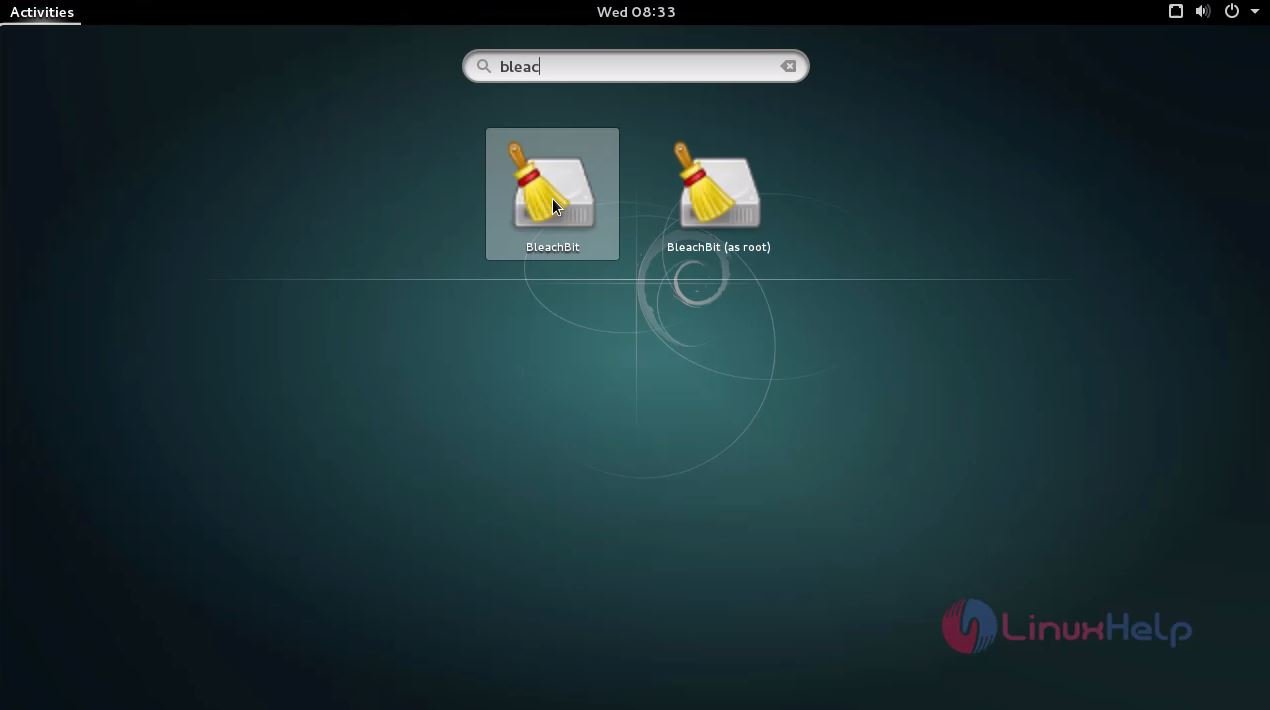
Once the package has been installed, click the activities window and type BleachBit package and run the application.
The Application is running successfully. Now the user can use the application to free cache, delete cookies, clear internet history, shred temporary files, delete logs, and discard junk.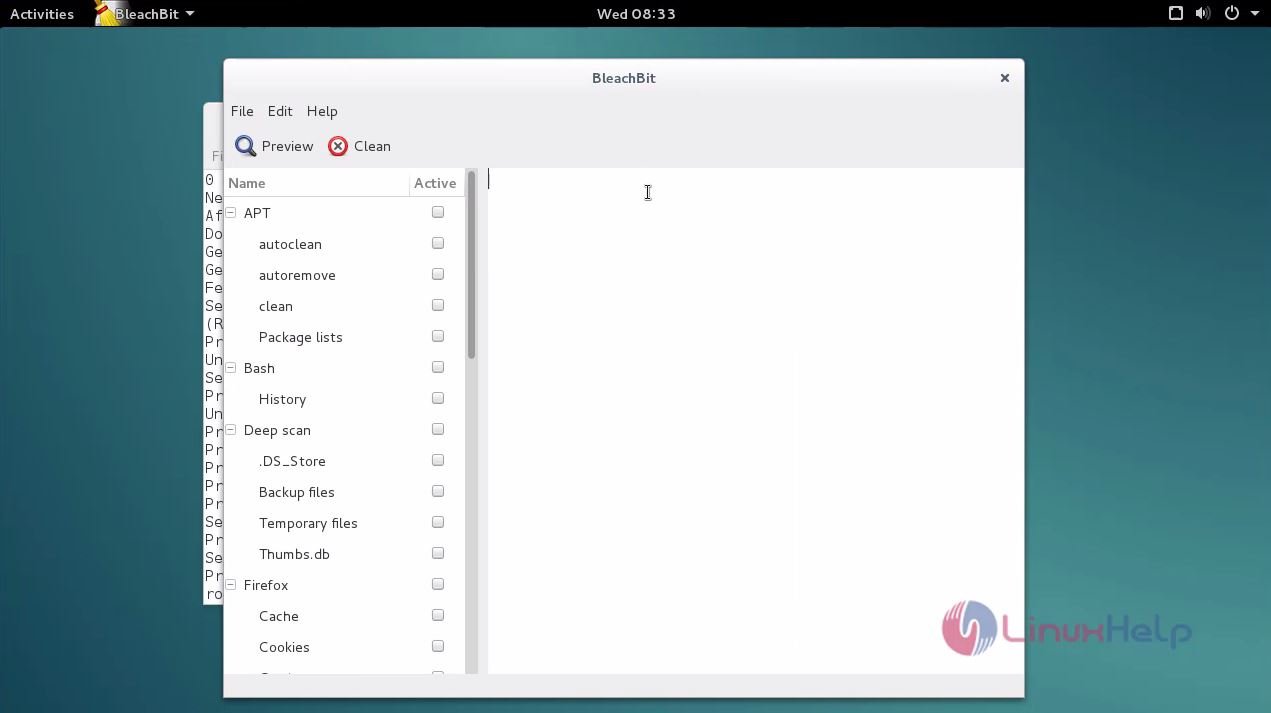
Wasn' t that an easy installation procedure? BleachBit also includes features like shredding files to prevent recovery, wiping free disk space to erase the trace of the deleted applications.
Comments ( 0 )
No comments available