• Categories
    Category
    {{ postCtrl.tags }}
    • {{ category.tag_type }}

      • {{tag.tag_name}}
      • View more
  • Categories
    Category
    {{ postCtrl.tags }}
    • {{ category.tag_type }}

      • {{tag.tag_name}}
      • View more
  • News
  • Tutorials
  • Forums
  • Tags
  • Users
Tutorial News Comments FAQ Related Articles

How to install Bodhi Linux 3.2

{{postValue.id}}

To install Bodhi Linux 3.2

Bodhi Linux is an Ubuntu-based distribution made especially for Desktop computing. It is elegant and has a lightweight nature. The Bodhi Linux base System consists of Applications like File Manager, web browser, terminal emulator, ePhoto and ePad. AppCenter can be used to download and install applications.

Installation of Bodhi Linux

First download the Bodhi Linux ISO from the Bodhi Linux official site and make it bootable in a DVD or Pen drive. Use the below link,

http://www.bodhilinux.com/download/

Select live-Boot the live system
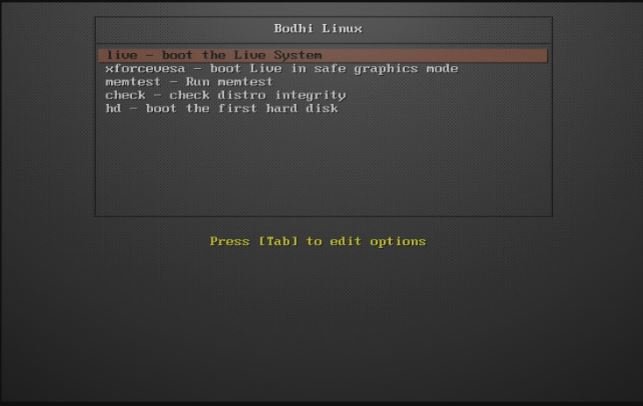
Booting process

After the live DVD is booted, we can set the IP address. Right click on the Network Connections and select the edit connections in the taskbar
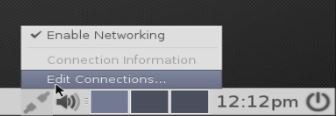
enable connection

Select the wired connection1 and click edit
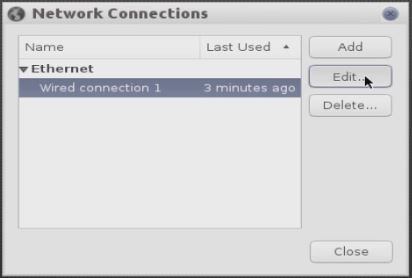
Network connections
Now select the IPV4 tab and give IP address, subnet, gateway and DNS and then click save. If you are using DHCP, skip the above step and select the method as DHCP.
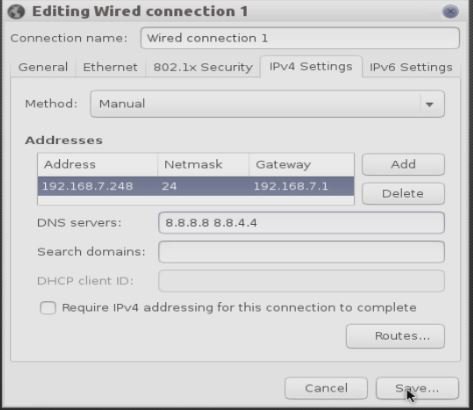
IPV4 setup

Install Bodhi

Select the install Bodhi icon in the taskbar to begin the installation process.
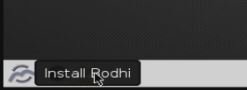
Installation page

Select Your language and give continue
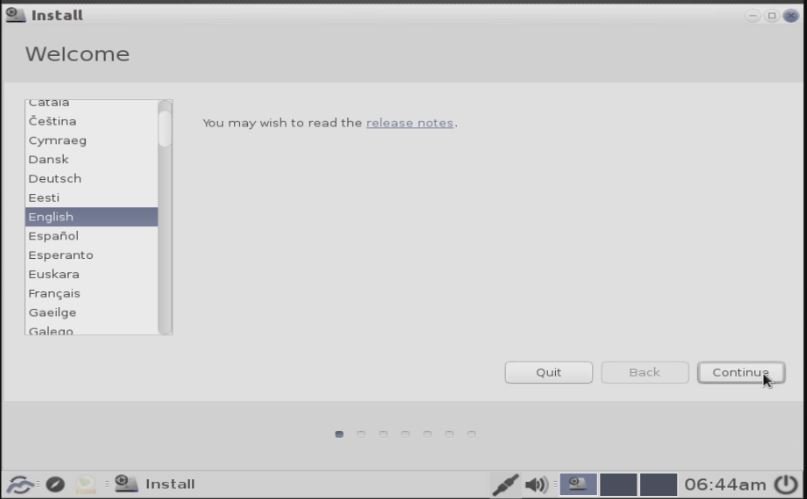
welcome
Tick install this third party software to install the MP3 plugins and give continue
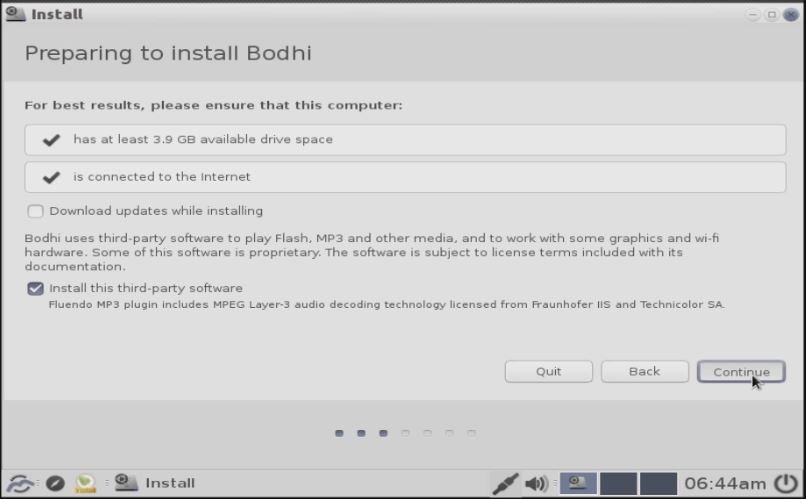
preparing to install

Installation Type

Select something else to create manual partitions
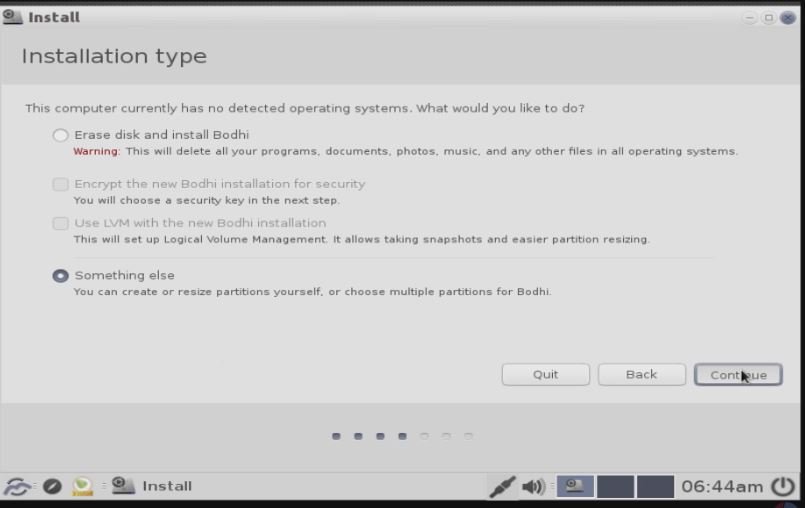

Installation type

Partition Table

Click new partition table and give continue to create a new partition table
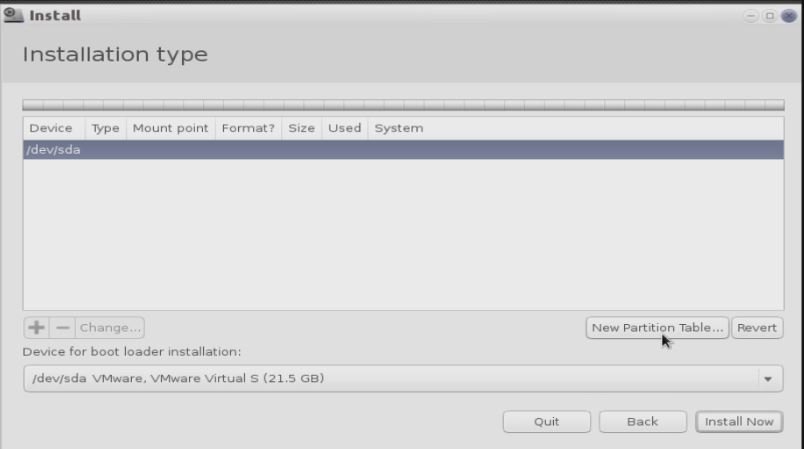

partitioning table

Creating Partitions

Select “ +” or click your hard disk free space. Now it shows create partition message box. Here you can create your partition as shown below and finally click OK.

Boot partition

Size 300 MB
Partition type primary
Location for the new partition Beginning of this space
Use as Ext4
Mount point 10


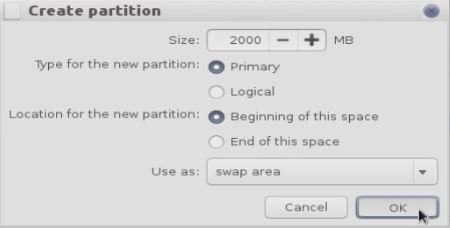
Swap partition

The swap partition should be double the size of RAM

Size 2 GB
Partition type primary
Location for the new partition Beginning of this space
Use as Ext4


partition creation

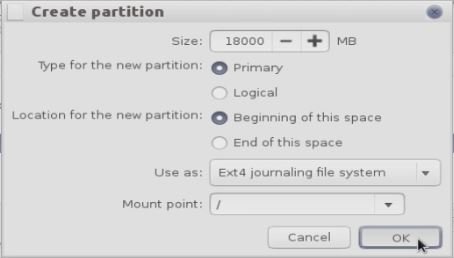
/ Partition

Size 18 GB
Partition type primary
Location for the new partition Beginning of this space
Use as Ext4
Mount point /


/partition

After creating all the partitions click install now
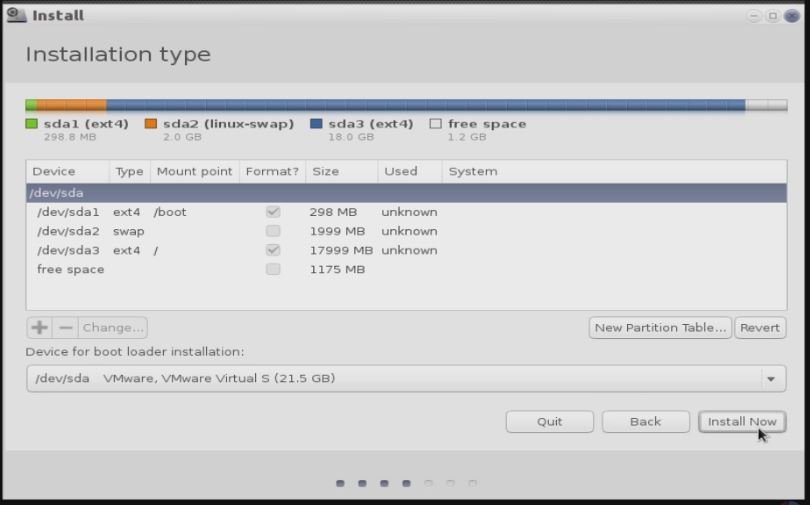

partitioned disk

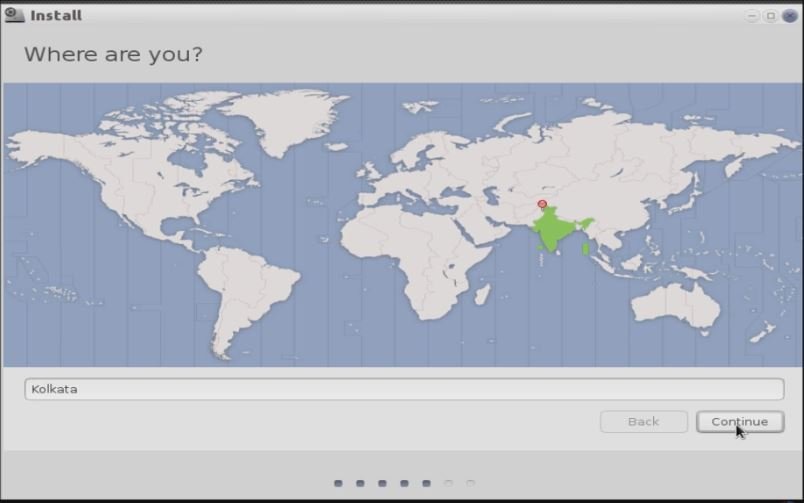
Select your location.


location

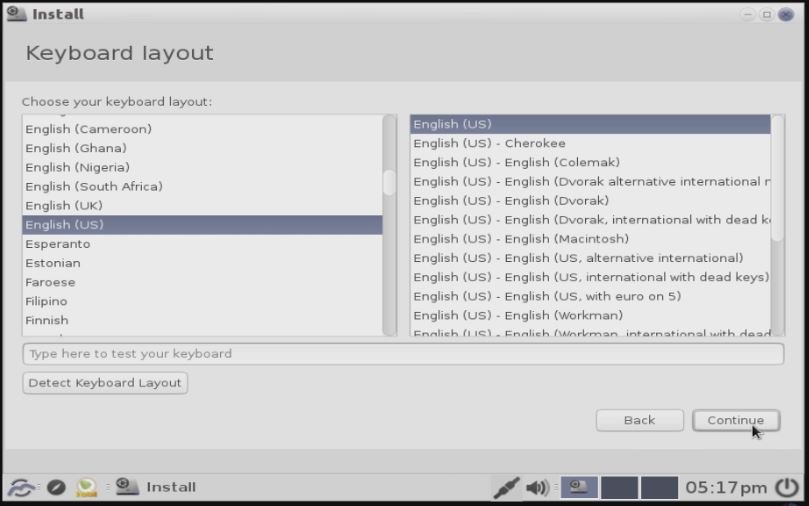
Select the keyboard layout.


keyboard layout

User creation
Create user and set password.
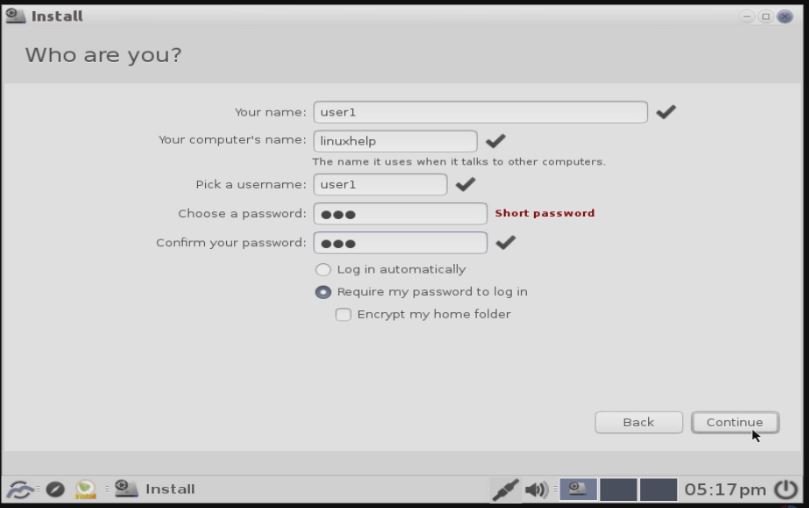

user credentials

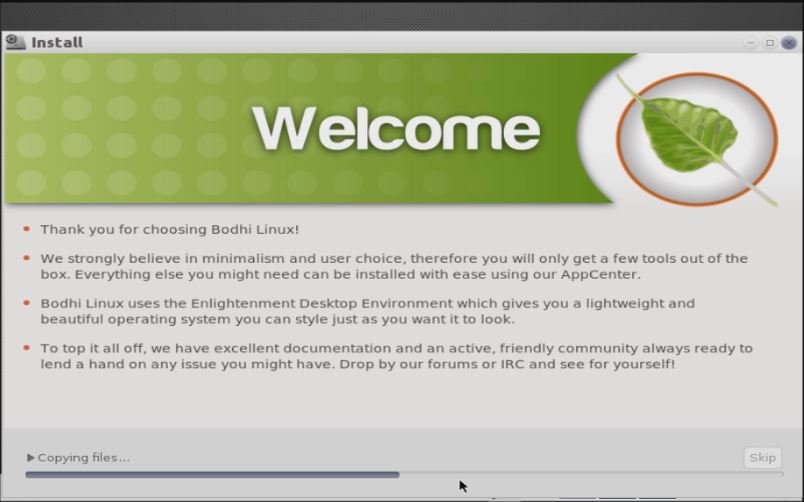
Copying system Files


copying files
Now the installation is completed,click restart now
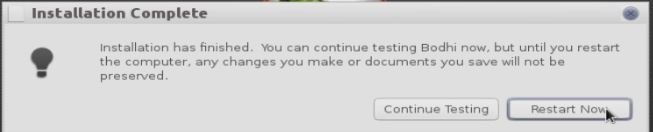
Installation completed
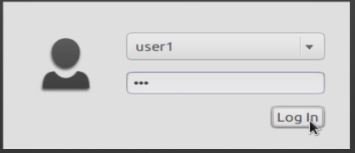
Login Screen
login page

Bodhi App centre

Using Bodhi app centre you can download and install applications. eepDater is used to update the system.
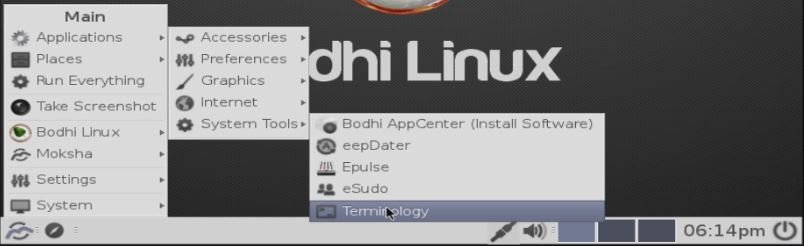

bodhi linux


To make more changes to the system interface, use the other settings.
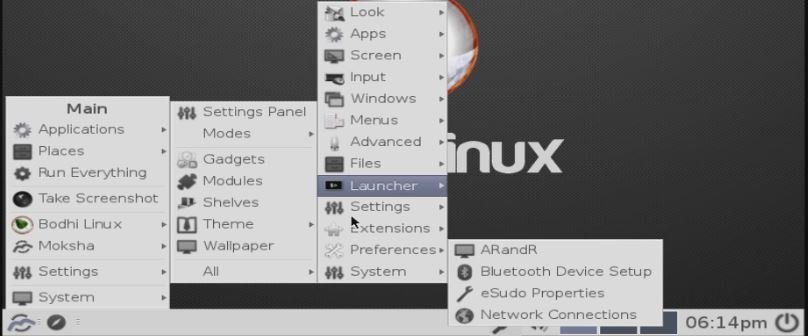

Manage settings

Tags:
cameron
Author: 

Comments ( 0 )

No comments available

Add a comment
{{postCtrl.cmtErrMsg}}

Frequently asked questions ( 5 )

Q

What is the Minimum requirements for Bodhi linux operating system?

A

the Minimum requirements for Bodhi linux operating system are

Minimum:
500mhz processor
256MB of RAM
5GB of drive space
Recommended:
1.0ghz processor
512MB of RAM
10GB of drive space

Q

What is the latest version of Bodhi?

A

The latest version of Bodhi Linux is 4.5.0

Q

Where i can get the standard, legacy and trusted package?

A

TO get the standard, legacy and trusted package
refer this link, http://www.bodhilinux.com/w/selecting-the-correct-iso-image/

Q

Where i can find the official documentation for installation?

A

You can find the official documentation from the following URL http://www.bodhilinux.com/w/installation-instructions/

Q

What kind of Distro does Bodhi linux is ?

A

Bodhi linux is based on Ubuntu distro.

Back To Top!
Rank
User
Points

Top Contributers

userNamenaveelansari
135850

Top Contributers

userNameayanbhatti
92510

Top Contributers

userNamehamzaahmed
32150

Top Contributers

1
userNamelinuxhelp
31040

Top Contributers

userNamemuhammadali
24500
Can you help David Lopez Guillen ?
Ayuda urgente instale SSL para servidor Opensuse y ahora no funciona tengo servicio web

hola segui este tutorial para tener un certificado ssl y ahora no se ve mi app en la red, espero alguien pueda ayudarme, tengo M9oodle en3.5 en un servidor open suse y ahora no funciona por favor ayuda.

https://www.linuxhelp.com/how-to-create-ssl-certificate-in-opensuse

Networking
  • Routing
  • trunk
  • Netmask
  • Packet Capture
  • domain
  • HTTP Proxy
Server Setup
  • NFS
  • KVM
  • Memory
  • Sendmail
  • WebDAV
  • LXC
Shell Commands
  • Cloud commander
  • Command line archive tools
  • last command
  • Shell
  • terminal
  • Throttle
Desktop Application
  • Linux app
  • Pithos
  • Retrospect
  • Scribe
  • TortoiseHg
  • 4Images
Monitoring Tool
  • Monit
  • Apache Server Monitoring
  • EtherApe 
  • Arpwatch Tool
  • Auditd
  • Barman
Web Application
  • Nutch
  • Amazon VPC
  • FarmWarDeployer
  • Rukovoditel
  • Mirror site
  • Chef
Contact Us | Terms of Use| Privacy Policy| Disclaimer
© 2025 LinuxHelp.com All rights reserved. Linux™ is the registered trademark of Linus Torvalds. This site is not affiliated with linus torvalds in any way.