How to install Brackets Code Editor 1.12 on Linux mint 18.3
To install Brackets Code Editor 1.12 on Linux Mint 18.3
Brackets is an open-source editor written in HTML, CSS, and JavaScript with a primary focus on web development. It was created by Adobe system. Its released under the MIT license and is currently maintained on GitHub. It’ s a cross-platform software available for most using operating systems such as Windows, Linux, MAC OS.
Install Brackets Code Editor 1.12
Let' s start with updating the system repository by making use of the following command.
linuxhelp user # apt-get update
Hit:1 http://archive.ubuntu.com/ubuntu xenial InRelease
Get:2 http://archive.canonical.com/ubuntu xenial InRelease [11.5 kB]
Ign:3 http://packages.linuxmint.com sylvia InRelease
Get:4 http://archive.canonical.com/ubuntu xenial/partner amd64 Packages [3,132 B]
Hit:5 http://packages.linuxmint.com sylvia Release
Get:7 http://security.ubuntu.com/ubuntu xenial-security InRelease [102 kB]
Get:8 http://archive.canonical.com/ubuntu xenial/partner i386 Packages [3,124 B]
.
.
Get:24 http://archive.ubuntu.com/ubuntu xenial-updates/universe Translation-en [241 kB]
Get:25 http://archive.ubuntu.com/ubuntu xenial-updates/multiverse amd64 Packages [16.2 kB]
Get:26 http://archive.ubuntu.com/ubuntu xenial-updates/multiverse i386 Packages [15.3 kB]
Get:27 http://archive.ubuntu.com/ubuntu xenial-backports/universe amd64 Packages [7,080 B]
Get:28 http://archive.ubuntu.com/ubuntu xenial-backports/universe i386 Packages [7,064 B]
Get:29 http://archive.ubuntu.com/ubuntu xenial-backports/universe Translation-en [3,812 B]
Fetched 5,317 kB in 9s (548 kB/s)
Reading package lists... Done
Add the repository which contains code brackets package by using the following command.
linuxhelp user # add-apt-repository ppa:webupd8team/brackets
You are about to add the following PPA:
 Brackets is an open-source editor for web design and development built on top of web technologies such as HTML, CSS, and JavaScript. The project was created and is maintained by Adobe, and is released under a MIT License.

More info and PPA support @ http://www.webupd8.org/2013/11/install-brackets-in-ubuntu-via-ppa-open.html
 More info: https://launchpad.net/~webupd8team/+archive/ubuntu/brackets
Press Enter to continue or Ctrl+C to cancel

Executing: /tmp/tmp.751vsVJE1I/gpg.1.sh --keyserver
hkp://keyserver.ubuntu.com:80
--recv-keys
EEA14886
gpg: requesting key EEA14886 from hkp server keyserver.ubuntu.com
gpg: key EEA14886: public key " Launchpad VLC"  imported
gpg: Total number processed: 1
gpg:               imported: 1  (RSA: 1)
After adding the repository update the system repository.
linuxhelp user # apt-get update
Hit:1 http://archive.ubuntu.com/ubuntu xenial InRelease
Hit:2 http://security.ubuntu.com/ubuntu xenial-security InRelease
Hit:3 http://archive.ubuntu.com/ubuntu xenial-updates InRelease
Get:4 http://ppa.launchpad.net/webupd8team/brackets/ubuntu xenial InRelease [17.5 kB]
Ign:5 http://packages.linuxmint.com sylvia InRelease
Hit:6 http://archive.canonical.com/ubuntu xenial InRelease
Hit:7 http://archive.ubuntu.com/ubuntu xenial-backports InRelease
Hit:8 http://packages.linuxmint.com sylvia Release
Get:10 http://ppa.launchpad.net/webupd8team/brackets/ubuntu xenial/main Sources [688 B]
Get:11 http://ppa.launchpad.net/webupd8team/brackets/ubuntu xenial/main amd64 Packages [760 B]
Get:12 http://ppa.launchpad.net/webupd8team/brackets/ubuntu xenial/main i386 Packages [760 B]
Get:13 http://ppa.launchpad.net/webupd8team/brackets/ubuntu xenial/main Translation-en [308 B]
Fetched 20.0 kB in 2s (9,534 B/s)
Reading package lists... Done
Now you can install the code brackets using the following command.
linuxhelp user # apt-get install brackets
Reading package lists... Done
Building dependency tree
Reading state information... Done
The following additional packages will be installed:
  libcurl3 libpango1.0-0 libpangox-1.0-0
The following NEW packages will be installed:
  brackets libcurl3 libpango1.0-0 libpangox-1.0-0
0 upgraded, 4 newly installed, 0 to remove and 280 not upgraded.
Need to get 57.1 MB of archives.
After this operation, 238 MB of additional disk space will be used.
Do you want to continue? [Y/n] y
.
.
Selecting previously unselected package brackets.
Preparing to unpack .../brackets_1.12.0libgcrypt11-17621+1~webupd8~0_amd64.deb ...
Unpacking brackets (1.12.0libgcrypt11-17621+1~webupd8~0) ...
Processing triggers for libc-bin (2.23-0ubuntu9) ...
Processing triggers for hicolor-icon-theme (0.15-0ubuntu1) ...
Setting up libpangox-1.0-0:amd64 (0.0.2-5) ...
Setting up libpango1.0-0:amd64 (1.38.1-1) ...
Setting up libcurl3:amd64 (7.47.0-1ubuntu2.7) ...
Setting up brackets (1.12.0libgcrypt11-17621+1~webupd8~0) ...
Processing triggers for libc-bin (2.23-0ubuntu9) ...
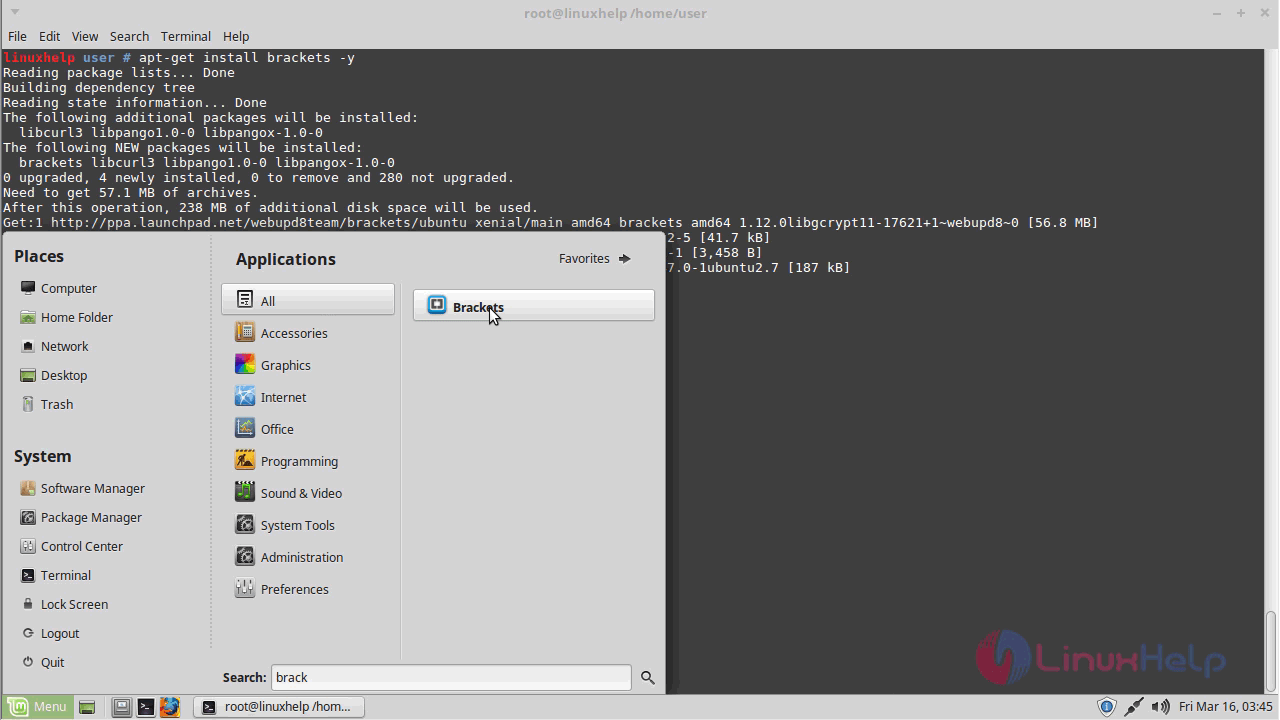
After the installation, you can access the code brackets by searching it from the search menu.
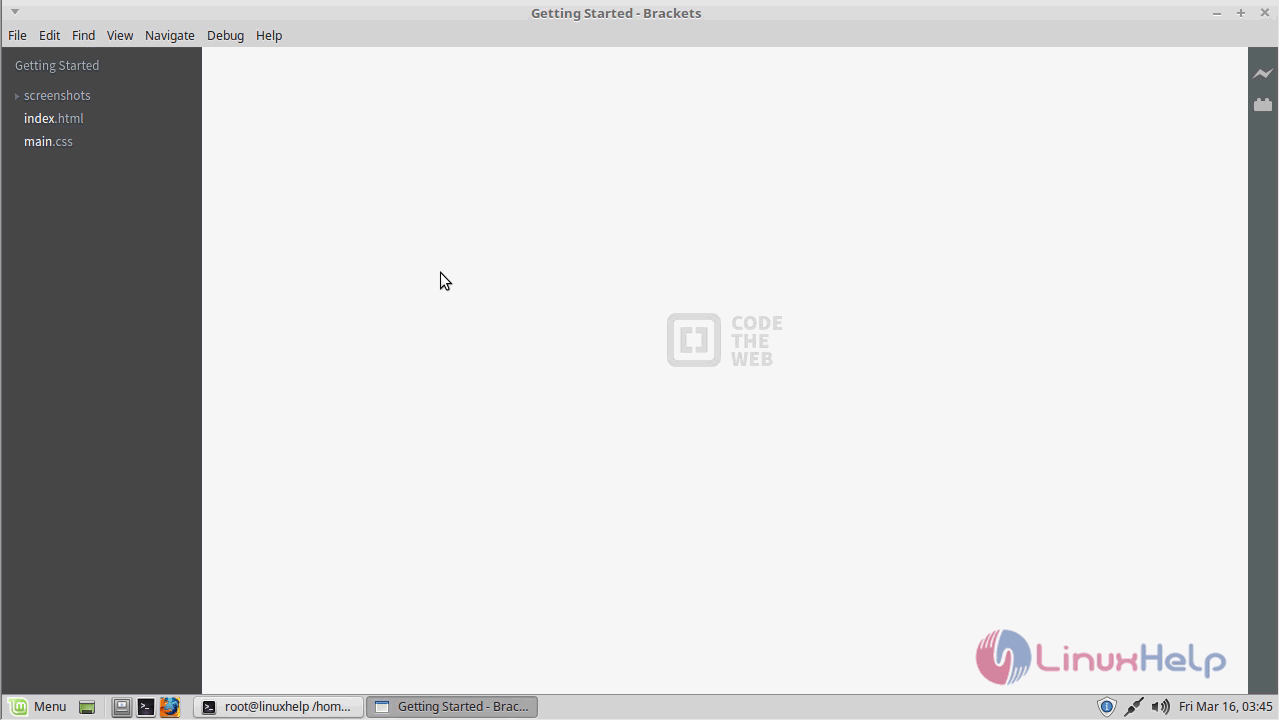
This is the interface of code brackets.
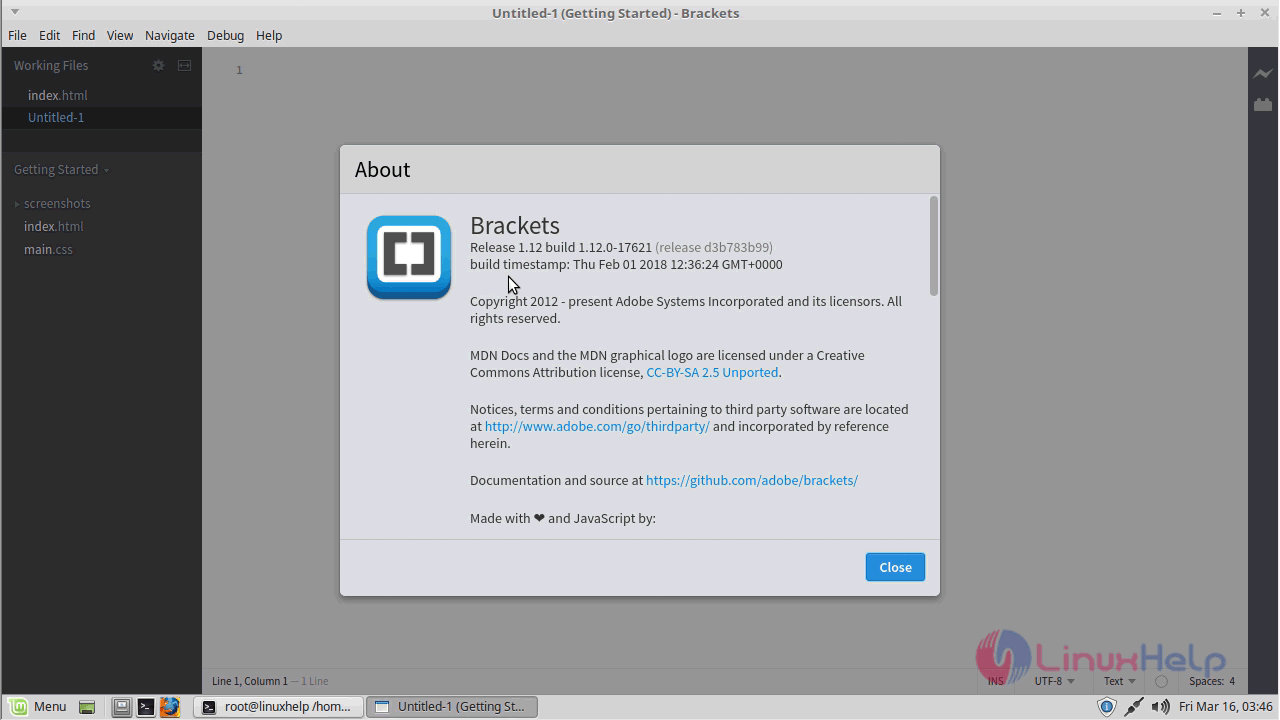
If you want to check the version of brackets you can get it from the help menu.
With this, the method to install Brackets Code Editor &ndash 1.12 on Linux Mint &ndash 18.3 comes to an end.
Comments ( 0 )
No comments available