How to install Calibre 2.55 in Ubuntu
{{postValue.id}}
To Install Calibre 2.55 in Ubuntu 16.04
Calibre is a free e-book computer software application that runs on multiple platforms. It allows users to manage e-book collections and to create, edit, and read e-books. Installation of Calibre in Ubuntu is explained in this article.
To install Calibre
Add the necessary repository by using the following command.
root@linuxhelp1:~# sudo add-apt-repository ppa:n-muench/programs-ppa
UPCOMING PACKAGE UPLOADS:
-FileZilla: GnuTLS 3.4.4 required as of Version 3.13.0.
 More info: https://launchpad.net/~n-muench/+archive/ubuntu/programs-ppa
Press [ENTER] to continue or ctrl-c to cancel adding it

gpg: keyring `/tmp/tmp6vsad_9q/secring.gpg'  created
gpg: keyring `/tmp/tmp6vsad_9q/pubring.gpg'  created
gpg: requesting key EAE0D85C from hkp server keyserver.ubuntu.com
gpg: /tmp/tmp6vsad_9q/trustdb.gpg: trustdb created
gpg: key EAE0D85C: public key " Launchpad PPA for Nate Muench"  imported
gpg: Total number processed: 1
gpg:               imported: 1  (RSA: 1)
OK
Then update the repositories for the newly added one.
root@linuxhelp1:~# apt-get update -y
Hit:1 http://in.archive.ubuntu.com/ubuntu xenial InRelease
Hit:2 http://security.ubuntu.com/ubuntu xenial-security InRelease
Get:3 http://in.archive.ubuntu.com/ubuntu xenial-updates InRelease [95.7 kB]
Ign:4 http://ppa.launchpad.net/n-muench/programs-ppa/ubuntu xenial InRelease
Ign:5 http://ppa.launchpad.net/n-muench/programs-ppa/ubuntu xenial Release
Ign:6 http://ppa.launchpad.net/n-muench/programs-ppa/ubuntu xenial/main amd64 Packages
Hit:7 http://in.archive.ubuntu.com/ubuntu xenial-backports InRelease

.
.
.

Ign:12 http://ppa.launchpad.net/n-muench/programs-ppa/ubuntu xenial/main amd64 DEP-11 Metadata
Ign:13 http://ppa.launchpad.net/n-muench/programs-ppa/ubuntu xenial/main DEP-11 64x64 Icons
Fetched 95.7 kB in 10s (8,973 B/s)
Reading package lists... Done
W: The repository ' http://ppa.launchpad.net/n-muench/programs-ppa/ubuntu xenial Release'  does not have a Release file.
N: Data from such a repository can' t be authenticated and is therefore potentially dangerous to use.
N: See apt-secure(8) manpage for repository creation and user configuration details.
E: Failed to fetch http://ppa.launchpad.net/n-muench/programs-ppa/ubuntu/dists/xenial/main/binary-amd64/Packages  404  Not Found
E: Some index files failed to download. They have been ignored, or old ones used instead.
Once the update is completed, install the calibre package.
root@linuxhelp1:~# apt-get install calibre -y
Reading package lists... Done
Building dependency tree
Reading state information... Done
The following packages were automatically installed and are no longer required:
  libpango1.0-0 libpangox-1.0-0 linux-headers-4.4.0-21 linux-headers-4.4.0-21-generic linux-image-4.4.0-21-generic
  linux-image-extra-4.4.0-21-generic
Use ' sudo apt autoremove'  to remove them.
The following additional packages will be installed:
  calibre-bin fonts-mathjax javascript-common libchm1 libjs-jquery libjs-mathjax libjs-sphinxdoc libjs-underscore libpodofo0.9.3
  libqt5clucene5 libqt5designer5 libqt5help5 libtidy-0.99-0 python-apsw python-beautifulsoup python-bs4 python-chardet
  python-cherrypy3 python-cssselect python-cssutils python-dateutil python-dbus python-dnspython python-feedparser python-gi
  python-html5lib python-libxml2 python-lxml python-markdown python-mechanize python-netifaces python-pil python-pkg-resources
  python-pygments python-pyparsing python-pyqt5 python-pyqt5.qtsvg python-pyqt5.qtwebkit python-repoze.lru python-routes
  python-sip python-six python-utidylib python-webob python-yaml
Suggested packages:
  apache2 | lighttpd | httpd fonts-mathjax-extras libjs-mathjax-doc python-apsw-doc python-dbus-doc python-dbus-dbg
  python-gi-cairo python-genshi python-lxml-dbg python-lxml-doc python-markdown-doc python-pil-doc python-pil-dbg
  python-setuptools ttf-bitstream-vera python-pyqt5-dbg python-paste python-webob-doc
The following NEW packages will be installed:
  calibre calibre-bin fonts-mathjax javascript-common libchm1 libjs-jquery libjs-mathjax libjs-sphinxdoc libjs-underscore
  libpodofo0.9.3 libqt5clucene5 libqt5designer5 libqt5help5 libtidy-0.99-0 python-apsw python-beautifulsoup python-bs4
  python-chardet python-cherrypy3 python-cssselect python-cssutils python-dateutil python-dbus python-dnspython python-feedparser
  python-gi python-html5lib python-libxml2 python-lxml python-markdown python-mechanize python-netifaces python-pil
  python-pkg-resources python-pygments python-pyparsing python-pyqt5 python-pyqt5.qtsvg python-pyqt5.qtwebkit python-repoze.lru
  python-routes python-sip python-six python-utidylib python-webob python-yaml
0 upgraded, 46 newly installed, 0 to remove and 15 not upgraded.
.
.
.
Setting up libjs-mathjax (2.6.1-1) ...
Setting up libpodofo0.9.3 (0.9.3-4) ...
Setting up calibre-bin (2.55.0+dfsg-1) ...
Setting up calibre (2.55.0+dfsg-1) ...
Setting up python-webob (1.5.1-1) ...
Processing triggers for libc-bin (2.23-0ubuntu3) ...
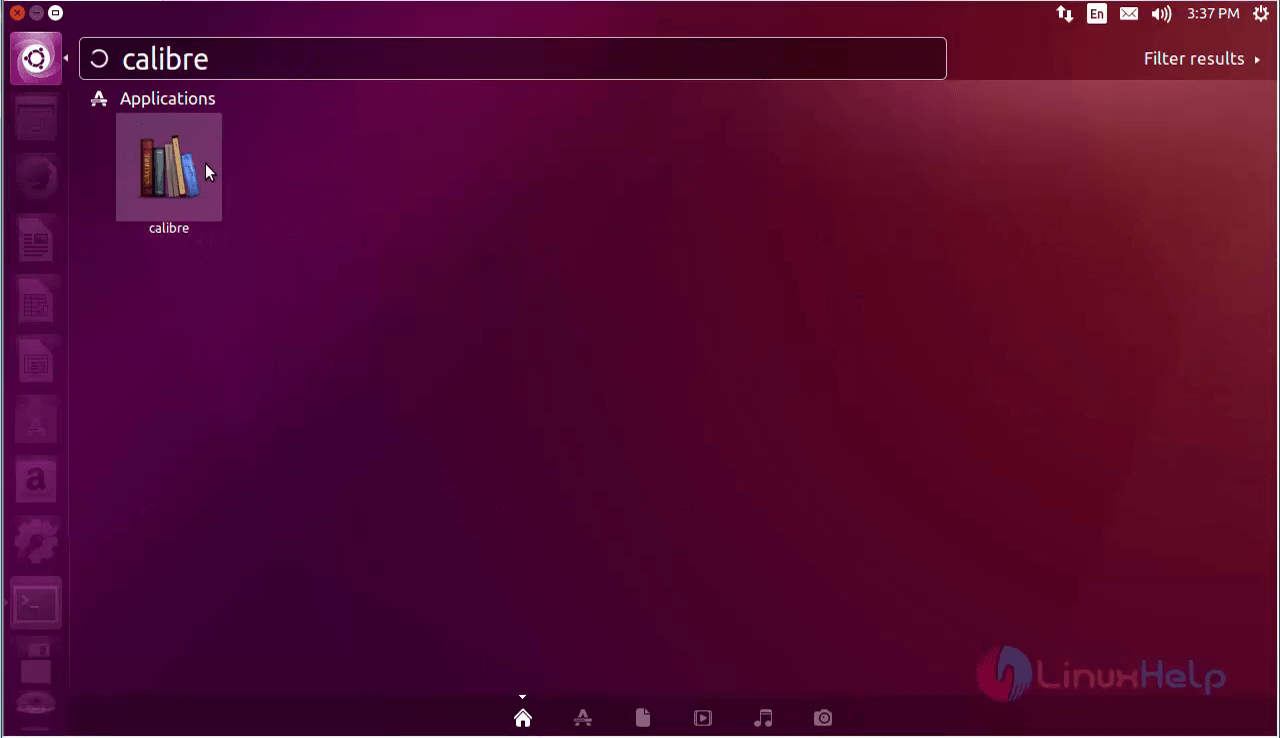
Open the Calibre application by searching it in the Dashboard.
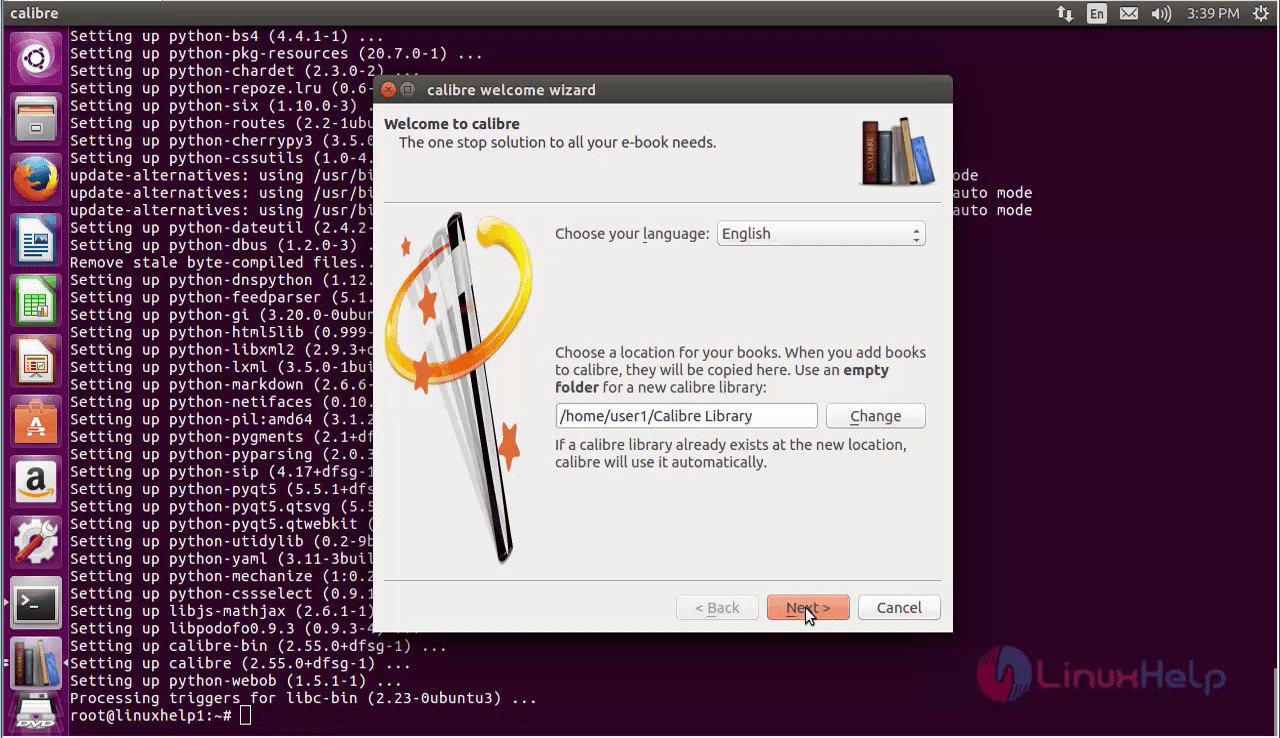
Now choose the preferred language and set the default path for the calibre.
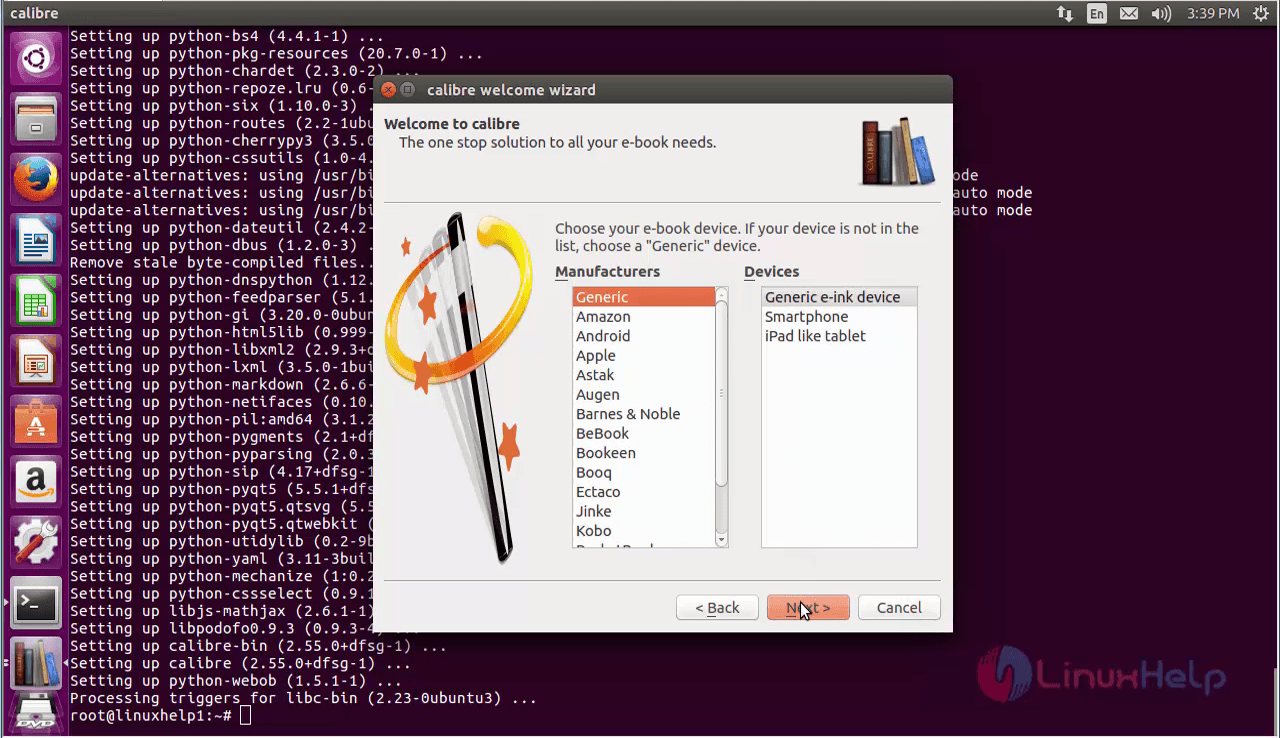
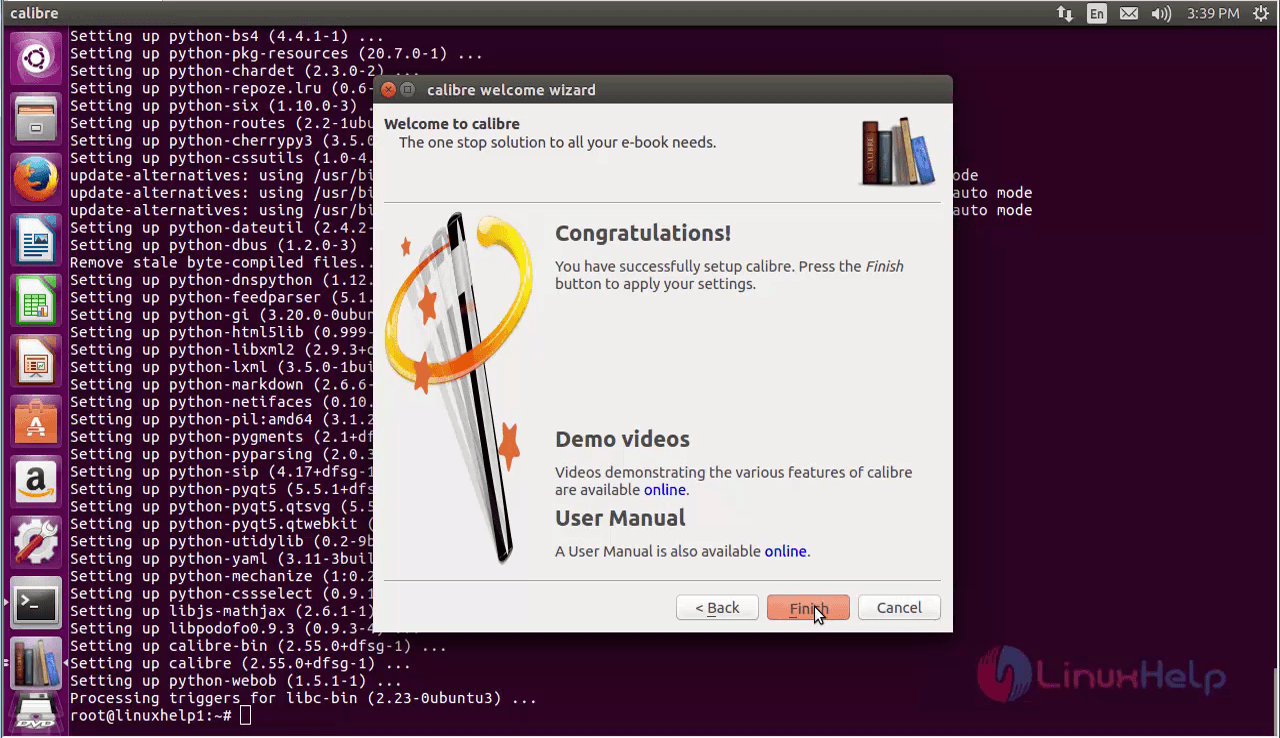
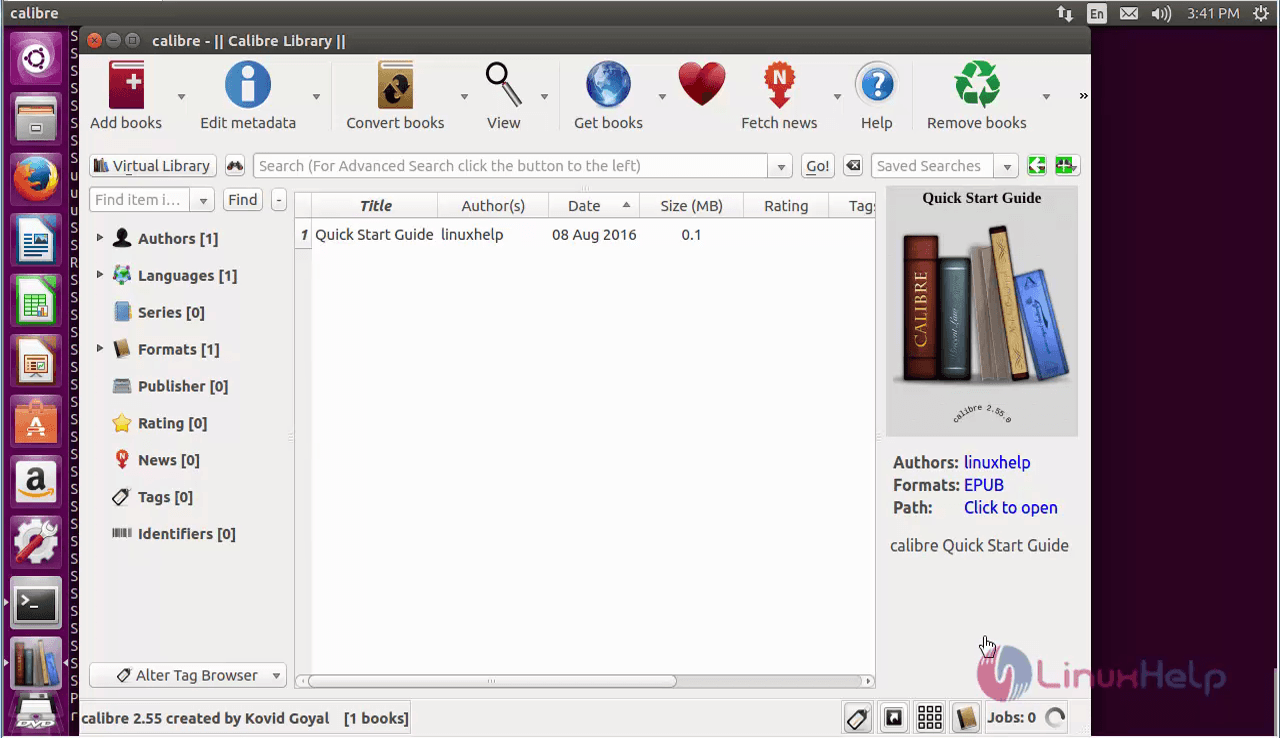
Once the configuration is completed, start reading e-books from calibre software.
Comments ( 0 )
No comments available