How to install Cerebro Search on Ubuntu 17.04
How to install Cerebro Search on Ubuntu 17.04
There are a score of search platforms that provides faster search and gives the user to autocomplete the search keyword. One of them is Cerebro Search application. Cerebro is a simple, open-source search platform or better described as a local search engine for Linux distros. It’ s a system-wide desktop search application which also contains all types of application such as Maps, translation and files in a single place so users don' t need to shuffle between applications. This article will explain the installation procedure of Cerebro search on Ubuntu 17.04.
Installation Procedure
Before starting the installation procedure, you can install the gdebi debian installer by executing the following command.
root@linuxhelp:~#  apt install gdebi
Reading package lists... Done
Building dependency tree
Reading state information... Done
.
.
Setting up gdebi (0.9.5.7ubuntu1) ...
Processing triggers for libc-bin (2.23-0ubuntu3) ...
The Gdebi installer is installed in the target system successfully. Now you can download cerebro search application by going to their official site and downloading the package using wget command followed by the download link.
root@linuxhelp:~# wget https://github.com/KELiON/cerebro/releases/download/v0.3.0/cerebro_0.3.0_amd64.deb
--2017-07-28 05:12:05--  https://github.com/KELiON/cerebro/releases/download/v0.3.0/cerebro_0.3.0_amd64.deb
Resolving github.com (github.com)... 192.30.255.113, 192.30.255.112
Connecting to github.com (github.com)|192.30.255.113|:443... connected.
.
.
cerebro_0.3.0_amd64. 100%[====================> ]  36.58M   651KB/s    in 52s
2017-07-28 05:14:58 (726 KB/s) - ‘ cerebro_0.3.0_amd64.deb’  saved [38356590/38356590]
The package has been downloaded in the system. Next install the cerebro application using gdebi installer and run the following command.
root@linuxhelp:~# gdebi cerebro_0.3.0_amd64.deb
Reading package lists... Done
Building dependency tree
Reading state information... Done
.
.
Processing triggers for mime-support (3.59ubuntu1) ...
Processing triggers for hicolor-icon-theme (0.15-0ubuntu1) ...
The cerebro application has been successfully installed in the system. Now go to Ubuntu dashboard and type cerebro. Click on the icon to run the application.
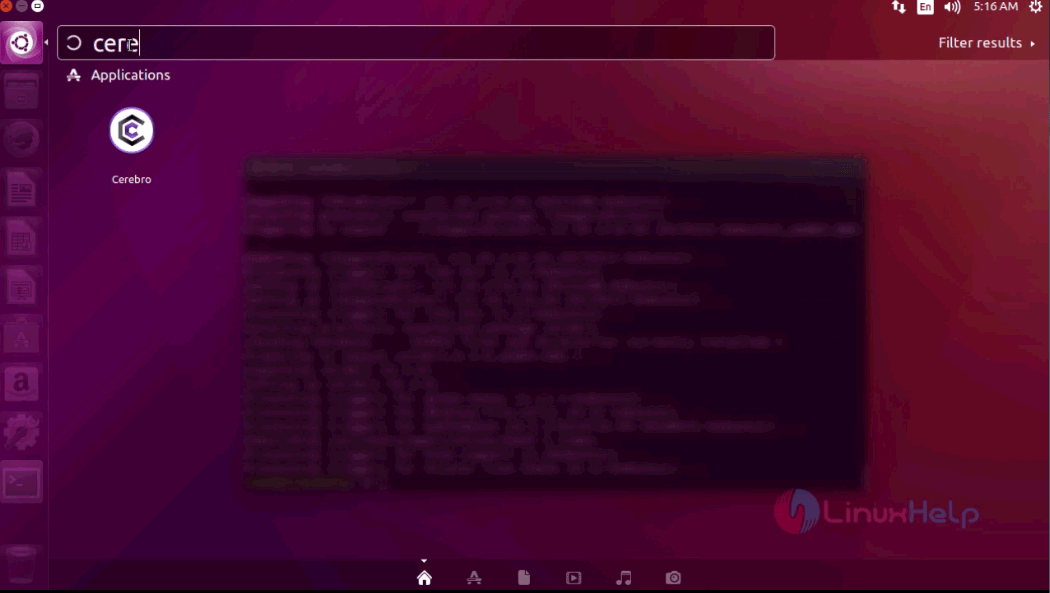
The Cerebro search engine is running successfully in the system.

Now you can search for anything in the cerebro search bar with faster results from default search engine.
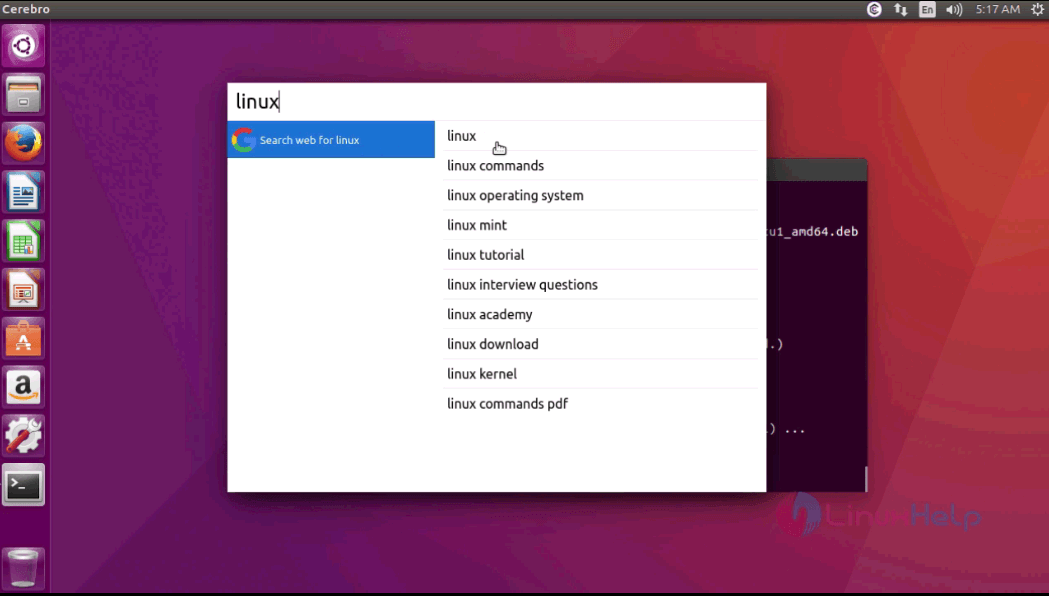
The installation procedure is complete. Cerebro allows users to build their own plugins and share them with everyone in the Cerebro community.
Comments ( 0 )
No comments available