• Categories
    Category
    {{ postCtrl.tags }}
    • {{ category.tag_type }}

      • {{tag.tag_name}}
      • View more
  • Categories
    Category
    {{ postCtrl.tags }}
    • {{ category.tag_type }}

      • {{tag.tag_name}}
      • View more
  • News
  • Tutorials
  • Forums
  • Tags
  • Users
Tutorial News Comments FAQ Related Articles

How to install ChaletOS

{{postValue.id}}

Installation of ChaletOS 16.04.2

Chalet OS 16.04 is similar to Ubuntu 16.04, it has linux kernel 4.4 which is used in Ubuntu 16.04. It is fast, Lightweight, low RAM consumption system. It supports GTK3 and GTK2 engine and contains a user friendly GUI. This article explains the installation of Chalet OS.

To install ChaletOS

Download the iso file from the following link,
https://sites.google.com/site/chaletoslinux/download
Boot the OS in DVD or pendrive, after booting the following screen appears. Select Live ChaletOS.
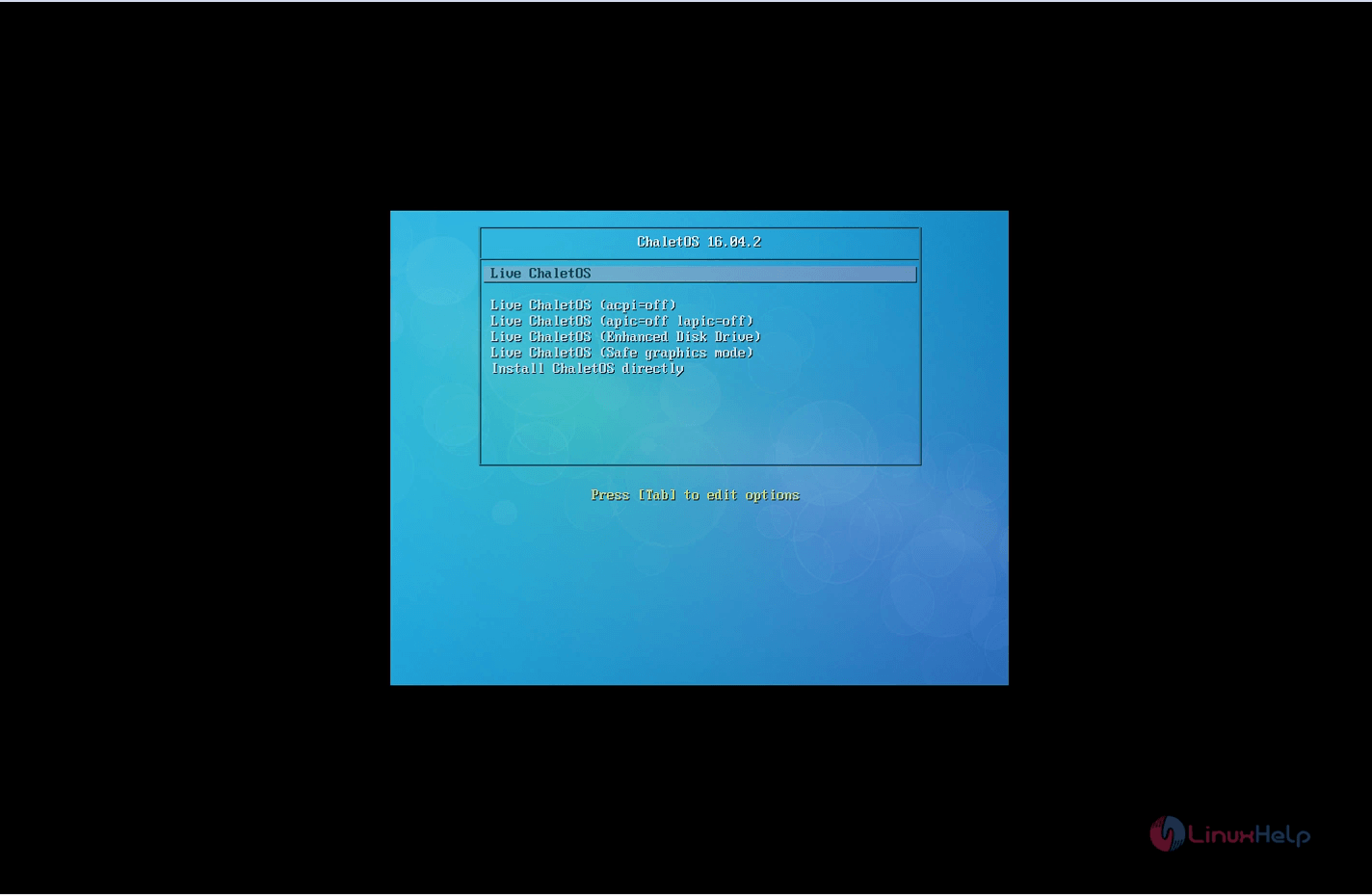
Installation-ChaletOS16.04.2-Live-ChaletOS
Double click " Install chaletOS 16.04" to start the installation process.
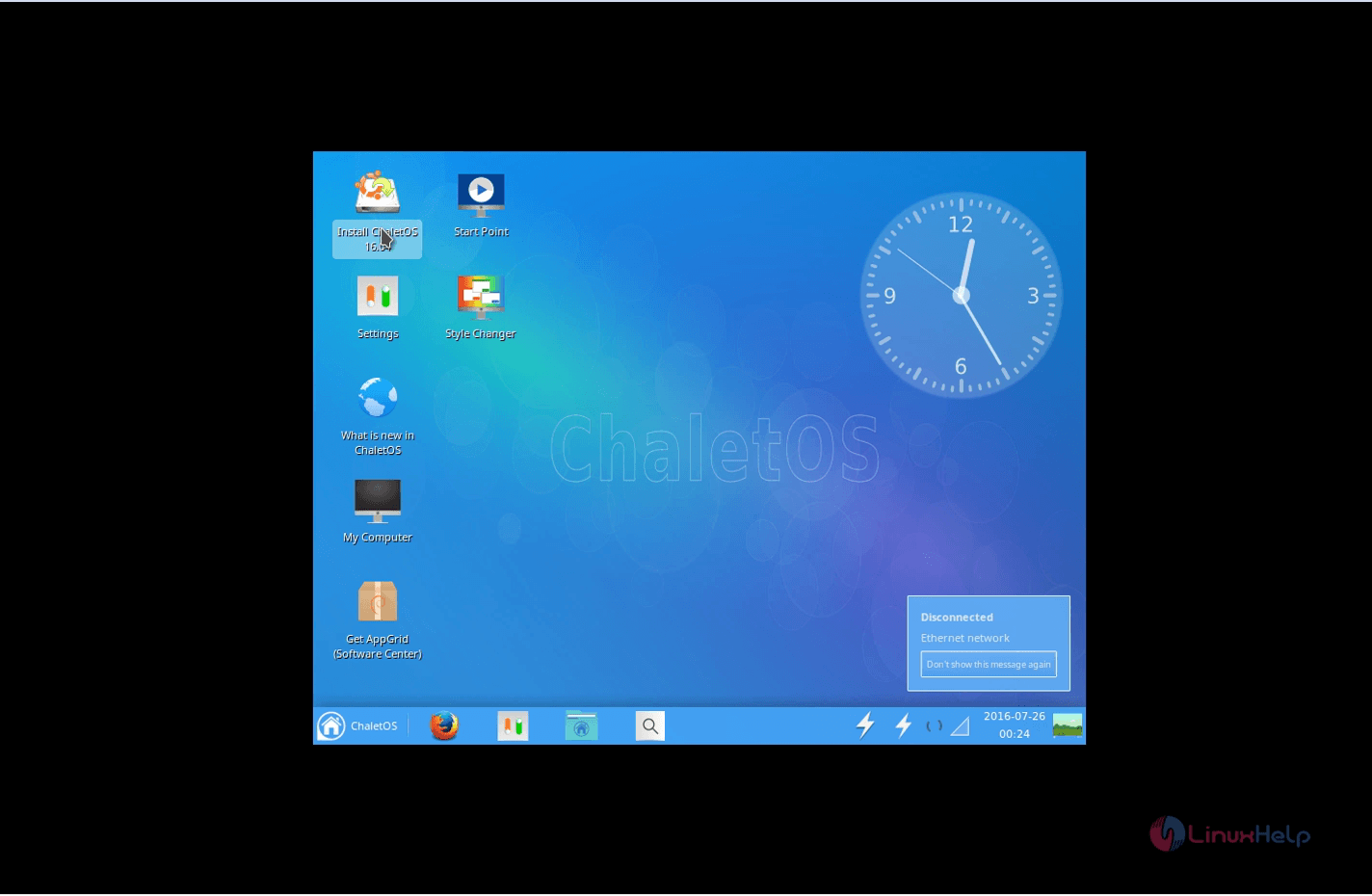
Installation-ChaletOS16.04.2-installation-process
Select the preferred language and click continue.
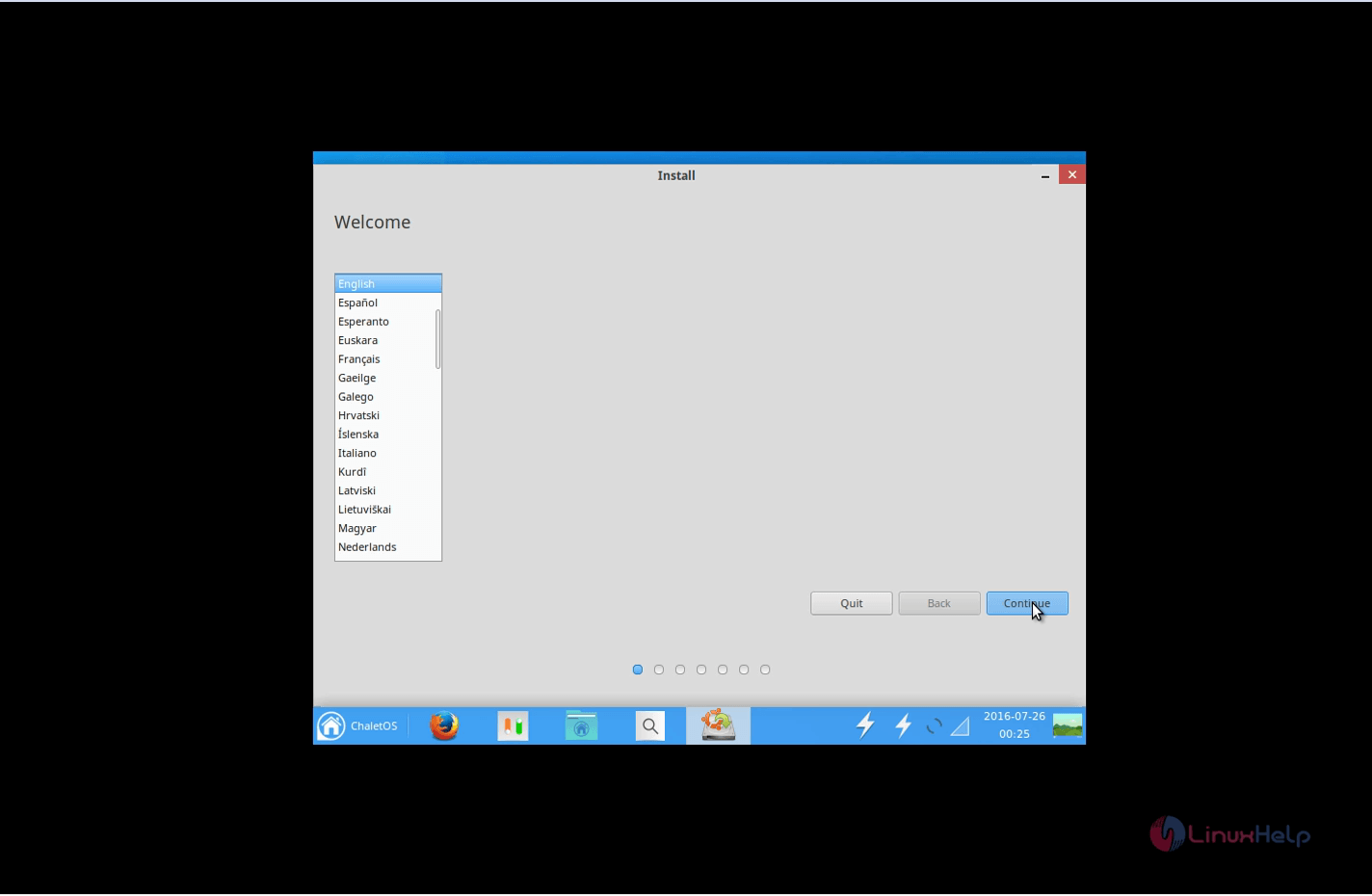
Installation-ChaletOS16.04.2-language
Installation-ChaletOS16.04.2-continue
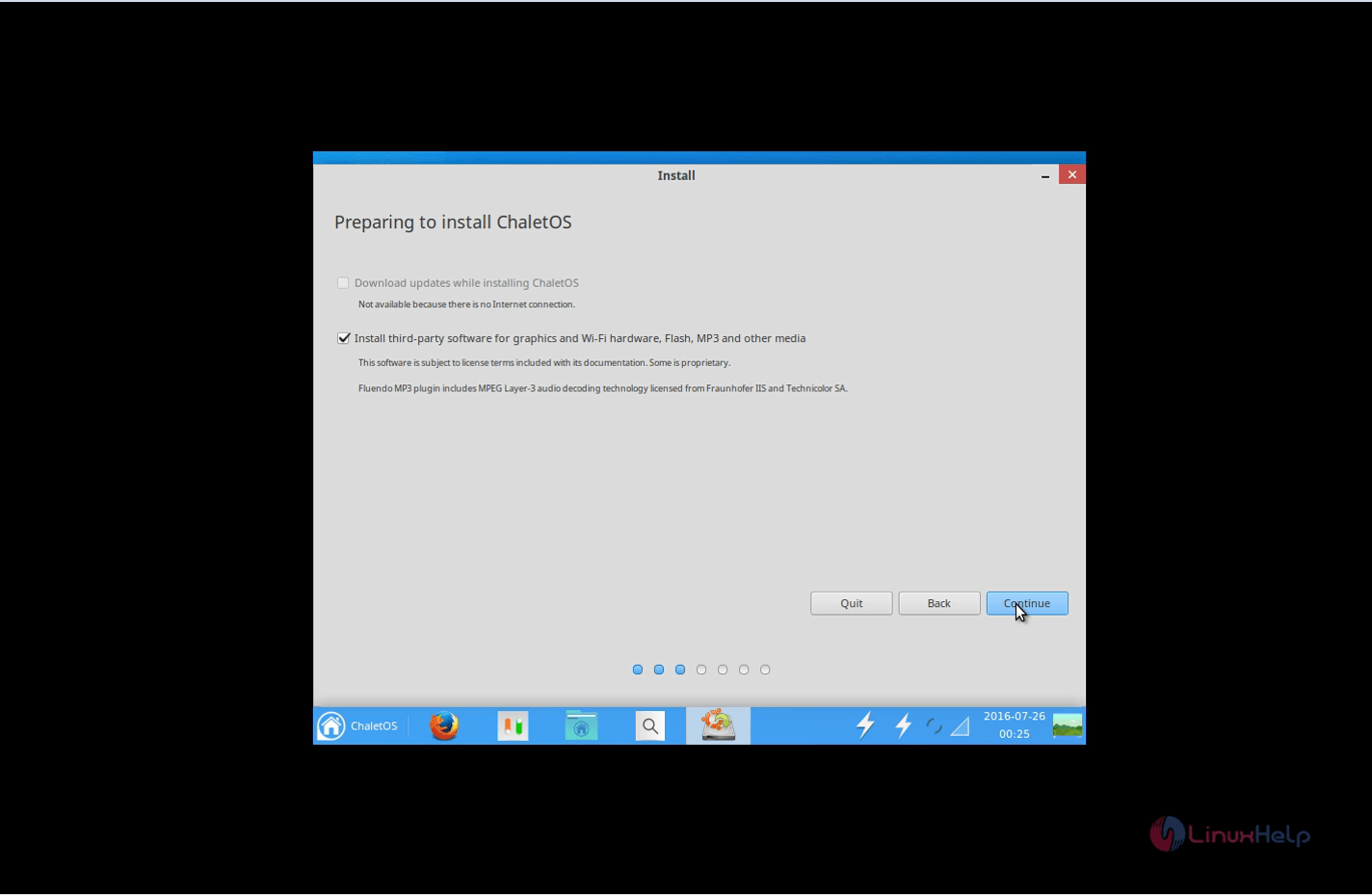
Select the installation type and click continue. Here, we are opting Something else to create own partition.
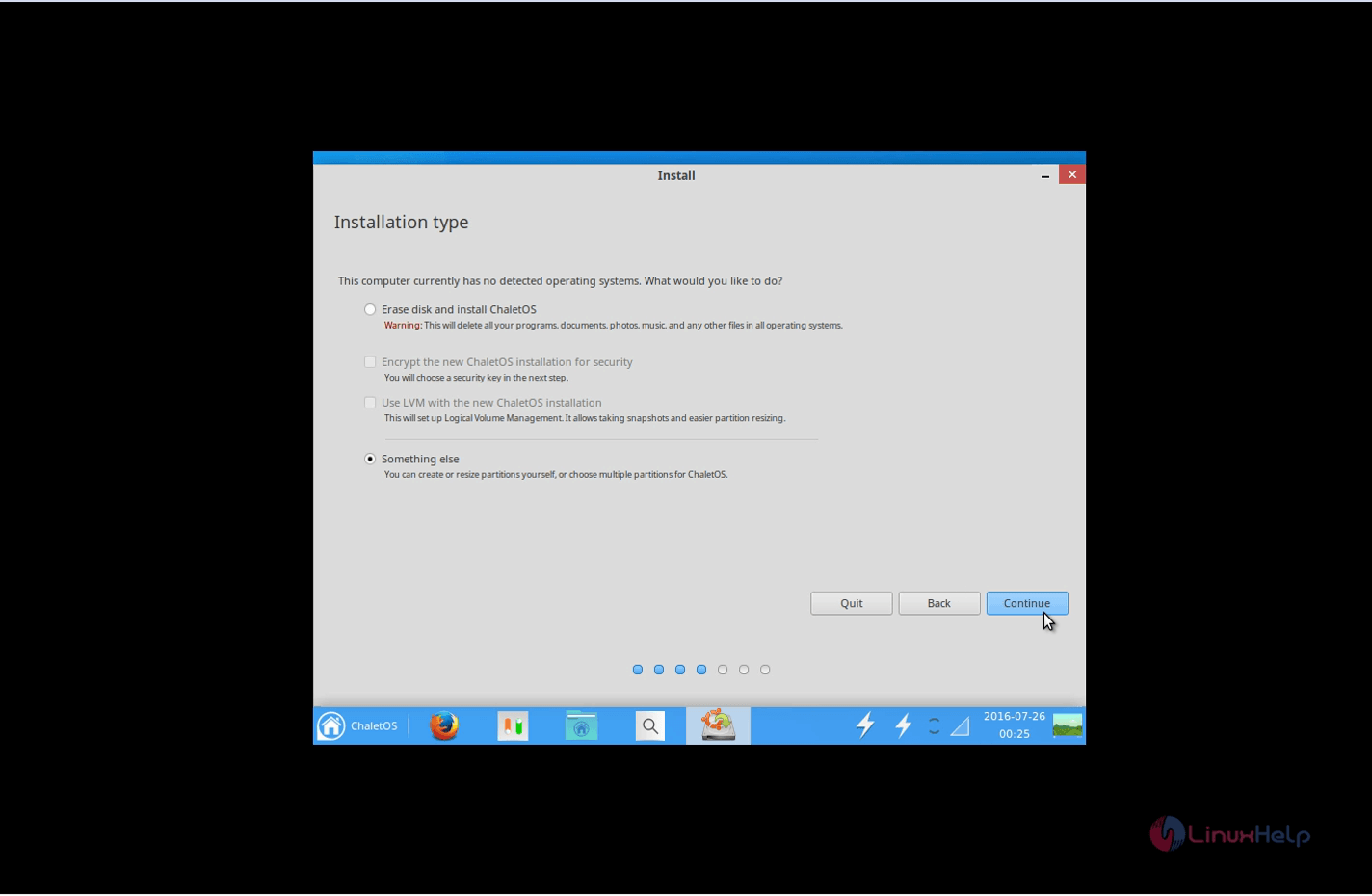
Installation-ChaletOS16.04.2-installation-type
Click New partition Table to create a new partition table and click Install Now.
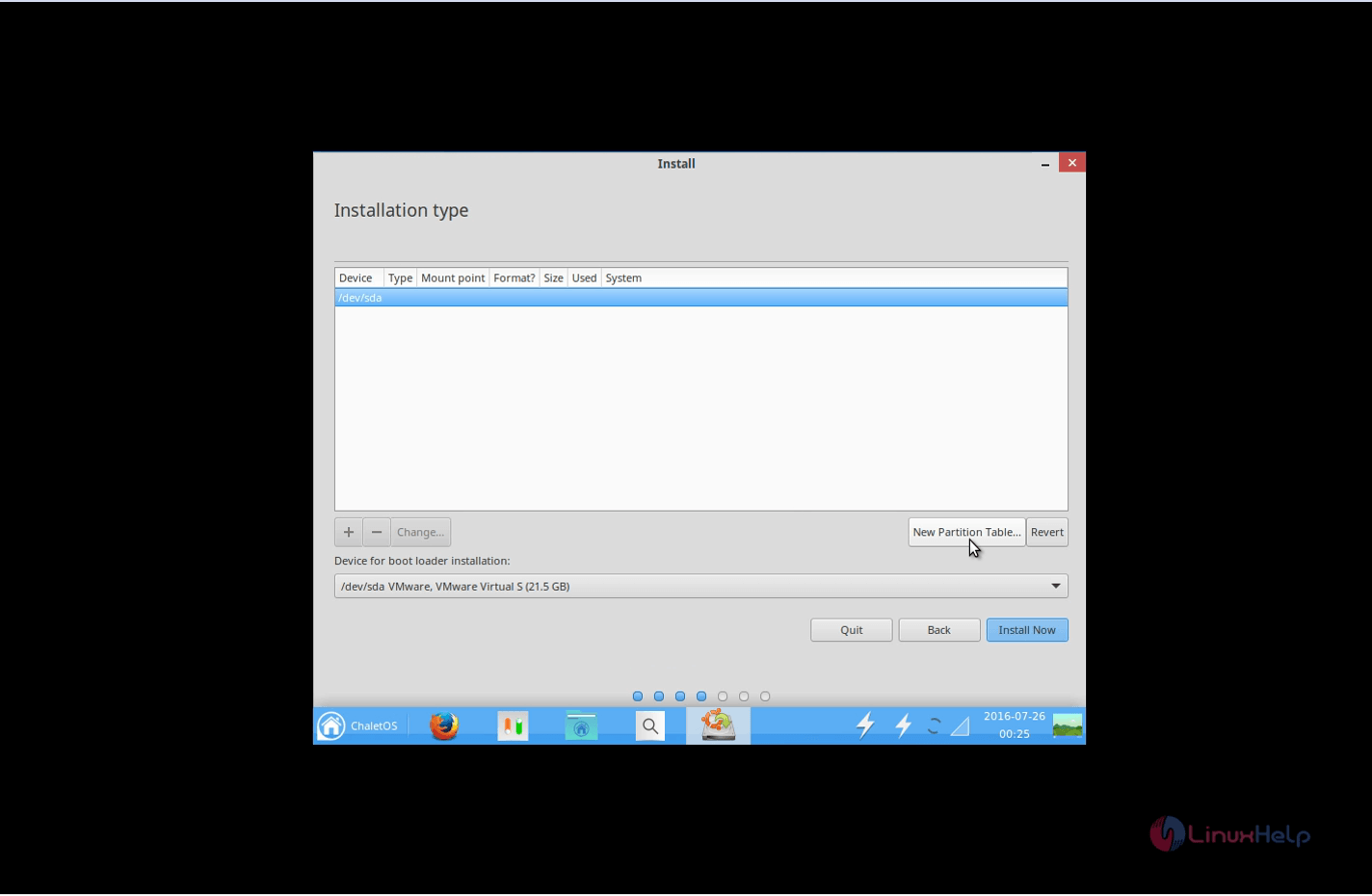
Installation-ChaletOS16.04.2-New-partition-Table

Select the device for which the partition is to be created and click continue.
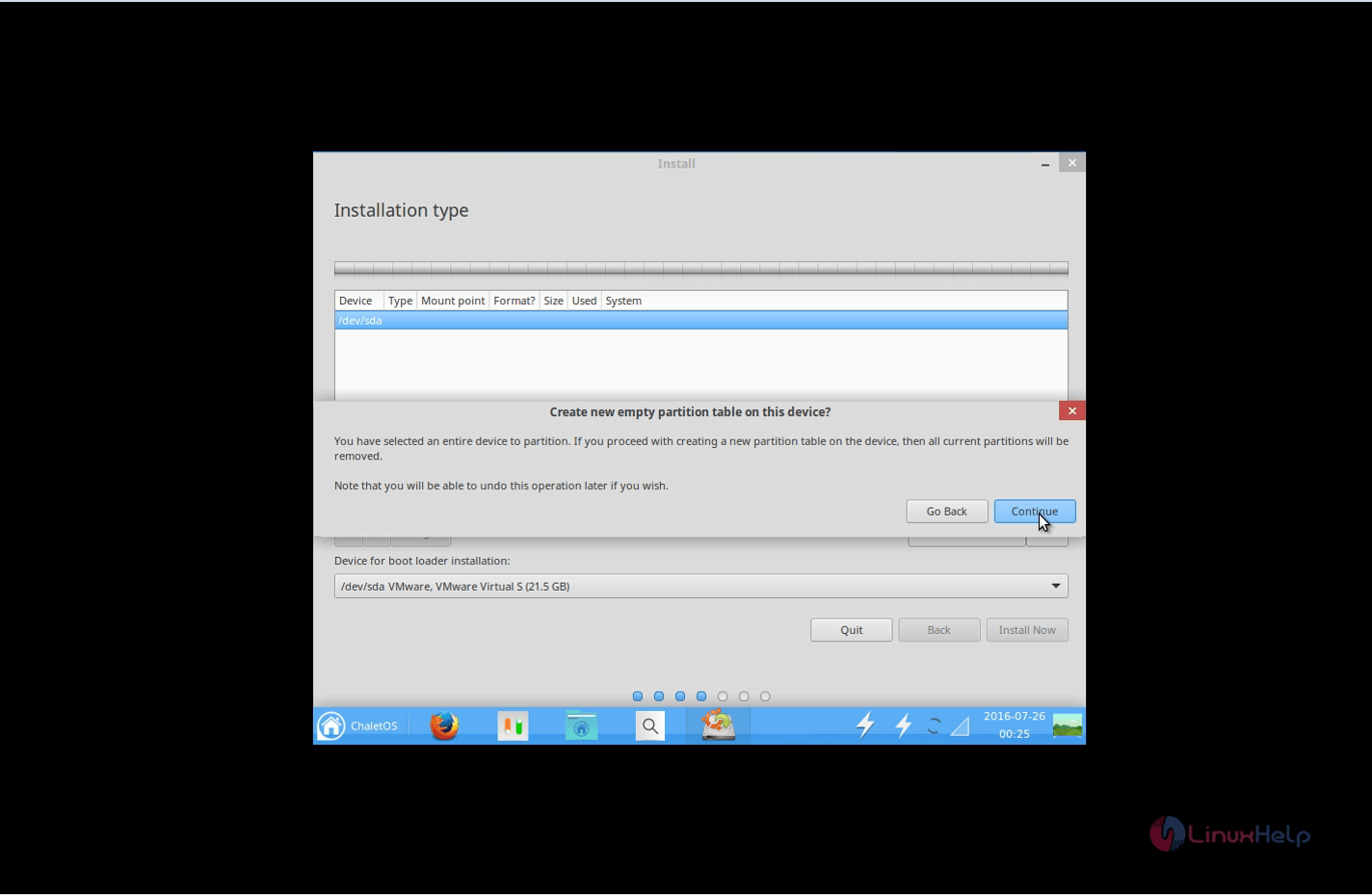
Installation-ChaletOS16.04.2-device

Now select the free space and click ‘ +’ (add) button
For Boot partition
size : 300 MB
partition type : primary
filesystem : ext4
mount point : /boot
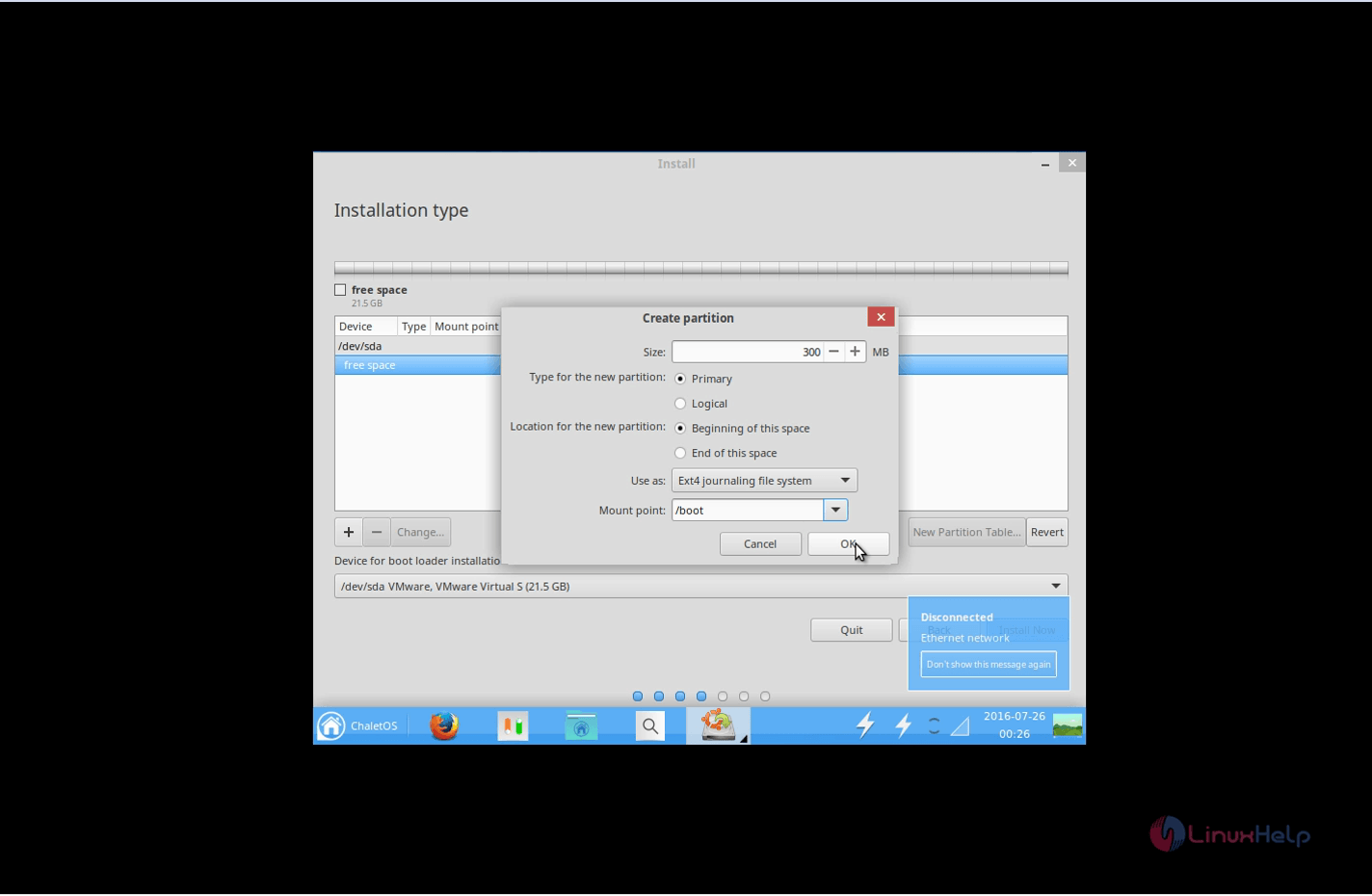
Installation-ChaletOS16.04.2-Boot-partition
For Swap partition
size : 2 GB
partition type : primary
filesystem : swap area
Swap partition should be double the size of the RAM memory.
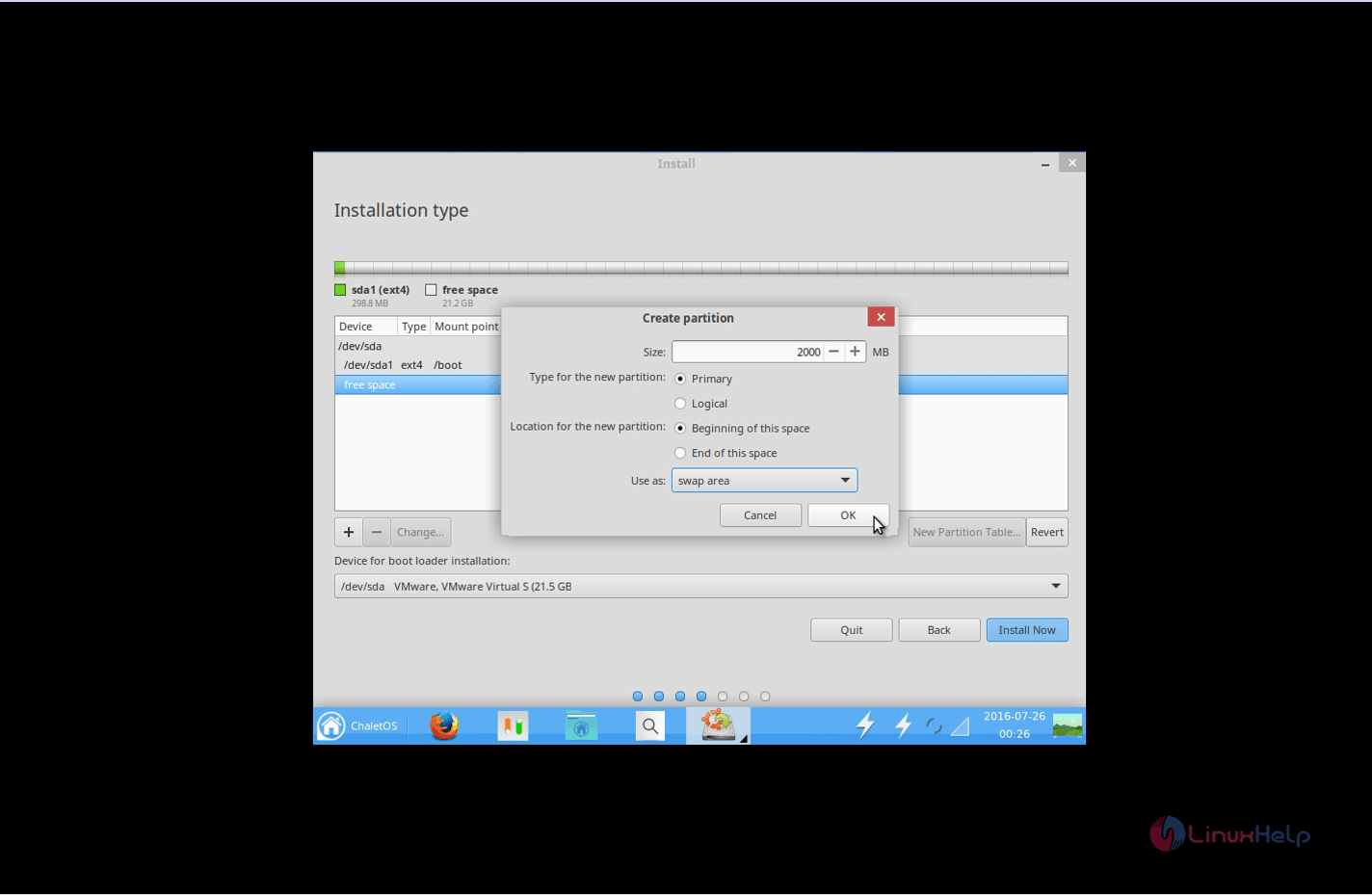
Installation-ChaletOS16.04.2-Swap-partition
For root partition
size : 15 GB
partition type : primary
filesystem : ext4
mount point : /
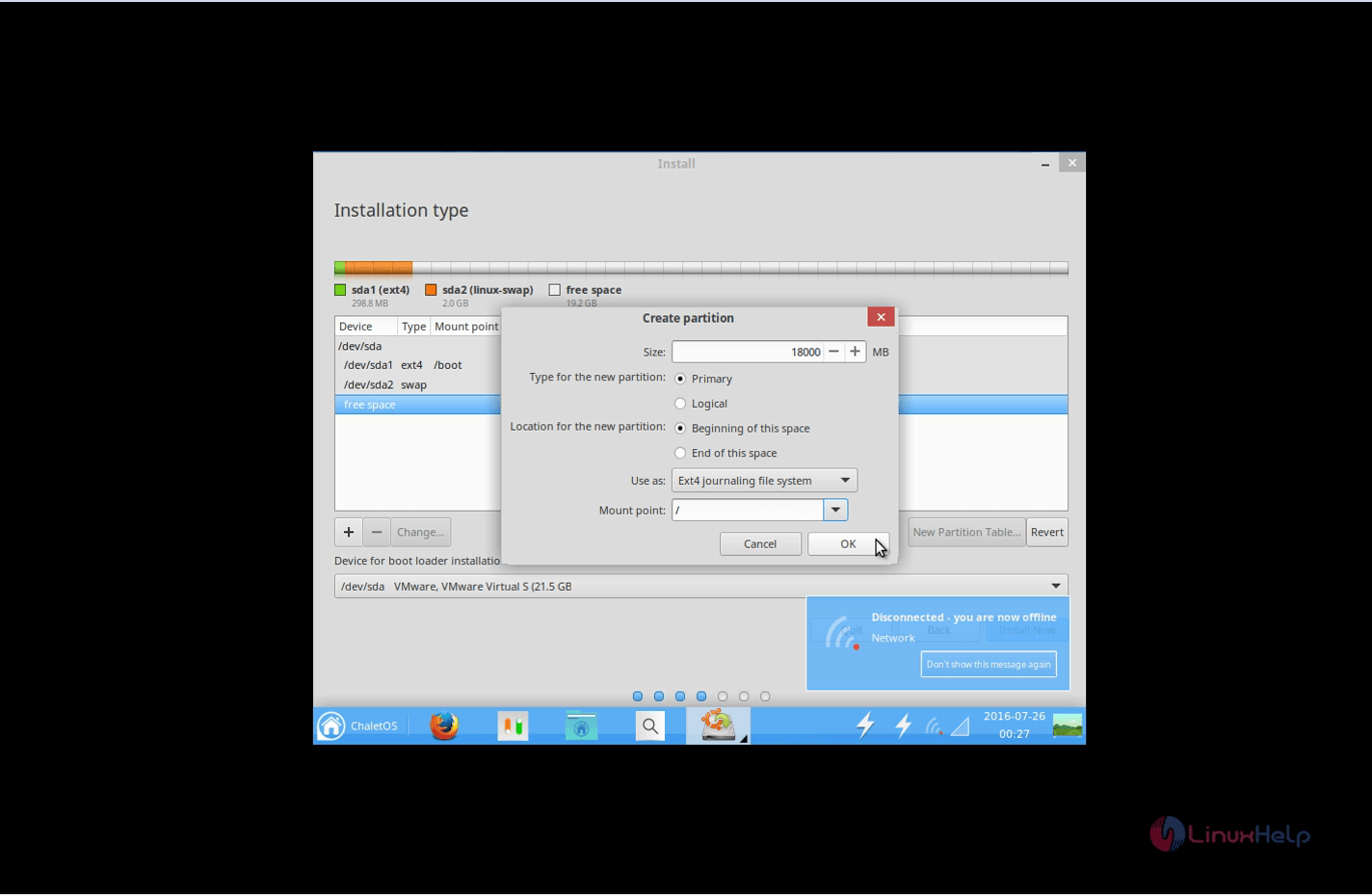
Installation-ChaletOS16.04.2-root-partition
After creating all the partitions, click Install now to proceed further.
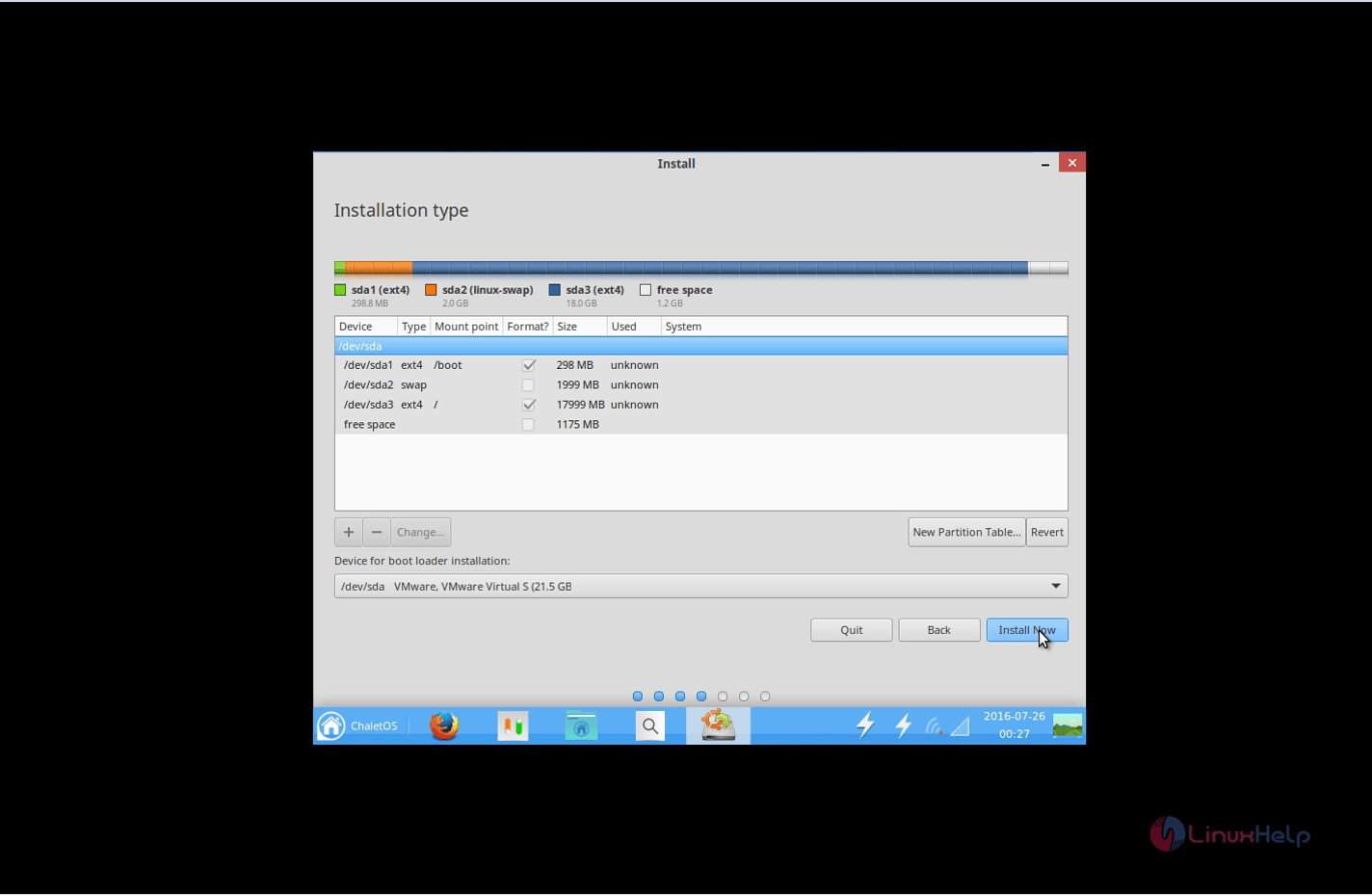
Installation-ChaletOS16.04.2-partitions
Select continue to write changes to disk.
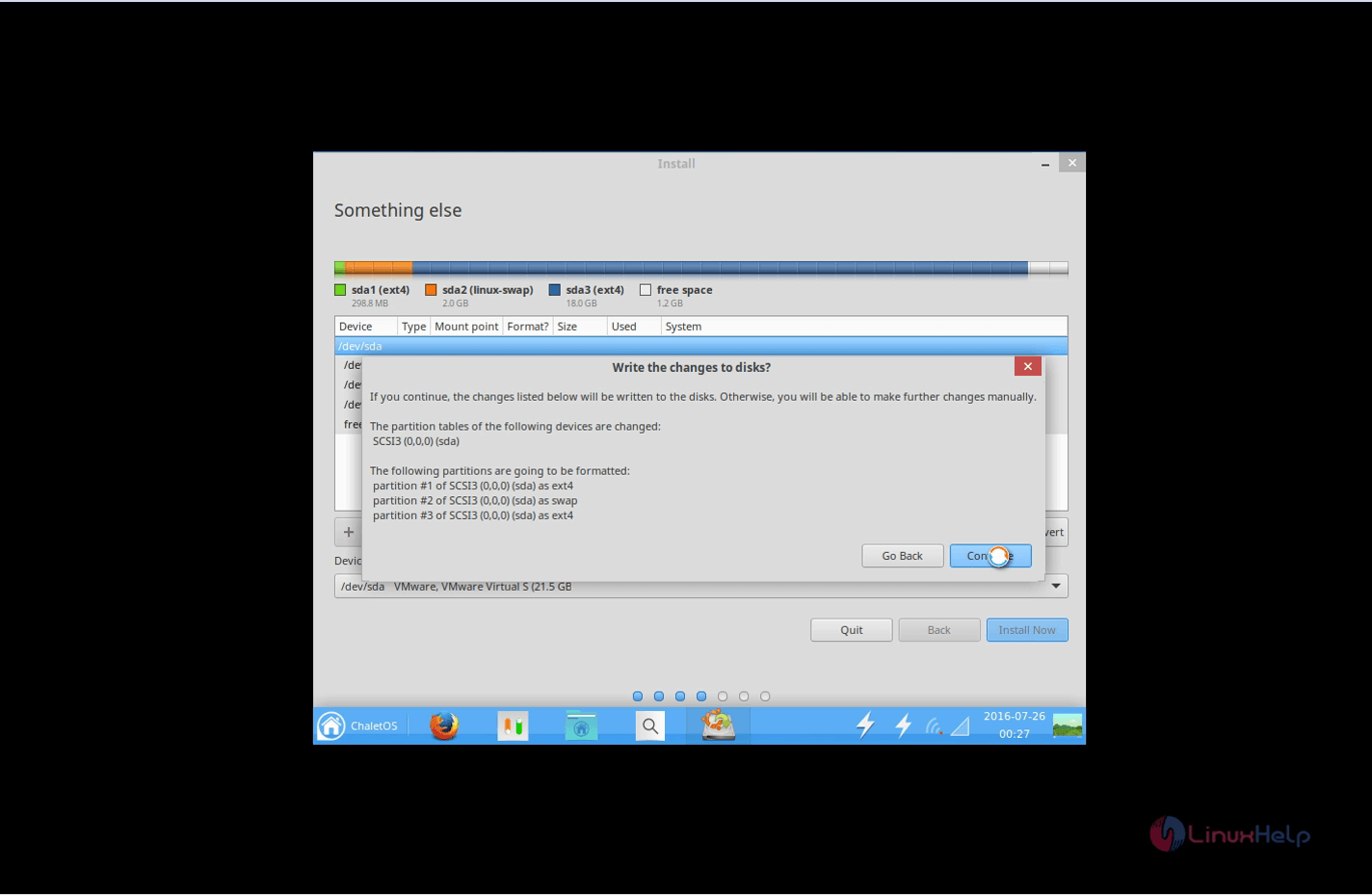
Installation-ChaletOS16.04.2-write-changes-to-disk
Choose your current location and then Continue.
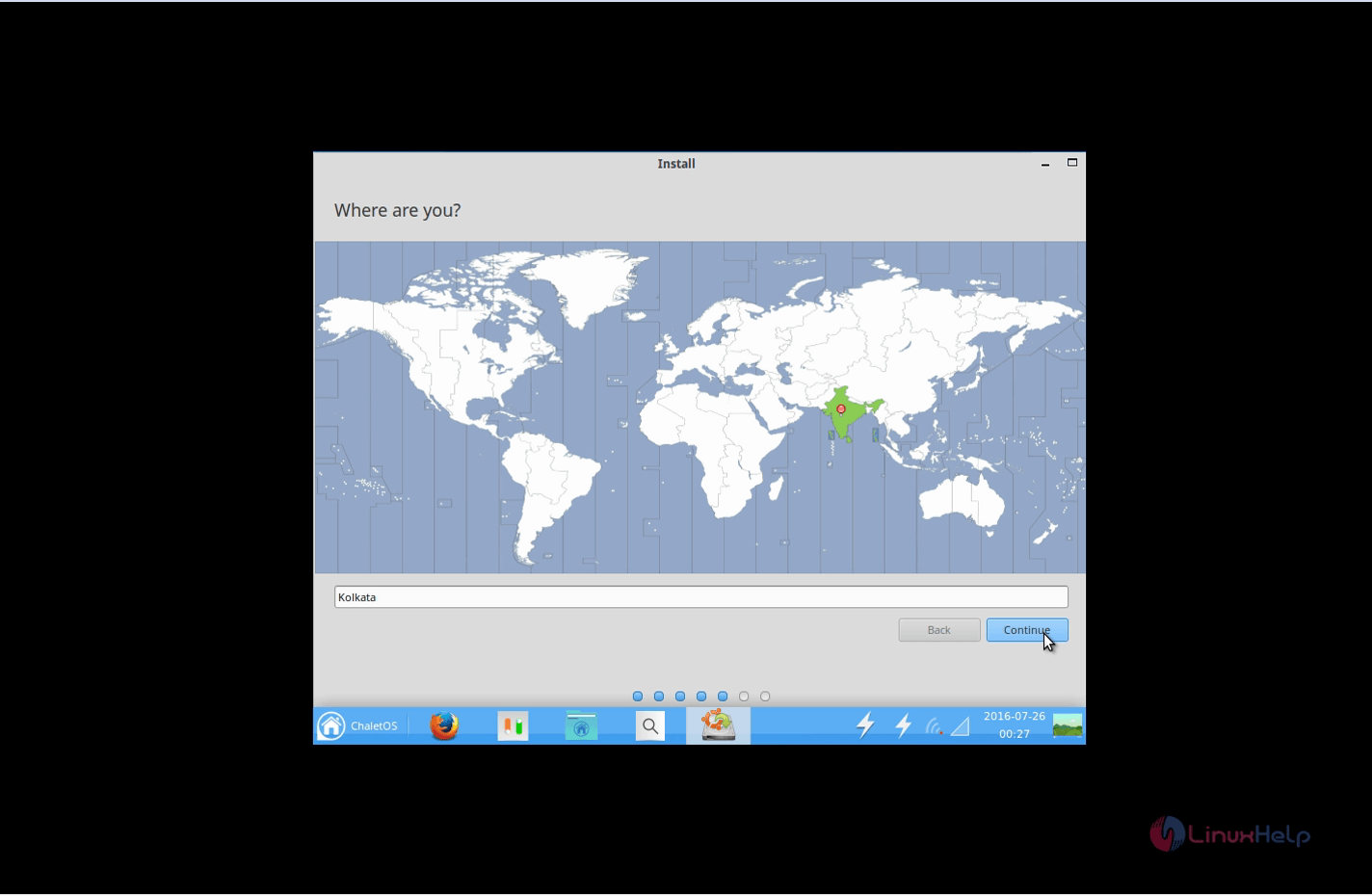
Installation-ChaletOS16.04.2-location
Choose the desired Keyboard layout and Click continue.
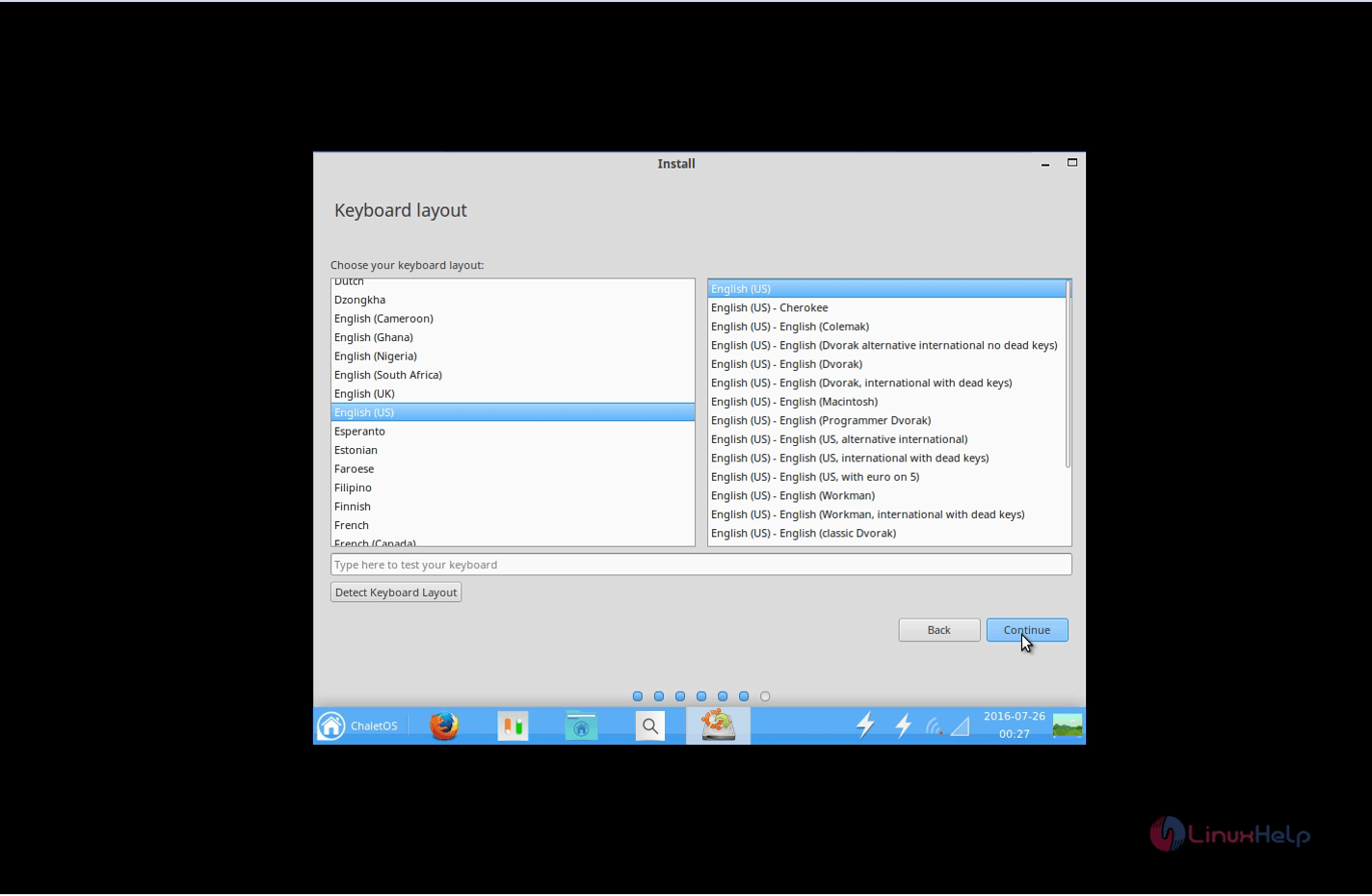
Installation-ChaletOS16.04.2-Keyboard-layout
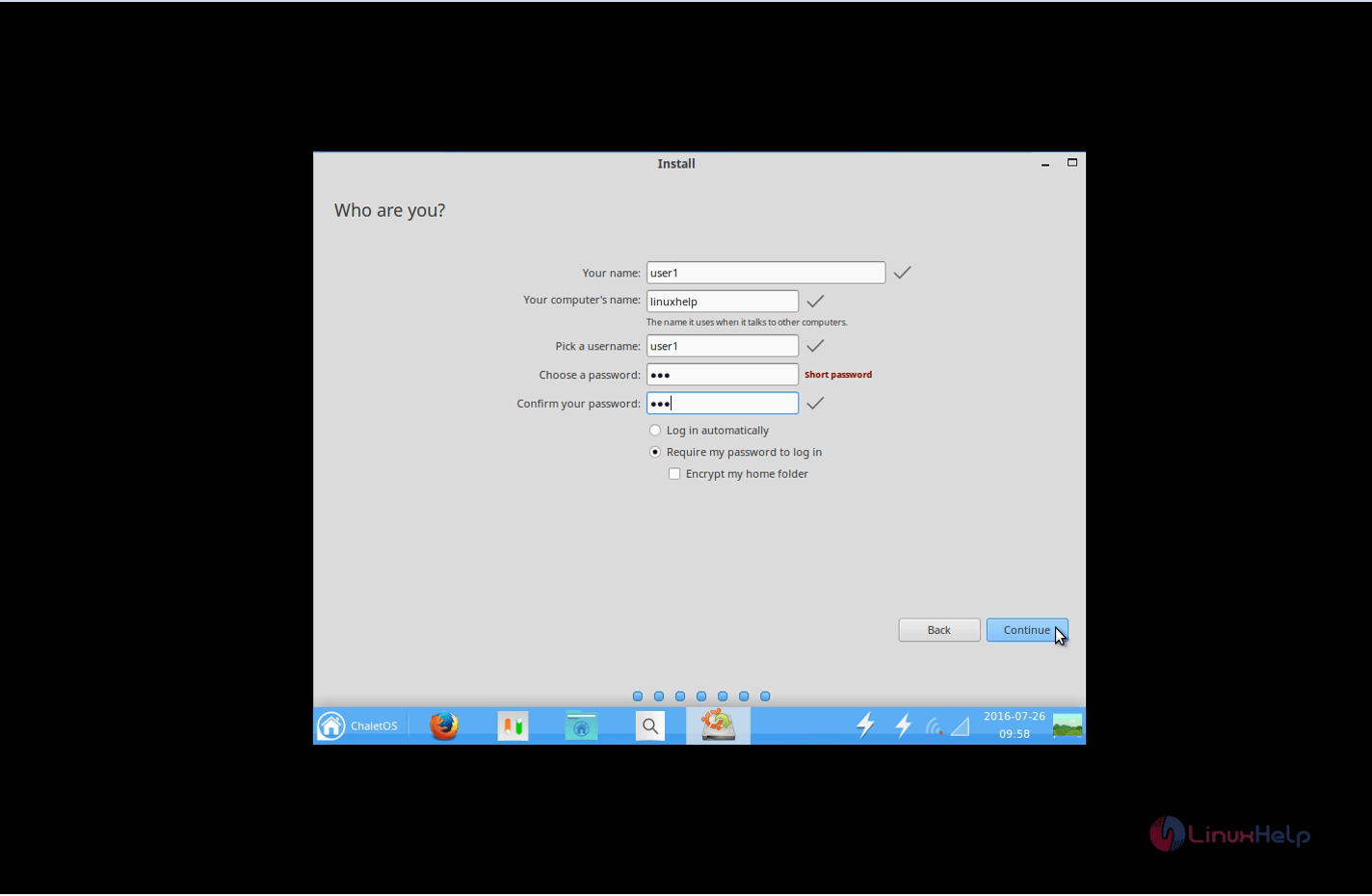
Create a User and click continue.
Installation-ChaletOS16.04.2-Create-User
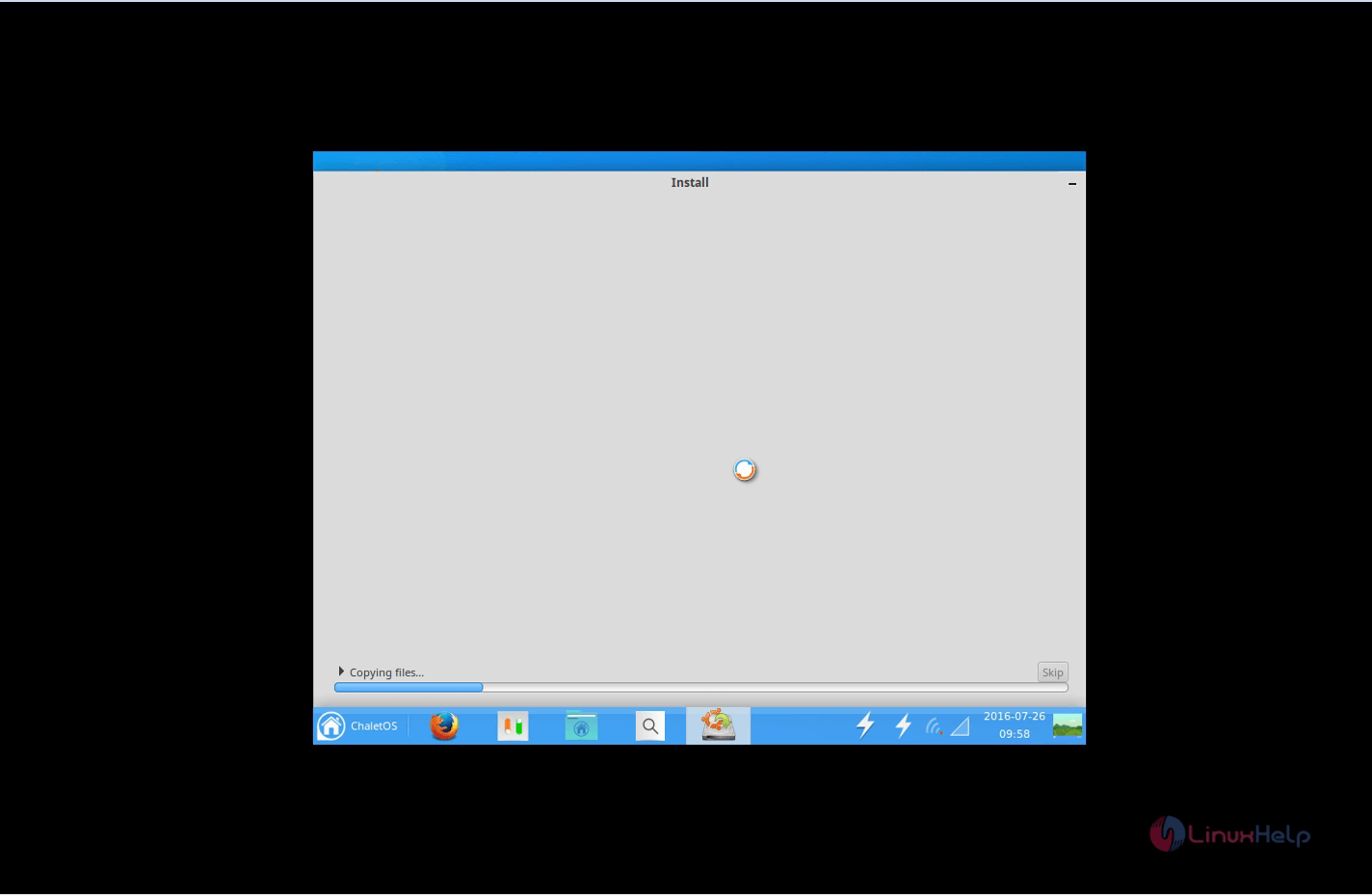
Installation of ChaletOS starts.
Installation-ChaletOS16.04.2-Installation-starts
After the installation, Click Restart Now.
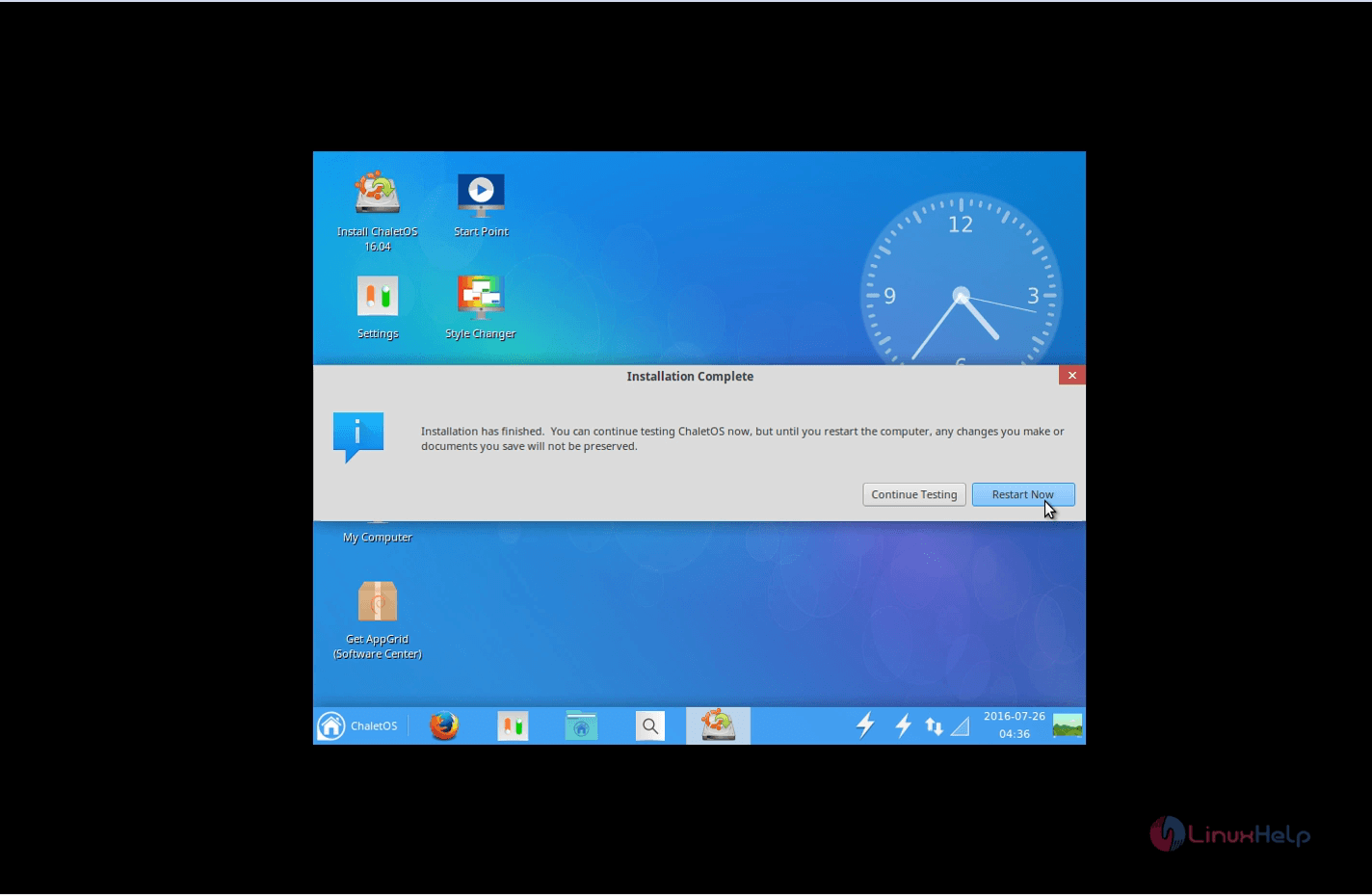
Installation-ChaletOS16.04.2-Restart-Now
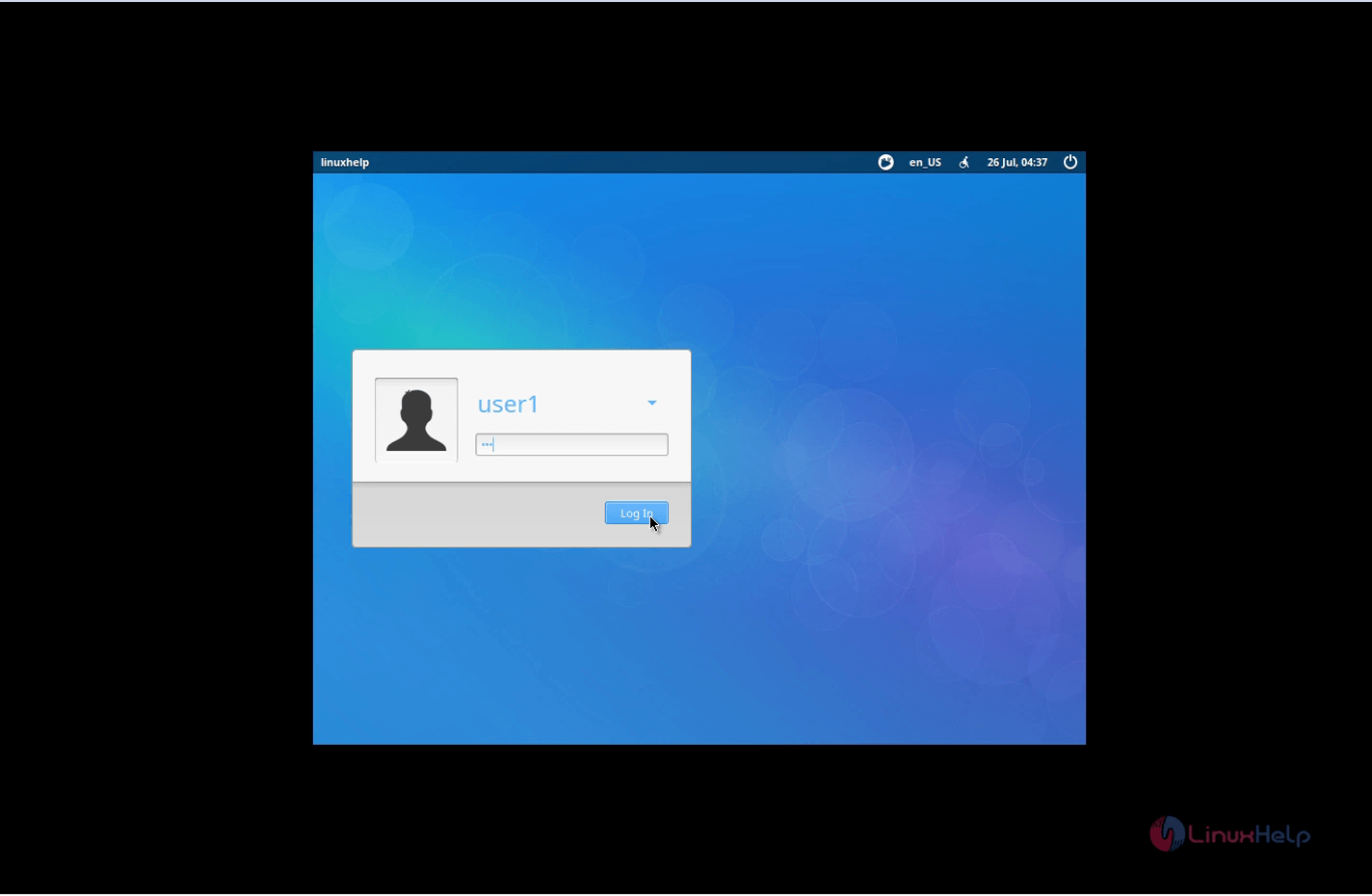
Now login with user credentials.
Installation-ChaletOS16.04.2-user-credentials
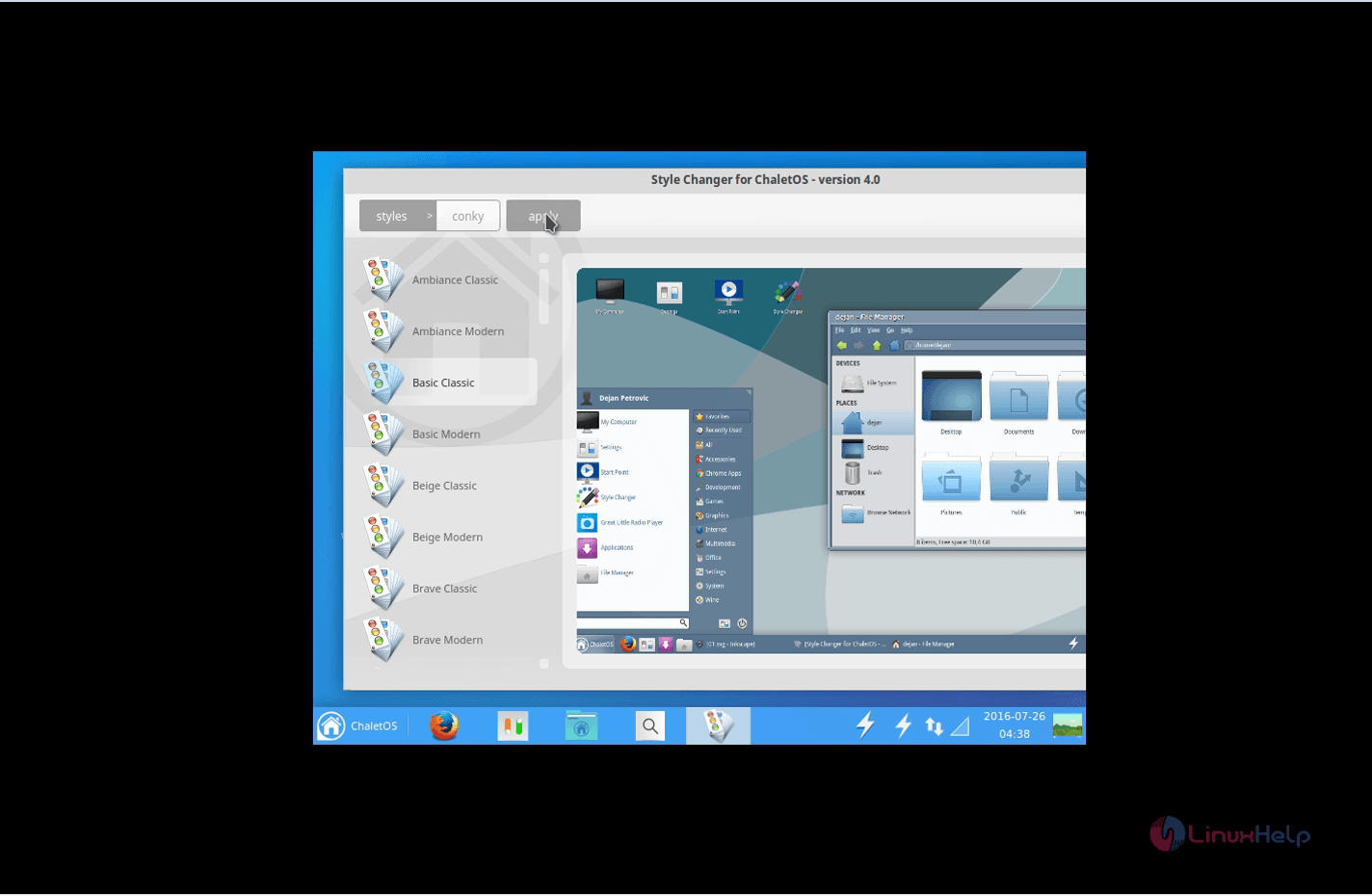
The ChaletOS screen appears as follows. You can change the style of the ChaletOS by clicking Style changer.
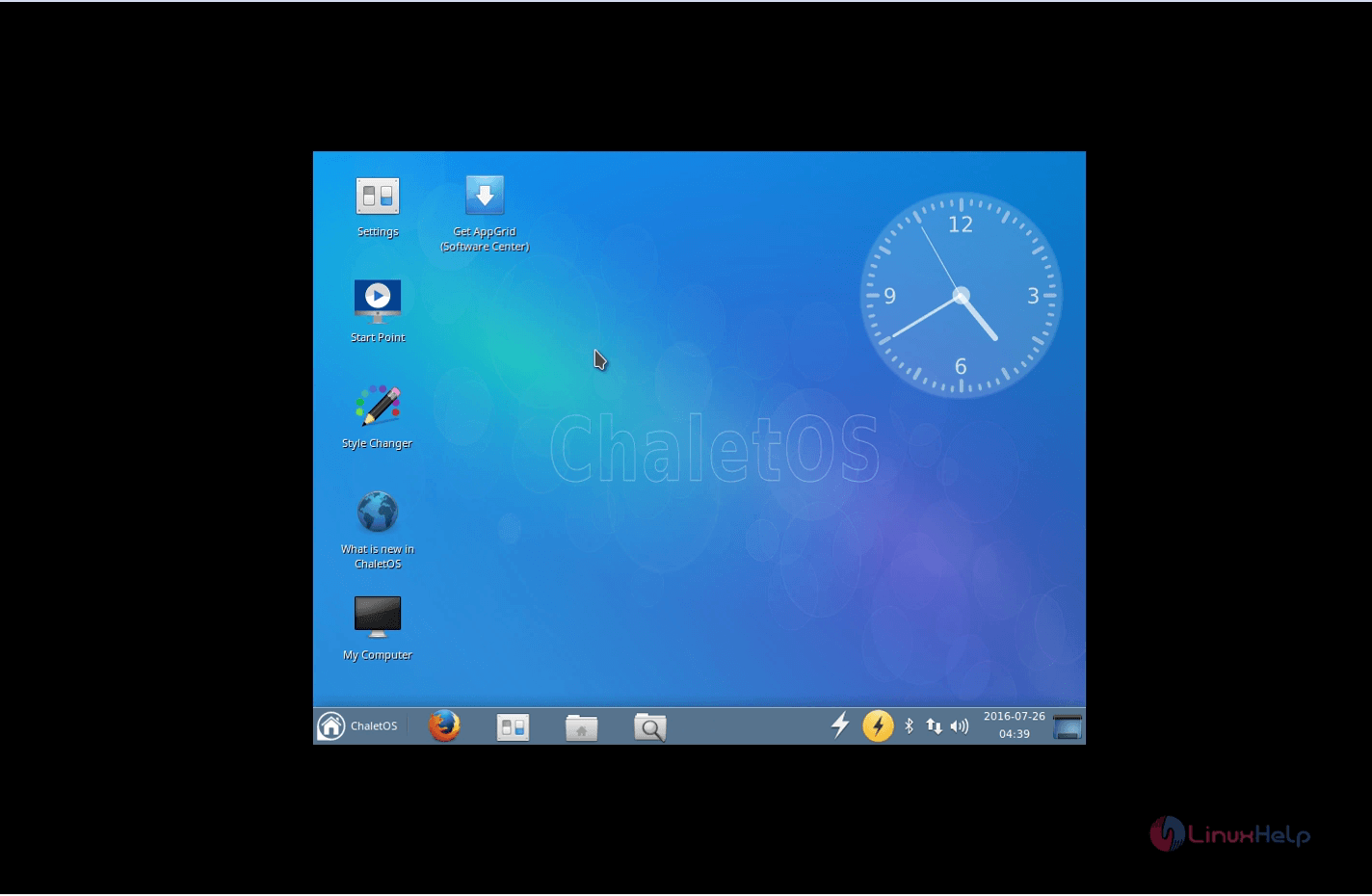
Installation-ChaletOS16.04.2-ChaletOS-screen

Installation-ChaletOS16.04.2-Style-changer

Tags:
jackson
Author: 

Comments ( 2 )

parthiban
Yes you can install it without deleting Ubuntu, you can choose the separate partition or hard drive for installing ChatletOS, so it might not delete the Ubuntu partition
mkursun
Hi! I already have Ubuntu 16.04 LTS installed. Can I install ChaletOS over my current Ubuntu, without deleting it? Thank you.
Add a comment
{{postCtrl.cmtErrMsg}}

Frequently asked questions ( 5 )

Q

Can I able to connect samba printer ?

A

Yes the chalet OS supports such features at the latest LTS release

Q

can I able to connect my IOS device to it?

A

Yes it supports the IOS connectivity

Q

Does it have a office tools by default?

A

No it doesn't have any good office tools pre installed.

Q

What kind of games it posses?

A

It posses tile games such as 2048.

Q

How much of system Hardware resource it takes ?

A

The average memory usage is about 4% of my 8 Gigs, which translates into about 360 MB, a very fair figure, plus 0-1% CPU utilization. Majestic.

Back To Top!
Rank
User
Points

Top Contributers

userNamenaveelansari
135850

Top Contributers

userNameayanbhatti
92510

Top Contributers

userNamehamzaahmed
32150

Top Contributers

1
userNamelinuxhelp
31040

Top Contributers

userNamemuhammadali
24500
Can you help Isaiah ?
What is the use of SUID & SGID commands

How to set the special permissions to the files and folders using SUID and SGID commands...

Networking
  • Routing
  • trunk
  • Netmask
  • Packet Capture
  • domain
  • HTTP Proxy
Server Setup
  • NFS
  • KVM
  • Memory
  • Sendmail
  • WebDAV
  • LXC
Shell Commands
  • Cloud commander
  • Command line archive tools
  • last command
  • Shell
  • terminal
  • Throttle
Desktop Application
  • Linux app
  • Pithos
  • Retrospect
  • Scribe
  • TortoiseHg
  • 4Images
Monitoring Tool
  • Monit
  • Apache Server Monitoring
  • EtherApe 
  • Arpwatch Tool
  • Auditd
  • Barman
Web Application
  • Nutch
  • Amazon VPC
  • FarmWarDeployer
  • Rukovoditel
  • Mirror site
  • Chef
Contact Us | Terms of Use| Privacy Policy| Disclaimer
© 2025 LinuxHelp.com All rights reserved. Linux™ is the registered trademark of Linus Torvalds. This site is not affiliated with linus torvalds in any way.