How to install Chamilo in CentOS 7
To install Chamilo in CentOS 7
Chamilo is a Learning Management System tool, which is used to store and compose the study materials. Installation of Chamilo in CentOS 7 is explained in this article.
Features
- Supports various types of survey
- Supports multi User environment
- Provides Course and user management according to the user section
- Download, upload or hiding course is possible
- Provides facility to create, add or delete questions
- CSV/Excel data can be downloaded or uploaded
- Provisions to enable deadline based assignments
To install and update CentOS machine
Run the following command to install required packages.
[root@linuxhelp ~]# yum install gcc-c++ libuuid-devel
Enable the Apache services.
[root@linuxhelp ~]# systemctl enable httpd
Start and enable the database services.
[root@linuxhelp ~]# systemctl start mariadb
[root@linuxhelp ~]# systemctl enable mariadb
Create database and a user for chamilo
[root@linuxhelp ~]# mysql -u root -p
Enter password
Welcome to the MariaDB monitor. Commands end with   or g.
Your MariaDB connection id is 4
Server version: 5.5.44-MariaDB MariaDB Server

Copyright (c) 2000, 2015, Oracle, MariaDB Corporation Ab and others.

Type ' help '  or ' h'  for help. Type ' c'  to clear the current input statement.

MariaDB [(none)]>  create database chamilo
Query OK, 1 row affected (0.00 sec)

MariaDB [(none)]>  create user ' chamilo' @' localhost'  identified by " P@ssw0rd"
Query OK, 0 rows affected (0.00 sec)

MariaDB [(none)]>  grant all on chamilo.* to ' chamilo' @' localhost'
Query OK, 0 rows affected (0.00 sec)

MariaDB [(none)]>  q
Bye
Download latest version of Chamilo by using the following command.
[root@linuxhelp ~]# wget https://github.com/chamilo/chamilo-lms/archive/v1.10.0.zip
--2015-12-28 10:25:29--  https://github.com/chamilo/chamilo-lms/archive/v1.10.0.zip
Resolving github.com (github.com)... 192.30.252.131
Connecting to github.com (github.com)|192.30.252.131|:443... connected.
HTTP request sent, awaiting response... 302 Found
Location: https://codeload.github.com/chamilo/chamilo-lms/zip/v1.10.0 [following]
--2015-12-28 10:25:30--  https://codeload.github.com/chamilo/chamilo-lms/zip/v1.10.0
Resolving codeload.github.com (codeload.github.com)... 192.30.252.144
Connecting to codeload.github.com (codeload.github.com)|192.30.252.144|:443... connected.
HTTP request sent, awaiting response... 200 OK
Length: unspecified [application/zip]
Saving to: ‘ v1.10.0.zip’
[                                      < =>                               ] 25,82,225 120KB/s
Append /etc/php.ini and add following line at the end of file
[root@linuxhelp ~]vim /etc/php.ini
date.timezone = ' America/New_York'
max_execution_time = 300
max_input_time = 600
memory_limit = 256M
post_max_size = 100M
upload_max_filesize = 100M
short_open_tag = Off
safe_mode = Off
magic_quotes_gpc = Off
magic_quotes_runtime = Off
session.cookie_httponly = On
extension = xapian.so
Extract the downloaded package by using the following command.
[root@linuxhelp ~]# unzipv1.10.0.zip
Alter the ownership of the directory by running the following command.
[root@linuxhelp ~]#  mv chamilo-lms-1.10.0/ /var/www/html/chamilo
[root@linuxhelp ~]# chmod -R /var/www/html/chamilo
[root@linuxhelp ~]# chown -R apache: /var/www/html/chamilo
[root@linuxhelp ~]# setenforce 0
Utilise the following command to restart your web service.
[root@linuxhelp ~]# systemctl restart httpd
Open the browser and call the http://< IP_address> /chamilo/
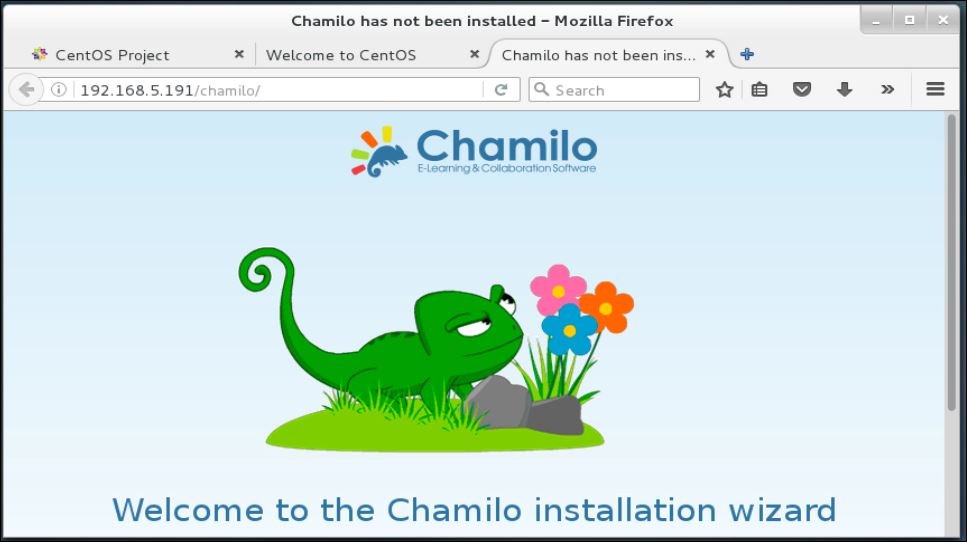
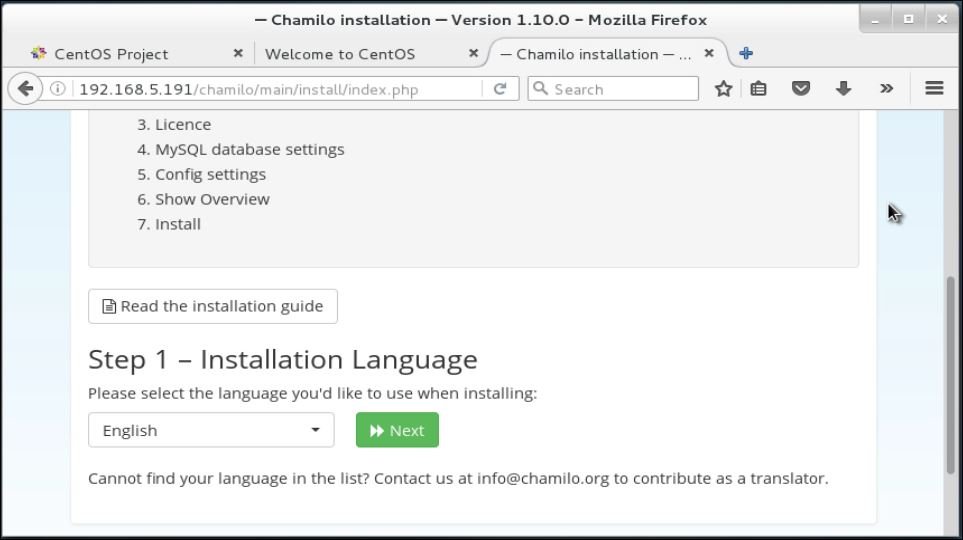
Choose your preferred language and click next.
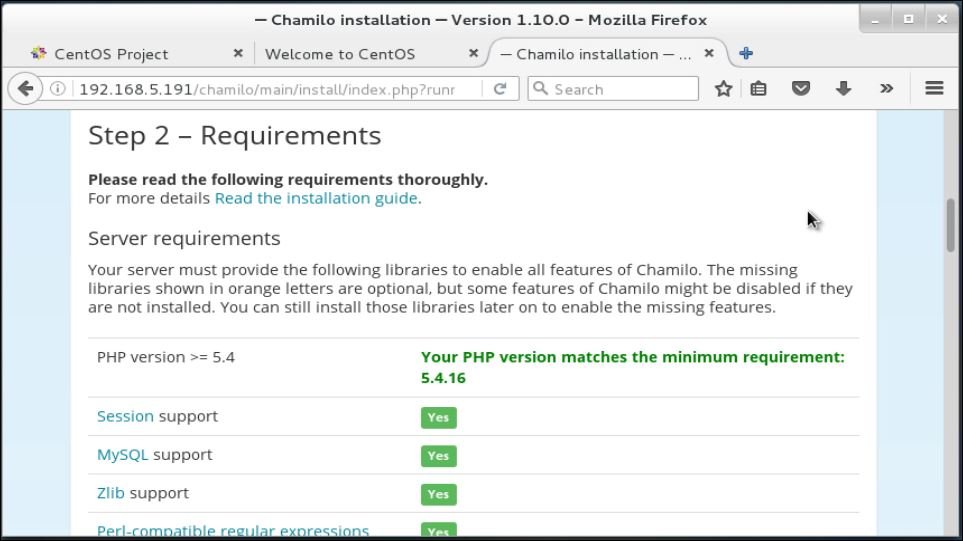
Here system will check the required dependencies.
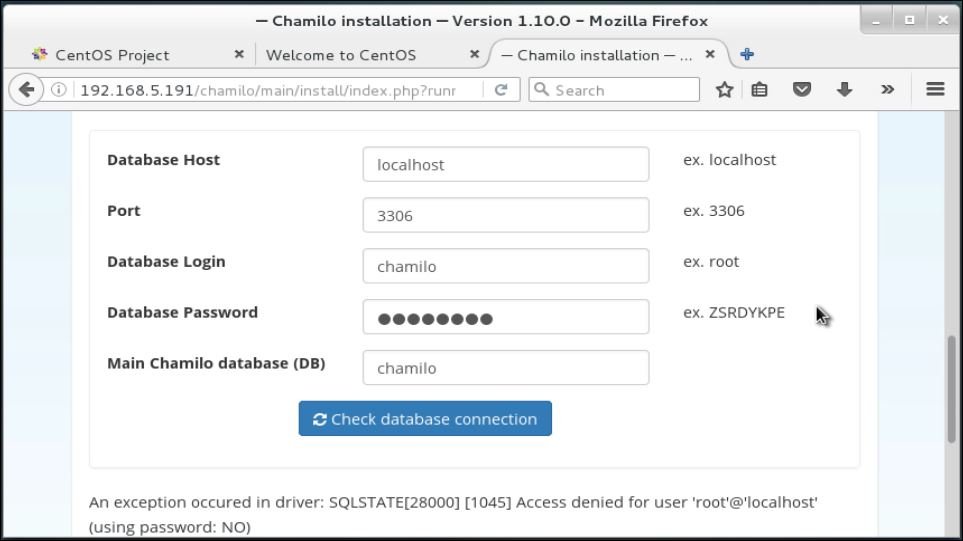
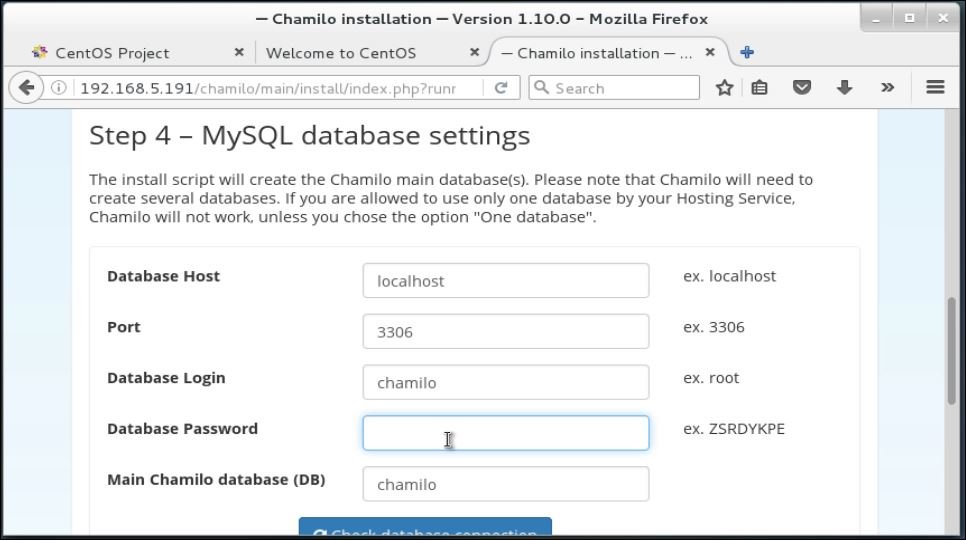
Enter the database details and check database connection.
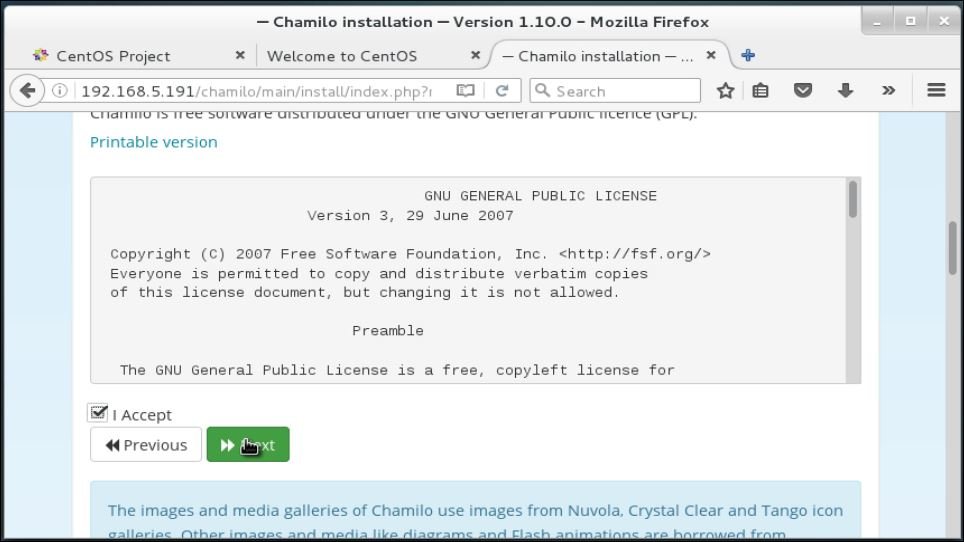
Read and accept license agreement and then click next to proceed.
Now enter the following details.
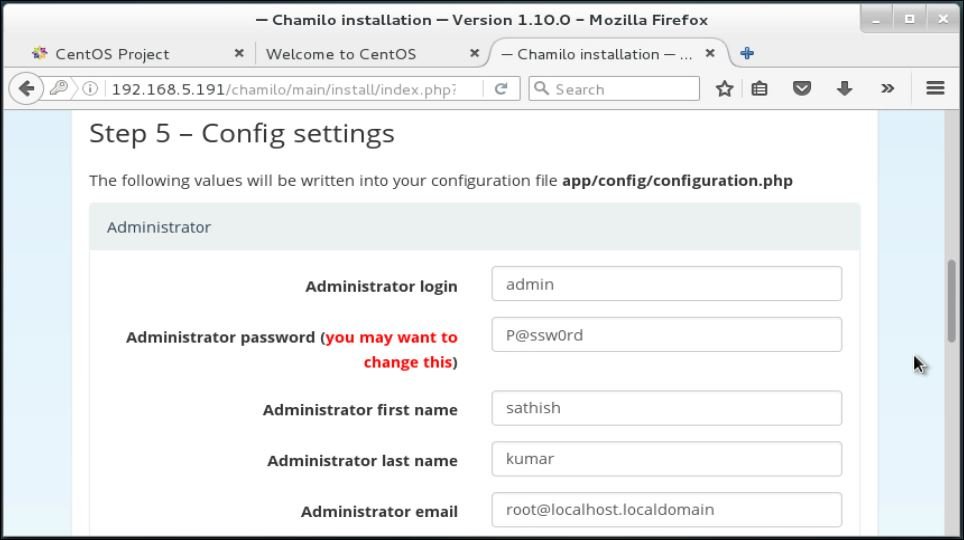
Finally verify your settings.
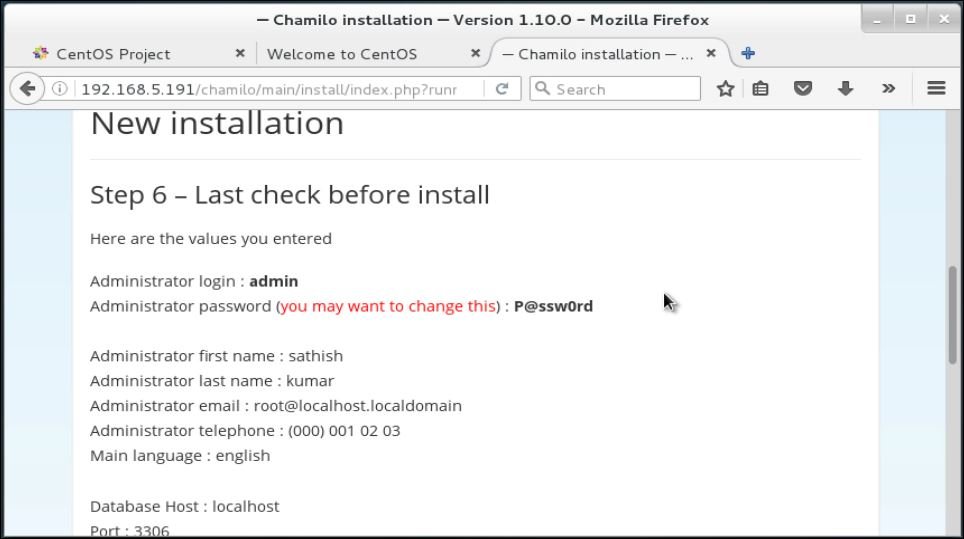
After the installation, login to portal.
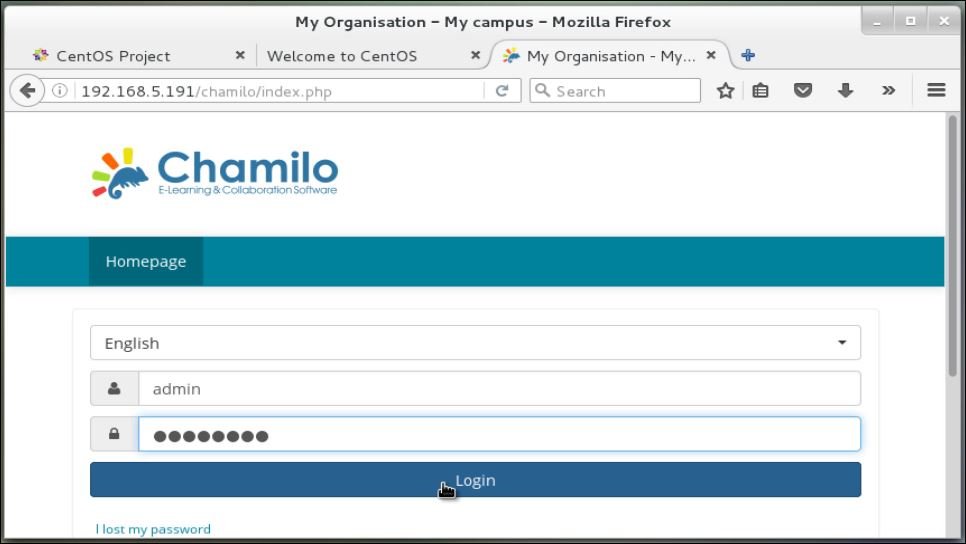
To add a user to a course, click My courses.
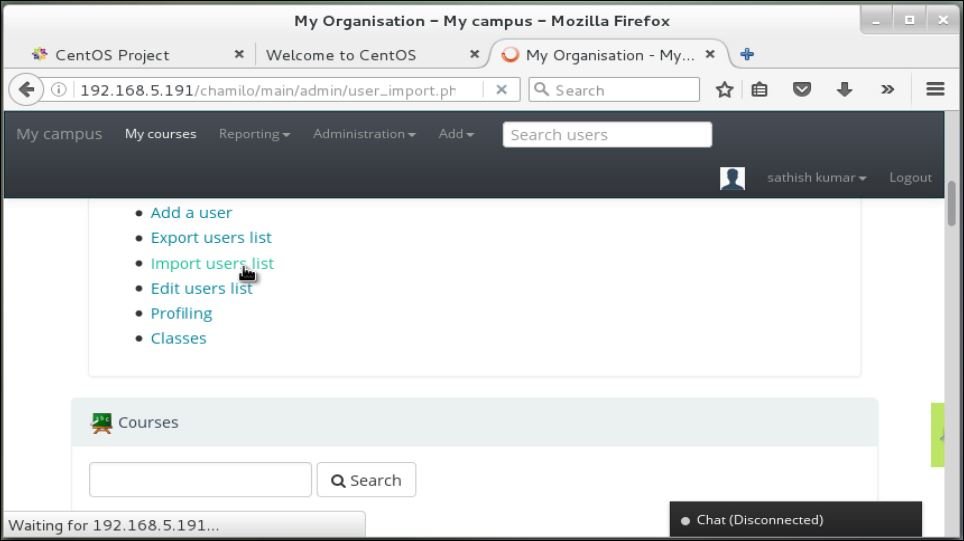
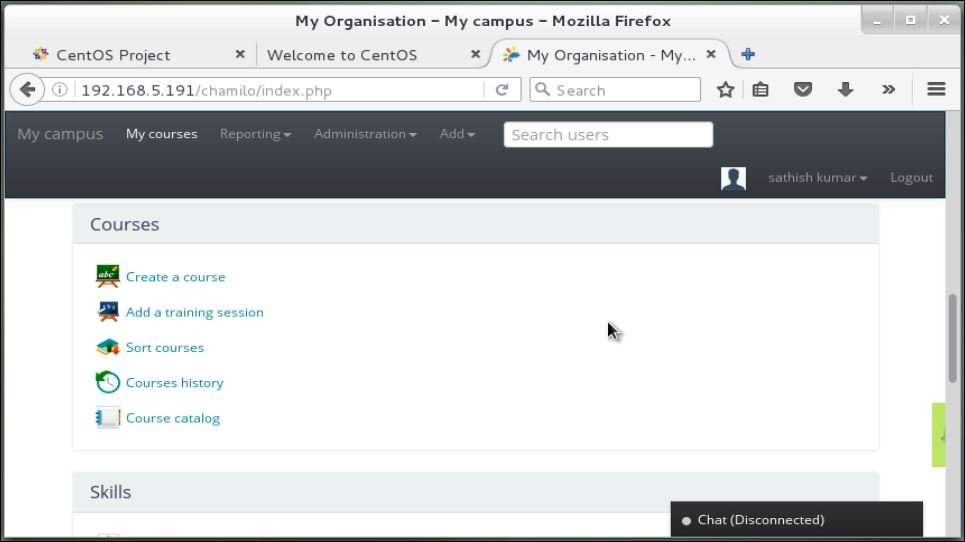
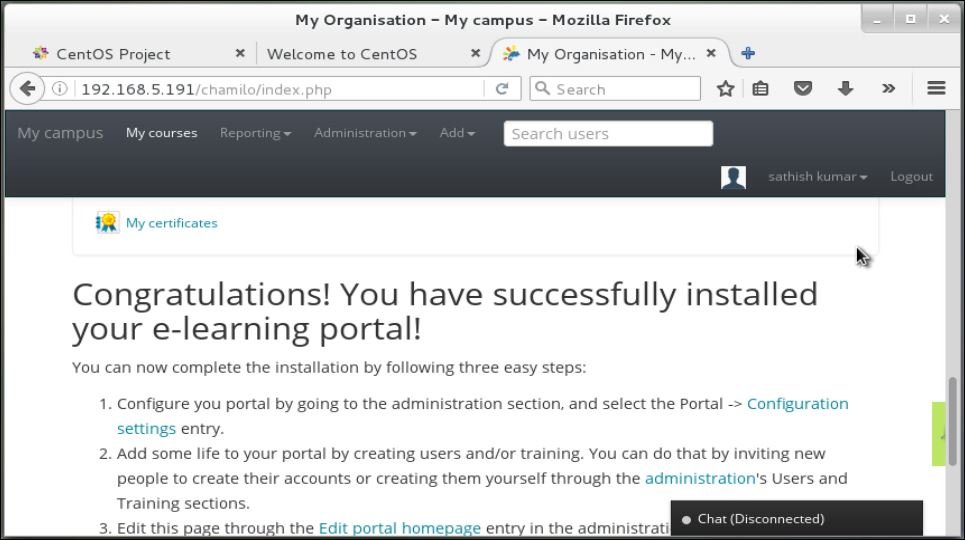
Click administration tab and import users list to import users in bulk. Example format is provided to create a course. Go to your home page and manage all the courses through the provided links.
Comments ( 0 )
No comments available