How to Install Chamilo LMS 1.11.8v on Ubuntu 18.10
- 01:26 cd /var/www
- 01:41 mkdir chamilo
- 01:48 unzip chamilo-1.11.8-php7.zip –d chamilo
- 02:04 mv chamilo-1.11.8-php7/ final
- 02:19 chown -R www-data. ./
- 02:29 chmod -R 775 ./
- 02:42 vim /etc/apache2/sites-available/lms.conf
- 03:03 a2dissite 000-default.conf
- 03:11 a2ensite lms.conf
- 03:18 a2enmod rewrite
- 04:29 vim /etc/php/7.2/cli/php.ini
- 04:49 systemctl restart apache2
Installation Of Chamilo LMS 1.11.8 On Ubuntu 18.10
Features:
It has course management, user and authentication, and enrollment, allowing students to easily post to site, use hashtags, view and edit posts from any device. It also supports WYSIWYG with strong privacy settings to create space for individuals to share personal thoughts with groups or other users.
Pre-requisites:
LAMP Stack
Apache 2.4.34
MAriaDB 10.1
PHP 7.2
PHP Modules :
php-session,php-mysql,php-mbstring,php-zlib,php-pcre,php-xml php-json php-mcrypt php-iconv php-gd php-intl php-ctype,php-ldap php-xapian php-curl php-xsl.
Download Link :
https://github.com/chamilo/chamilo-lms/releases/download/v1.11.8/chamilo-1.11.8-php7.zip
Installation
Before you begin the installation, change the directory to Apache’s Document root directory /var/www.
root@linuxhelp:~#cd /var/www
List the contents to view the downloaded zip file of Chamilo LMS.
root@linuxhelp:/var/www# ll
total 351076
drwxr-xr-x  4 root root      4096 Apr 26 22:38 ./
drwxr-xr-x 15 root root      4096 Apr  6 09:52 ../
-rw-r--r--  1 root root 359484067 Aug 15  2018 chamilo-1.11.8-php7.zip
drwxr-xr-x  2 root root      4096 Apr  6 09:52 html/
Create a new directory for Chamilo LMS 4.4.
root@linuxhelp:/var/www#mkdir chamilo
Extract the zip file of Chamilo LMS using unzip as follows.
root@linuxhelp:/var/www#unzip chamilo-1.11.8-php7.zip –d chamilo
Change the directory to chamilo.
root@linuxhelp:/var/www# cd chamilo/
List the contents to view the extracted zip files of Chamilo LMS.
root@linuxhelp:/var/www/chamilo# ll
total 12
drwxr-xr-x  3 root root 4096 Apr 26 22:39 ./
drwxr-xr-x  4 root root 4096 Apr 26 22:38 ../
drwxr-xr-x 12 root root 4096 Aug 15  2018 chamilo-1.11.8-php7/
Rename the newly created directory while extraction to final.
root@linuxhelp:/var/www/chamilo# mv chamilo-1.11.8-php7/ final
Change the directory to final.
root@linuxhelp:/var/www/chamilo# cd final/
List the contents in the final directory to view the files and folders.
root@linuxhelp:/var/www/chamilo/final# ll
total 596
drwxr-xr-x 12 root root   4096 Aug 15  2018 ./
drwxr-xr-x  3 root root   4096 Apr 26 22:41 ../
drwxr-xr-x 11 root root   4096 Aug 15  2018 app/
-rwxr-xr-x  1 root root   5799 Aug 15  2018 apple-touch-icon.png*
drwxr-xr-x  2 root root   4096 Aug 15  2018 bin/
-rw-r--r--  1 root root   1062 Aug 15  2018 bower.json
-rw-r--r--  1 root root     46 Aug 15  2018 .bowerrc
drwxr-xr-x  2 root root   4096 Aug 15  2018 certificates/
-rw-r--r--  1 root root   1146 Aug 15  2018 cli-config.php
-rw-r--r--  1 root root   2437 Aug 15  2018 .codeclimate.yml
-rw-r--r--  1 root root   1715 Aug 15  2018 codesize.xml
-rwxr-xr-x  1 root root   4931 Aug 15  2018 composer.json*
-rw-r--r--  1 root root 375041 Aug 15  2018 composer.lock
-rw-r--r--  1 root root   5487 Aug 15  2018 CONTRIBUTING.md
drwxr-xr-x  4 root root   4096 Aug 15  2018 custompages/
drwxr-xr-x  2 root root   4096 Aug 15  2018 documentation/
-rw-r--r--  1 root root    206 Aug 15  2018 .editorconfig
-rwxr-xr-x  1 root root   2462 Aug 15  2018 favicon.ico*
-rw-r--r--  1 root root     95 Aug 15  2018 .flintci.yml
-rwxr-xr-x  1 root root   3588 Aug 15  2018 .htaccess*
-rwxr-xr-x  1 root root   7210 Aug 15  2018 index.php*
-rwxr-xr-x  1 root root  35147 Aug 15  2018 LICENSE*
-rwxr-xr-x  1 root root   1614 Aug 15  2018 license.txt*
drwxr-xr-x 56 root root   4096 Aug 15  2018 main/
-rwxr-xr-x  1 root root    893 Aug 15  2018 news_list.php*
-rw-r--r--  1 root root     51 Aug 15  2018 .php_cs
-rw-r--r--  1 root root   2986 Aug 15  2018 .php_cs.dist
drwxr-xr-x 49 root root   4096 Aug 15  2018 plugin/
-rw-r--r--  1 root root   7643 Aug 15  2018 README.md
-rwxr-xr-x  1 root root    748 Aug 15  2018 robots.txt*
-rw-r--r--  1 root root   2457 Aug 15  2018 .scrutinizer.yml
drwxr-xr-x  3 root root   4096 Aug 15  2018 src/
-rwxr-xr-x  1 root root   4219 Aug 15  2018 .travis.yml*
-rwxr-xr-x  1 root root   1151 Aug 15  2018 user.php*
-rwxr-xr-x  1 root root  11499 Aug 15  2018 user_portal.php*
drwxr-xr-x 66 root root   4096 Aug 15  2018 vendor/
drwxr-xr-x  4 root root   4096 Aug 15  2018 web/
-rw-r--r--  1 root root   4745 Aug 15  2018 web.config
-rwxr-xr-x  1 root root   2004 Aug 15  2018 whoisonline.php*
-rwxr-xr-x  1 root root   4037 Aug 15  2018 whoisonlinesession.php*
-rw-r--r--  1 root root    116 Aug 15  2018 .yamllint_config
Assign the ownership permissions to the final directory.
root@linuxhelp:/var/www/chamilo/final# chown -R www-data. ./
Assign the writable permissions to the current working directory final.
root@linuxhelp:/var/www/chamilo/final# chmod -R 775 ./
List the contents to check the permissions assigned.
root@linuxhelp:/var/www/chamilo/final# ll
total 596
drwxrwxr-x 12 www-data www-data   4096 Aug 15  2018 ./
drwxr-xr-x  3 root     root       4096 Apr 26 22:41 ../
drwxrwxr-x 11 www-data www-data   4096 Aug 15  2018 app/
-rwxrwxr-x  1 www-data www-data   5799 Aug 15  2018 apple-touch-icon.png*
drwxrwxr-x  2 www-data www-data   4096 Aug 15  2018 bin/
-rwxrwxr-x  1 www-data www-data   1062 Aug 15  2018 bower.json*
-rwxrwxr-x  1 www-data www-data     46 Aug 15  2018 .bowerrc*
drwxrwxr-x  2 www-data www-data   4096 Aug 15  2018 certificates/
-rwxrwxr-x  1 www-data www-data   1146 Aug 15  2018 cli-config.php*
-rwxrwxr-x  1 www-data www-data   2437 Aug 15  2018 .codeclimate.yml*
-rwxrwxr-x  1 www-data www-data   1715 Aug 15  2018 codesize.xml*
-rwxrwxr-x  1 www-data www-data   4931 Aug 15  2018 composer.json*
-rwxrwxr-x  1 www-data www-data 375041 Aug 15  2018 composer.lock*
-rwxrwxr-x  1 www-data www-data   5487 Aug 15  2018 CONTRIBUTING.md*
drwxrwxr-x  4 www-data www-data   4096 Aug 15  2018 custompages/
drwxrwxr-x  2 www-data www-data   4096 Aug 15  2018 documentation/
-rwxrwxr-x  1 www-data www-data    206 Aug 15  2018 .editorconfig*
-rwxrwxr-x  1 www-data www-data   2462 Aug 15  2018 favicon.ico*
-rwxrwxr-x  1 www-data www-data     95 Aug 15  2018 .flintci.yml*
-rwxrwxr-x  1 www-data www-data   3588 Aug 15  2018 .htaccess*
-rwxrwxr-x  1 www-data www-data   7210 Aug 15  2018 index.php*
-rwxrwxr-x  1 www-data www-data  35147 Aug 15  2018 LICENSE*
-rwxrwxr-x  1 www-data www-data   1614 Aug 15  2018 license.txt*
drwxrwxr-x 56 www-data www-data   4096 Aug 15  2018 main/
-rwxrwxr-x  1 www-data www-data    893 Aug 15  2018 news_list.php*
-rwxrwxr-x  1 www-data www-data     51 Aug 15  2018 .php_cs*
-rwxrwxr-x  1 www-data www-data   2986 Aug 15  2018 .php_cs.dist*
drwxrwxr-x 49 www-data www-data   4096 Aug 15  2018 plugin/
-rwxrwxr-x  1 www-data www-data   7643 Aug 15  2018 README.md*
-rwxrwxr-x  1 www-data www-data    748 Aug 15  2018 robots.txt*
-rwxrwxr-x  1 www-data www-data   2457 Aug 15  2018 .scrutinizer.yml*
drwxrwxr-x  3 www-data www-data   4096 Aug 15  2018 src/
-rwxrwxr-x  1 www-data www-data   4219 Aug 15  2018 .travis.yml*
-rwxrwxr-x  1 www-data www-data   1151 Aug 15  2018 user.php*
-rwxrwxr-x  1 www-data www-data  11499 Aug 15  2018 user_portal.php*
drwxrwxr-x 66 www-data www-data   4096 Aug 15  2018 vendor/
drwxrwxr-x  4 www-data www-data   4096 Aug 15  2018 web/
-rwxrwxr-x  1 www-data www-data   4745 Aug 15  2018 web.config*
-rwxrwxr-x  1 www-data www-data   2004 Aug 15  2018 whoisonline.php*
-rwxrwxr-x  1 www-data www-data   4037 Aug 15  2018 whoisonlinesession.php*
-rwxrwxr-x  1 www-data www-data    116 Aug 15  2018 .yamllint_config*
Configure the Virtual Hosting for Chamilo LMS.
root@linuxhelp:/var/www/chamilo/final# vim /etc/apache2/sites-available/lms.conf
<virtualhost *:80>
servername www.linuxhelp1.com
documentroot /var/www/chamilo/final/

<directory /var/www/chamilo/final/>
allowoverride all
allow from all
</directory>
</virtualhost>
Disable the default site access.
root@linuxhelp:/var/www/chamilo/final# a2dissite 000-default.conf
Site 000-default disabled.
To activate the new configuration, you need to run:
  systemctl reload apache2
Enable the LMS site access
root@linuxhelp:/var/www/chamilo/final# a2ensite lms.conf
Enabling site lms.
To activate the new configuration, you need to run:
  systemctl reload apache2
Enable the rewrite module.
root@linuxhelp:/var/www/chamilo/final# a2enmod rewrite
Enabling module rewrite.
To activate the new configuration, you need to run:
  systemctl restart apache2
Configure the MariaDB for gpEasy CMS using the root password.
root@linuxhelp:/var/www/chamilo/final# mysql -u root -p
Enter password:
Welcome to the MariaDB monitor.  Commands end with ; or \g.
Your MariaDB connection id is 64
Server version: 10.1.29-MariaDB-6ubuntu2 Ubuntu 18.10

Copyright (c) 2000, 2017, Oracle, MariaDB Corporation Ab and others.

Type 'help;' or '\h' for help. Type '\c' to clear the current input statement.

MariaDB [(none)]> create database chamilo;
Query OK, 1 row affected (0.00 sec)

MariaDB [(none)]> use chamilo;
Database changed

MariaDB [chamilo]> create user chamilouser@localhost identified by 'linuxc';
Query OK, 0 rows affected (0.00 sec)

MariaDB [chamilo]> grant all on chamilo.* to chamilouser@localhost;
Query OK, 0 rows affected (0.00 sec)

MariaDB [chamilo]> flush privileges;
Query OK, 0 rows affected (0.00 sec)

MariaDB [chamilo]> exit
Bye
Modify the PHP Configuration file as follows.
root@linuxhelp:/var/www/chamilo/final# vim /etc/php/7.2/cli/php.ini
max_execution_time=300
max_input_time=600
memory_limit=256M
post_max_size=100M
upload_max_filesize=100
short_open_tag=off
safe_mode=off
magic_quotes_gpc=Off
magic_quotes_runtime=off
data.timezone=”Your-timezone’
Restart the service of Apache.
root@linuxhelp:/var/www/chamilo/final# systemctl restart apache2
Open the Browser and enter the servername to access the Chamilo LMS
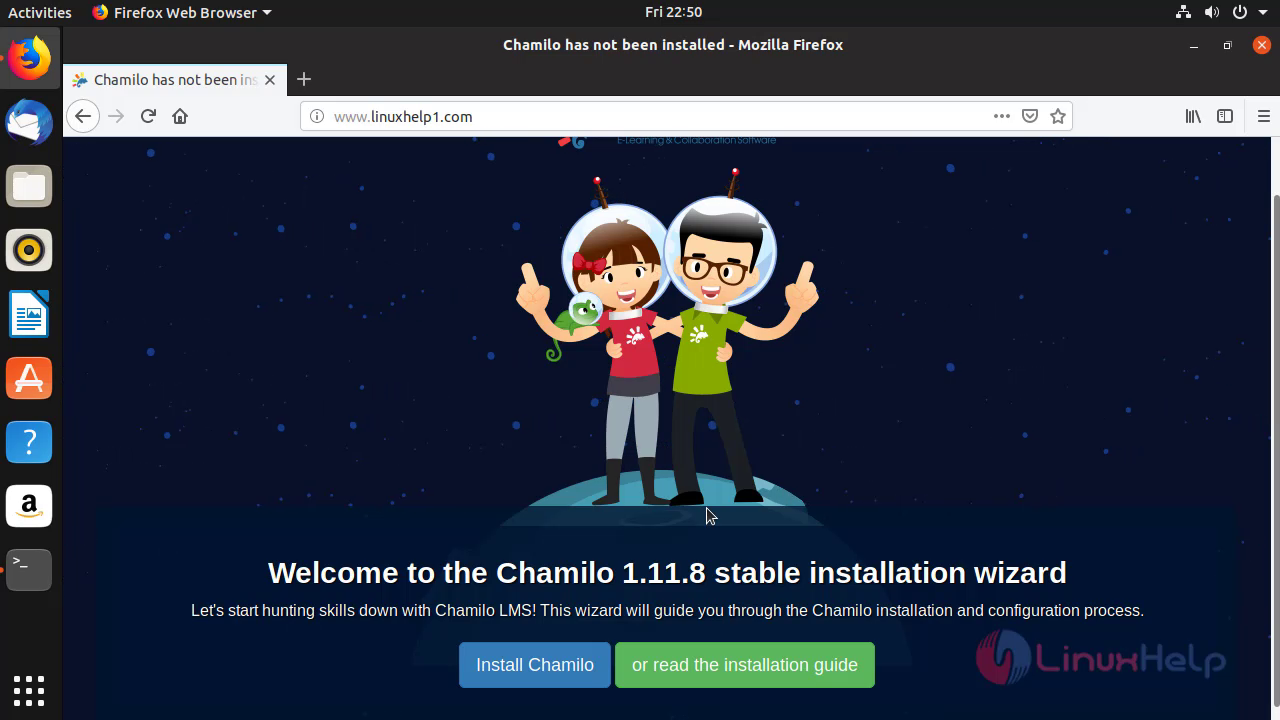
 In the welcome page of Chamilo 1.11.8, Click on 'Install Chamilo.'
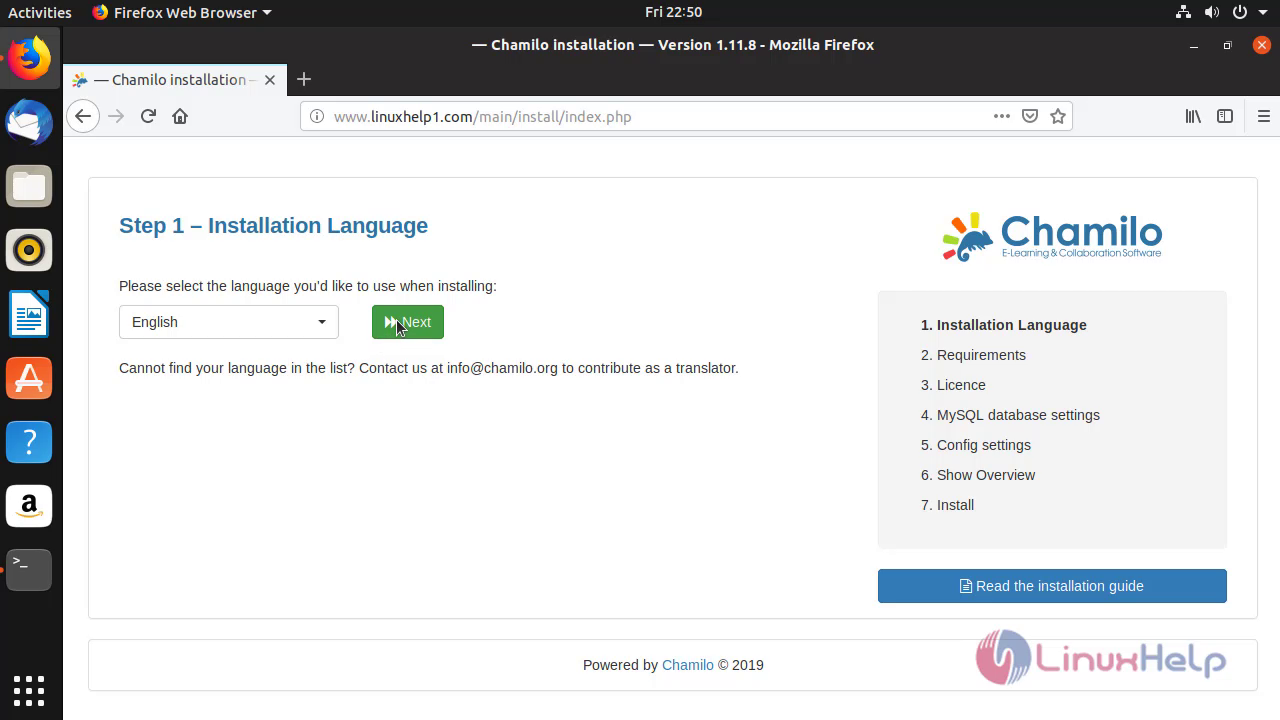
 Choose the language and click 'Next' to proceed further.
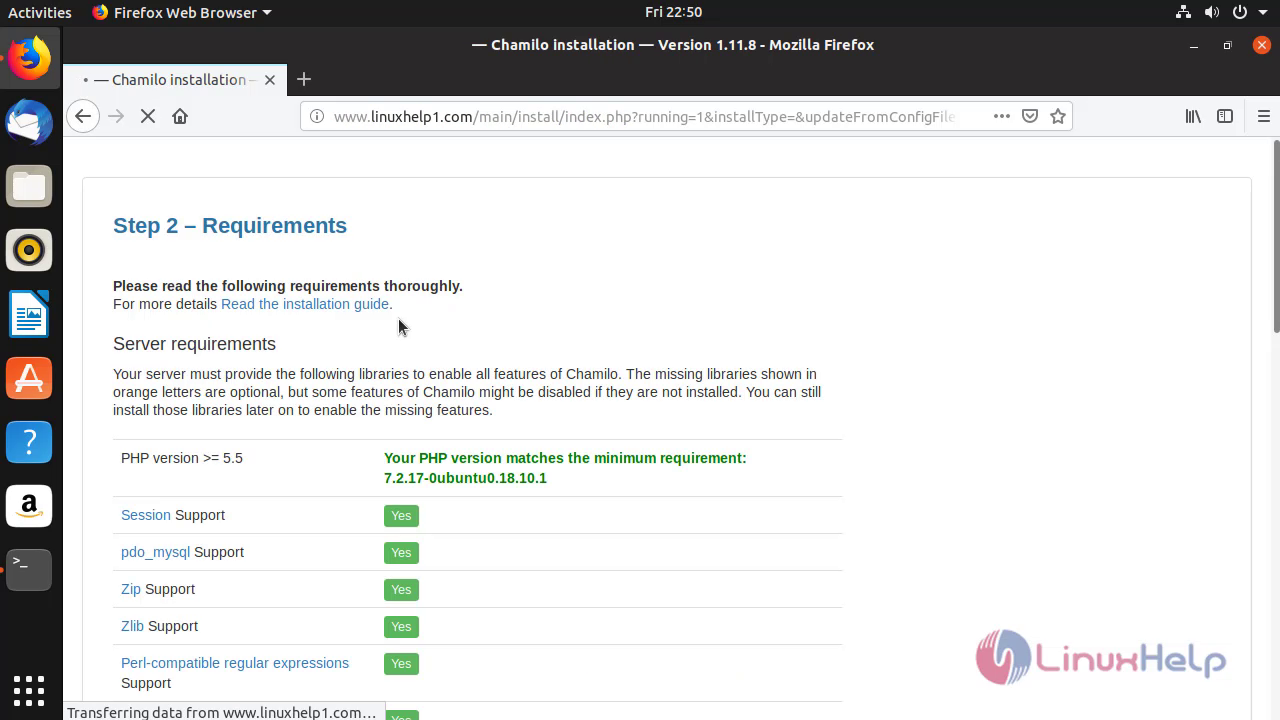
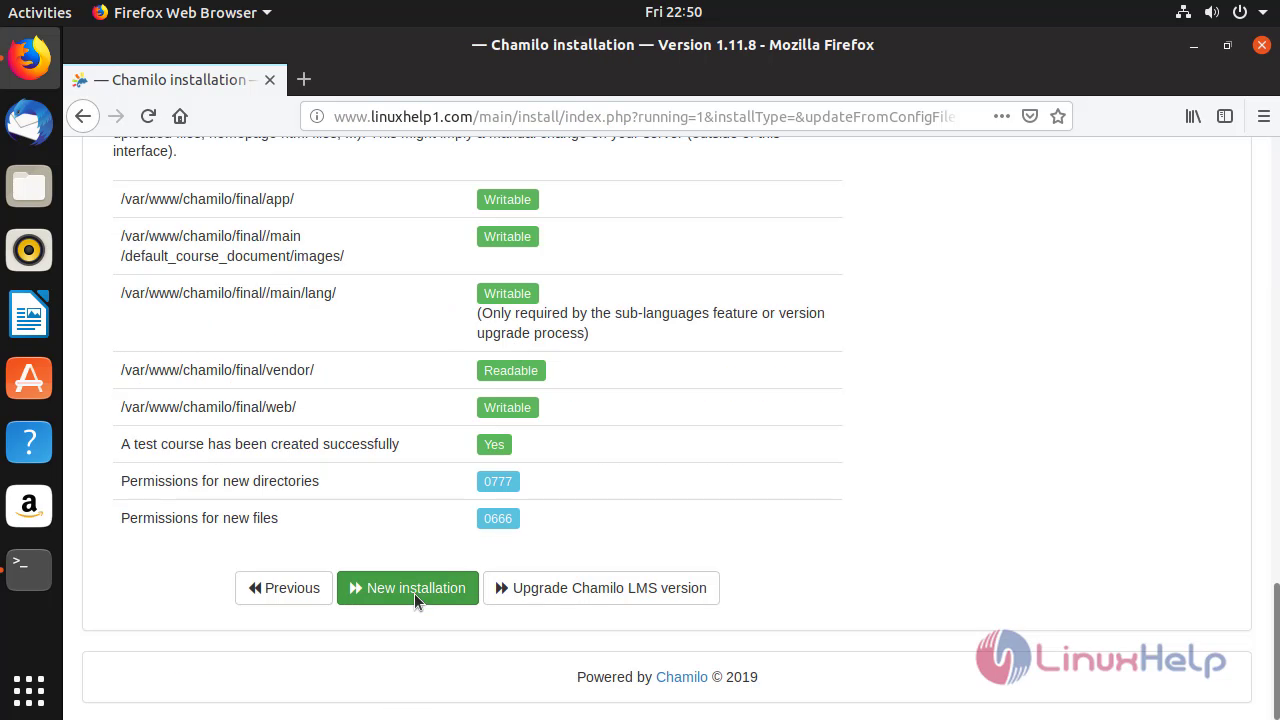
 After Checking the requirements, Click 'New Installation.
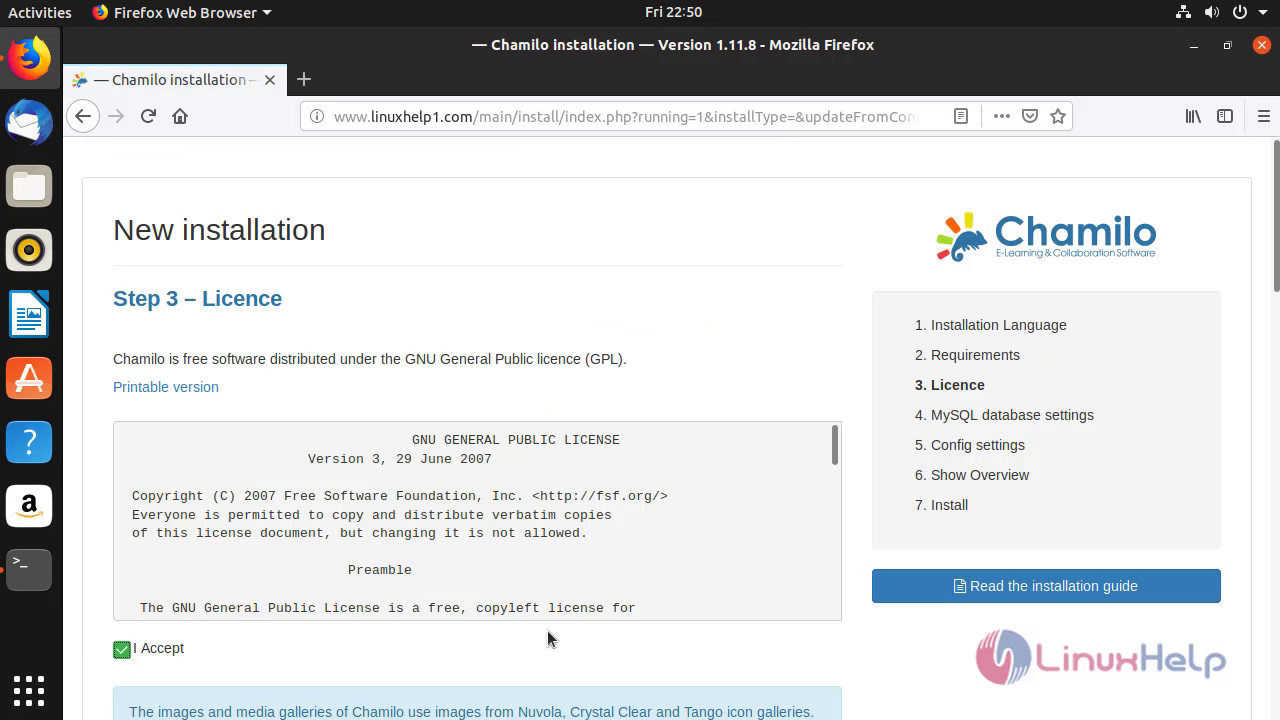
 Accept the license terms of Chamilo LMS.
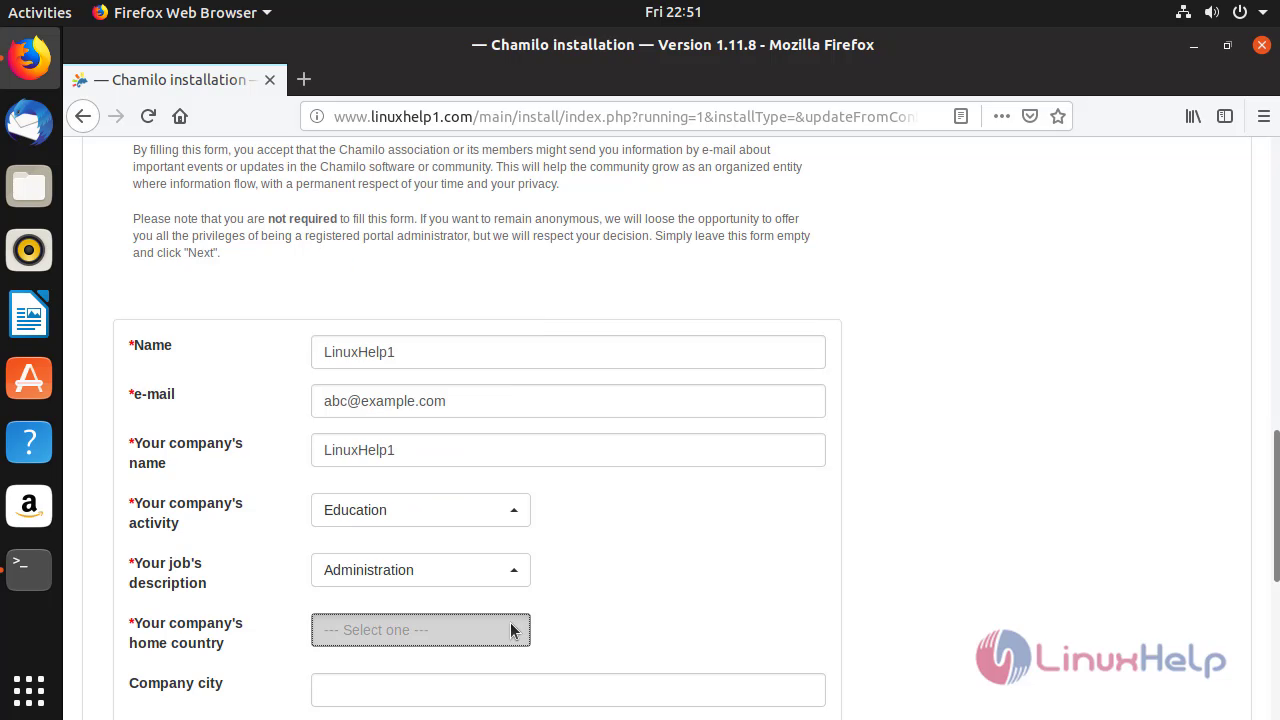
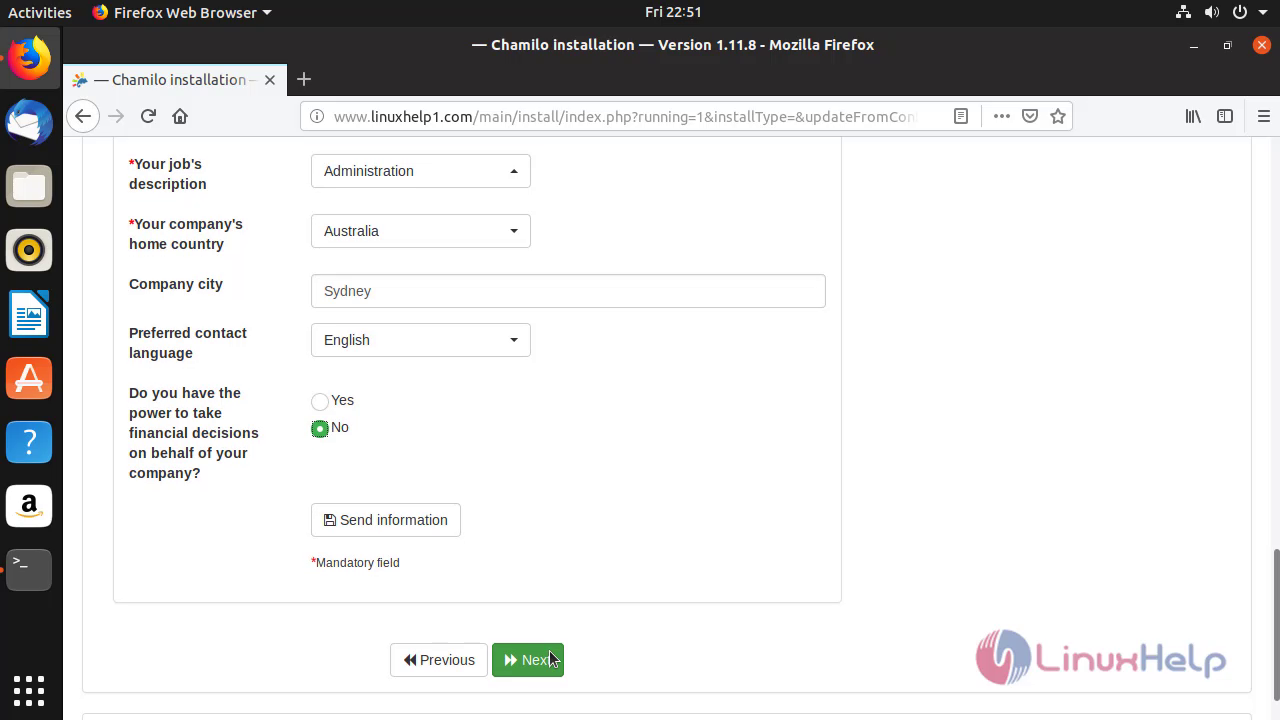
 Enroll the Company information and click 'Next.'
 Enter the database details that had Configured inside the MariaDB.
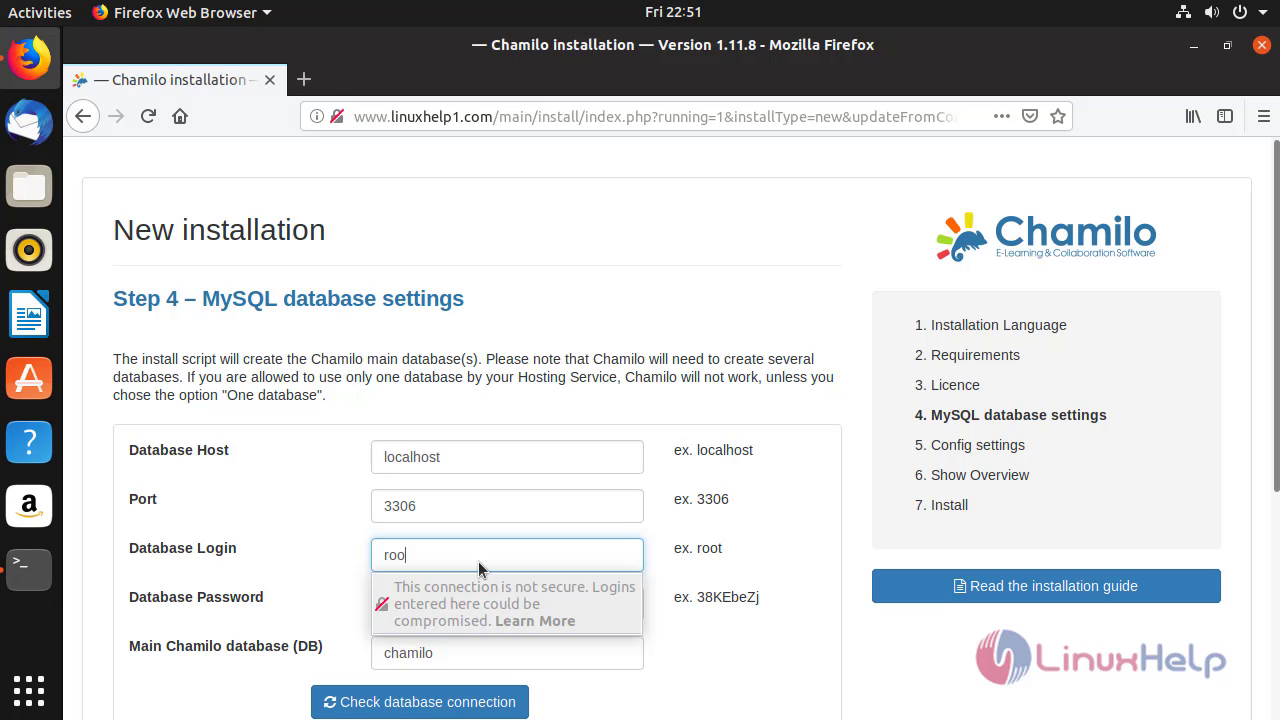
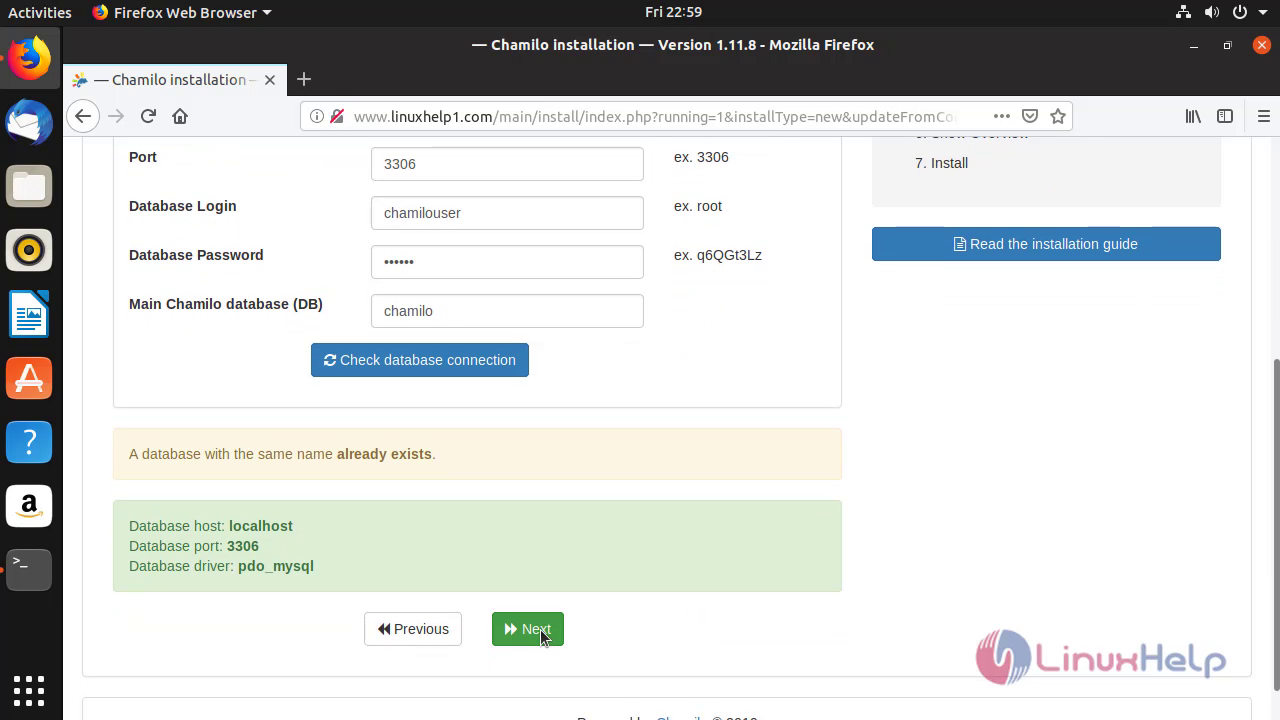 Enroll the admin credentials and information.
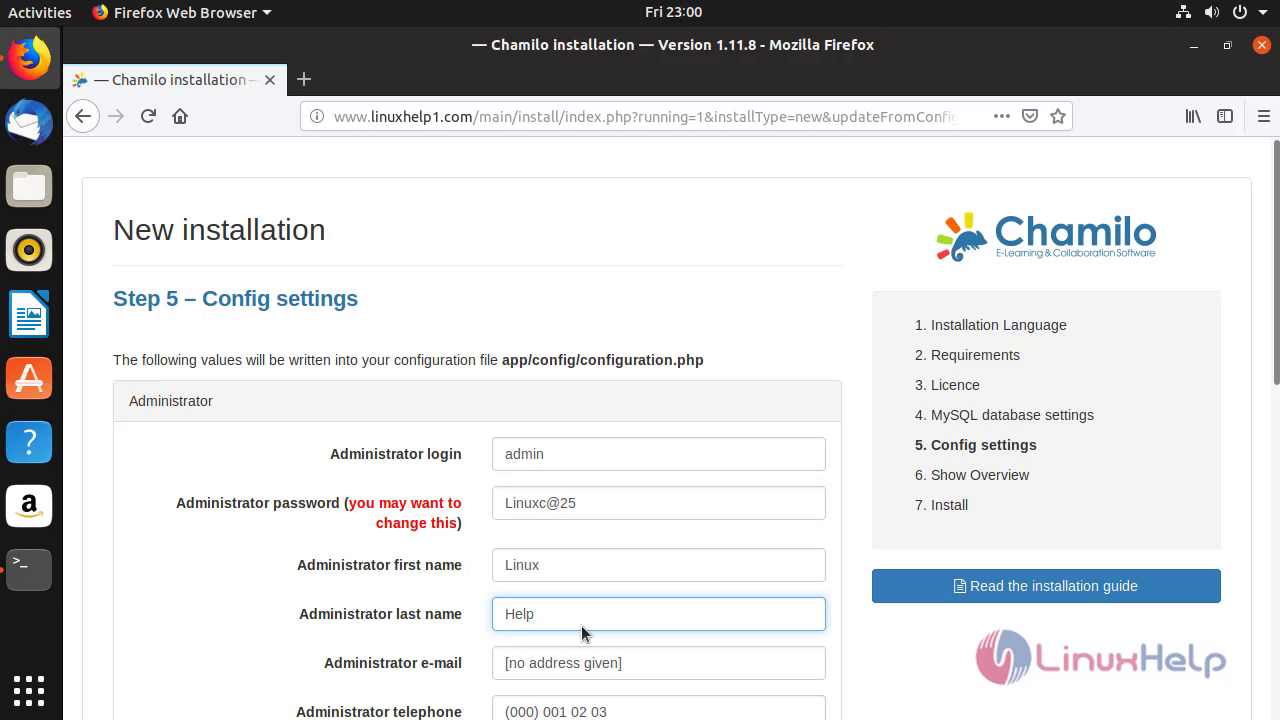
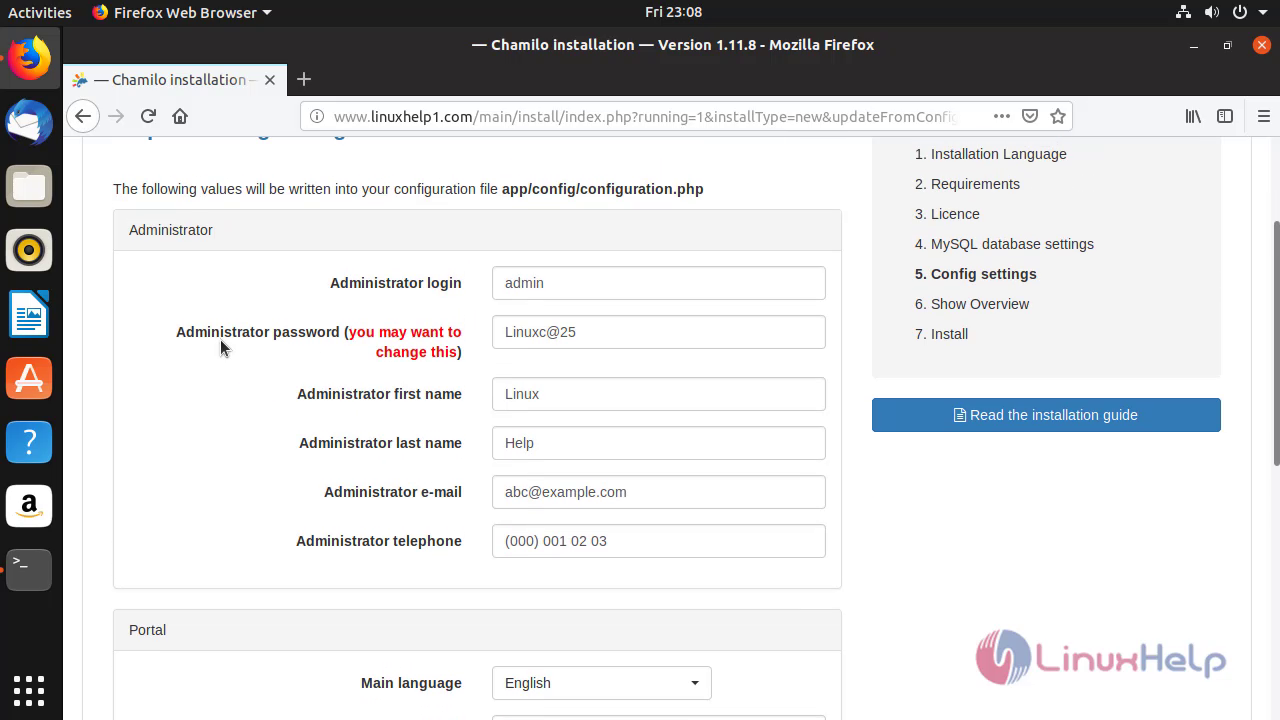 Enroll the portal information and click 'Next'
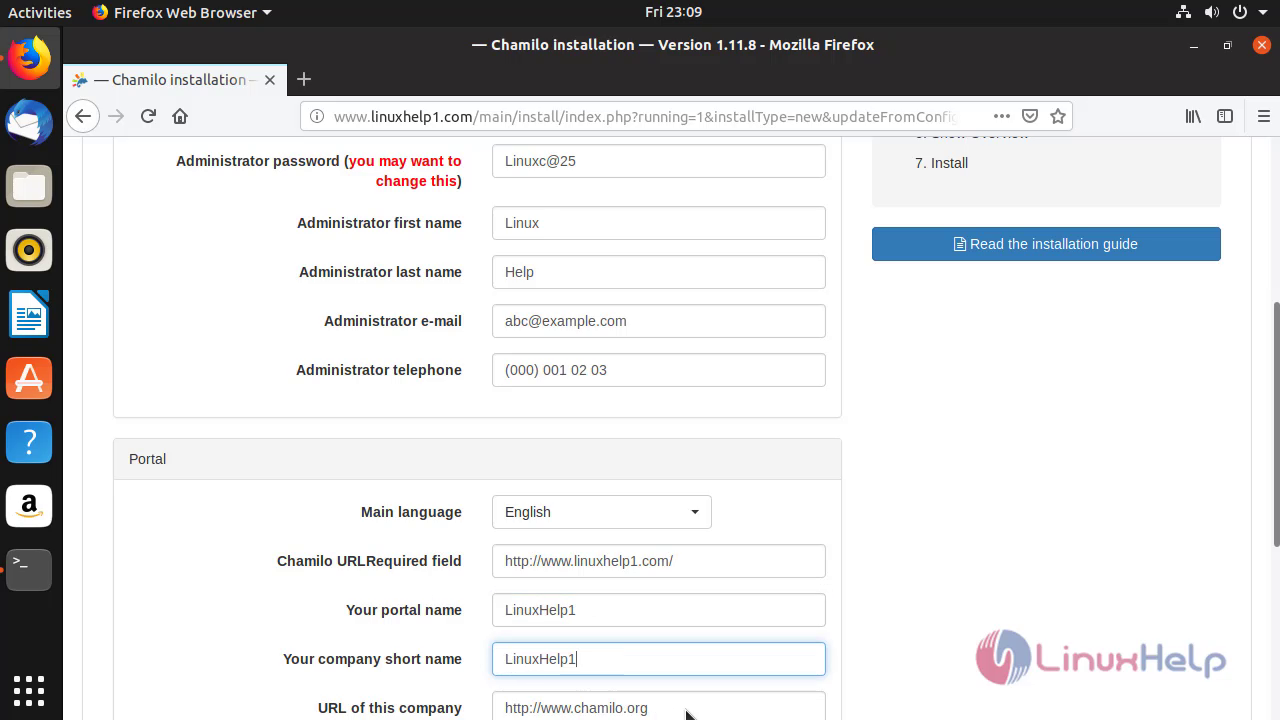
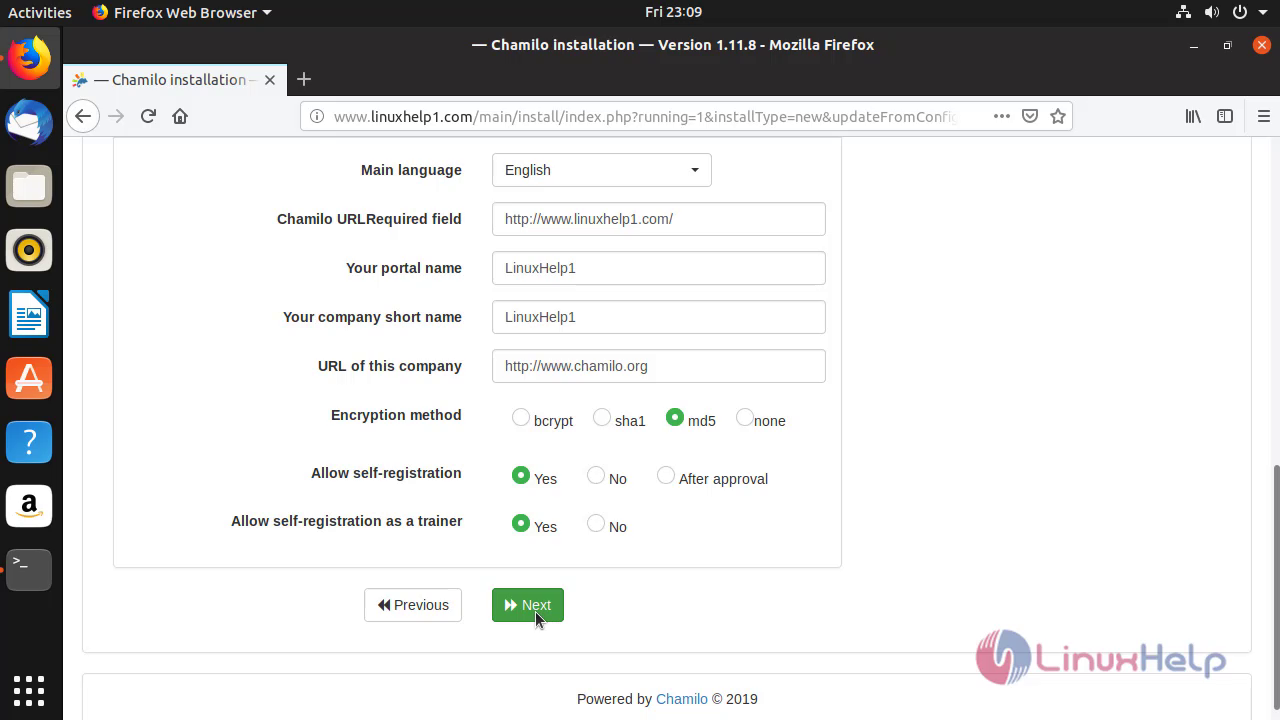 Click Install Chamilo after finishing the last check.
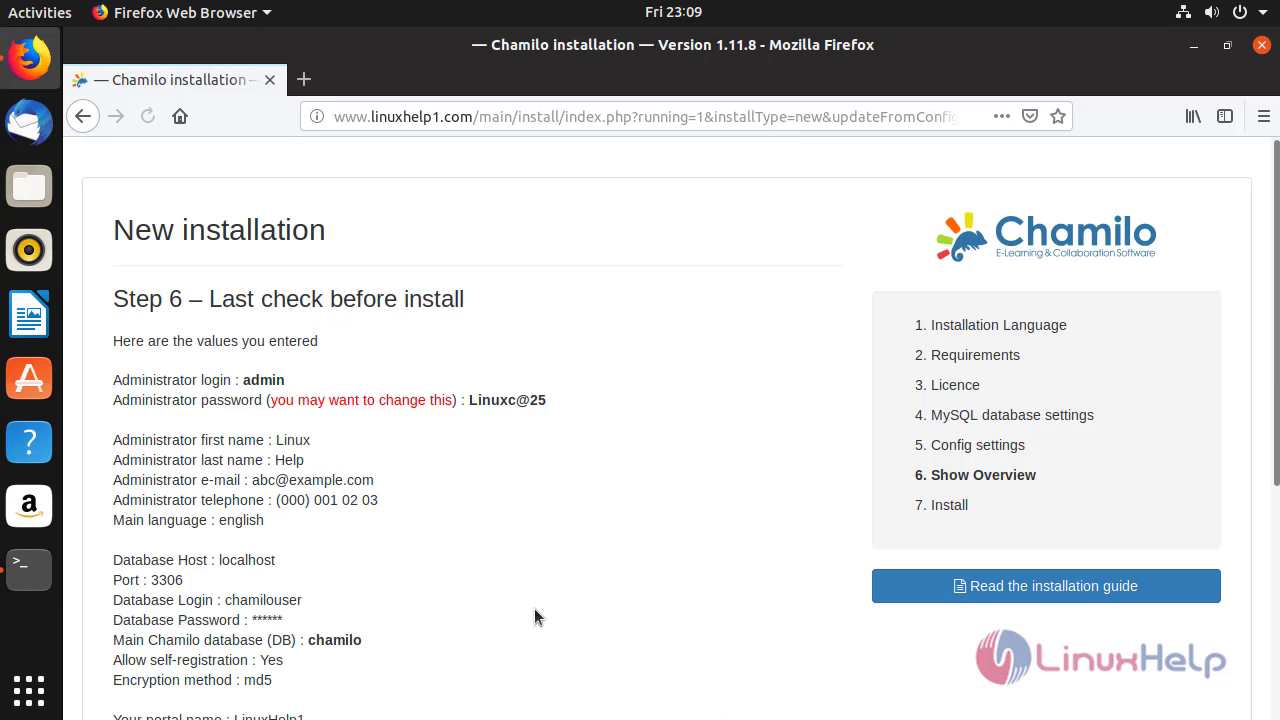
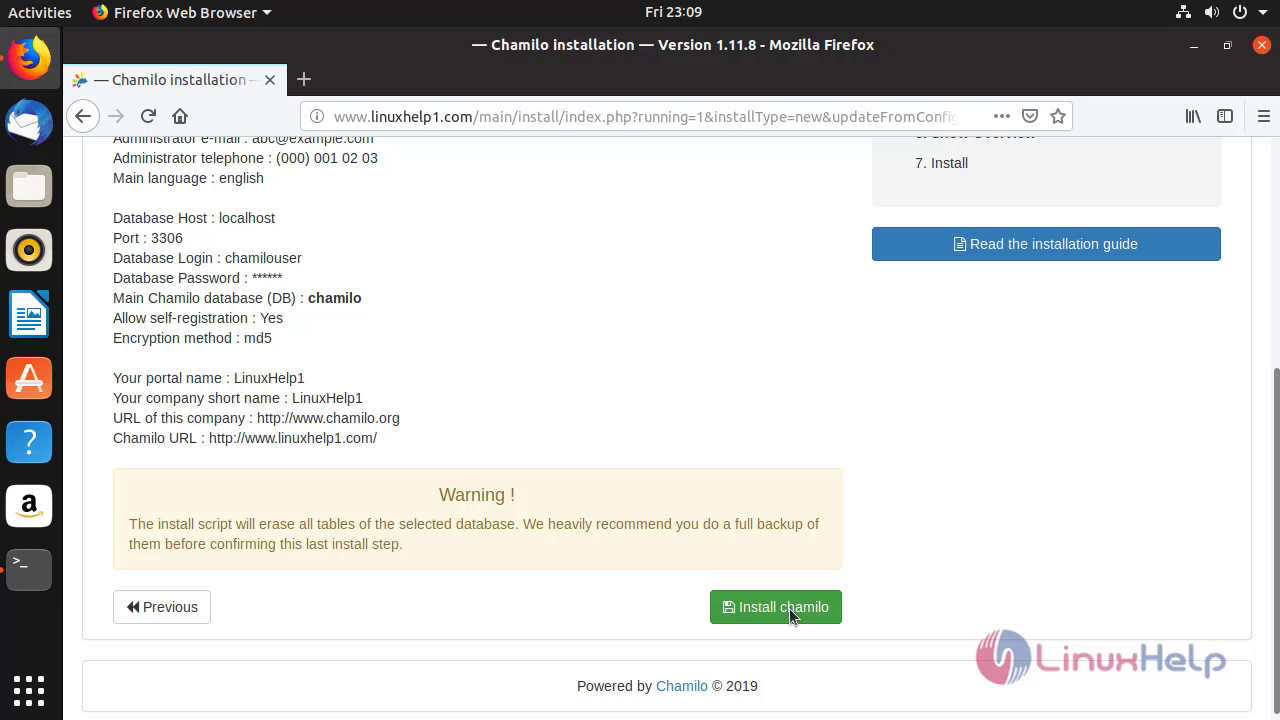 Installation Of Chamilo LMS was successful.
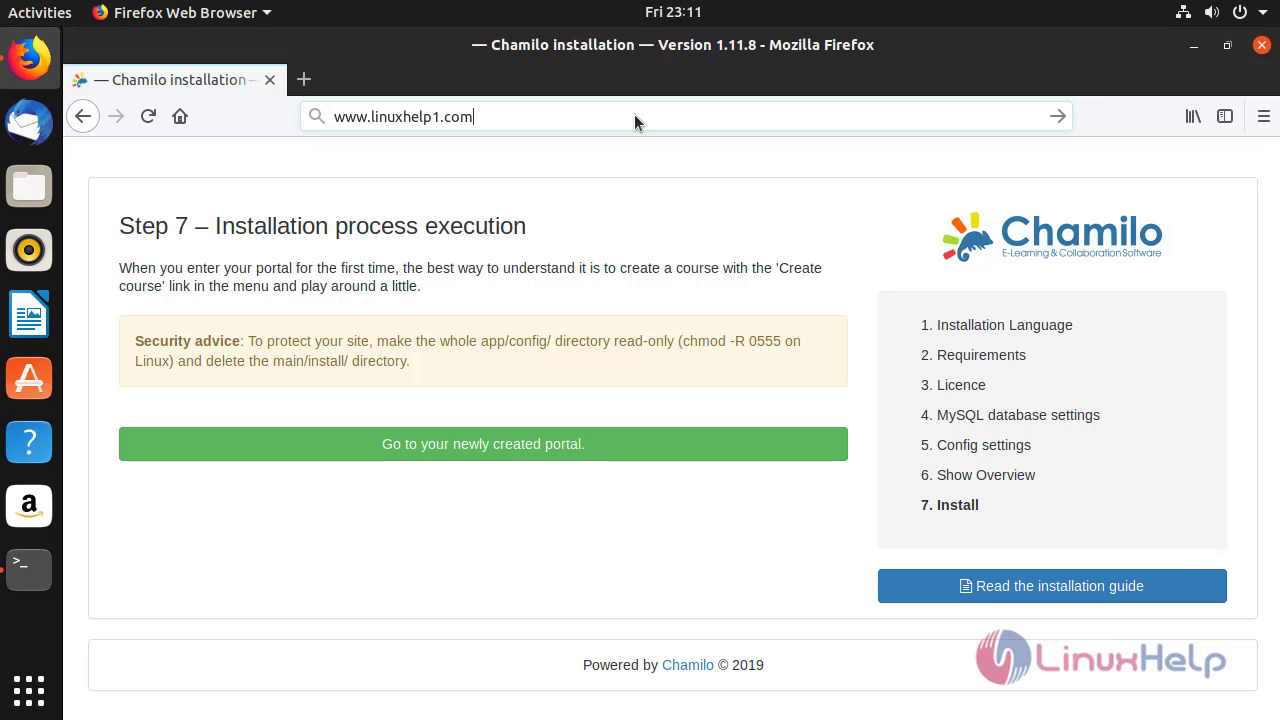
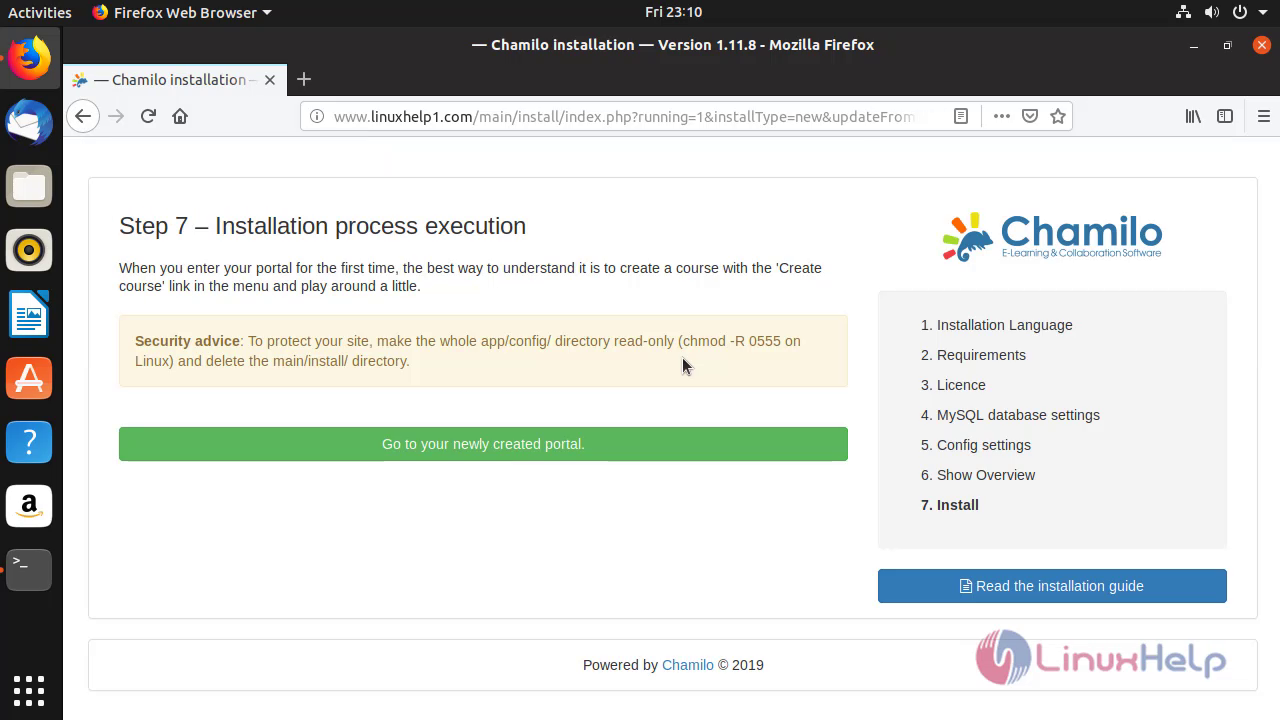 Modify the URL
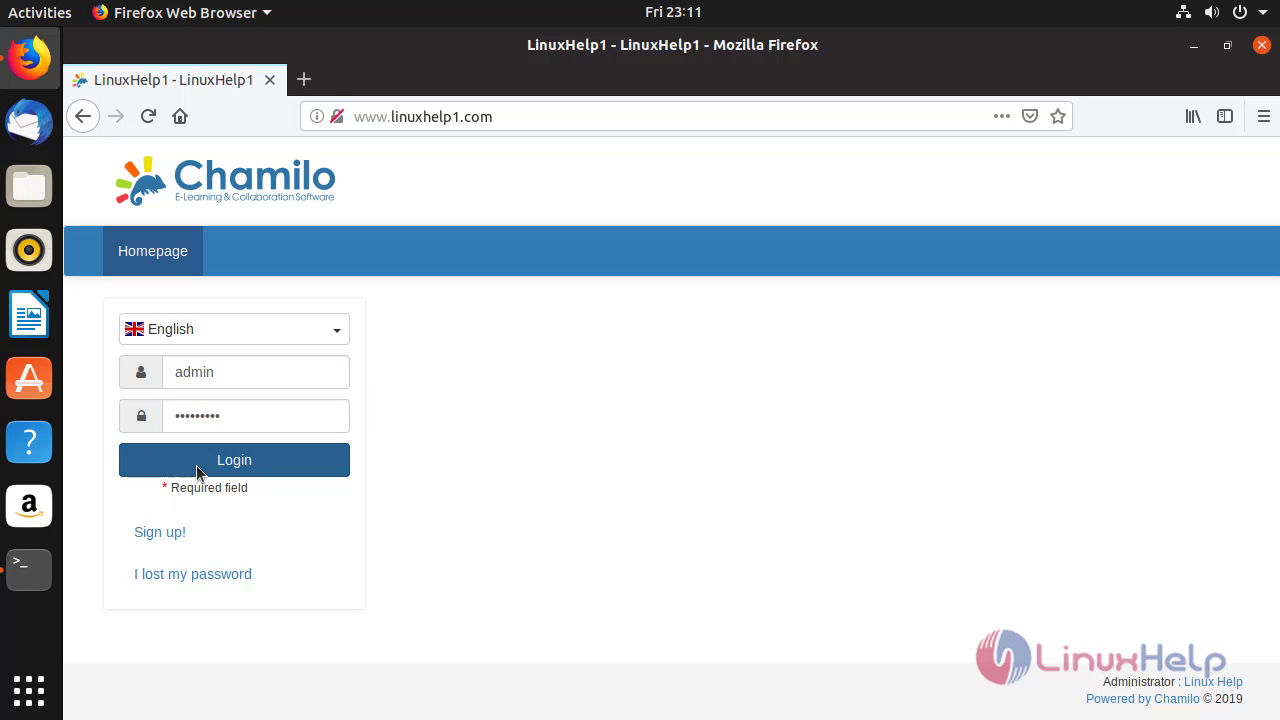
 Enter the login credentials of Chamilo LMS and click login to view the dashboard of Admins account
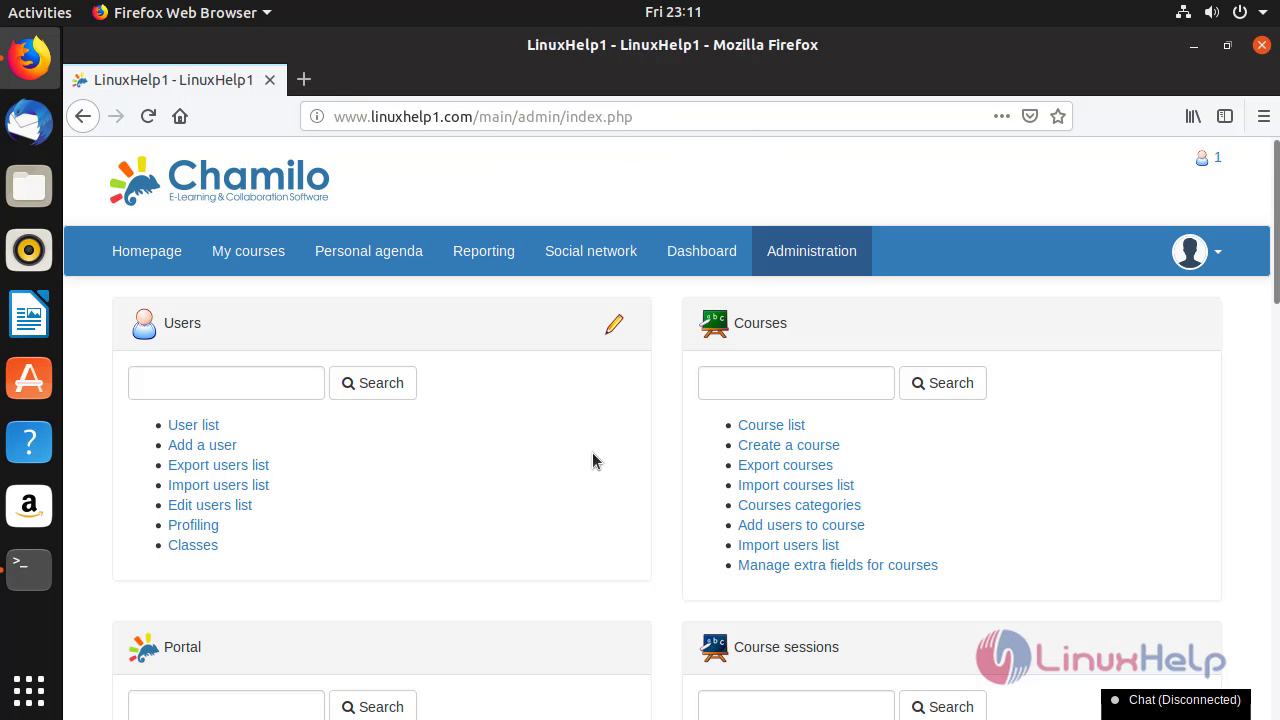 Therefore, the installation of Chamilo LMS On Ubuntu 18.10 Comes to end.
Comments ( 0 )
No comments available