How to install Cinelerra on linuxmint-18.03
{{postValue.id}}
To install Cinelerra on linuxmint-18.03
Cinelerra is a free video editing software package, used for Linux operating system. Which allow the user to perform advanced compositing operations. In this tutorial, we will see the installation of Cinelerra on Linux mint-18.3.
Installation
Add the repository for Cinelerra video editor application by using PPA.
linuxhelp ~ # add-apt-repository ppa:cinelerra-ppa/ppa
You are about to add the following PPA:
 ************************************************************************
THIS PPA and its community ARE NOT AFFILIATED WITH CINELERRA.ORG
We at CINELERRA-CV.ORG have no control/influence/interest in CINELERRA.ORG and viceversa. Despite what may have been stated in other websites, all of the code here provided is free of use under the GPL license. CINELERRA.ORG does not hold any ownership rights over the code in the binaries and related source code listed in this PPA, simply because this code is released under the GPL license. The two projects are by nature, scope, implementation, and support different and separate, despite what is claimed.
In one word, CINELERRA-CV.ORG is a open user and developer community (CV: Community Version), rather than a company interested in profits. To participate into the development and discussion join:
https://cinelerra-cv.org/contact.php
.
.
.
More info: https://launchpad.net/~cinelerra-ppa/+archive/ubuntu/ppa
Press Enter to continue or Ctrl+C to cancel

Executing: /tmp/tmp.n1AOAYkUpI/gpg.1.sh --keyserver
hkp://keyserver.ubuntu.com:80
--recv-keys
432BB368
gpg: requesting key 432BB368 from hkp server keyserver.ubuntu.com
gpg: key 432BB368: public key "Launchpad PPA for Cinelerra" imported
gpg: Total number processed: 1
gpg:               imported: 1  (RSA: 1)
Let's first start with updating the system repositories
linuxhelp ~ # apt-get update
Hit:1 http://archive.ubuntu.com/ubuntu xenial InRelease
Hit:2 http://archive.canonical.com/ubuntu xenial InRelease
Get:3 http://ppa.launchpad.net/cinelerra-ppa/ppa/ubuntu xenial InRelease [17.5 kB]
Hit:4 http://archive.ubuntu.com/ubuntu xenial-updates InRelease
Hit:5 http://security.ubuntu.com/ubuntu xenial-security InRelease
Ign:6 http://packages.linuxmint.com sylvia InRelease
Hit:7 http://archive.ubuntu.com/ubuntu xenial-backports InRelease
Hit:8 http://packages.linuxmint.com sylvia Release
Get:10 http://ppa.launchpad.net/cinelerra-ppa/ppa/ubuntu xenial/main Sources [1,032 B]
Get:11 http://ppa.launchpad.net/cinelerra-ppa/ppa/ubuntu xenial/main amd64 Packages [1,812 B]
Get:12 http://ppa.launchpad.net/cinelerra-ppa/ppa/ubuntu xenial/main i386 Packages [1,812 B]
Get:13 http://ppa.launchpad.net/cinelerra-ppa/ppa/ubuntu xenial/main Translation-en [1,136 B]
Fetched 23.3 kB in 1s (11.8 kB/s)
Reading package lists... Done
Install the Cinelerra video editor run the following command.
linuxhelp ~ # apt-get install cinelerra-cv -y
Reading package lists... Done
Building dependency tree
Reading state information... Done
The following additional packages will be installed:
  libfaac0 libguicast1-cv liblavfile-2.1-0 liblavjpeg-2.1-0 liblavplay-2.1-0 libmpeg3cine-cv
  libquicktime2 libquicktimecine-cv mjpegtools
Recommended packages:
  mjpegtools-gtk
The following NEW packages will be installed:
  cinelerra-cv libfaac0 libguicast1-cv liblavfile-2.1-0 liblavjpeg-2.1-0 liblavplay-2.1-0
  libmpeg3cine-cv libquicktime2 libquicktimecine-cv mjpegtools
0 upgraded, 10 newly installed, 0 to remove and 368 not upgraded.
Need to get 9,131 kB of archives.
.
.
.
Setting up libfaac0:amd64 (1.28+cvs20151130-1) ...
Setting up libquicktimecine-cv (1:2.3.git.20180511-0~ppa2~xenial1) ...
Setting up libquicktime2:amd64 (2:1.2.4-7+deb8u1build0.16.04.1) ...
Setting up liblavfile-2.1-0 (1:2.1.0+debian-4) ...
Setting up liblavjpeg-2.1-0 (1:2.1.0+debian-4) ...
Setting up liblavplay-2.1-0 (1:2.1.0+debian-4) ...
Setting up mjpegtools (1:2.1.0+debian-4) ...
Setting up cinelerra-cv (1:2.3.git.20180511-0~ppa2~xenial1) ...
kernel.shmmax = 0x7fffffff
Processing triggers for libc-bin (2.23-0ubuntu9) ...
Once Installation is done you can access the application from the Menu as shown here
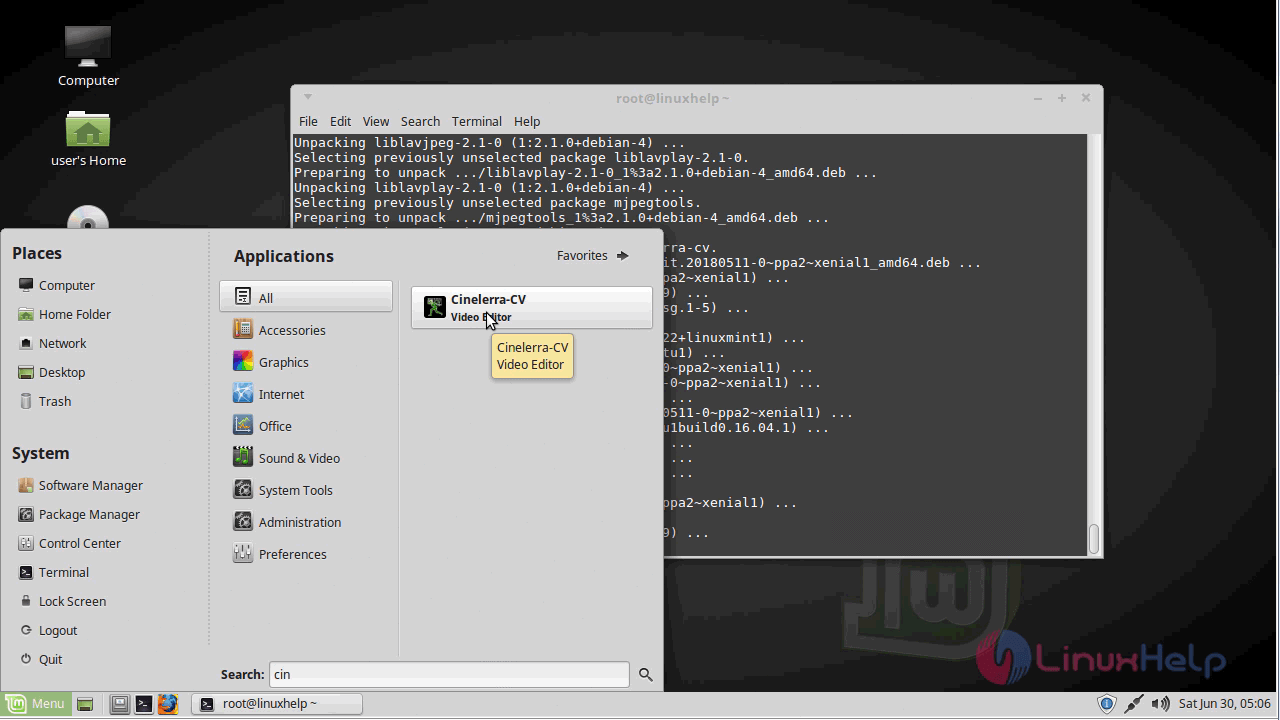
Now you can able to use Cinelerra video editor application.
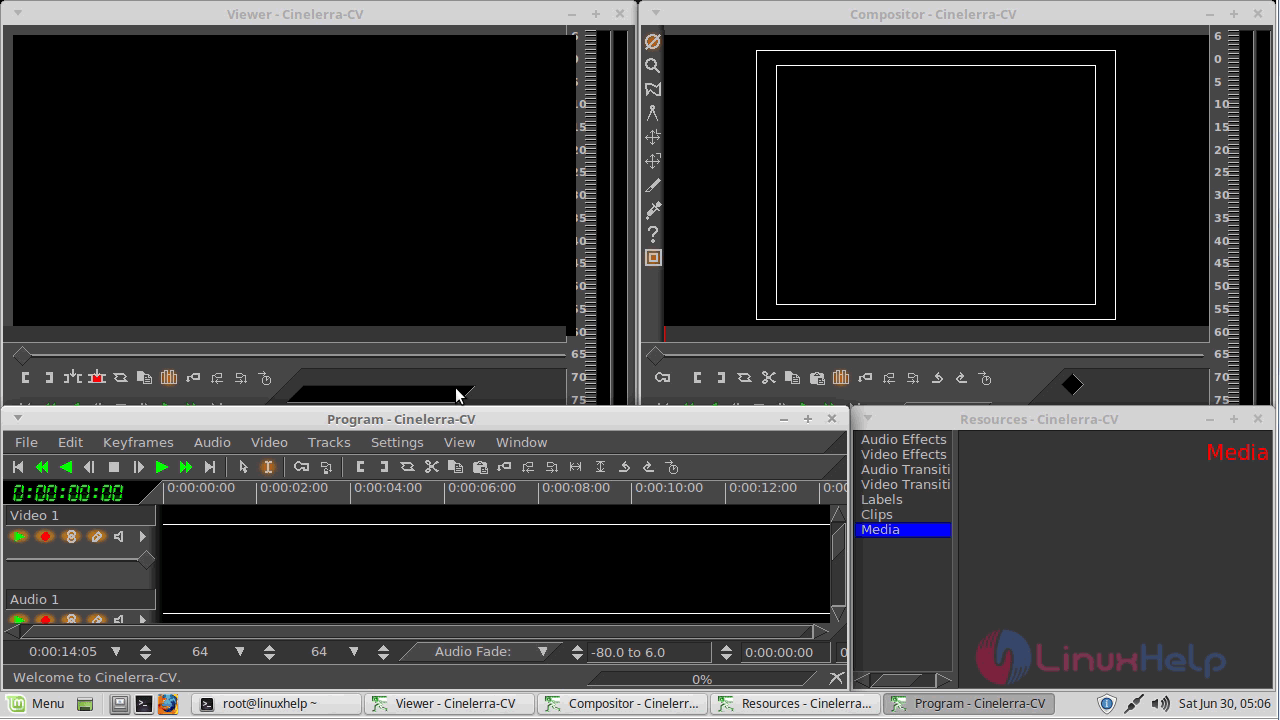
With this, the method to install cinelerra on linuxmint-18.03 comes to an end
Comments ( 0 )
No comments available