• Categories
    Category
    {{ postCtrl.tags }}
    • {{ category.tag_type }}

      • {{tag.tag_name}}
      • View more
  • Categories
    Category
    {{ postCtrl.tags }}
    • {{ category.tag_type }}

      • {{tag.tag_name}}
      • View more
  • News
  • Tutorials
  • Forums
  • Tags
  • Users
Tutorial News Comments FAQ Related Articles

How to install ClamTK in Ubuntu

{{postValue.id}}

To install ClamTK in Ubuntu

ClamTK is a free Linux based antivirus used to detect virus, trojan, malware and other threats. It is widely used as a server-side email virus scanner. The ClamTK is designed with the advanced features including, command-line scanner, automatic database update and a multi-threaded daemon. Installation of ClamTK is explained in this article.

Installation of ClamTK

First download the Clamtk installation package with the following command.

root@linuxhelp:/home/user1# wget https://bitbucket.org/dave_theunsub/clamtk/downloads/clamtk_5.21-1_all.deb
--2016-08-31 16:03:56--  https://bitbucket.org/dave_theunsub/clamtk/downloads/clamtk_5.21-1_all.deb
Resolving bitbucket.org (bitbucket.org)... 104.192.143.1, 104.192.143.3, 104.192.143.2, ...
..
&hellip 
2016-08-31 16:04:04 (99.9 KB/s) - ‘ clamtk_5.21-1_all.deb’  saved [569754/569754]


Next install the gdebi package with the apt-get command.

root@linuxhelp:/home/user1# apt-get install gdebi
Reading package lists... Done
Building dependency tree       
Reading state information... Done
&hellip 
&hellip 
Setting up gdebi (0.9.5.7ubuntu1) ...
Processing triggers for libc-bin (2.23-0ubuntu3) ...

Now run the below command to install ClamTK.

root@linuxhelp:/home/user1# gdebi clamtk_5.21-1_all.deb
Reading package lists... Done
Building dependency tree        
Reading state information... Done
..
..
ClamTk is an easy to use graphical front-end for Clam Antivirus.
Do you want to install the software package? [y/N]:y
..
&hellip 
Setting up clamtk (5.21-1) ...
Processing triggers for man-db (2.7.5-1) ...
Processing triggers for gnome-menus (3.13.3-6ubuntu3) ...

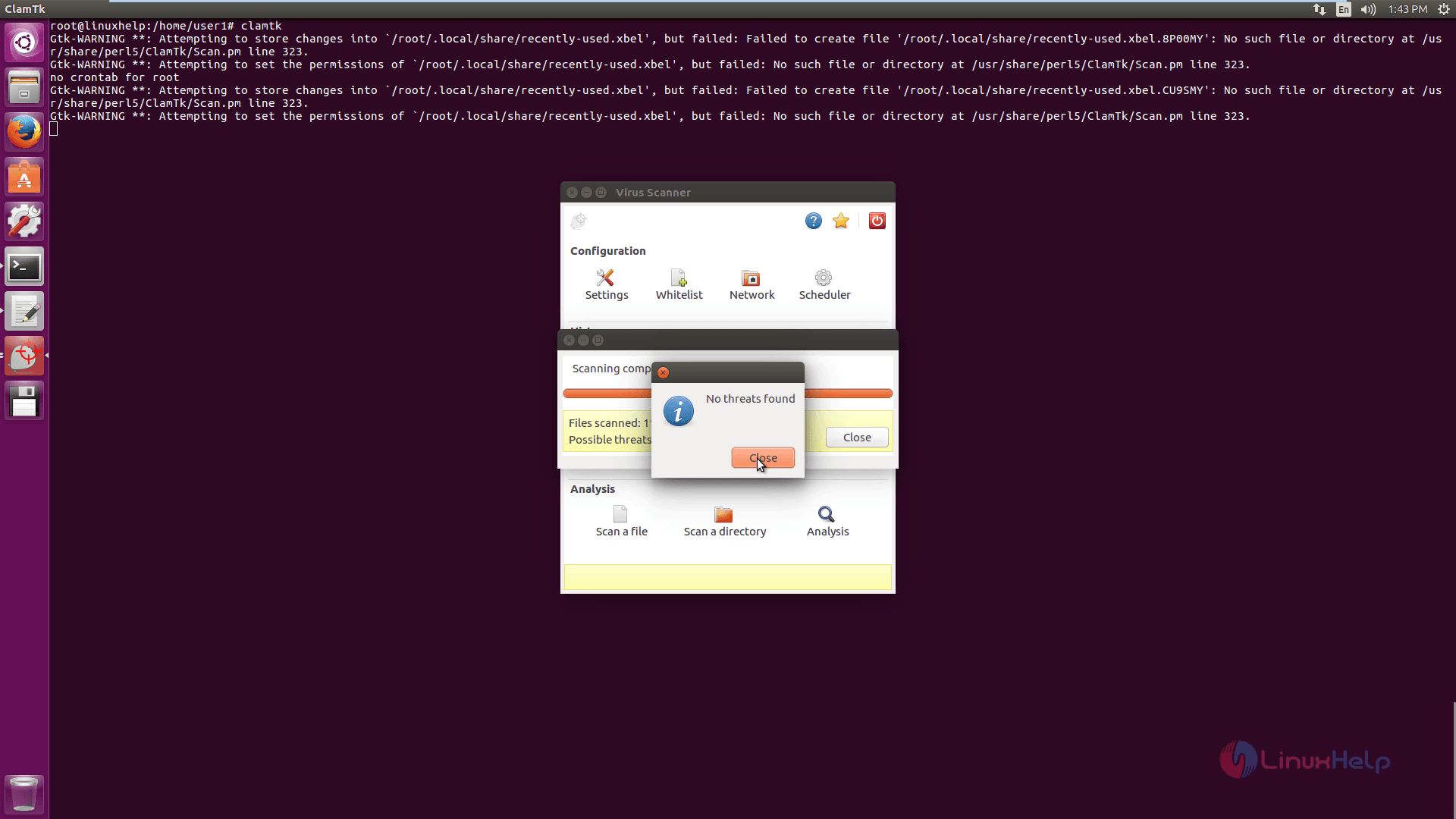
Then type clamtk in the terminal to open the ClamTK.

root@linuxhelp:/home/user1# clamtk


Now you can see the message that the antivirus signatures are outdated in the GUI window.
Virus_Scanner

To update the antivirus signatures, run the following command.

root@linuxhelp:/home/user1# freshclam
ClamAV update process started at Wed Aug 31 16:13:39 2016
WARNING: Your ClamAV installation is OUTDATED!
WARNING: Local version: 0.99 Recommended version: 0.99.2
DON' T PANIC! Read http://www.clamav.net/support/faq
Downloading main.cvd [100%]
main.cvd updated (version: 57, sigs: 4218790, f-level: 60, builder: amishhammer)
Downloading daily.cvd [100%]
daily.cvd updated (version: 22159, sigs: 567270, f-level: 63, builder: neo)
Downloading bytecode.cvd [100%]
bytecode.cvd updated (version: 283, sigs: 53, f-level: 63, builder: neo)
Database updated (4786113 signatures) from db.local.clamav.net (IP: 69.12.162.28)


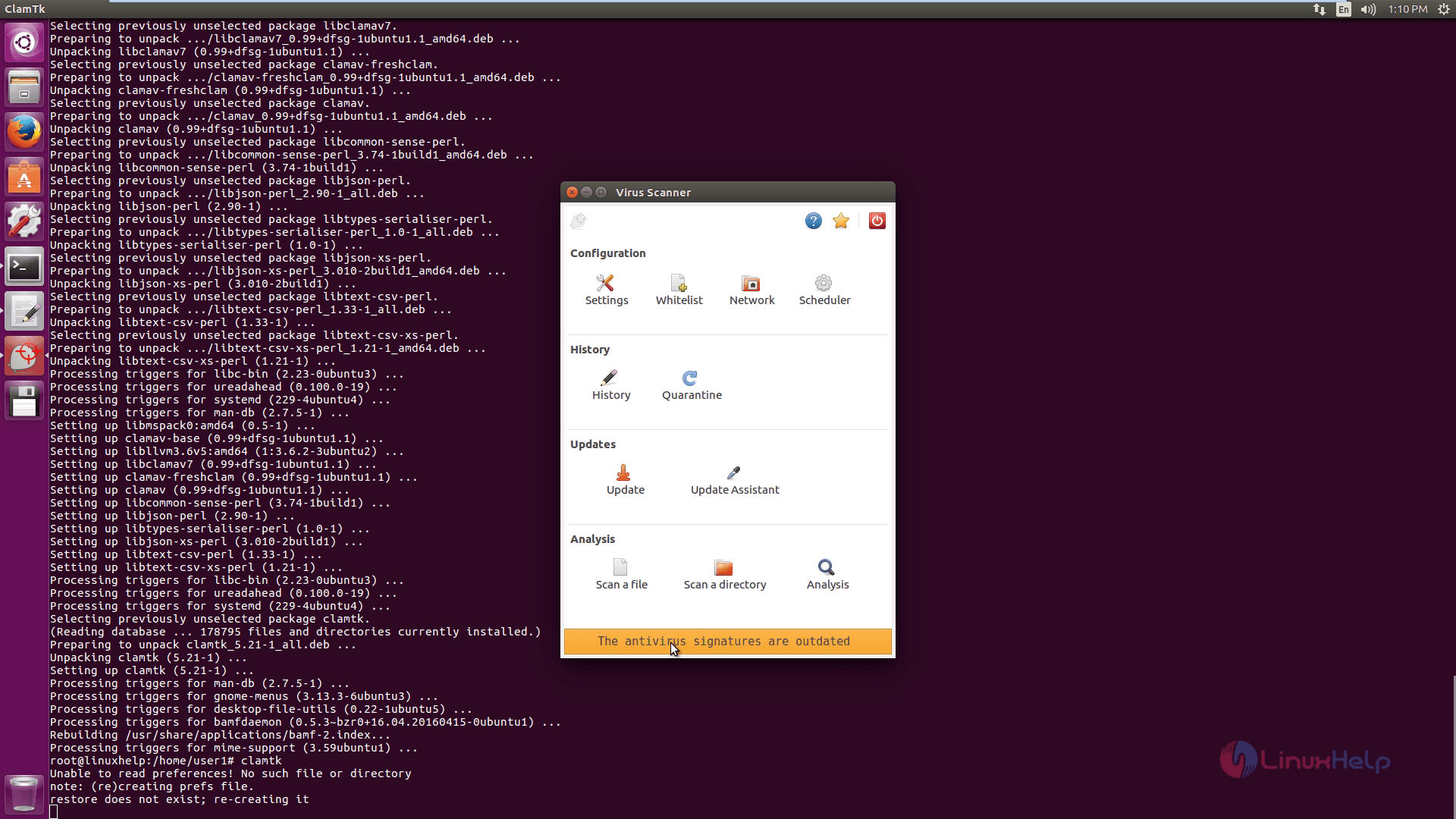
Again open the ClamTK with the following command.

root@linuxhelp:/home/user1# clamtk


Now you can see the outdated message disappears in the GUI window.
No_outdated_message

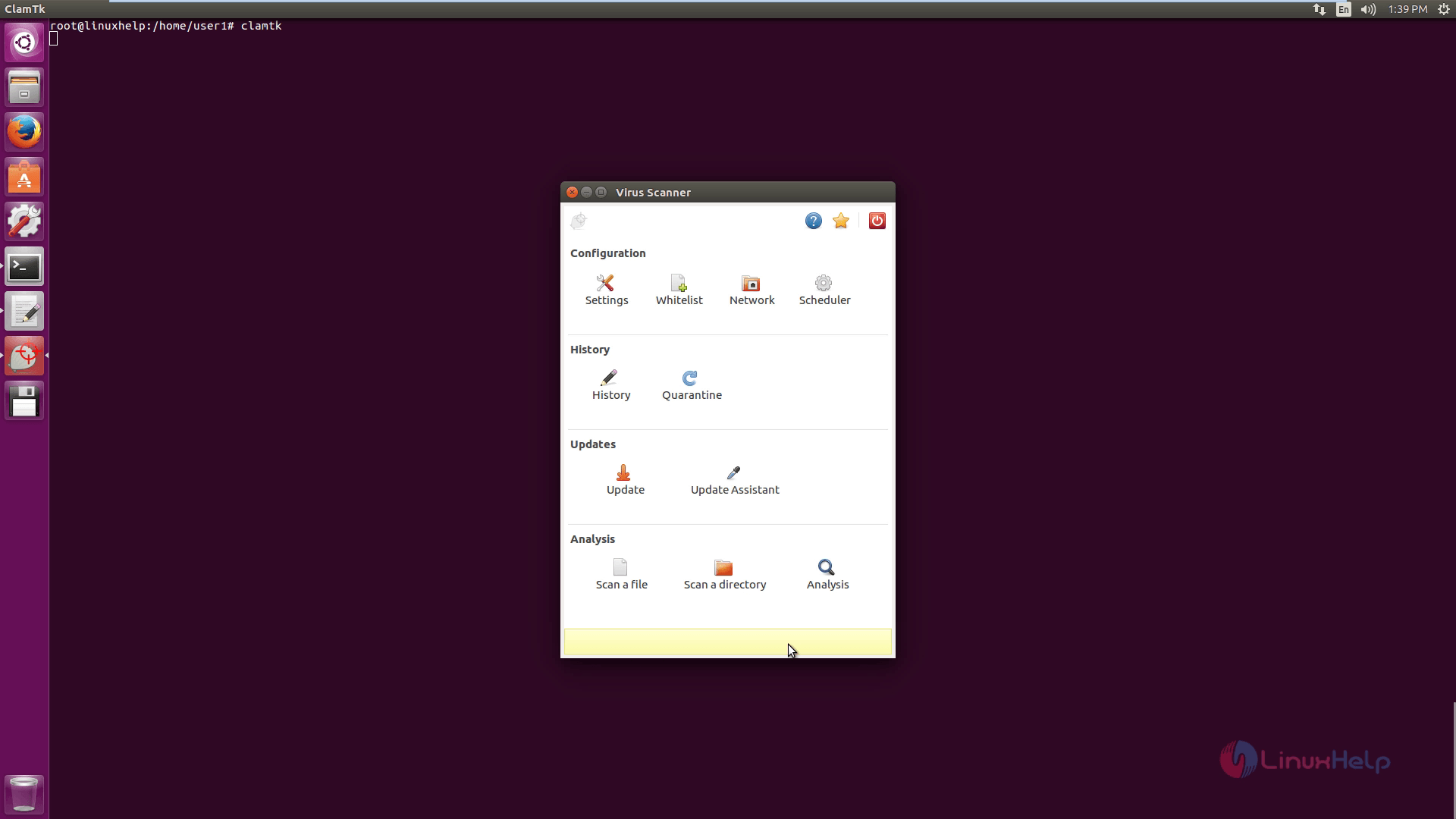
Click on Settings option to make some changes.
settings_changes

You can also schedule scan with the Scan scheduler option.
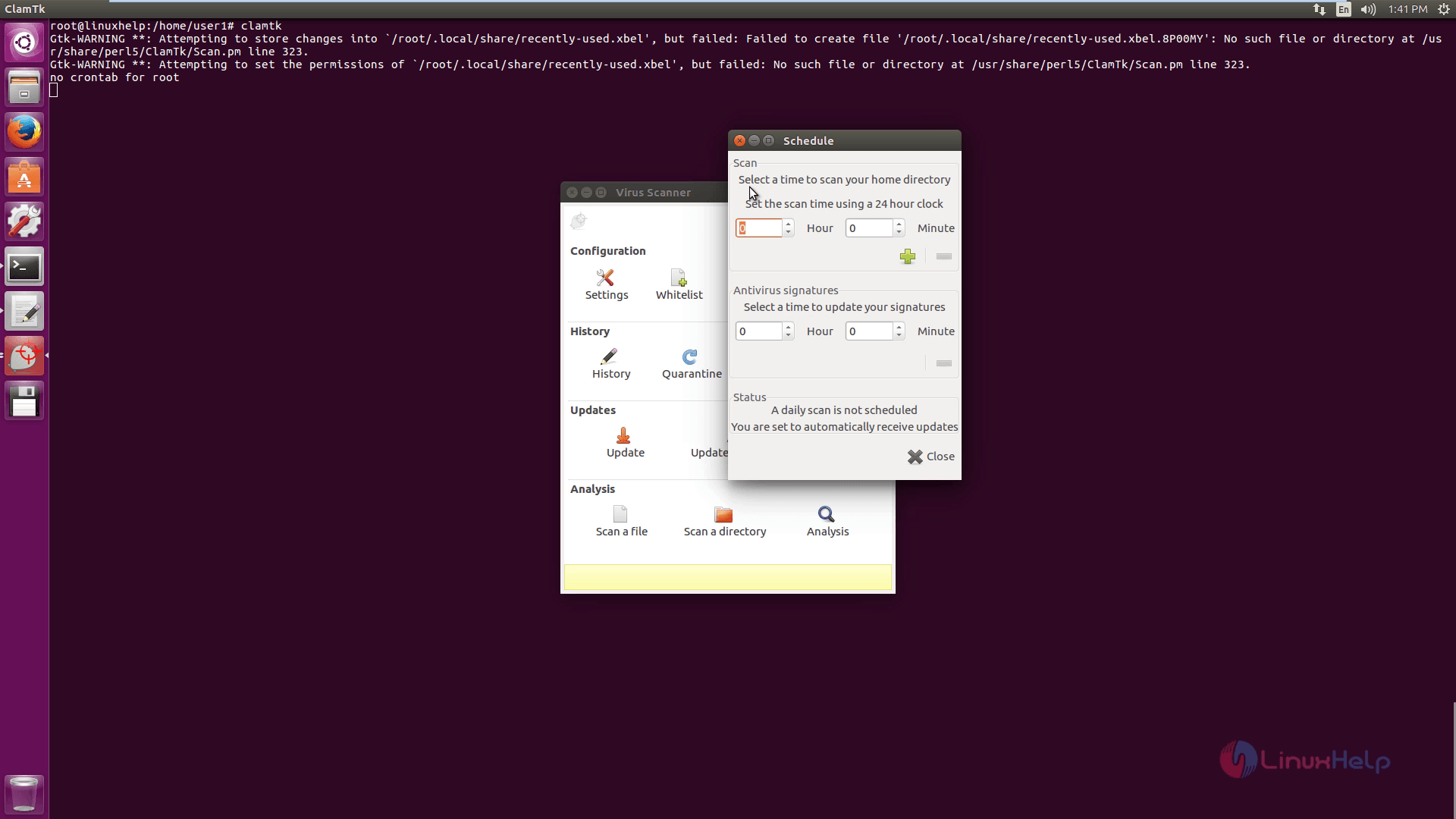
Scan_Schedule

If you dont want to scan any particular file or directory, just add it in the Whitelist.
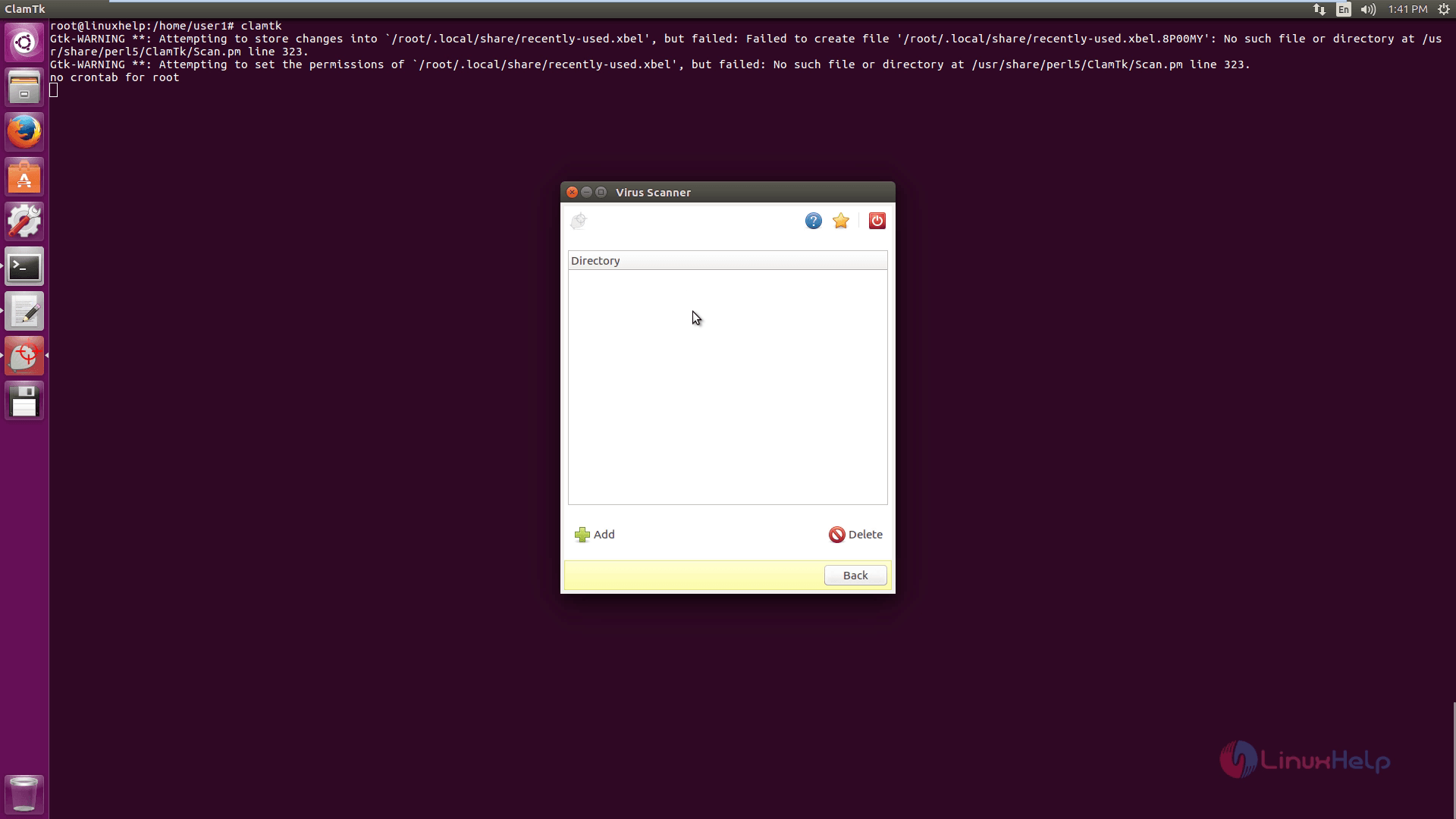
Whitelist

Click on Quarantine icon to move or manage the infected file.
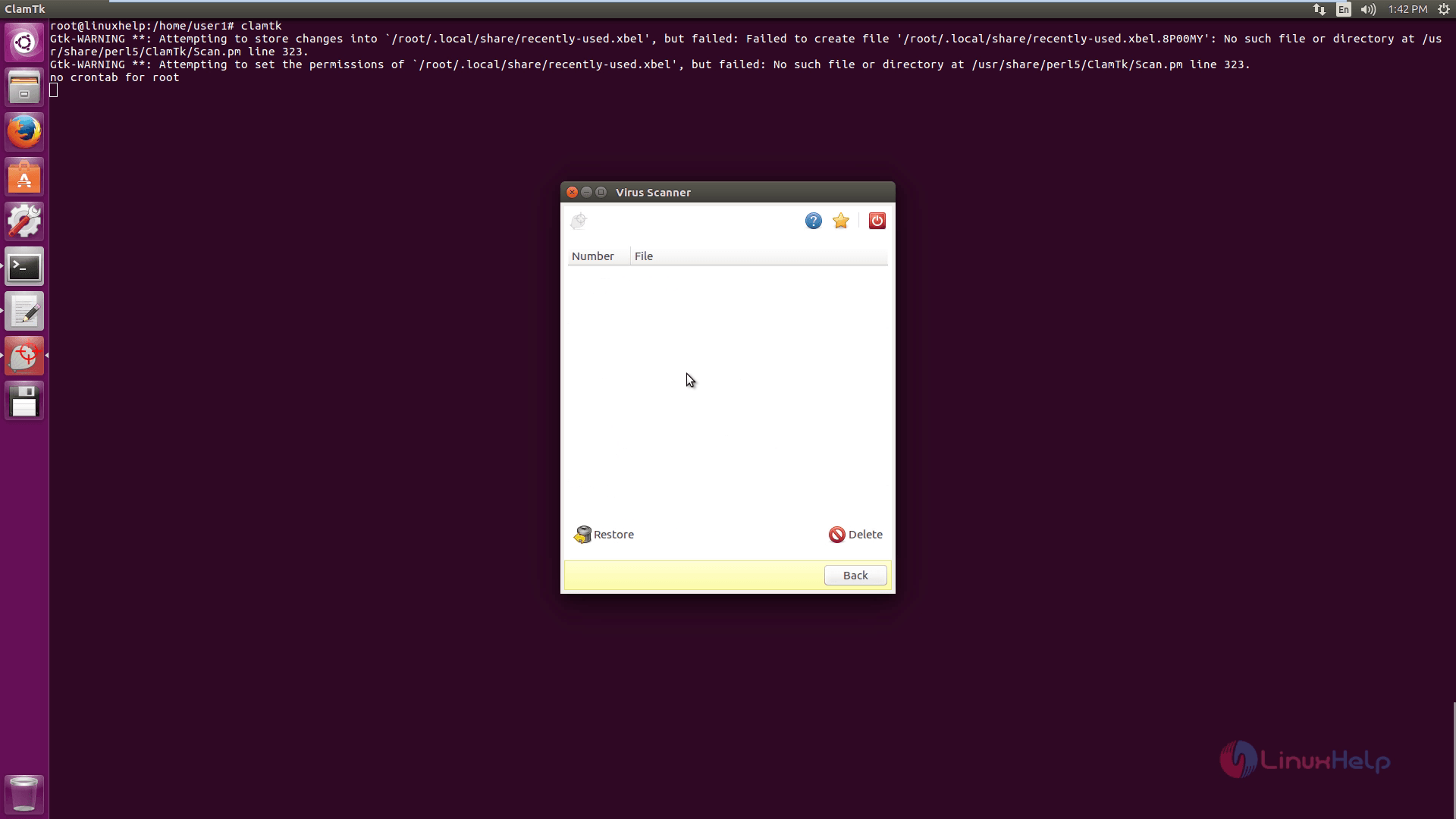
Quarantine

Click on Scan history option to view the previous scan details.
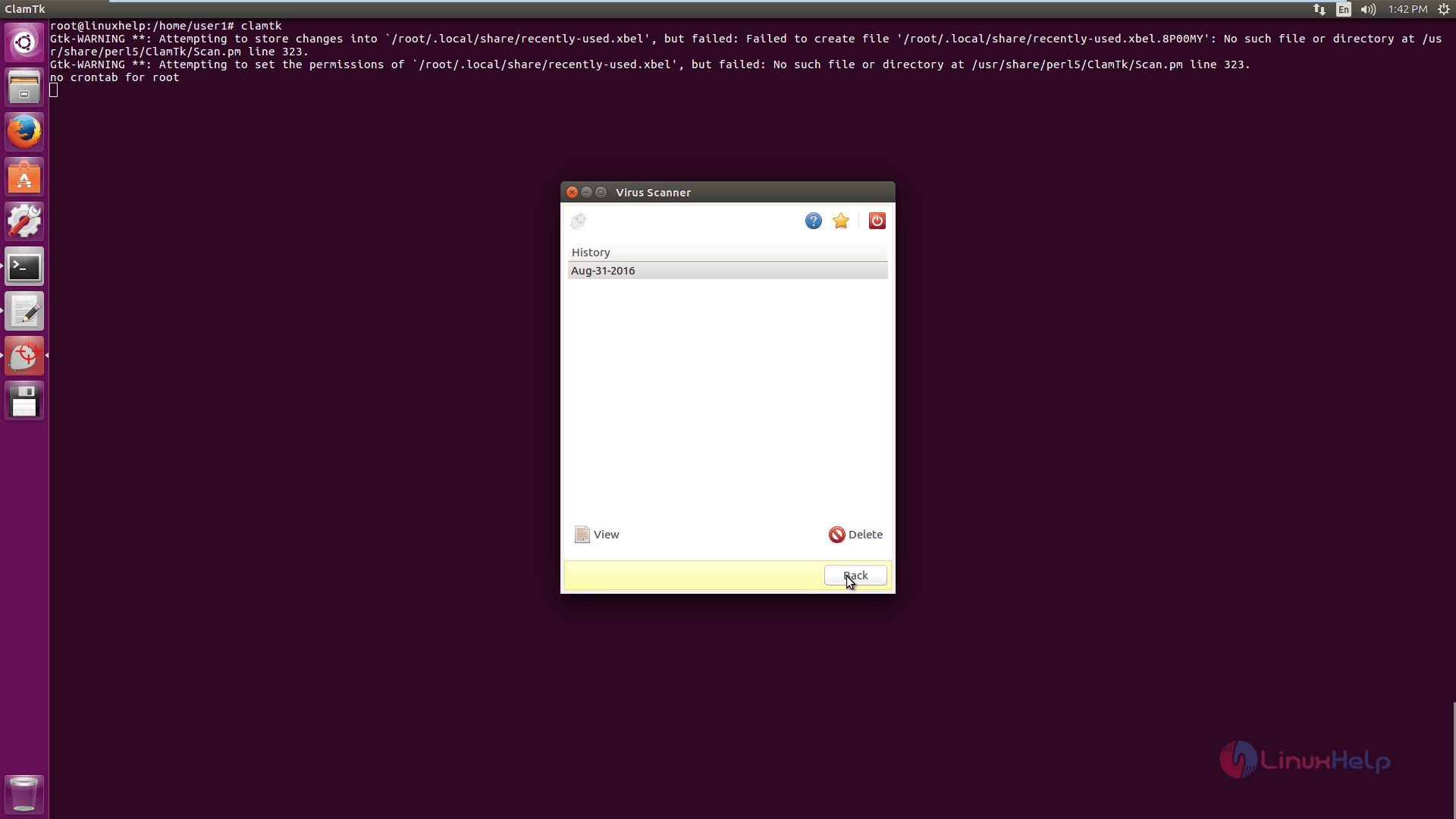
Scan_history

Click on updates option to update the antivirus signature.
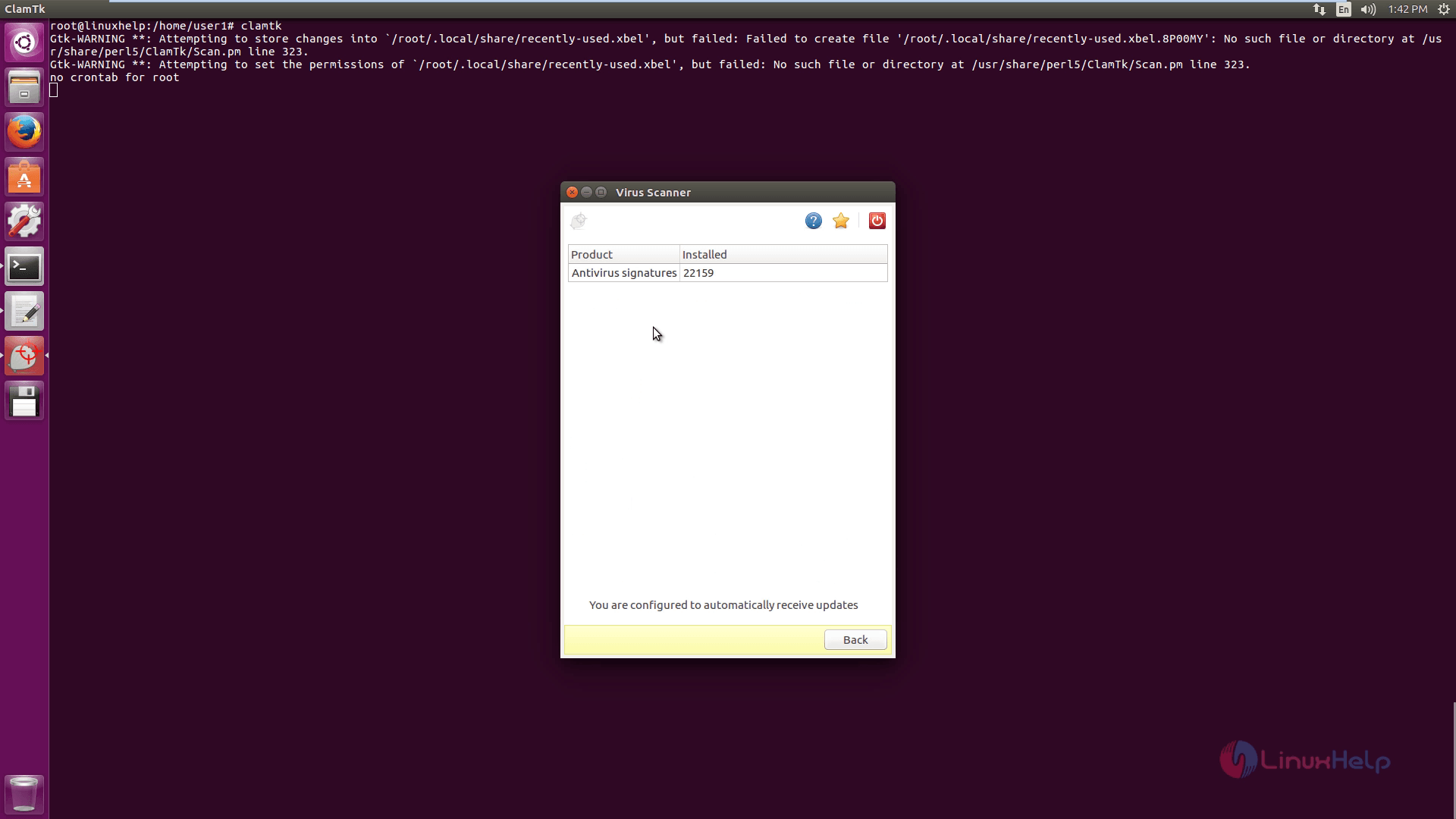
ClamTK_antivirus_signature

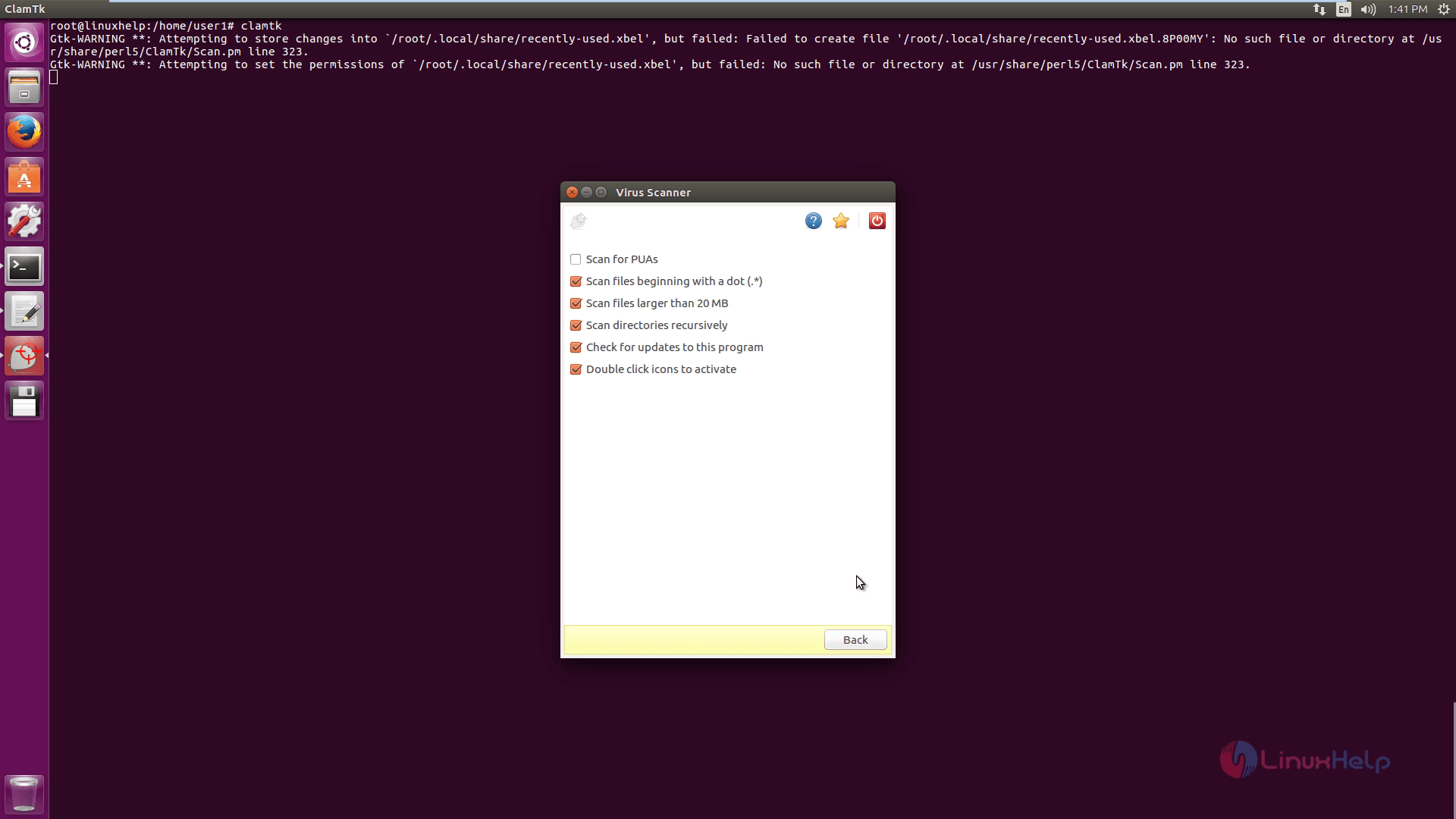
Click on Scan a directory option to scan the directory as shown below.
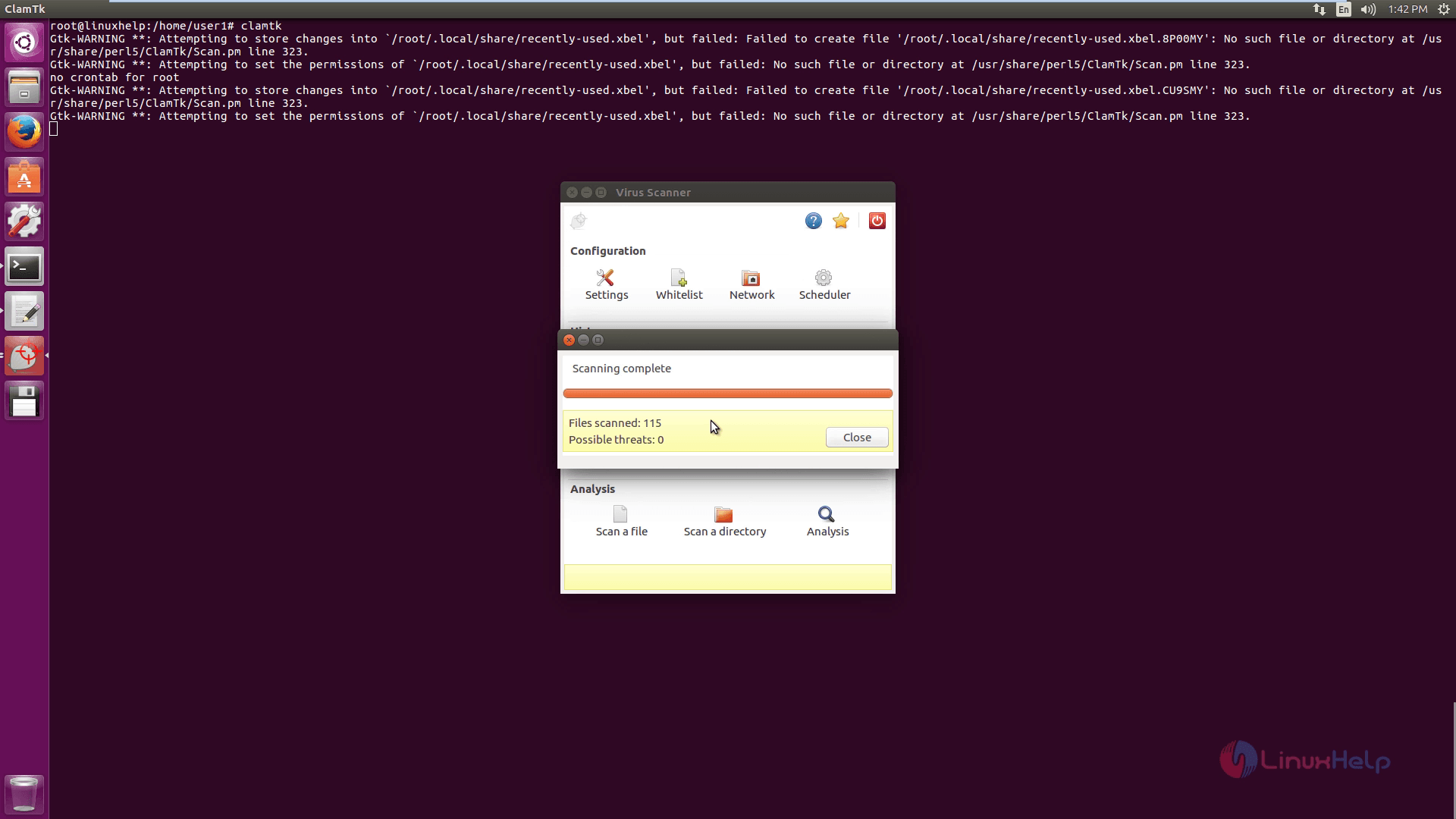
Scan_directrory

No_threats_found

Tags:
elijah
Author: 

Comments ( 0 )

No comments available

Add a comment
{{postCtrl.cmtErrMsg}}

Frequently asked questions ( 5 )

Q

Does Linux NEED antivirus protection?

A

It is true that you may not need it - at least, not in the sense of a Windows computer and running all the time. This program is more geared for users interested in scanning files prior to security.

Q

Is it easy to use ClamTK in Ubuntu ?

A

ClamTK in Ubuntu is intended to be easy to use. However, one of the main goals is to keep it lightweight as well. This means leaving out lots of bells and whistles, and not expanding until it can read your

Q

How do I update my signatures on ClamTK in Ubuntu?

A

ClamTk will now typically work right out of the box. This means it will look for signatures on the system and try to use those. By updating, you probably mean you want to update them yourself

Q

I use Ubuntu and I cannot update the signatures on ClamTK in Ubuntu What can I do ?

A

If you're using older versions of Ubuntu, then you're likely running an old version of ClamAV (the engine). You'll want to start using a ppa which will keep ClamAV up-to-date. This up-to-date

Q

ClamTk did not scan any files!. What can I do ?

A

You may see a message such as "No files scanned". This is typically because you tried to scan a directory with no files, or because it was not given files to scan. Try choosing Scan ▸ Recursively.

Back To Top!
Rank
User
Points

Top Contributers

userNamenaveelansari
135850

Top Contributers

userNameayanbhatti
92510

Top Contributers

userNamehamzaahmed
32150

Top Contributers

1
userNamelinuxhelp
31040

Top Contributers

userNamemuhammadali
24500
Can you help Ryan ?
how to use visual traceroute tool

Am using traceroute command to check for the route. i got this tool while surfing. So pls help me out installation and usage of Visual traceroute tool.

Networking
  • Routing
  • trunk
  • Netmask
  • Packet Capture
  • domain
  • HTTP Proxy
Server Setup
  • NFS
  • KVM
  • Memory
  • Sendmail
  • WebDAV
  • LXC
Shell Commands
  • Cloud commander
  • Command line archive tools
  • last command
  • Shell
  • terminal
  • Throttle
Desktop Application
  • Linux app
  • Pithos
  • Retrospect
  • Scribe
  • TortoiseHg
  • 4Images
Monitoring Tool
  • Monit
  • Apache Server Monitoring
  • EtherApe 
  • Arpwatch Tool
  • Auditd
  • Barman
Web Application
  • Nutch
  • Amazon VPC
  • FarmWarDeployer
  • Rukovoditel
  • Mirror site
  • Chef
Contact Us | Terms of Use| Privacy Policy| Disclaimer
© 2025 LinuxHelp.com All rights reserved. Linux™ is the registered trademark of Linus Torvalds. This site is not affiliated with linus torvalds in any way.