How to install ClassicMenu Indicator on Ubuntu 16.04
To install ClassicMenu Indicator on Ubuntu 16.04
ClassicMenu Indicator is a system tray area applet that provides classic GNOME-style application menu for Ubuntu Unity' s desktop environment. It contains perference window settings, wine settings, etc. This tutorial covers the installation procedure for ClassicMenu Indicator on Ubuntu 16.04.
Installation procedure
To proceed with the installation procedure, add the required repository to the application by executing the following command.
root@linuxhelp11:~# add-apt-repository ppa:diesch/testing
 This PPA contains the most recent alpha/beta releases for
 * Arronax http://www.florian-diesch.de/software/arronax/
 * ClassicMenu Indicator http://www.florian-diesch.de/software/classicmenu-indicator/
 * Privacy Indicator http://www.florian-diesch.de/software/indicator-privacy/
 * RunLens http://www.florian-diesch.de/software/runlens/
 * Unsettings http://www.florian-diesch.de/software/unsettings/
 * UUdeLens http://www.florian-diesch.de/software/uudelens
 More info: https://launchpad.net/~diesch/+archive/ubuntu/testing
Press [ENTER] to continue or ctrl-c to cancel adding it

gpg: keyring `/tmp/tmp4qvavely/secring.gpg'  created
gpg: keyring `/tmp/tmp4qvavely/pubring.gpg'  created
gpg: requesting key 0FEB6DD9 from hkp server keyserver.ubuntu.com
gpg: /tmp/tmp4qvavely/trustdb.gpg: trustdb created
gpg: key 0FEB6DD9: public key " Launchpad PPA for Florian Diesch"  imported
gpg: Total number processed: 1
gpg:               imported: 1  (RSA: 1)
OK
Update the required repository by running the following apt-get update command.
root@linuxhelp11:~# apt-get update
Get:1 http://ppa.launchpad.net/diesch/testing/ubuntu xenial InRelease [17.5 kB]
Hit:2 http://security.ubuntu.com/ubuntu xenial-security InRelease
Hit:3 http://us.archive.ubuntu.com/ubuntu xenial InRelease
Hit:4 http://us.archive.ubuntu.com/ubuntu xenial-updates InRelease
Hit:5 http://ppa.launchpad.net/ondrej/php/ubuntu xenial InRelease
Hit:6 http://us.archive.ubuntu.com/ubuntu xenial-backports InRelease
Get:7 http://ppa.launchpad.net/diesch/testing/ubuntu xenial/main amd64 Packages [1,784 B]
Get:8 http://ppa.launchpad.net/diesch/testing/ubuntu xenial/main i386 Packages [1,784 B]
Get:9 http://ppa.launchpad.net/diesch/testing/ubuntu xenial/main Translation-en [1,316 B]
Fetched 22.4 kB in 2s (9,537 B/s)
Reading package lists... Done
Next install the ClassicMenu Indicator application by executing the following command.
root@linuxhelp11:~# apt-get install classicmenu-indicator
Reading package lists... Done
Building dependency tree
Reading state information... Done
The following packages were automatically installed and are no longer required:
  gnome-software-common libgtkspell3-3-0
Use ' sudo apt autoremove'  to remove them.
The following additional packages will be installed:
  gir1.2-gmenu-3.0
The following NEW packages will be installed:
  classicmenu-indicator gir1.2-gmenu-3.0
0 upgraded, 2 newly installed, 0 to remove and 594 not upgraded.
Need to get 48.0 kB of archives.
After this operation, 417 kB of additional disk space will be used.
Do you want to continue? [Y/n]
Get:1 http://us.archive.ubuntu.com/ubuntu xenial-updates/main amd64 gir1.2-gmenu-3.0 amd64 3.13.3-6ubuntu3.1 [3,726 B]
Get:2 http://ppa.launchpad.net/diesch/testing/ubuntu xenial/main amd64 classicmenu-indicator all 0.11 [44.3 kB]
Fetched 48.0 kB in 2s (17.4 kB/s)
Selecting previously unselected package gir1.2-gmenu-3.0:amd64.
(Reading database ... 173436 files and directories currently installed.)
Preparing to unpack .../gir1.2-gmenu-3.0_3.13.3-6ubuntu3.1_amd64.deb ...
Unpacking gir1.2-gmenu-3.0:amd64 (3.13.3-6ubuntu3.1) ...
Selecting previously unselected package classicmenu-indicator.
Preparing to unpack .../classicmenu-indicator_0.11_all.deb ...
Unpacking classicmenu-indicator (0.11) ...
Processing triggers for gnome-menus (3.13.3-6ubuntu3) ...
Processing triggers for desktop-file-utils (0.22-1ubuntu5) ...
Processing triggers for bamfdaemon (0.5.3~bzr0+16.04.20160415-0ubuntu1) ...
Rebuilding /usr/share/applications/bamf-2.index...
Processing triggers for mime-support (3.59ubuntu1) ...
Processing triggers for hicolor-icon-theme (0.15-0ubuntu1) ...
Processing triggers for man-db (2.7.5-1) ...
Setting up gir1.2-gmenu-3.0:amd64 (3.13.3-6ubuntu3.1) ...
Setting up classicmenu-indicator (0.11) ...
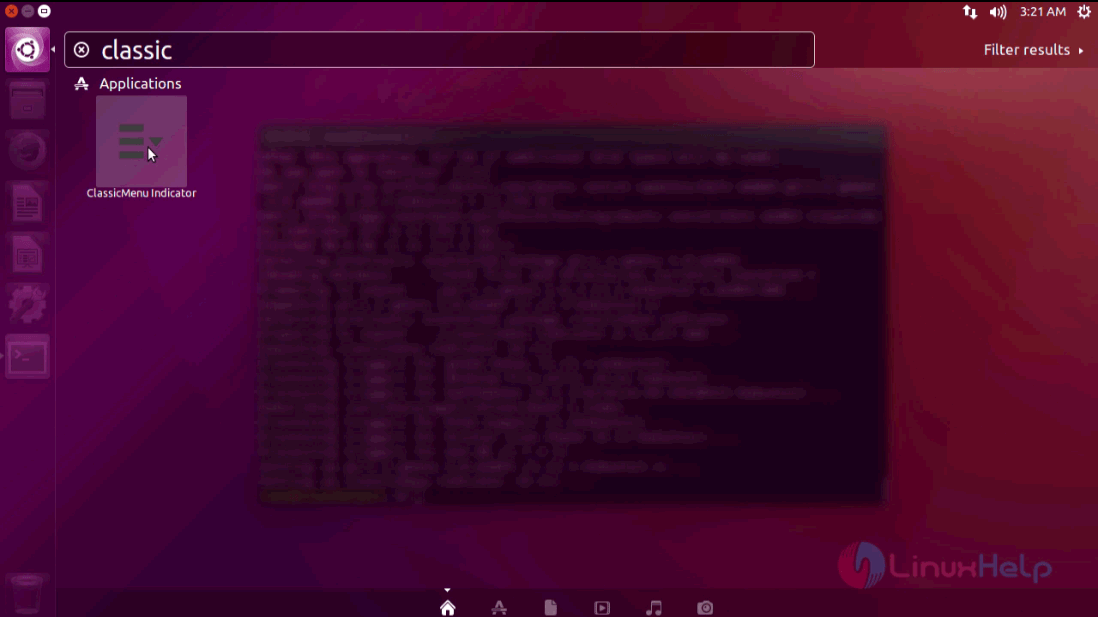
The installation is complete. To run the application, type the application name in the Ubuntu dashboard and click on the icon to run the application.
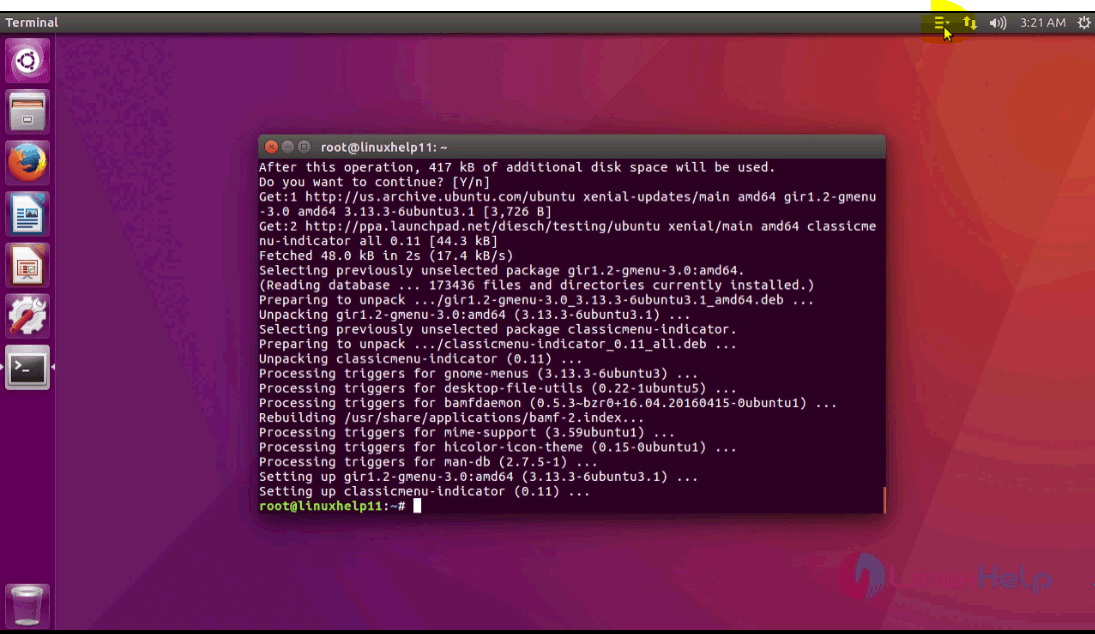
The application is running successfully in the top right corner of the toolbar in Ubuntu.
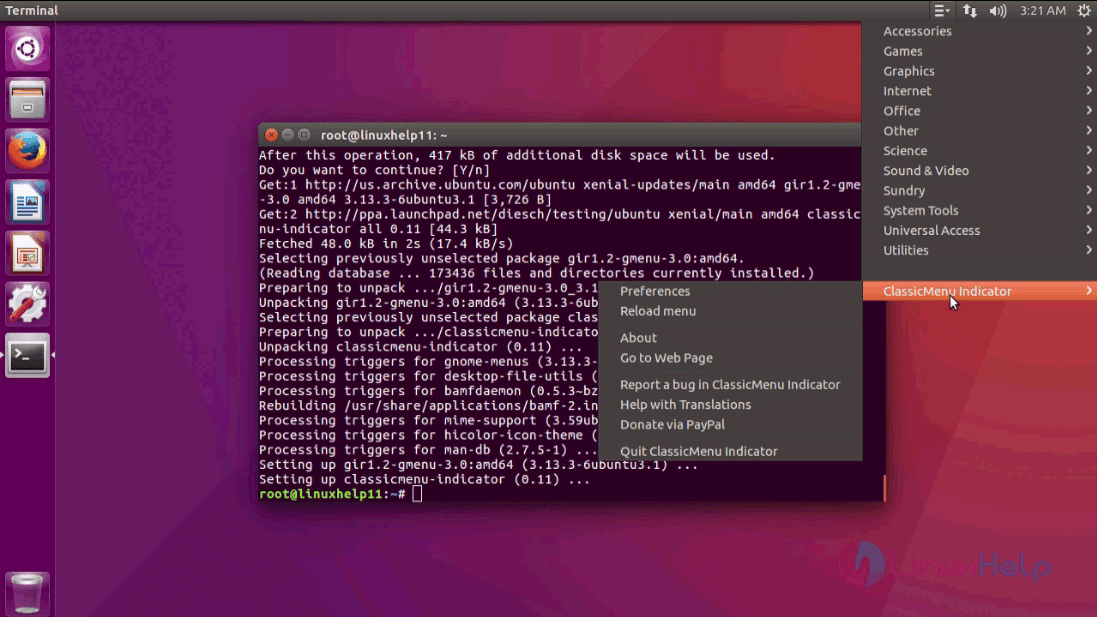
Click on the icon in the toolbar for the menu bar of ClassicMenu Indicator to collapse and display the menu options within.
The installation of ClassicMenu Indicator is now complete.
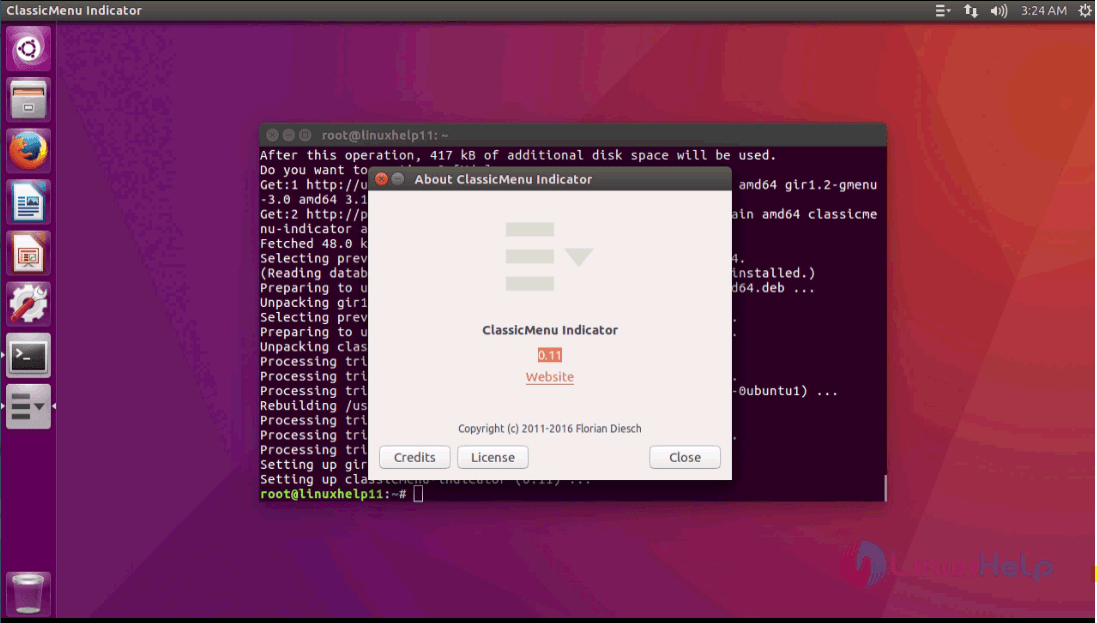
Thus the installation procedure of ClassicMenu Indicator is completed without any glitches.
Comments ( 0 )
No comments available