How to Install Claws Mail in Ubuntu
To install Claws Mail in Ubuntu
Claws Mail is a fast, lightweight, and GTK+ based email and news client. It offers easy configuration and user friendly features. This tutorial will guide you through the Claws Mail installation in Ubuntu.
Features
- Supports File attachments through ‘ |attach_output{sub_expr}’ or ‘ |A{sub_expr}’ options.
- Disables the hiding threads and messages in draft folders.
- Adds notification support for Ubuntu' s Unity Messaging Menu
- Doesn' t add the Message -ID to the drafted message.
Installation of Claws Mail
The installation of Claws Mail requires the prior addition of repository. Add it with the following command.
root@linuxhelp1:~# add-apt-repository ppa:ubuntuhandbook1/claws-mail
More info: https://launchpad.net/~ubuntuhandbook1/+archive/ubuntu/claws-mail
Press [ENTER] to continue or ctrl-c to cancel adding it

gpg: keyring `/tmp/tmptm5dkpf1/secring.gpg'  created
gpg: keyring `/tmp/tmptm5dkpf1/pubring.gpg'  created
gpg: requesting key 852541CB from hkp server keyserver.ubuntu.com
gpg: /tmp/tmptm5dkpf1/trustdb.gpg: trustdb created
gpg: key 852541CB: public key " Launchpad PPA for Panda Jim"  imported
gpg: Total number processed: 1
gpg: imported: 1 (RSA: 1)
OK
Update the newly added repository with the following command.
root@linuxhelp1:~# apt-get update
Hit:1 http://in.archive.ubuntu.com/ubuntu xenial InRelease
Get:2 http://ppa.launchpad.net/ubuntuhandbook1/claws-mail/ubuntu xenial InRelease [17.5 kB]
Hit:3 http://security.ubuntu.com/ubuntu xenial-security InRelease
Get:4 http://in.archive.ubuntu.com/ubuntu xenial-updates InRelease [95.7 kB]
Hit:5 http://in.archive.ubuntu.com/ubuntu xenial-backports InRelease
Get:6 http://ppa.launchpad.net/ubuntuhandbook1/claws-mail/ubuntu xenial/main amd64 Packages [6,408 B]
Get:7 http://ppa.launchpad.net/ubuntuhandbook1/claws-mail/ubuntu xenial/main i386 Packages [6,420 B]
Get:8 http://ppa.launchpad.net/ubuntuhandbook1/claws-mail/ubuntu xenial/main Translation-en [5,212 B]
Fetched 131 kB in 2s (63.3 kB/s)
Reading package lists... Done
Now install Claws Mail by invoking the following command.
root@linuxhelp1:~# apt-get install claws-mail -y
Reading package lists... Done
Building dependency tree
Reading state information... Done
The following additional packages will be installed:
claws-mail-i18n libcompfaceg1 libetpan17 liblockfile-bin liblockfile1 libpisock9 xfonts-100dpi
Suggested packages:
claws-mail-doc claws-mail-tools jpilot pilot-link kpilot gnome-pilot evolution sylpheed
The following NEW packages will be installed:
claws-mail claws-mail-i18n libcompfaceg1 libetpan17 liblockfile-bin liblockfile1 libpisock9 xfonts-100dpi
0 upgraded, 8 newly installed, 0 to remove and 416 not upgraded.
Need to get 6,597 kB of archives.
After this operation, 16.7 MB of additional disk space will be used.
Get:1 http://in.archive.ubuntu.com/ubuntu xenial/main amd64 liblockfile-bin amd64 1.09-6ubuntu1 [10.8 kB]
Get:2 http://ppa.launchpad.net/ubuntuhandbook1/claws-mail/ubuntu xenial/main amd64 claws-mail amd64 3.14.1-0ubuntu2~ubuntu16.04 [1,338 kB]
Get:3 http://in.archive.ubuntu.com/ubuntu xenial/main amd64 liblockfile1 amd64 1.09-6ubuntu1 [8,056 B]
Get:4 http://in.archive.ubuntu.com/ubuntu xenial/universe amd64 libcompfaceg1 amd64 1:1.5.2-5 [14.9 kB]
Get:5 http://in.archive.ubuntu.com/ubuntu xenial/universe amd64 libetpan17 amd64 1.6-1build1 [266 kB]
Get:6 http://in.archive.ubuntu.com/ubuntu xenial/universe amd64 libpisock9 amd64 0.12.5-dfsg-2 [127 kB]
Get:7 http://in.archive.ubuntu.com/ubuntu xenial/universe amd64 xfonts-100dpi all 1:1.0.4+nmu1 [3,823 kB]
Get:8 http://ppa.launchpad.net/ubuntuhandbook1/claws-mail/ubuntu xenial/main amd64 claws-mail-i18n all 3.14.1-0ubuntu2~ubuntu16.04 [1,011 kB]
Fetched 6,597 kB in 48s (136 kB/s)
Selecting previously unselected package liblockfile-bin.
(Reading database ... 173836 files and directories currently installed.)
Preparing to unpack .../liblockfile-bin_1.09-6ubuntu1_amd64.deb ...
Unpacking liblockfile-bin (1.09-6ubuntu1) ...
Selecting previously unselected package liblockfile1:amd64.
Preparing to unpack .../liblockfile1_1.09-6ubuntu1_amd64.deb ...
Unpacking liblockfile1:amd64 (1.09-6ubuntu1) ...
.
.
.
Rebuilding /usr/share/applications/bamf-2.index...
Processing triggers for mime-support (3.59ubuntu1) ...
Processing triggers for fontconfig (2.11.94-0ubuntu1) ...
Setting up liblockfile-bin (1.09-6ubuntu1) ...
Setting up liblockfile1:amd64 (1.09-6ubuntu1) ...
Setting up libcompfaceg1 (1:1.5.2-5) ...
Setting up libetpan17:amd64 (1.6-1build1) ...
Setting up libpisock9 (0.12.5-dfsg-2) ...
Setting up claws-mail (3.14.1-0ubuntu2~ubuntu16.04) ...
Setting up claws-mail-i18n (3.14.1-0ubuntu2~ubuntu16.04) ...
Setting up xfonts-100dpi (1:1.0.4+nmu1) ...
Processing triggers for libc-bin (2.23-0ubuntu3) ...
Claws Mail is now installed. To open the Claws Mail, click on the search bar and type claws-mail.
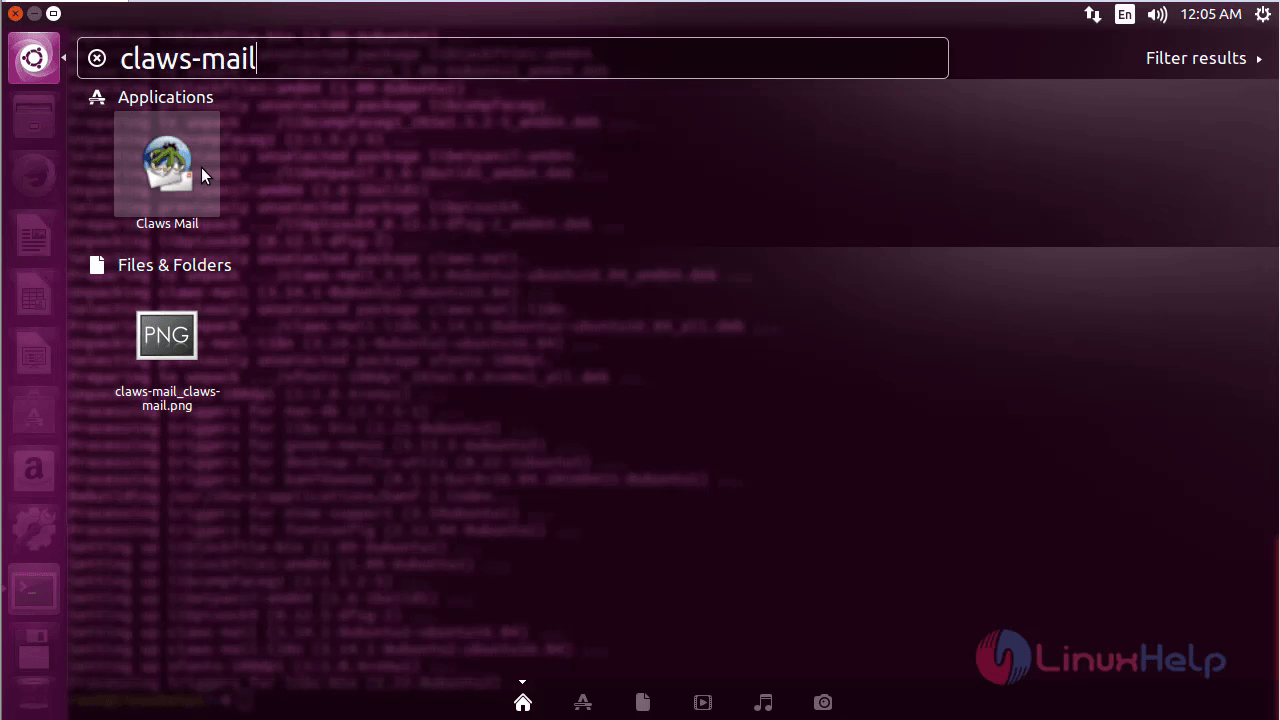
Click on the icon to start the setup on the claws mail.
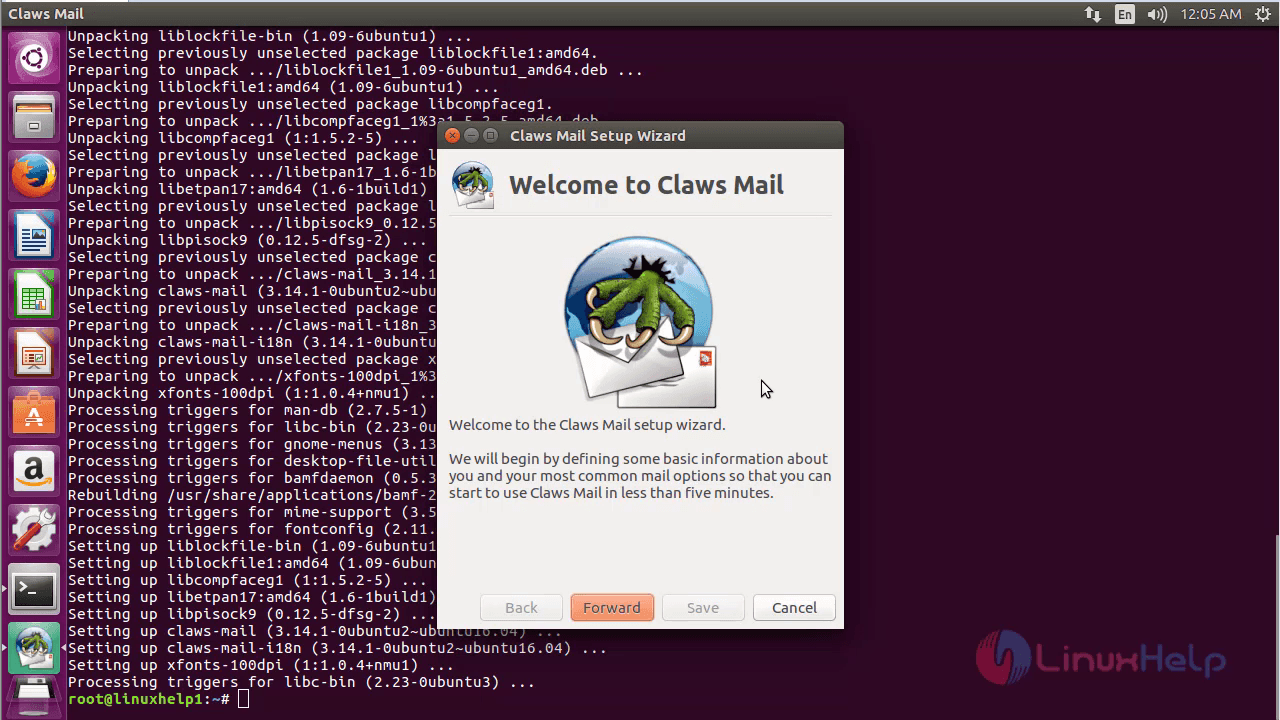
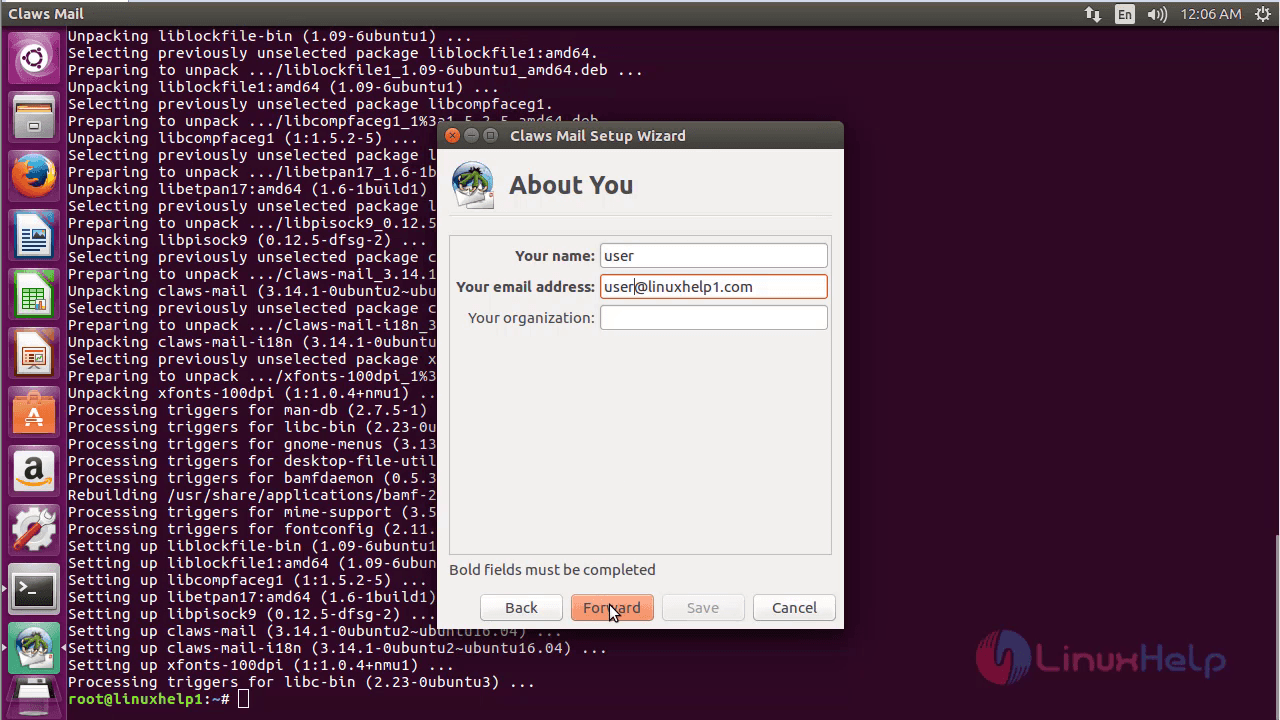
Enter the required details.
Make the necessary configuration as follows.
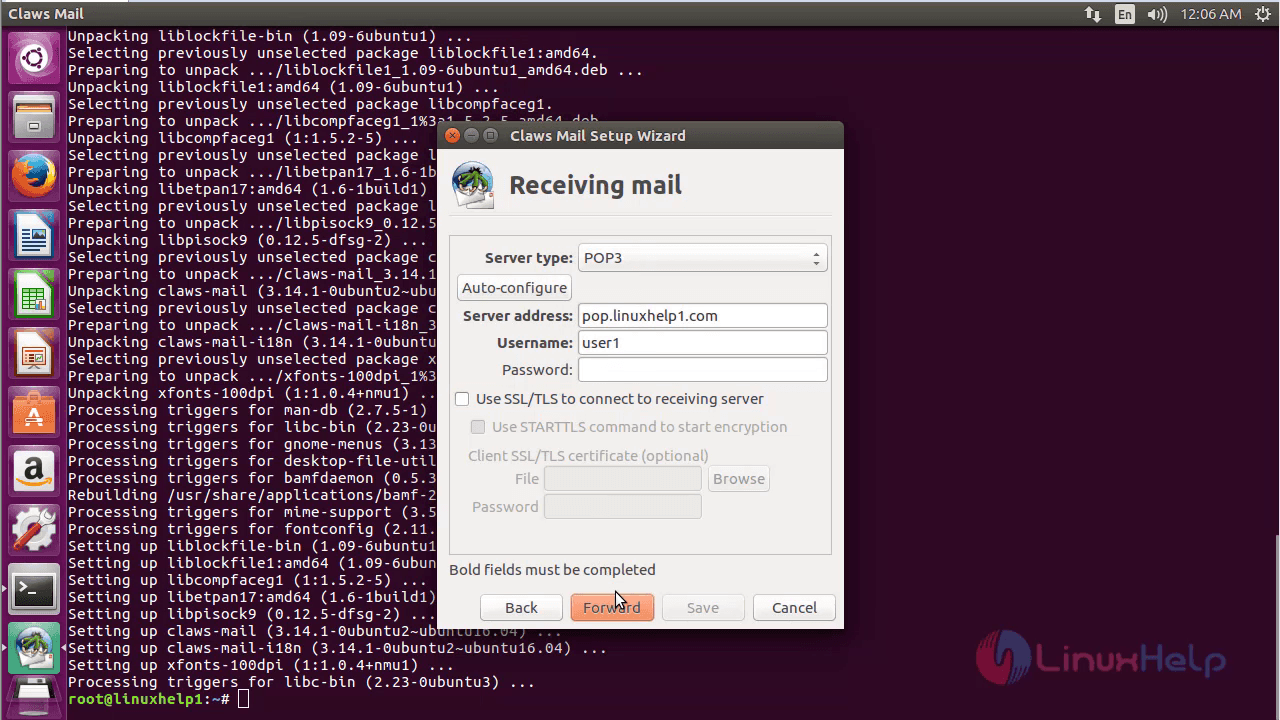
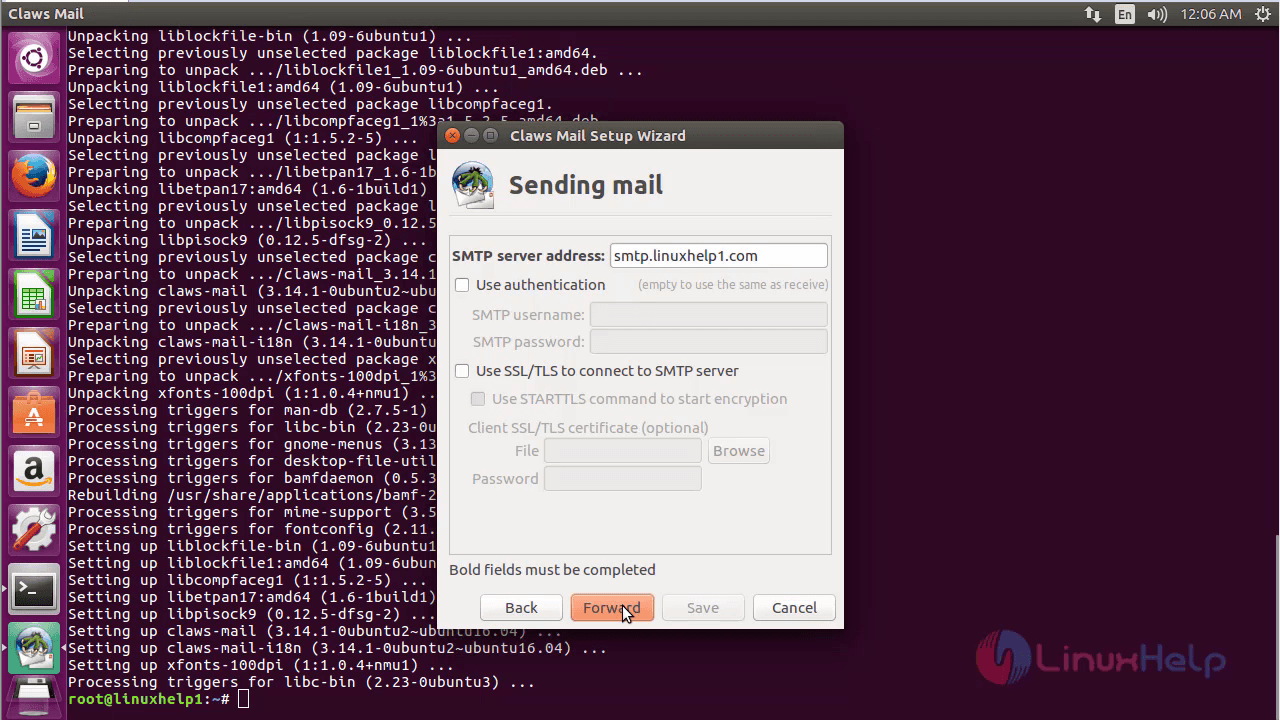
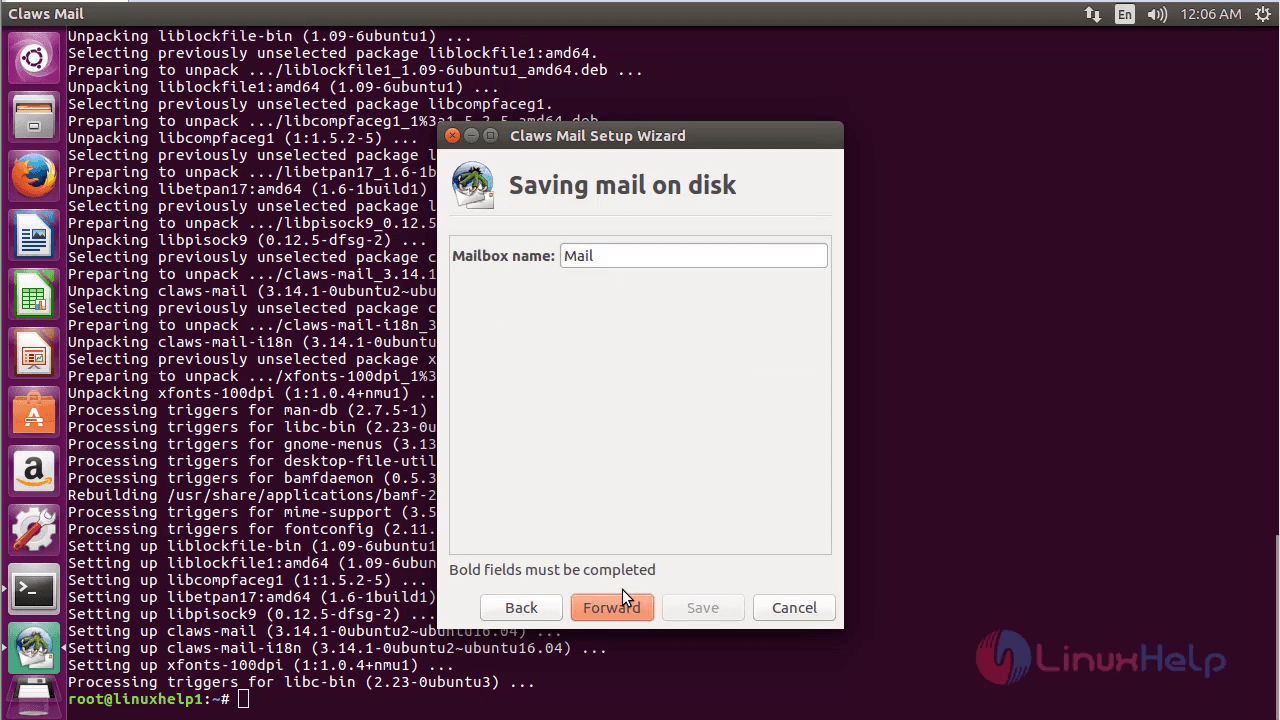
Once the required configuration is over, click save.
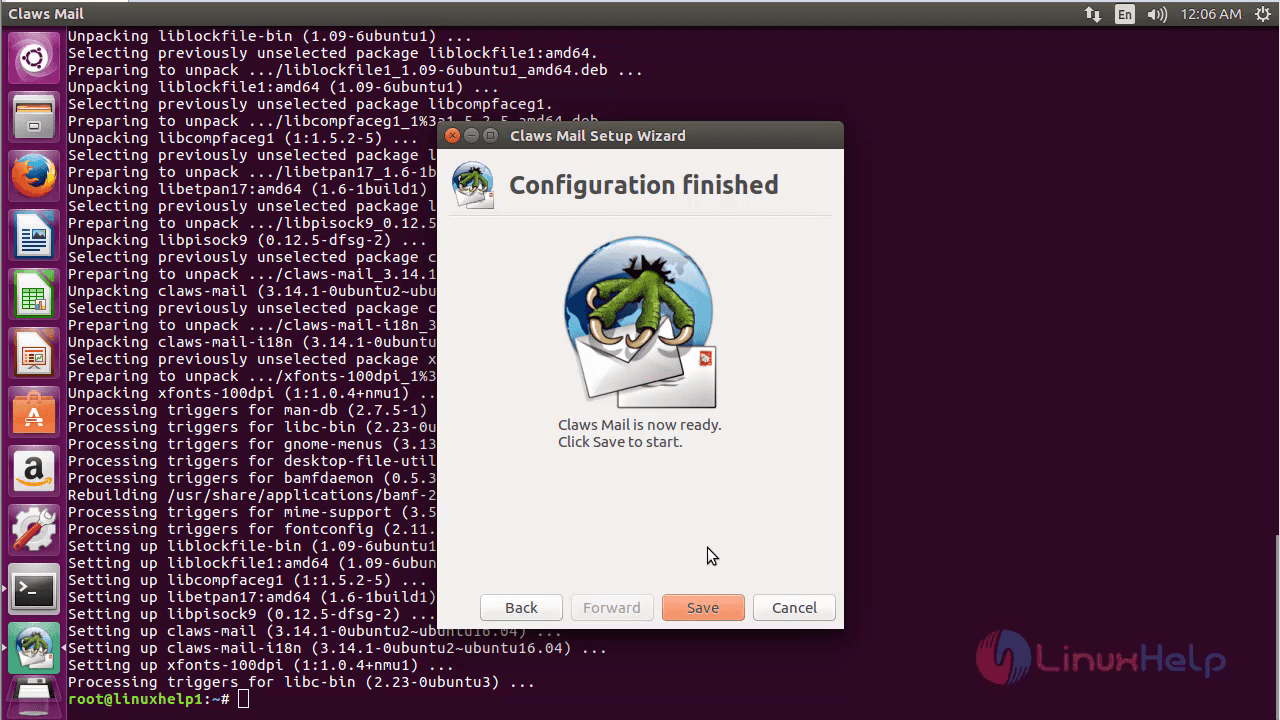
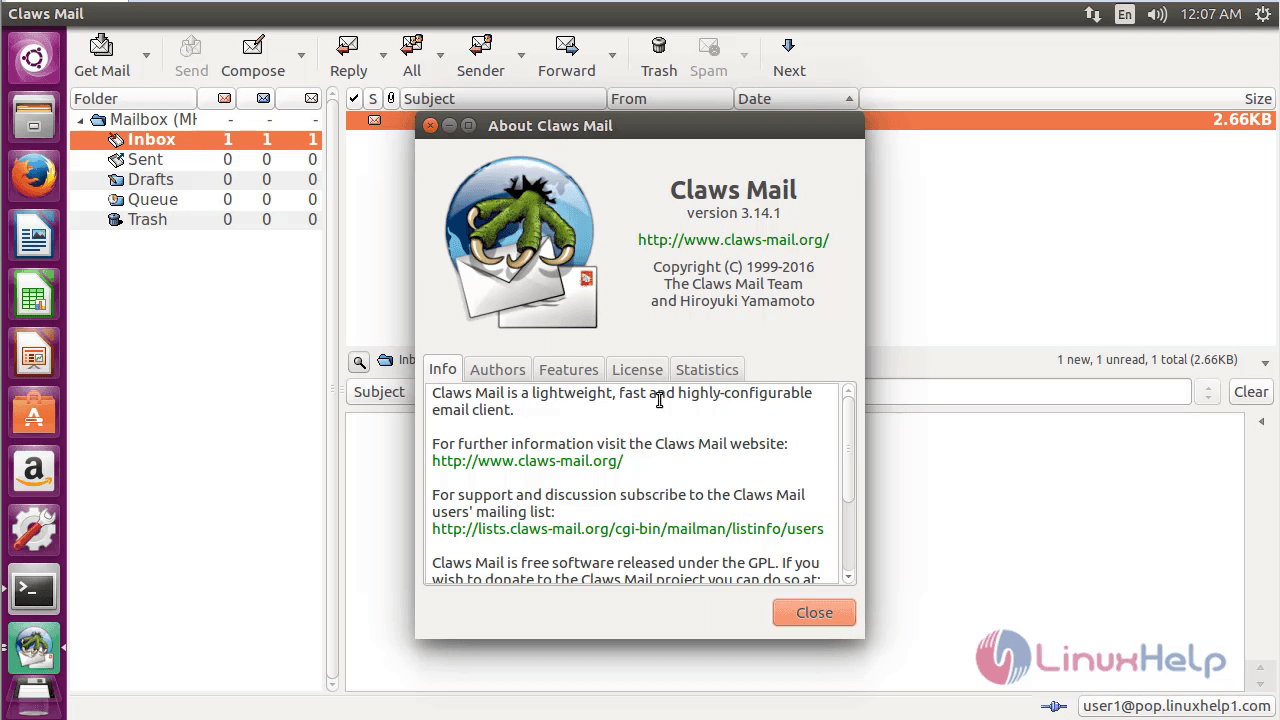
Now you can see and access the claws mail.
If you want to remove Claws Mail, use the following command.
root@linuxhelp1:~# apt-get remove claws-mail -y
Reading package lists... Done
Building dependency tree
Reading state information... Done
The following packages were automatically installed and are no longer required:
libcompfaceg1 libetpan17 liblockfile-bin liblockfile1 libpisock9
Use ' sudo apt autoremove'  to remove them.
The following packages will be REMOVED:
claws-mail claws-mail-i18n
.
.
.
Processing triggers for man-db (2.7.5-1) ...
Processing triggers for gnome-menus (3.13.3-6ubuntu3) ...
Processing triggers for desktop-file-utils (0.22-1ubuntu5) ...
Processing triggers for bamfdaemon (0.5.3~bzr0+16.04.20160415-0ubuntu1) ...
Rebuilding /usr/share/applications/bamf-2.index...
Processing triggers for mime-support (3.59ubuntu1) ...
Comments ( 0 )
No comments available