How to install Clementine Audio player in Ubuntu 16.04
To install Clementine Audio Player in Ubuntu
Clementine is a free, cross-platform music player and library organiser which is a port of Amarok 1.4 to the Qt 4 framework and the GStreamer multimedia framework. Installation of clementine music player in Ubuntu is explained in this tutorial.
Features
- Create smart playlists and dynamic playlists.
- Tabbed playlists, import and export M3U, XSPF, PLS and ASX.
- CUE sheet support.
- Play audio CDs.
- Visualisations from projectM.
- Search and play your local music library.
- Listen to internet radio.
- Transcode music into MP3, Ogg Vorbis, Ogg Speex, FLAC or AAC.
- Edit tags on MP3 and OGG files, organise your music.
- Fetch missing tags from MusicBrainz.
- Download missing album cover art from Last.fm and Amazon.
Installing Clementine
First, add the clementine package into repository via ppa.
root@linuxhelp1:~# add-apt-repository ppa:me-davidsansome/clementine
Press [ENTER] to continue or ctrl-c to cancel adding it
.
.
.
gpg: /tmp/tmpi9hqj2li/trustdb.gpg: trustdb created
gpg: key 044A3B98: public key " Launchpad Clementine Stable"  imported
gpg: Total number processed: 1
gpg:               imported: 1  (RSA: 1)
OK
Once it is done, update the machine as follows.
root@linuxhelp1:~# apt-get update
Hit:1 http://ppa.launchpad.net/me-davidsansome/clementine/ubuntu xenial InRelease
Hit:2 http://in.archive.ubuntu.com/ubuntu xenial InRelease
Hit:3 http://in.archive.ubuntu.com/ubuntu xenial-updates InRelease
Hit:4 http://security.ubuntu.com/ubuntu xenial-security InRelease
Hit:5 http://in.archive.ubuntu.com/ubuntu xenial-backports InRelease
Reading package lists... Done
Now, you can install the clementine package by running the following command.
root@linuxhelp1:~# apt-get install clementine
Reading package lists... Done
Building dependency tree
Reading state information... Done
The following additional packages will be installed:
  gstreamer1.0-plugins-ugly gstreamer1.0-plugins-ugly-amr i965-va-driver liba52-0.7.4
  .
.
.
Setting up va-driver-all:amd64 (1.7.0-1) ...
Setting up vdpau-driver-all:amd64 (1.1.1-3ubuntu1) ...
Processing triggers for libc-bin (2.23-0ubuntu3) ...
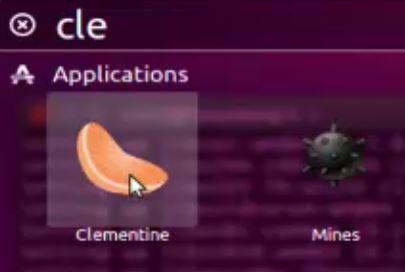
Clementine has been installed. Launch the clementine package from ubuntu dashboard
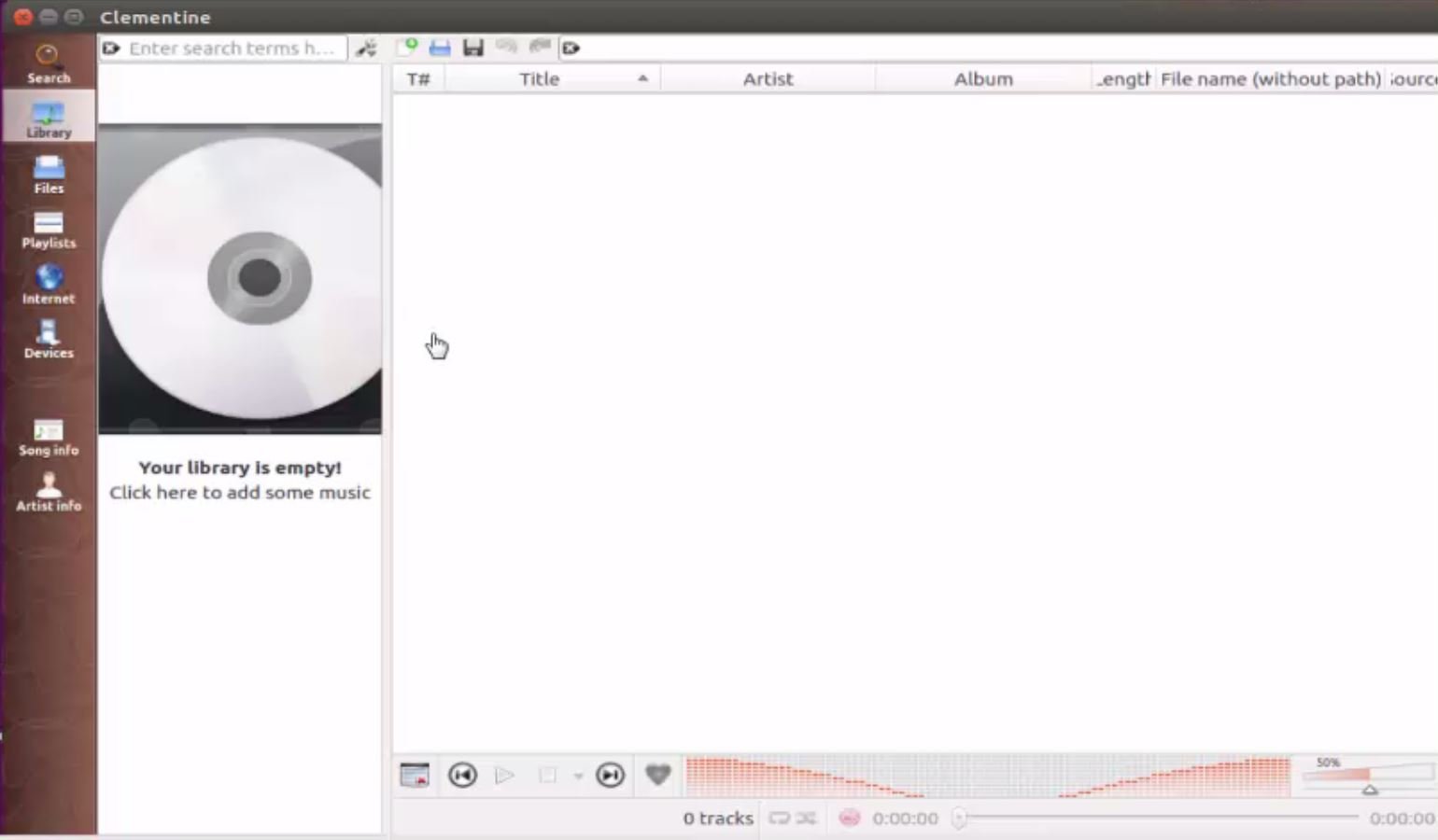
Dashboard of clementine audio player looks as follows. Enjoy your songs though clementine.
Wasn' t the installation quite simple? Also, playing all your music files can be a lot more fun. Clementine also lets you to listen to internet radio from Spotify, SoundCloud, Grooveshark, SomaFM, Magnatune, Jamendo, SKY.fm, and many more. You can sort all your songs to playlist by adding them to smart playlist or dynamic playlist. Also, Clementine allows you play your music files from a CD. Enjoy your music experience with Clementine.
Comments ( 0 )
No comments available