• Categories
    Category
    {{ postCtrl.tags }}
    • {{ category.tag_type }}

      • {{tag.tag_name}}
      • View more
  • Categories
    Category
    {{ postCtrl.tags }}
    • {{ category.tag_type }}

      • {{tag.tag_name}}
      • View more
  • News
  • Tutorials
  • Forums
  • Tags
  • Users
Tutorial News Comments FAQ Related Articles

How to install CMUS – 1.18.2 on Linuxmint -18.3

{{postValue.id}}

To install CMus 1.18.2 on Linux Mint 18.3

CMus is an open source lightweight, fast and powerful terminal audio player for Unix/Linux like operating systems. CMus was designed to run on a text-only user interface, that reduces the resources required to run the application on older computers as well as systems where X window system isn' t available. It is so simple to install CMus 1.18.2 on Linux Mint 18.3.

Install CMus 1.18.2

Let' s start with updating the system repository.

linuxhelp user # apt-get update
Get:1 http://archive.canonical.com/ubuntu xenial InRelease [11.5 kB]
Hit:2 http://archive.ubuntu.com/ubuntu xenial InRelease                                          
Ign:3 http://packages.linuxmint.com sylvia InRelease                                                              
Get:4 http://archive.canonical.com/ubuntu xenial/partner amd64 Packages [3,128 B]                                 
Get:5 http://archive.canonical.com/ubuntu xenial/partner i386 Packages [3,120 B]                                  
Get:6 http://packages.linuxmint.com sylvia Release [24.2 kB]                              
Get:7 http://packages.linuxmint.com sylvia Release.gpg [819 B]      
Get:8 http://archive.ubuntu.com/ubuntu xenial-updates InRelease [102 kB]
.
.
Get:28 http://archive.ubuntu.com/ubuntu xenial-updates/multiverse Translation-en [8,076 B]                        
Get:29 http://archive.ubuntu.com/ubuntu xenial-backports/universe amd64 Packages [7,104 B]                        
Get:30 http://archive.ubuntu.com/ubuntu xenial-backports/universe i386 Packages [7,080 B]                         
Get:31 http://archive.ubuntu.com/ubuntu xenial-backports/universe Translation-en [3,844 B]                        
Get:32 http://security.ubuntu.com/ubuntu xenial-security/universe Translation-en [127 kB]                         
Get:33 http://security.ubuntu.com/ubuntu xenial-security/multiverse amd64 Packages [3,208 B]                      
Get:34 http://security.ubuntu.com/ubuntu xenial-security/multiverse i386 Packages [3,376 B]                       
Fetched 5,610 kB in 11s (492 kB/s)                                                                                
Reading package lists... Done

In order to install CMus enter the following command.

linuxhelp user # apt-get install cmus
Reading package lists... Done
Building dependency tree       
Reading state information... Done
The following additional packages will be installed:
  libcddb2 libcue1 libdiscid0 libfaad2 libmad0 libmodplug1 libmpcdec6 libopusfile0
Suggested packages:
  libroar2
Recommended packages:
  cmus-plugin-ffmpeg
The following NEW packages will be installed:
.
.
Setting up libmad0:amd64 (0.15.1b-8ubuntu1) ...
Setting up libmpcdec6:amd64 (2:0.1~r459-4.1build1) ...
Setting up libcddb2 (1.3.2-5fakesync1) ...
Setting up libcue1 (1.4.0-1) ...
Setting up libdiscid0:amd64 (0.6.1-5) ...
Setting up libmodplug1:amd64 (1:0.8.8.5-2) ...
Setting up libopusfile0 (0.7-1) ...
Setting up cmus (2.7.1-1build1) ...
Processing triggers for libc-bin (2.23-0ubuntu9) ...

After installing you can run the following command on the terminal to launch CMUS.

linuxhelp user # cmus

Below image shows the CMus.
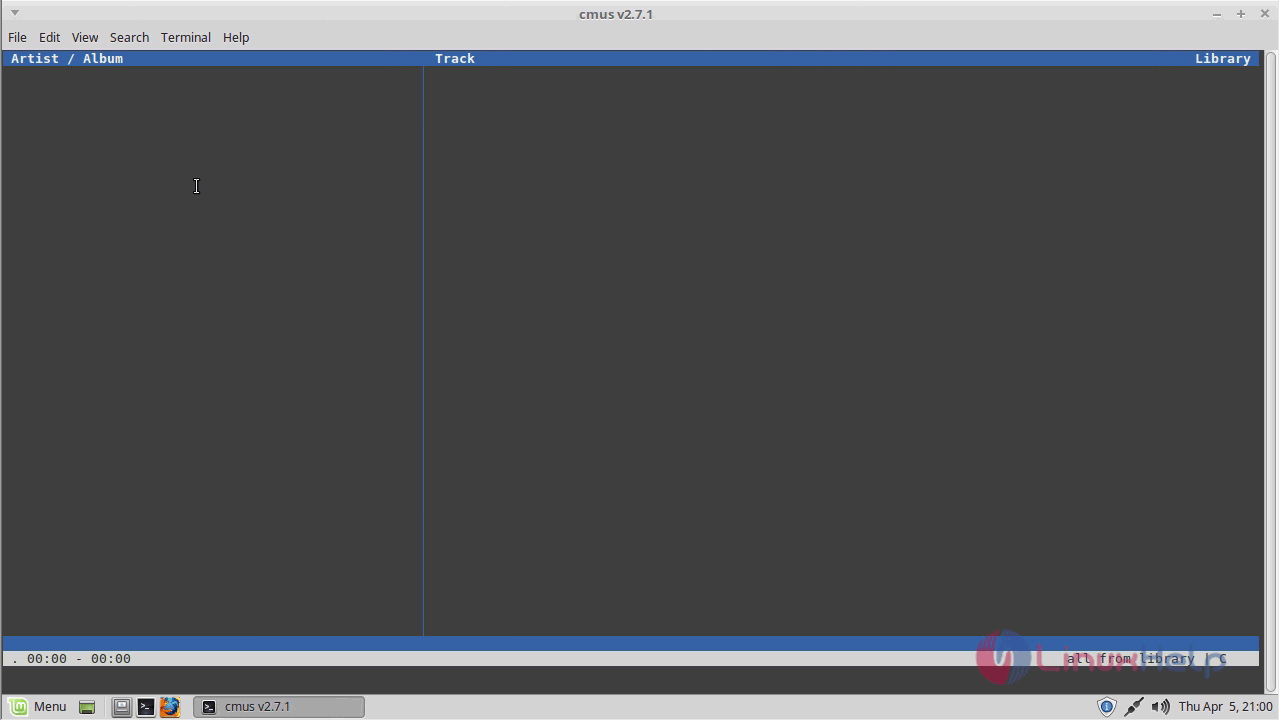
CMUS

With this, the method to install CMus 1.18.2 on Linux Mint 18.3 comes to an end.

Tags:
adhitiroy
Author: 

Comments ( 0 )

No comments available

Add a comment
{{postCtrl.cmtErrMsg}}

Frequently asked questions ( 5 )

Q

how to get exit from the console of cmus?

A

Use "q" for exit from the console.

Q

is there any PPA to be added there to install cmus?

A

No, not required any ppa just simply install it through"apt-get update" command.

Q

which command to install cmus in ubuntu?

A

In order to install CMus enter the following command
# apt-get install cmus

Q

how to launch the cmus terminal in ubuntu?

A

launch the cmus terminal by using following command
# cmus

Q

what is the features of installing cmus in ubuntu?

A

CMus is an open source lightweight, fast and powerful terminal audio player for Unix/Linux like operating systems. CMus was designed to run on a text-only user interface, that reduces the resources required to run the application on older computers as well as systems where X window system isn' t available. It is so simple to install CMus 1.18.2 on Linux Mint 18.3.

Back To Top!
Rank
User
Points

Top Contributers

userNamenaveelansari
135850

Top Contributers

userNameayanbhatti
92510

Top Contributers

userNamehamzaahmed
32150

Top Contributers

1
userNamelinuxhelp
31040

Top Contributers

userNamemuhammadali
24500
Can you help keel johnston ?
Unhide the folders on windows Explorer

Give any solutions to unhide folder using command prompt?

forum3

Networking
  • Routing
  • trunk
  • Netmask
  • Packet Capture
  • domain
  • HTTP Proxy
Server Setup
  • NFS
  • KVM
  • Memory
  • Sendmail
  • WebDAV
  • LXC
Shell Commands
  • Cloud commander
  • Command line archive tools
  • last command
  • Shell
  • terminal
  • Throttle
Desktop Application
  • Linux app
  • Pithos
  • Retrospect
  • Scribe
  • TortoiseHg
  • 4Images
Monitoring Tool
  • Monit
  • Apache Server Monitoring
  • EtherApe 
  • Arpwatch Tool
  • Auditd
  • Barman
Web Application
  • Nutch
  • Amazon VPC
  • FarmWarDeployer
  • Rukovoditel
  • Mirror site
  • Chef
Contact Us | Terms of Use| Privacy Policy| Disclaimer
© 2025 LinuxHelp.com All rights reserved. Linux™ is the registered trademark of Linus Torvalds. This site is not affiliated with linus torvalds in any way.