How to install Codelite 9.1.0 on Linuxmint 18.3
To install Codelite 9.1.0 on Linuxmint 18.3
Codelite is a free, open-source, cross-platform IDE for the C, C++, PHP and JavaScript programming languages using the wxWidgets toolkit. It features project management, code completion, code refactoring, source browsing and more. It is so simple to install Codelite 9
Installation procedure
To start the installation procedure, add the repo by executing the following command.
linuxhelp ~ # add-apt-repository ppa:eugenesan/ppa
You are about to add the following PPA:
 This repository contains collection of customized, updated, ported and backported
packages for two last LTS releases and latest pre-LTS release.
Packages for older releases relocated to ppa:eugenesan/archive or deleted.

+-------------------------------------------------------------------------------------+
.
.
gpg: requesting key 8313A596 from hkp server keyserver.ubuntu.com
gpg: key 8313A596: public key " Launchpad synergy+"  imported
gpg: Total number processed: 1
gpg:               imported: 1  (RSA: 1)
The repositories are added in your system. Now update the repo by executing the apt-get update command.
linuxhelp ~ # apt-get update
Hit:1 http://archive.ubuntu.com/ubuntu xenial InRelease
Ign:2 http://packages.linuxmint.com sylvia InRelease
Get:3 http://ppa.launchpad.net/eugenesan/ppa/ubuntu xenial InRelease [17.5 kB]
Get:4 http://archive.canonical.com/ubuntu xenial InRelease [11.5 kB]
Hit:5 http://packages.linuxmint.com sylvia Release
.
.
Get:31 http://archive.ubuntu.com/ubuntu xenial-updates/multiverse i386 Packages [15.3 kB]
Get:32 http://archive.ubuntu.com/ubuntu xenial-backports/universe amd64 Packages [7,084 B]
Get:33 http://archive.ubuntu.com/ubuntu xenial-backports/universe i386 Packages [7,060 B]
Get:34 http://archive.ubuntu.com/ubuntu xenial-backports/universe Translation-en [3,812 B]
Fetched 5,489 kB in 8s (648 kB/s)
Reading package lists... Done
Your machine must have been updated with the required packages. Install the codelite package by running the following command and press y to continue with the installation.
linuxhelp ~ # apt-get install codelite
Reading package lists... Done
Building dependency tree
Reading state information... Done
The following additional packages will be installed:
  cpp-5 gcc-5 gcc-5-base libasan2 libatomic1 libcc1-0 libcilkrts5 libclang1-3.6 libgcc-5-dev libgfortran3 libgomp1 libitm1 libllvm3.6v5 liblsan0
  libmpx0 libobjc-5-dev libobjc4 libquadmath0 libssh-gcrypt-4 libstdc++-5-dev libstdc++6 libtsan0 libubsan0 libwxbase3.0-0v5 libwxgtk3.0-0v5
  libwxsqlite3-3.0-0
Suggested packages:
  codelite-plugins gcc-5-locales gcc-5-multilib gcc-5-doc libgcc1-dbg libgomp1-dbg libitm1-dbg libatomic1-dbg libasan2-dbg liblsan0-dbg
  libtsan0-dbg libubsan0-dbg libcilkrts5-dbg libmpx0-dbg libquadmath0-dbg libstdc++-5-doc
.
.
Setting up libwxgtk3.0-0v5:amd64 (3.0.2+dfsg-1.3ubuntu0.1) ...
Setting up libwxsqlite3-3.0-0:amd64 (3.3.0~dfsg1-1) ...
Setting up codelite (9.1+dfsg-2) ...
Processing triggers for libc-bin (2.23-0ubuntu9) ...
Launch the application from the search field.
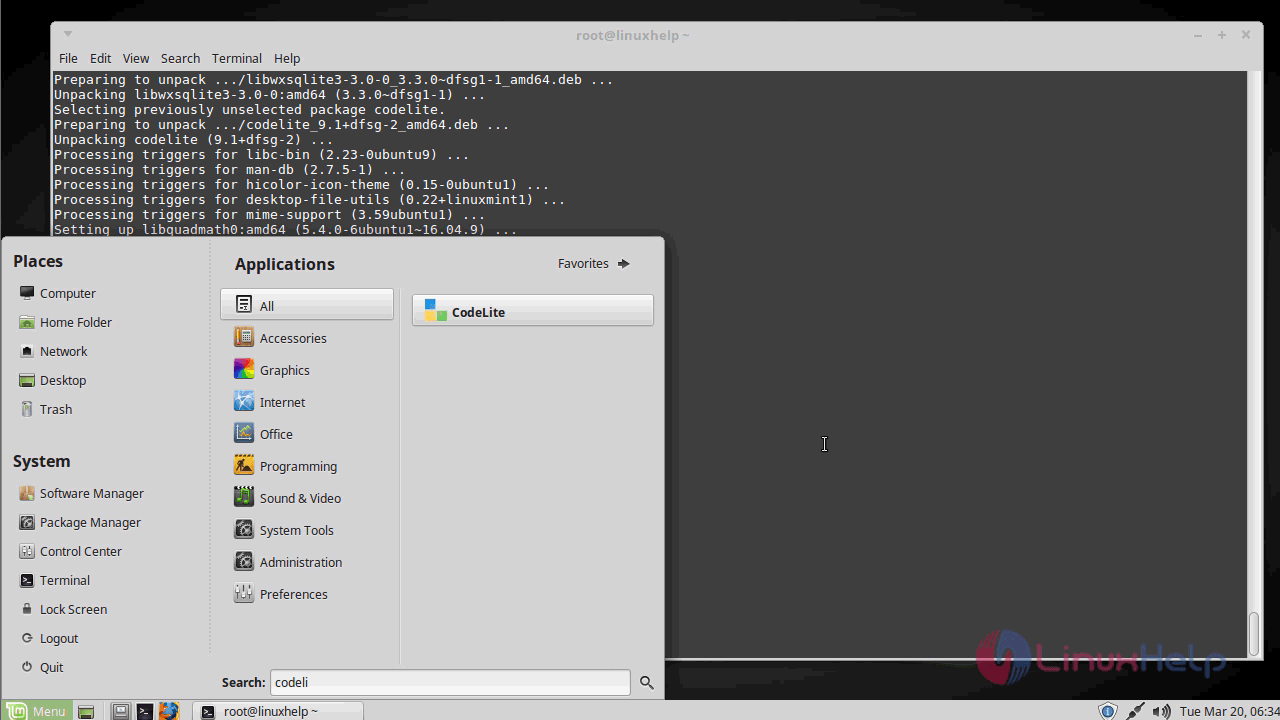
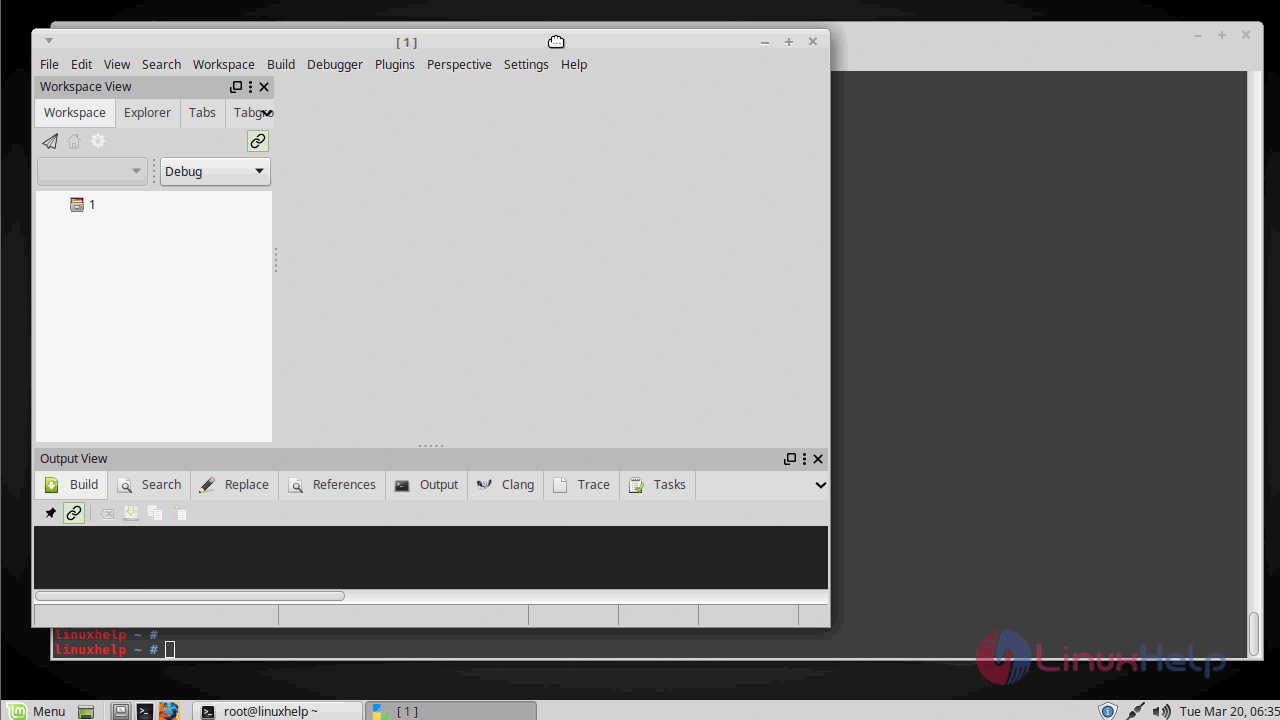
You can now remove the codelite using the following command
linuxhelp ~ # apt-get remove codelite
Reading package lists... Done
Building dependency tree
Reading state information... Done
The following packages were automatically installed and are no longer required:
  libclang1-3.6 libllvm3.6v5 libobjc-5-dev libobjc4 libssh-gcrypt-4 libstdc++-5-dev libwxbase3.0-0v5 libwxgtk3.0-0v5 libwxsqlite3-3.0-0
Use ' sudo apt autoremove'  to remove them.
.
.
Processing triggers for desktop-file-utils (0.22+linuxmint1) ...
Processing triggers for mime-support (3.59ubuntu1) ...
Processing triggers for hicolor-icon-theme (0.15-0ubuntu1)
Processing triggers for man-db (2.7.5-1) ...
With this, the installation comes to an end.
Comments ( 0 )
No comments available