• Categories
    Category
    {{ postCtrl.tags }}
    • {{ category.tag_type }}

      • {{tag.tag_name}}
      • View more
  • Categories
    Category
    {{ postCtrl.tags }}
    • {{ category.tag_type }}

      • {{tag.tag_name}}
      • View more
  • News
  • Tutorials
  • Forums
  • Tags
  • Users
Tutorial News Comments FAQ Related Articles

How to install Codelite in Ubuntu 15.10

{{postValue.id}}

To Install Codelite in Ubuntu 15.10

CodeLite is an open-source, cross-platform IDE for the C, PHP, C++ and JavaScript programming languages. Installation of Codelite in Ubuntu is explained in this manual.

Install Codelite

Run the following command to append the key package of codelite.

root@user1-linuxhelp:/home/user1# apt-key adv --fetch-keys http://repos.codelite.org/CodeLite.asc
Executing: gpg --ignore-time-conflict --no-options --no-default-keyring --homedir /tmp/tmp.LCVksX4FGV --no-auto-check-trustdb --trust-model always --keyring /etc/apt/trusted.gpg --primary-keyring /etc/apt/trusted.gpg --keyring /etc/apt/trusted.gpg.d/formorer_ubuntu_icinga.gpg --fetch-keys http://repos.codelite.org/CodeLite.asc
gpg: key 1AC82609: public key " David Hart (codelite key) < david@codelite.co.uk> "  imported
gpg: Total number processed: 1
gpg:               imported: 1  (RSA: 1)
Ok

Utilise the following command to add the codelite package into your repository.

root@user1-linuxhelp:/home/user1# apt-add-repository " deb http://repos.codelite.org/ubuntu/ $(lsb_release -sc) universe" 

Now update the machine by using the following command.

root@user1-linuxhelp:/home/user1# apt-get update
Hit http://ppa.launchpad.net wily InRelease
Hit http://security.ubuntu.com wily-security InRelease                                            
Hit http://in.archive.ubuntu.com wily InRelease  
.
.
.
Hit http://in.archive.ubuntu.com wily-backports/universe Translation-en                           
Fetched 5,231 B in 13s (391 B/s)                                                                  
Reading package lists... Done

Run the following command to install the codelite package.

root@user1-linuxhelp:/home/user1# apt-get install codelite wxcrafter
Reading package lists... Done
Building dependency tree       
Reading state information... Done
.
.
.
Processing triggers for ureadahead (0.100.0-19) ...
Processing triggers for systemd (225-1ubuntu9) ...

To Launch Codelite

Run the following command to open the codelite in terminal.

root@user1-linuxhelp:/home/user1# codelite
codelite
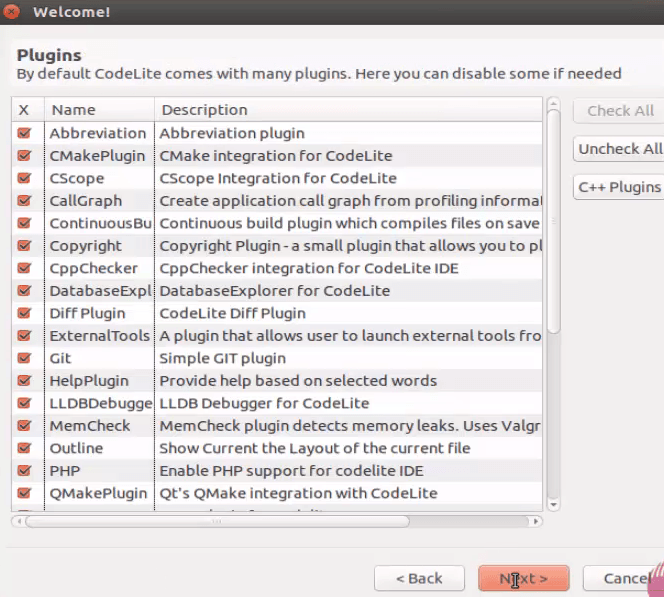
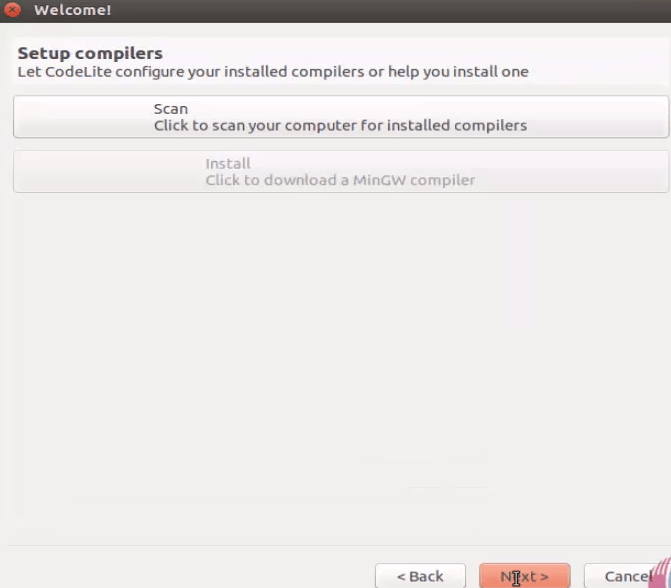
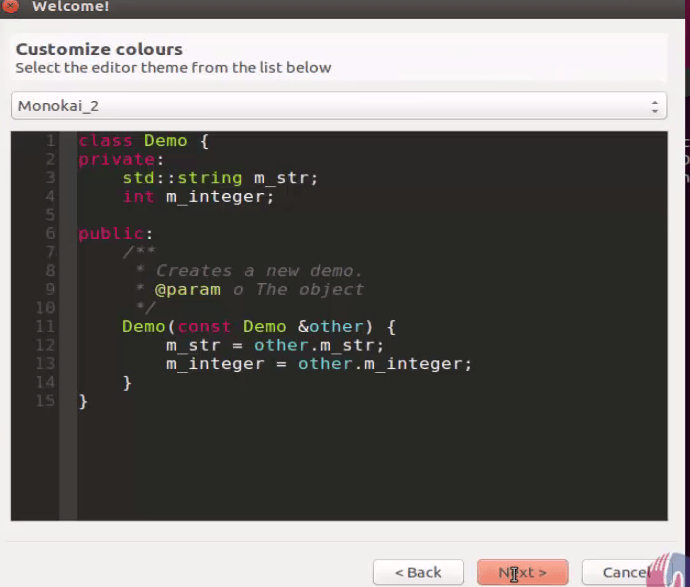
Welcome page of codelite appears as follows. Click Next to configure Codelite.
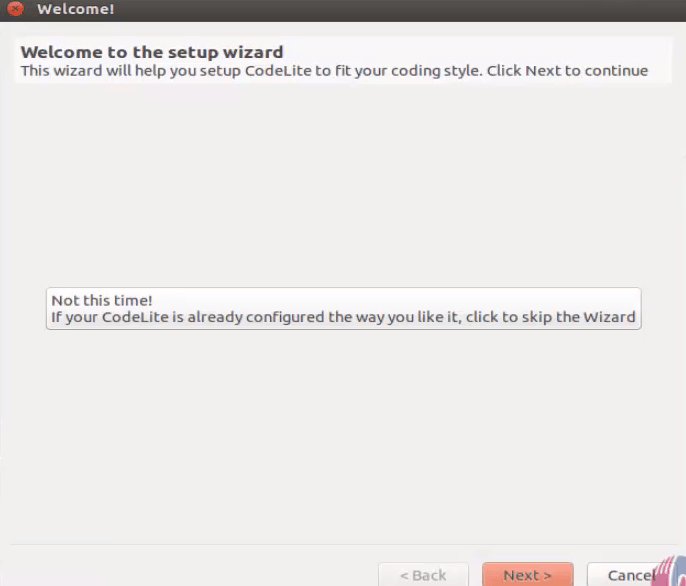
welcome_page
plugins
setup_compiler
customize_color

Click Finish to complete the installation process of Codelite.
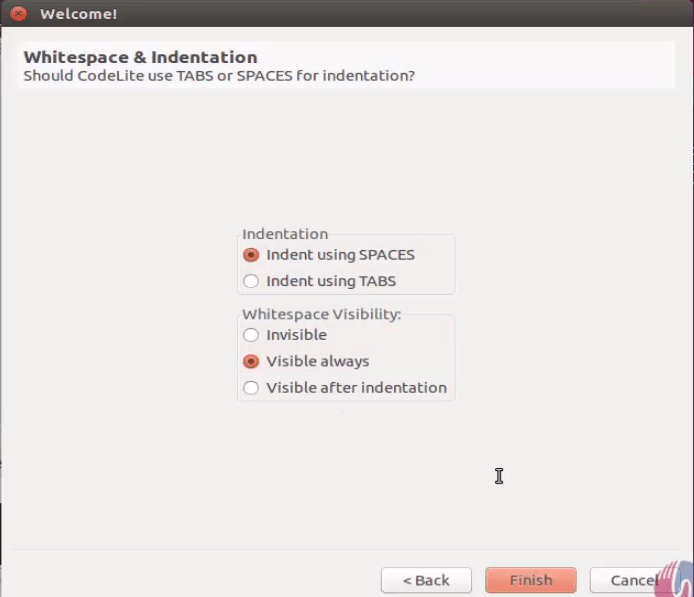
codelite_installed
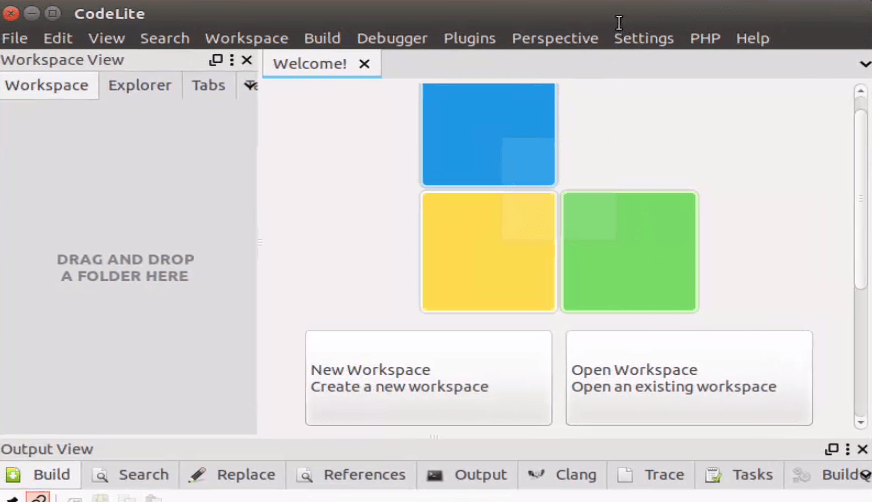
Now the codelite is ready to use.
welcome_to_codelite
Choose the project type and click next to proceed further.
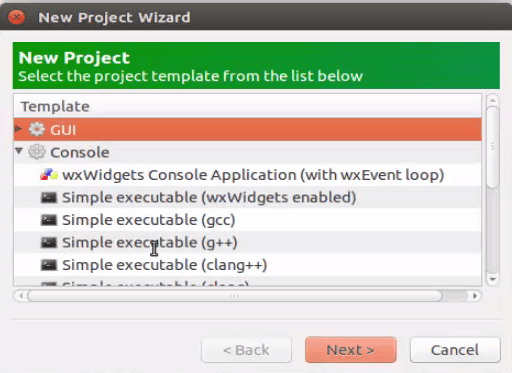

new_project
Type and save the program before executing.
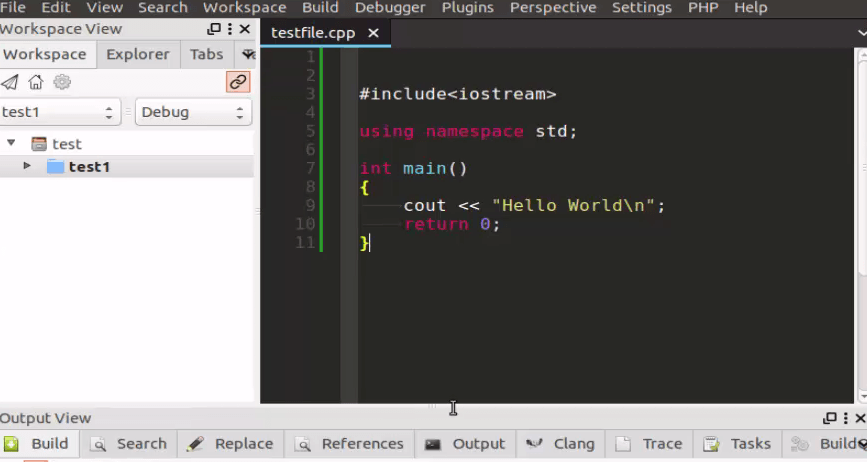
program_page
Click Build and Execute option to compile your program.
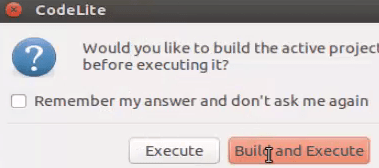
build_compile


compile_program

Tags:
henry
Author: 

Comments ( 0 )

No comments available

Add a comment
{{postCtrl.cmtErrMsg}}

Frequently asked questions ( 5 )

Q

Why can’t I login in the interface with Codelite?

A

There are several reasons why this could occur. First, ensure your username and password are correct. If they are, contact the board owner to make sure you haven’t been banned.

Q

Is Codelite opensource?

A

CodeLite is an open-source, cross-platform IDE for the C, PHP, C++ and JavaScript programming languages.

Q

How to install Codelite on Linux Mint distributions?

A

Please refer https://www.linuxhelp.com/how-to-install-sushi-browser-on-linux-mint-18-03/ for installing codelite in Linux Mint.

Q

What does the “Delete all board cookies” do in Codelite?

A

“Delete all board cookies” deletes the cookies created by phpBB which keep you authenticated and logged into the board. It also provides functions such as read tracking if they have been enabled.

Q

How to enable the CScope plugin in Codelite?

A

By default, it gets enabled during Codelite installation.

Back To Top!
Rank
User
Points

Top Contributers

userNamenaveelansari
135850

Top Contributers

userNameayanbhatti
92510

Top Contributers

userNamehamzaahmed
32150

Top Contributers

1
userNamelinuxhelp
31040

Top Contributers

userNamemuhammadali
24500
Can you help Lucas ?
Various options in Top command

Am using Top command only to view the load average, what are the various options in Top command..??

Networking
  • Routing
  • trunk
  • Netmask
  • Packet Capture
  • domain
  • HTTP Proxy
Server Setup
  • NFS
  • KVM
  • Memory
  • Sendmail
  • WebDAV
  • LXC
Shell Commands
  • Cloud commander
  • Command line archive tools
  • last command
  • Shell
  • terminal
  • Throttle
Desktop Application
  • Linux app
  • Pithos
  • Retrospect
  • Scribe
  • TortoiseHg
  • 4Images
Monitoring Tool
  • Monit
  • Apache Server Monitoring
  • EtherApe 
  • Arpwatch Tool
  • Auditd
  • Barman
Web Application
  • Nutch
  • Amazon VPC
  • FarmWarDeployer
  • Rukovoditel
  • Mirror site
  • Chef
Contact Us | Terms of Use| Privacy Policy| Disclaimer
© 2025 LinuxHelp.com All rights reserved. Linux™ is the registered trademark of Linus Torvalds. This site is not affiliated with linus torvalds in any way.