How to install Cool-Retro-Term in Ubuntu
To install Cool-Retro-Term in Ubuntu
Cool-Retro-Term is a free terminal emulator application for the Linux sytems. It is directly connected to the Linux machines to customize the colors, shadows, effects and animation. Installation of Cool-retro-term is explained in this article.
Installation of Cool-Retro-Term
Before installing the emulator application, add the PPA repository with the below given command.
root@linuxhelp:~# add-apt-repository ppa:noobslab/apps
 This PPA Contains Applications for Ubuntu/Linux Mint from different sources but debianized by http://www.NoobsLab.com
 More info: https://launchpad.net/~noobslab/+archive/ubuntu/apps
Press [ENTER] to continue or ctrl-c to cancel adding it

gpg: keyring `/tmp/tmpys3iz98_/secring.gpg'  created
gpg: keyring `/tmp/tmpys3iz98_/pubring.gpg'  created
gpg: requesting key F59EAE4D from hkp server keyserver.ubuntu.com
gpg: /tmp/tmpys3iz98_/trustdb.gpg: trustdb created
gpg: key F59EAE4D: public key " Launchpad PPA for NoobsLab"  imported
gpg: no ultimately trusted keys found
gpg: Total number processed: 1
gpg:               imported: 1  (RSA: 1)
OK
Next update the added repositories with the " apt-get update" command.
root@linuxhelp:~# apt-get update
Hit http://in.archive.ubuntu.com wily InRelease
Hit http://security.ubuntu.com wily-security InRelease
Get:1 http://ppa.launchpad.net wily InRelease [15.5 kB]
Hit http://in.archive.ubuntu.com wily-updates InRelease
Hit http://in.archive.ubuntu.com wily-backports InRelease
Hit http://security.ubuntu.com wily-security/main Sources
Hit http://in.archive.ubuntu.com wily/main Sources
Get:2 http://ppa.launchpad.net wily/main amd64 Packages [8,347 B]
Hit http://security.ubuntu.com wily-security/restricted Sources
Hit http://in.archive.ubuntu.com wily/restricted Sources
Hit http://security.ubuntu.com wily-security/universe Sources
Get:3 http://ppa.launchpad.net wily/main i386 Packages [8,343 B]
Hit http://in.archive.ubuntu.com wily/universe Sources
Hit http://in.archive.ubuntu.com wily/multiverse Sources
Hit http://security.ubuntu.com wily-security/multiverse Sources
Get:4 http://ppa.launchpad.net wily/main Translation-en [4,300 B]
.
.
.
Hit http://in.archive.ubuntu.com wily-backports/main i386 Packages
Hit http://in.archive.ubuntu.com wily-backports/restricted i386 Packages
Hit http://in.archive.ubuntu.com wily-backports/universe i386 Packages
Hit http://in.archive.ubuntu.com wily-backports/multiverse i386 Packages
Hit http://in.archive.ubuntu.com wily-backports/main Translation-en
Hit http://in.archive.ubuntu.com wily-backports/multiverse Translation-en
Hit http://in.archive.ubuntu.com wily-backports/restricted Translation-en
Hit http://in.archive.ubuntu.com wily-backports/universe Translation-en
Fetched 36.4 kB in 22s (1,639 B/s)
Reading package lists... Done
Run the below command to install the Cool retro term emulator.
root@linuxhelp:~# apt-get install cool-retro-term -y
Reading package lists... Done
Building dependency tree
Reading state information... Done
The following extra packages will be installed:
  libqt5qml-graphicaleffects qml-module-qtquick-controls qmlscene qtdeclarative5-controls-plugin qtdeclarative5-dialogs-plugin qtdeclarative5-window-plugin
The following NEW packages will be installed:
  cool-retro-term libqt5qml-graphicaleffects qml-module-qtquick-controls qmlscene qtdeclarative5-controls-plugin qtdeclarative5-dialogs-plugin
  qtdeclarative5-window-plugin
0 upgraded, 7 newly installed, 0 to remove and 252 not upgraded.
Need to get 7,375 kB of archives.
After this operation, 10.3 MB of additional disk space will be used.
Get:1 http://in.archive.ubuntu.com/ubuntu/ wily/main qml-module-qtquick-controls amd64 5.4.2-1ubuntu2 [350 kB]
Get:2 http://ppa.launchpad.net/noobslab/apps/ubuntu/ wily/main cool-retro-term amd64 1.0.2-wily [6,979 kB]
Get:3 http://in.archive.ubuntu.com/ubuntu/ wily/main qmlscene amd64 5.4.2-1ubuntu6 [23.7 kB]
.
.
.
Setting up qml-module-qtquick-controls:amd64 (5.4.2-1ubuntu2) ...
Setting up qmlscene (5.4.2-1ubuntu6) ...
Setting up qtdeclarative5-controls-plugin (5.4.2-1ubuntu2) ...
Setting up libqt5qml-graphicaleffects (5.4.2-1ubuntu2) ...
Setting up qtdeclarative5-dialogs-plugin:amd64 (5.4.2-1ubuntu2) ...
Setting up qtdeclarative5-window-plugin:amd64 (5.4.2-1ubuntu6) ...
Setting up cool-retro-term (1.0.2-wily) ...
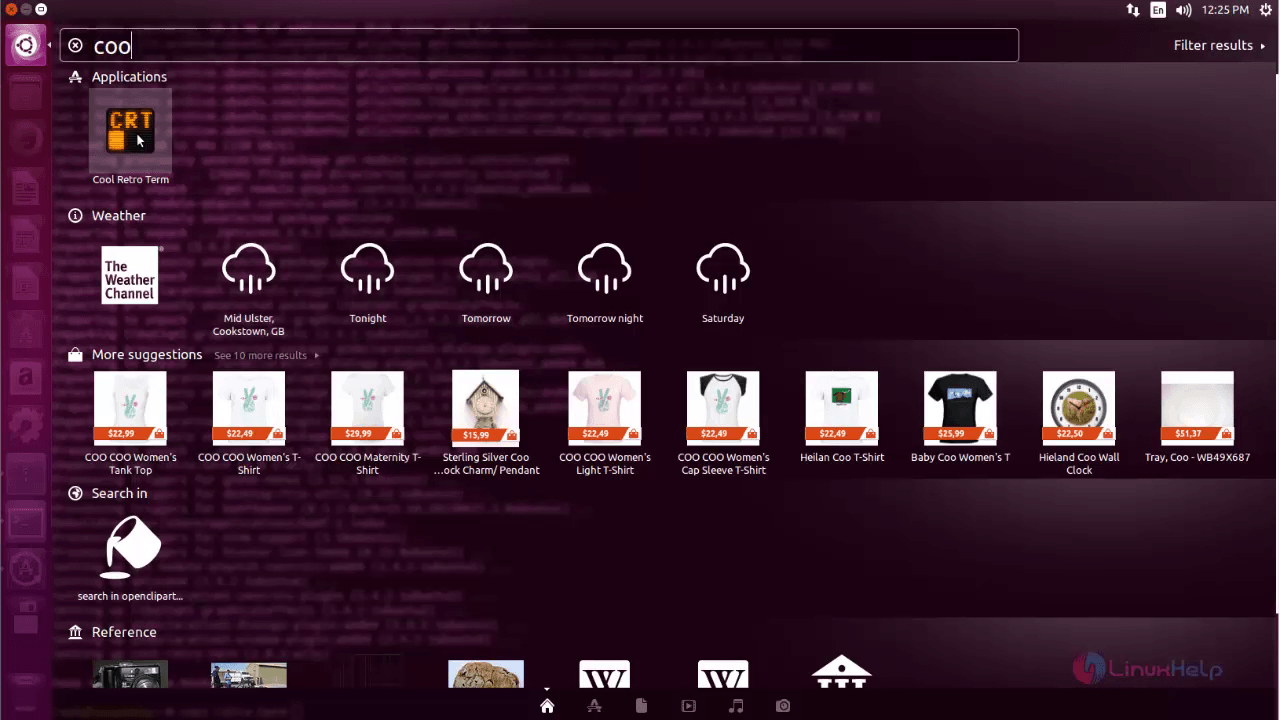
Now open the emulator application through terminal or type Cool retro term in the search bar. Then click on the respective icon.
Cool retro term emulator will display on the desktop as shown below.
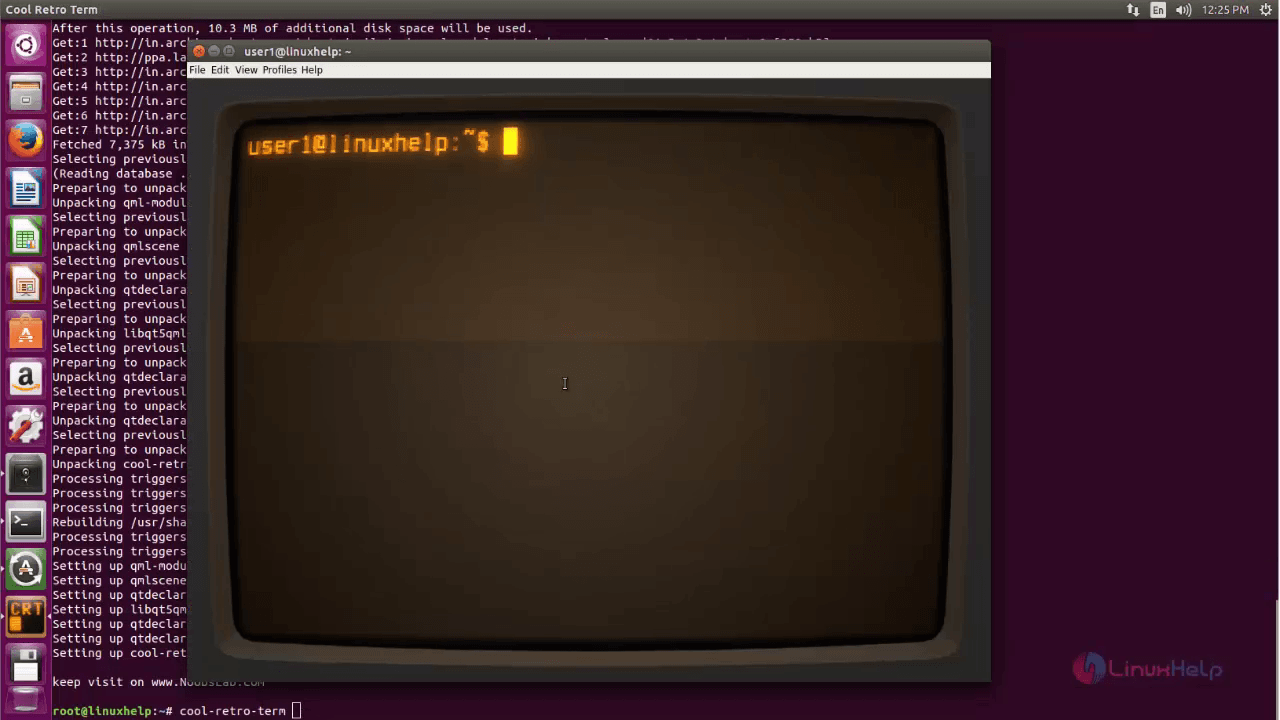
In this page, you can run the commands.

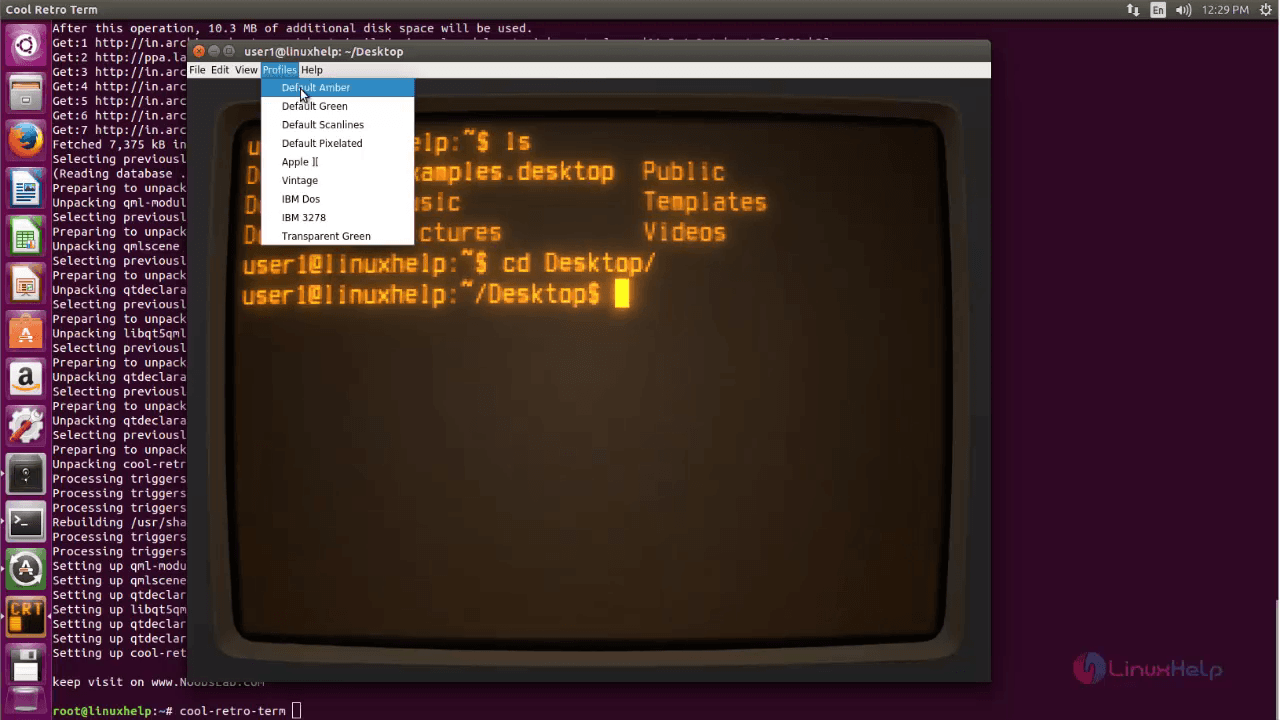
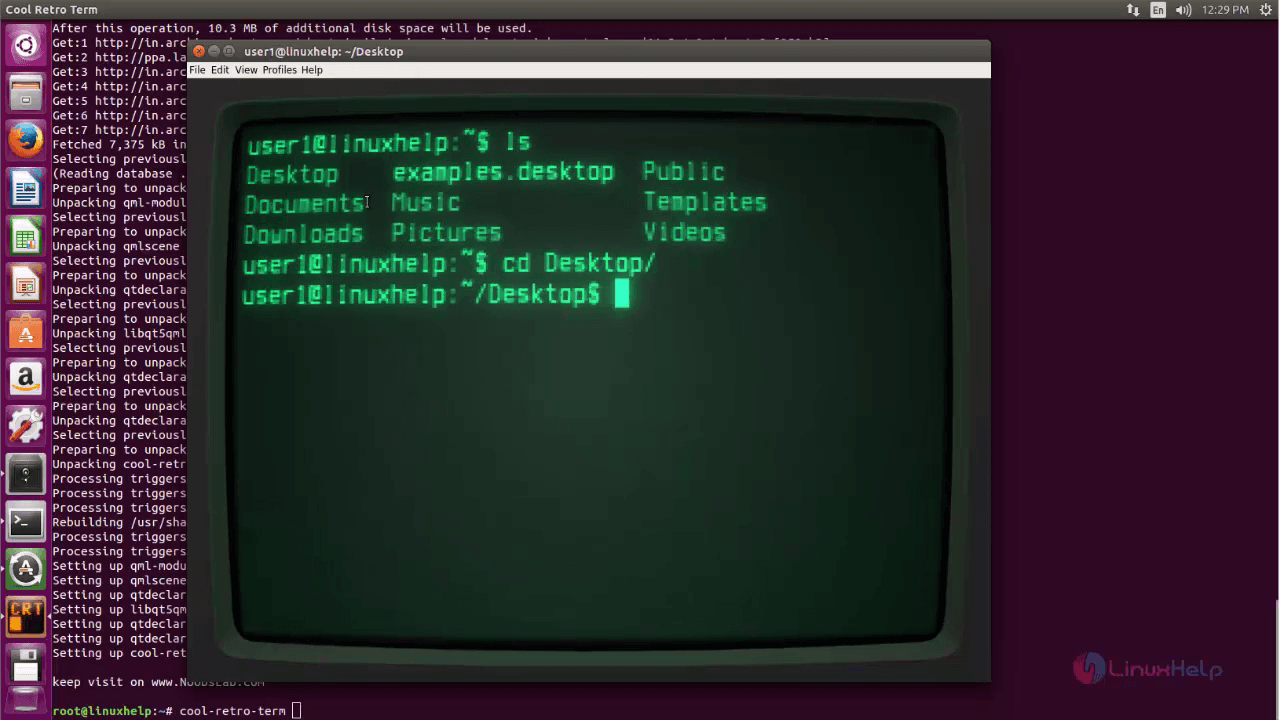
Click on profiles option and select the following options to change the emulator appearance as shown below.
Comments ( 0 )
No comments available