How to install CrossOver in Ubuntu
How to install CrossOver in Ubuntu
CrossOver Linux is a GUI commercial product through which users can install various applications and games. It is used to install Windows applications and has many in-built applications and game installation packages. There is no need to boot or launch a virtual machine or copy files from one system to another. Crossover is available for free for 15 day trial period and after that it is required to buy the software. This tutorial covers the installation procedure of CrossOver in Ubuntu.
Installation procedure
To start the installation procedure, download the installation package from the following link https://media.codeweavers.com/pub/crossover/cxlinux/demo/crossover_16.2.0-1.deb and execute the following command.
root@linuxhelp:/home/user1/Desktop# ll
total 155696
drwxr-xr-x  2 user1 user1      4096 May 19 14:57 ./
drwxr-xr-x 15 user1 user1      4096 May 19 14:46 ../
-rwxrw-rw-  1 user1 user1 159422328 May 18 18:05 crossover_16.2.0-1.deb*
Now install the package by running the following command. During the installation process, it may receive some dependency errors
root@linuxhelp:/home/user1/Desktop# dpkg -i crossover_16.2.0-1.deb
Selecting previously unselected package crossover:i386.
(Reading database ... 173426 files and directories currently installed.)
&hellip
&hellip
&hellip
Processing triggers for doc-base (0.10.7) ...
Processing 1 added doc-base file...
Errors were encountered while processing:
 crossover:i386
To resolve the dependency error, run the following command and resume the installation process.
root@linuxhelp:/home/user1/Desktop# apt-get -f install
Reading package lists... Done
Building dependency tree
Reading state information... Done
&hellip
&hellip
&hellip
Processing triggers for libc-bin (2.23-0ubuntu3) ...
Processing triggers for initramfs-tools (0.122ubuntu8) ...
update-initramfs: Generating /boot/initrd.img-4.4.0-21-generic
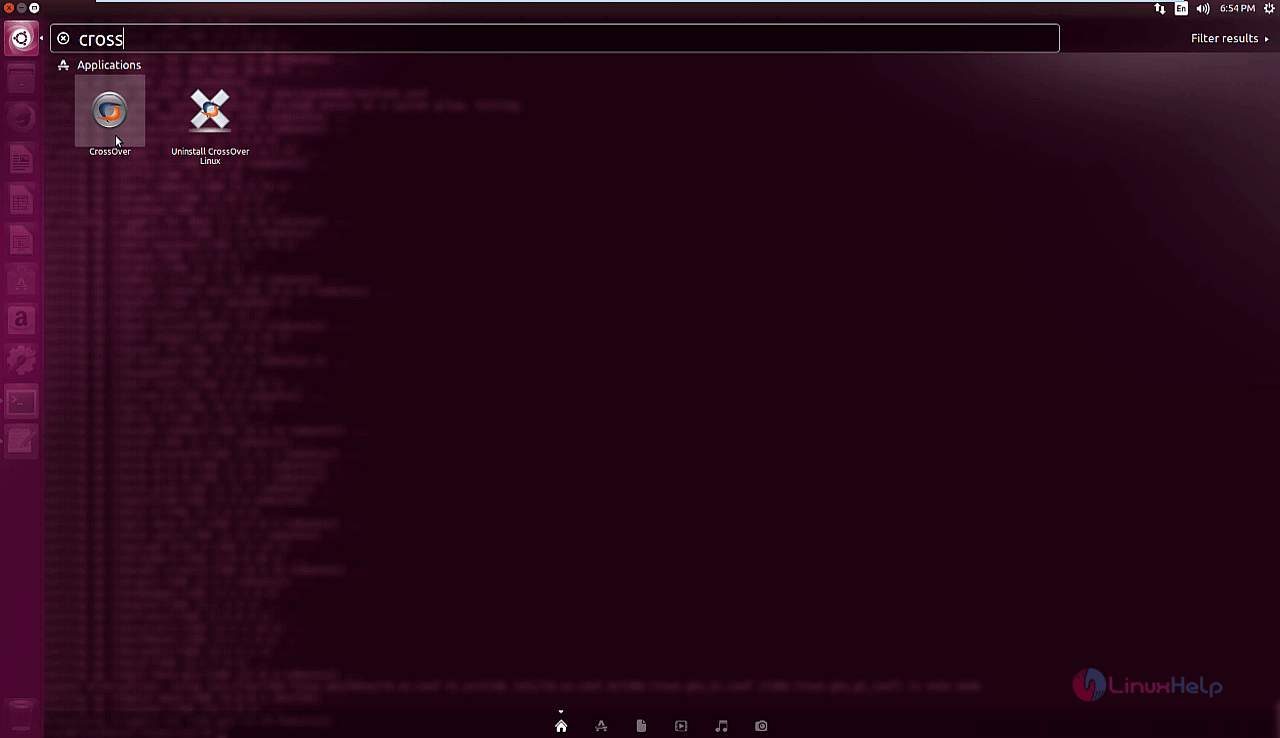
To open crossover, type the package name in the Ubuntu dashboard and click on the crossover icon to run the application.
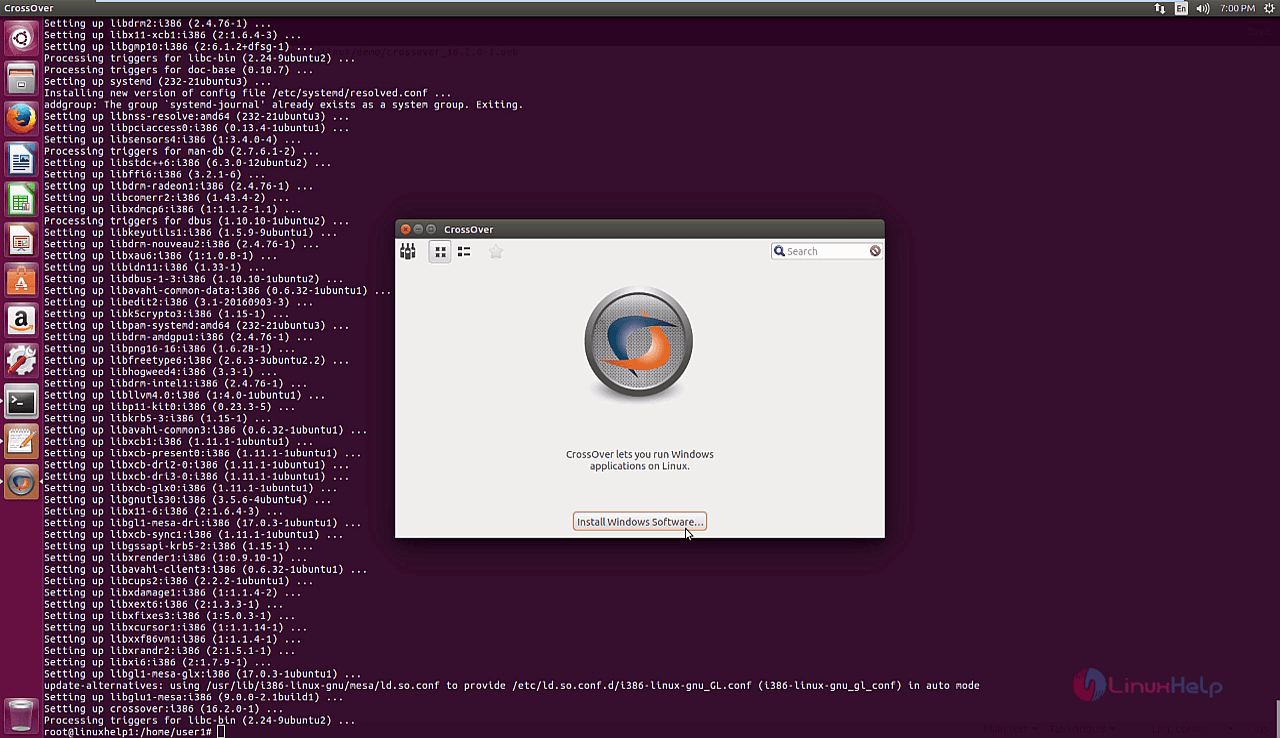
Next click on the install Windows software option.
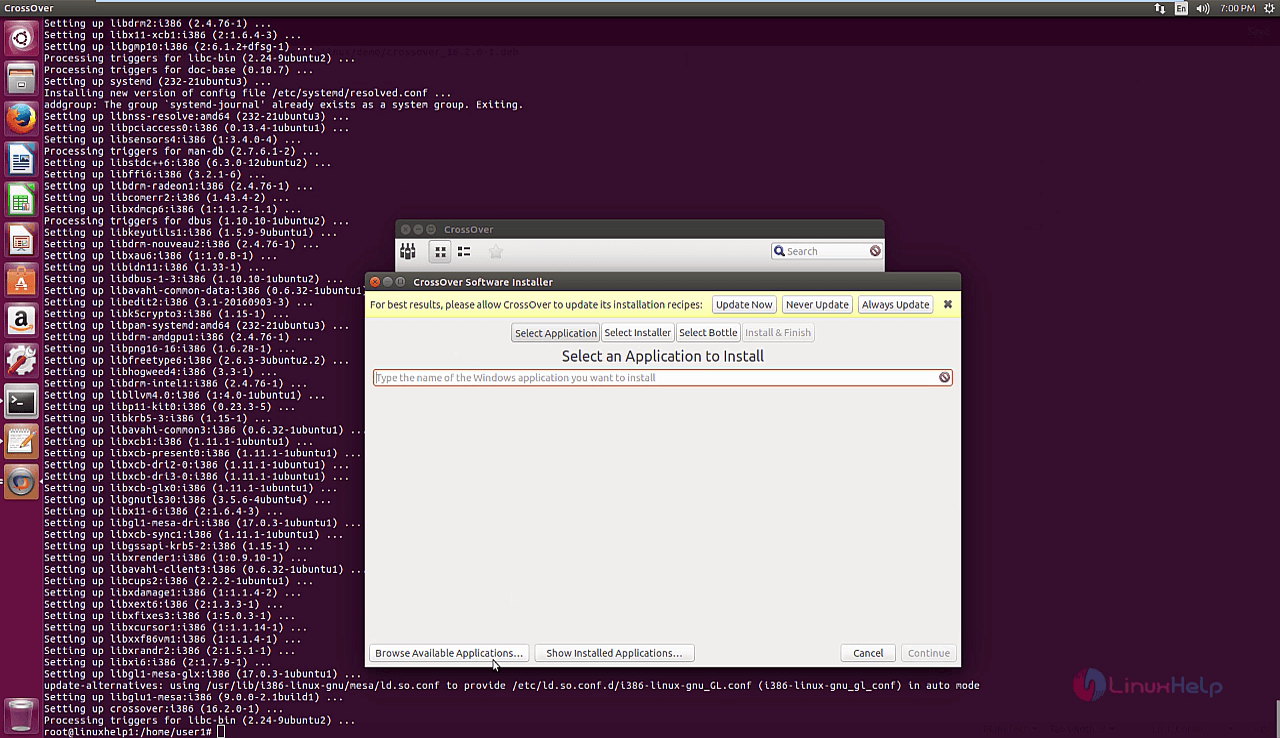
Click on the browse available applications from the Windows to install.
Select a application that the user needs to install from the list of applications.
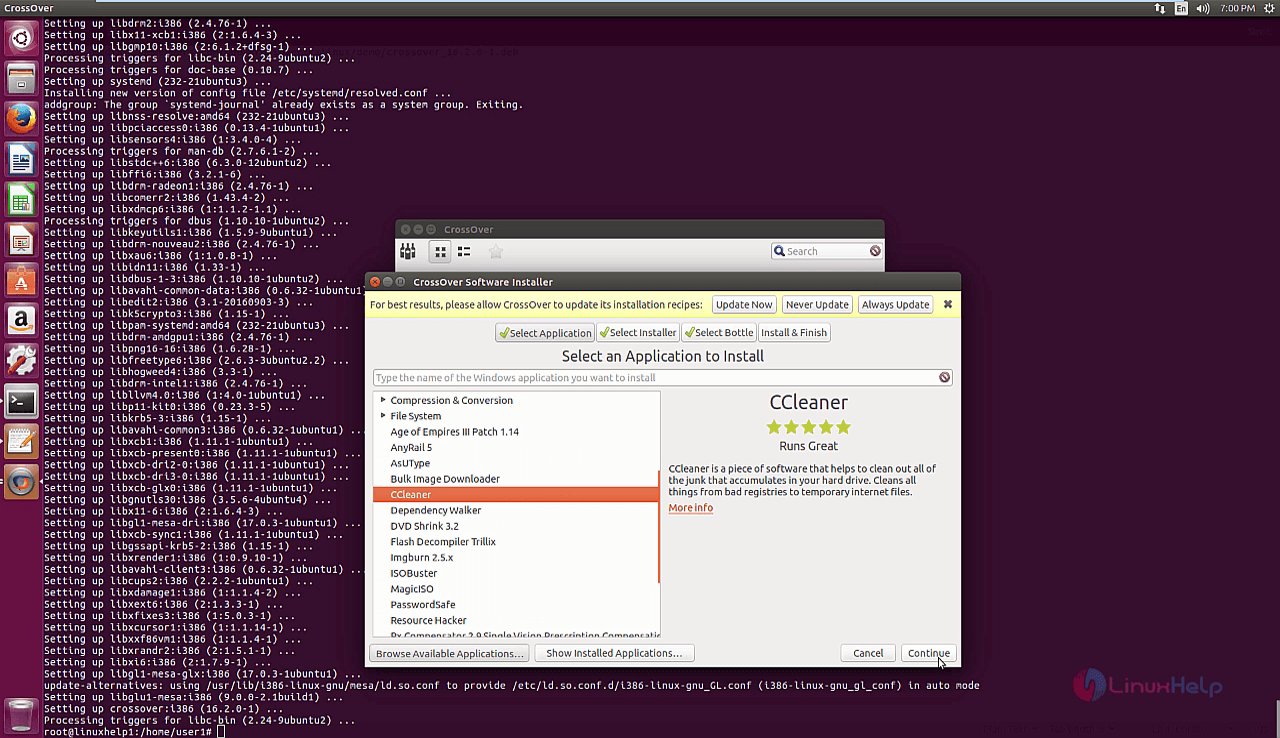
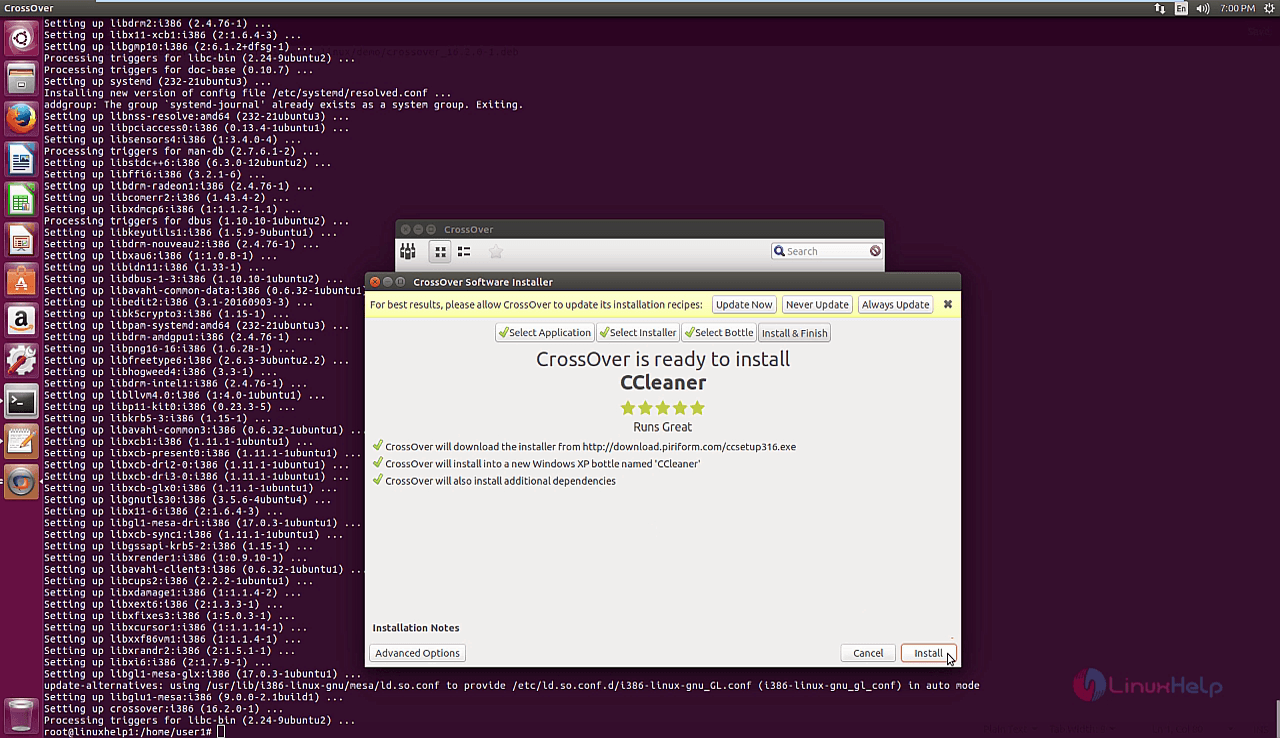
Click on the install to start the installation process of the selected software.
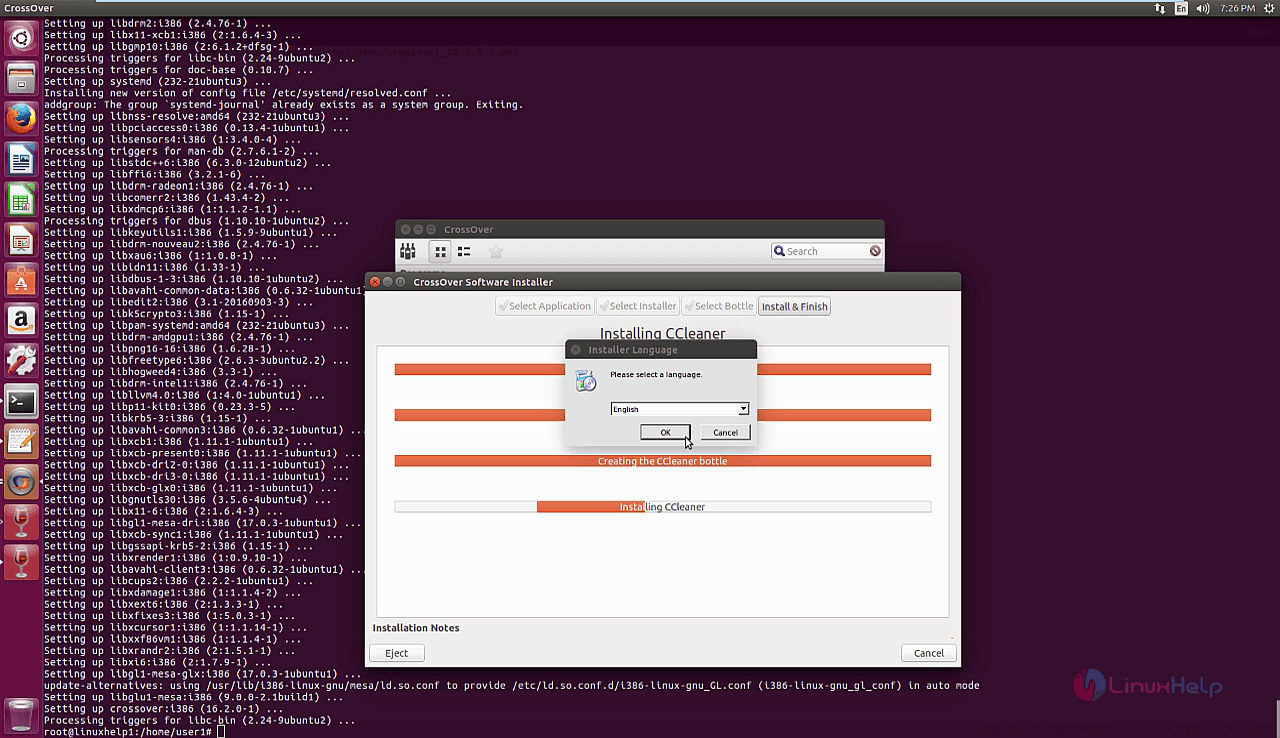
Select the language for the installer and click ok to continue with the installation process.
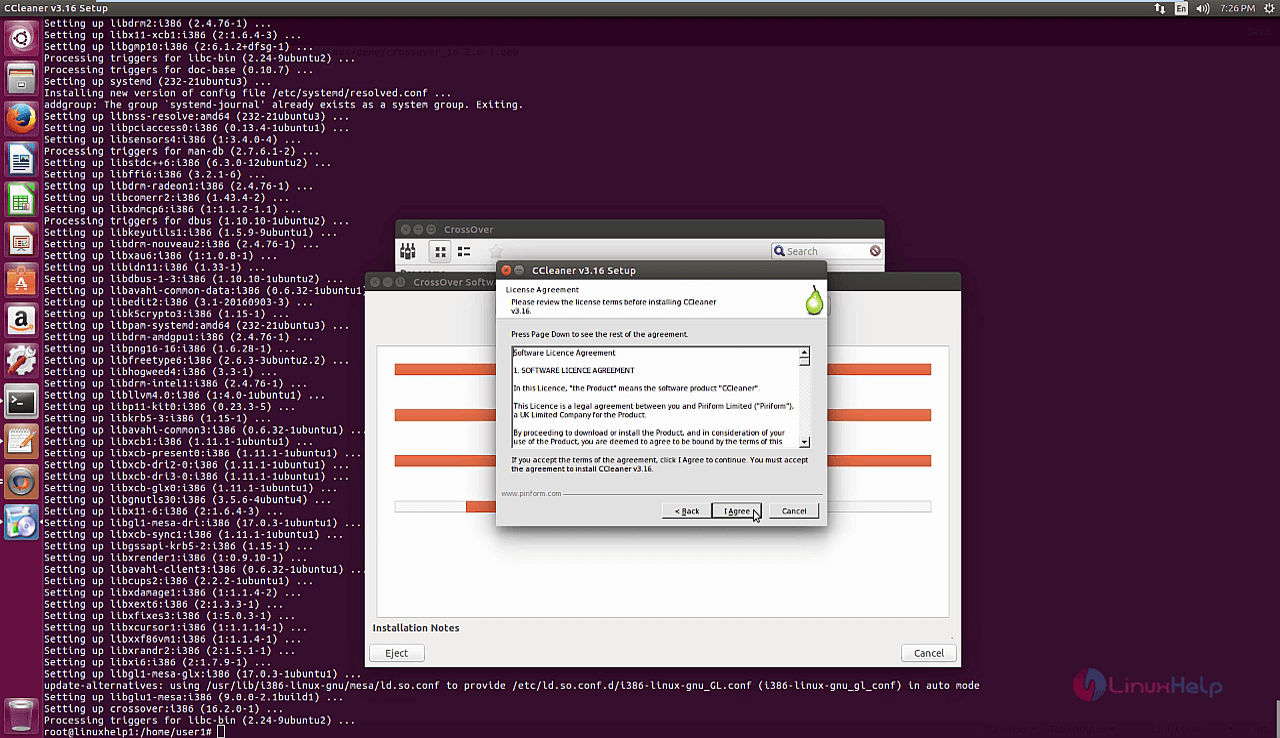
Next agree the license agreement of the software and click I Agree option.
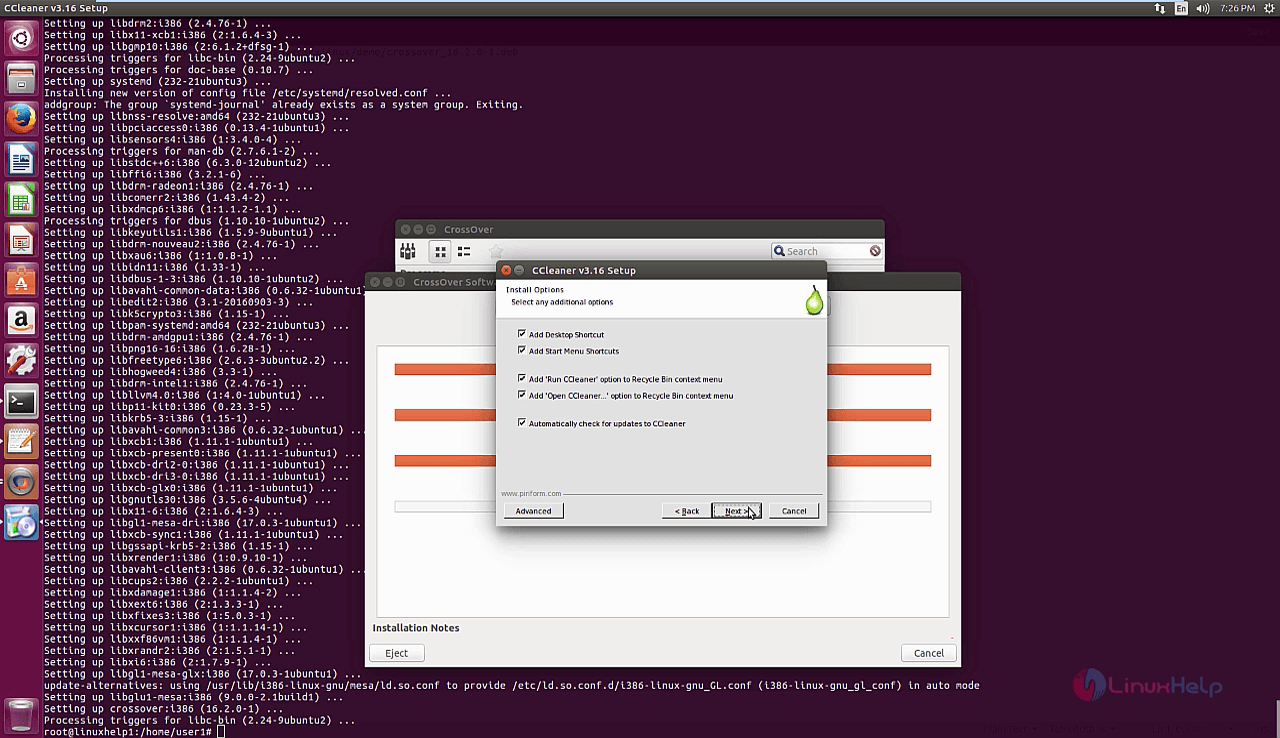
Configure the ccleaner options for customization options and click next option.
Click install option to start the installation option.
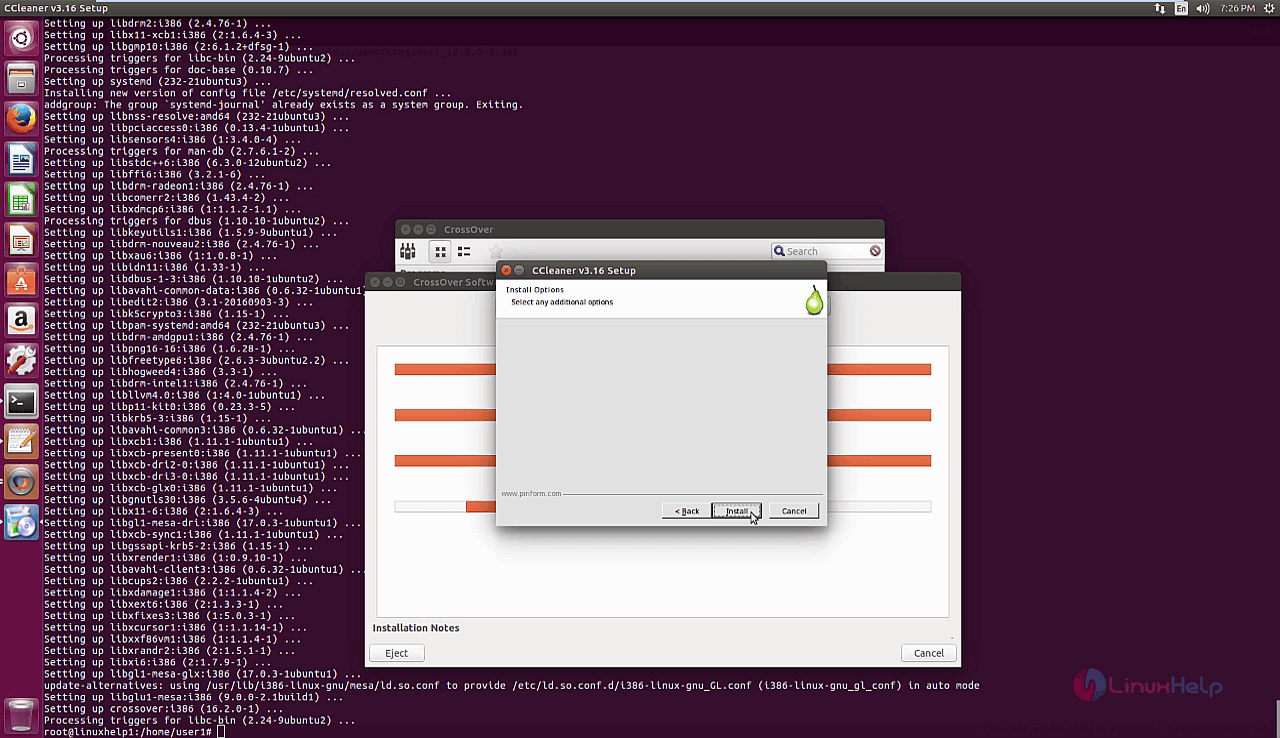
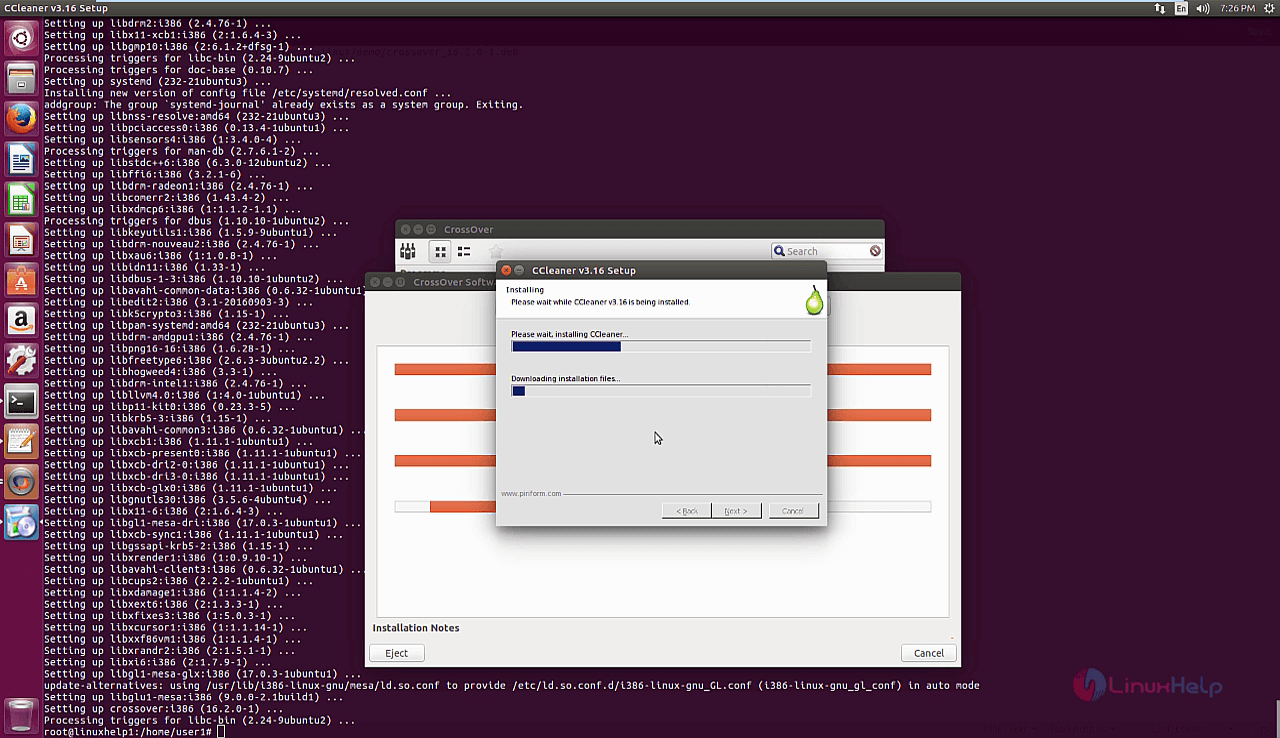
The installation is in progress. It may take a few minutes time to install completely in the target system.
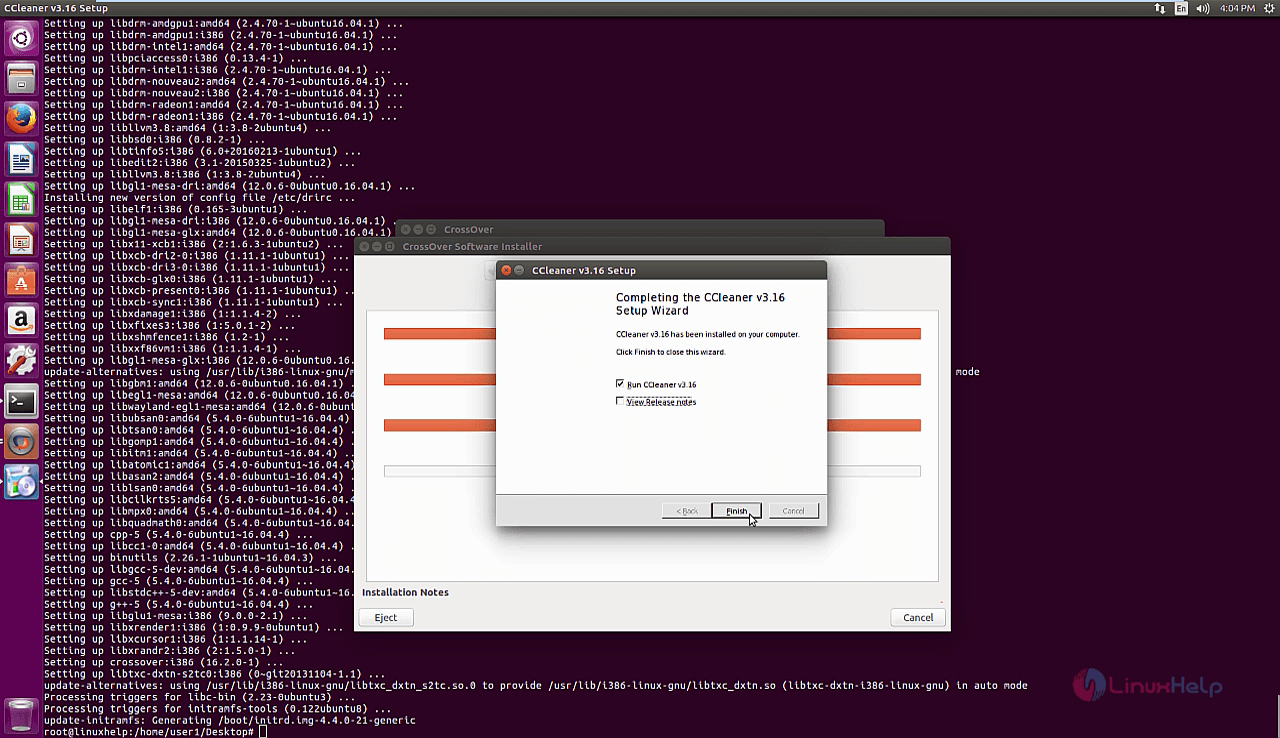
The installation is completed. Click Finish to continue with the installed applications.
The ccleaner application is up and running successfully.
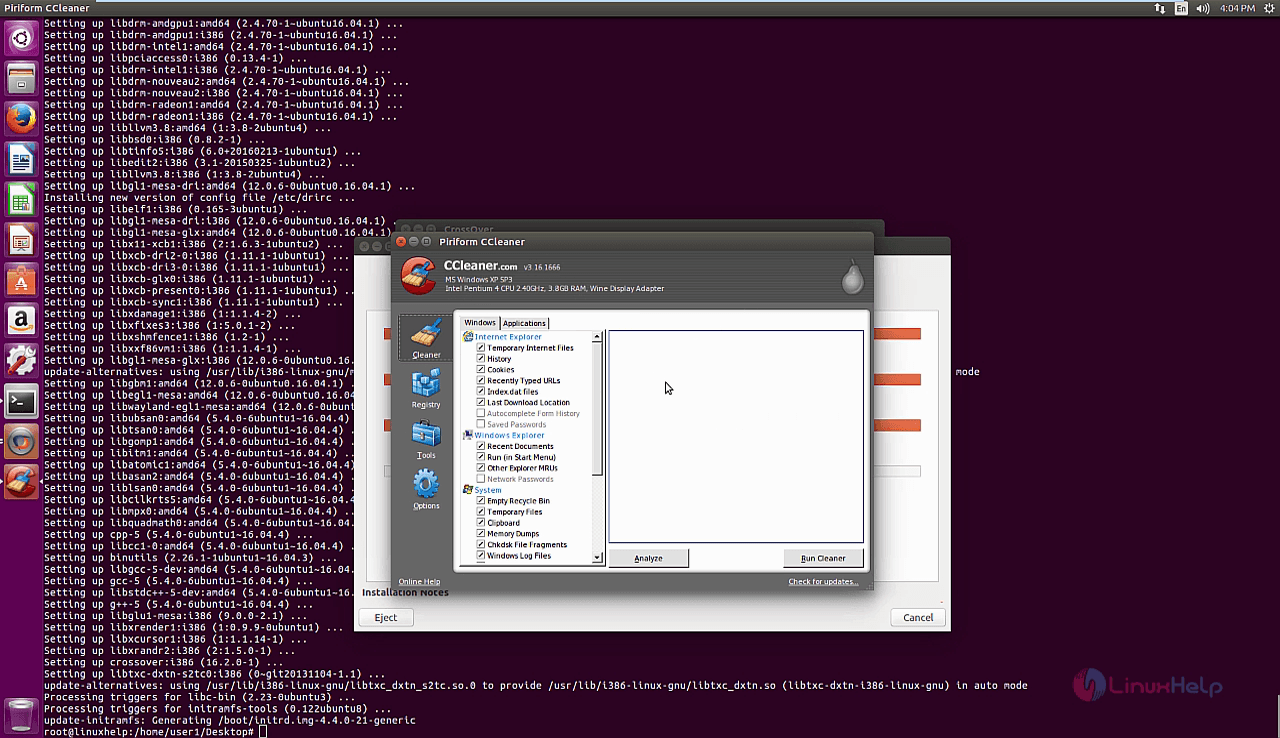
Wasn' t that an easy installation procedure? CrossOver aims to properly integrate with the GNOME and KDE desktop environments so that Windows applications will run seamlessly on Linux distributions.
Comments ( 1 )