How to Install CubeCart in Ubuntu
To install CubeCart in Ubuntu
CubeCart is an open source e-commerce shopping cart software used for Linux distributions. It allows the users to setup their own online stores to sell digital or physical products all over the world. This article shows the installation process of the CubeCart in Ubuntu.
Installation of CubeCart
Before installing the CubeCart, you must have to install LAMP server by using the following reference link.
https://www.linuxhelp.com/how-to-install-lamp-by-using-tasksel-tool-in-ubuntu/
First login to the MySQL server and create database for CubeCart.
root@linuxhelp:/home/user1/Desktop# mysql -u root -p
Enter password:
Welcome to the MySQL monitor.  Commands end with   or g.
Your MySQL connection id is 9
Server version: 5.6.28-0ubuntu0.15.04.1 (Ubuntu)
Copyright (c) 2000, 2015, Oracle and/or its affiliates. All rights reserved.
Oracle is a registered trademark of Oracle Corporation and/or its
affiliates. Other names may be trademarks of their respective
owners.
Type ' help '  or ' h'  for help. Type ' c'  to clear the current input statement.
mysql>  create database cubecart
Query OK, 1 row affected (0.05 sec)
mysql>  GRANT ALL PRIVILEGES ON cubecart.* TO ' cubeuser' @' localhost'  IDENTIFIED BY ' password'
Query OK, 0 rows affected (0.07 sec)
mysql>  FLUSH PRIVILEGES
Query OK, 0 rows affected (0.01 sec)
mysql>  exit
Bye
Download the CubeCart installation package with the following command.
root@linuxhelp:/home/user1/Desktop# cd /opt/
root@linuxhelp:/opt# wget https://www.cubecart.com/download/CubeCart-6.0.8.zip
--2016-11-16 01:50:04--  https://www.cubecart.com/download/CubeCart-6.0.8.zip
Resolving www.cubecart.com (www.cubecart.com)... 139.59.160.147
Connecting to www.cubecart.com (www.cubecart.com)|139.59.160.147|:443... connected.
HTTP request sent, awaiting response... 200 OK
Length: 3880087 (3.7M) [application/zip]
Saving to: ‘ CubeCart-6.0.8.zip’
CubeCart-6.0.8.zip             100%[====================================================> ]   3.70M   127KB/s   in 14s
2016-11-16 01:50:19 (273 KB/s) - ‘ CubeCart-6.0.8.zip’  saved [3880087/3880087]
root@linuxhelp:/opt# mkdir cubecart
Extract the package to cubecart directory
root@linuxhelp:/opt# unzip CubeCart-6.0.8.zip -d cubecart/
Archive:  CubeCart-6.0.8.zip
  inflating: cubecart/README.md
   creating: cubecart/admin/
  inflating: cubecart/admin/index.php
.
.
.
  inflating: cubecart/skins/foundation/templates/element.social.php
  inflating: cubecart/skins/foundation/templates/main.checkout.php
  inflating: cubecart/skins/foundation/templates/main.php
  inflating: cubecart/skins/foundation/templates/print.receipt.php
Move the downloaded package to the respective directory.
root@linuxhelp:/opt# mv cubecart/ /var/www/html/cubecart/
Now its time to change the ownership for cubecart directory.
root@linuxhelp:/opt# chown -R www-data:www-data /var/www/html/cubecart
Here you need to create a new Apache configuration file in name of ' cubecart.conf' in the virtual server. Add some content into the file as shown below,
root@linuxhelp:/opt# touch /etc/apache2/sites-available/cubecart.conf
root@linuxhelp:/opt# ln -s /etc/apache2/sites-available/cubecart.conf /etc/apache2/sites-enabled/cubecart.conf
root@linuxhelp:/opt# nano /etc/apache2/sites-available/cubecart.conf

ServerAdmin admin@yourdomain.com
DocumentRoot /var/www/html/cubecart/
ServerName linuxhelp
ServerAlias www.your-domain.com

Options FollowSymLinks
AllowOverride All

ErrorLog /var/log/apache2/your-domain.com-error_log
CustomLog /var/log/apache2/your-domain.com-access_log common
Change the Hostname in the configuration file before save and exit.
Restart the Apache web server to take effect.
root@linuxhelp:/opt# service apache2 restart
Once the above process is completed, open the web browser and navigate to http://< IP_ADDR> /cubecart for compatibility check.
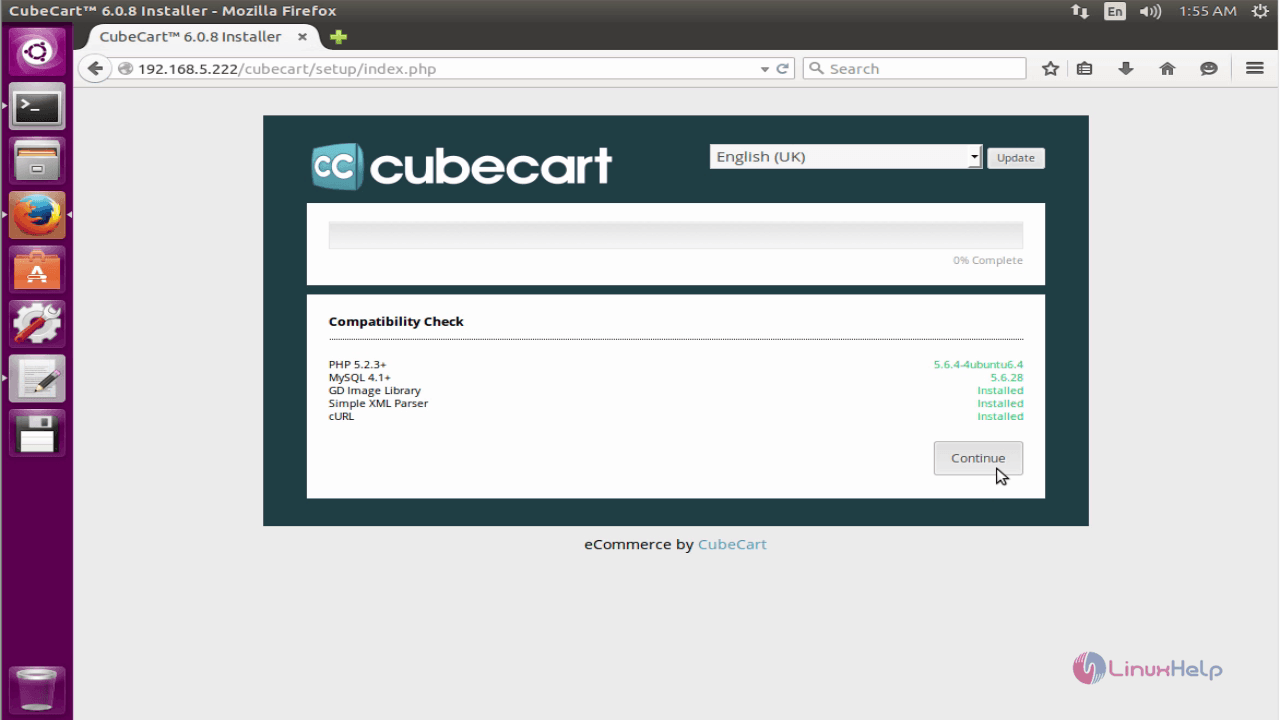
Click on continue option to install CubeCart.
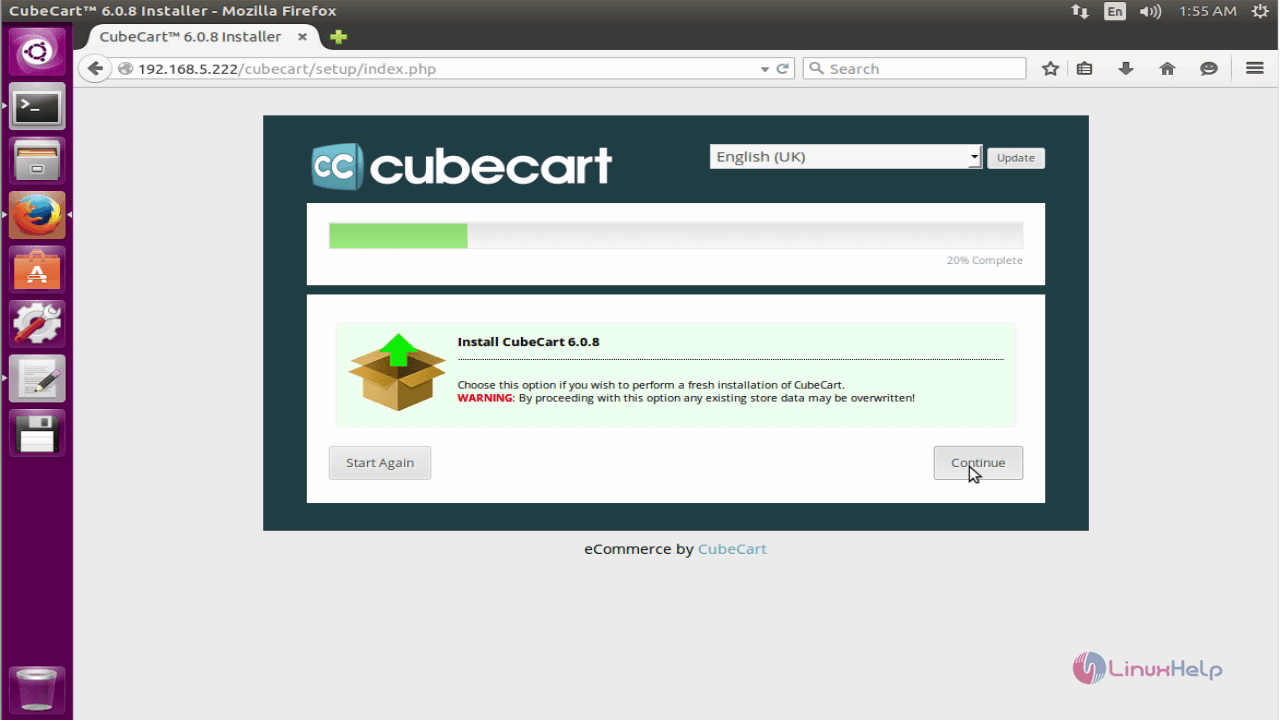
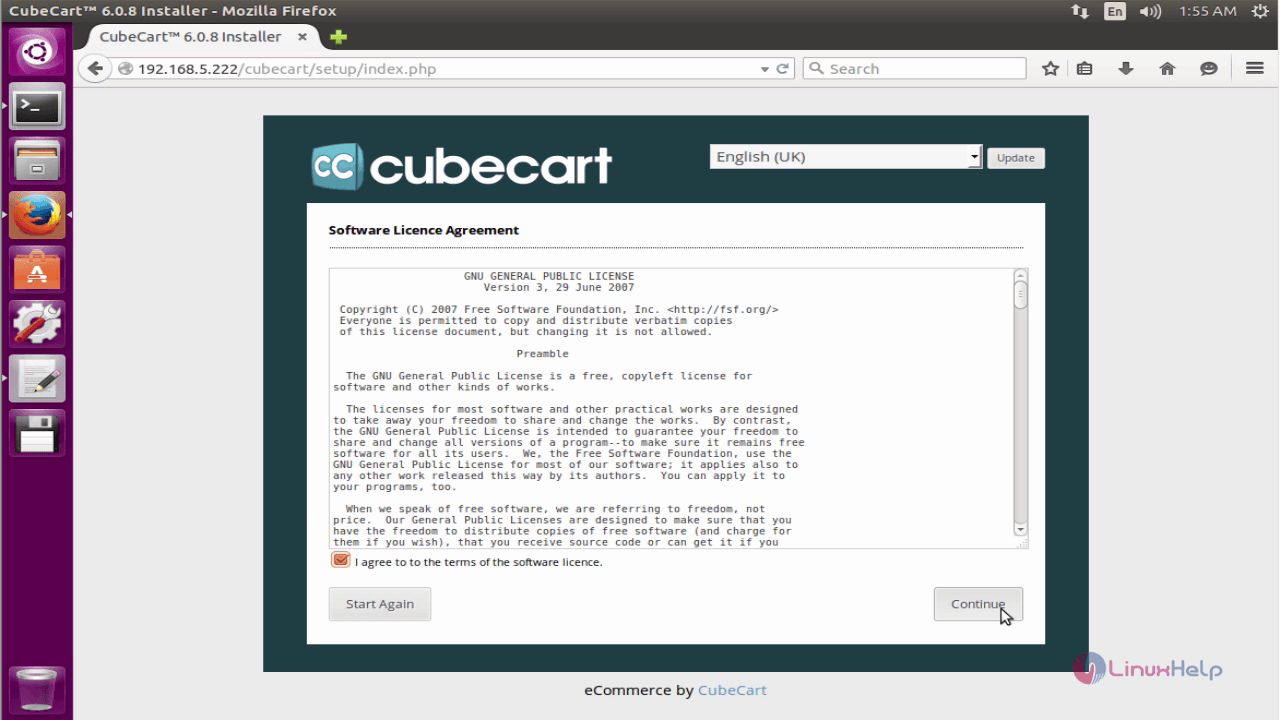
Accept the license agreement and click on continue option.
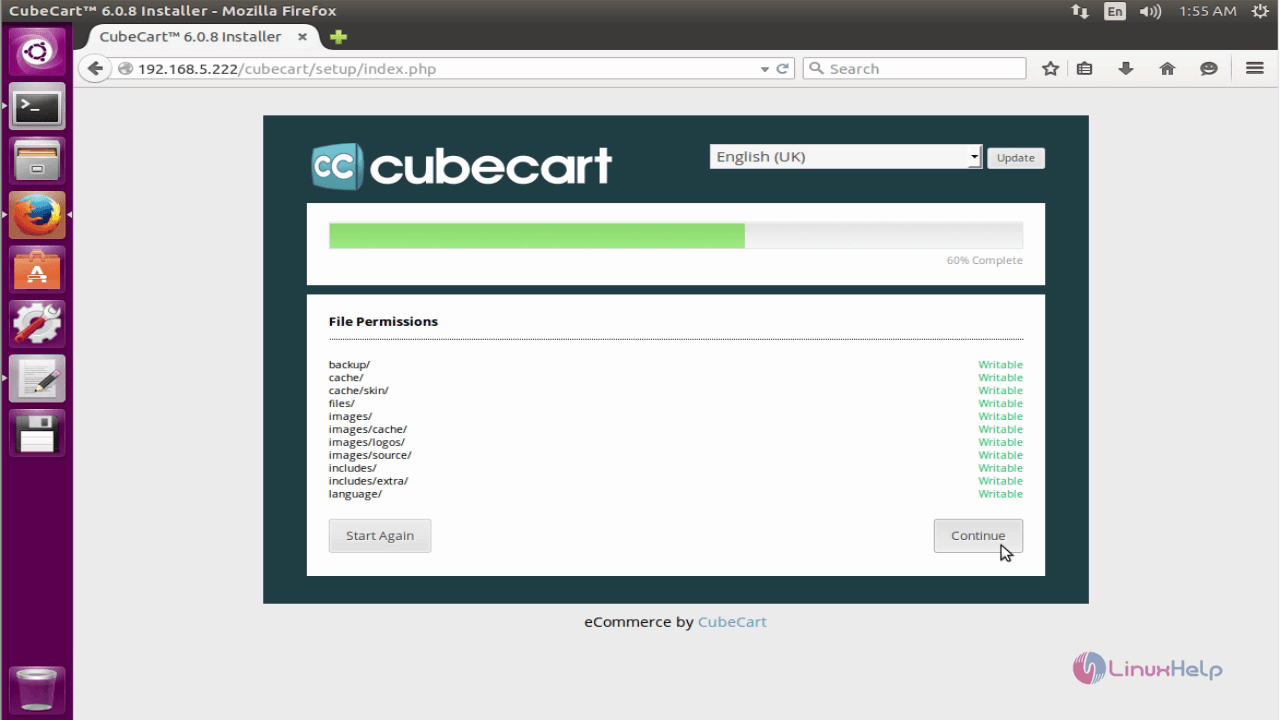
Check the file permissions and click on continue.
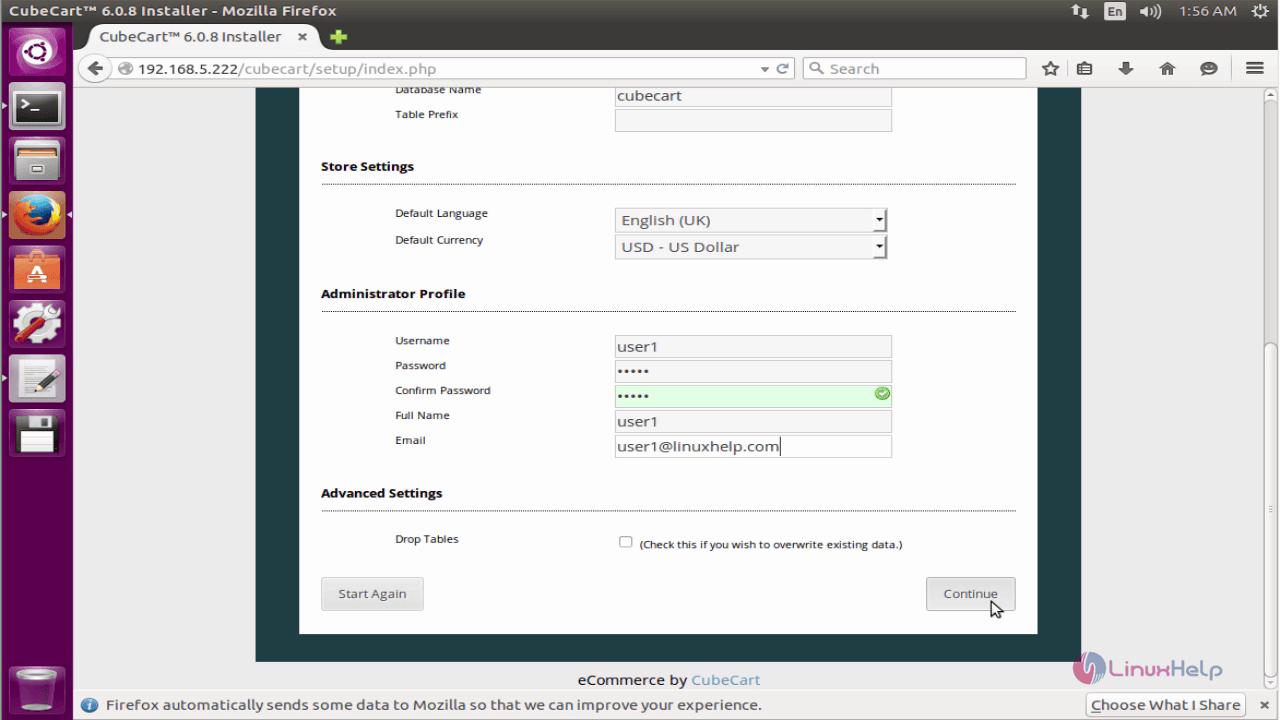
Enter the database information and add the administrative user.
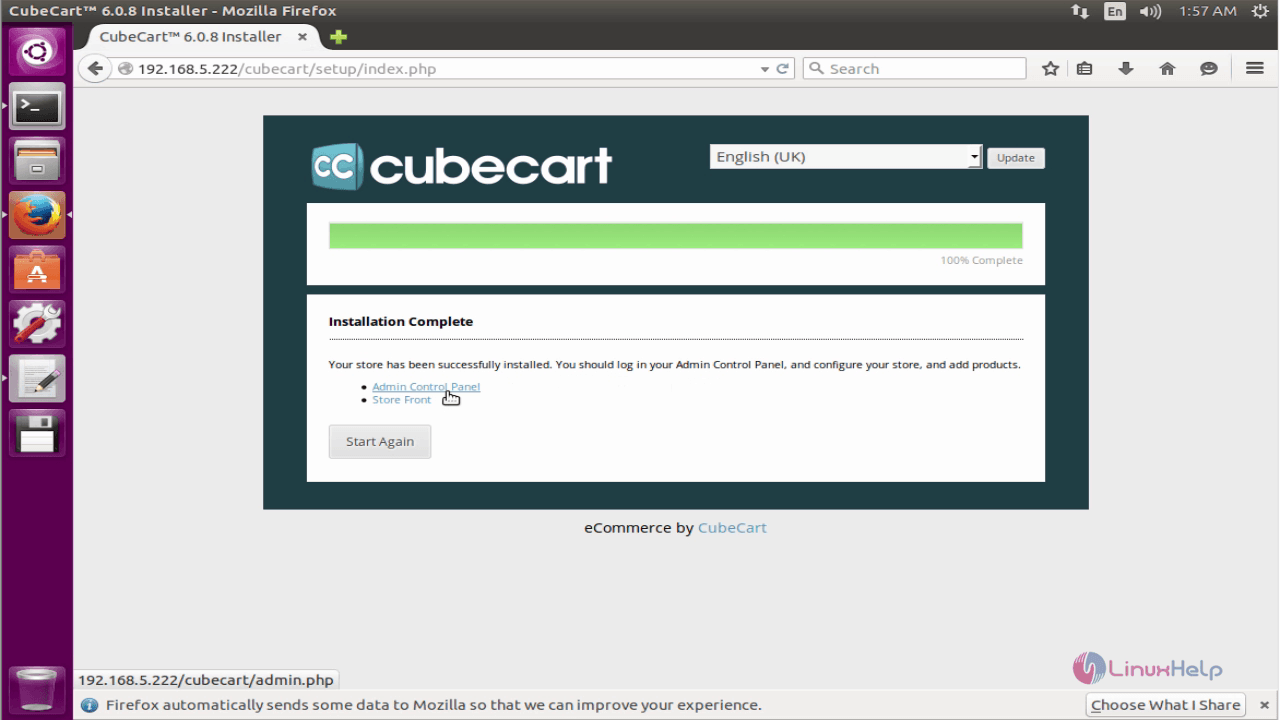
The CubeCart is installed successfully. Click on admin control panel.
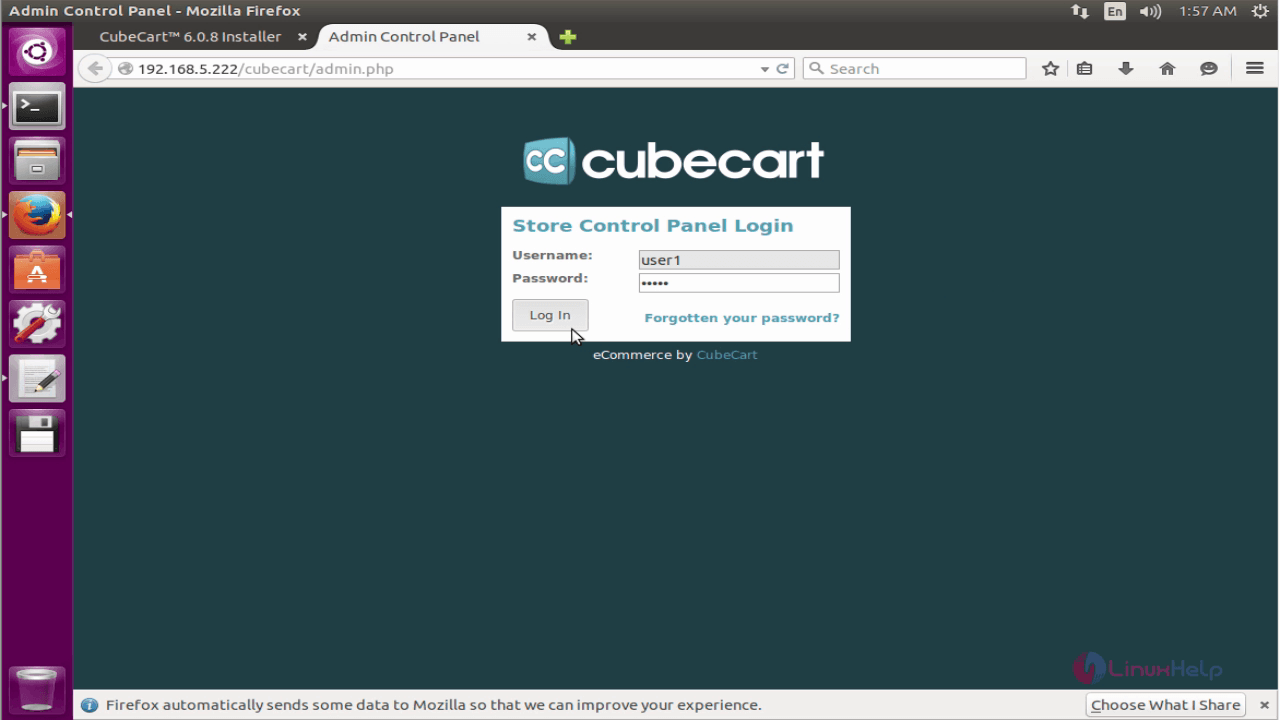
Login Admin control panel with the users credentials.
You can add your customers in the customer list.
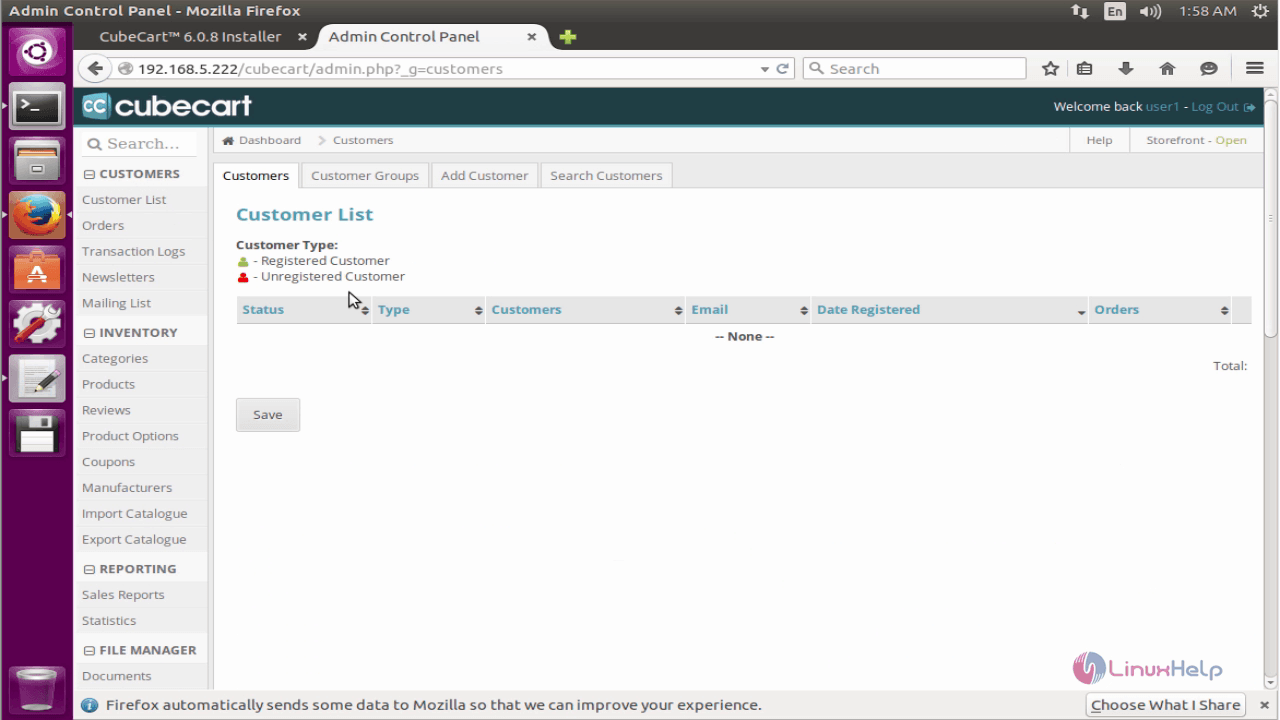
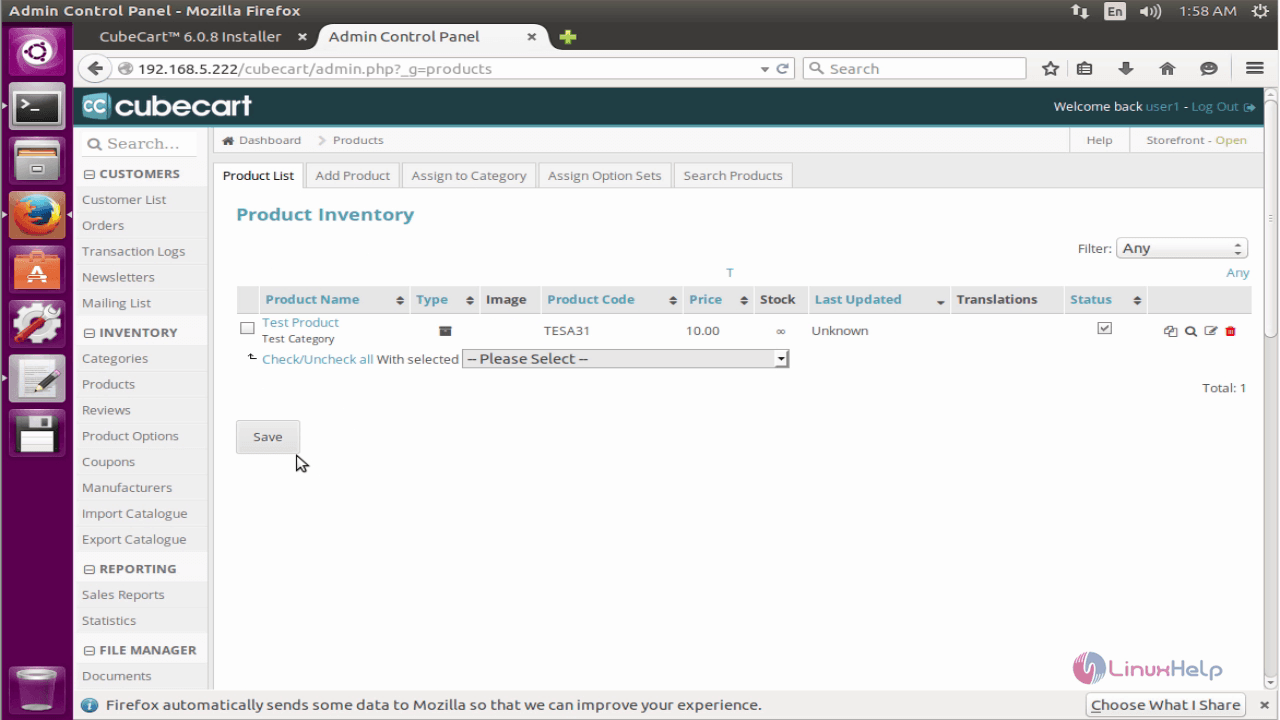
You can add your products in the inventory.
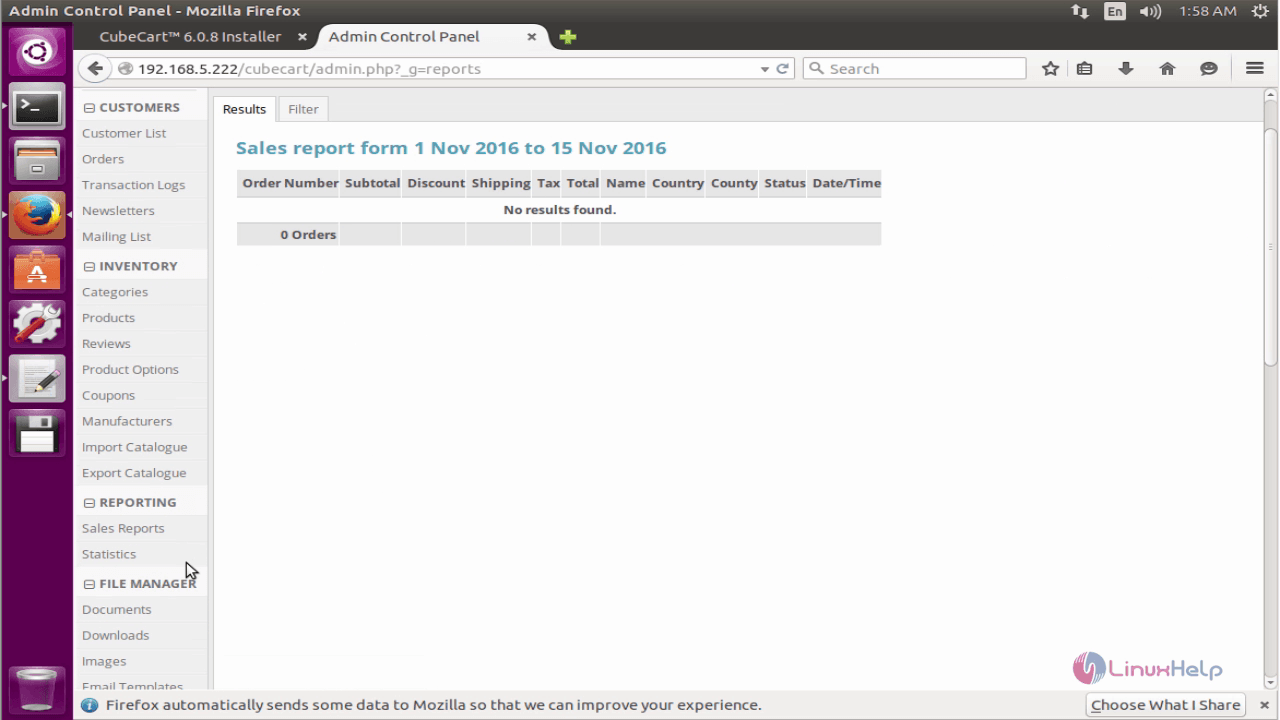
Sales report
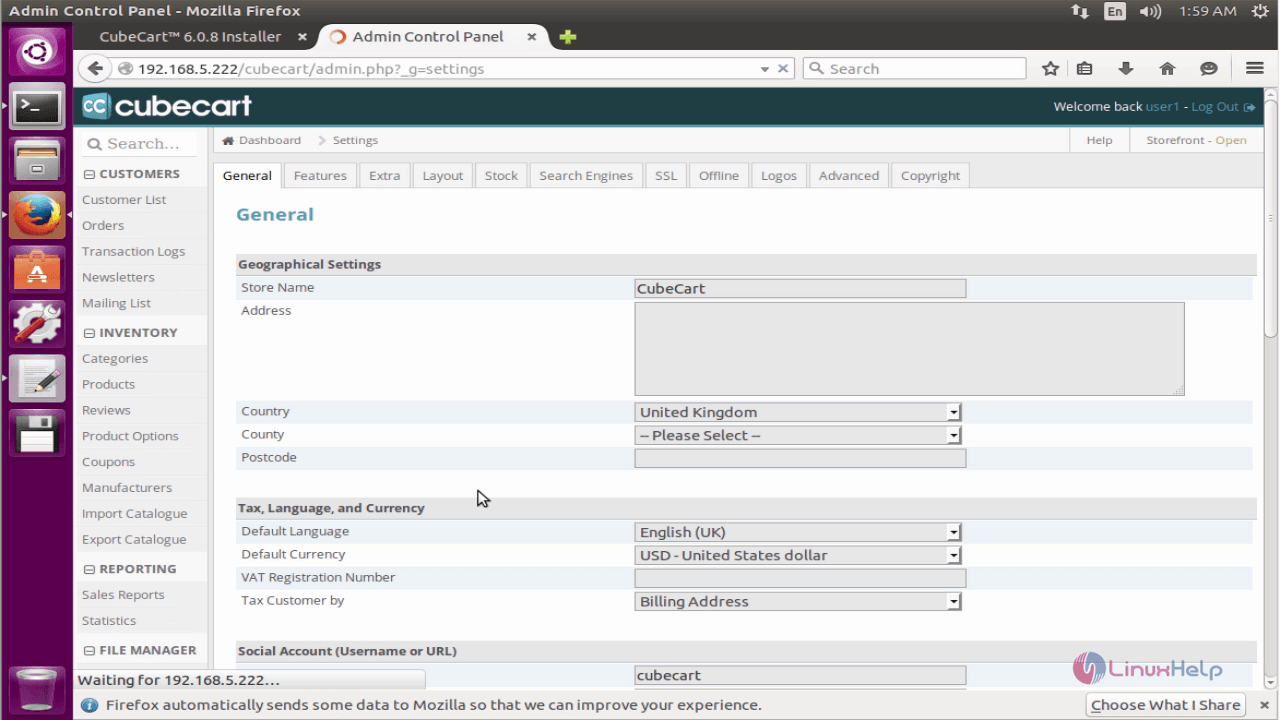
Store settings
Comments ( 0 )
No comments available