How to install Curlew on Ubuntu 17.04
To install Curlew on Ubuntu 17.04
Curlew is an open-source, python and GTK based multimedia converter that uses ffmpeg, avconv and mencoder in the background. One of the most notable features of Curlew is that it supports more than 100 formats, thus enabling the users to convert even a portion of a file, combine subtitles with video files, remove file during conversion process and preview files before conversion. In this tutorial, you' ll learn about the method to install Curlew on Ubuntu 17.04
Installing Curlew
In order to install Curlew, it is very essential to add the necessary repo, and for that you need to run the following command. It adds those repo via PPA.
root@linuxhelp:~# add-apt-repository ppa:noobslab/apps

 This PPA Contains Applications for Ubuntu/Linux Mint from different sources but debianized by http://www.NoobsLab.com
 More info: https://launchpad.net/~noobslab/+archive/ubuntu/apps
Press [ENTER] to continue or ctrl-c to cancel adding it
gpg: keybox ' /tmp/tmpatpqj272/pubring.gpg'  created
gpg: /tmp/tmpatpqj272/trustdb.gpg: trustdb created
gpg: key D530E028F59EAE4D: public key " Launchpad PPA for NoobsLab"  imported
gpg: no ultimately trusted keys found
gpg: Total number processed: 1
gpg:               imported: 1
OK
Once they are added, you should update the system and this action can be completed by executing the following command.
root@linuxhelp:~# apt-get update
Hit:1 http://security.ubuntu.com/ubuntu zesty-security InRelease
Hit:2 http://in.archive.ubuntu.com/ubuntu zesty InRelease
Hit:3 http://in.archive.ubuntu.com/ubuntu zesty-updates InRelease
Hit:4 http://in.archive.ubuntu.com/ubuntu zesty-backports InRelease
Get:5 http://ppa.launchpad.net/noobslab/apps/ubuntu zesty InRelease [15.4 kB]
Get:6 http://ppa.launchpad.net/noobslab/apps/ubuntu zesty/main amd64 Packages [3,988 B]
Get:7 http://ppa.launchpad.net/noobslab/apps/ubuntu zesty/main i386 Packages [3,980 B]
Get:8 http://ppa.launchpad.net/noobslab/apps/ubuntu zesty/main Translation-en [2,404 B]
Fetched 25.8 kB in 29s (870 B/s)
Reading package lists... Done
With this, you can now install the curlew package in your system. Trigger its installation with the help of following command.
root@linuxhelp:~# apt-get install curlew
Reading package lists... Done
Building dependency tree
Reading state information... Done
The following additional packages will be installed:
  ffmpeg gnome-icon-theme gnome-icon-theme-symbolic libavdevice57 libavfilter6
  libavresample3 libebur128-1 libmediainfo0v5 libpostproc54 librubberband2v5
  libsdl2-2.0-0 libtinyxml2-4 libzen0v5 mediainfo
Suggested packages:
  ffmpeg-doc mediainfo-gui
The following NEW packages will be installed:
  curlew ffmpeg gnome-icon-theme gnome-icon-theme-symbolic libavdevice57
.
.
.
Setting up librubberband2v5:amd64 (1.8.1-6ubuntu2) ...
Processing triggers for hicolor-icon-theme (0.15-1) ...
Setting up gnome-icon-theme-symbolic (3.12.0-2) ...
Setting up libavfilter6:amd64 (7:3.2.4-1build2) ...
Setting up libmediainfo0v5:amd64 (0.7.91-1) ...
Setting up mediainfo (0.7.91-1) ...
Setting up libavdevice57:amd64 (7:3.2.4-1build2) ...
Setting up ffmpeg (7:3.2.4-1build2) ...
Setting up curlew (2.4-2~zesty~NoobsLab.com) ...

keep visit on www.NoobsLab.com

Processing triggers for libc-bin (2.24-9ubuntu2) ...

Curlew has been installed.
The Curlew application has been installed. You can use your activities search-bar to find and launch it.
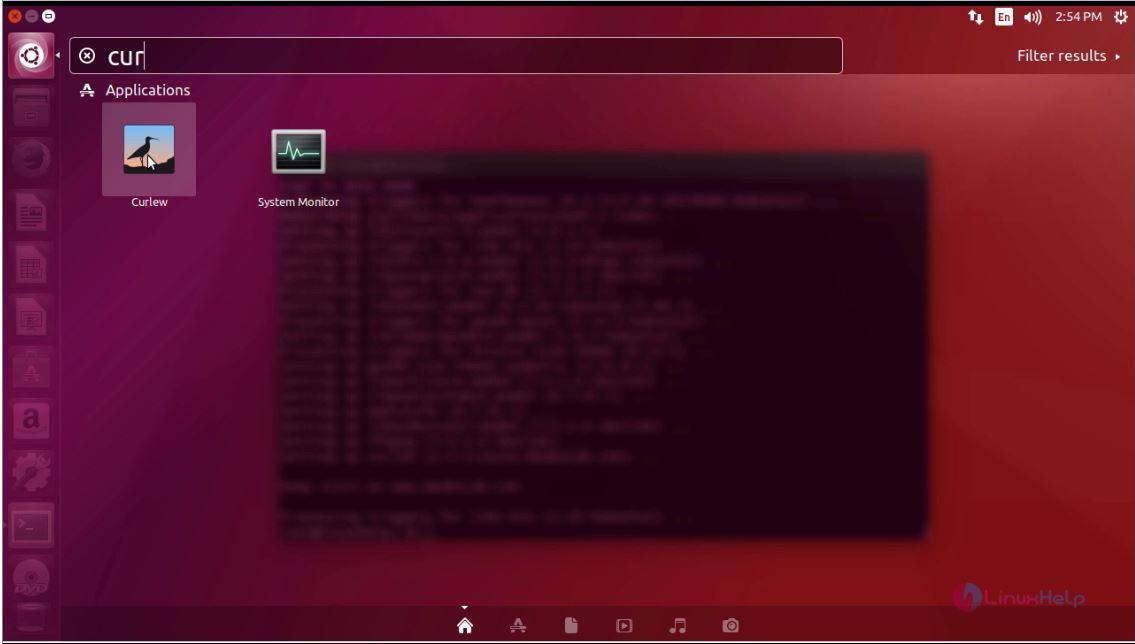
The Curlew application appears on your screen now.
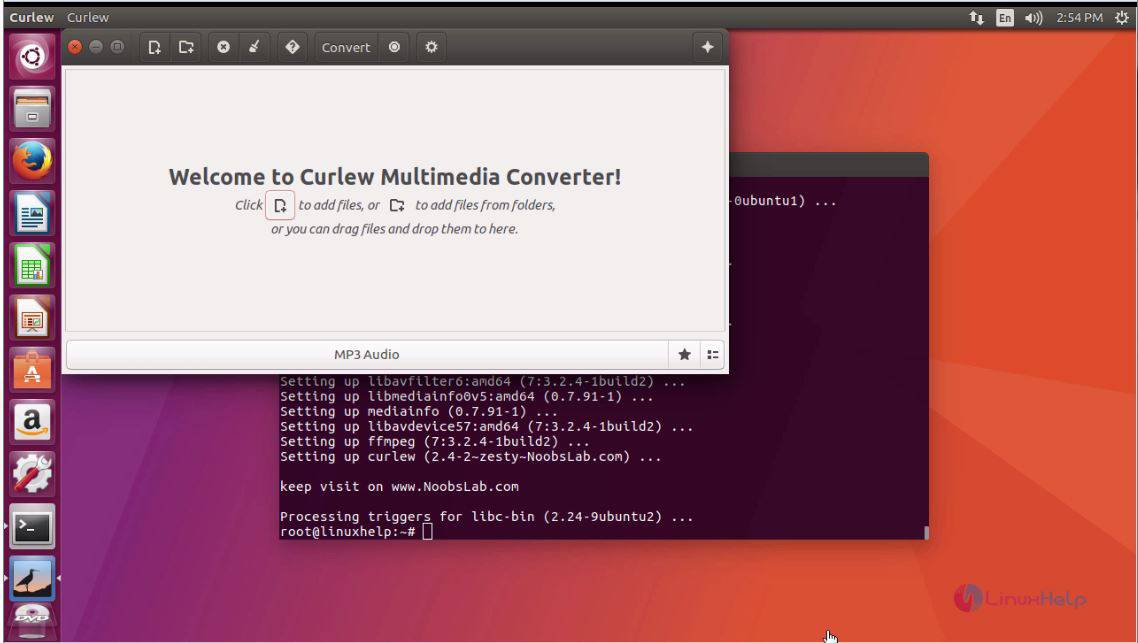
This concludes the procedure to install Curlew on your Ubuntu machine.
Comments ( 0 )
No comments available