• Categories
    Category
    {{ postCtrl.tags }}
    • {{ category.tag_type }}

      • {{tag.tag_name}}
      • View more
  • Categories
    Category
    {{ postCtrl.tags }}
    • {{ category.tag_type }}

      • {{tag.tag_name}}
      • View more
  • News
  • Tutorials
  • Forums
  • Tags
  • Users
Tutorial News Comments FAQ Related Articles

How to install cyborg

{{postValue.id}}

To install cyborg

Cyborg Hawk Distro is devloped for network security, assessment and also for digital forensics. This application contains a various tools and features suited for testing Mobile Security and Wireless infrastructure. In this article, we will learn the procedures to install and use cyborg.

Features

Supports virtual machine.

  • Avails own repository.
  • It is Reliable and stable.
  • Supports Wireless devices.
  • User friendly menu
  • Contains around 750+ penetration testing tools.
  • Works as a live OS.
  • Used as a Toolkit, Stress Testing, Reverse Engineering, Forensics, Mobile Security & Wireless Security.

Tool Categories

  • Information Gathering
  • Vulnerability Assessment
  • Exploitation
  • Privilege Escalation
  • Maintaining Access
  • Documentation & Reporting
  • Reverse Engineering
  • Stress Testing
  • Forensics
  • Wireless Security
  • RFID/NFC
  • Hardware Hacking
  • VoIP Analysis
  • Mobile Security
  • Malware Analysis

To install Cyborg

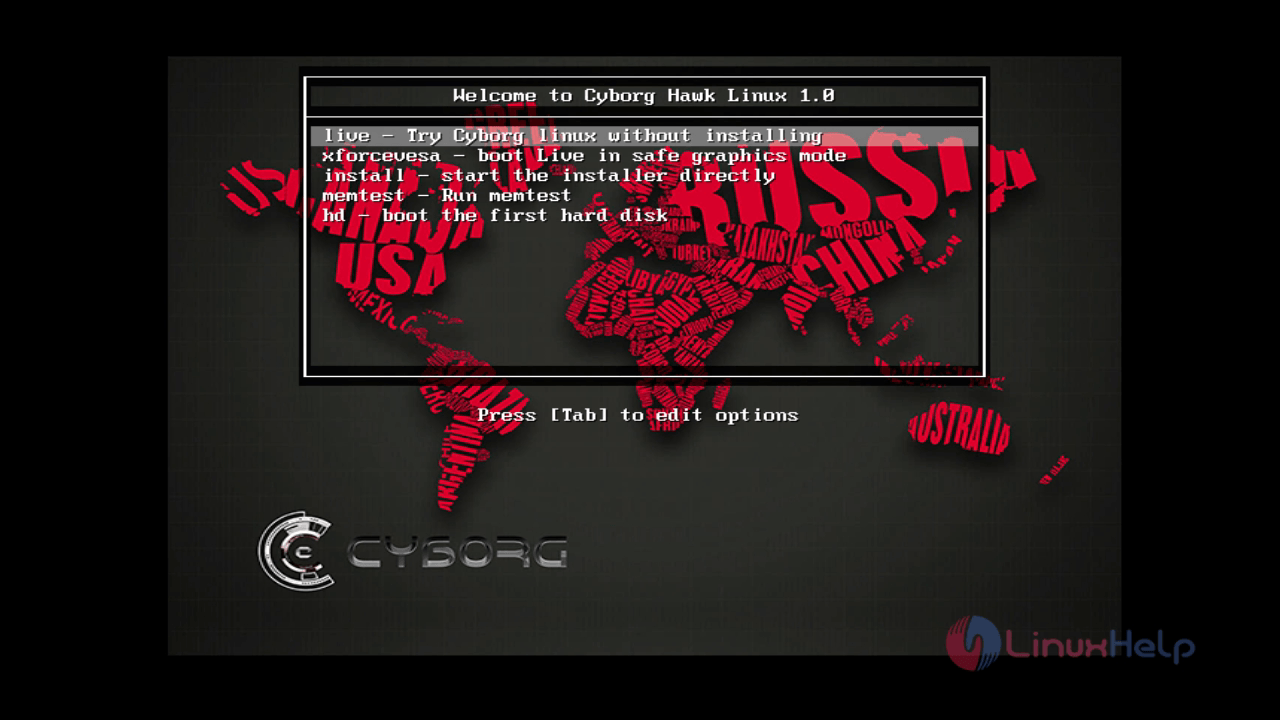
Download the latest version of cyborg from its official site and boot it into USB or DVD. The installation screen appears as follows.
install-use-cyborg-network-security-assessment-digital-forensics-testing-Mobile-Security-Wireless-infrastructure-installation-screen

Pick “ live- Try cyborg linux without installation” and press enter.
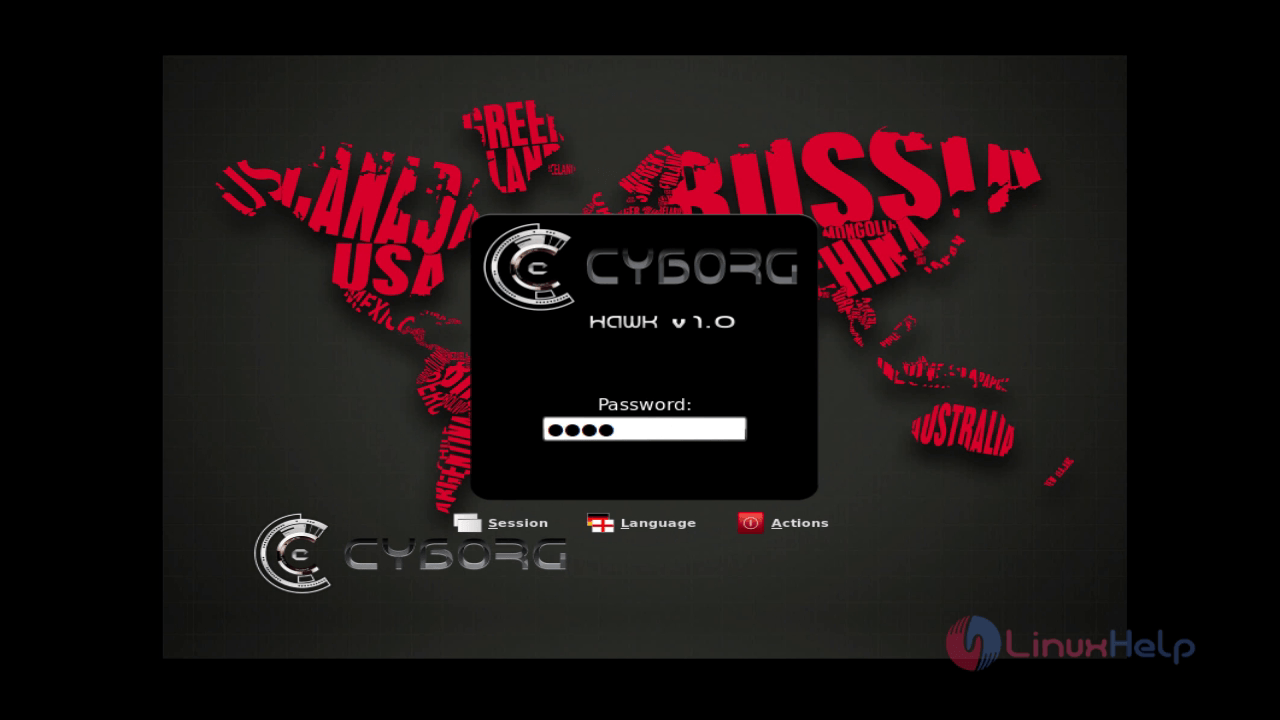
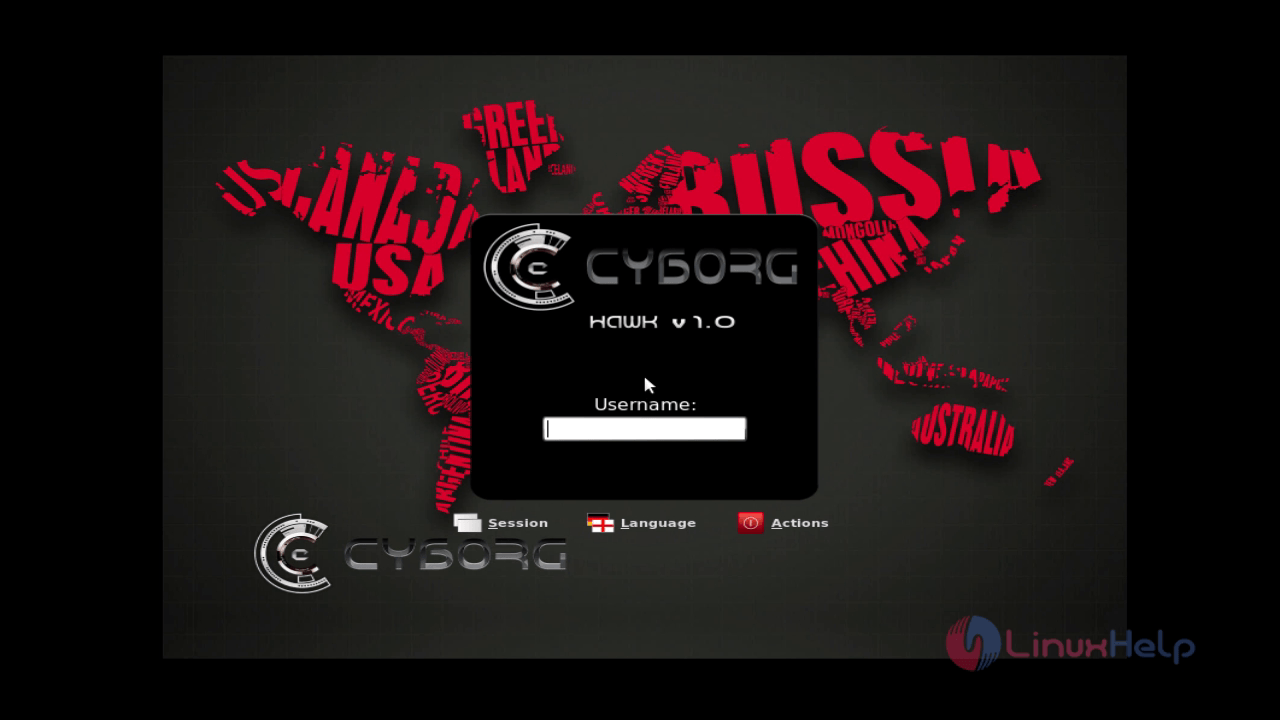
Enter the default Username as “ cyborg”
install-use-cyborg-network-security-assessment-digital-forensics-testing-Mobile-Security-Wireless-infrastructure-Username-cyborg

Password as “ toor”
install-use-cyborg-network-security-assessment-digital-forensics-testing-Mobile-Security-Wireless-infrastructure-toor

Click “ Install cyborg hawk v1.0” to start with the installation.

install-use-cyborg-network-security-assessment-digital-forensics-testing-Mobile-Security-Wireless-infrastructure-Install-cyborg-hawk-v1.0

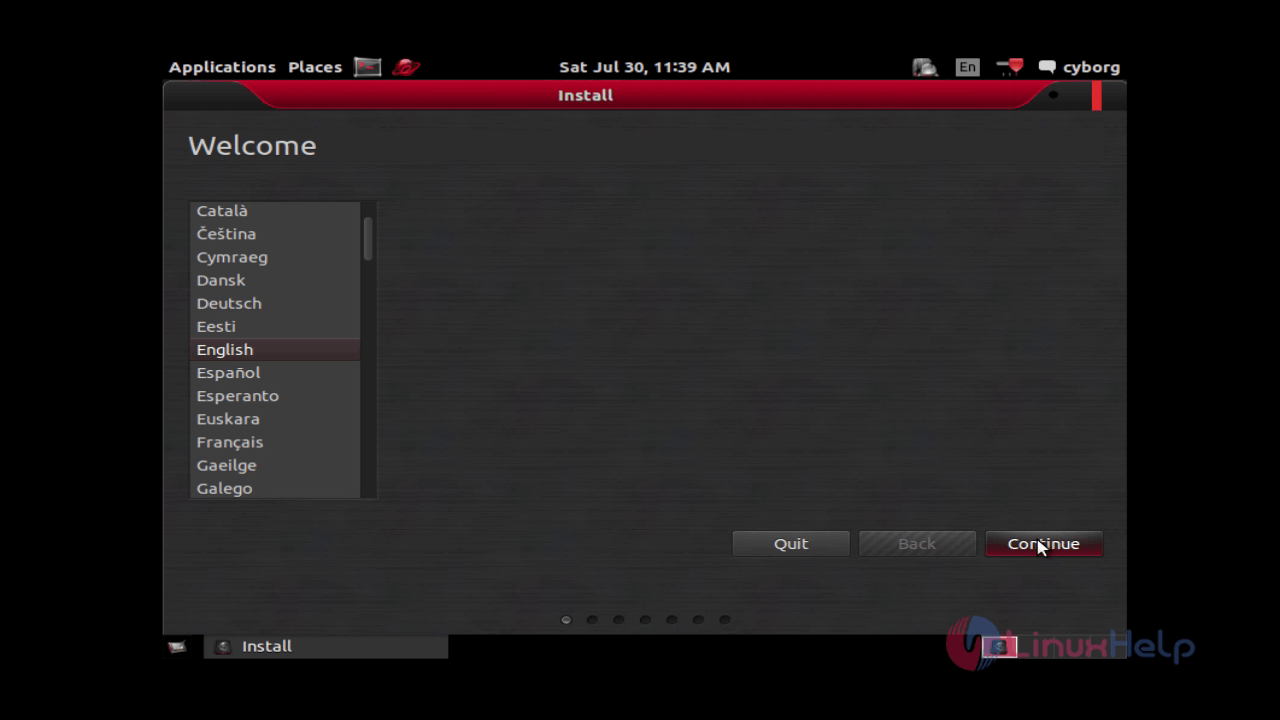
Choose your preferred language and click continue.
install-use-cyborg-network-security-assessment-digital-forensics-testing-Mobile-Security-Wireless-infrastructure-language

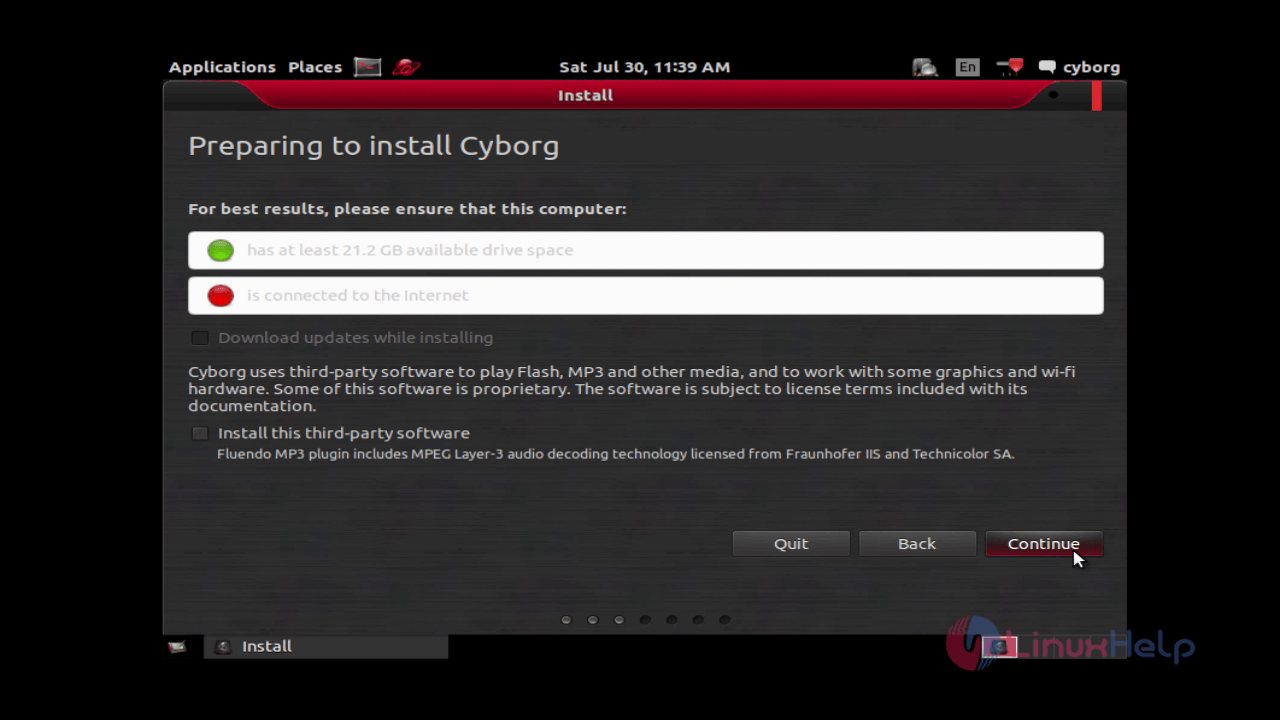
Click continue to proceed further.
install-use-cyborg-network-security-assessment-digital-forensics-testing-Mobile-Security-Wireless-infrastructure-continue

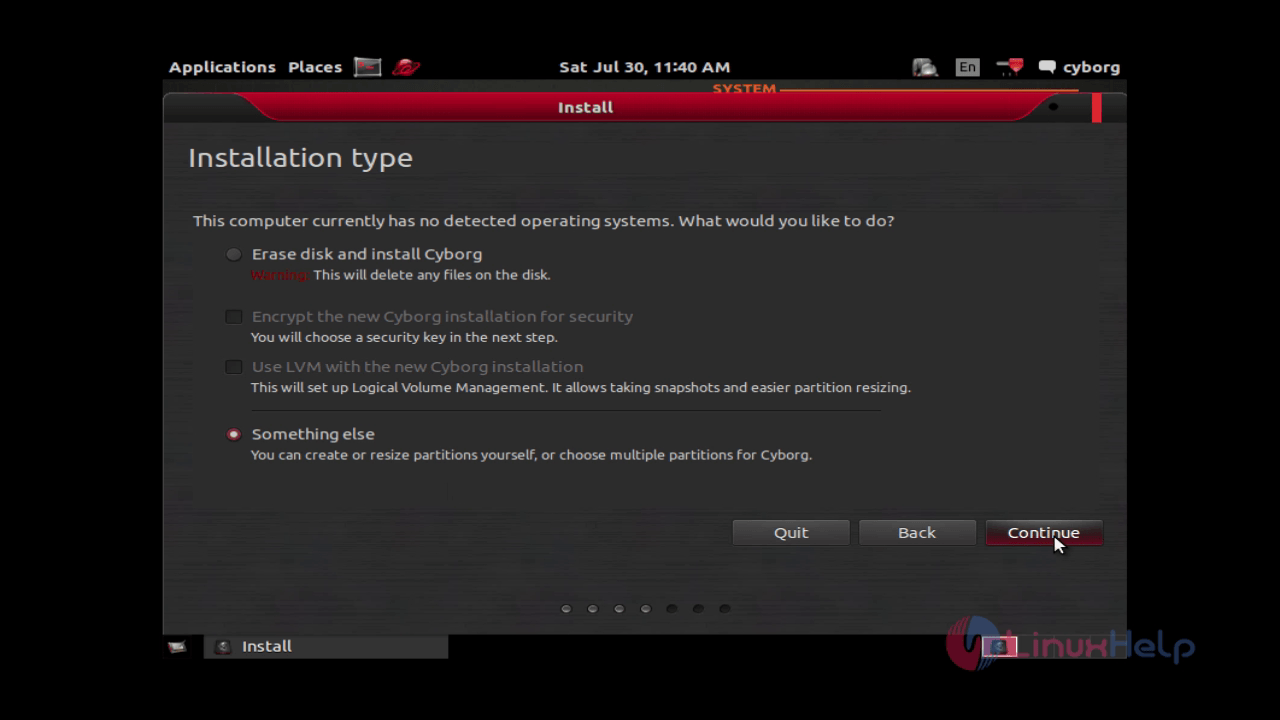
Choose the type of installation you want to perform. Here we are opting Something else for manual partitioning.
install-use-cyborg-network-security-assessment-digital-forensics-testing-Mobile-Security-Wireless-infrastructure-manual-partitioning

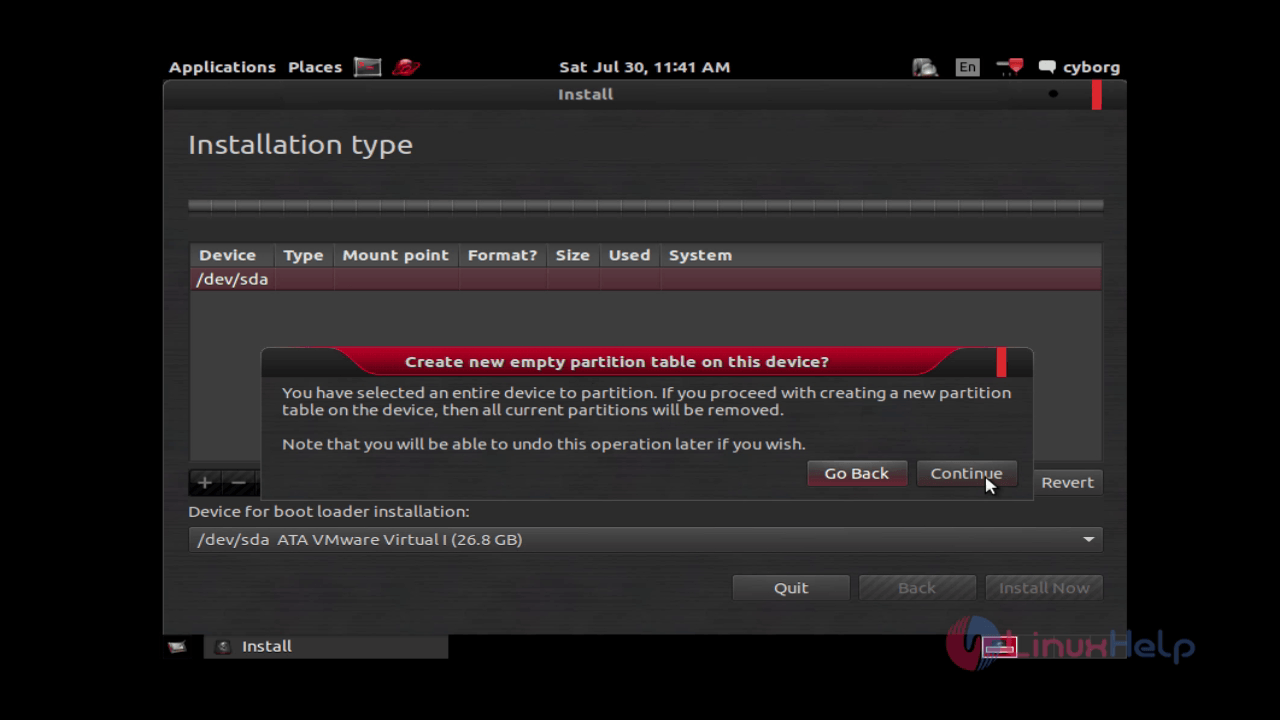
Hit “ New partition table” and click continue to proceed further.
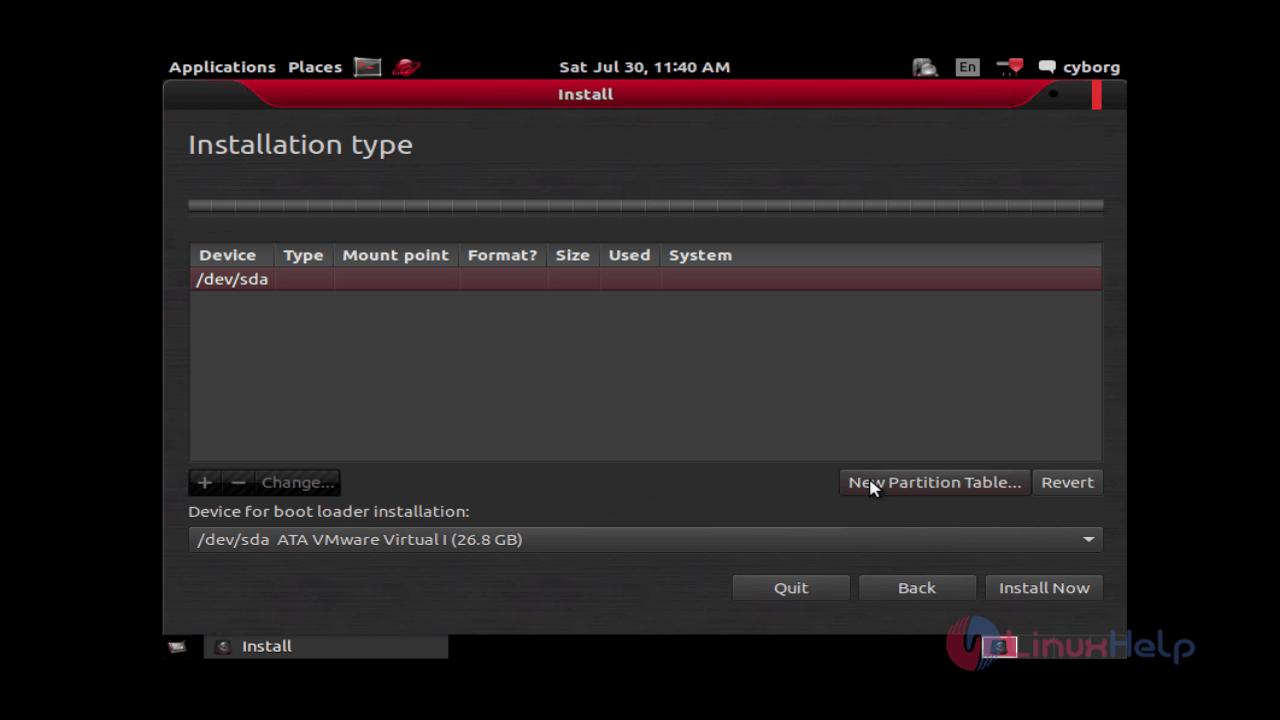
install-use-cyborg-network-security-assessment-digital-forensics-testing-Mobile-Security-Wireless-infrastructure-New-partition-table

install-use-cyborg-network-security-assessment-digital-forensics-testing-Mobile-Security-Wireless-infrastructure-empty-partition

Pick up your hard disk and start partitioning by hitting “ + ” .
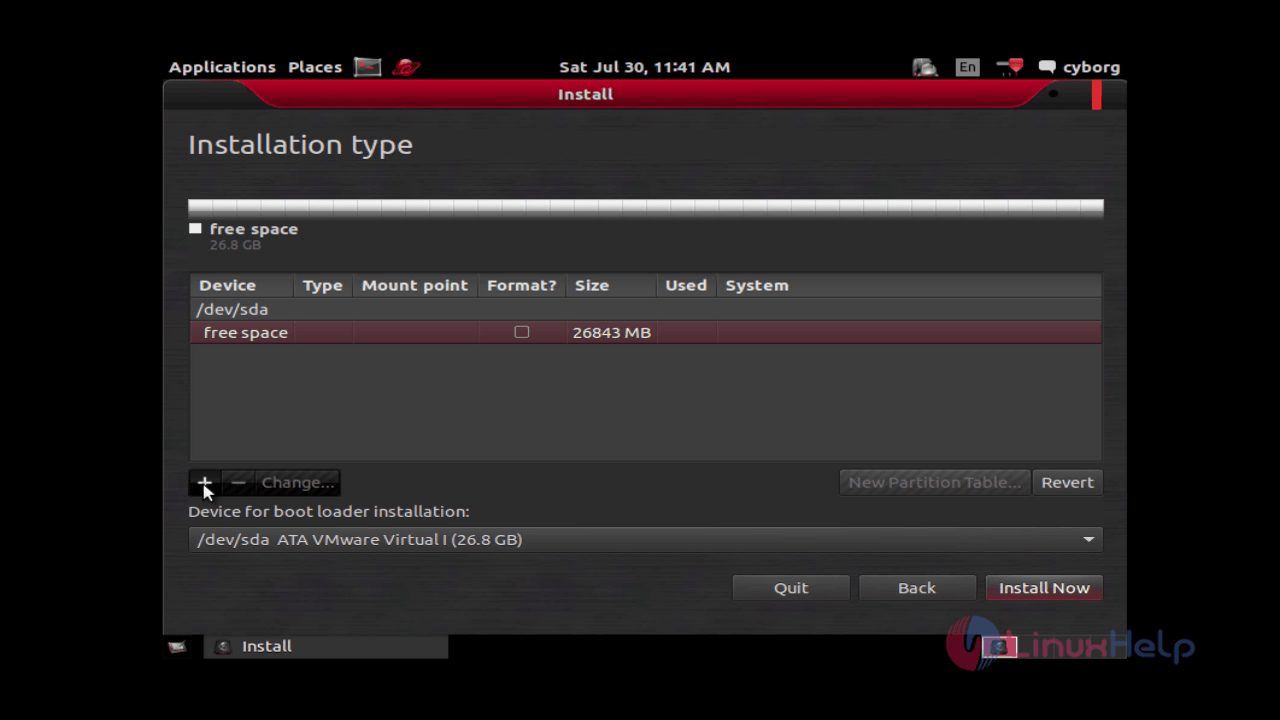
install-use-cyborg-network-security-assessment-digital-forensics-testing-Mobile-Security-Wireless-infrastructure-start-partitioning
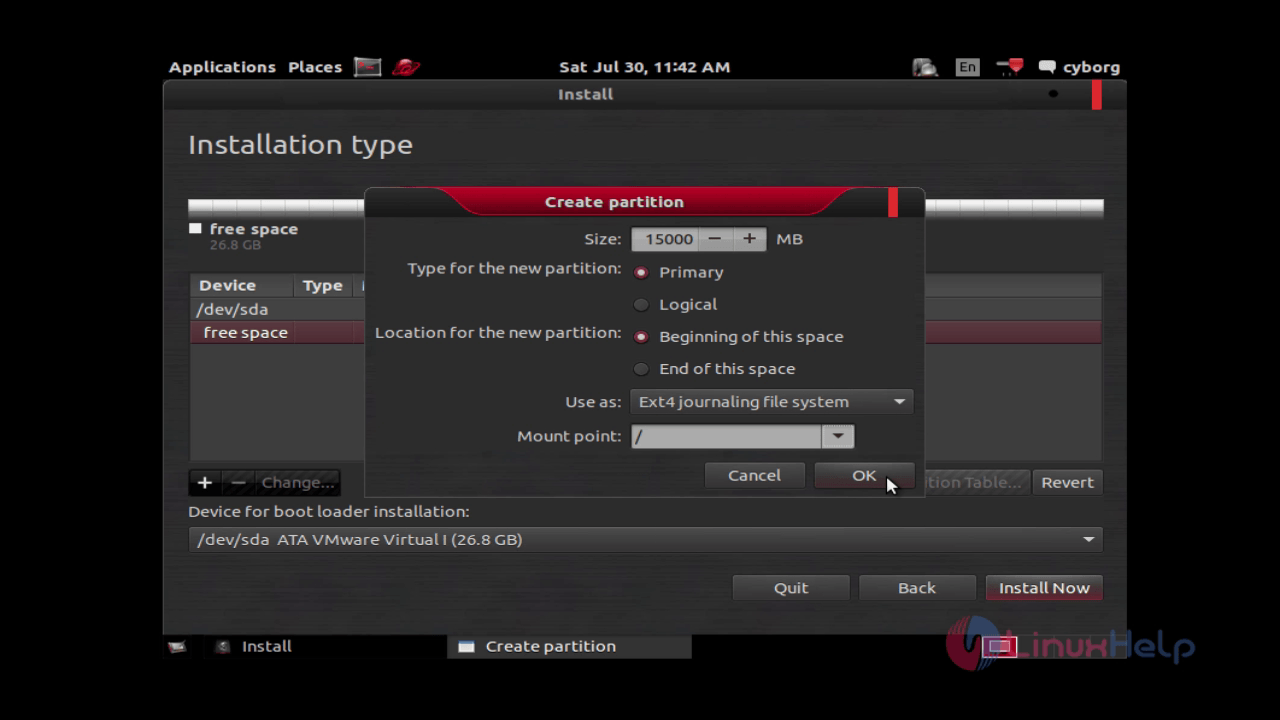
In the create partition page mention the details as shown below.
Size: 15000 MB
Type of the new partition: primary
Location for the new partition : Beginning of this space
Use as : Ext4 journaling file system
Mount point: /
and finally click “ ok”
install-use-cyborg-network-security-assessment-digital-forensics-testing-Mobile-Security-Wireless-infrastructure-create-partition
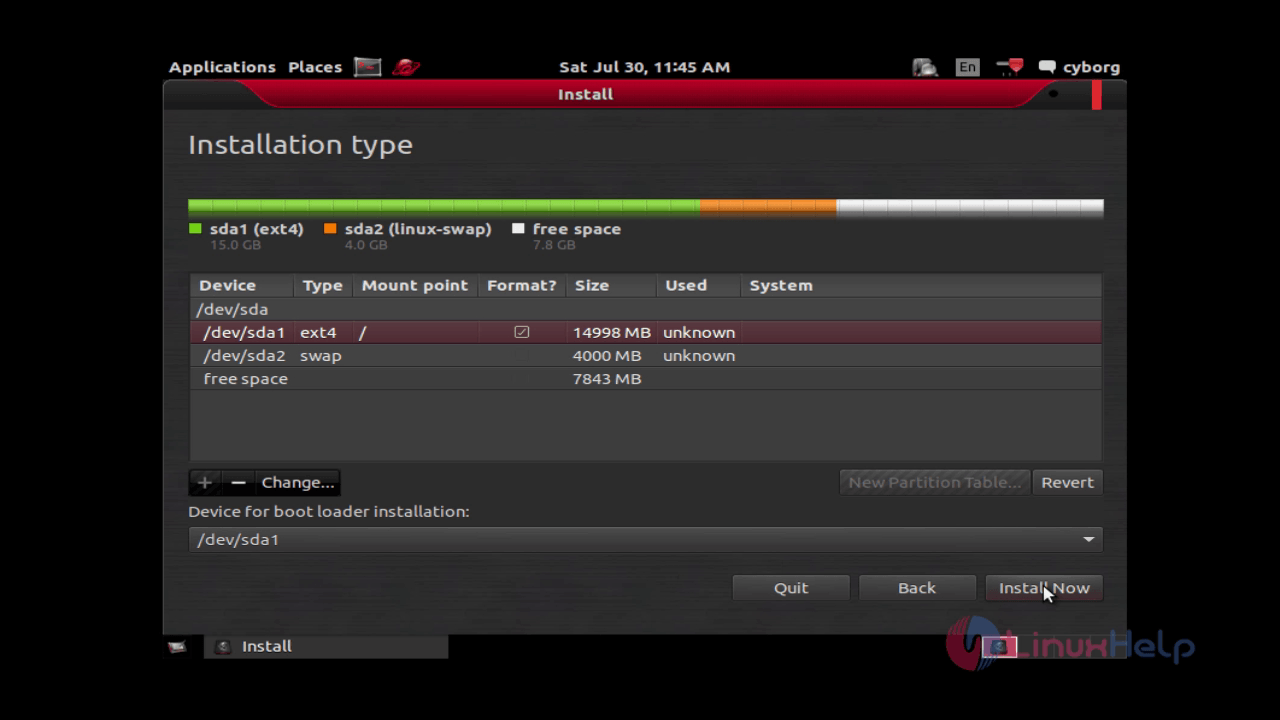
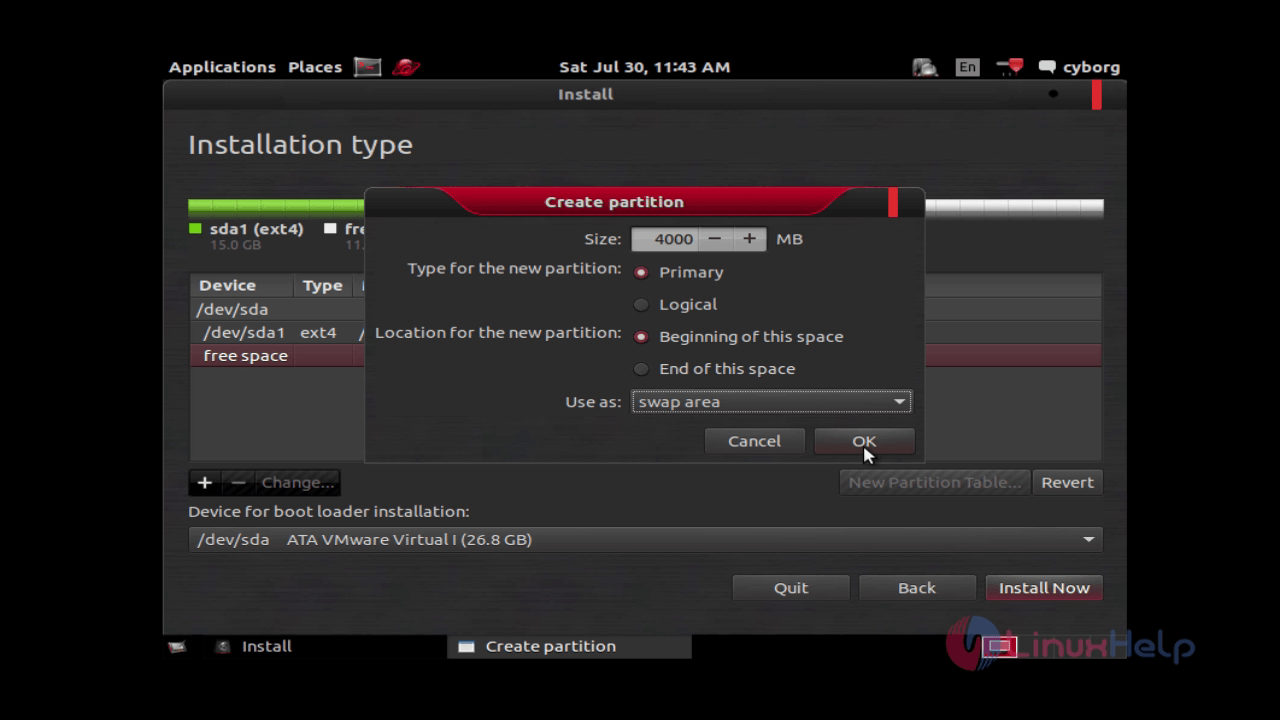
Again hit “ + “ icon for swap memory and fill the
Size: 4000 MB
Type of the new partition: primary
Location for the new partition : Beginning of this space
Use as : Swap area
and then click “ ok”
install-use-cyborg-network-security-assessment-digital-forensics-testing-Mobile-Security-Wireless-infrastructure-new-partition

Now choose a device for the boot loader installation.
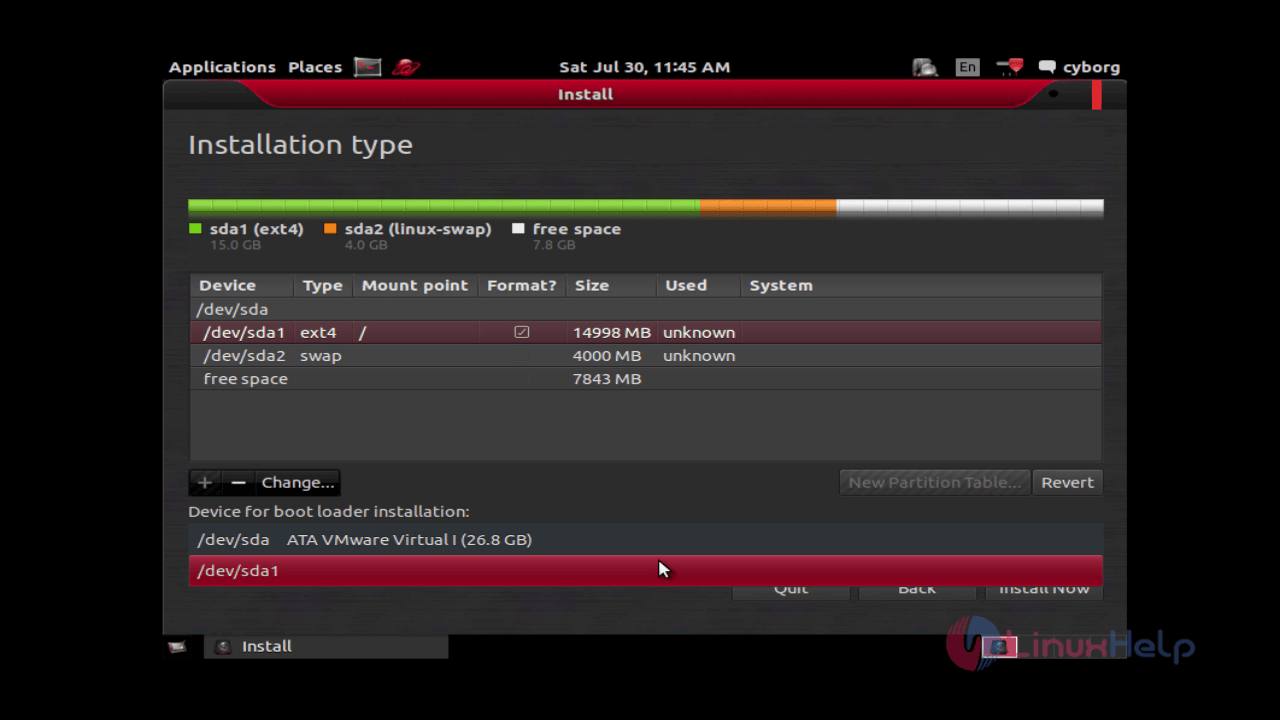
install-use-cyborg-network-security-assessment-digital-forensics-testing-Mobile-Security-Wireless-infrastructure-boot-loader

And click “ install now” .
install-use-cyborg-network-security-assessment-digital-forensics-testing-Mobile-Security-Wireless-infrastructure-install-now

Pick your current location and click “ continue” .
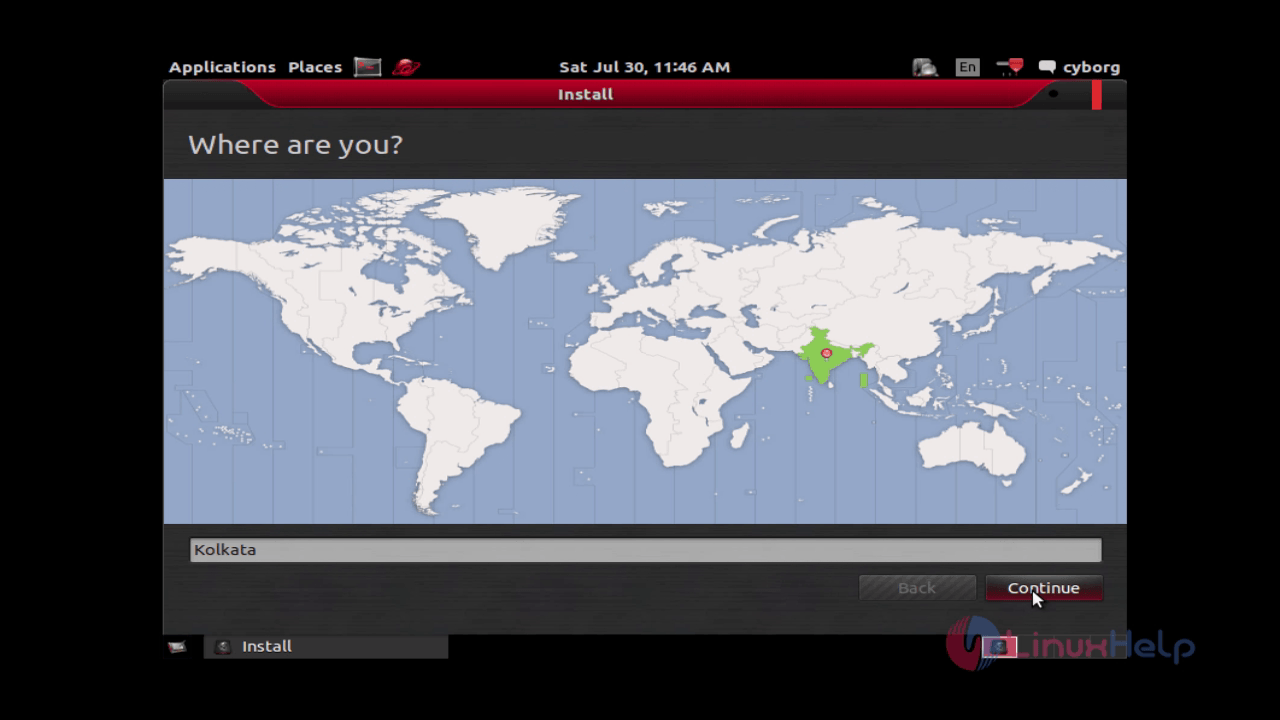
install-use-cyborg-network-security-assessment-digital-forensics-testing-Mobile-Security-Wireless-infrastructure-location

Choose your preferred keyboard layout and click “ continue”
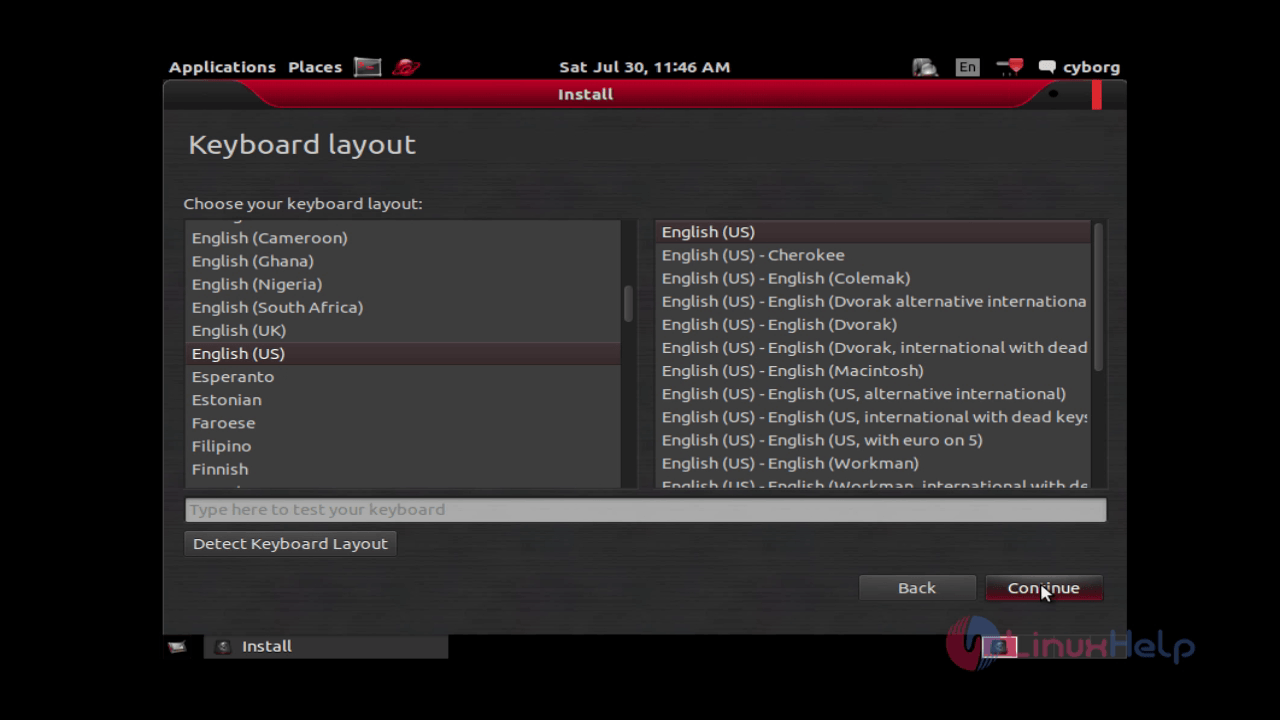
install-use-cyborg-network-security-assessment-digital-forensics-testing-Mobile-Security-Wireless-infrastructure-keyboard-layout

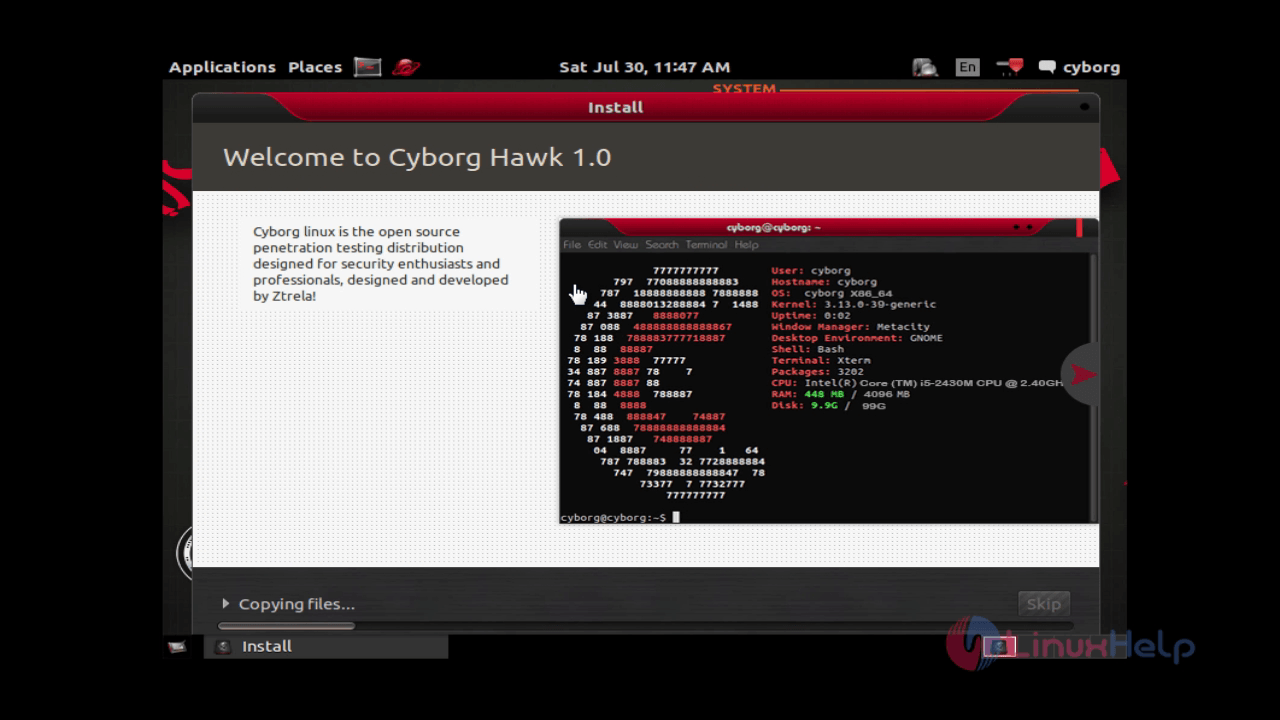
Now the installation starts.
install-use-cyborg-network-security-assessment-digital-forensics-testing-Mobile-Security-Wireless-infrastructure-installation-starts

Once the installation is completed, reboot the system.
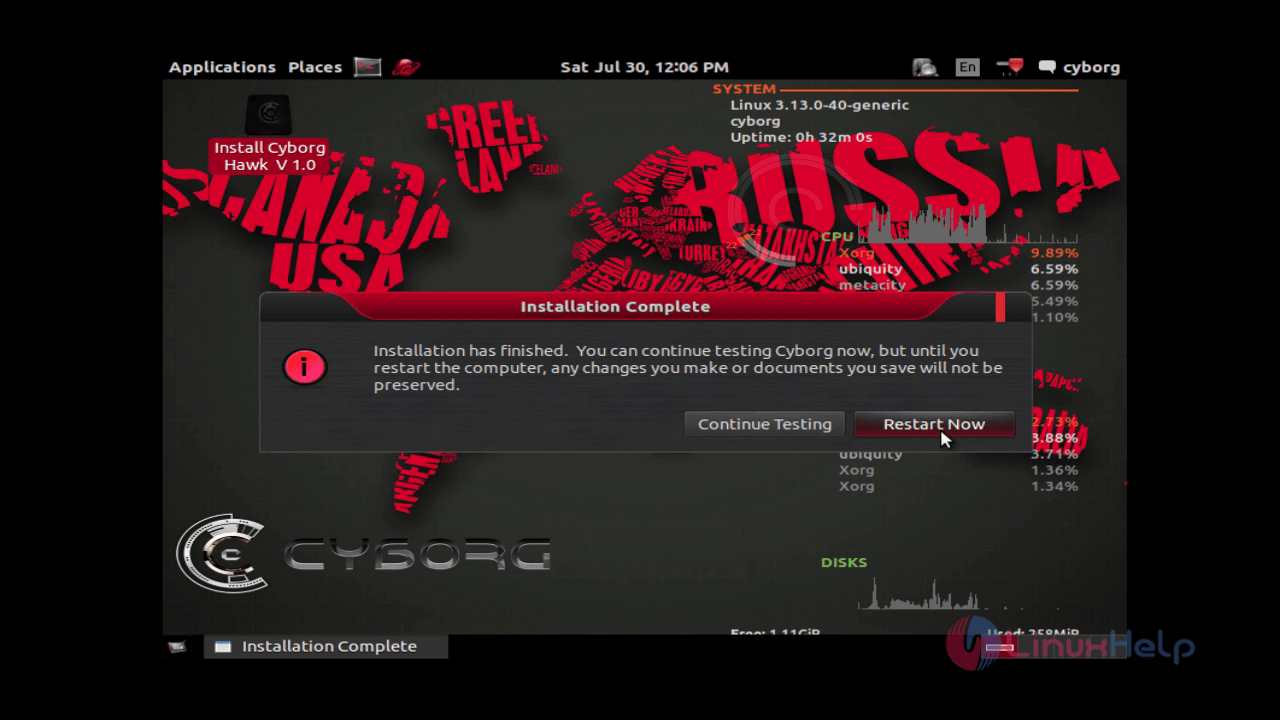
install-use-cyborg-network-security-assessment-digital-forensics-testing-Mobile-Security-Wireless-infrastructure-installation-completed

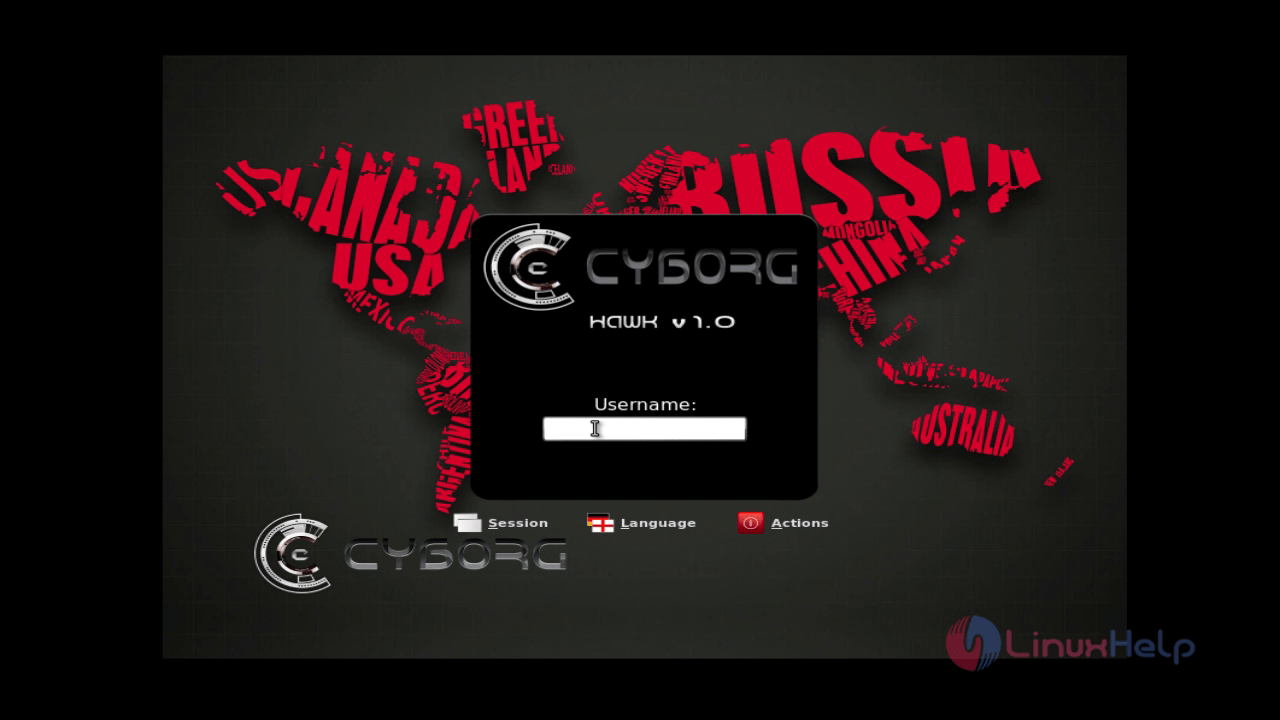
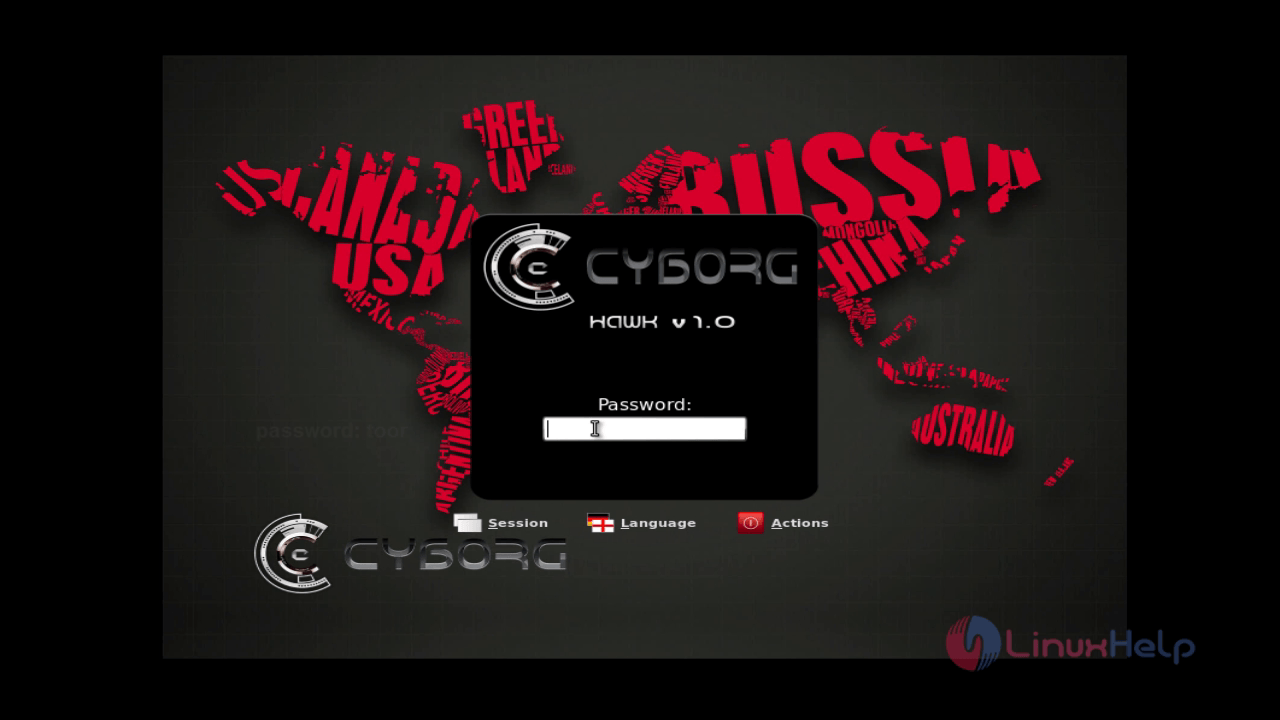
Login to the Cyborg.
install-use-cyborg-network-security-assessment-digital-forensics-testing-Mobile-Security-Wireless-infrastructure-username

install-use-cyborg-network-security-assessment-digital-forensics-testing-Mobile-Security-Wireless-infrastructure-password

To set IP, select network icon and Click “ edit connections” to set the IP and network.
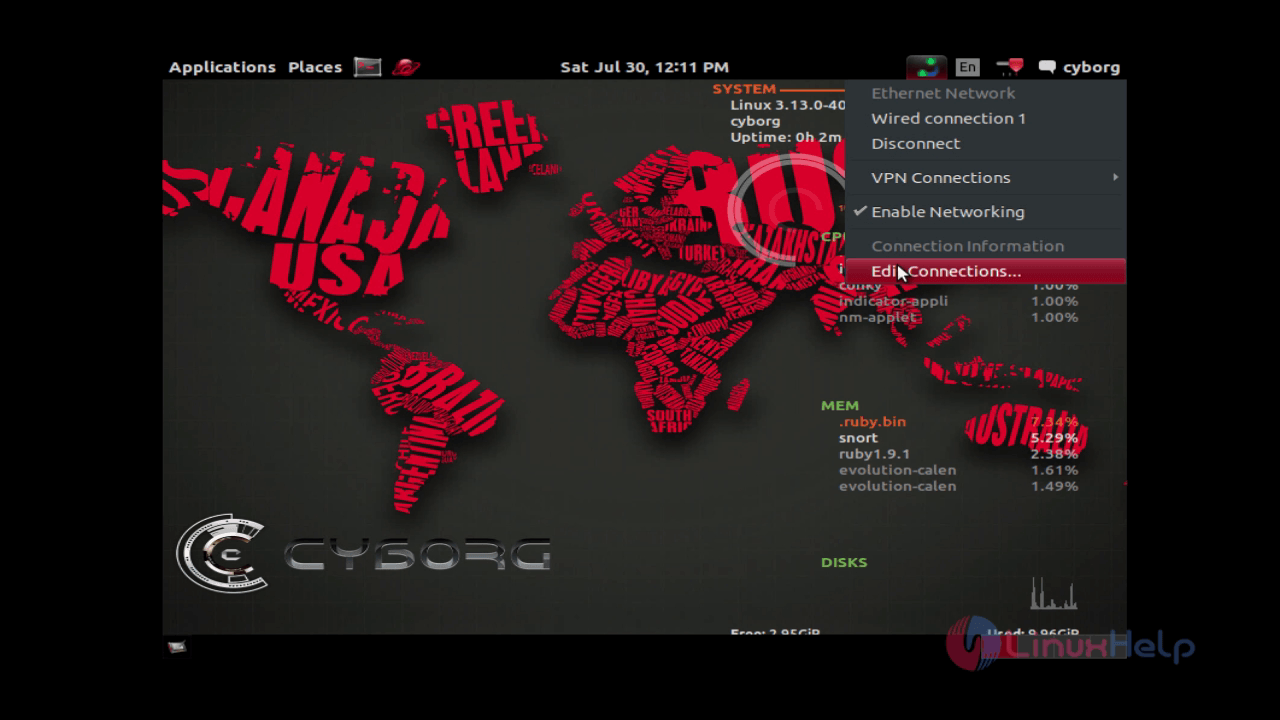
install-use-cyborg-network-security-assessment-digital-forensics-testing-Mobile-Security-Wireless-infrastructure-edit-connections

In network connection setup page, point your “ connection” and click “ edit” .
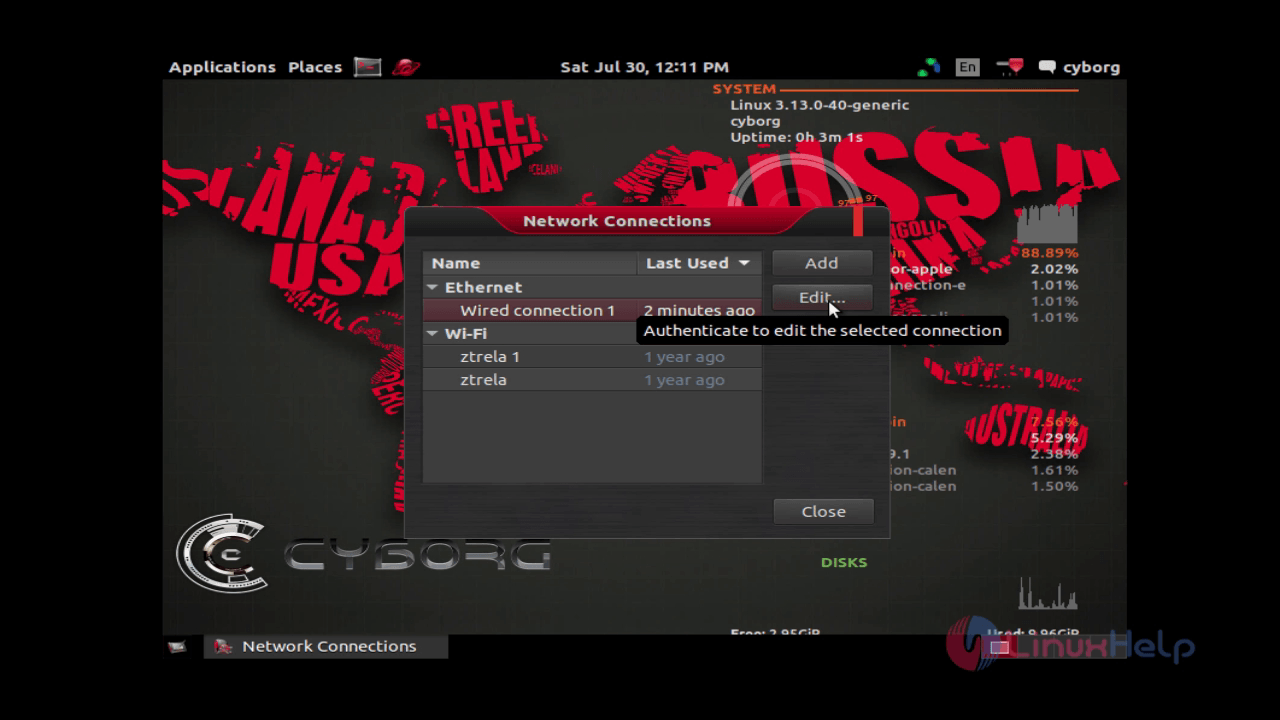
install-use-cyborg-network-security-assessment-digital-forensics-testing-Mobile-Security-Wireless-infrastructure-network-connection

Enter the connection details like, ip address, netmask, gateway, DNS and then click “ save” .
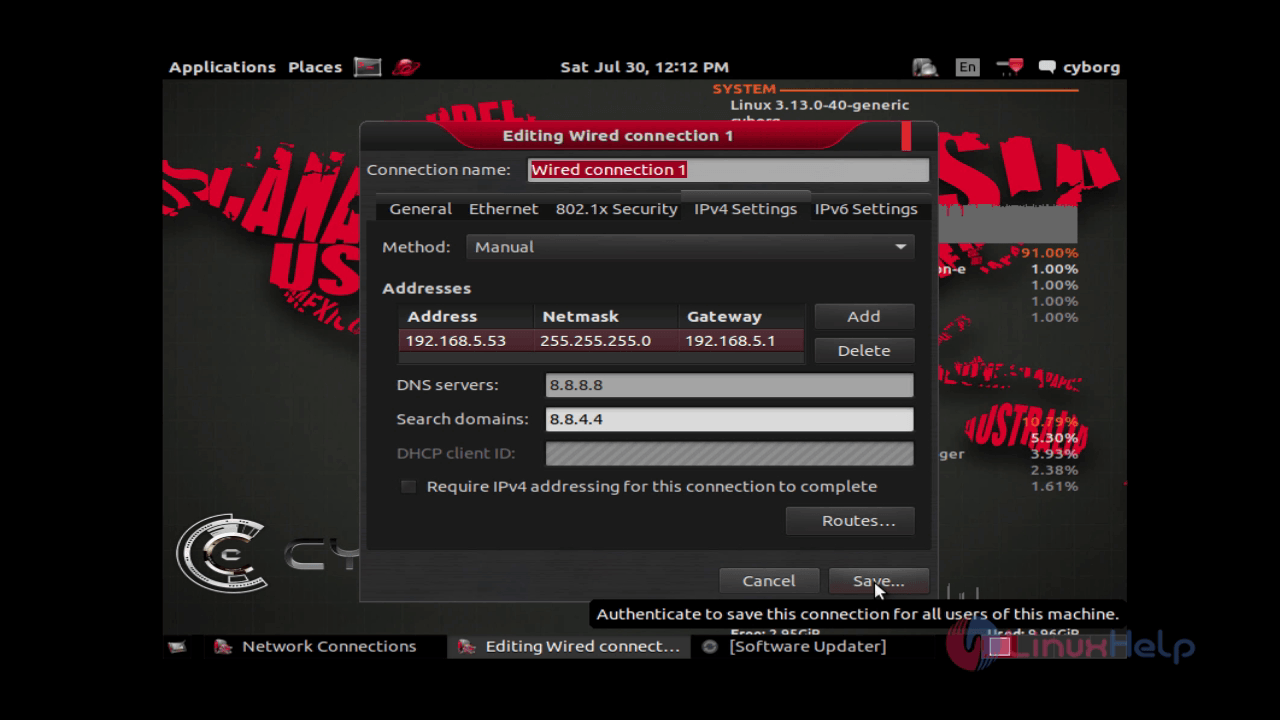
install-use-cyborg-network-security-assessment-digital-forensics-testing-Mobile-Security-Wireless-infrastructure-connection-details

To view the list of applications, click Accessories.
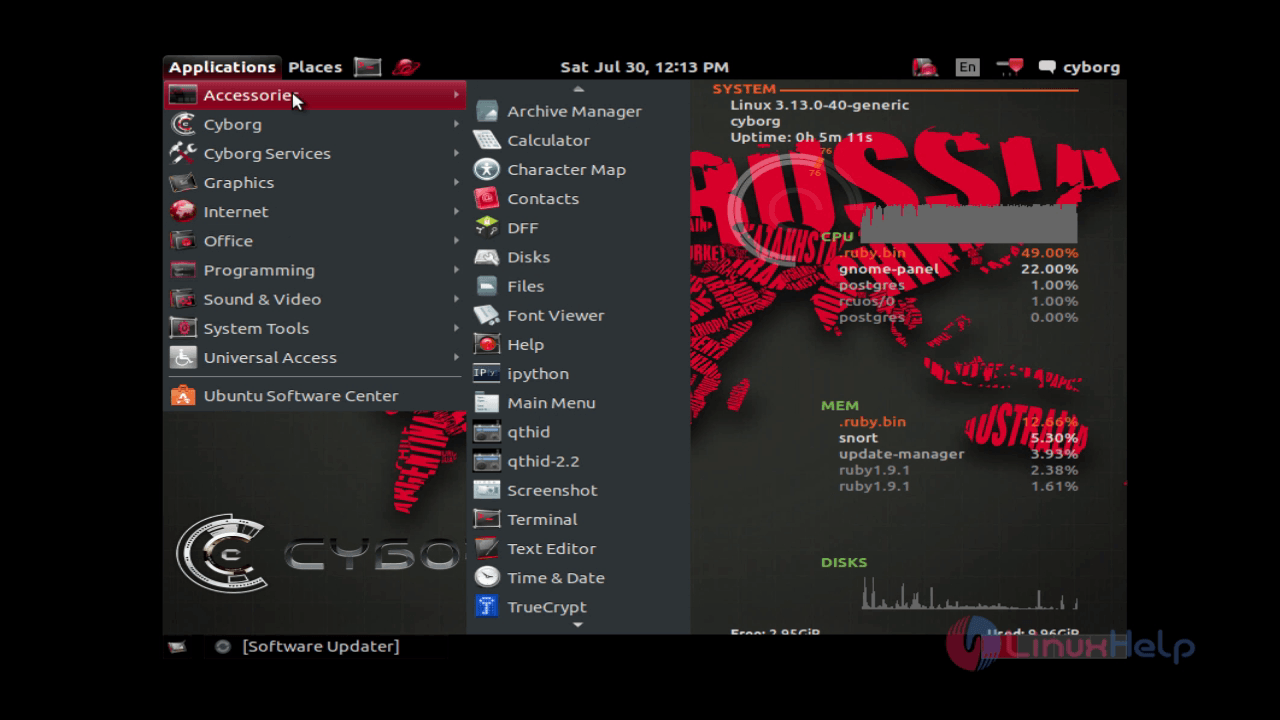
install-use-cyborg-network-security-assessment-digital-forensics-testing-Mobile-Security-Wireless-infrastructure-Accessories

To view the testing tools, click Cyborg.
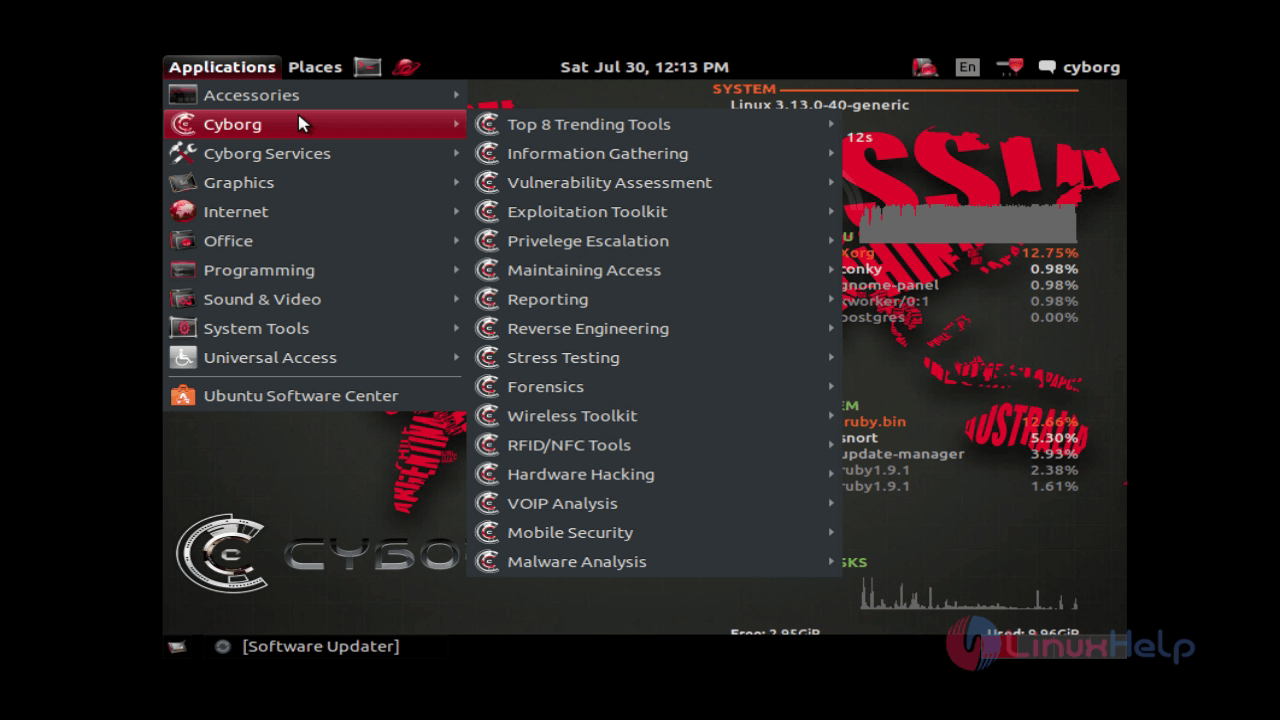
install-use-cyborg-network-security-assessment-digital-forensics-testing-Mobile-Security-Wireless-infrastructure-view-testing-tools

To know the services provided by Cyborg. Hit Cyborg services.
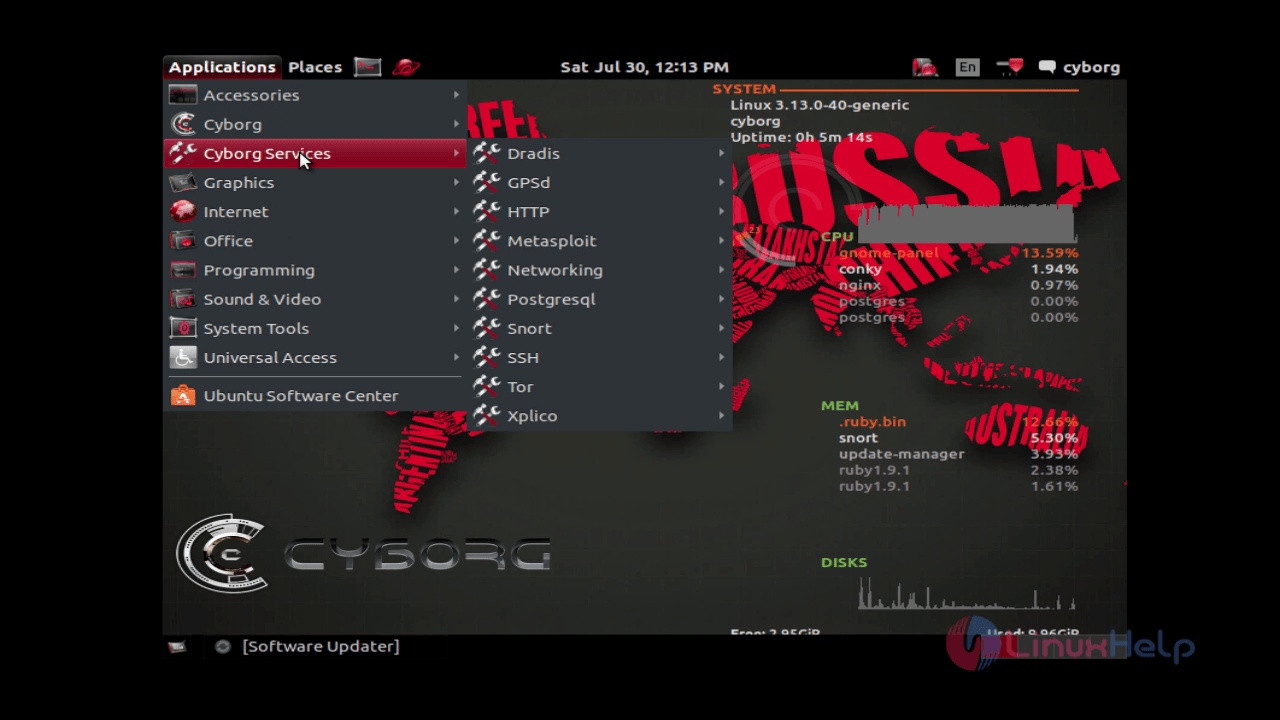
install-use-cyborg-network-security-assessment-digital-forensics-testing-Mobile-Security-Wireless-infrastructure-Cyborg-services

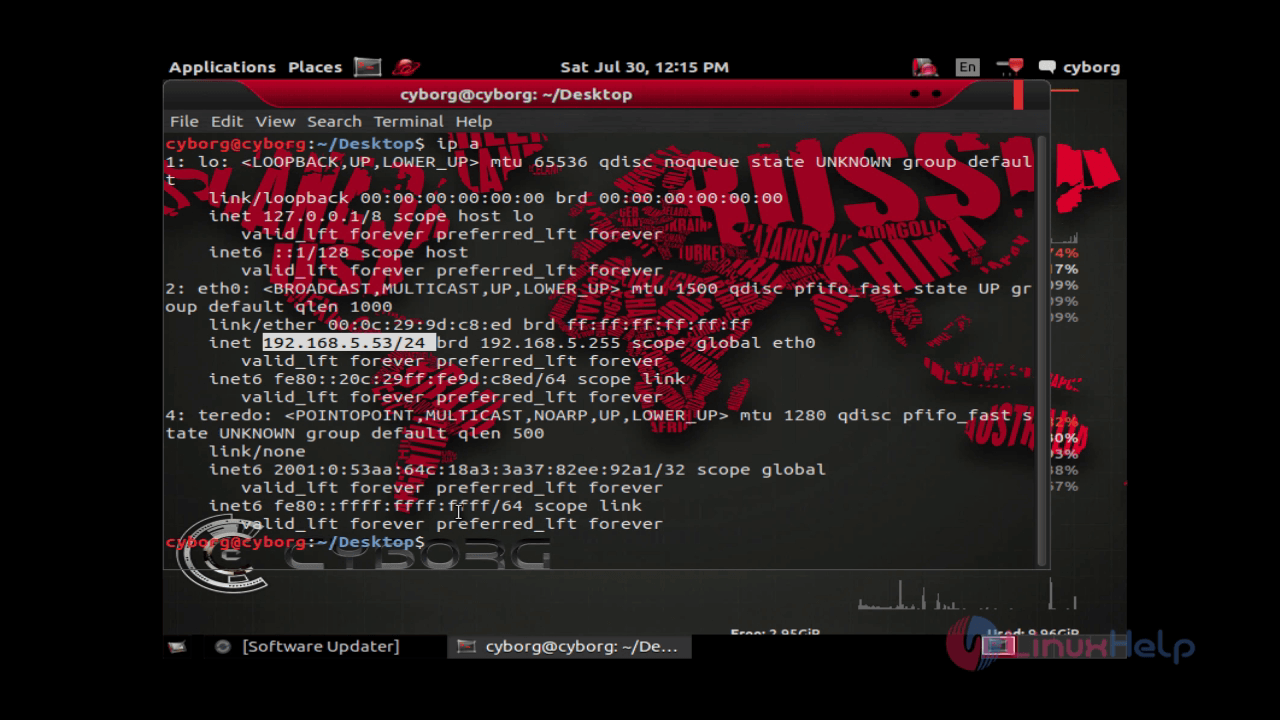
Check the IP using " ip a" command.
install-use-cyborg-network-security-assessment-digital-forensics-testing-Mobile-Security-Wireless-infrastructure-ip-a

Then verify the internet connection with the help of “ ping” command.
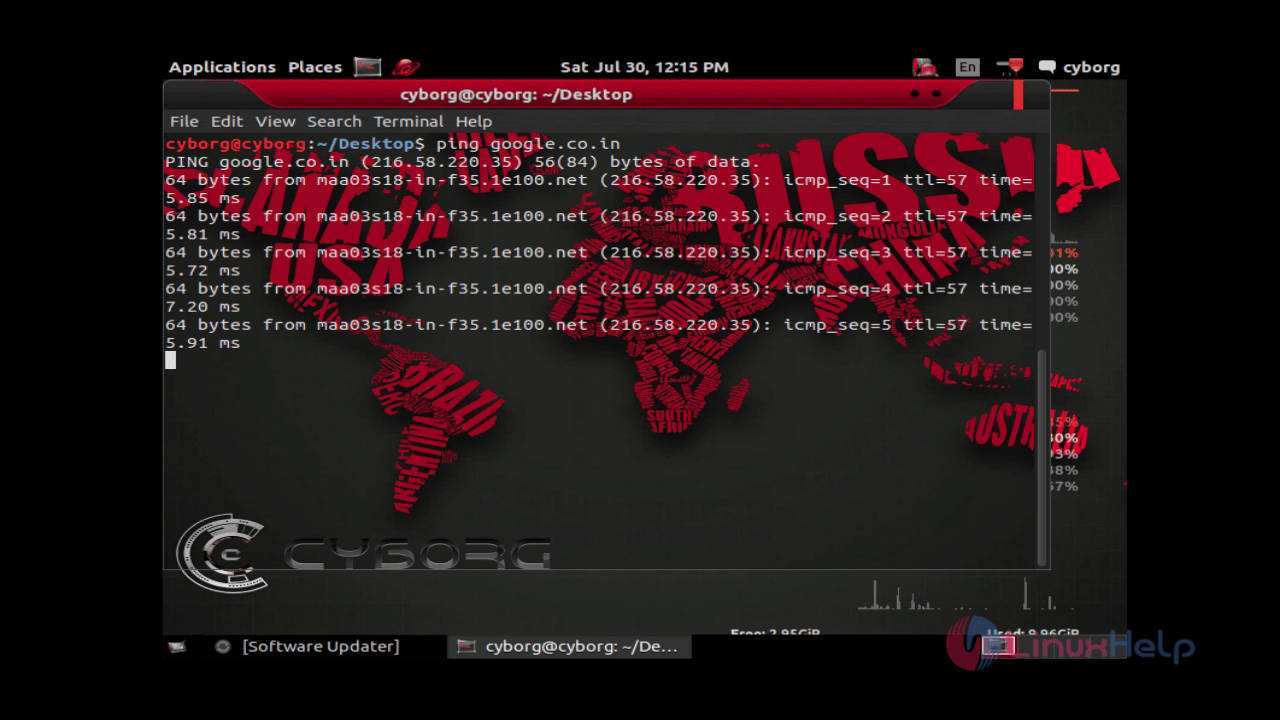
install-use-cyborg-network-security-assessment-digital-forensics-testing-Mobile-Security-Wireless-infrastructure-ping

Tags:
jackson
Author: 

Comments ( 0 )

No comments available

Add a comment
{{postCtrl.cmtErrMsg}}

Frequently asked questions ( 5 )

Q

Does it work on phone/tablet?

A

Yes it does work on phone/tablet. On IOS (iphone/ipad), please use safari as any other browser might break. For Android, you can use any browser.

Q

Why it is better than a browser extension in Cyborg?

A

1. You are anonymous when you transform a document using our service.
2. Browser extension doesn't support converting an article to word, epub, odt, rtf, txt.
3.Faster than any browser extension.

Q

Does it support wireless category?

A

Yes, It supports a wireless security.

Q

what is the latest release version?

A

The cyborg hawk is not In a active development.

Q

It is free (or) paid?

A

Cyborg Hawk is totally Free and always will be.

Back To Top!
Rank
User
Points

Top Contributers

userNamenaveelansari
135850

Top Contributers

userNameayanbhatti
92510

Top Contributers

userNamehamzaahmed
32150

Top Contributers

1
userNamelinuxhelp
31040

Top Contributers

userNamemuhammadali
24500
Can you help keel johnston ?
Unhide the folders on windows Explorer

Give any solutions to unhide folder using command prompt?

forum3

Networking
  • Routing
  • trunk
  • Netmask
  • Packet Capture
  • domain
  • HTTP Proxy
Server Setup
  • NFS
  • KVM
  • Memory
  • Sendmail
  • WebDAV
  • LXC
Shell Commands
  • Cloud commander
  • Command line archive tools
  • last command
  • Shell
  • terminal
  • Throttle
Desktop Application
  • Linux app
  • Pithos
  • Retrospect
  • Scribe
  • TortoiseHg
  • 4Images
Monitoring Tool
  • Monit
  • Apache Server Monitoring
  • EtherApe 
  • Arpwatch Tool
  • Auditd
  • Barman
Web Application
  • Nutch
  • Amazon VPC
  • FarmWarDeployer
  • Rukovoditel
  • Mirror site
  • Chef
Contact Us | Terms of Use| Privacy Policy| Disclaimer
© 2025 LinuxHelp.com All rights reserved. Linux™ is the registered trademark of Linus Torvalds. This site is not affiliated with linus torvalds in any way.