How to install Darkstat in CentOS
To install Darkstat in CentOS
Darkstat is a free source network monitoring tool. It is a packet sniffer which runs as a background process and provides the statistics of a web browser, captures network traffic and serves reports over HTTP. Installation of Darkstat is explained in this manual.
Features
- Generates traffic graphs, reports per host, shows ports for each host.
- Embedded web-server with deflate compression.
- Supports Asynchronous reverse DNS resolution by using a child process.
- Supports IPv6.
To install Darkstat
First install the dependency packages to start the Darkstat installation.
[root@linuxhelp ~]# yum install libpcap libpcap-devel
Loaded plugins: fastestmirror, langpacks
Loading mirror speeds from cached hostfile
 * base: centos.excellmedia.net
 * extras: centos.excellmedia.net
 * updates: centos.excellmedia.net
Package 14:libpcap-1.5.3-8.el7.x86_64 already installed and latest version
Resolving Dependencies
-->  Running transaction check
--->  Package libpcap-devel.x86_64 14:1.5.3-8.el7 will be installed
-->  Finished Dependency Resolution
.
.
Installed:
  libpcap-devel.x86_64 14:1.5.3-8.el7

Complete!
Download the Darkstat package with the help of wget command.
[root@linuxhelp ~]# wget https://unix4lyfe.org/darkstat/darkstat-3.0.718.tar.bz2
--2016-09-22 07:36:31--  https://unix4lyfe.org/darkstat/darkstat-3.0.718.tar.bz2
Resolving unix4lyfe.org (unix4lyfe.org)... 64.62.188.248, 2001:470:1:41::403e:bcf8
Connecting to unix4lyfe.org (unix4lyfe.org)|64.62.188.248|:443... connected.
HTTP request sent, awaiting response... 200 OK
Length: 116044 (113K) [application/x-bzip2]
Saving to: ‘ darkstat-3.0.718.tar.bz2’

100%[=========================================================================================> ] 116,044      166KB/s   in 0.7s

2016-09-22 07:36:33 (166 KB/s) - ‘ darkstat-3.0.718.tar.bz2’  saved [116044/116044]
Extract the downloaded package by utilizing the following command.
[root@linuxhelp ~]# tar xvjf darkstat-3.0.718.tar.bz2
darkstat-3.0.718/
darkstat-3.0.718/acct.c
darkstat-3.0.718/configure
darkstat-3.0.718/db.h
darkstat-3.0.718/html.h
darkstat-3.0.718/darkstat.c
darkstat-3.0.718/dns.h
.
.
.
darkstat-3.0.718/cdefs.h
darkstat-3.0.718/COPYING.GPL
Move to the extracted directory.
[root@linuxhelp ~]# cd darkstat-3.0.718
Then execute the below scripts to install Darkstat.
[root@linuxhelp darkstat-3.0.718]# ./configure
checking for a BSD-compatible install... /usr/bin/install -c
checking for gcc... gcc
checking whether the C compiler works... yes
checking for C compiler default output file name... a.out
checking for suffix of executables...
checking whether we are cross compiling... no
checking for suffix of object files... o
checking whether we are using the GNU C compiler... yes
checking whether gcc accepts -g... yes
.
.
.
config.status: creating darkstat.8
config.status: creating config.h
[root@linuxhelp darkstat-3.0.718]# make
  CC     acct.o
  CC     addr.o
  CC     bsd.o
  CC     cap.o
  CC     conv.o
  CC     darkstat.o
  CC     daylog.o
  CC     db.o
  CC     decode.o
.
.
CC     str.o
  LINK   darkstat
[root@linuxhelp darkstat-3.0.718]# make install
/usr/bin/install -c -d /usr/local/sbin
/usr/bin/install -c -m 555 darkstat /usr/local/sbin
/usr/bin/install -c -d /usr/local/share/man/man8
/usr/bin/install -c -m 444 darkstat.8 /usr/local/share/man/man8
[root@linuxhelp darkstat-3.0.718]#
Start Darkstat services by simply executing the below command.

[root@linuxhelp darkstat-3.0.718]# darkstat -i eno16777736
Get into the browser from the terminal by running the following command.

[root@linuxhelp darkstat-3.0.718]# firefox
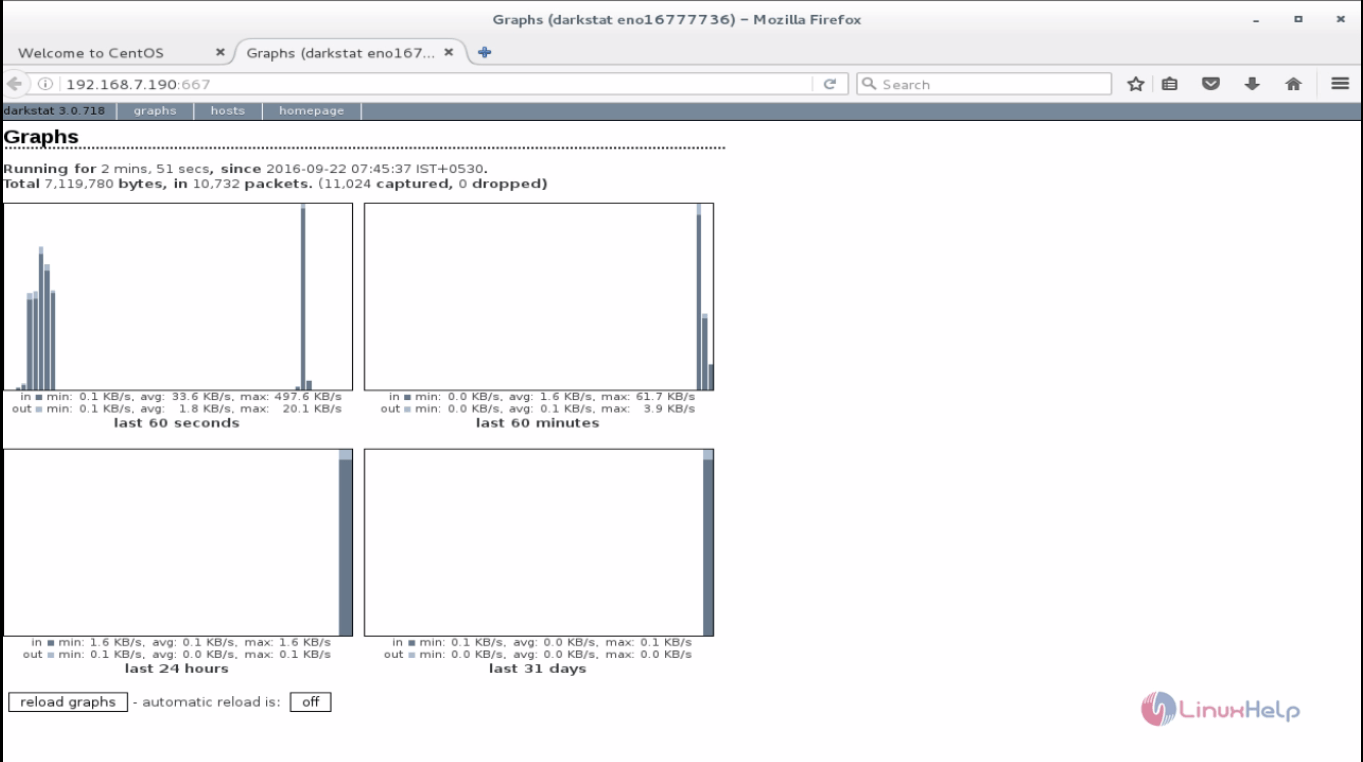
Dive into http://< IP address> :667 and start monitoring the ethernet interface.
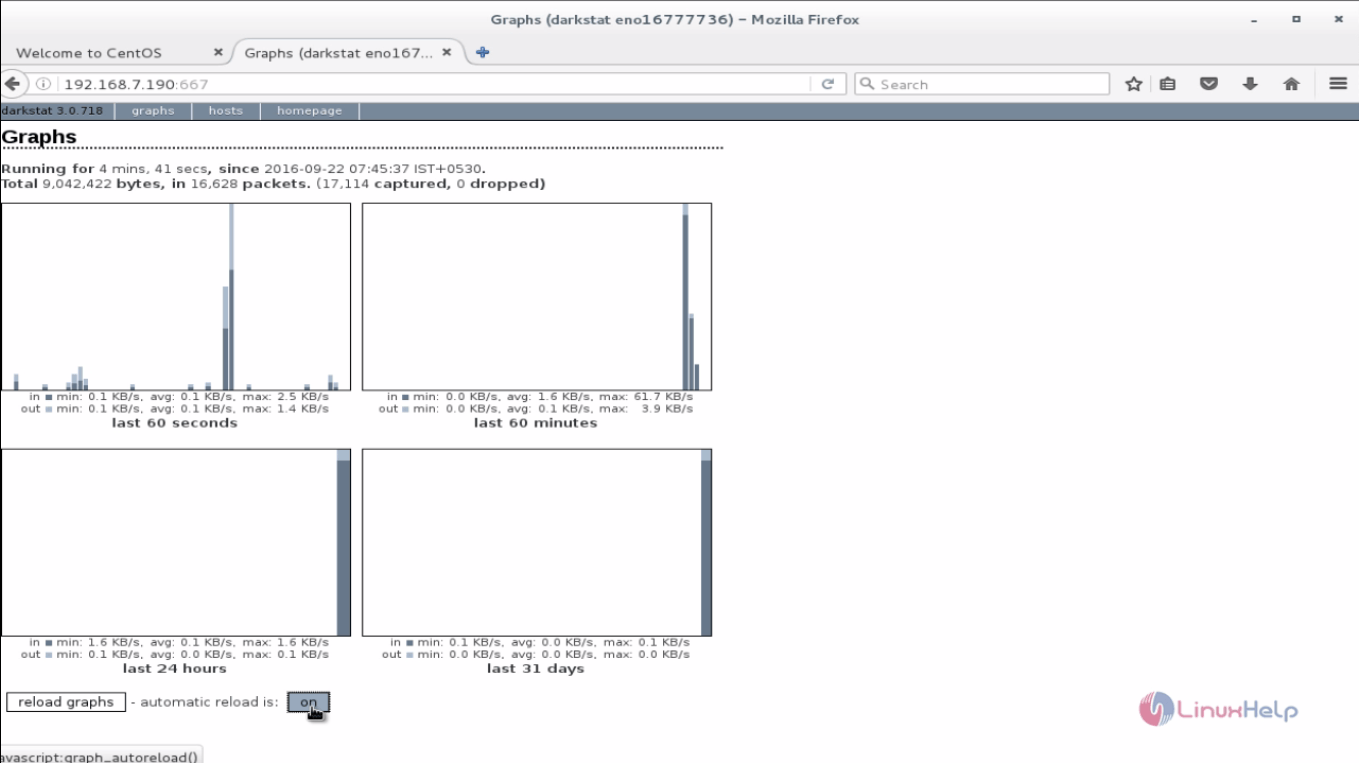
Click on Graph to view it in graphical representation.
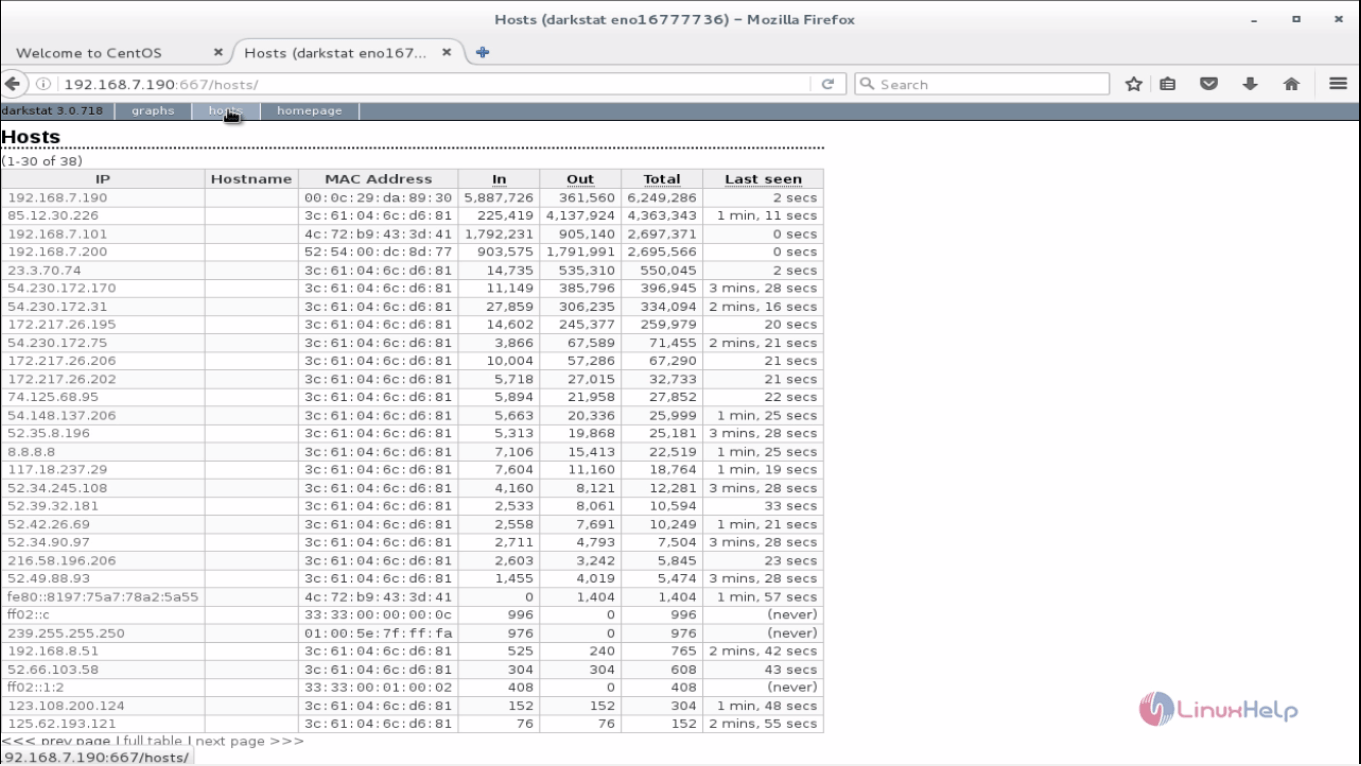
To view the host details click on host interface.
Comments ( 0 )
No comments available