• Categories
    Category
    {{ postCtrl.tags }}
    • {{ category.tag_type }}

      • {{tag.tag_name}}
      • View more
  • Categories
    Category
    {{ postCtrl.tags }}
    • {{ category.tag_type }}

      • {{tag.tag_name}}
      • View more
  • News
  • Tutorials
  • Forums
  • Tags
  • Users
Tutorial News Comments FAQ Related Articles

How to install dconf-editor on linuxmint-18.03

{{postValue.id}}

To install dconf-editor on linuxmint-18.03

dconf is a low-level configuration system. Its main purpose is to provide a backend to Gsettings on platforms that don' t already have configuration storage systems. It is part of GNOME 3 and is a replacement for GConf.


Installation

Let' s first start with updating the system repositories

linuxhelp ~ # apt-get update
Hit:1 http://ppa.launchpad.net/alexlarsson/flatpak/ubuntu xenial InRelease
Hit:2 http://archive.ubuntu.com/ubuntu xenial InRelease                                      
Hit:3 http://security.ubuntu.com/ubuntu xenial-security InRelease                            
Hit:4 http://archive.canonical.com/ubuntu xenial InRelease                                
Ign:5 http://packages.linuxmint.com sylvia InRelease                                      
Hit:6 http://archive.ubuntu.com/ubuntu xenial-updates InRelease         
Hit:7 http://archive.ubuntu.com/ubuntu xenial-backports InRelease        
Hit:8 http://packages.linuxmint.com sylvia Release
Reading package lists... Done  

Install the dconf-editor application as follows

linuxhelp ~ # apt-get install dconf-editor -y
Reading package lists... Done
Building dependency tree       
Reading state information... Done
The following NEW packages will be installed:
  dconf-editor
0 upgraded, 1 newly installed, 0 to remove and 373 not upgraded.
Need to get 0 B/144 kB of archives.
After this operation, 670 kB of additional disk space will be used.
Selecting previously unselected package dconf-editor.
(Reading database ... 224091 files and directories currently installed.)
Preparing to unpack .../dconf-editor_3.18.2-1_amd64.deb ...
Unpacking dconf-editor (3.18.2-1) ...
Processing triggers for libglib2.0-0:amd64 (2.48.2-0ubuntu1) ...
Processing triggers for desktop-file-utils (0.22+linuxmint1) ...
Processing triggers for mime-support (3.59ubuntu1) ...
Processing triggers for man-db (2.7.5-1) ...
Processing triggers for hicolor-icon-theme (0.15-0ubuntu1) ...
Setting up dconf-editor (3.18.2-1) ...

Once Installation is done you can access the application from the Menu as shown here
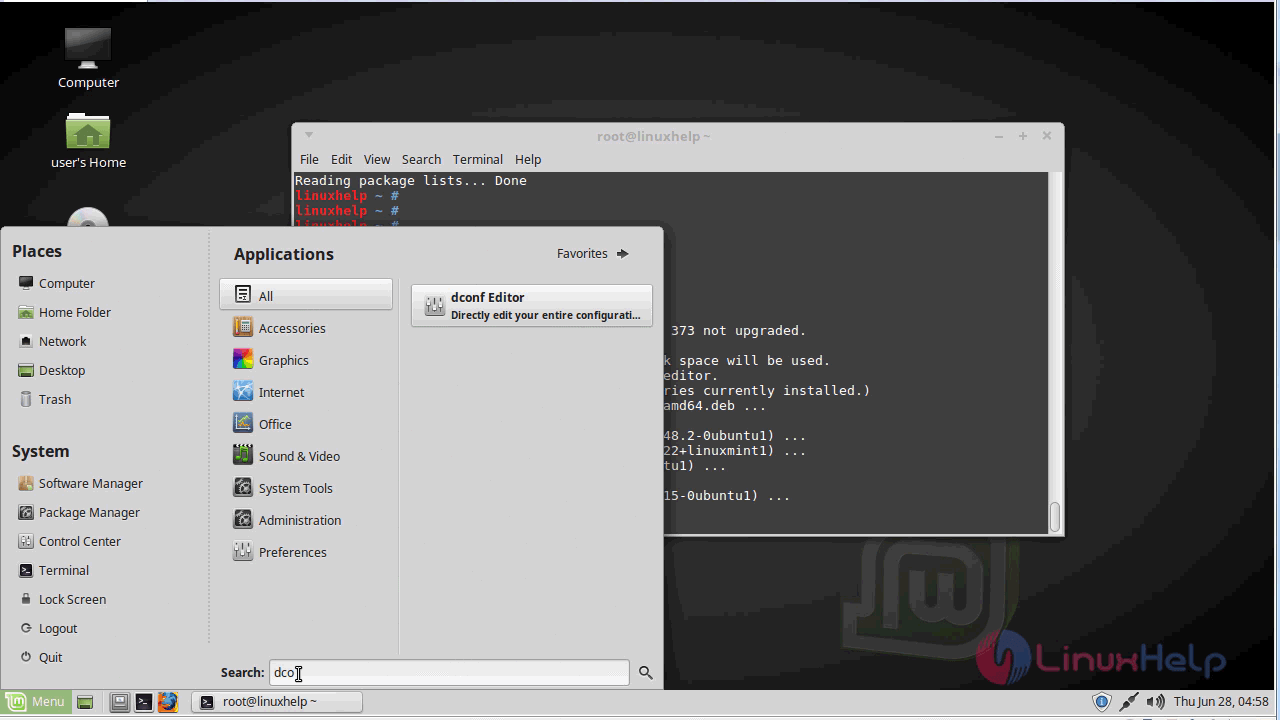
menu
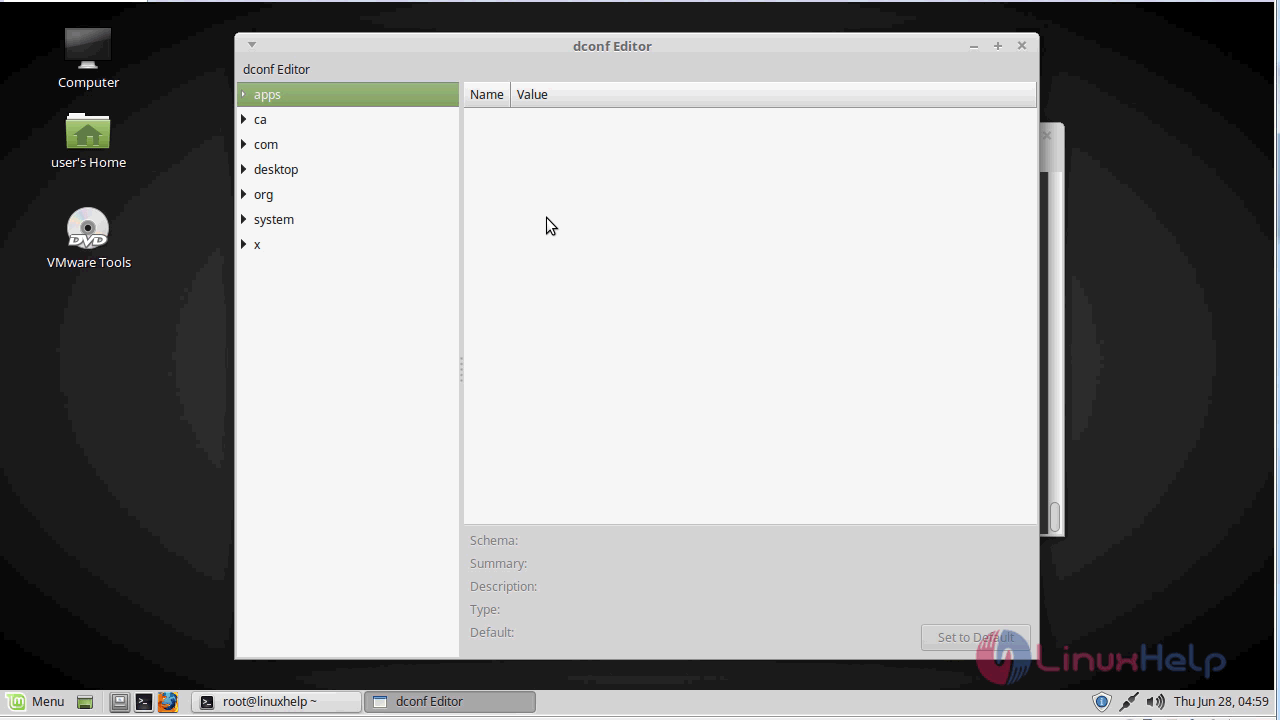
Dconf editor application.
dconf_editor

The version of the dconf-editor application.
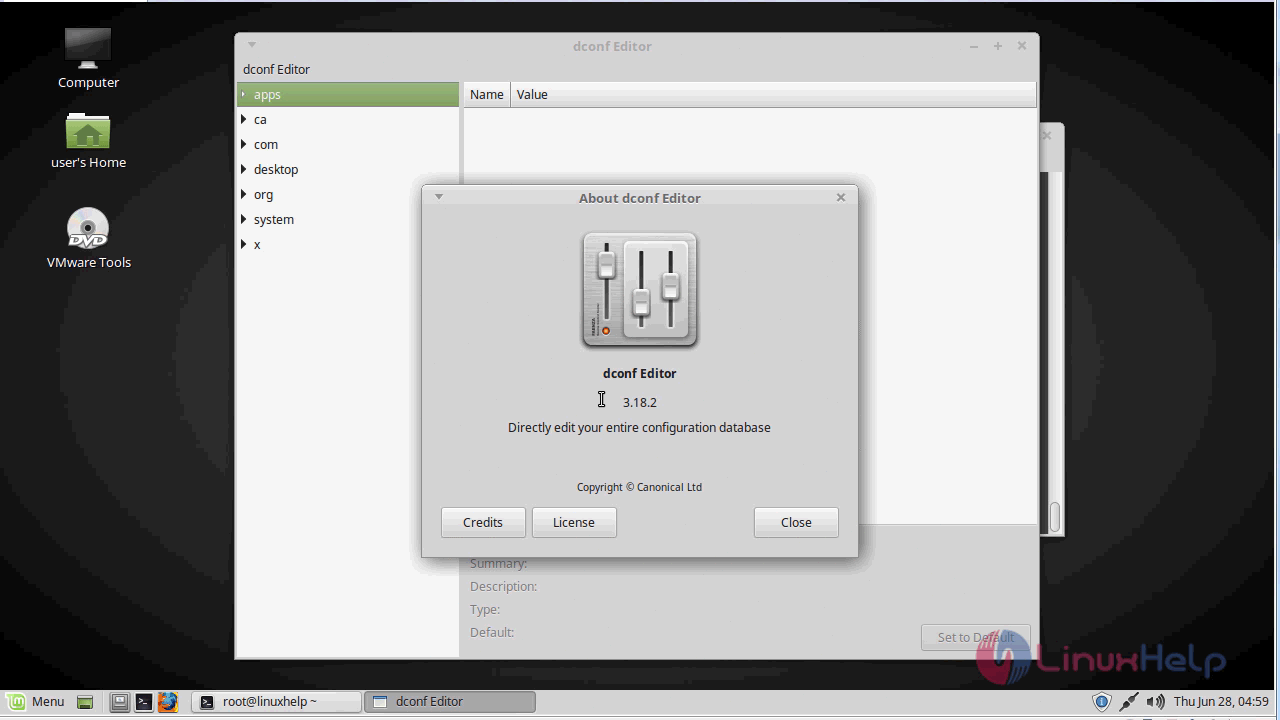
dconf_version

With this, the method to install dconf-editor on linuxmint-18.03 comes to an end.

Tags:
caden
Author: 

Comments ( 0 )

No comments available

Add a comment
{{postCtrl.cmtErrMsg}}

Frequently asked questions ( 5 )

Q

How can I edit theme?

A

Yes you can several options for it

Q

How can I set password?

A

yes you can configure security option

Q

WHAT ARE DCONF PROFILES?

A

A profile is a list of system's hardware and software configuration databases, which the dconf system collects. dconf profiles allow you to compare identical systems to troubleshoot hardware or software problems.

Q

where are DCONF keys saved in file system? [dconf-editor & gsettings]

A

I currently come across dconf-editor and wonder where dconf keys are saved in Linux systems. I also know that gsettings command can change dconf keys in terminal. For Example:

# gsettings set org.gnome.shell.clock show-date true
# gsettings set com.canonical.indicator.session show-real-name-on-panel false
# gsettings set org.gnome.desktop.interface clock-show-date true

Q

Where is MateConf gone to?

A

MateConf has been replaced by GSettings/dconf. You should now use dconf-editor and/or the command line tool gsettings.

Back To Top!
Rank
User
Points

Top Contributers

userNamenaveelansari
135850

Top Contributers

userNameayanbhatti
92510

Top Contributers

userNamehamzaahmed
32150

Top Contributers

1
userNamelinuxhelp
31040

Top Contributers

userNamemuhammadali
24500
Can you help Ganesh Konka ?
Zentya 6.1 http proxy configuration

please send link for creating zentyal 6.1 for http proxy and firewall as gateway.

Networking
  • Routing
  • trunk
  • Netmask
  • Packet Capture
  • domain
  • HTTP Proxy
Server Setup
  • NFS
  • KVM
  • Memory
  • Sendmail
  • WebDAV
  • LXC
Shell Commands
  • Cloud commander
  • Command line archive tools
  • last command
  • Shell
  • terminal
  • Throttle
Desktop Application
  • Linux app
  • Pithos
  • Retrospect
  • Scribe
  • TortoiseHg
  • 4Images
Monitoring Tool
  • Monit
  • Apache Server Monitoring
  • EtherApe 
  • Arpwatch Tool
  • Auditd
  • Barman
Web Application
  • Nutch
  • Amazon VPC
  • FarmWarDeployer
  • Rukovoditel
  • Mirror site
  • Chef
Contact Us | Terms of Use| Privacy Policy| Disclaimer
© 2025 LinuxHelp.com All rights reserved. Linux™ is the registered trademark of Linus Torvalds. This site is not affiliated with linus torvalds in any way.