How to install Deadbeef audio player on linuxmint-18.03
{{postValue.id}}
To install Deadbeef audio player on linuxmint-18.03
Deadbeef is free and open source audio player application. It is available for GNU+Linux and Android and other Unix-like operating systems. In this tutorial, we will see the installation of Deadbeef on Linux mint 18.3
Installation
Add the repository for Deadbeef audio player by using ppa.
linuxhelp ~ # add-apt-repository -y ppa:starws-box/deadbeef-player
You are about to add the following PPA:
 deadbeef player PPA. Bugs or questions? Email me starws.box[at]gmail.com
 More info: https://launchpad.net/~starws-box/+archive/ubuntu/deadbeef-player
Executing: /tmp/tmp.uk07t7ubLx/gpg.1.sh --keyserver
hkp://keyserver.ubuntu.com:80
--recv-keys
2DD154A1
gpg: requesting key 2DD154A1 from hkp server keyserver.ubuntu.com
gpg: key 2DD154A1: public key "Launchpad PPA for starws" imported
gpg: Total number processed: 1
gpg:               imported: 1  (RSA: 1)
Let's first start with updating the system repositories
linuxhelp ~ # apt-get update
Hit:1 http://archive.ubuntu.com/ubuntu xenial InRelease
Get:2 http://archive.canonical.com/ubuntu xenial InRelease [11.5 kB]
Get:3 http://ppa.launchpad.net/starws-box/deadbeef-player/ubuntu xenial InRelease [17.5 kB]
Ign:4 http://packages.linuxmint.com sylvia InRelease
Get:5 http://archive.canonical.com/ubuntu xenial/partner amd64 Packages [3,128 B]
Get:6 http://archive.canonical.com/ubuntu xenial/partner i386 Packages [3,128 B]
Get:7 http://security.ubuntu.com/ubuntu xenial-security InRelease [107 kB]
.
.
.
Get:42 http://archive.ubuntu.com/ubuntu xenial-updates/multiverse i386 Packages [15.5 kB]
Get:43 http://archive.ubuntu.com/ubuntu xenial-updates/multiverse Translation-en [8,344 B]
Get:44 http://archive.ubuntu.com/ubuntu xenial-backports/main amd64 Packages [4,844 B]
Get:45 http://archive.ubuntu.com/ubuntu xenial-backports/main i386 Packages [4,836 B]
Get:46 http://archive.ubuntu.com/ubuntu xenial-backports/universe amd64 Packages [7,412 B]
Get:47 http://archive.ubuntu.com/ubuntu xenial-backports/universe i386 Packages [7,104 B]
Get:48 http://archive.ubuntu.com/ubuntu xenial-backports/universe Translation-en [3,996 B]
Fetched 5,934 kB in 9s (633 kB/s)
Reading package lists... Done
Install the Deadbeef audio player run the following command.
linuxhelp ~ # apt-get install deadbeef
Reading package lists... Done
Building dependency tree
Reading state information... Done
The following additional packages will be installed:
  libid3tag0 libimlib2 libjansson4
The following NEW packages will be installed:
  deadbeef libid3tag0 libimlib2 libjansson4
0 upgraded, 4 newly installed, 0 to remove and 368 not upgraded.
Need to get 3,207 kB of archives.
After this operation, 11.1 MB of additional disk space will be used.
Do you want to continue? [Y/n] y
Get:1 http://archive.ubuntu.com/ubuntu xenial/universe amd64 libid3tag0 amd64 0.15.1b-11 [29.3 kB]
Get:2 http://archive.ubuntu.com/ubuntu xenial-updates/universe amd64 libimlib2 amd64 1.4.7-1ubuntu0.1 [172 kB]
.
.
.
Processing triggers for libc-bin (2.23-0ubuntu9) ...
Processing triggers for desktop-file-utils (0.22+linuxmint1) ...
Processing triggers for mime-support (3.59ubuntu1) ...
Processing triggers for hicolor-icon-theme (0.15-0ubuntu1) ...
Setting up libid3tag0 (0.15.1b-11) ...
Setting up libimlib2:amd64 (1.4.7-1ubuntu0.1) ...
Setting up libjansson4:amd64 (2.7-3) ...
Setting up deadbeef (0.7.2-1~xenial~ppa1) ...
Processing triggers for libc-bin (2.23-0ubuntu9) ...
Once Installation is done you can access the application from the Menu as shown here
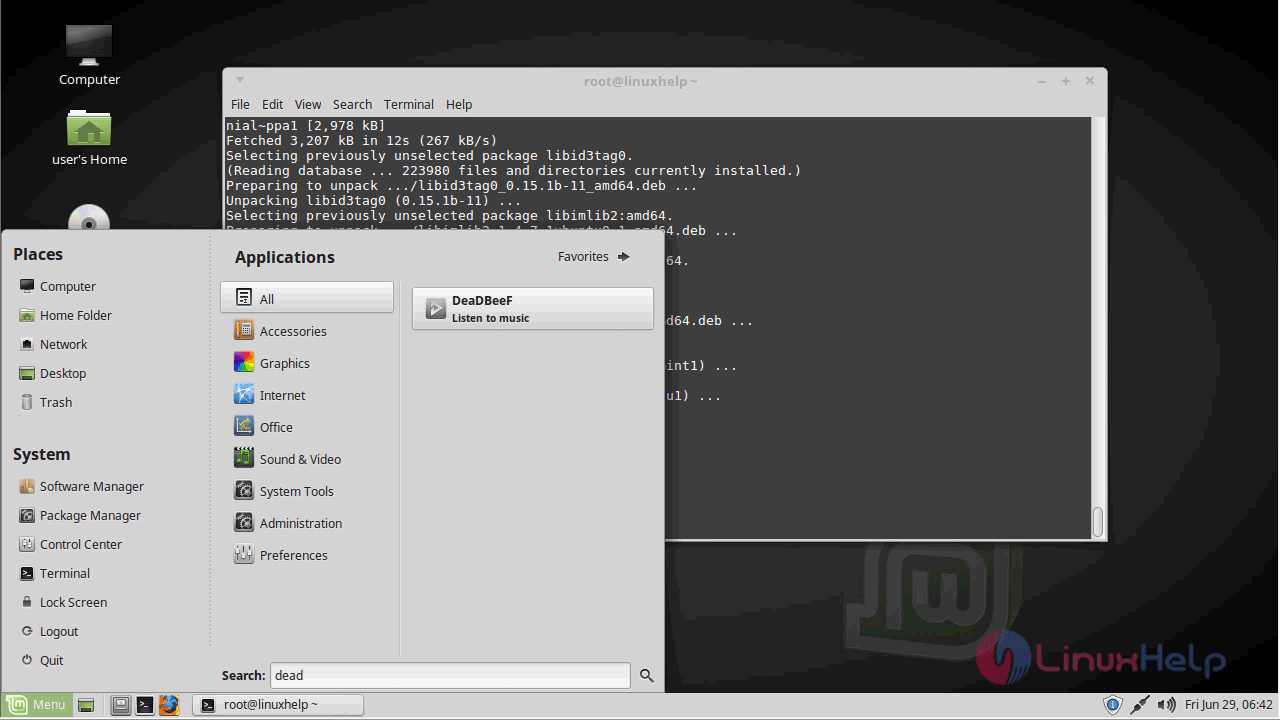
Now you can able to use Deadbeef audio player application.
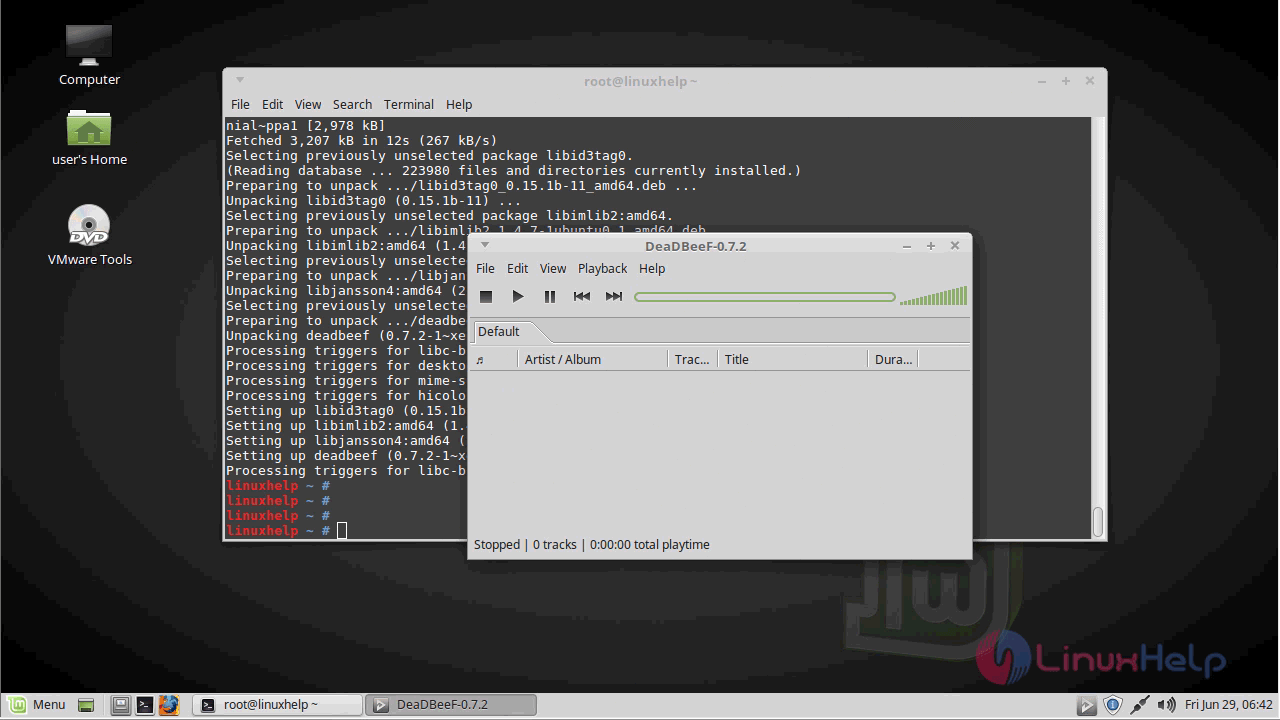
With this, the method to install Deadbeef on linuxmint-18.03 comes to an end
Comments ( 0 )
No comments available