• Categories
    Category
    {{ postCtrl.tags }}
    • {{ category.tag_type }}

      • {{tag.tag_name}}
      • View more
  • Categories
    Category
    {{ postCtrl.tags }}
    • {{ category.tag_type }}

      • {{tag.tag_name}}
      • View more
  • News
  • Tutorials
  • Forums
  • Tags
  • Users
Tutorial News Comments FAQ Related Articles

How to install Deepin Music Player in Ubuntu

{{postValue.id}}

To install Deepin Music Player in Ubuntu

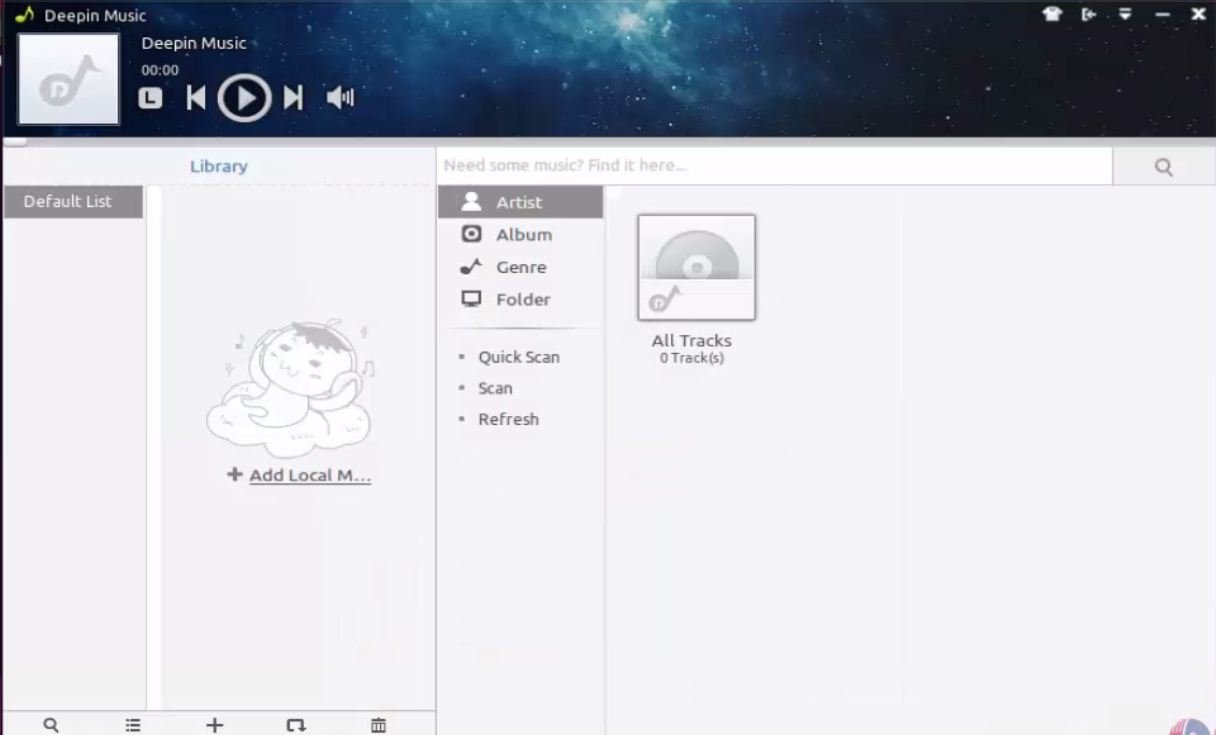
In this article we will learn how to install Deepin Music Player. Deepin Music Player is created by Linux Deepin team and it is considered as a default audio player.

Features

  • Extensible with add-on pluggins.
  • It changed to a minimal interface called mini mode.
  • Adds playback support for audio CD and lossless formats.
  • Supports conversion to a different audio formats.
  • Look and appeal can be altered.
  • Supports variety of audio file formats.
  • Supports playlists and equalizer.
  • Original music management.
  • Offers two differnt modes namely simple mode and full screen mode.
  • Supports multi-engine search lyrics.
  • Supports " panel Lyrics/Window lyrics" in display mode.


To install Deepin Music player

Add the package of Deepin music player into the repository through PPA.

root@linuxhelp:/home/user1# apt-add-repository ppa:noobslab/deepin-sc 

This PPA Contain Deepin Software Center and other Deepin Apps for Ubuntu/Linux Mint
http://www.NoobsLab.com
More info: https://launchpad.net/~noobslab/+archive/ubuntu/deepin-sc
Press [ENTER] to continue or ctrl-c to cancel adding it
.
.
.

gpg: key F59EAE4D: public key " Launchpad PPA for NoobsLab"  imported
gpg: no ultimately trusted keys found
gpg: Total number processed: 1
gpg: imported: 1 (RSA: 1)
OK


After adding the repo, update the repository by using the below command.

root@linuxhelp:/home/user1# apt-get update 
Hit http://in.archive.ubuntu.com wily InRelease
Hit http://ppa.launchpad.net wily InRelease
Get:1 http://security.ubuntu.com wily-security InRelease [65.9 kB]
Get:2 http://in.archive.ubuntu.com wily-updates InRelease [65.9 kB]
Get:3 http://ppa.launchpad.net wily InRelease [15.5 kB]
.
.
.
Hit http://in.archive.ubuntu.com wily-backports/multiverse Translation-en
Hit http://in.archive.ubuntu.com wily-backports/restricted Translation-en
Hit http://in.archive.ubuntu.com wily-backports/universe Translation-en
Fetched 1,915 kB in 24s (78.5 kB/s)
Reading package lists... Done


Then install the Deepin Music player.

root@linuxhelp:/home/user1# apt-get install deepin-music 
Reading package lists... Done
Building dependency tree
Reading state information... Done
The following extra packages will be installed:
deepin-ui freepats gstreamer0.10-plugins-bad gstreamer0.10-plugins-base gstreamer0.10-plugins-good
.
.
.
Setting up python-pyquery (1.2.4-1) ...
Setting up python-pycurl (7.19.5.1-1ubuntu2) ...
Setting up python-deepin-gsettings (0.1+git20131206094009-a~wily) ...
Setting up deepin-music (14.12.1.1~wily~NoobsLab.com) ...
keep visit on www.NoobsLab.com
Processing triggers for libc-bin (2.21-0ubuntu4) ...

To launch Deepin

Open the Ubuntu dashboard, search for the Deepin Music icon.
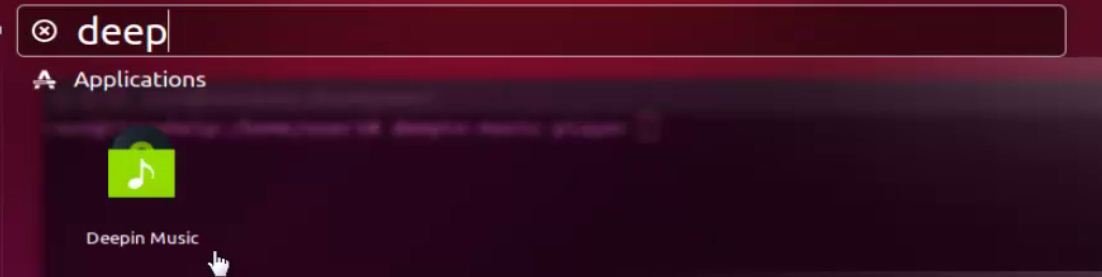
search_deepin
Start enjoying your favorite music.
Deepin_music_player

Tags:
liam
Author: 

Comments ( 0 )

No comments available

Add a comment
{{postCtrl.cmtErrMsg}}

Frequently asked questions ( 5 )

Q

Are there any themes for deepin which could change its Look and Feel?

A

Themes are not supported but you can adjust UI appearance, colors and transparency of UI elements, through the settings: Settings -> User Interface -> Appearance.

Q

On each track change the sound becomes overloaded (too loud) and then becomes again normal, is it a bug?

A

No, it is not a bug. Most probably you misused the Preamp. You can fix it as following:

Make sure that in Controls screen you have Preamp slider in the middle position (0 dB).
Go to Neutron UI -> Settings -> Automatic Gain Protection -> check if RESET GAIN value is 0 dB, if not, reset it to 0 dB with the slider.

Q

Where is the file of a newly created playlist stored?

A

Playlist files which are created by Neutron are stored in the following locations:

Android OS: /Android/data/com.neutroncode.mp/playlists, or /NeutronMP/playlists
BlackBerry OS: /shared/music/playlists

Q

I do not see album art, does deepin support it?

A

Yes. Neutron builds own media database and searches for an album art in: folders where music files are located, or tags of music files. On iOS platform Neutron will get album art images for the iTunes tracks from the iTunes library. On Android platform system media library is not supported.

Q

Crossfeeding button is replaced when Surround mode becomes active?

A

Yes. Crossfeeding and Surround modes are mutually exclusive by operation, Surround widens stereo while Crossfeeding is narrowing it.

Back To Top!
Rank
User
Points

Top Contributers

userNamenaveelansari
135850

Top Contributers

userNameayanbhatti
92510

Top Contributers

userNamehamzaahmed
32150

Top Contributers

1
userNamelinuxhelp
31040

Top Contributers

userNamemuhammadali
24500
Can you help Jayce ?
What are the types of table used in IPtables

What are the various types of table used in IPtables and how to use that for my server security?

Networking
  • Routing
  • trunk
  • Netmask
  • Packet Capture
  • domain
  • HTTP Proxy
Server Setup
  • NFS
  • KVM
  • Memory
  • Sendmail
  • WebDAV
  • LXC
Shell Commands
  • Cloud commander
  • Command line archive tools
  • last command
  • Shell
  • terminal
  • Throttle
Desktop Application
  • Linux app
  • Pithos
  • Retrospect
  • Scribe
  • TortoiseHg
  • 4Images
Monitoring Tool
  • Monit
  • Apache Server Monitoring
  • EtherApe 
  • Arpwatch Tool
  • Auditd
  • Barman
Web Application
  • Nutch
  • Amazon VPC
  • FarmWarDeployer
  • Rukovoditel
  • Mirror site
  • Chef
Contact Us | Terms of Use| Privacy Policy| Disclaimer
© 2025 LinuxHelp.com All rights reserved. Linux™ is the registered trademark of Linus Torvalds. This site is not affiliated with linus torvalds in any way.