• Categories
    Category
    {{ postCtrl.tags }}
    • {{ category.tag_type }}

      • {{tag.tag_name}}
      • View more
  • Categories
    Category
    {{ postCtrl.tags }}
    • {{ category.tag_type }}

      • {{tag.tag_name}}
      • View more
  • News
  • Tutorials
  • Forums
  • Tags
  • Users
Tutorial News Comments FAQ Related Articles

How to install DeepOfix Mail Server

{{postValue.id}}

To install DeepOfix Mail Server

DeepOfix is a debian based mail server OS that contains a builtin web based management tool called easy push server management tool. Installation of DeepOfix is explained in this manual.

Features

  • Stores all the information in the LDAP
  • Mails and other added features are maintained with the help of Web based server management
  • It updates the inbuilt tools automatically
  • Email fetch option supports multiple users in single inbox

To install DeepOfix Mail Server

Download the DeepOfix Mail Server from the following link,
http://www.deeproot.co.in/deepofix/download/form
Make it bootable in DVD or pendrive and in the installation wizard, click Install deepOfix.
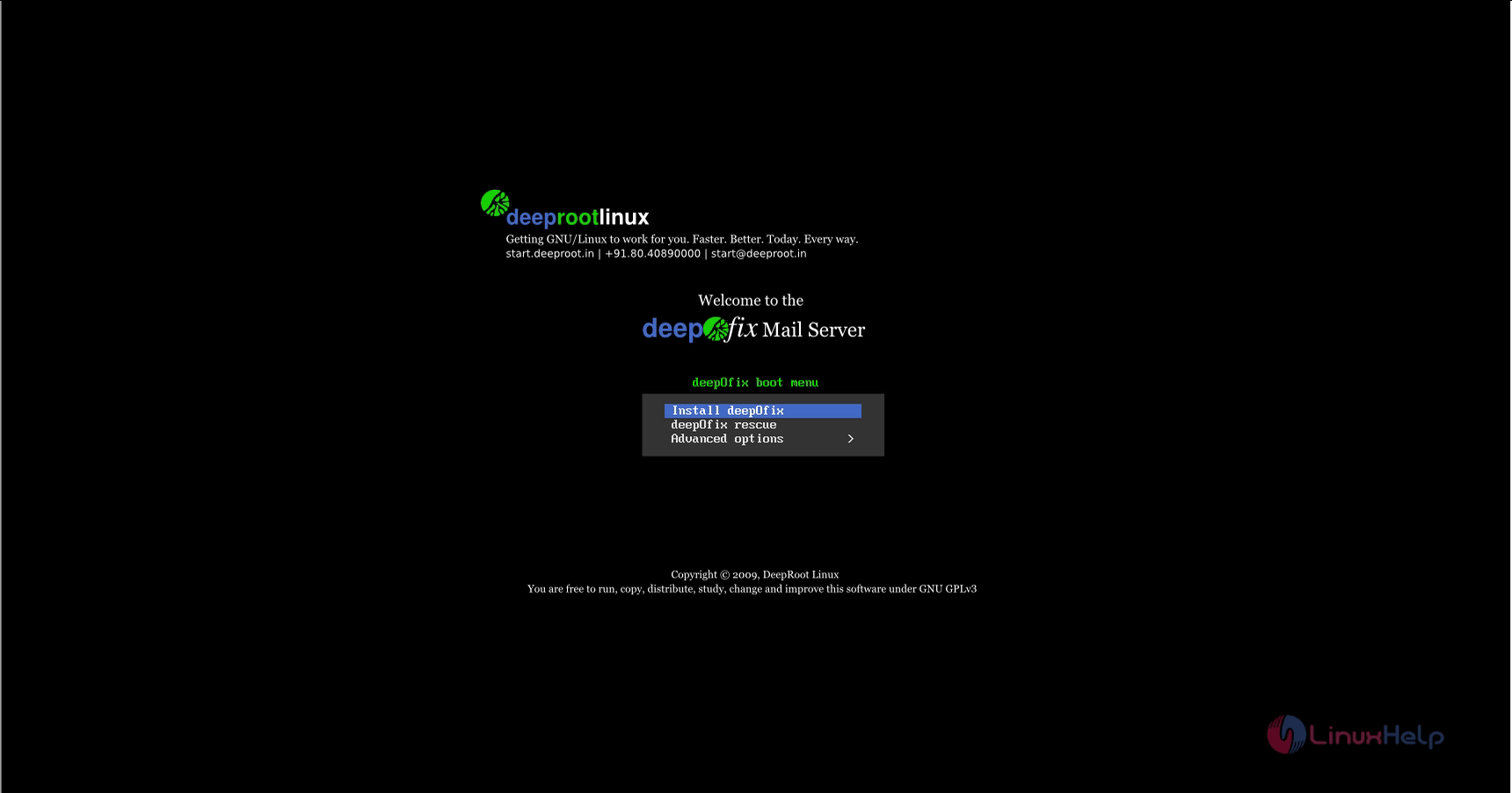
boot_file

Press enter to start the installation.
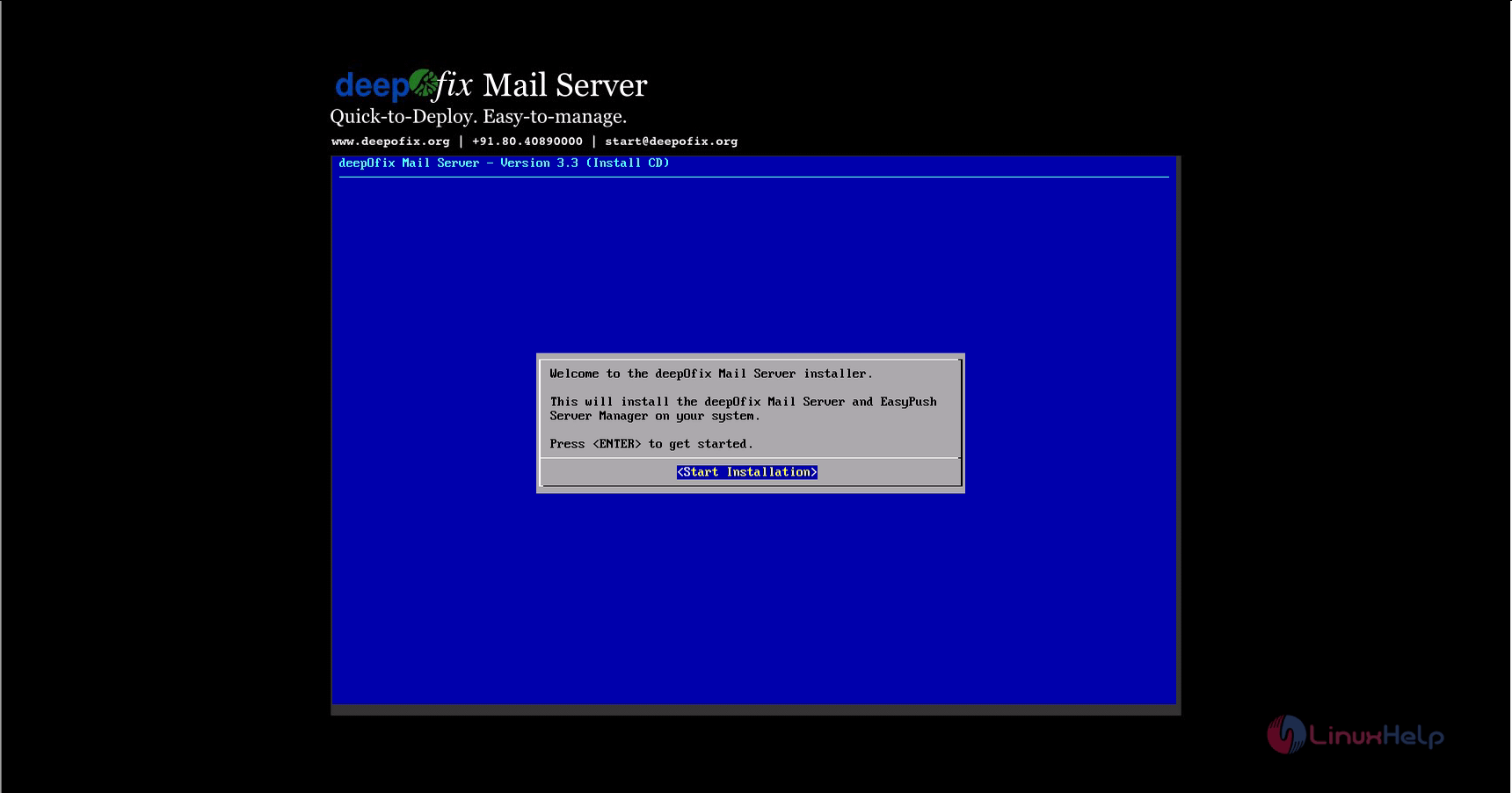
start_installation

Accept the license agreement and give OK.
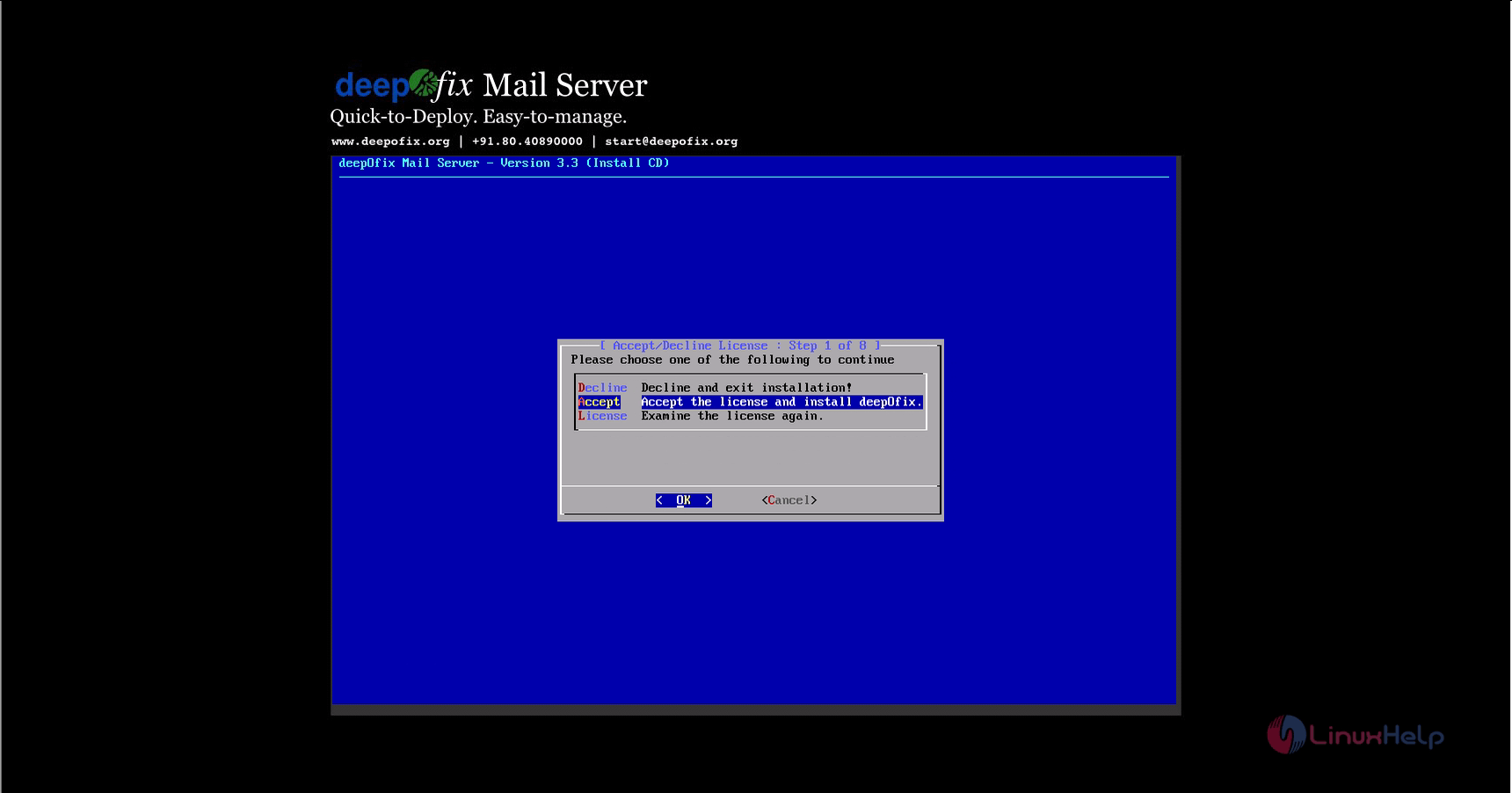
license_agreement
Choose the keyboard layout of your choice.
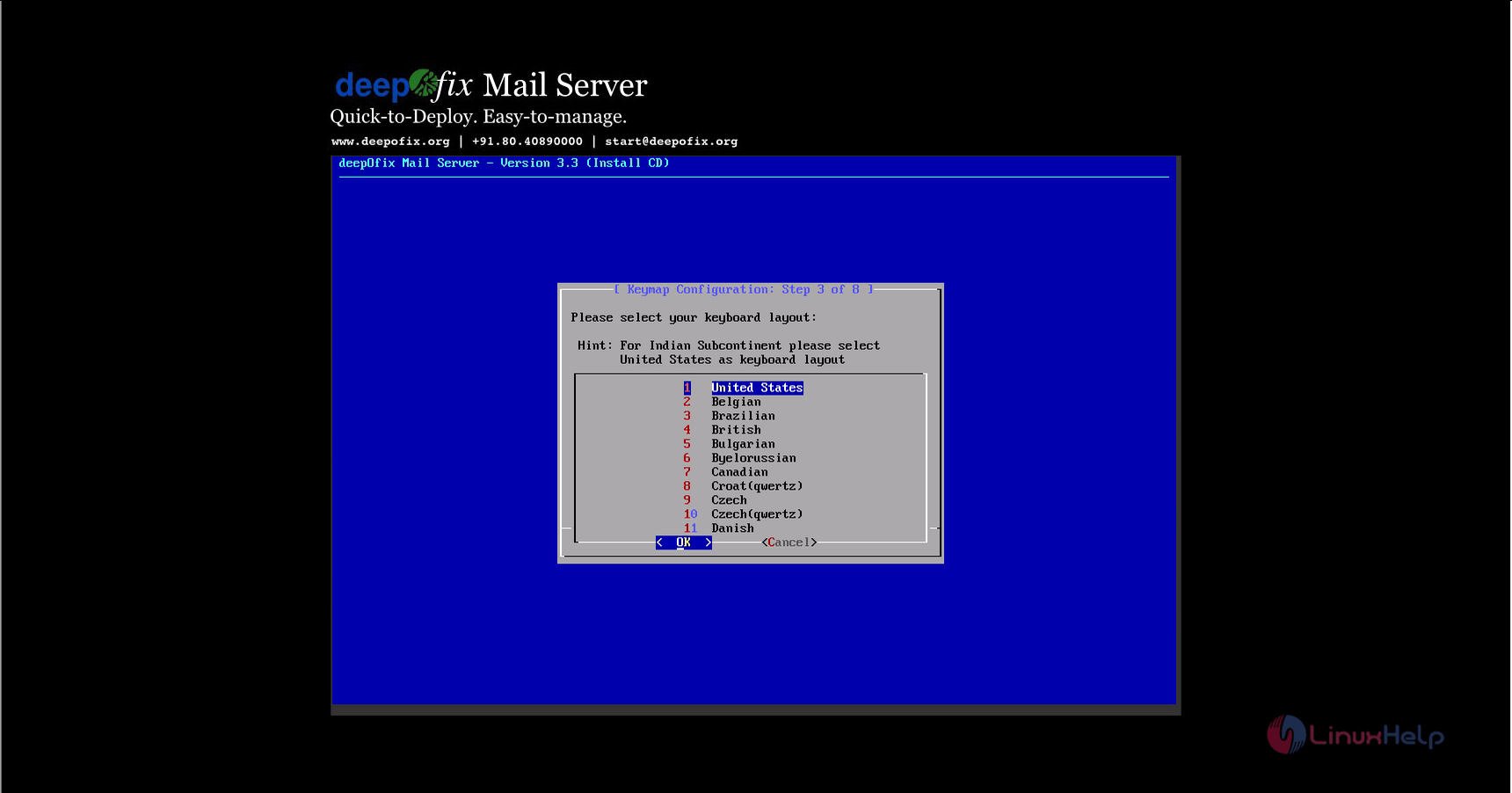

keyboard_layout
Choose the hard disk and click Go Ahead.
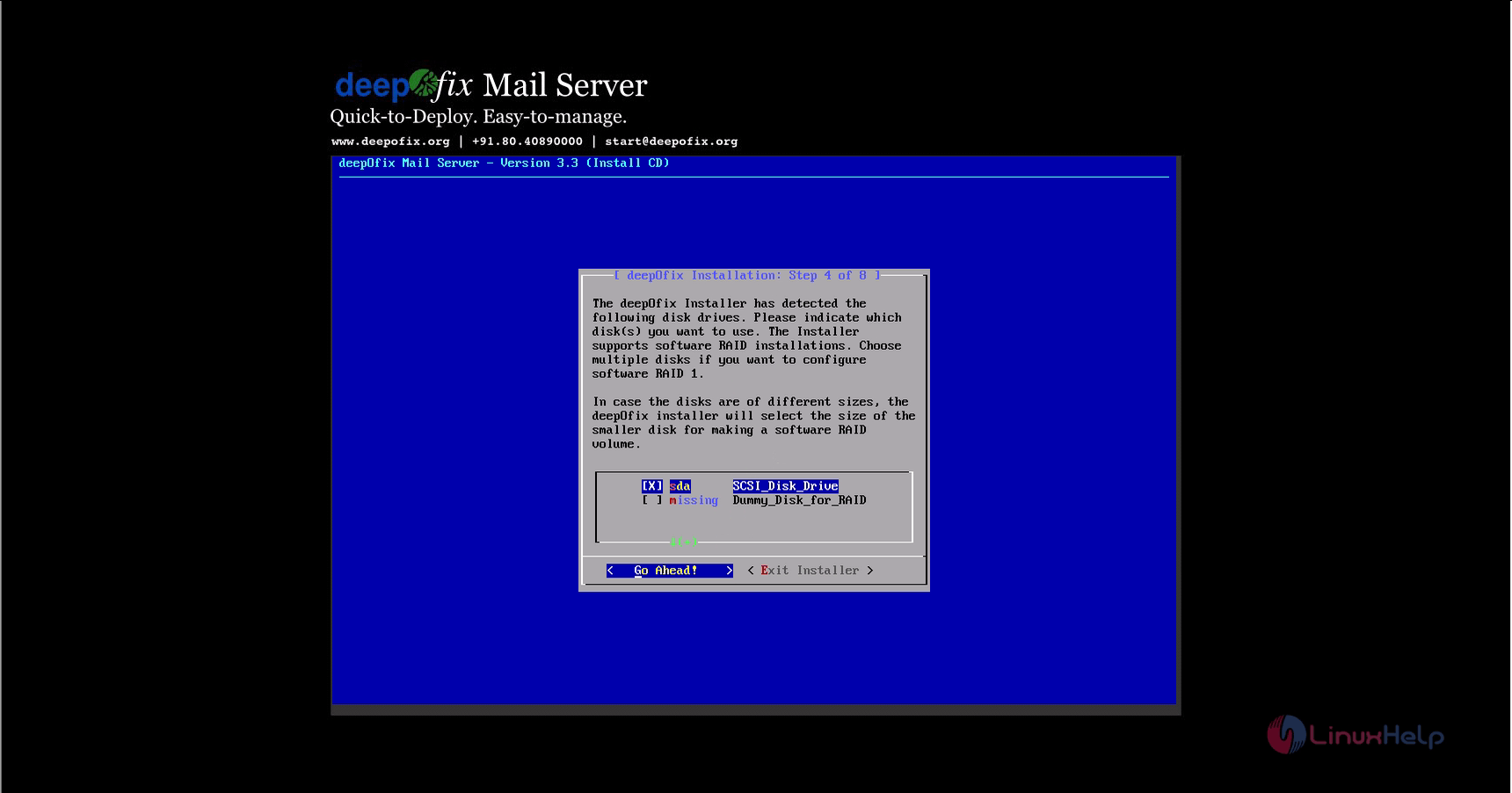
select_hard_disk
Assign the sizes for the partitions as per the requirement.
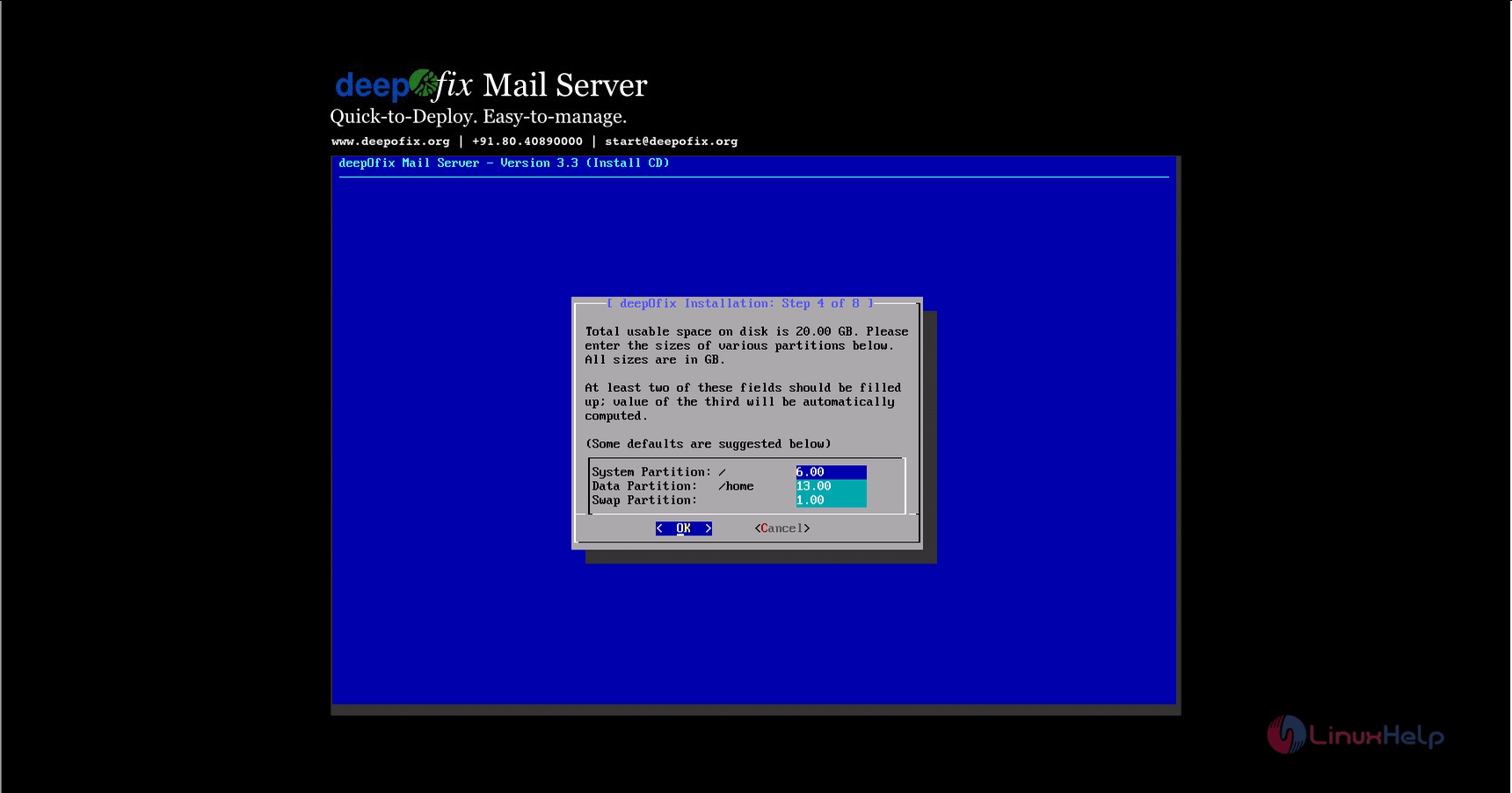
size_of_partition
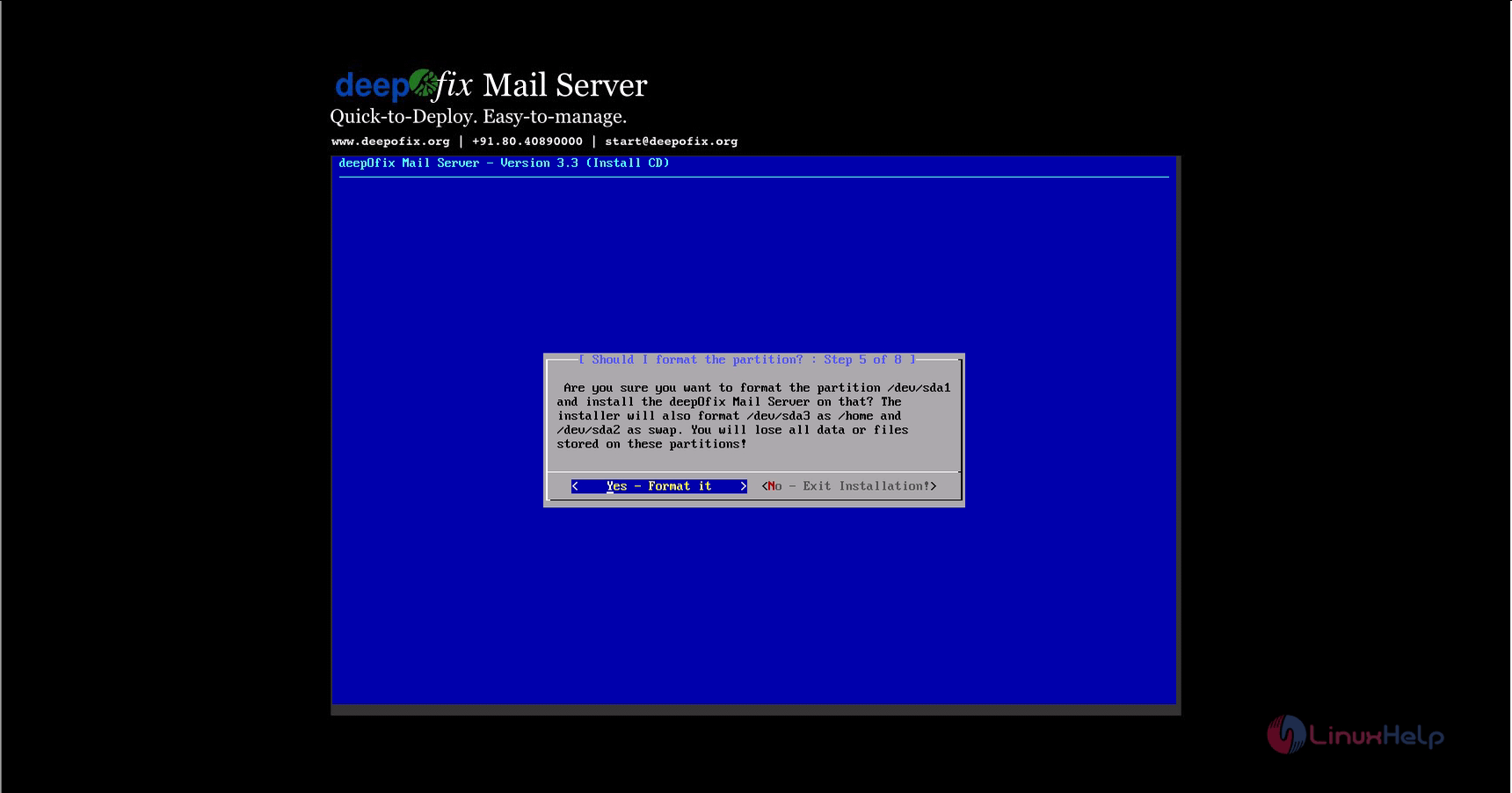
Then format the machine.
format
Enter the IP address, subnet mask, Gateway and dns. Finally click Go ahead.
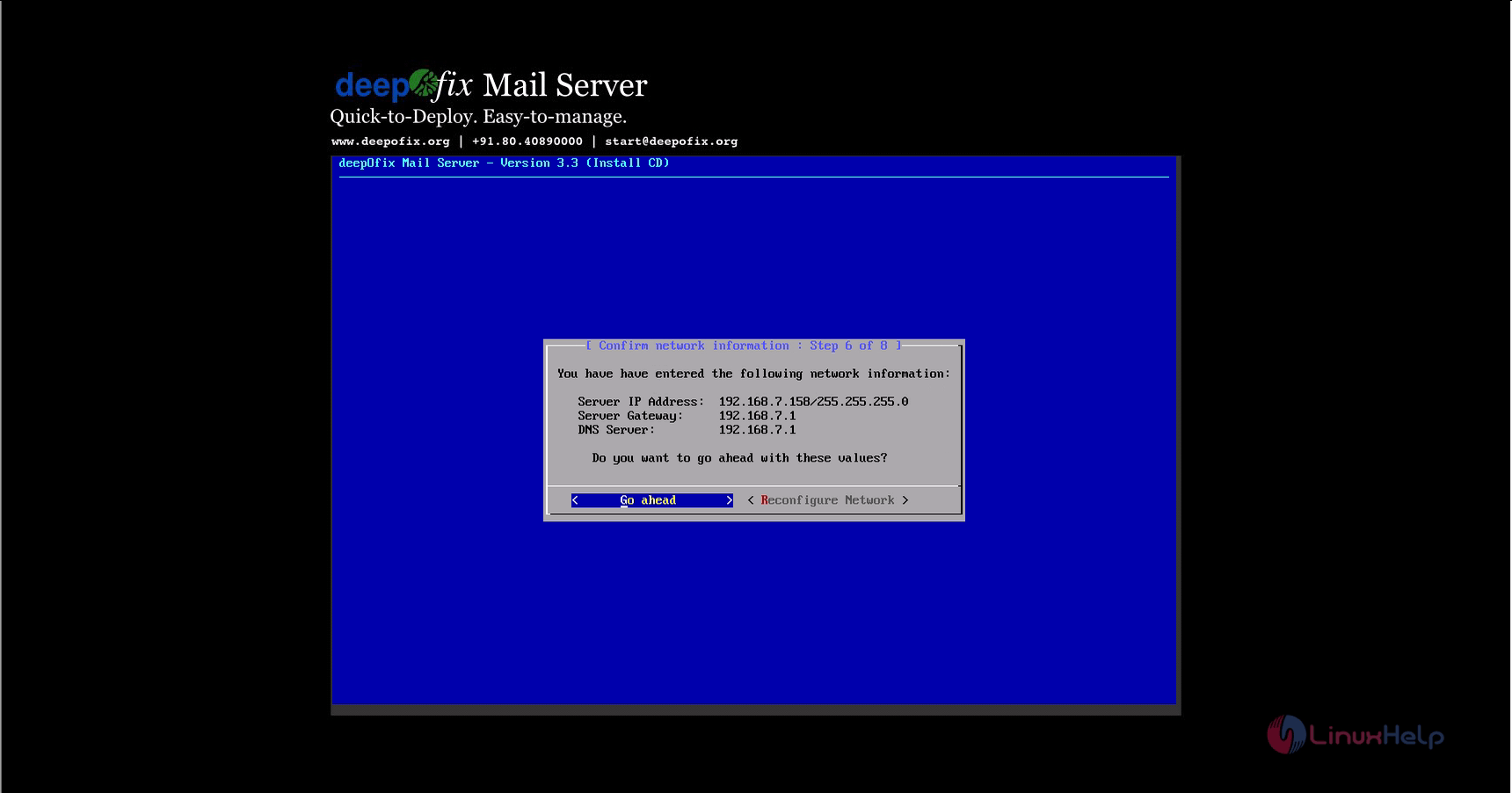
config_network_info
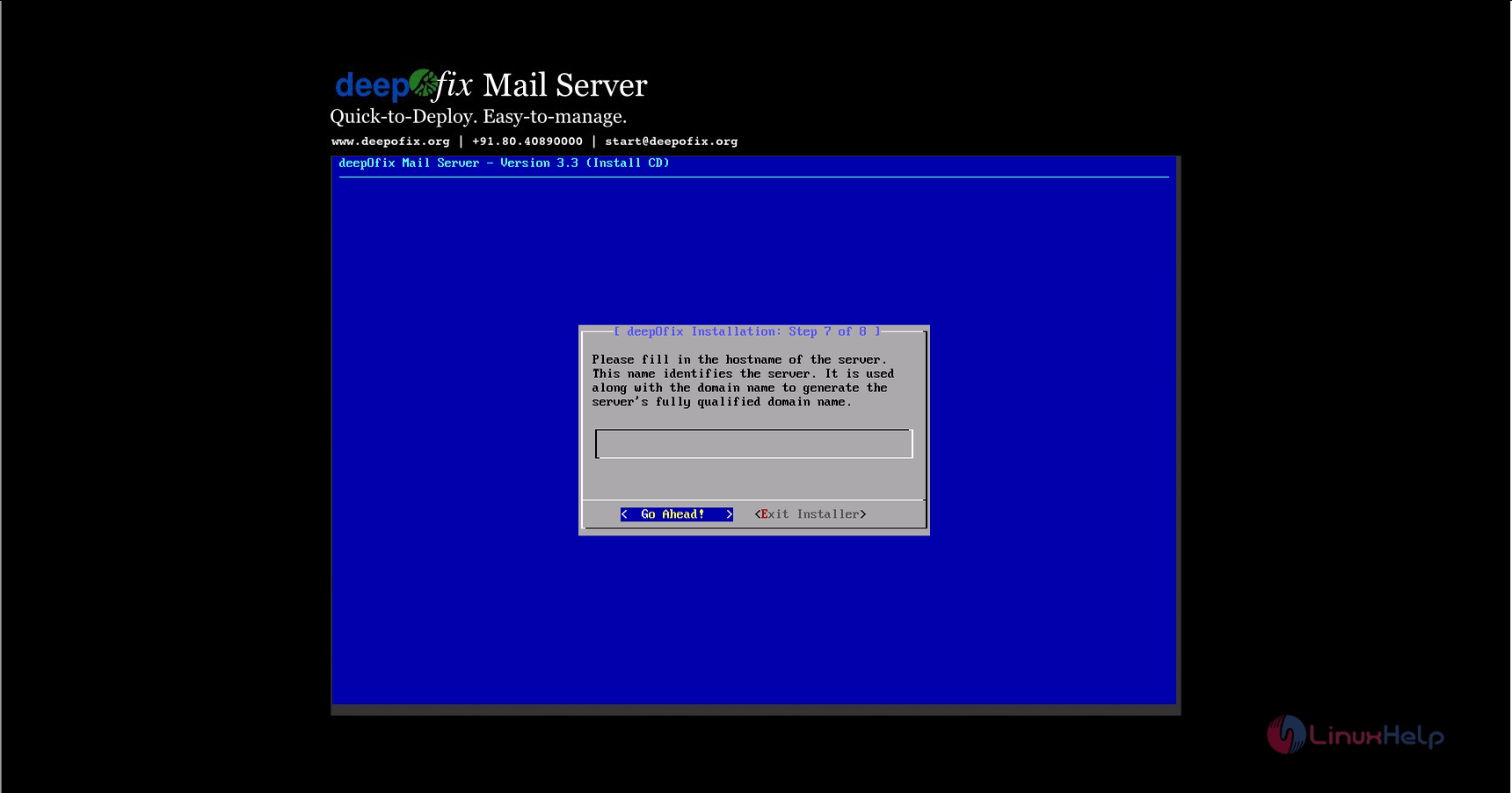
Enter the Host name:linuxhelp
host_name
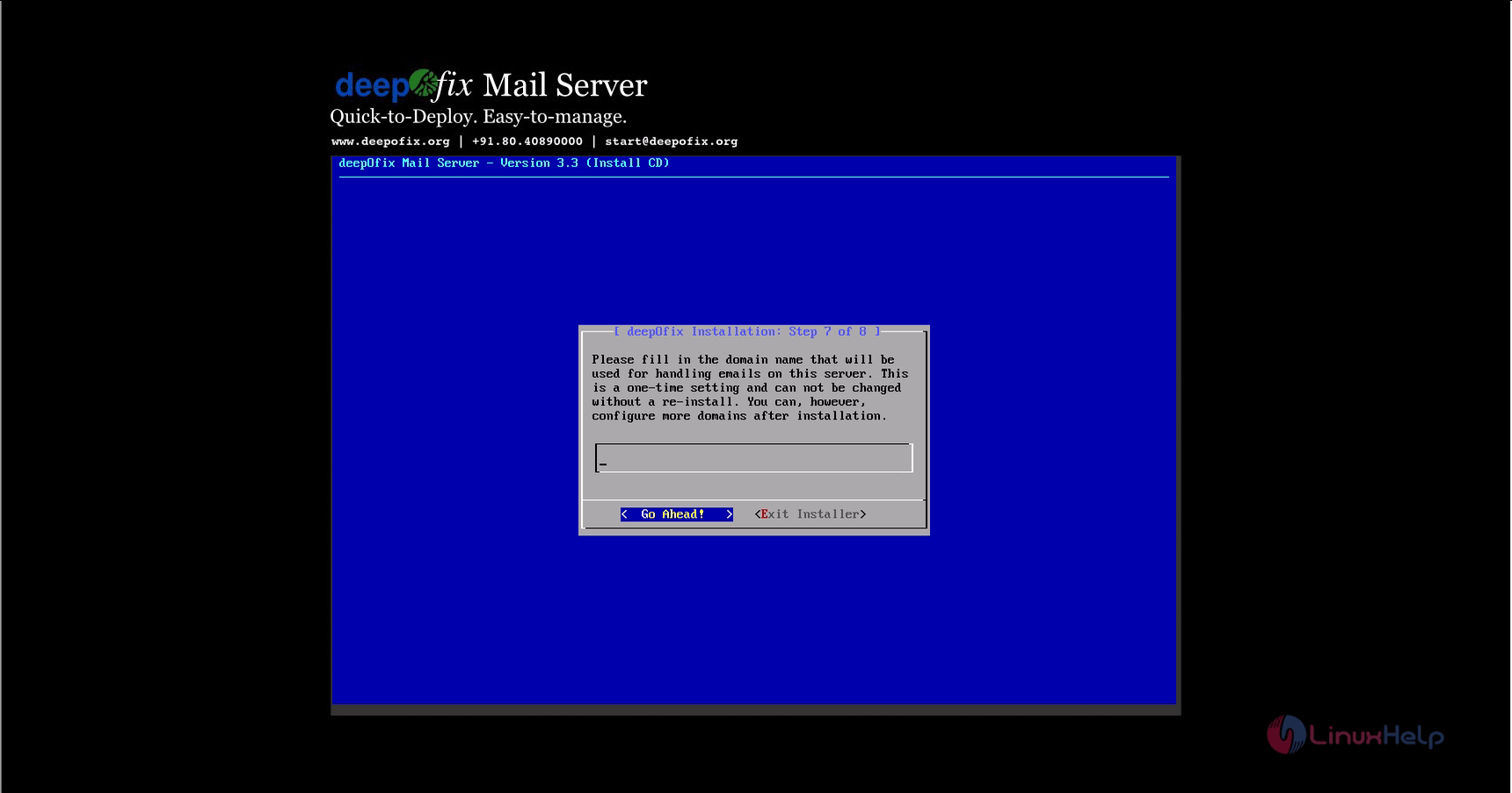
Enter the Domain name:linuxhelp.com
domain_name
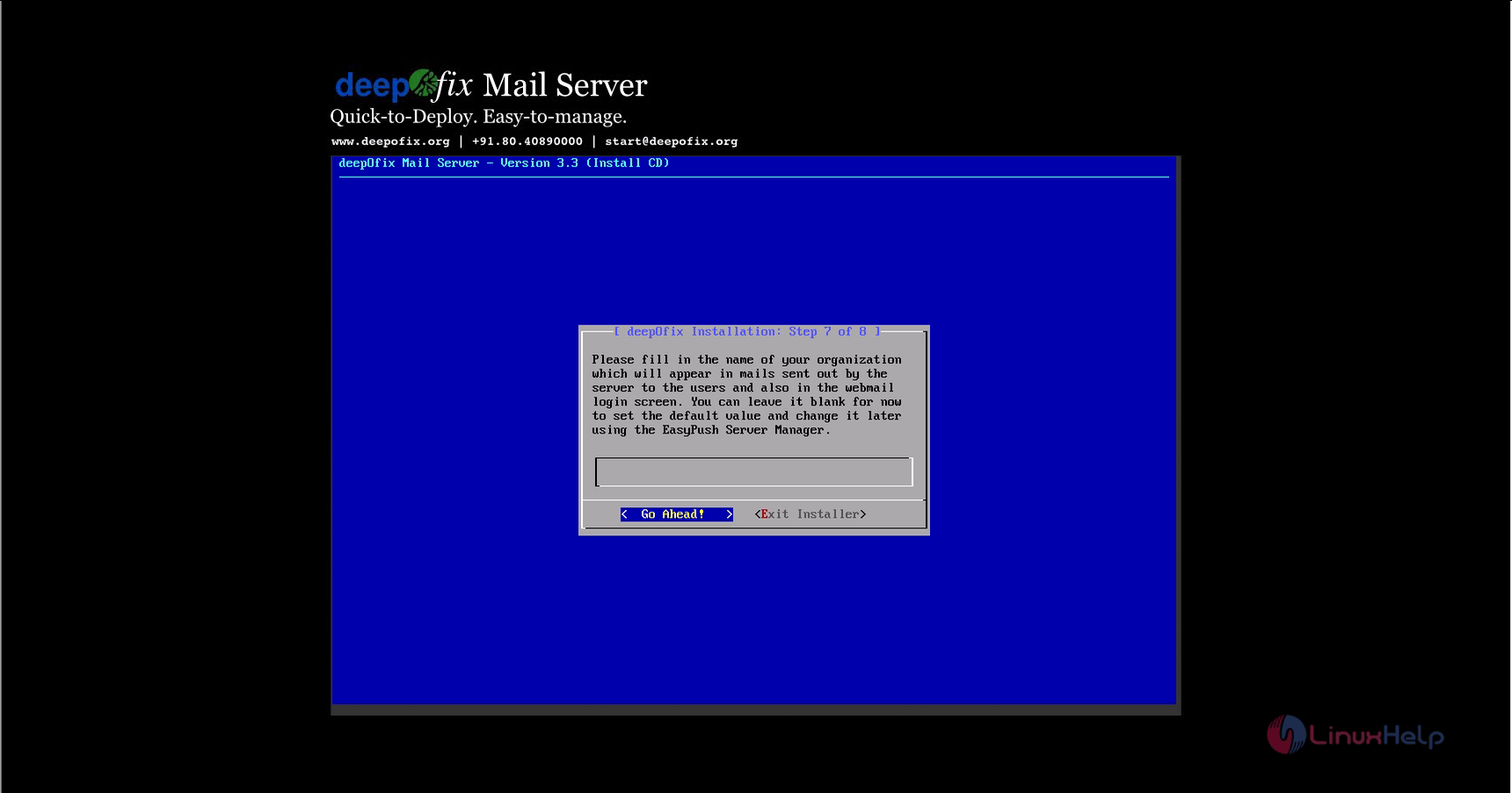
Fill the Organization name:linuxhelp
organisation_name
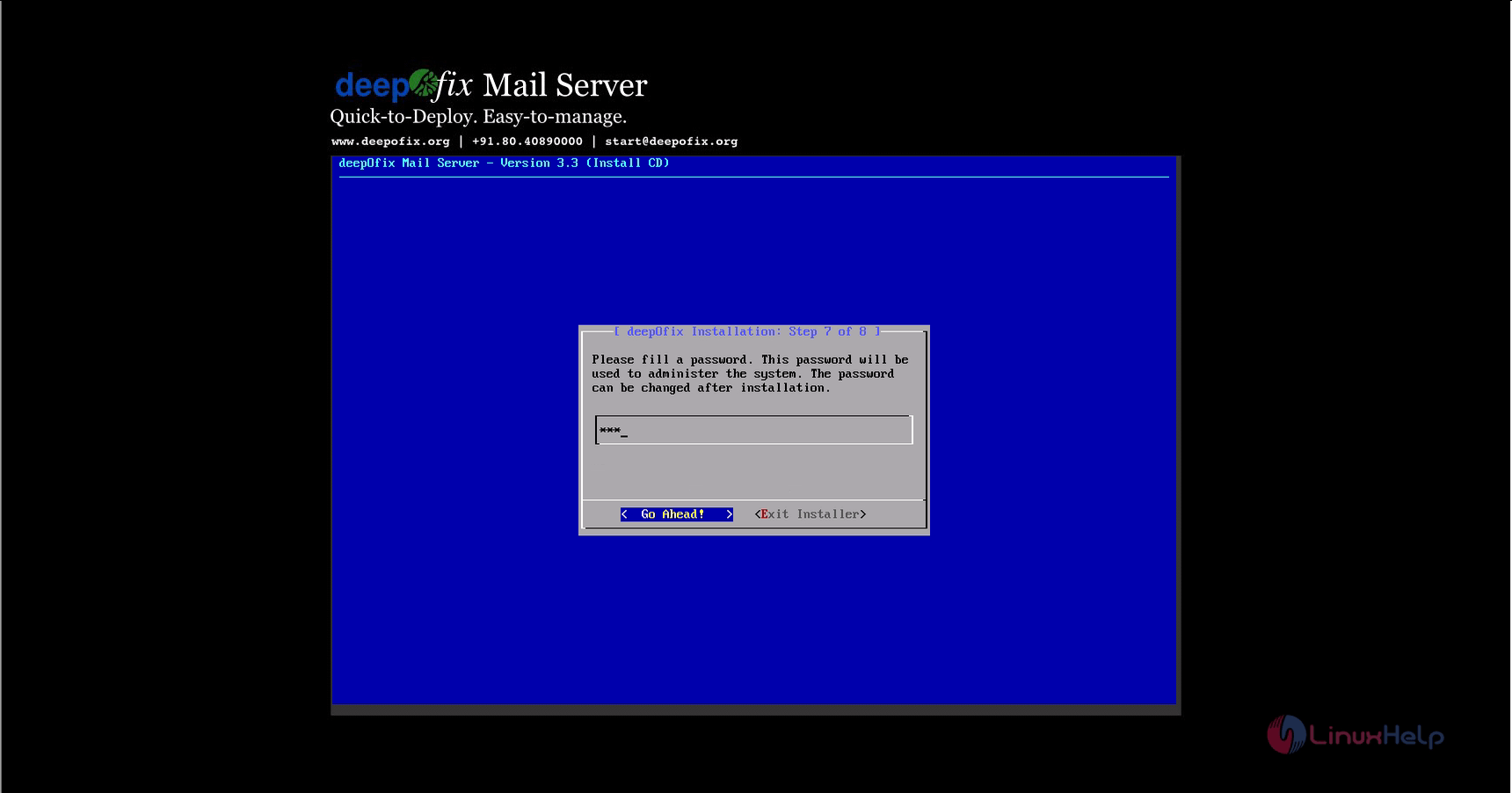
Enter the admin password.

admin_password
Verify the system information and click Go ahead.
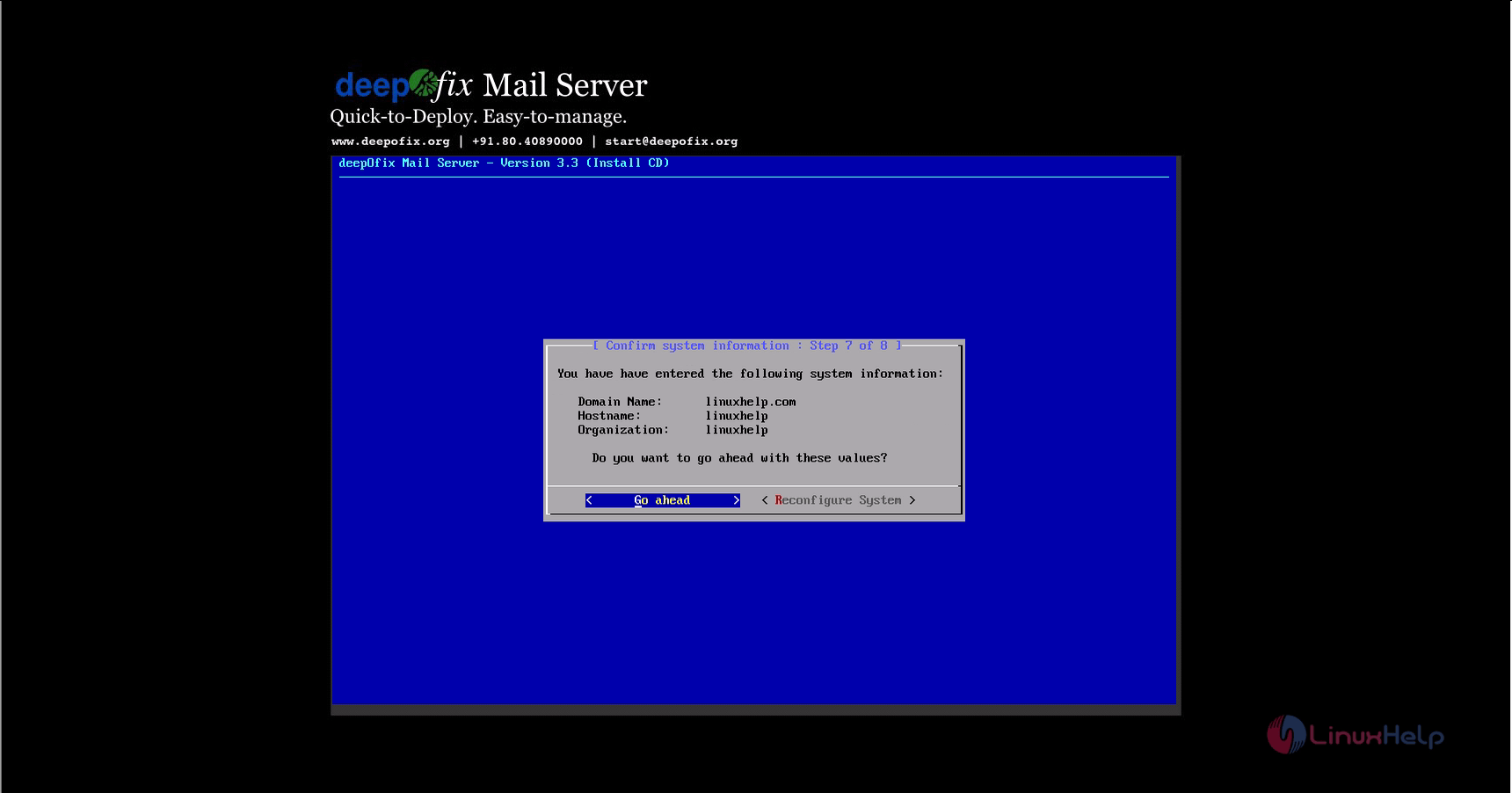
system_information
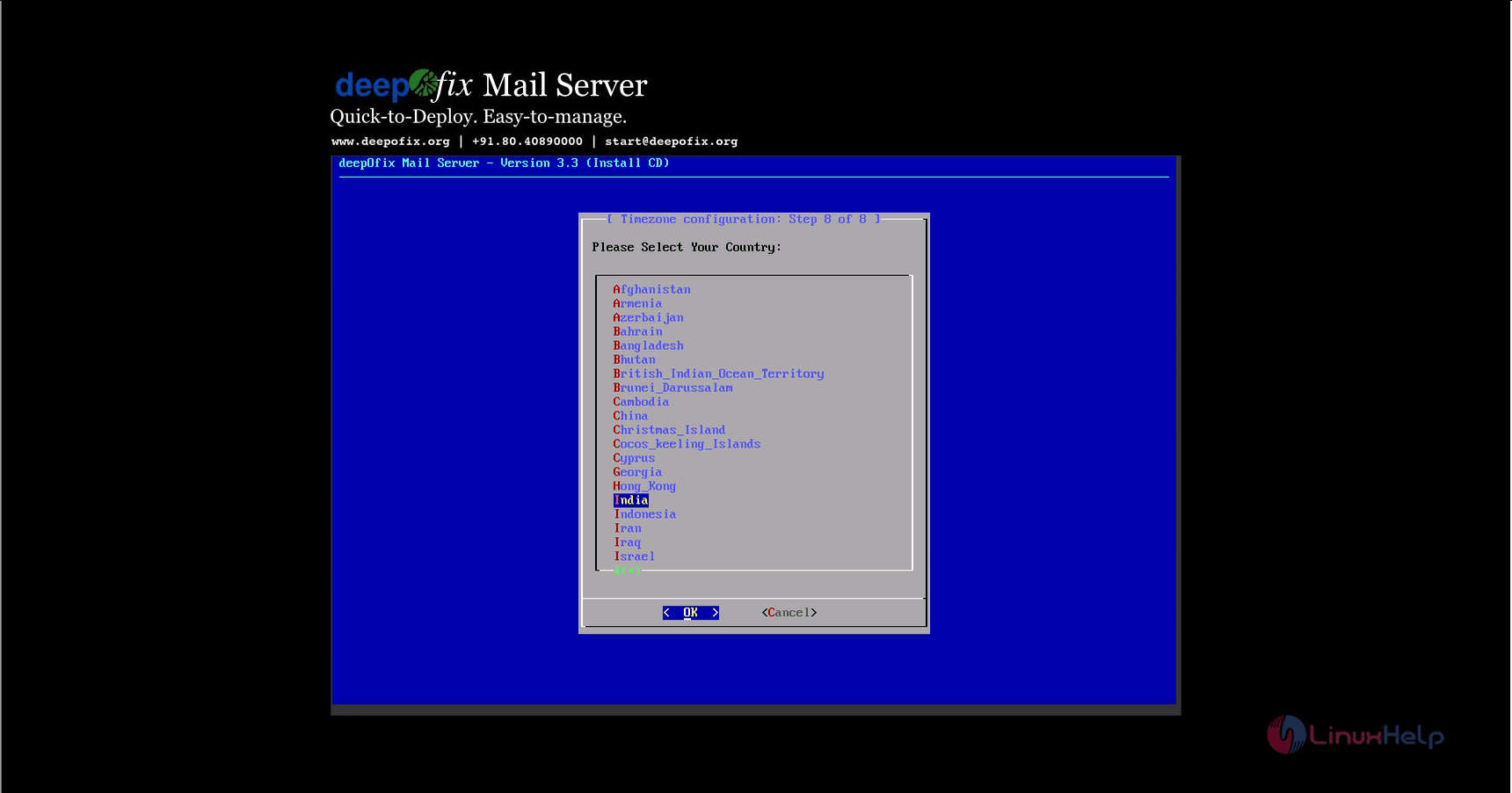
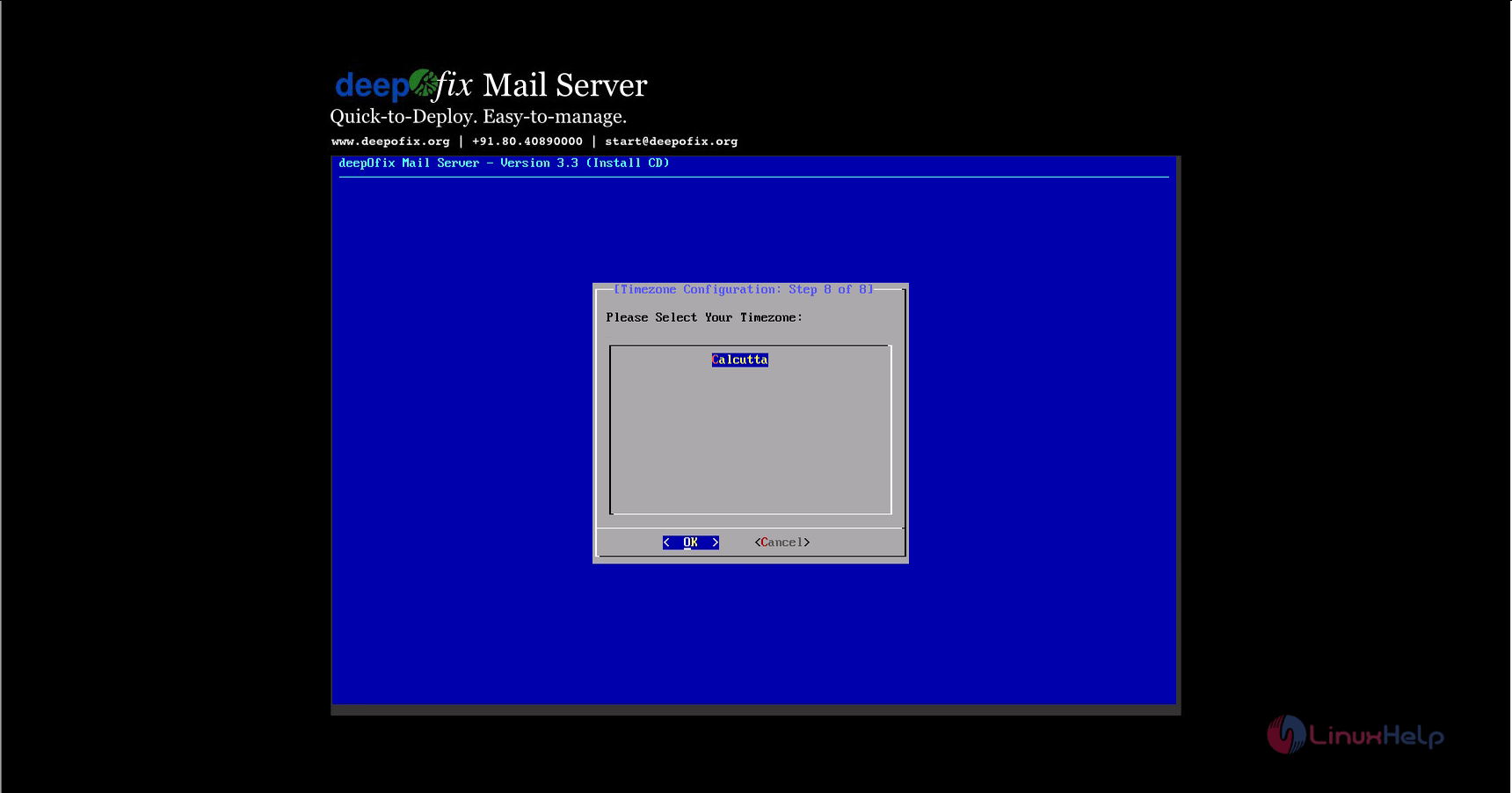
Now configure the Time zone as shown below.
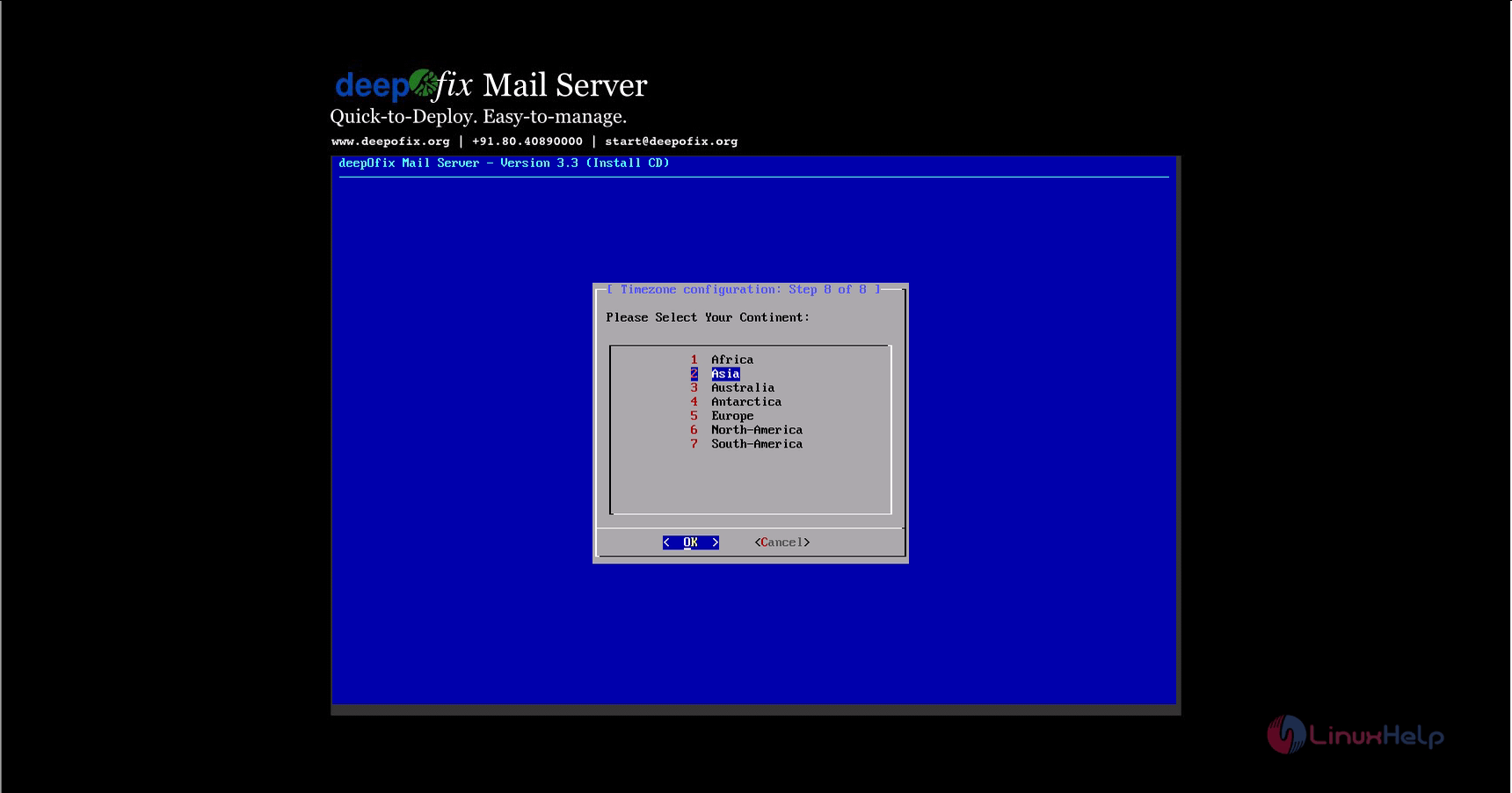
configure_time_zone

country

select_timezone
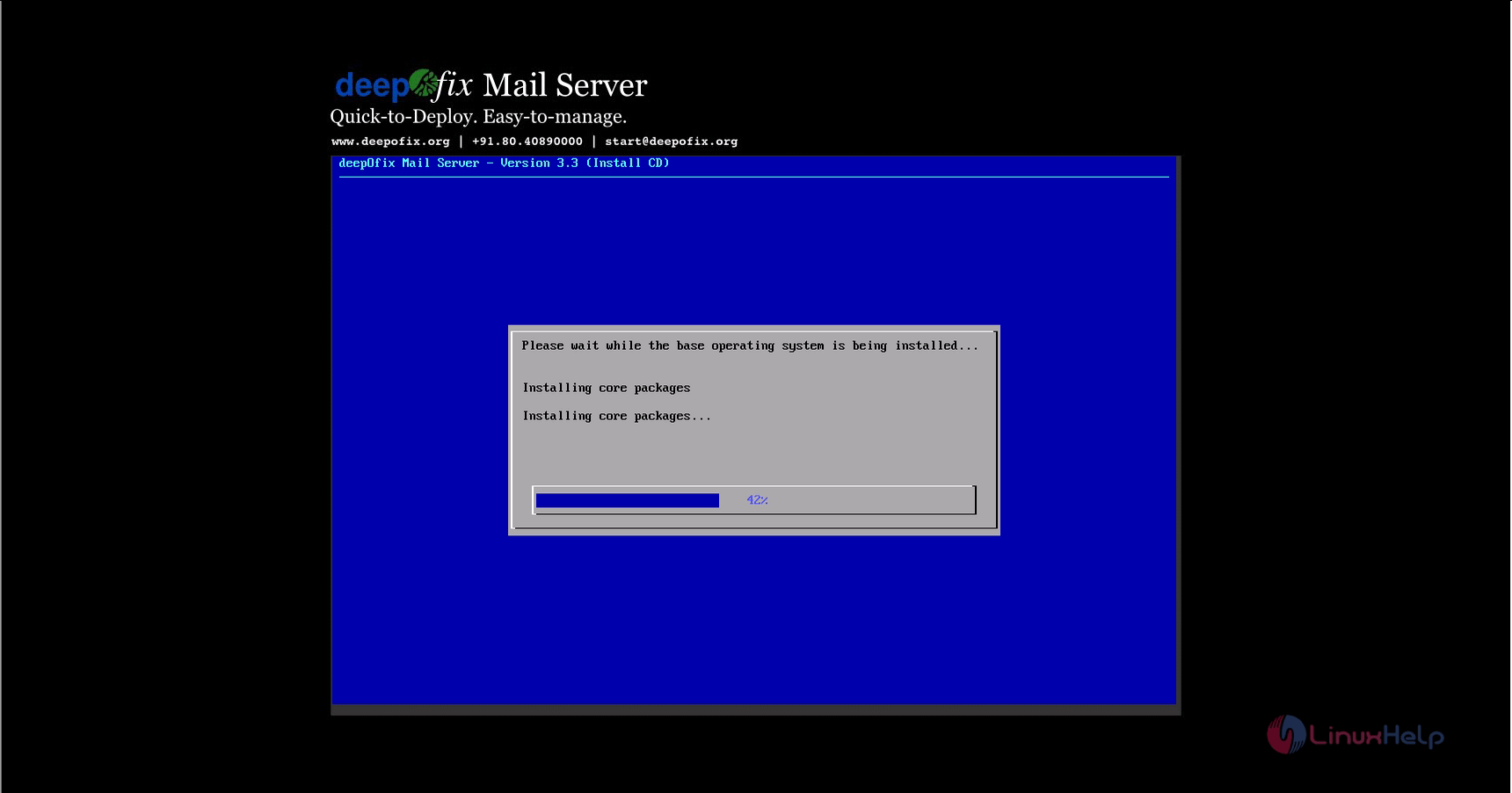
The installation process starts.
installation_process
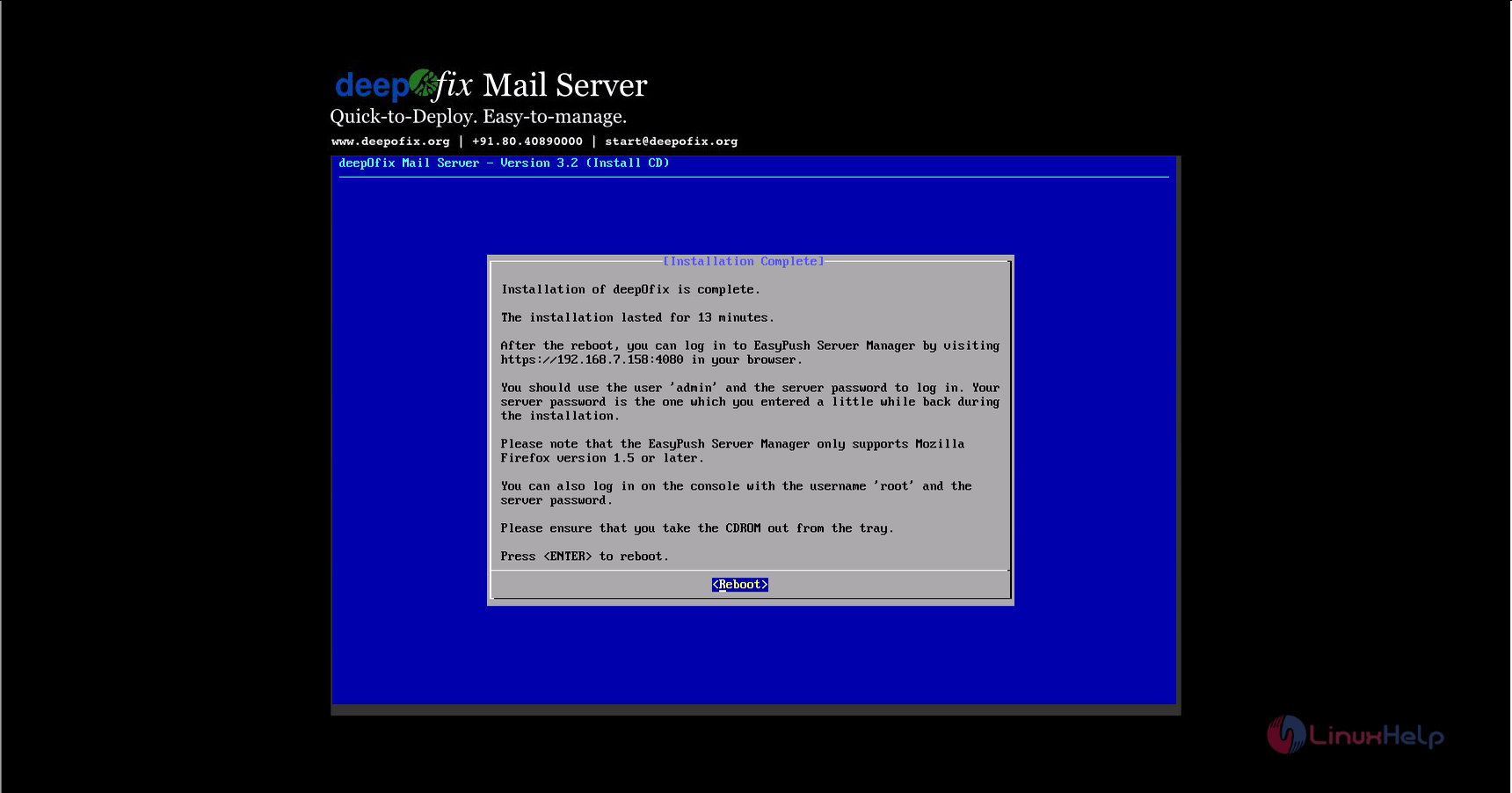
Finally reboot the system.
reboot
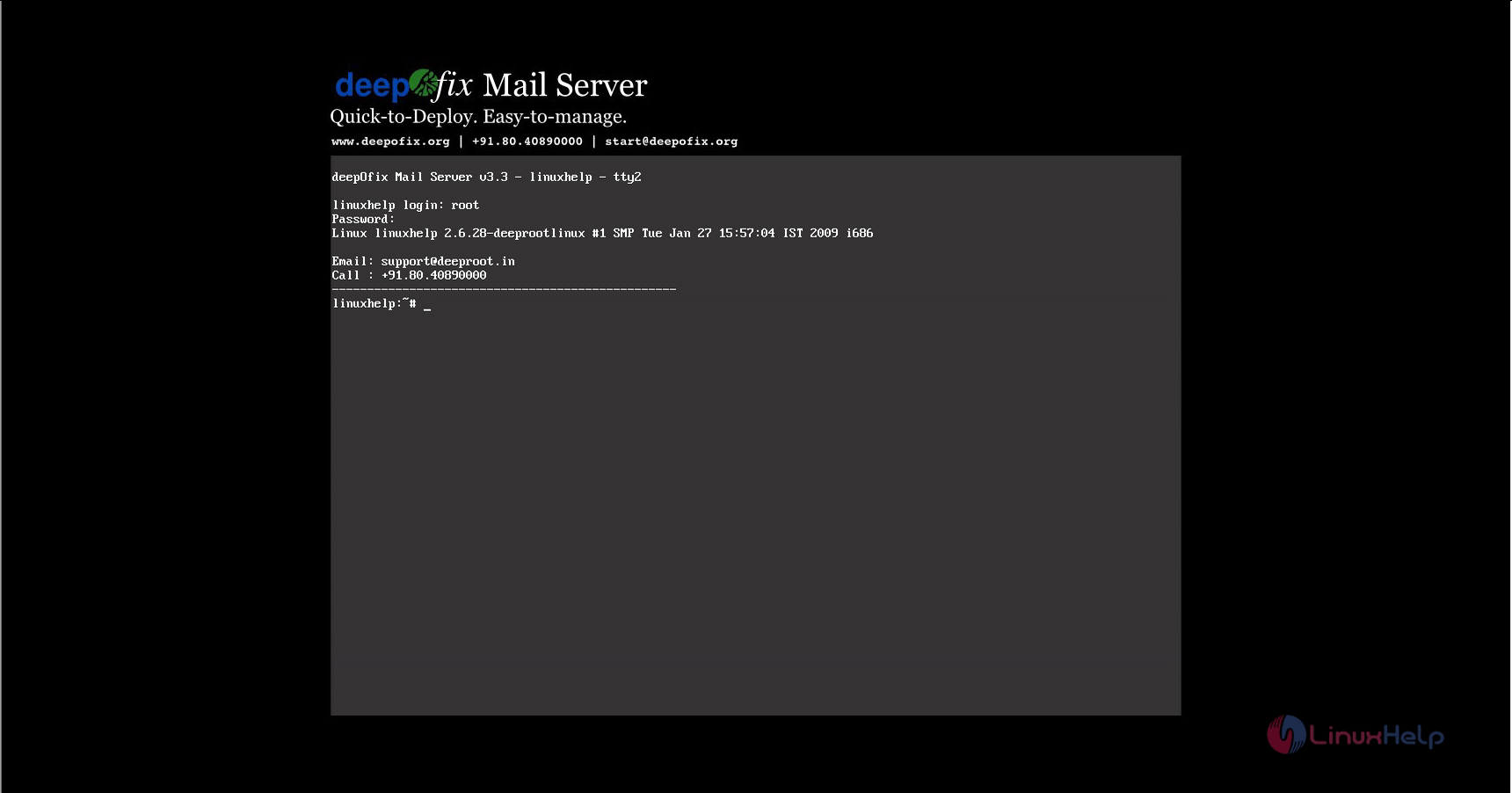
Now login as root user.
login
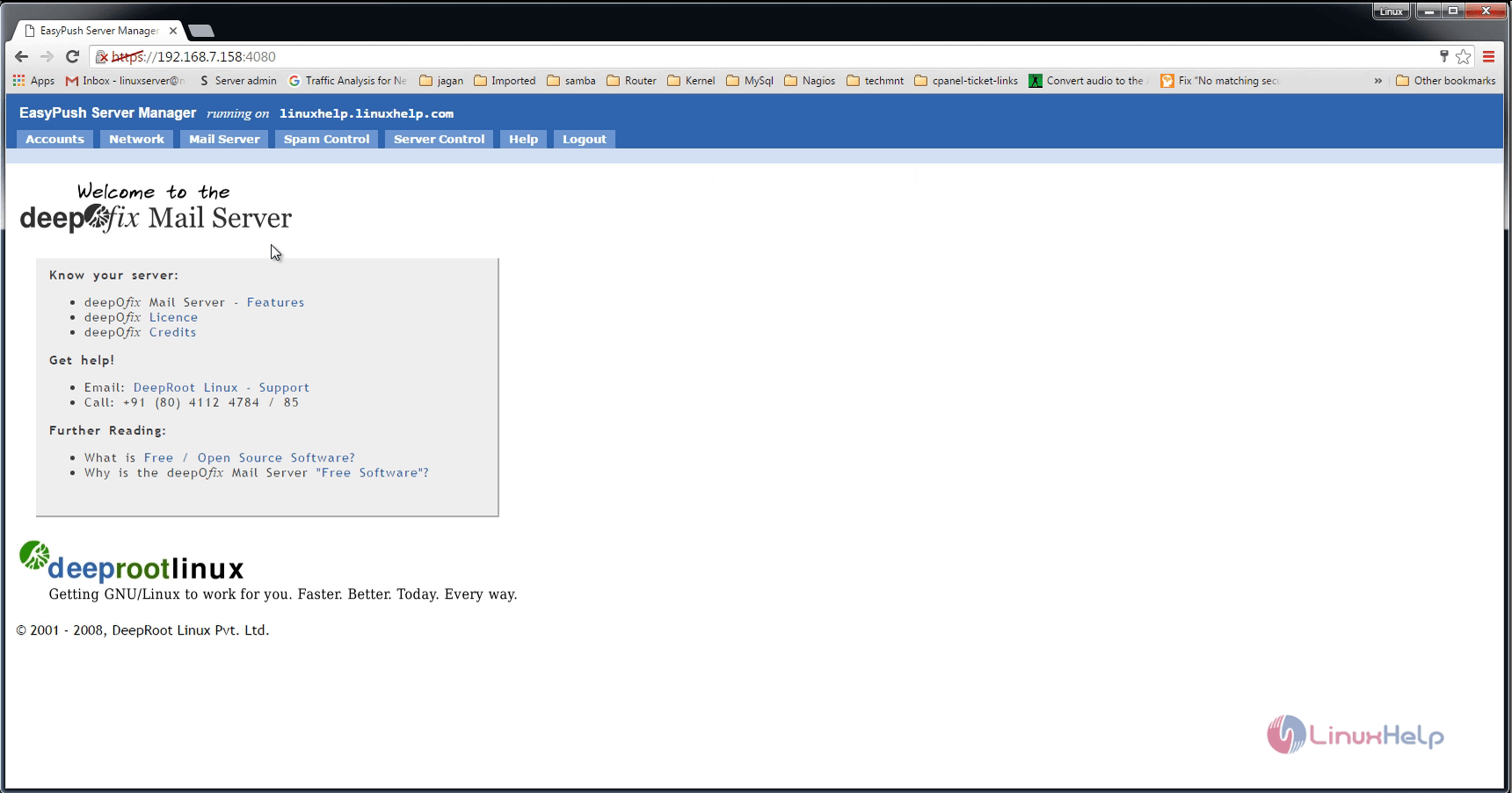
Open the browser and enter the URL https://< IP_address> :4080 then login using the user credentials.
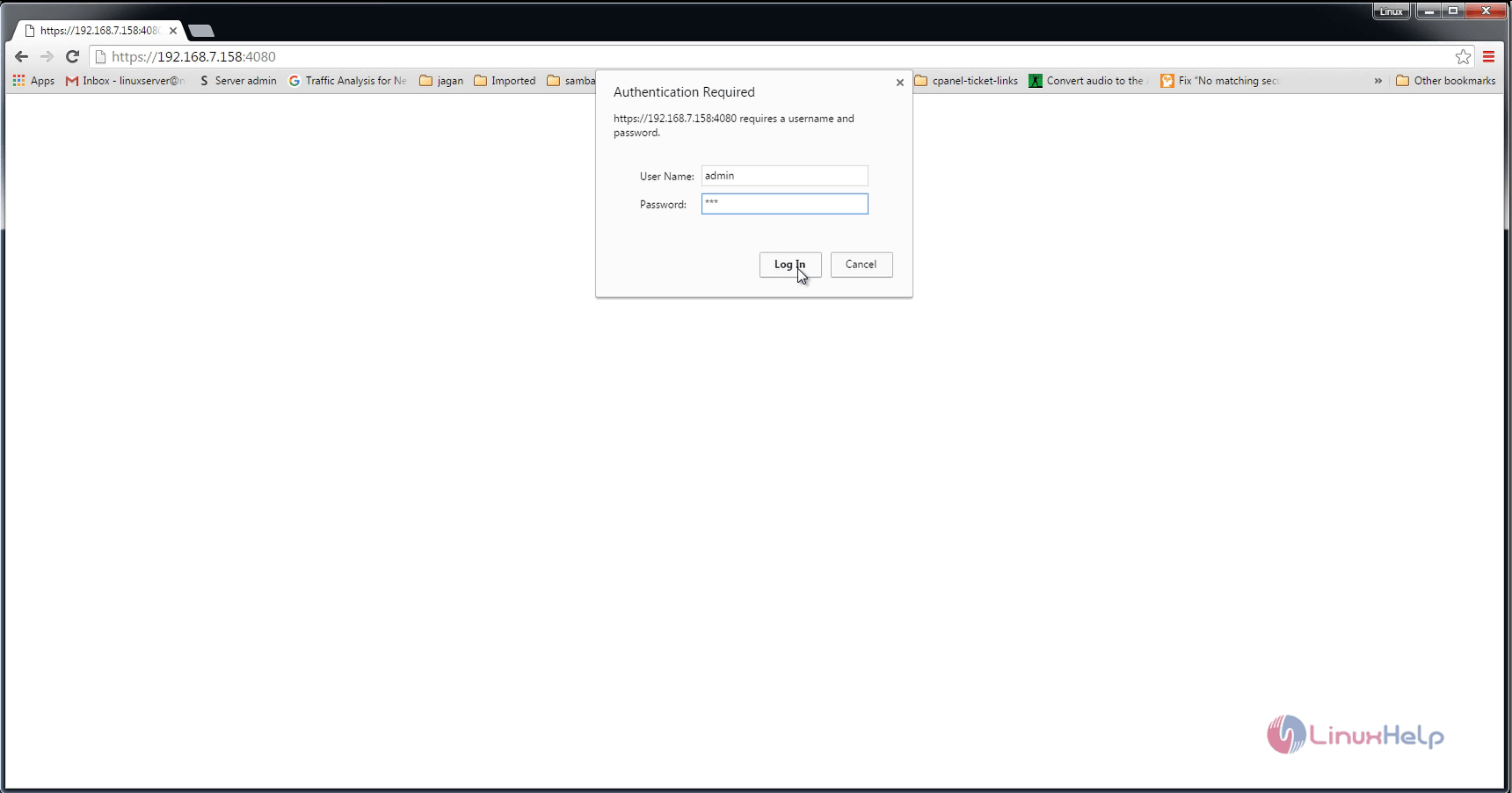
login_credential

welcome_deepofix
To add new user, click Accounts &rarr Add user.
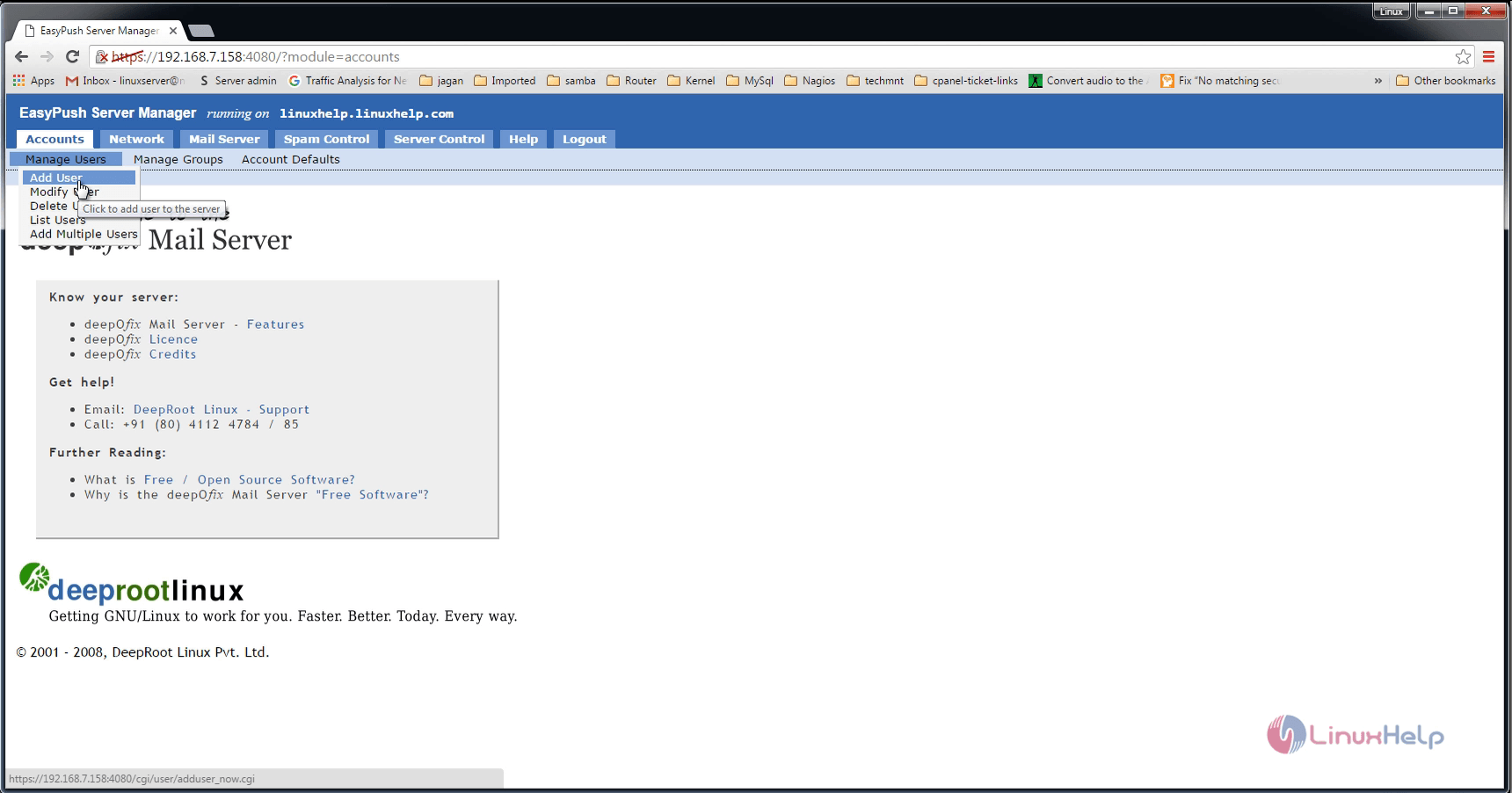
add_new_user

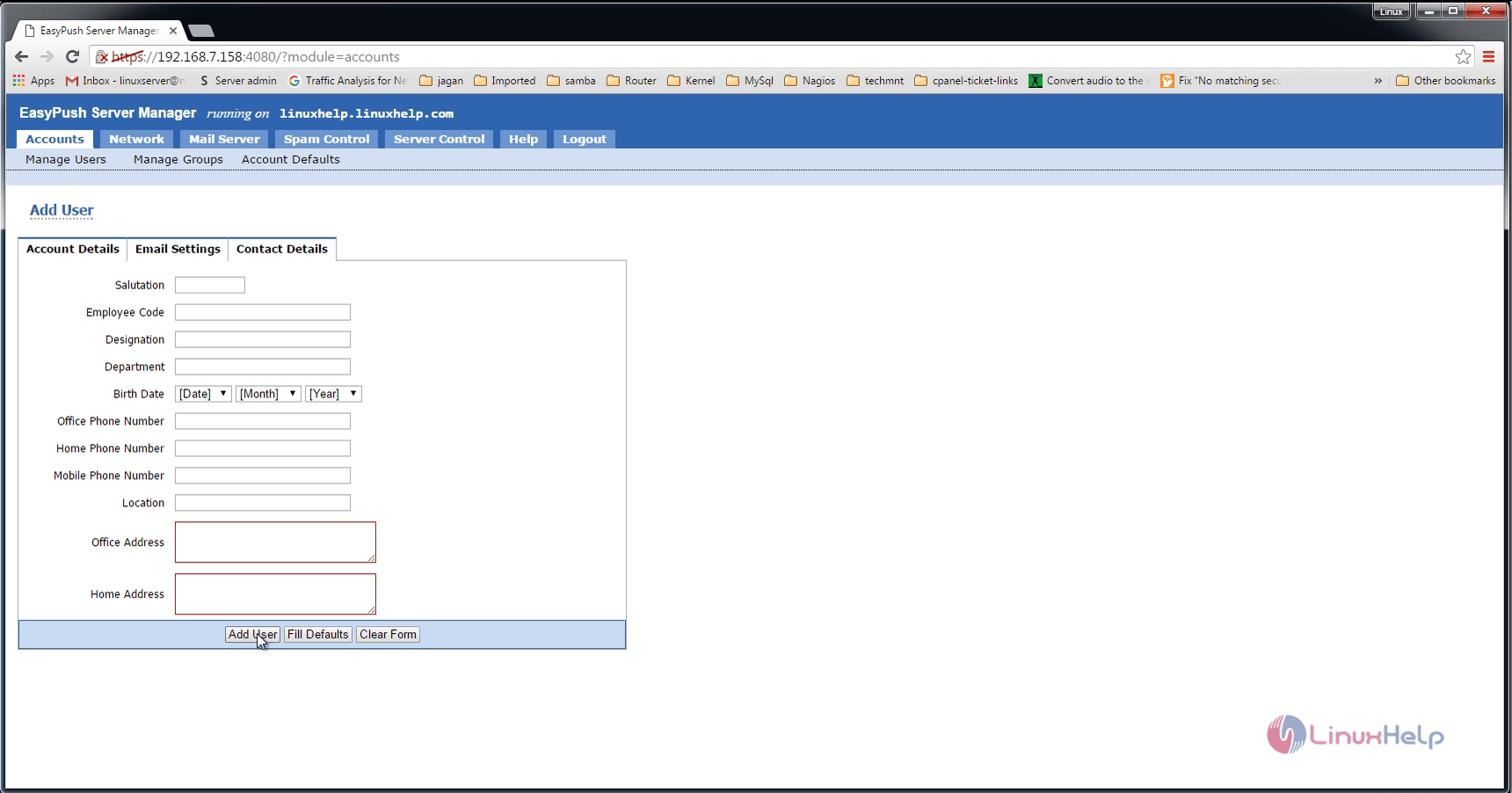
Enter the details of the user and click Add user.
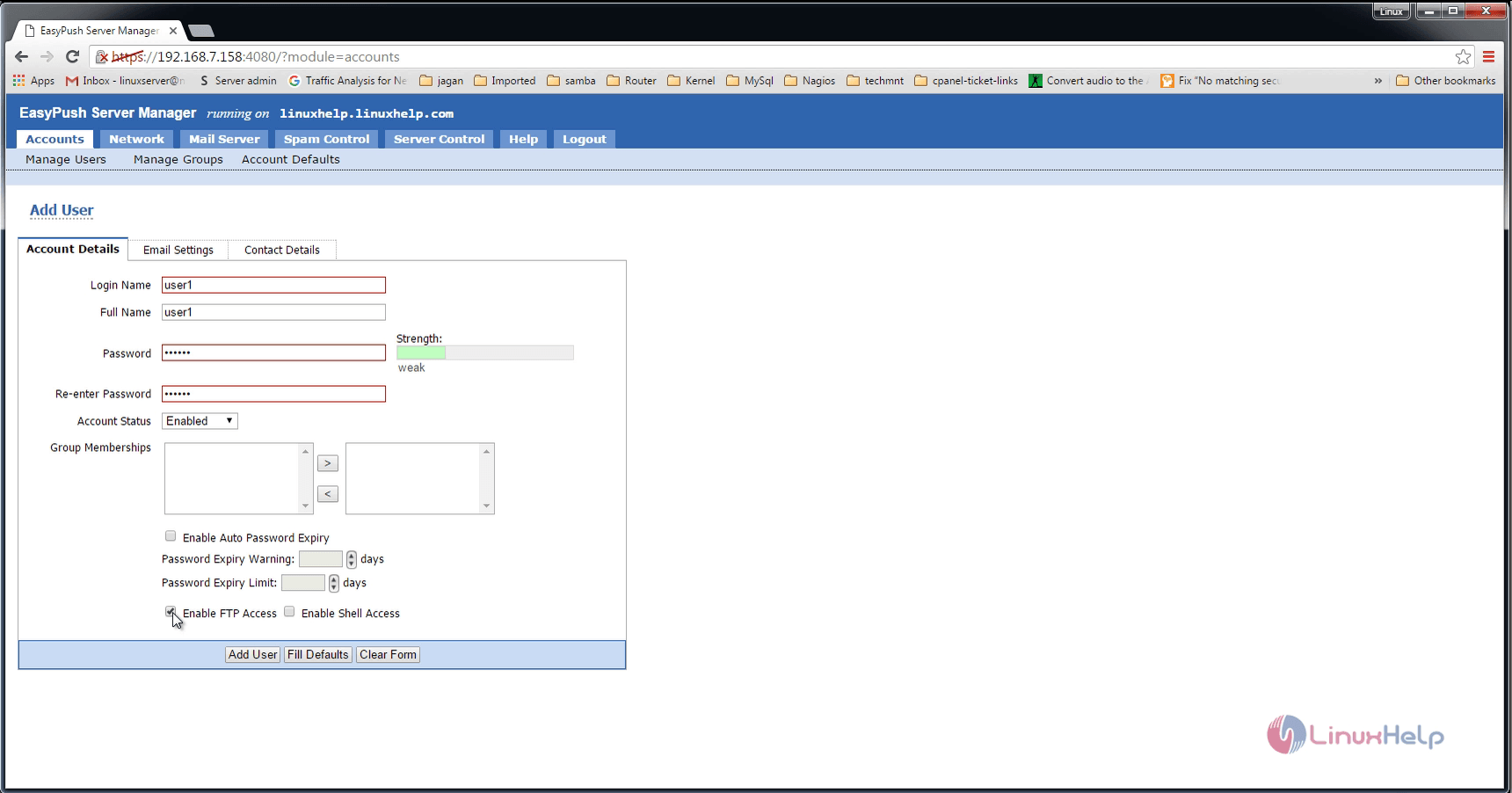
details_of_user
add_user
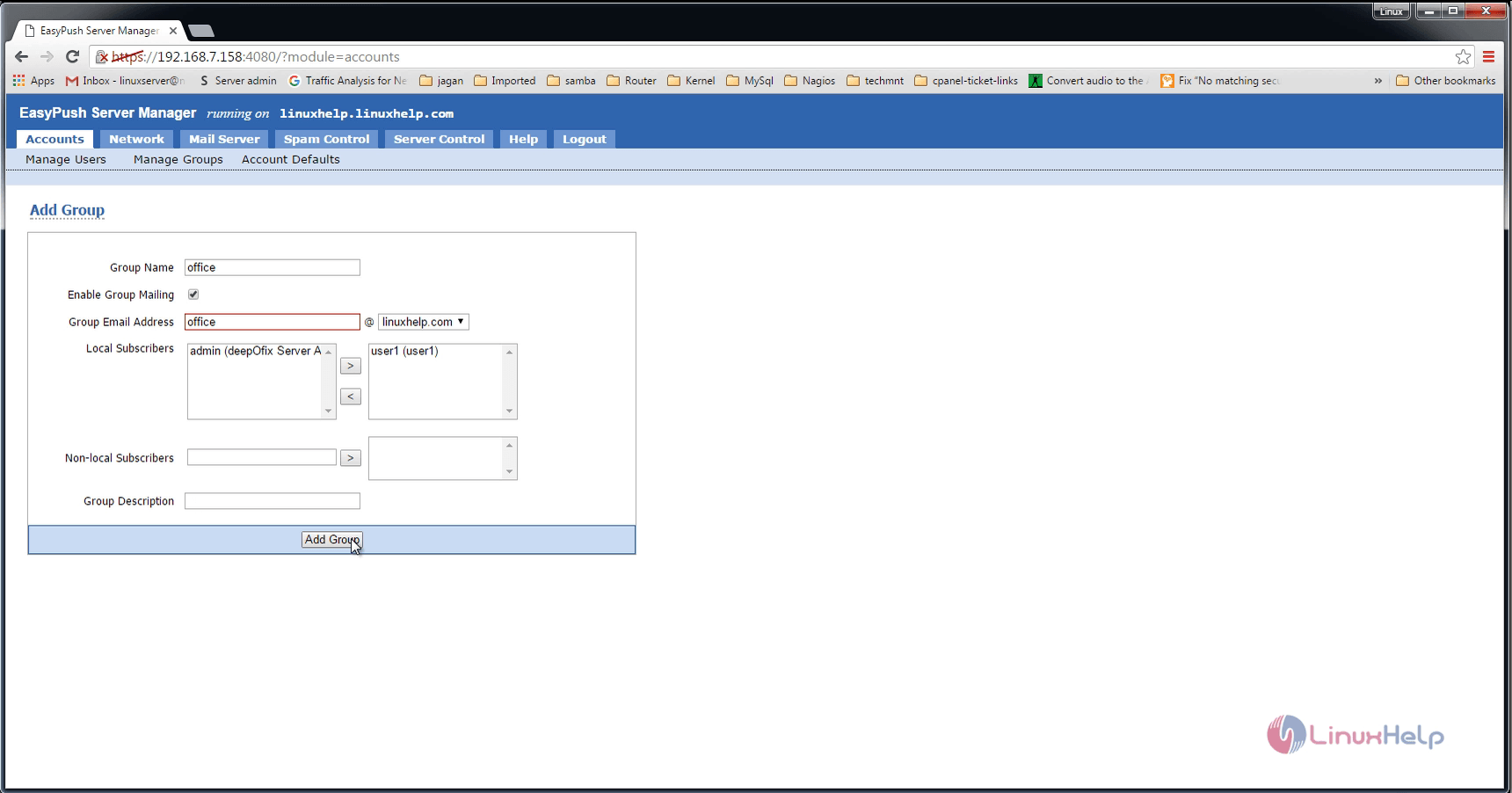
To add new group, click Manage Groups &rarr Add Group.
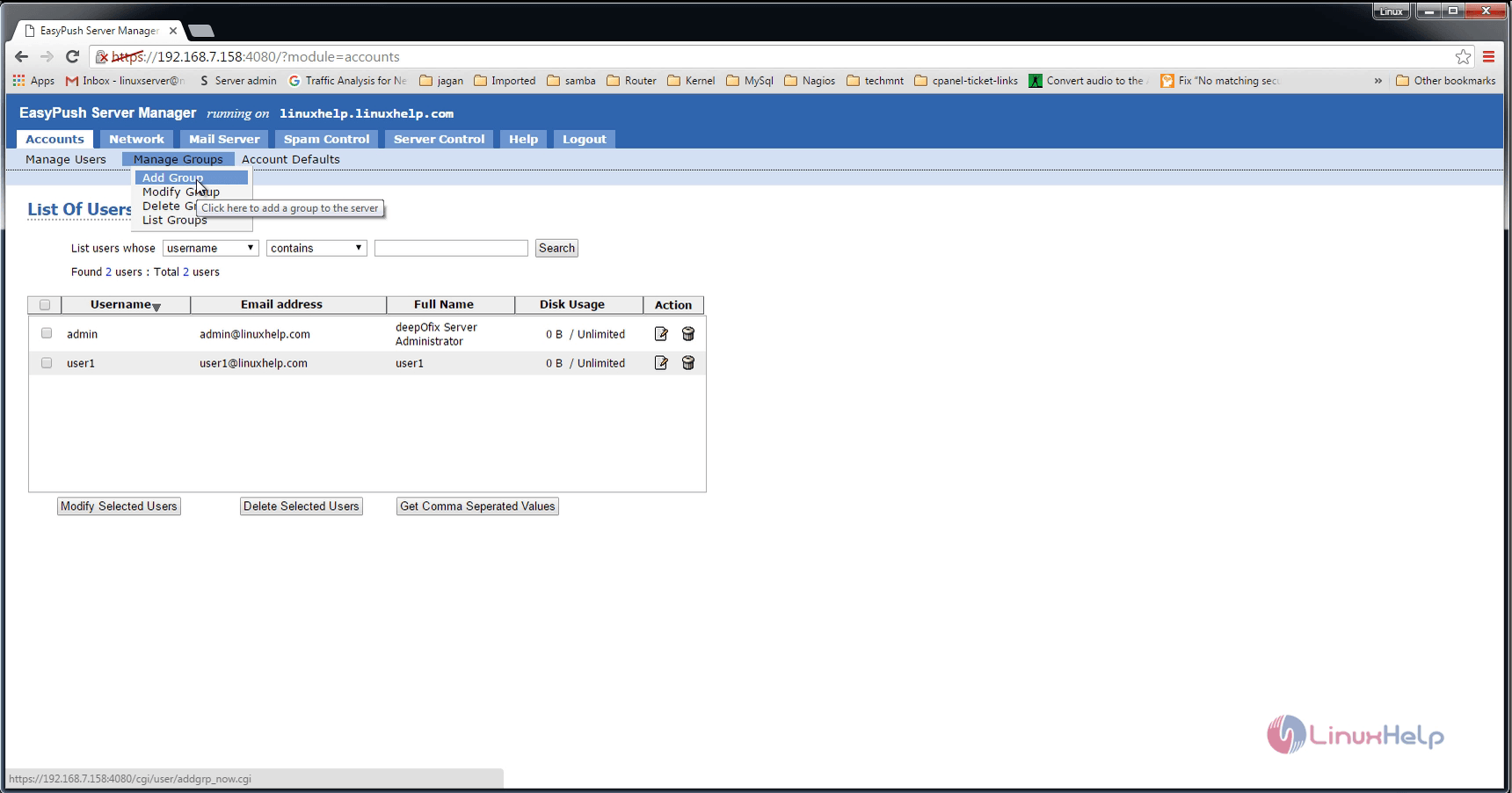
add_new_group
add_group
Click Network settings and enter the details of the network.
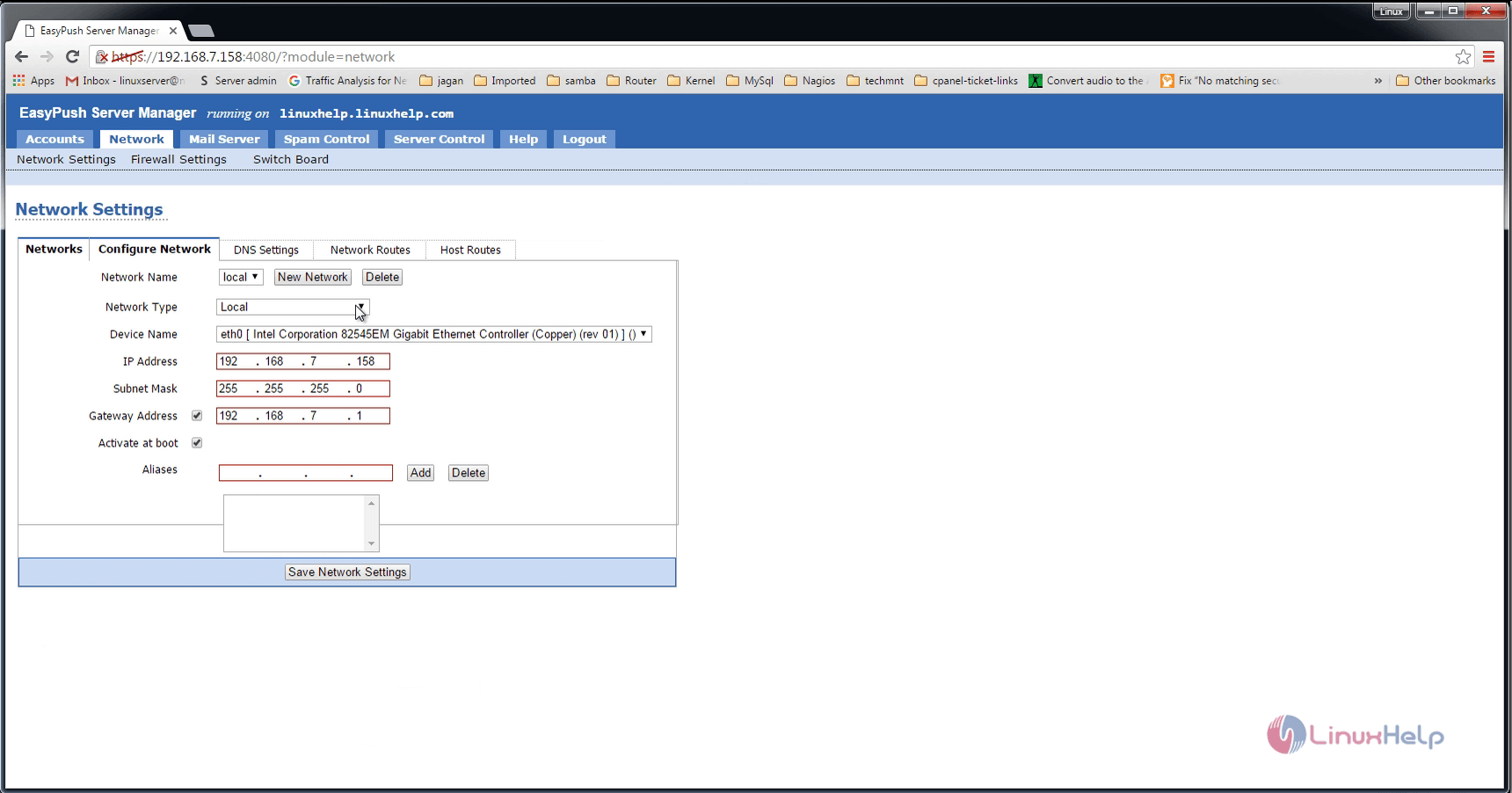
network_settings
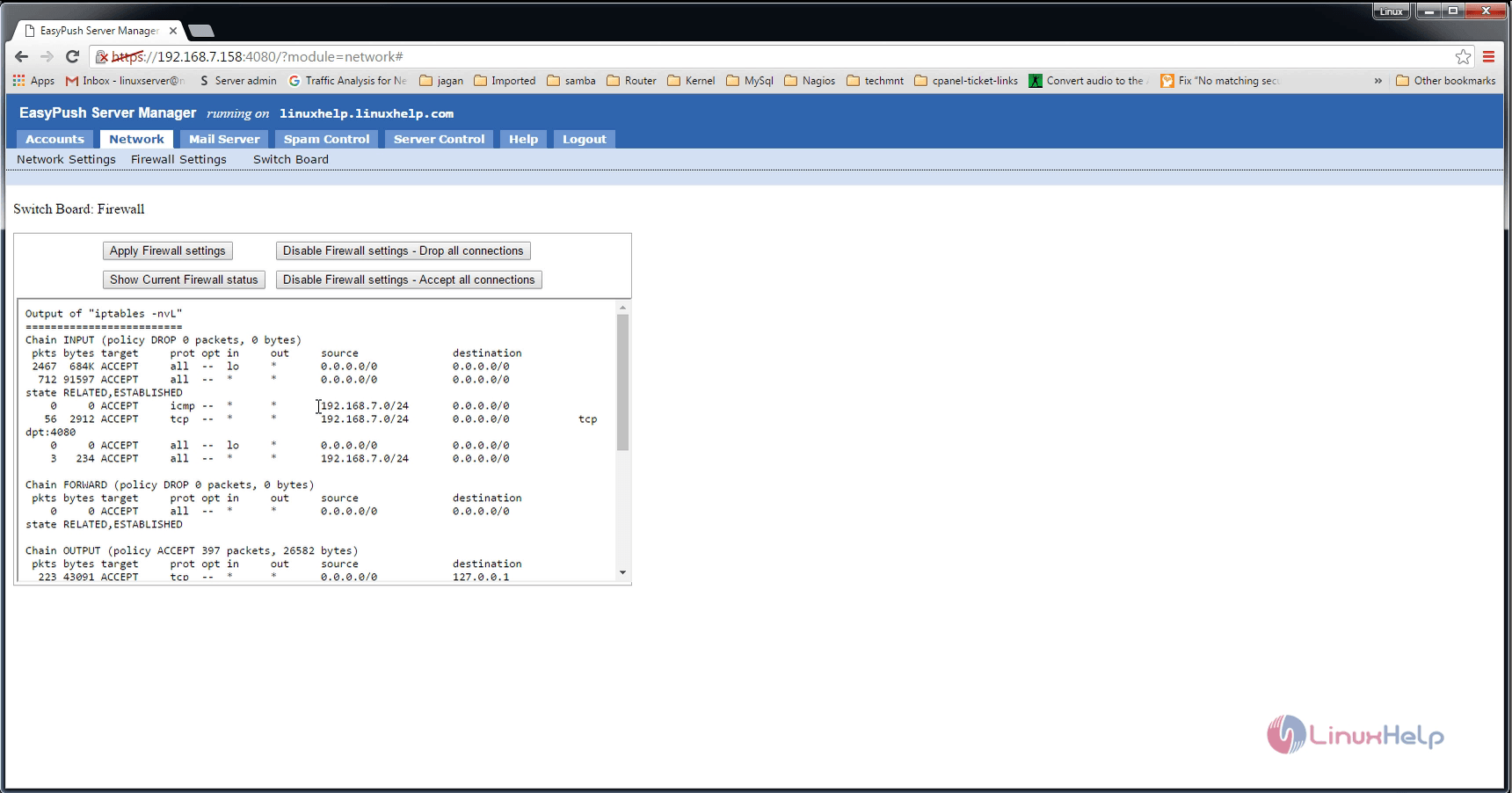
Firewall settings
firewall_settings
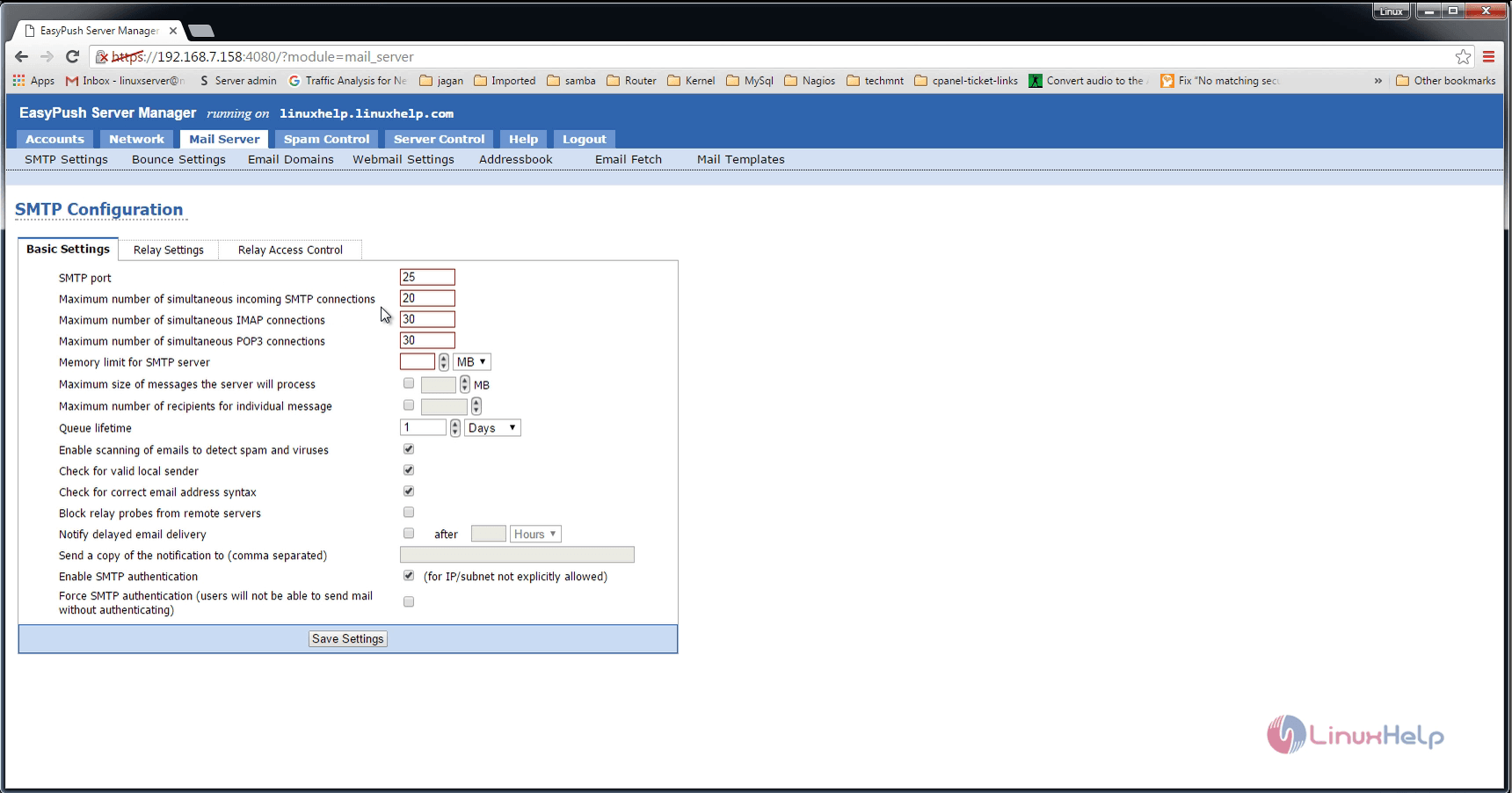
SMTP settings
smtp_settings
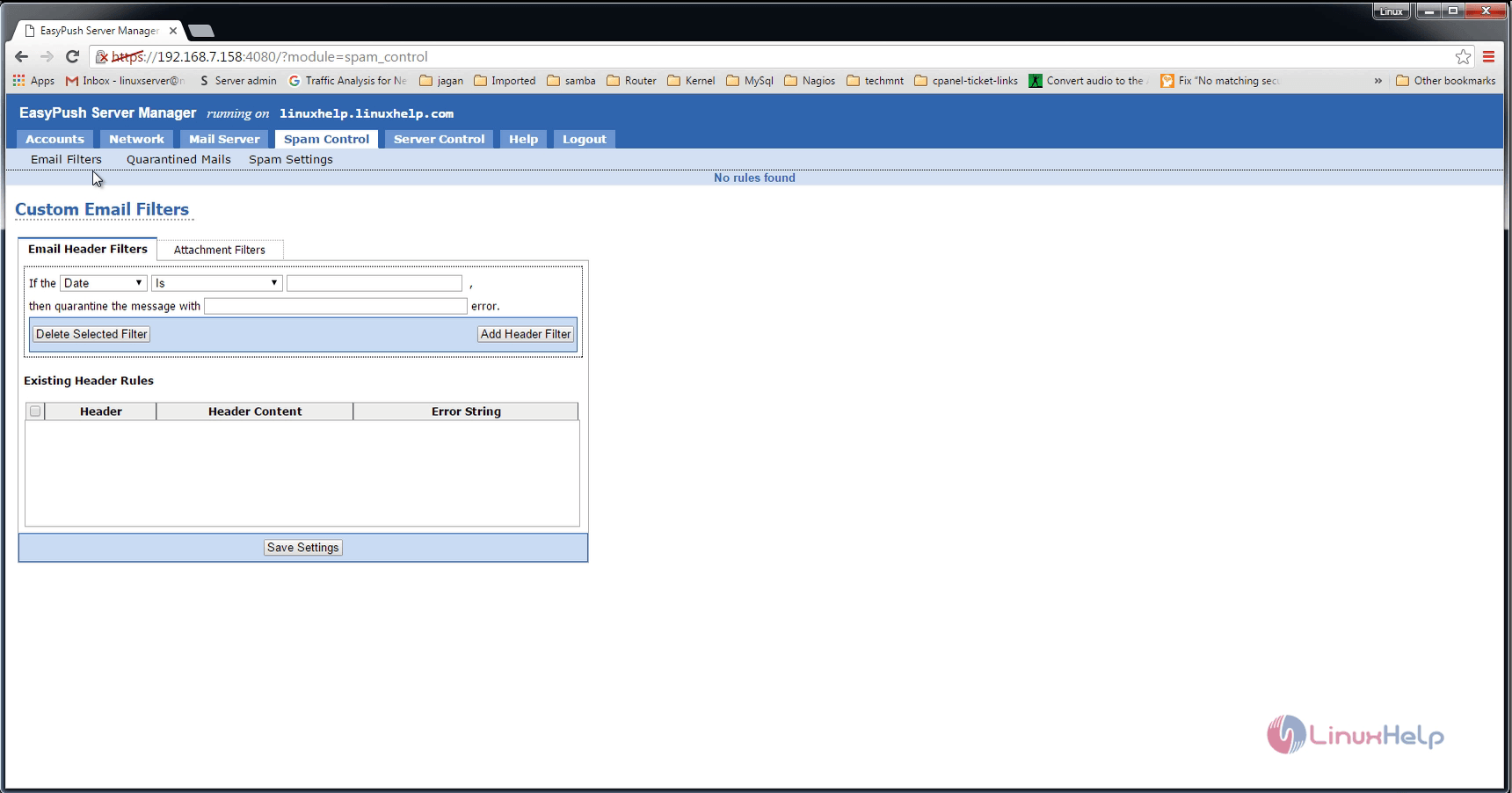
Spam control


spam_control
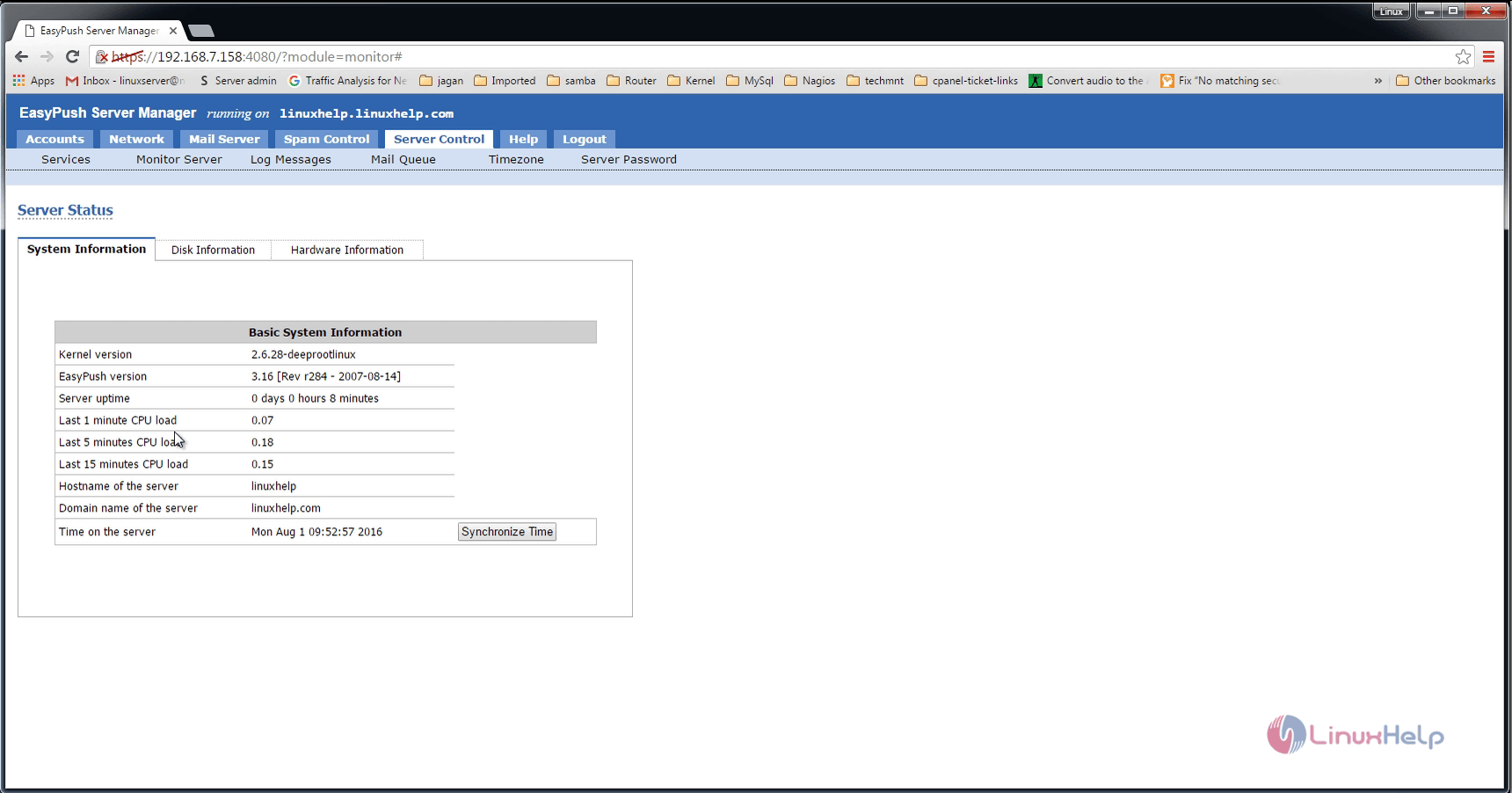
Server status
server_status
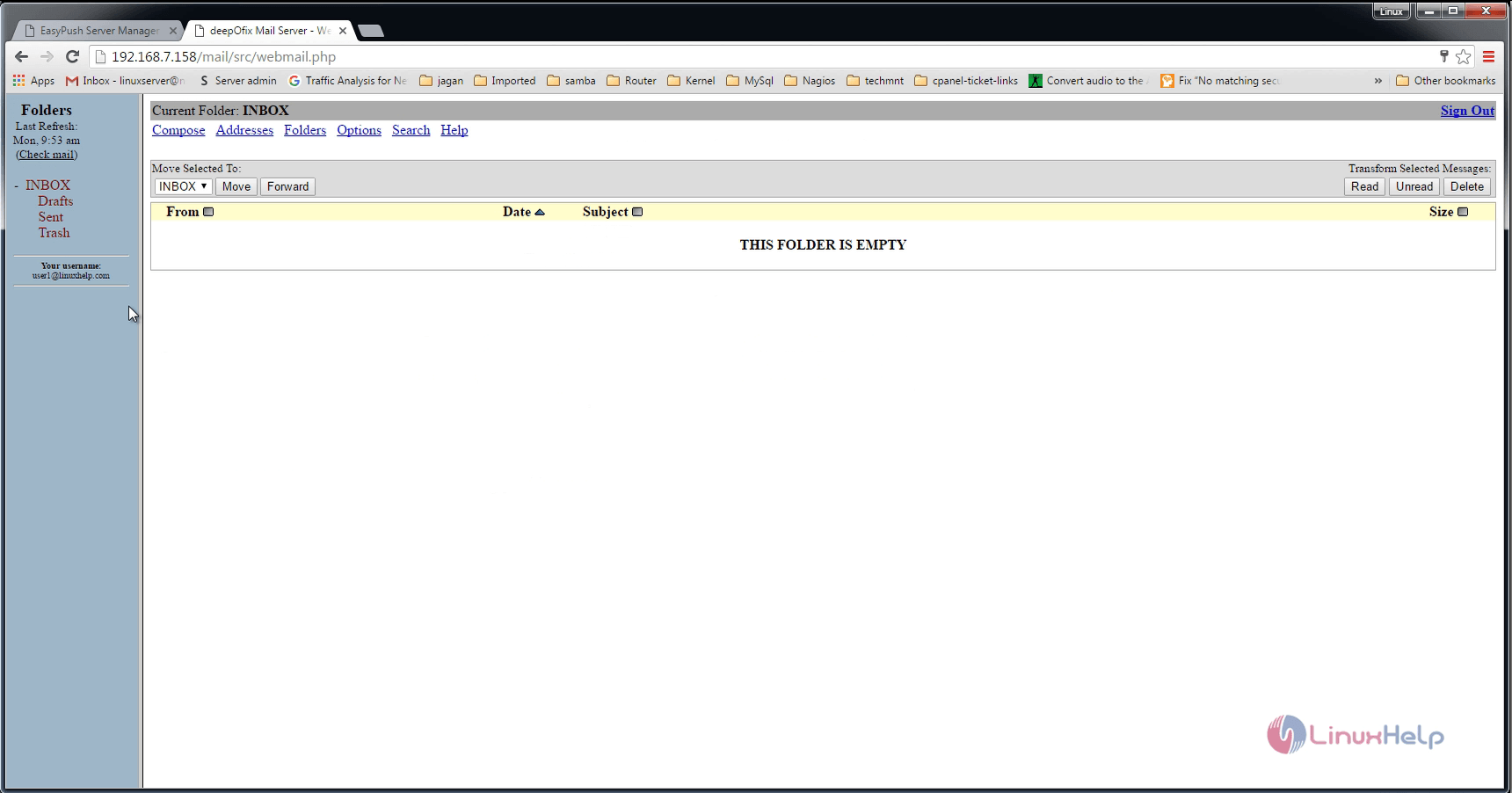
Login to the user account, using the credentials.
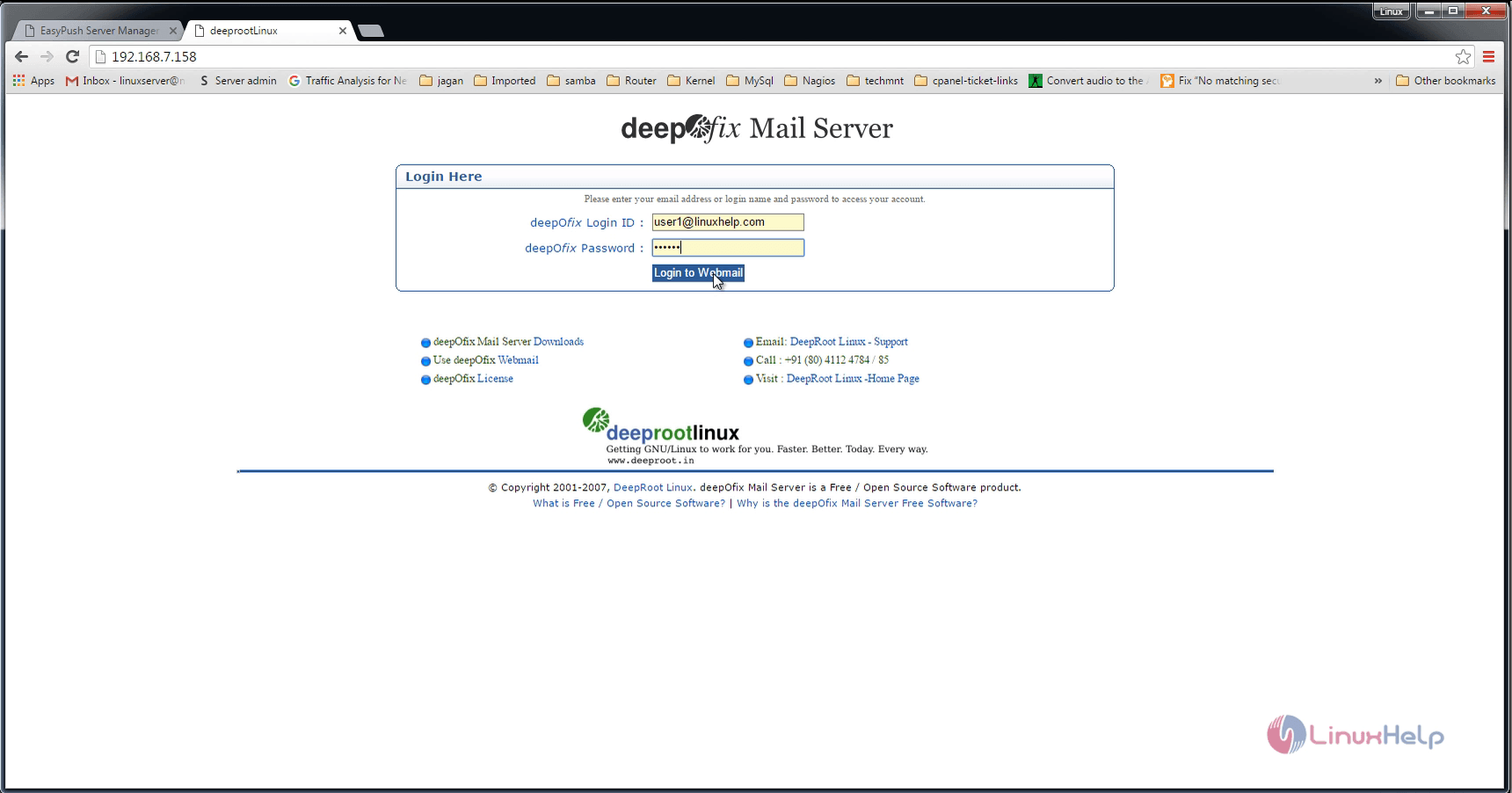
login_user_account
inbox
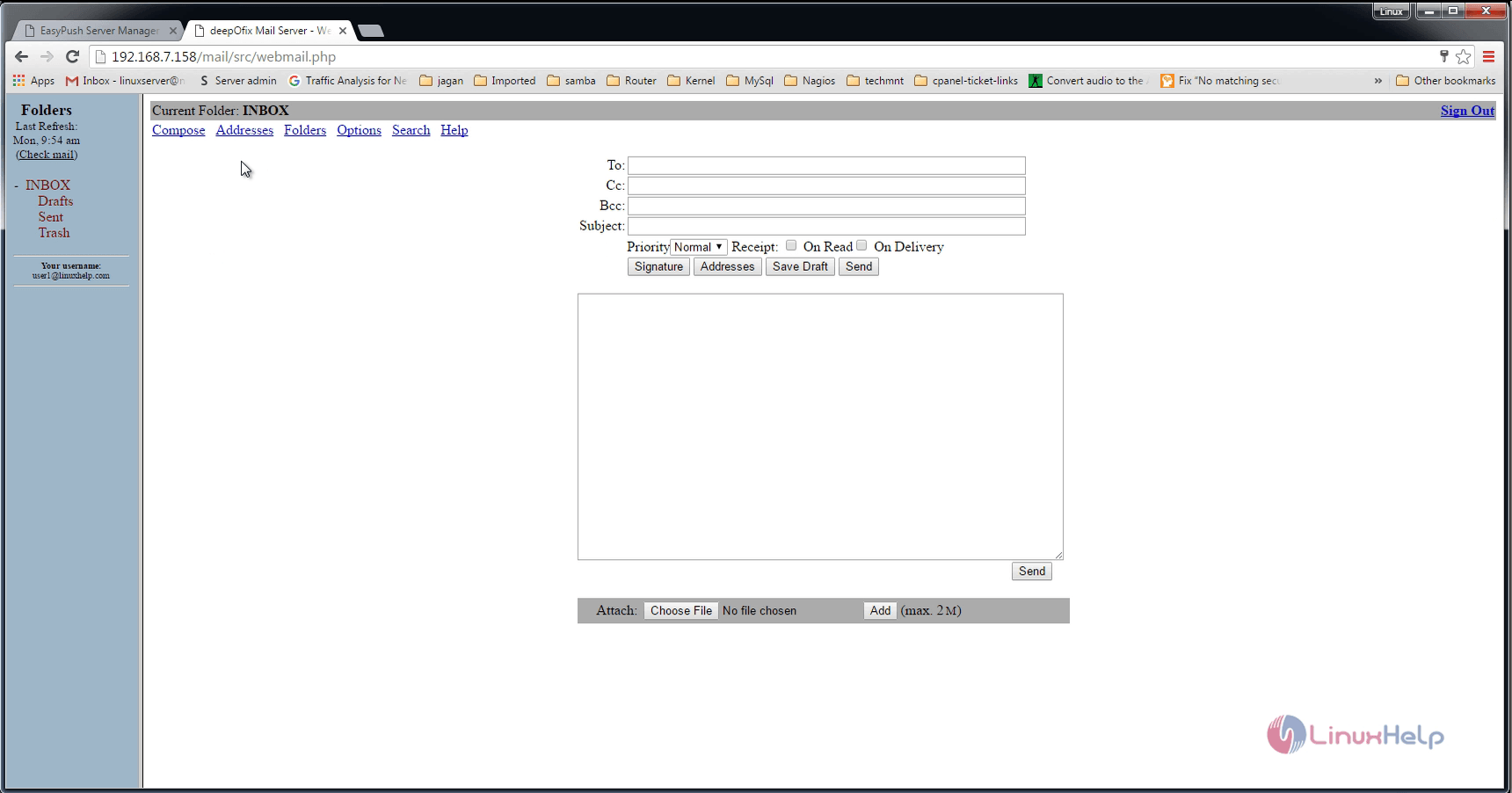
Try to compose a mail.
compose_mail

Tags:
gabriel
Author: 

Comments ( 0 )

No comments available

Add a comment
{{postCtrl.cmtErrMsg}}

Frequently asked questions ( 5 )

Q

Is it possible to install DeepOfix on windows?

A

No, it is not possible to install DeepOfix on windows.

Q

What is the Purpose of using the DeepOfix?

A

DeepOfix is a debian based mail server OS that contains a builtin web based management tool called easy push server management tool.

Q

How can i store all information in DeepOfix Mail Server?

A

You can Stores all the information in the LDAP on DeepOfix Mail Server

Q

How can i update the tools that was inbuilt in DeepOfix Mail Server?

A

DeepOfix Mail Server updates the inbuilt tools automatically

Q

How to maintain the mails on DeepOfix Mail Server?

A

Mails and other added features are maintained with the help of Web based server management on DeepOfix Mail Server

Back To Top!
Rank
User
Points

Top Contributers

userNamenaveelansari
135850

Top Contributers

userNameayanbhatti
92510

Top Contributers

userNamehamzaahmed
32150

Top Contributers

1
userNamelinuxhelp
31040

Top Contributers

userNamemuhammadali
24500
Can you help Lucas ?
Various options in Top command

Am using Top command only to view the load average, what are the various options in Top command..??

Networking
  • Routing
  • trunk
  • Netmask
  • Packet Capture
  • domain
  • HTTP Proxy
Server Setup
  • NFS
  • KVM
  • Memory
  • Sendmail
  • WebDAV
  • LXC
Shell Commands
  • Cloud commander
  • Command line archive tools
  • last command
  • Shell
  • terminal
  • Throttle
Desktop Application
  • Linux app
  • Pithos
  • Retrospect
  • Scribe
  • TortoiseHg
  • 4Images
Monitoring Tool
  • Monit
  • Apache Server Monitoring
  • EtherApe 
  • Arpwatch Tool
  • Auditd
  • Barman
Web Application
  • Nutch
  • Amazon VPC
  • FarmWarDeployer
  • Rukovoditel
  • Mirror site
  • Chef
Contact Us | Terms of Use| Privacy Policy| Disclaimer
© 2025 LinuxHelp.com All rights reserved. Linux™ is the registered trademark of Linus Torvalds. This site is not affiliated with linus torvalds in any way.