How to install Delaboratory on Debian 8.3
How to install Delaboratory on Debian 8.3
Delaboratory is a color correcting tool used in Linux distribution. It is used to edit photo colors with real time preview, color picker and color matrices. In this article we will show you how to install Delaboratory on Debian.
Installation procedure
To start the installation, enter the repo in the terminal.
root@linuxhelp:~# nano /etc/apt/sources.list
Now a file opens, add these lines at end of the file.
deb http://ftp.debian.org/debian/ stable main contrib non-free
deb http://ftp.de.debian.org/debian jessie main
After adding the lines save and exit from the file.
Next use the apt-get command to update the apt sources-list.
root@linuxhelp:~# apt-get update
Get:1 http://ftp.debian.org jessie-updates InRelease [145 kB]
Ign http://ftp.de.debian.org jessie InRelease
Get:2 http://ftp.de.debian.org jessie Release.gpg [2,373 B]
Get:3 http://ftp.de.debian.org jessie Release [148 kB]
Get:4 http://ftp.de.debian.org jessie/main amd64 Packages [6,776 kB]
Ign http://ftp.debian.org stable InRelease
Get:5 http://ftp.debian.org jessie-updates/main Sources [15.5 kB]
Get:6 http://ftp.debian.org jessie-updates/contrib Sources [32 B]
Get:7 http://ftp.debian.org jessie-updates/main amd64 Packages/DiffIndex [7,408 B]
Get:8 http://ftp.debian.org jessie-updates/contrib amd64 Packages [32 B]
Get:9 http://ftp.debian.org jessie-updates/contrib Translation-en [14 B]
Get:10 http://ftp.debian.org jessie-updates/main Translation-en/DiffIndex [2,704 B]
Get:11 http://ftp.debian.org stable Release.gpg [2,373 B]
Get:12 http://ftp.debian.org jessie-updates/main amd64 2017-03-14-2025.02.pdiff [526 B]
Get:13 http://ftp.debian.org jessie-updates/main amd64 2017-03-14-2025.02.pdiff [526 B]
Get:14 http://ftp.debian.org stable Release [148 kB]
.
.
Fetched 23.4 MB in 4min 6s (95.1 kB/s)
Reading package lists... Done
Now install the Delaboratory package in the system.
root@linuxhelp:~# apt-get install delaboratory
Reading package lists... Done
Building dependency tree
Reading state information... Done
The following extra packages will be installed:
  dcraw libwxbase3.0-0 libwxgtk3.0-0
Suggested packages:
  gphoto2
The following NEW packages will be installed:
  dcraw delaboratory libwxbase3.0-0 libwxgtk3.0-0
0 upgraded, 4 newly installed, 0 to remove and 264 not upgraded.
Need to get 6,095 kB of archives.
After this operation, 24.0 MB of additional disk space will be used.
Do you want to continue? [Y/n] y
Get:1 http://ftp.debian.org/debian/ stable/main libwxbase3.0-0 amd64 3.0.2-1+b1 [1,103 kB]
.
.
Setting up delaboratory (0.8-2) ...
Processing triggers for libc-bin (2.19-18+deb8u2) ...
Once the package has been installed, click Activities and type the Delaboratory package name in the search bar.
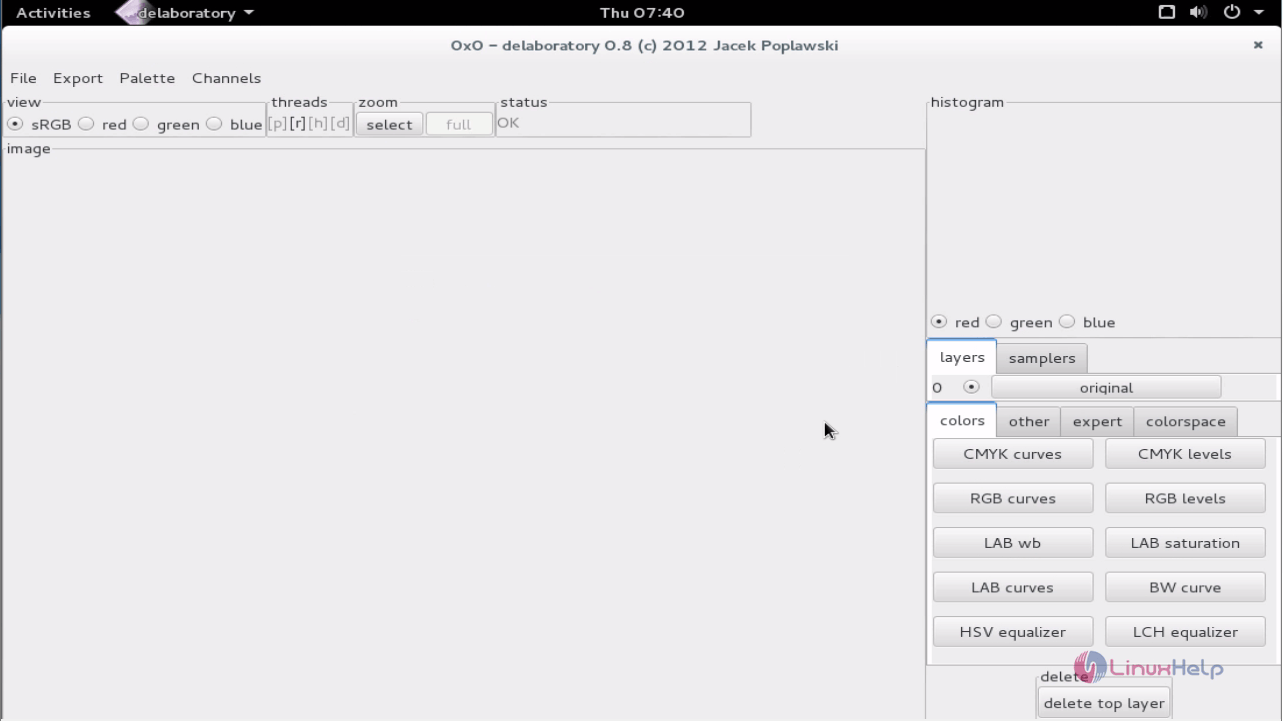
Now the Delaboratory can be used for any picture purposes.
Wasn' t that an easy installation? Delaboratory bridges between digital darkroom and a graphics editor. It has many blend modes for overlay, inverted overlay, dodge and burnt photos.
Comments ( 0 )
No comments available