• Categories
    Category
    {{ postCtrl.tags }}
    • {{ category.tag_type }}

      • {{tag.tag_name}}
      • View more
  • Categories
    Category
    {{ postCtrl.tags }}
    • {{ category.tag_type }}

      • {{tag.tag_name}}
      • View more
  • News
  • Tutorials
  • Forums
  • Tags
  • Users
Tutorial News Comments FAQ Related Articles

How to install dmMediaConverter in Ubuntu

{{postValue.id}}

To install dmMediaConverter in Ubuntu

dmMediaConverter is a crossplatform software used to convert audio and video files in different formats. It allows the users to merge or split a video file formats. Installation of dmMediaConverter in Ubuntu is discussed in this manual.

Features

  • Supports high pixel density
  • Display HiDPI
  • New presets for audio and video
  • Support multiple streams
  • Reorder and convert bulk files

Installation of dmMediaConverter

First download the installation package by using the below given link.

https://drive.google.com/uc?id=0B1MiTYJef5a9VzVrRjBqSnVTT2c

Then run the following command to install the package.

root@linuxhelp:/home/user1/Downloads# ls -l
total 28228
drwxr-xr-x  2 user1 user1     4096 Aug 26 03:43 ./
drwxr-xr-x 16 user1 user1     4096 Aug 26 03:25 ../
-rw-rw-r--  1 user1 user1 21886006 Aug 26 03:43 dmmediaconverter_1.8.0_amd64.deb
-rwxrw-rw-  1 user1 user1  7005947 Aug  5 15:22 Sachin A Billion Dreams  Official Teaser Sachin Tendulkar.mp4*

root@linuxhelp:/home/user1/Downloads# dpkg -i dmmediaconverter_1.8.0_amd64.deb
Selecting previously unselected package dmmediaconverter.
(Reading database ... 173481 files and directories currently installed.)
Preparing to unpack dmmediaconverter_1.8.0_amd64.deb ...
Unpacking dmmediaconverter (1.8.0) ...
Setting up dmmediaconverter (1.8.0) ...
Processing triggers for gnome-menus (3.13.3-6ubuntu3) ...
Processing triggers for desktop-file-utils (0.22-1ubuntu5) ...
Processing triggers for bamfdaemon (0.5.3~bzr0+16.04.20160415-0ubuntu1) ...
Rebuilding /usr/share/applications/bamf-2.index...
Processing triggers for mime-support (3.59ubuntu1) ...


To open the dmmedia converter, enter the package name in the terminal.

root@linuxhelp:/home/user1/Downloads# dmmediaconverter


Homepage of dmMediaConverter will appear on the screen as shown below.
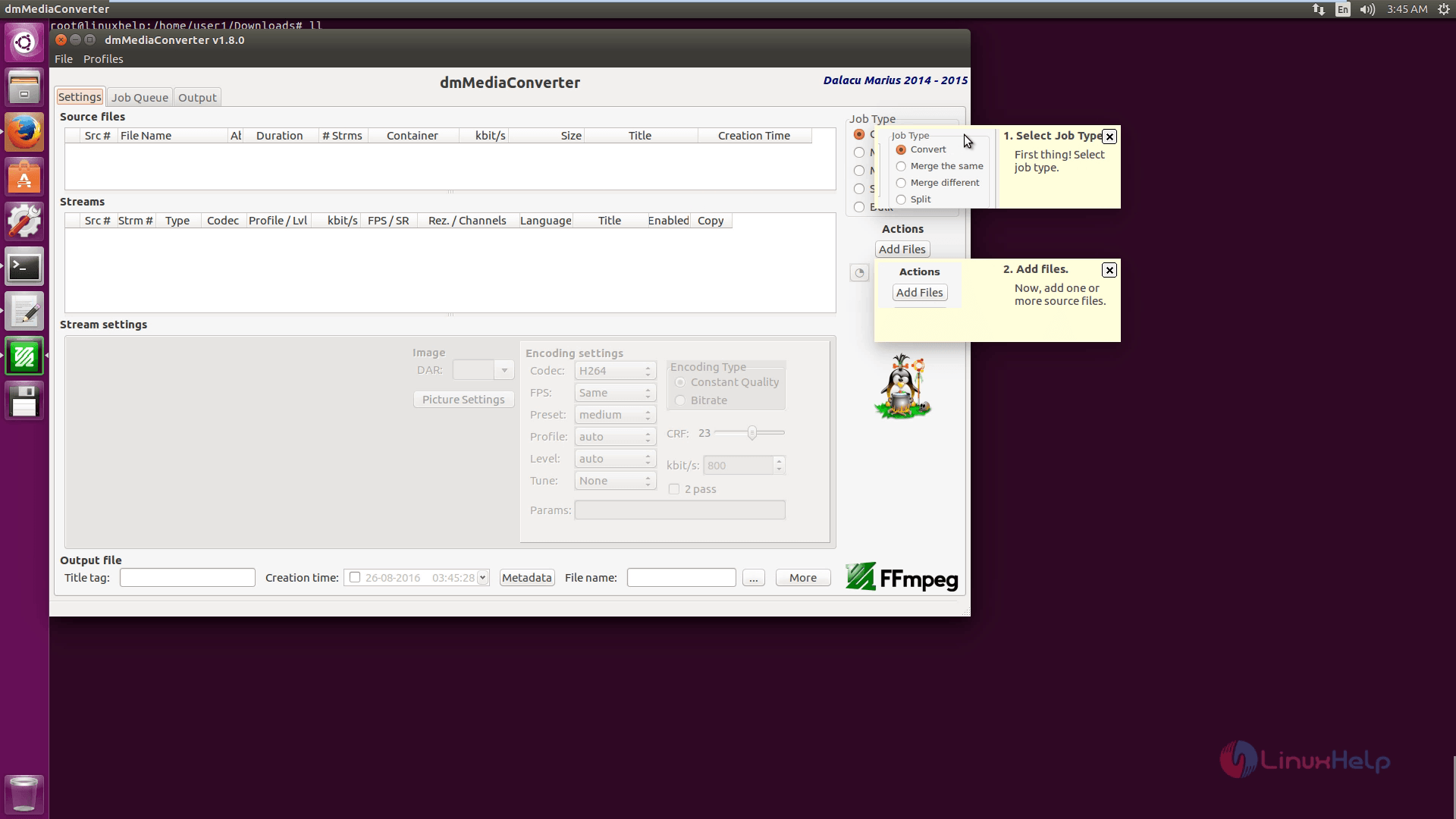
dmMediaConverter

Then add files to convert the format.
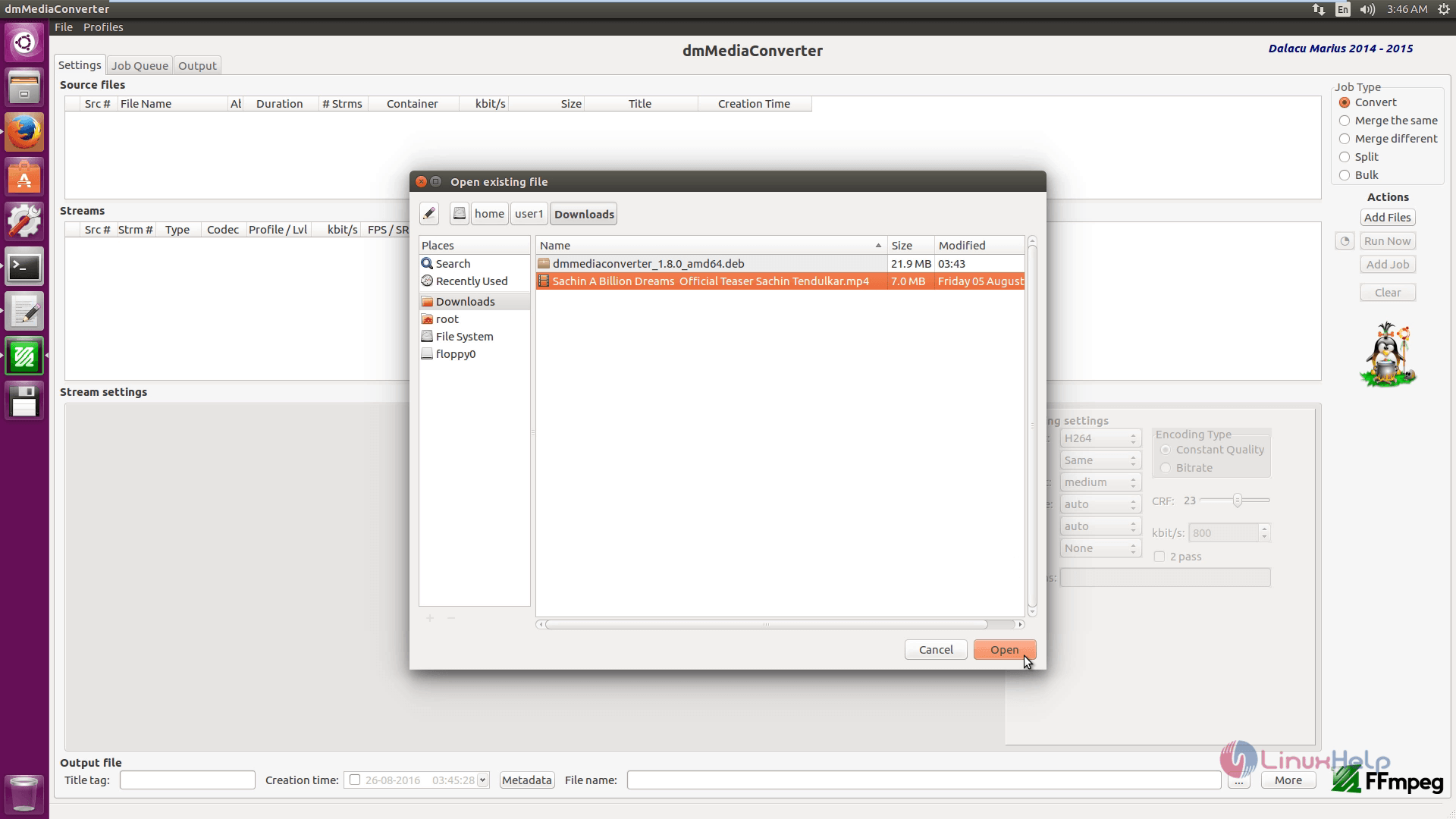
Add_files_to_dmMediaConverter

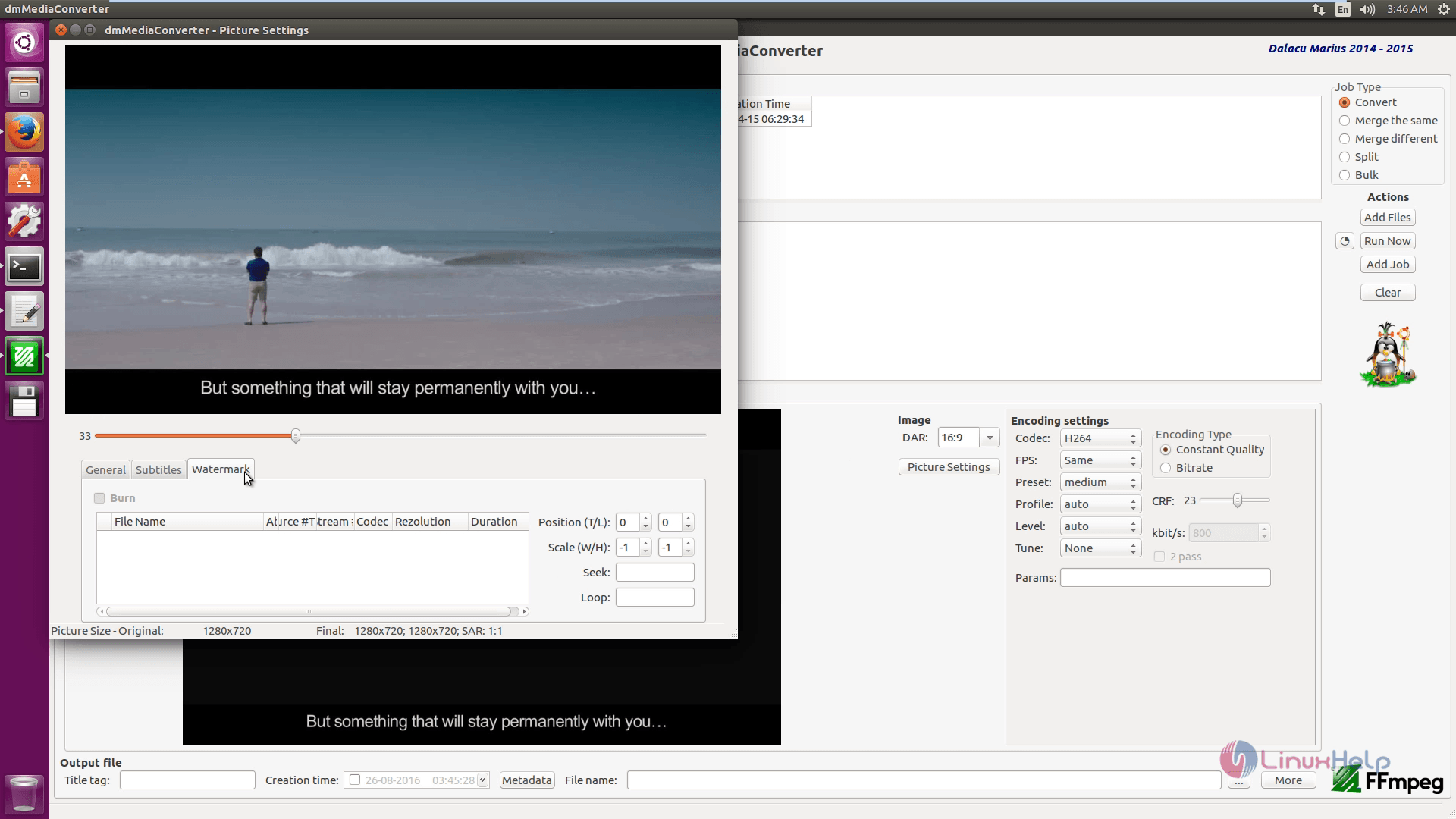
Here manage the picture settings.

dmMediaConverter_manage_picture

Click on output option to manage the following settings.
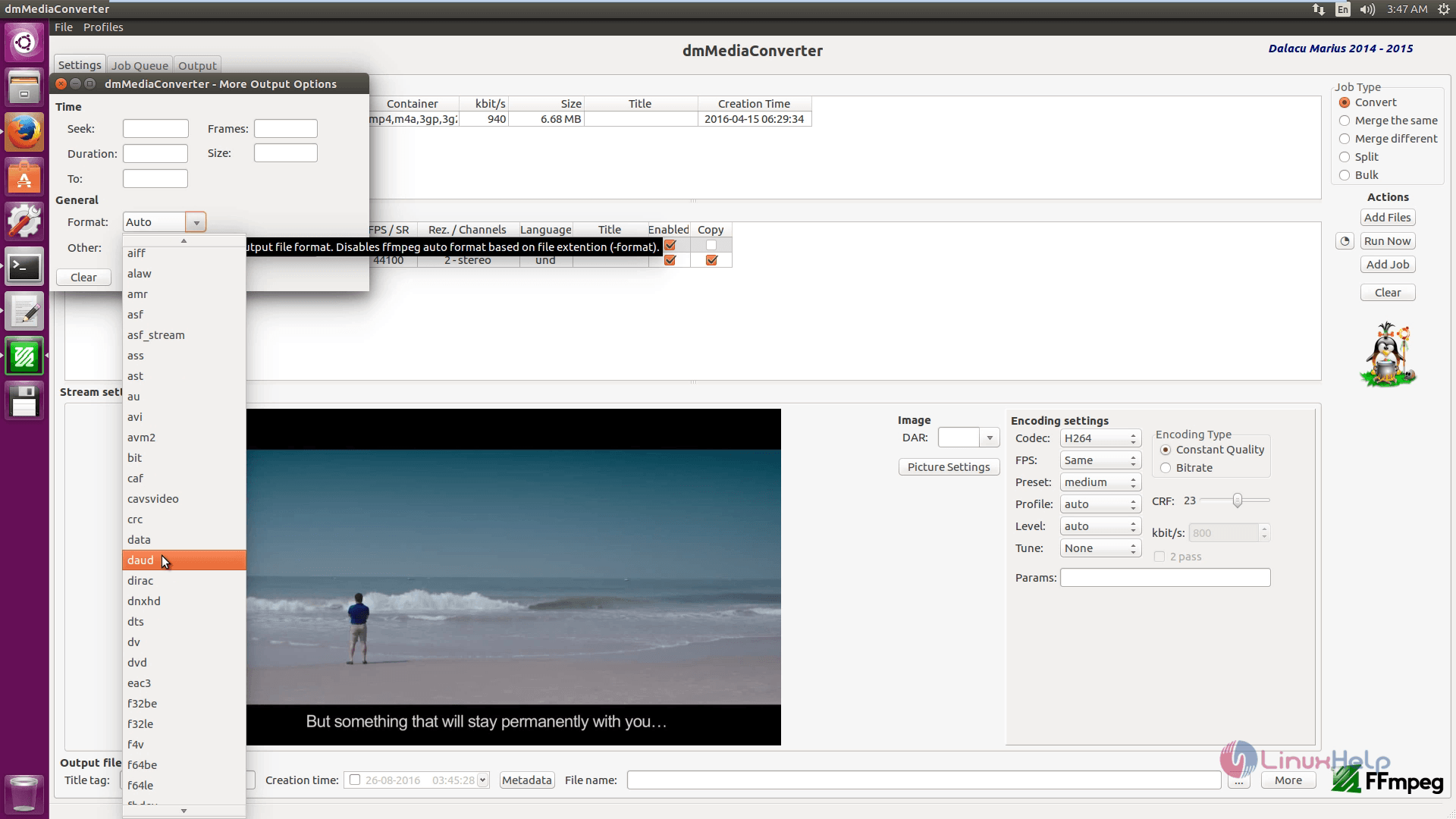
Manage_Settings

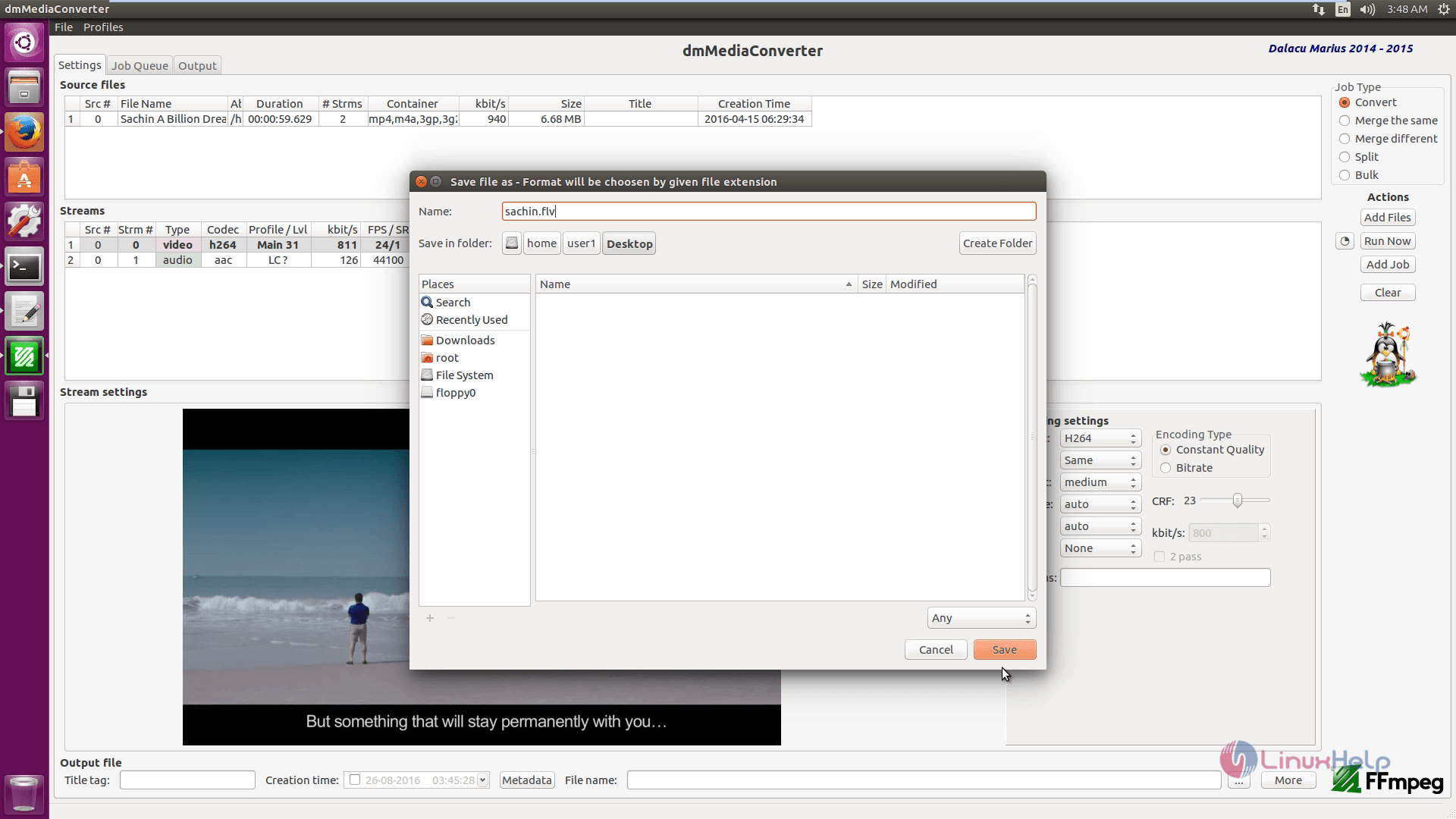
Save the file with the required file name and format.
Save_File

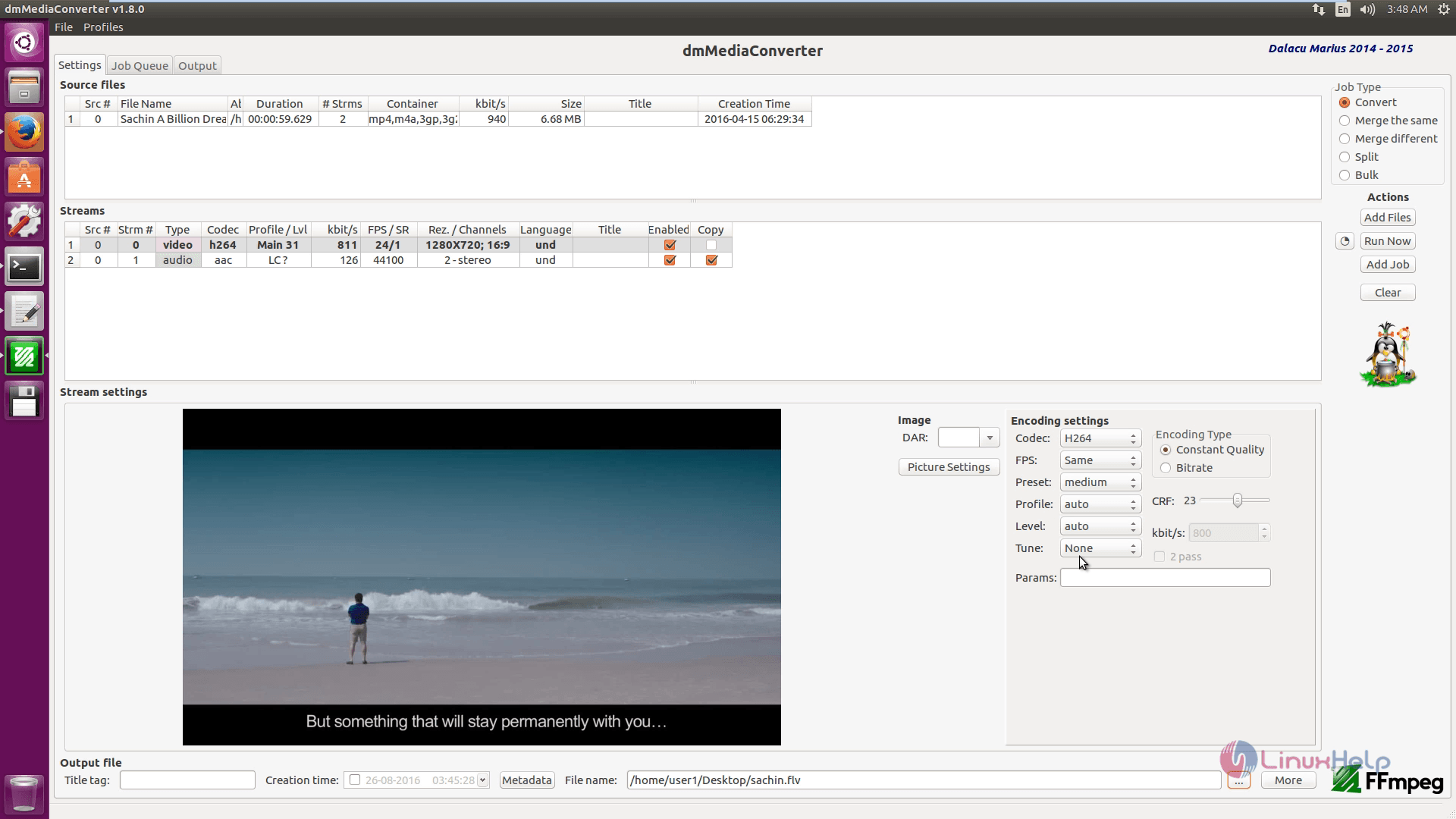
Finally change the encoding settings.
Save_Encoding_settings

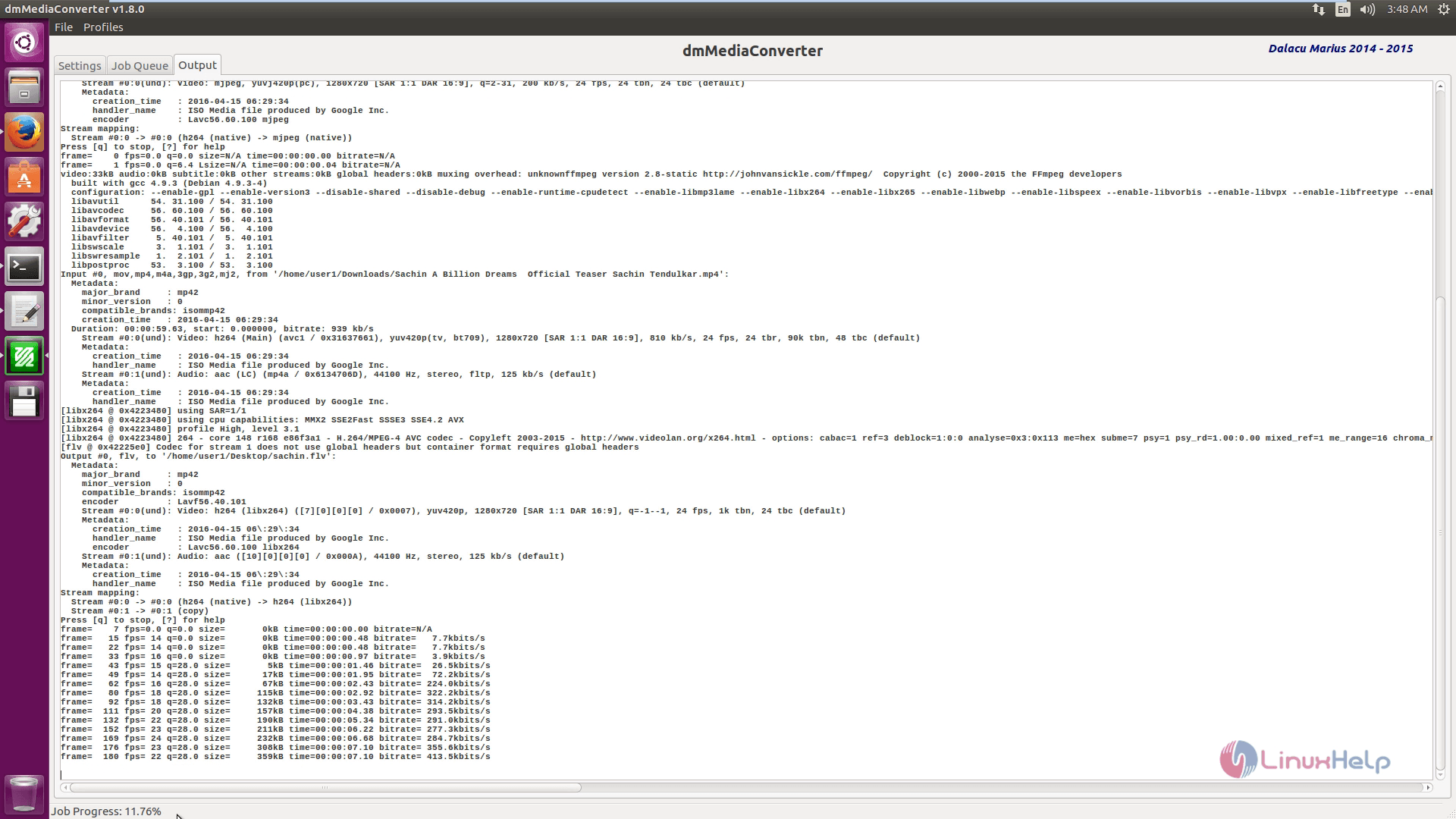
Click on run now option to start conversion process.
start_conversion

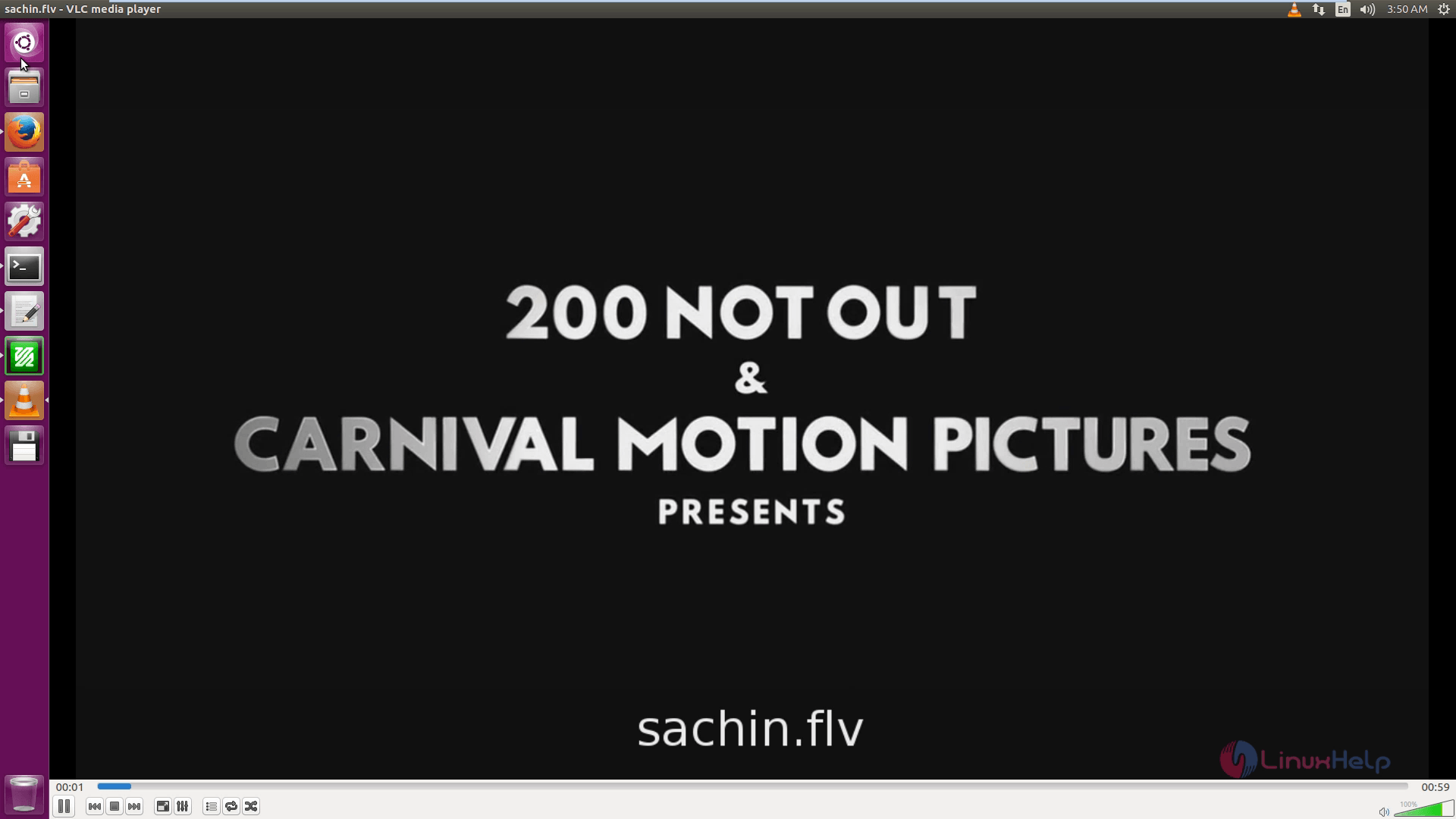
Now you can able to play the converted video.
converted_video

Tags:
ethan
Author: 

Comments ( 0 )

No comments available

Add a comment
{{postCtrl.cmtErrMsg}}

Frequently asked questions ( 5 )

Q

Is the source code available? I wanted to see what ffmpeg commands you are using?

A

No, or at least, not yet. As I have stated in the blog post I have not decided if I will ever make the source code available.

Q

I want to convert video using h.264 codec. I can't change video resolution. Scale button in "Picture Settings" is not working. Could you help me?

A

There is no scale button. Just enter the desired resolution.

Q

Is there any alternative in DmMediaConverter?

A

HandBrake Avidemux Freemake Video Converter

Q

What is dmMediaConverter?

A

dmMediaConverter is a crossplatform FFmpeg frontend (GUI) exposing some of its features. It is intended to be simple and easy to use but also to be able to achieve complex tasks. I have inspired myself from a lot of media converters like Handbrake,

Q

What are the features of dmMediaConverter?

A

Main features:


stream copy (video, audio, subtitle)
stream conversion - almost any codec into:
video - h264, h265, vp8, vp9
audio - aac, mp3, flac, pcm, vorbis, opus
subtitles - srt, ass, ssa, mov_text, dvdsub

Back To Top!
Rank
User
Points

Top Contributers

userNamenaveelansari
135850

Top Contributers

userNameayanbhatti
92510

Top Contributers

userNamehamzaahmed
32150

Top Contributers

1
userNamelinuxhelp
31040

Top Contributers

userNamemuhammadali
24500
Can you help Lucas ?
Various options in Top command

Am using Top command only to view the load average, what are the various options in Top command..??

Networking
  • Routing
  • trunk
  • Netmask
  • Packet Capture
  • domain
  • HTTP Proxy
Server Setup
  • NFS
  • KVM
  • Memory
  • Sendmail
  • WebDAV
  • LXC
Shell Commands
  • Cloud commander
  • Command line archive tools
  • last command
  • Shell
  • terminal
  • Throttle
Desktop Application
  • Linux app
  • Pithos
  • Retrospect
  • Scribe
  • TortoiseHg
  • 4Images
Monitoring Tool
  • Monit
  • Apache Server Monitoring
  • EtherApe 
  • Arpwatch Tool
  • Auditd
  • Barman
Web Application
  • Nutch
  • Amazon VPC
  • FarmWarDeployer
  • Rukovoditel
  • Mirror site
  • Chef
Contact Us | Terms of Use| Privacy Policy| Disclaimer
© 2025 LinuxHelp.com All rights reserved. Linux™ is the registered trademark of Linus Torvalds. This site is not affiliated with linus torvalds in any way.