How to Install Docky on Linux mint 18.03
To Install Docky on Linux mint 18.03
Docky is a full-fledged dock application that makes opening common applications and managing windows easier and quicker. Docky is developed with advanced shortcut bar it also displays the applications which are currently running and holds the windows in the minimized state. In this tutorial, we will see the installation of Docky on Linux mint 18.3.
Installation
It is very essential to add the repositories before you begin the installation of Docky using the following command.
linuxhelp ~ # add-apt-repository ppa:docky-core/stable
You are about to add the following PPA:
 This ppa is currently used for builds of release builds of docky and plank.
 More info: https://launchpad.net/~docky-core/+archive/ubuntu/stable
Press Enter to continue or Ctrl+C to cancel

Executing: /tmp/tmp.E69kE7ScYX/gpg.1.sh --keyserver
hkp://keyserver.ubuntu.com:80
--recv-keys
3528AE20
gpg: requesting key 3528AE20 from hkp server keyserver.ubuntu.com
gpg: key 3528AE20: public key "Launchpad Docky Development PPA" imported
gpg: Total number processed: 1
gpg:               imported: 1  (RSA: 1)
Let's first start with updating the system repositories
linuxhelp ~ # apt-get update
Hit:1 http://archive.canonical.com/ubuntu xenial InRelease
Hit:2 http://ppa.launchpad.net/djcj/hybrid/ubuntu xenial InRelease
Hit:3 http://archive.ubuntu.com/ubuntu xenial InRelease
Hit:4 http://security.ubuntu.com/ubuntu xenial-security InRelease
Hit:5 http://archive.ubuntu.com/ubuntu xenial-updates InRelease
Ign:6 http://packages.linuxmint.com sylvia InRelease
Hit:7 http://archive.ubuntu.com/ubuntu xenial-backports InRelease
Hit:8 http://packages.linuxmint.com sylvia Release
Get:9 http://ppa.launchpad.net/docky-core/stable/ubuntu xenial InRelease \[23.8 kB\]
Hit:11 http://ppa.launchpad.net/ondrej/php/ubuntu xenial InRelease
Get:12 http://ppa.launchpad.net/docky-core/stable/ubuntu xenial/main Sources \[1,604 B\]
Get:13 http://ppa.launchpad.net/docky-core/stable/ubuntu xenial/main amd64 Packages \[2,516 B\]
Get:14 http://ppa.launchpad.net/docky-core/stable/ubuntu xenial/main i386 Packages \[2,500 B\]
Get:15 http://ppa.launchpad.net/docky-core/stable/ubuntu xenial/main Translation-en \[1,160 B\]
Fetched 31.6 kB in 2s (11.9 kB/s)
Reading package lists... Done
Install the Docky application run the following command.
linuxhelp ~ # apt-get install docky
Reading package lists... Done
Building dependency tree
Reading state information... Done
The following additional packages will be installed:
  libgkeyfile1.0-cil libgnome-keyring1.0-cil libmono-accessibility4.0-cil libmono-data-tds4.0-cil
  libmono-ldap4.0-cil libmono-sqlite4.0-cil libmono-system-componentmodel-dataannotations4.0-cil
  libmono-system-data4.0-cil libmono-system-design4.0-cil libmono-system-enterpriseservices4.0-cil
.
.
.
Setting up libmono-system-xml-linq4.0-cil (4.2.1.102+dfsg2-7ubuntu4) ...
Setting up libnotify0.4-cil (0.4.0~r3032-7build1) ...
\* Installing 1 assembly from libnotify0.4-cil into Mono
Setting up libmono-system-design4.0-cil (4.2.1.102+dfsg2-7ubuntu4) ...
Setting up libmono-system-web4.0-cil (4.2.1.102+dfsg2-7ubuntu4) ...
Setting up libmono-system-web-services4.0-cil (4.2.1.102+dfsg2-7ubuntu4) ...
Setting up docky (2.2.1.1-1) ...
Once Installation is done you can access the application from the Menu as shown here
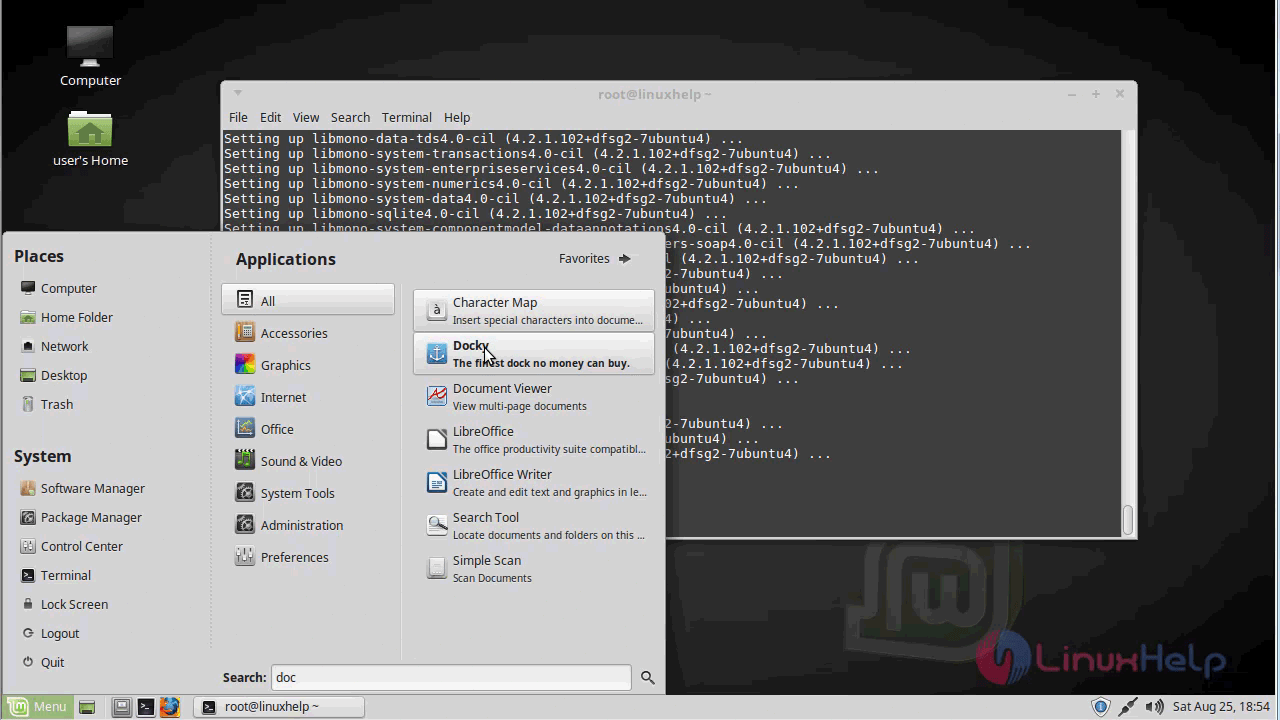
Now, you can able to use the Docky application.
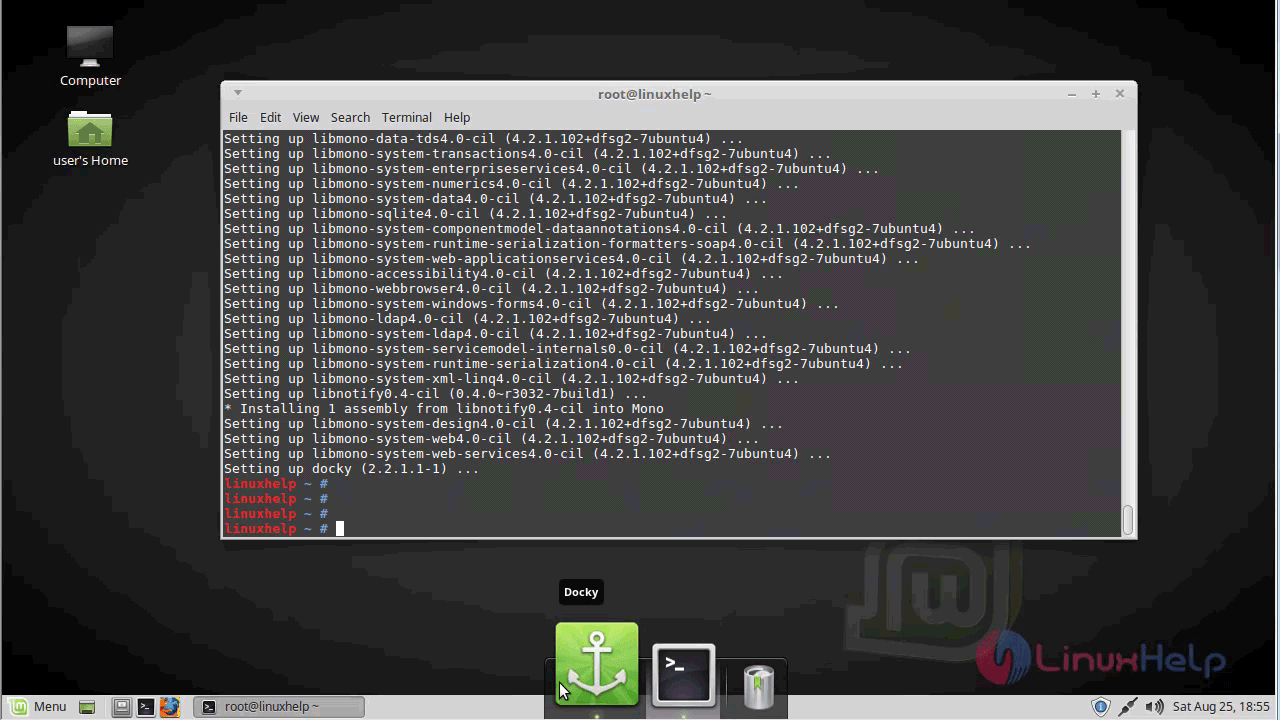
With this, the method to install Docky on linuxmint-18.03 comes to an end.
Comments ( 0 )
No comments available