• Categories
    Category
    {{ postCtrl.tags }}
    • {{ category.tag_type }}

      • {{tag.tag_name}}
      • View more
  • Categories
    Category
    {{ postCtrl.tags }}
    • {{ category.tag_type }}

      • {{tag.tag_name}}
      • View more
  • News
  • Tutorials
  • Forums
  • Tags
  • Users
Tutorial News Comments FAQ Related Articles

How to install Dolphin Emulator in Ubuntu

{{postValue.id}}

Install Dolphin Game Emulator in Ubuntu

Dolphin is a free source emulator for Nintendo GameCube and Wii games. It saves the state of game and reload/resume it whenever necessary. It allows you to Play games on maximum resolution and in high definition. Installation of Dolphin is explained in this manual.
It requires Direct3D 10 / OpenGL 3 and 64-bit CPUs.

To install Dolphin Game Emulator

Run the following command to add the repository.

root@linuxhelp:/home/user1# add-apt-repository ppa:dolphin-emu/ppa 
 Unofficial builds for Dolphin Wii/Gamecube Emulator.
Install the dolphin-emu package for the latest stable release of Dolphin.
&hellip 
&hellip 
gpg: Total number processed: 1
gpg:               imported: 1  (RSA: 1)
OK


Then update the system by using the following command.

root@linuxhelp:/home/user1# apt-get update 
Get:1 http://ppa.launchpad.net/dolphin-emu/ppa/ubuntu xenial InRelease [18.1 kB]
Hit:2 http://in.archive.ubuntu.com/ubuntu xenial InRelease                     
Get:3 http://security.ubuntu.com/ubuntu xenial-security InRelease [94.5 kB]    
Hit:4 http://in.archive.ubuntu.com/ubuntu xenial-updates InRelease                                                   
Hit:5 http://in.archive.ubuntu.com/ubuntu xenial-backports InRelease                                       
Get:6 http://ppa.launchpad.net/dolphin-emu/ppa/ubuntu xenial/main amd64 Packages [1,512 B]
Get:7 http://ppa.launchpad.net/dolphin-emu/ppa/ubuntu xenial/main i386 Packages [32 B]                      
Get:8 http://ppa.launchpad.net/dolphin-emu/ppa/ubuntu xenial/main Translation-en [548 B]
Fetched 115 kB in 1s (87.8 kB/s)
Reading package lists... Done


Run the following command to install the dolphin emulator.

root@linuxhelp:/home/user1# apt-get install dolphin-emu 
Reading package lists... Done
Building dependency tree       
Reading state information... Done
&hellip 
&hellip 
Setting up dolphin-emu (5.0+r1~21~ubuntu16.04.1) ...
Setting up vdpau-driver-all:amd64 (1.1.1-3ubuntu1) ...
Processing triggers for libc-bin (2.23-0ubuntu3) ...

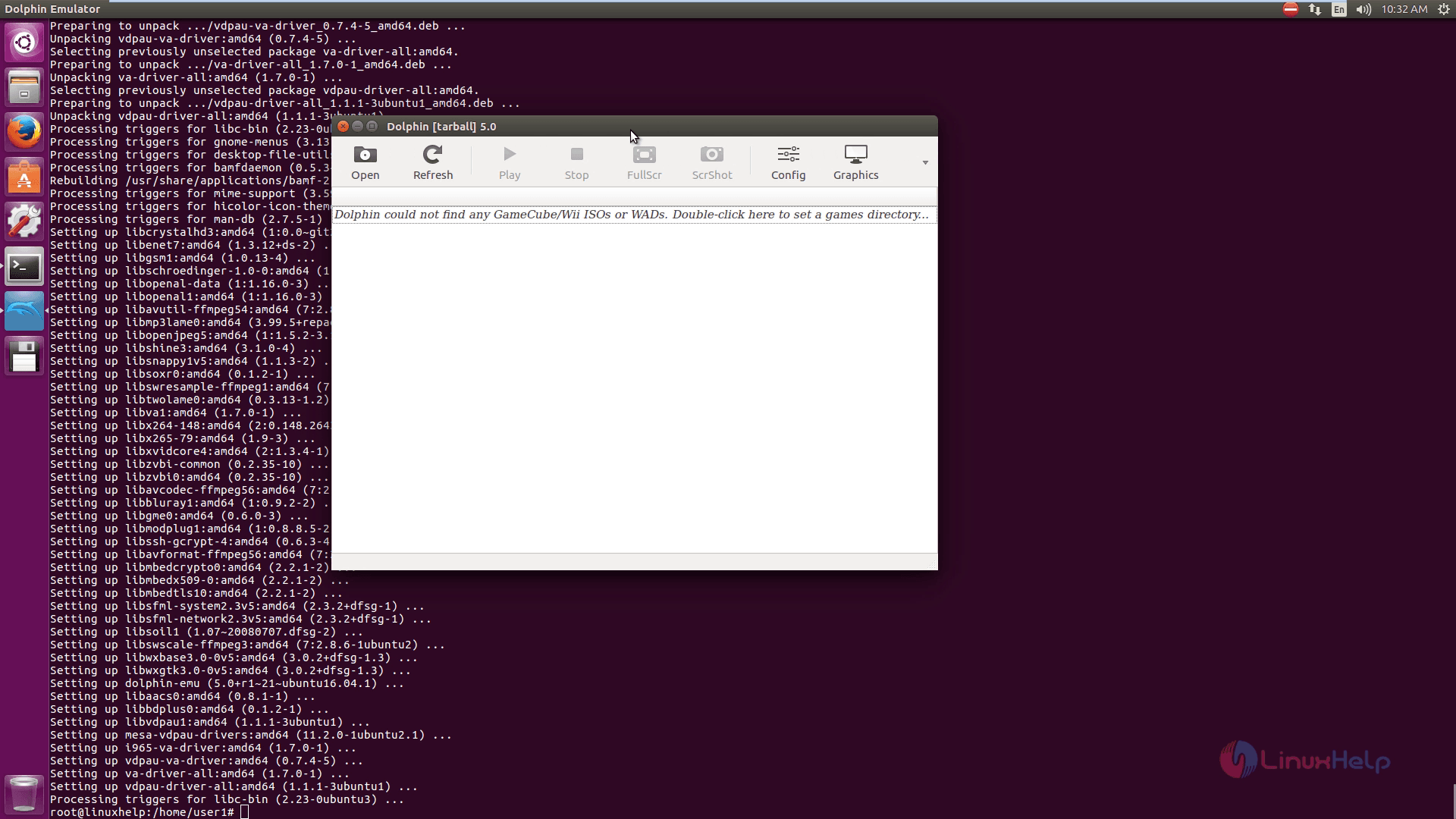
To open the dolphin emulator

Click and search the dolphin emulator from the unity dash.
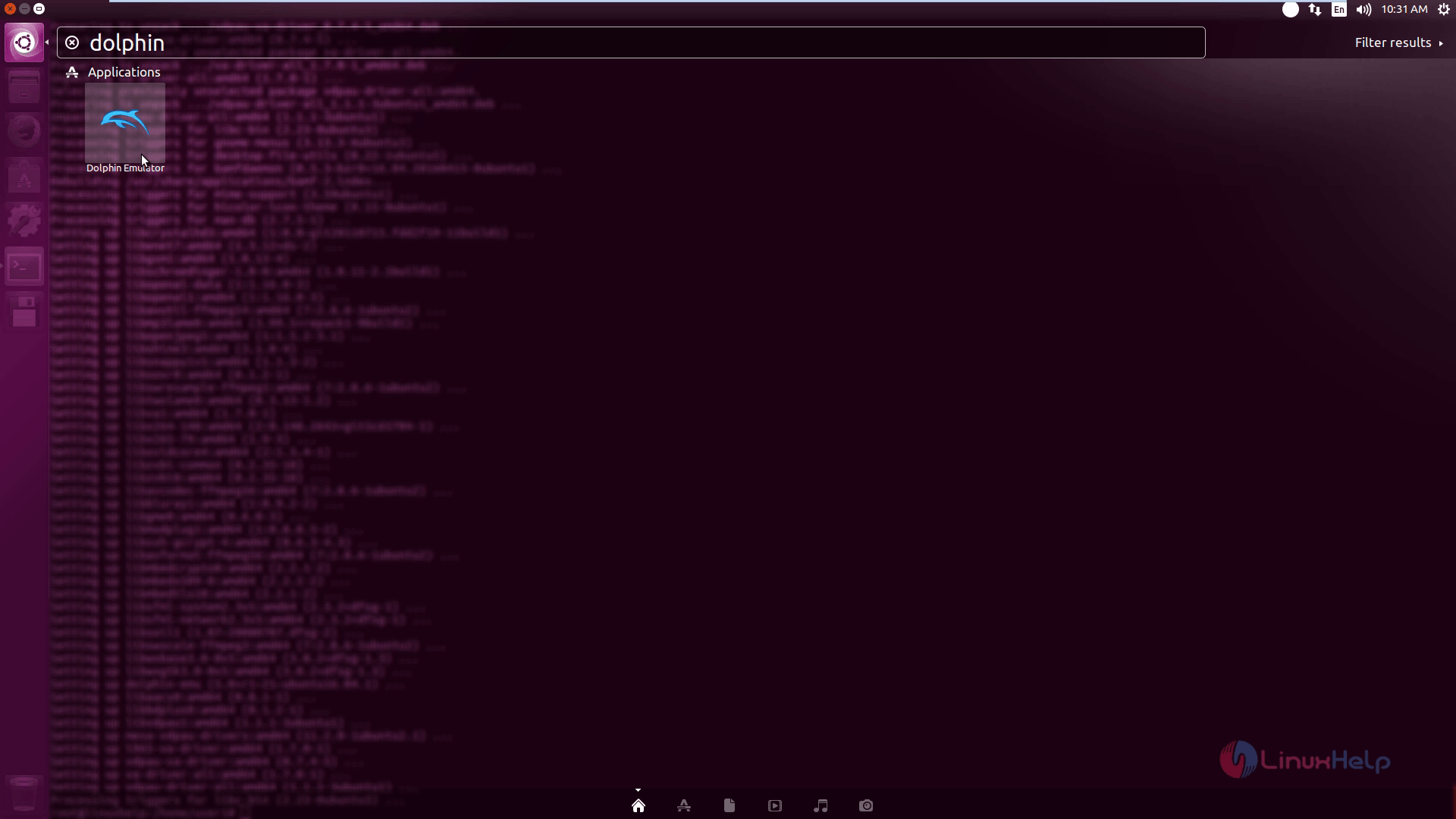
searcb dolphin emulator
dolphin emulator
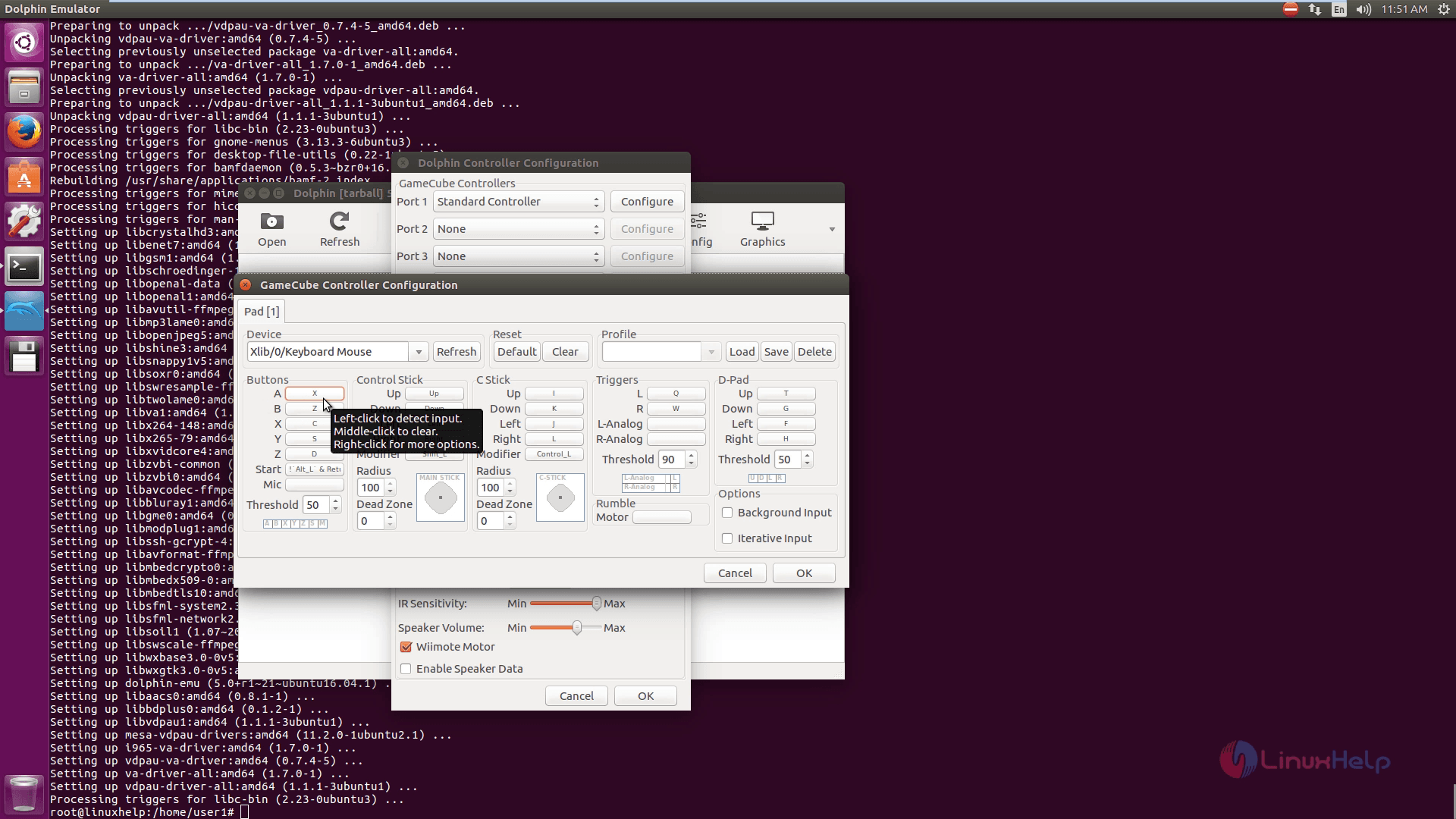
Choose the Controller Settings to configure game cube controllers.
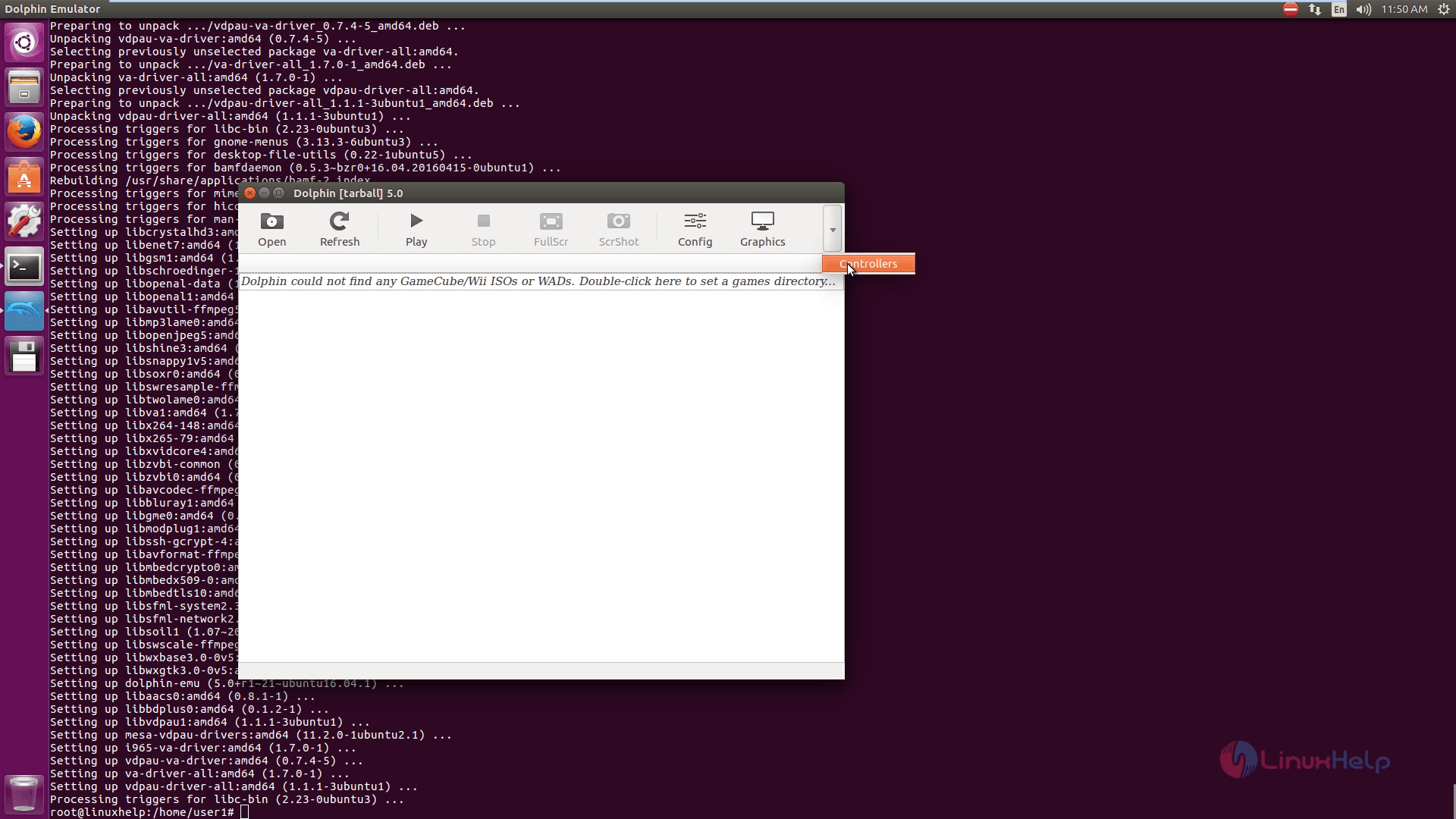
 Controller_Settings
Click configure to proceed further.
configure_dolphin_emulator
Click config interface and then hit on the general tab to know about the general settings.
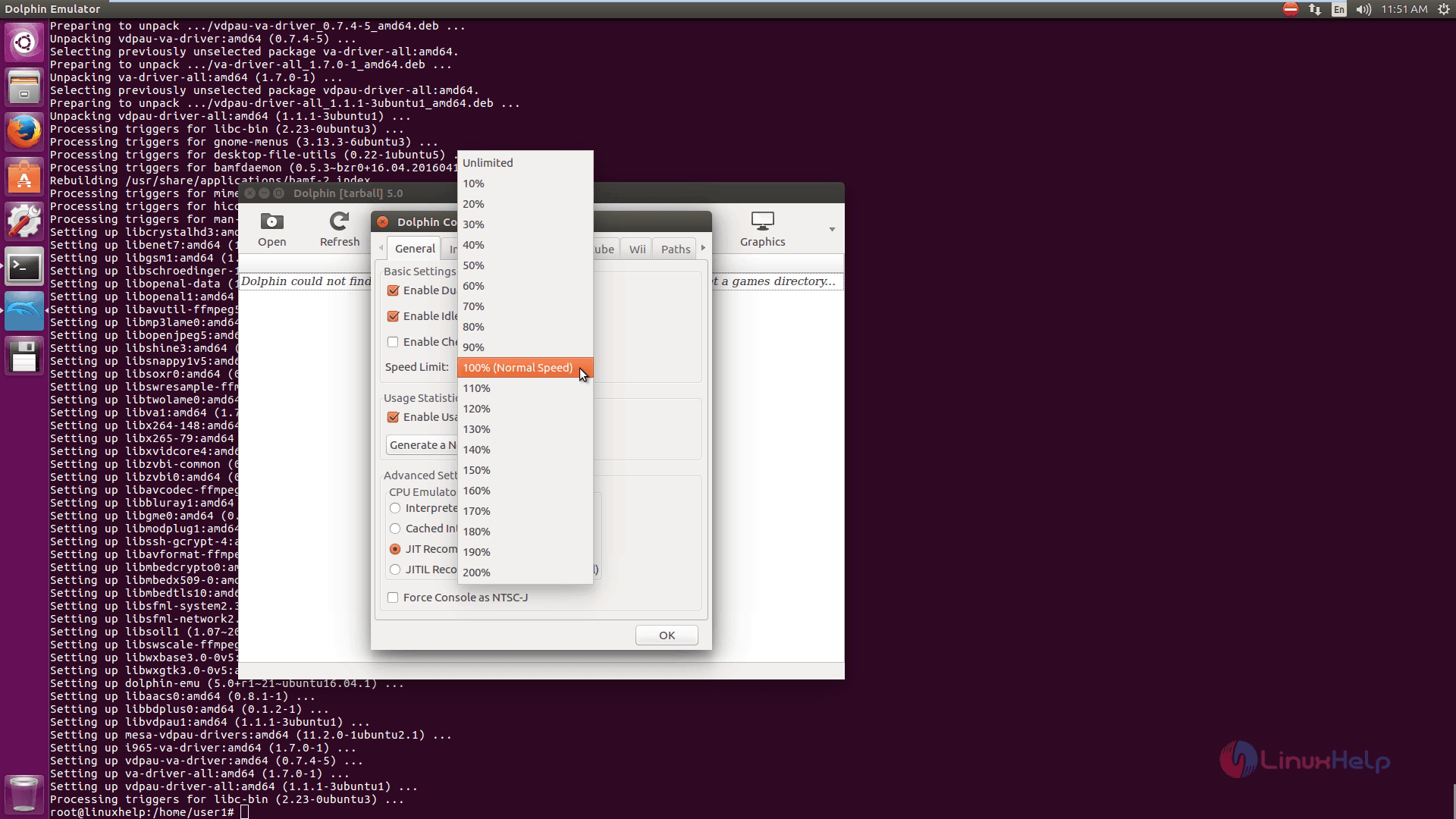
general_settings
Then click Interface tab to know about interface settings.
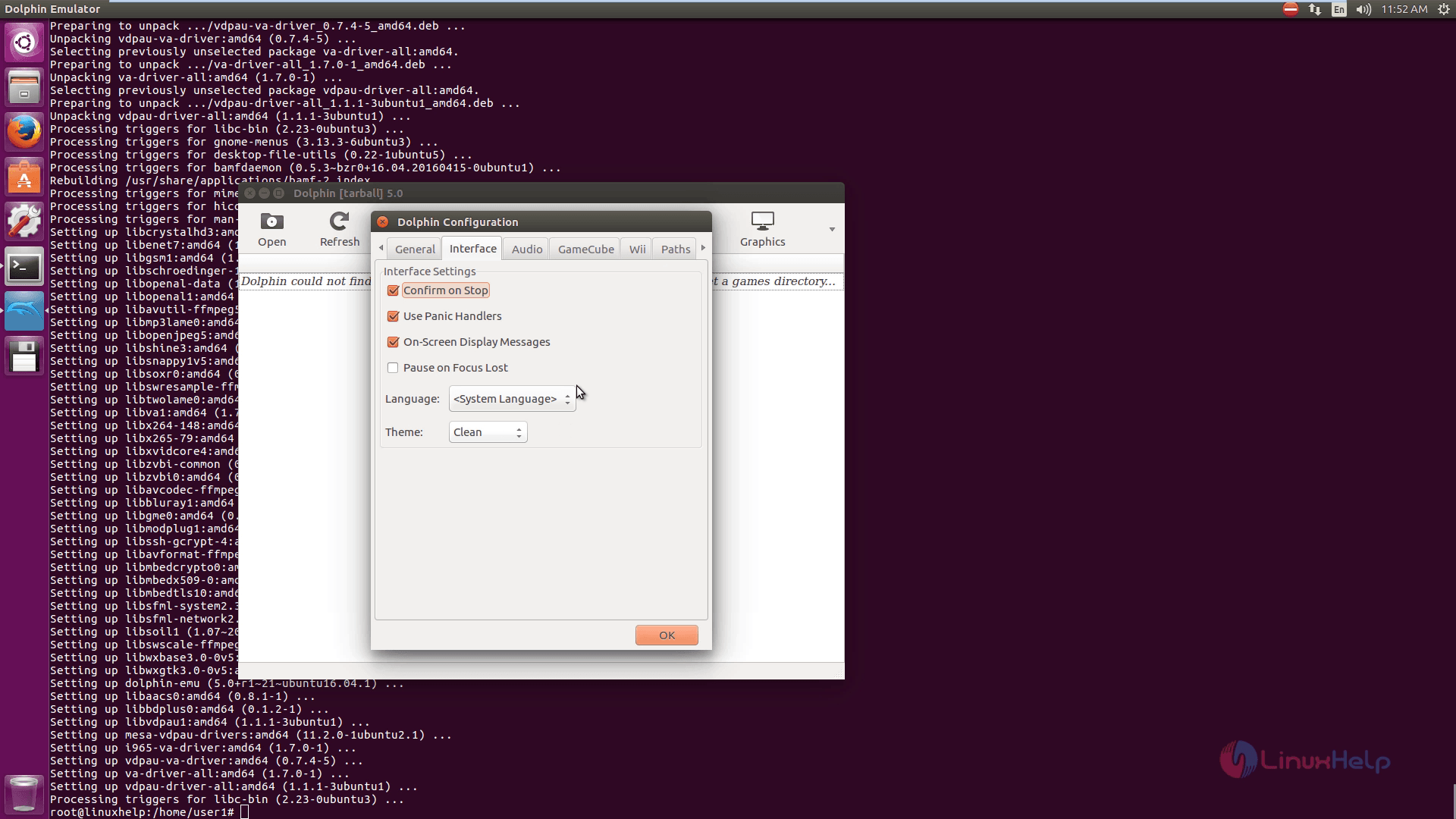
interface_settings
To configure audio, hit Audio settings
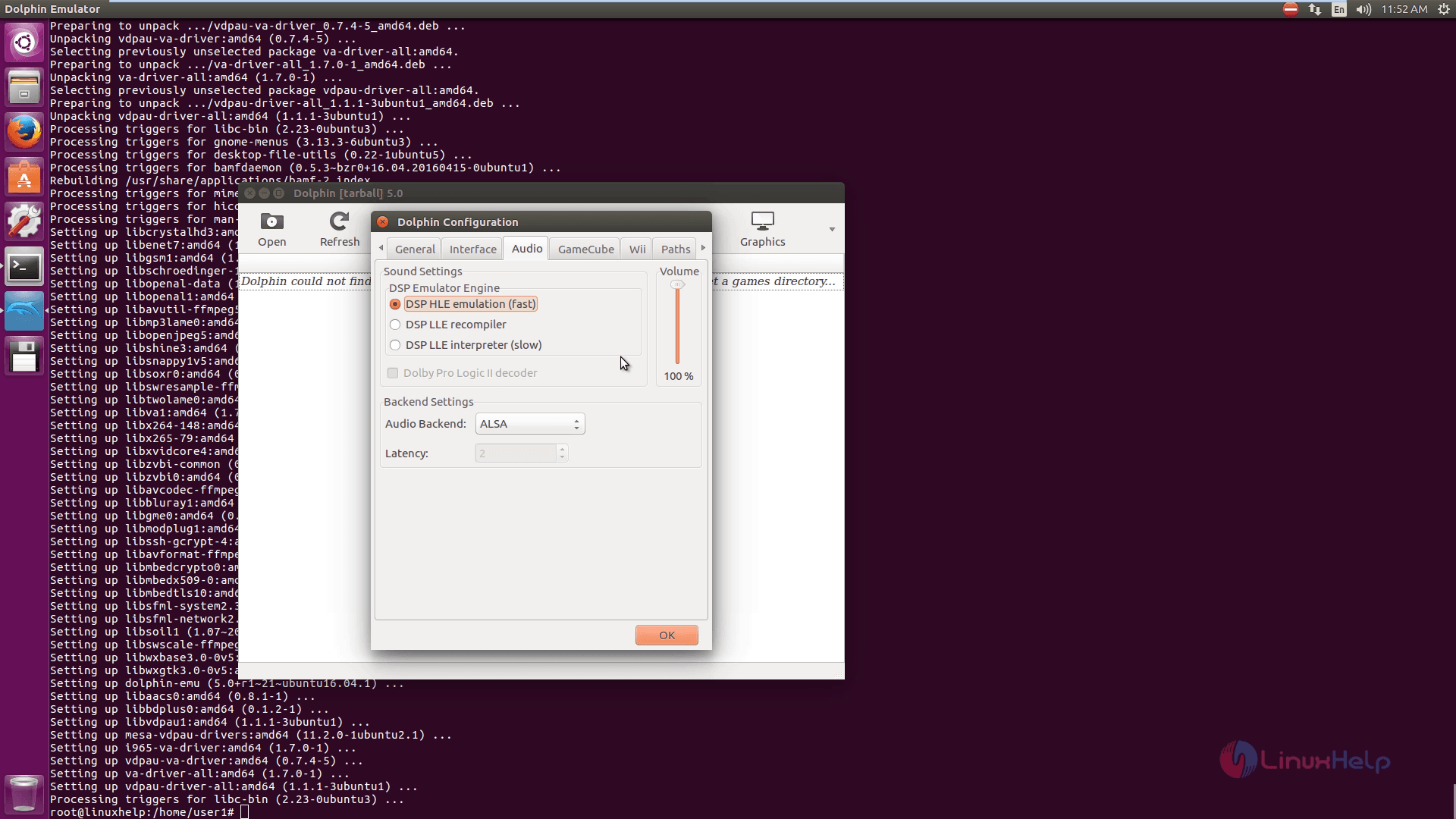
Audio_settings
Click on Gamecube settings to know about Gamecube.
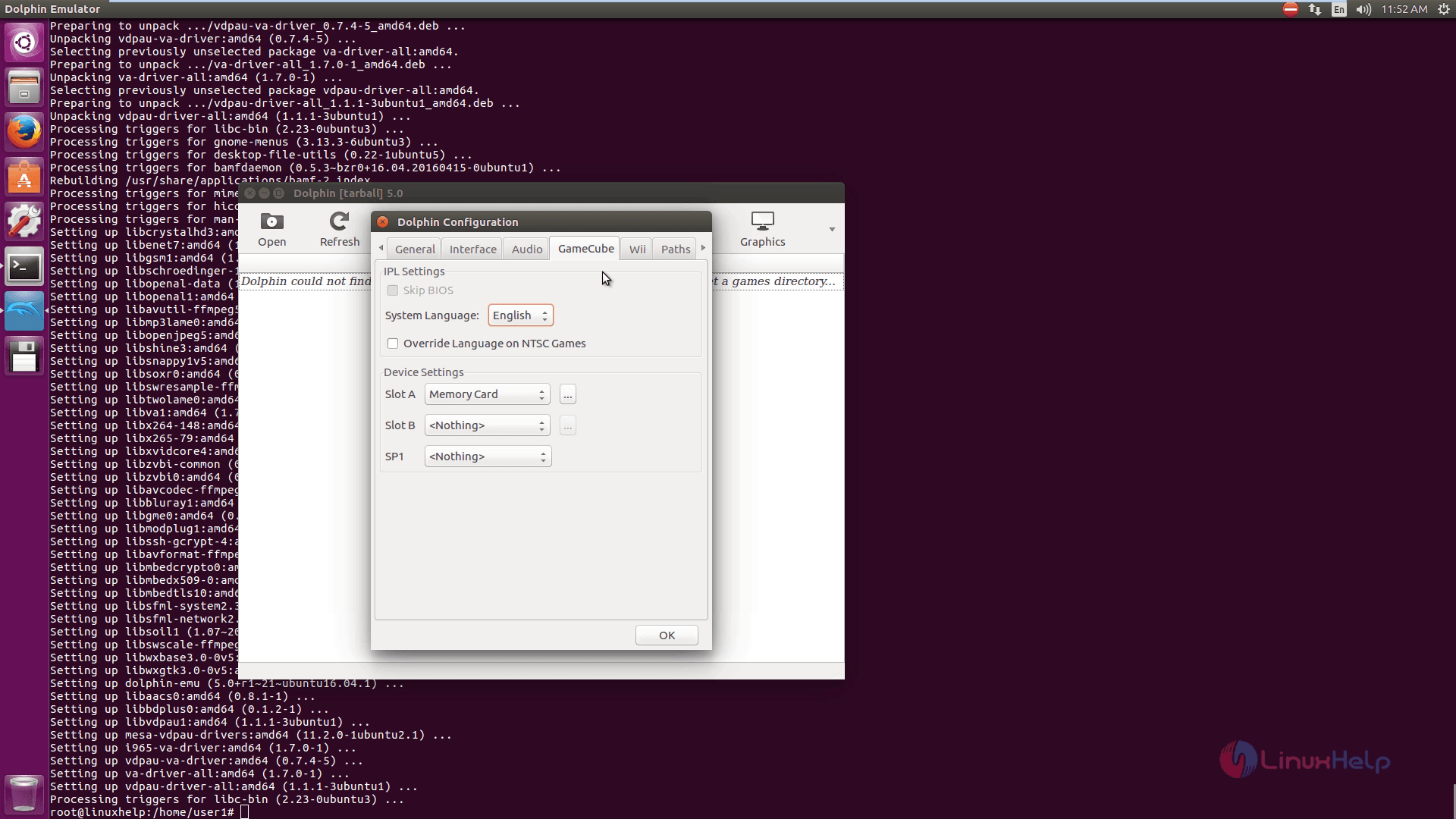
Gamecube
To make changes in Wii settings, click wii.
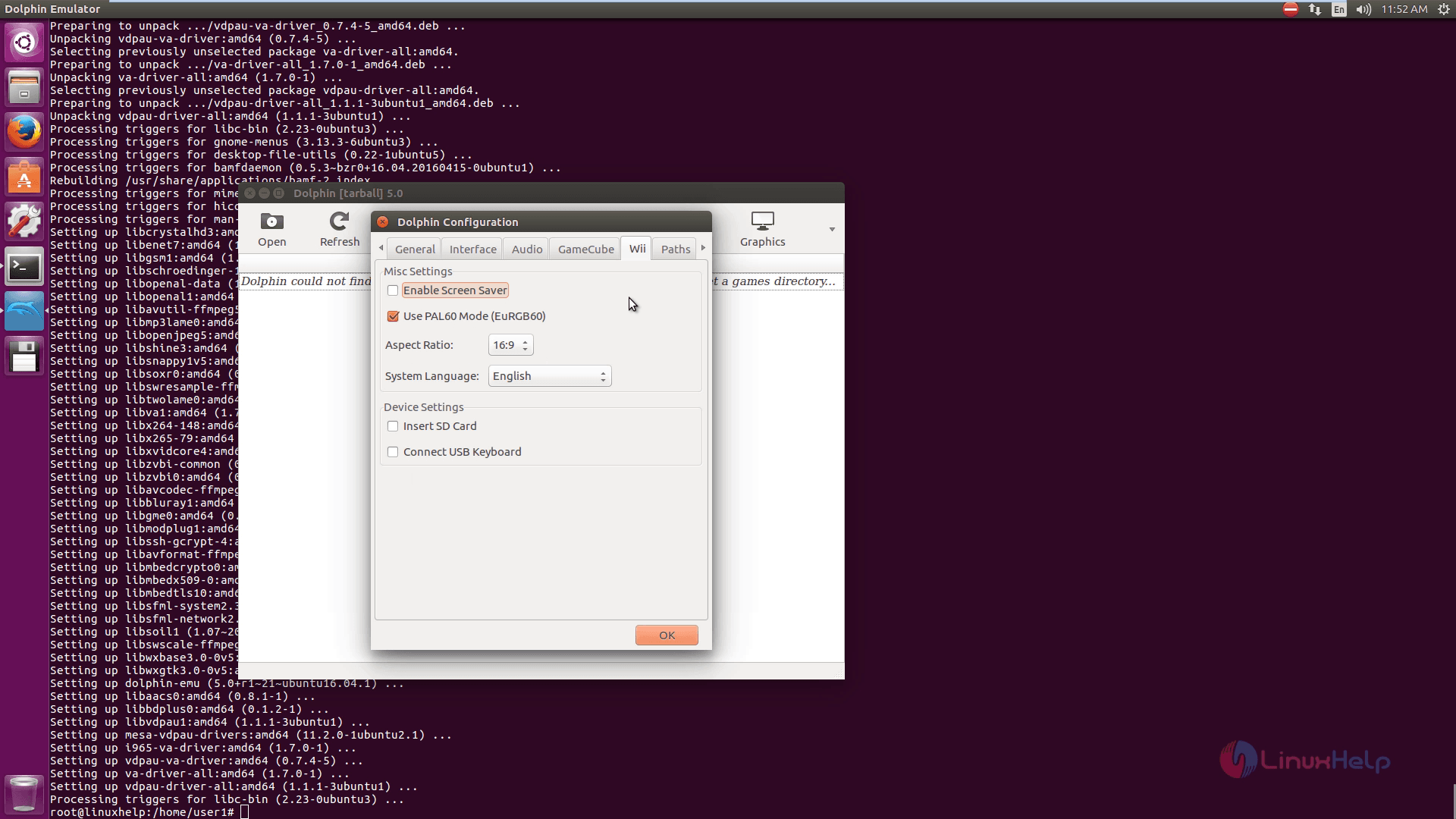
Wii settings
Game ISO path settings can be viewed by hitting paths tab.
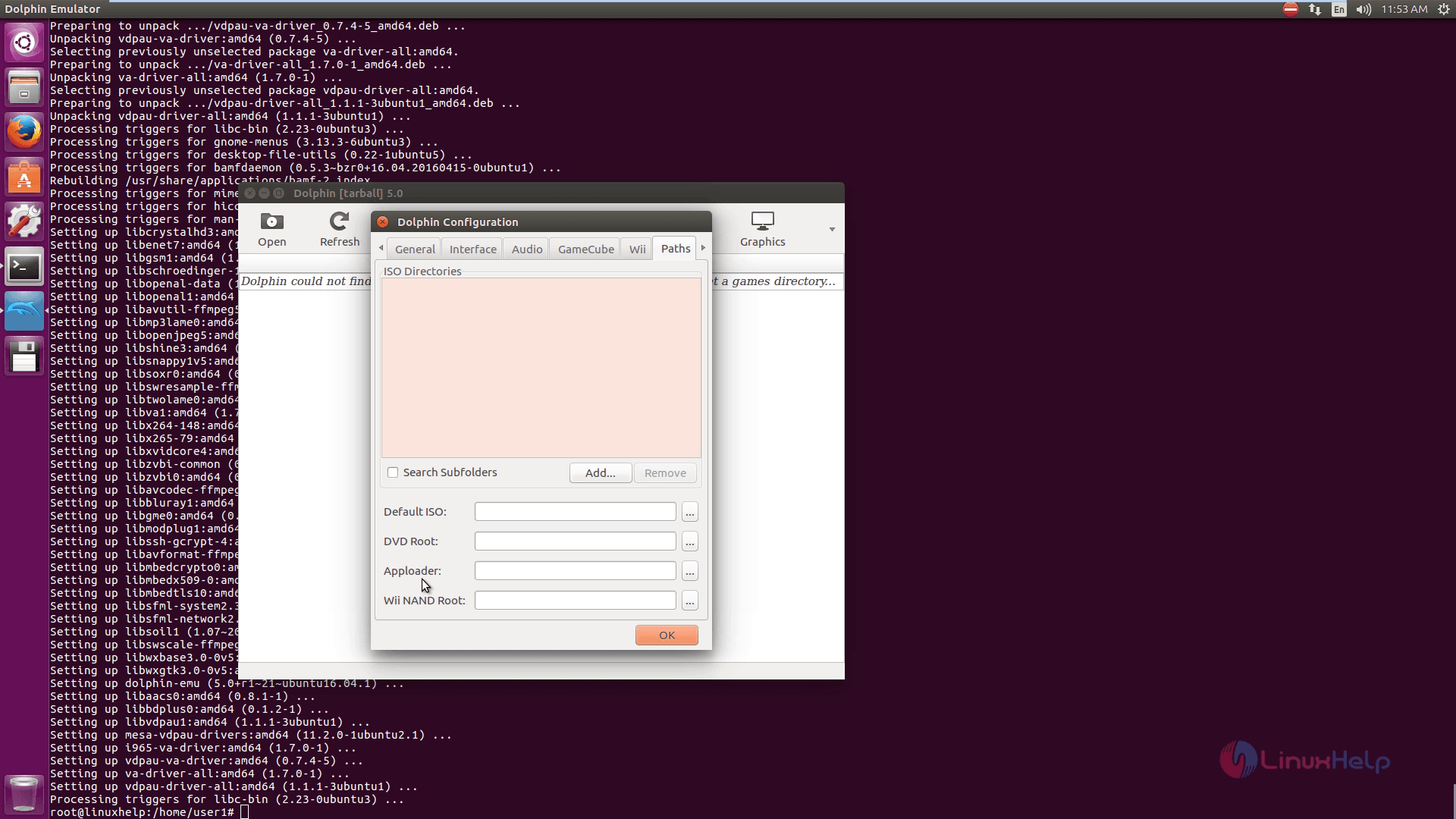
ISO_patrh_settings
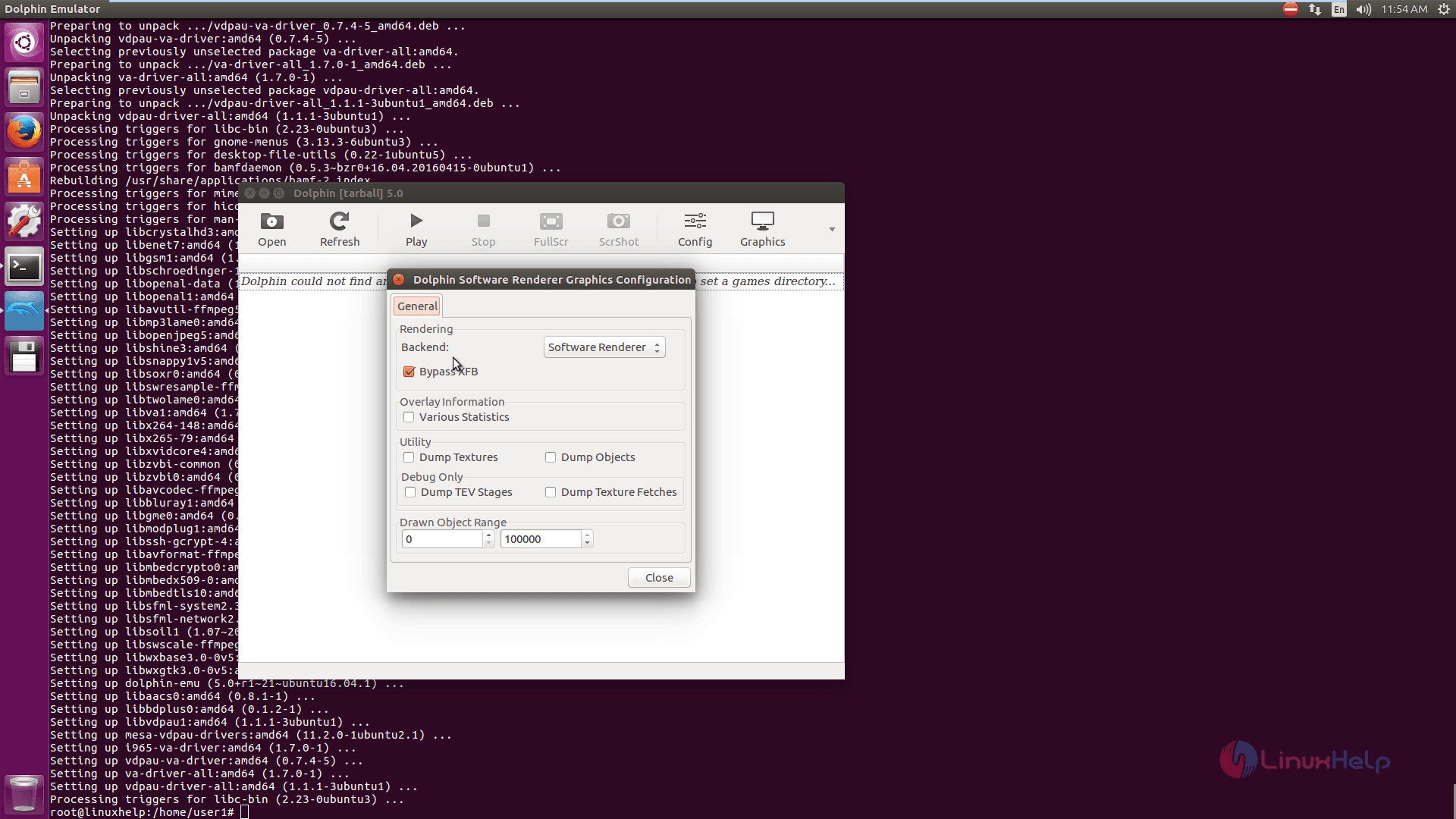
Graphics settings
Graphics_settings
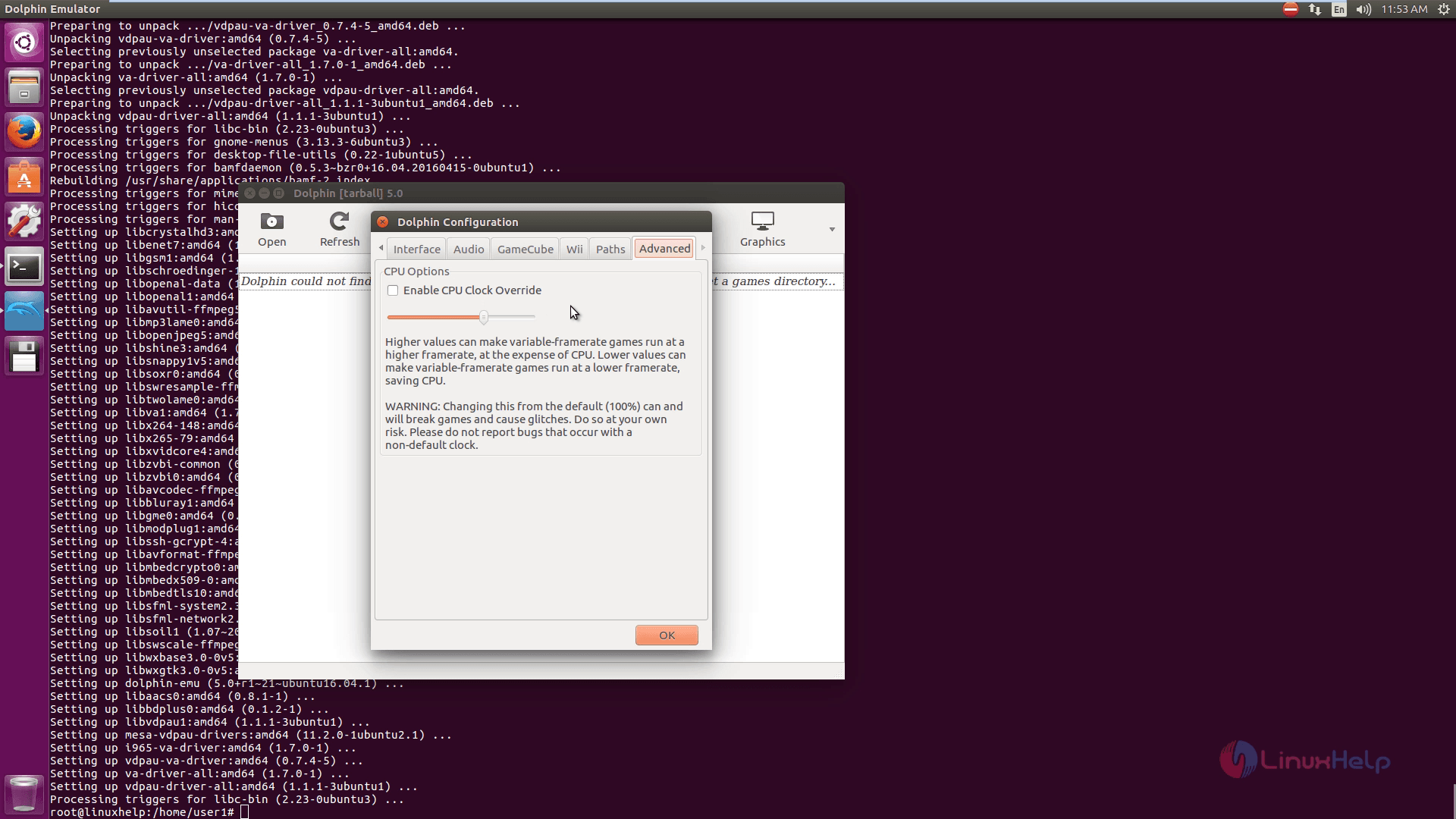
Advanced settings
Advanced_settings

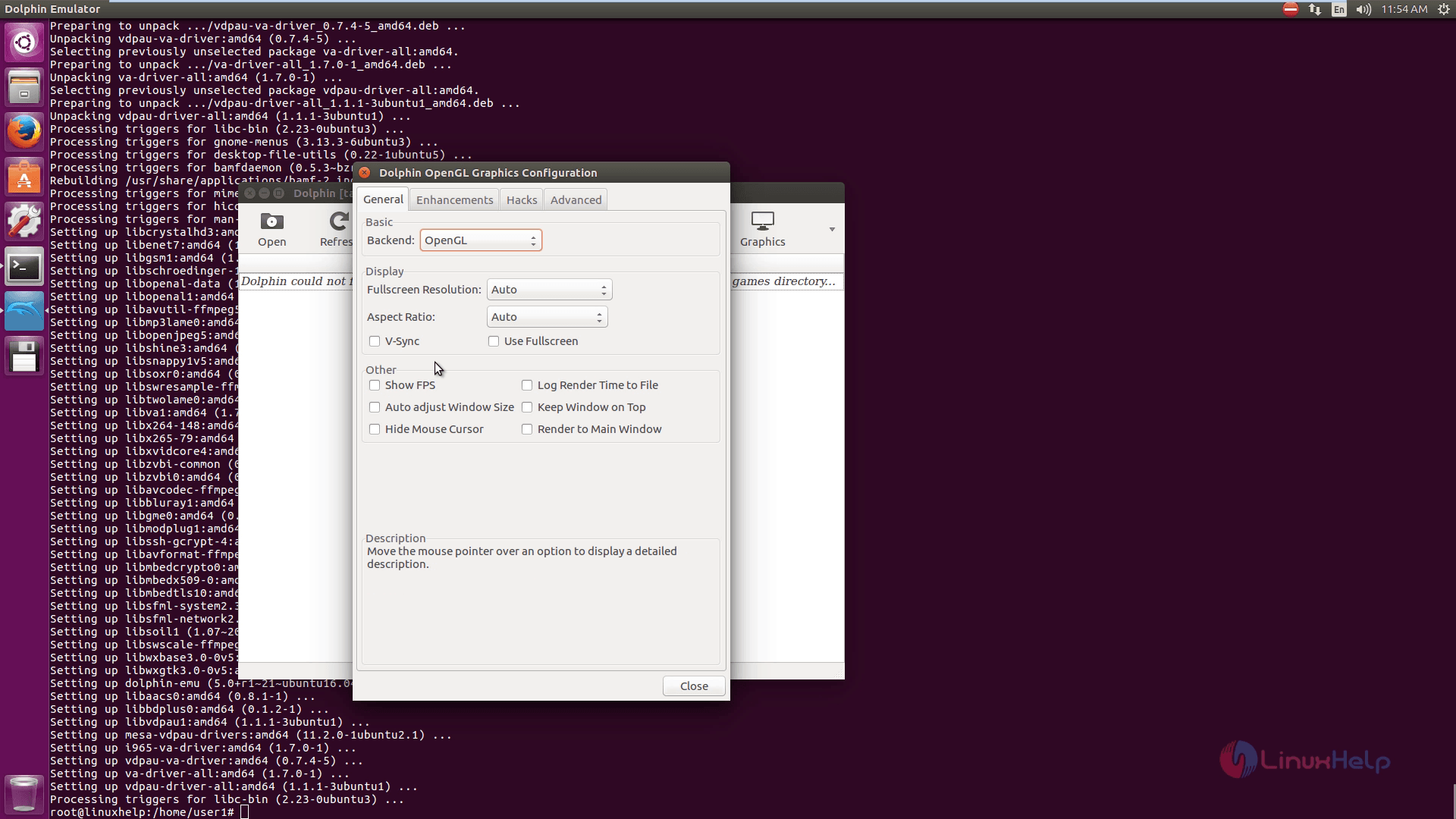
OpenGL settings
OpenGL_settings
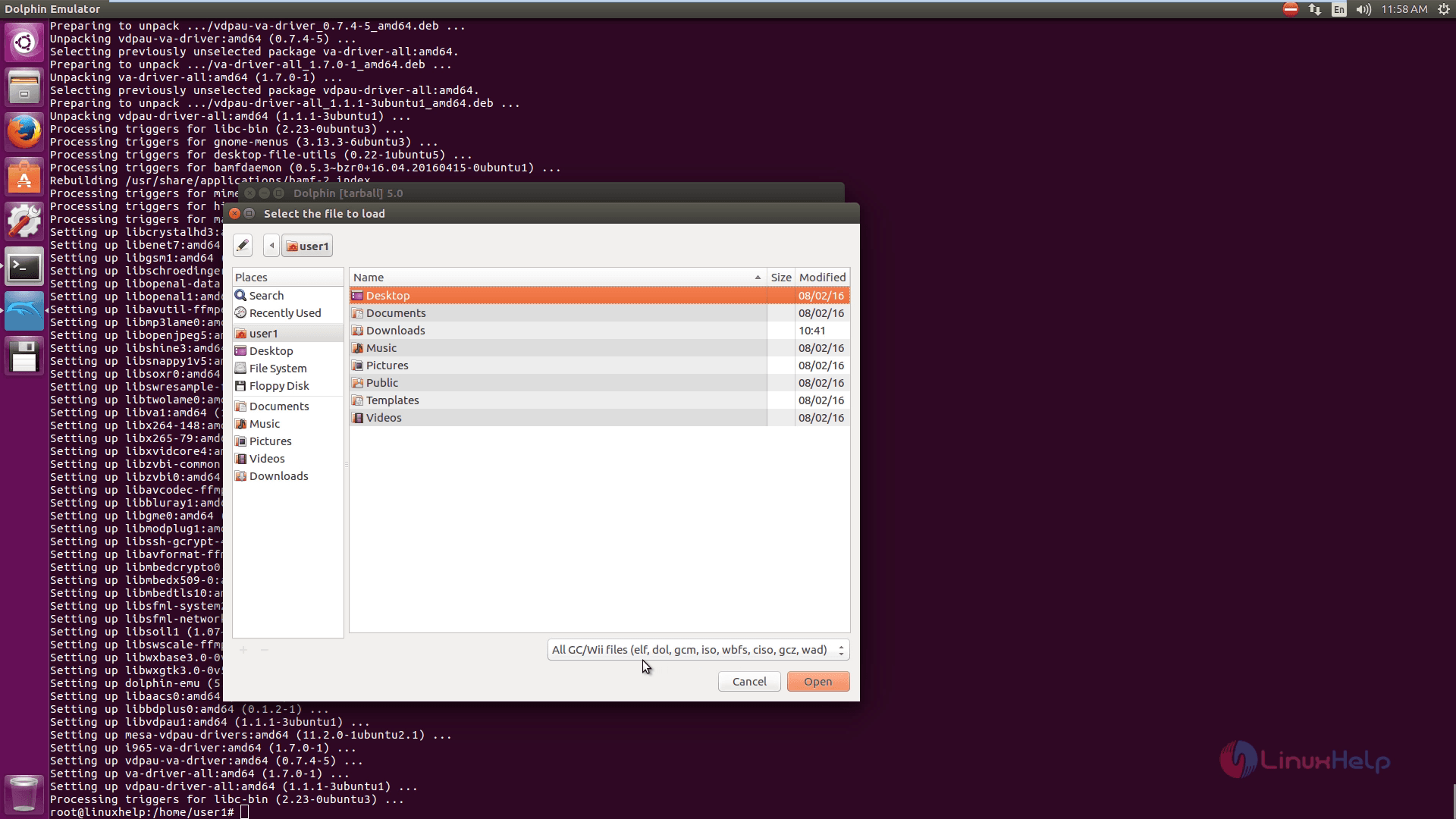
Supported game file formats
Supported_game

Tags:
noah
Author: 

Comments ( 0 )

No comments available

Add a comment
{{postCtrl.cmtErrMsg}}

Frequently asked questions ( 5 )

Q

What are the operating systems will support the Dolphin Emulator?

A

Dolphin is a cross-platform emulator that runs on Windows (7 SP1 and newer), Linux, and macOS (10.10 Yosemite and up). For their ease of use and additional graphics backend options, Windows i

Q

Which GPU do I need for installing the Dolphin Emulator?

A

NVIDIA,
AMD,
Intel

Q

How to install Dolphin Emulator on Linux?

A

"Windows build instructions"
"Linux/macOS build instructions"

Q

What is the system requirement for the Dolphin Emulator?

A

Here I have to give some of the system requirement for the Dolphin Emulator,
System : Host Name, Kernel version, Architecture, Desktop & Distribution
Machine : Motherboard & Bios information
CPU : Processor Name and core
Graphics : Graphics card info
Network : Network card info
Drives : HDD size and used percent
Info : Total process count, Server Uptime, Memory total and used, inxi version

Q

How much RAM do I need to run Dolphin?

A

2GB or more is recommended. RAM speed or the amount of RAM generally has no affect on emulation speed.

Back To Top!
Rank
User
Points

Top Contributers

userNamenaveelansari
135850

Top Contributers

userNameayanbhatti
92510

Top Contributers

userNamehamzaahmed
32150

Top Contributers

1
userNamelinuxhelp
31040

Top Contributers

userNamemuhammadali
24500
Can you help Owen ?
How to add SSH key to my Gitlab account

I need to add the SSH key in my gitlab account. How to do so ????

Networking
  • Routing
  • trunk
  • Netmask
  • Packet Capture
  • domain
  • HTTP Proxy
Server Setup
  • NFS
  • KVM
  • Memory
  • Sendmail
  • WebDAV
  • LXC
Shell Commands
  • Cloud commander
  • Command line archive tools
  • last command
  • Shell
  • terminal
  • Throttle
Desktop Application
  • Linux app
  • Pithos
  • Retrospect
  • Scribe
  • TortoiseHg
  • 4Images
Monitoring Tool
  • Monit
  • Apache Server Monitoring
  • EtherApe 
  • Arpwatch Tool
  • Auditd
  • Barman
Web Application
  • Nutch
  • Amazon VPC
  • FarmWarDeployer
  • Rukovoditel
  • Mirror site
  • Chef
Contact Us | Terms of Use| Privacy Policy| Disclaimer
© 2025 LinuxHelp.com All rights reserved. Linux™ is the registered trademark of Linus Torvalds. This site is not affiliated with linus torvalds in any way.