How to Install Dotclear in Debian
To Install Dotclear in Debian
Dotclear is an open source web publishing software, which is used for Linux-based platforms. It allows the experts to publish their websites and blogs in an efficient manner. This article shows the installation process of Dotclear in Debian.
Installation of Dotclear
Before installing the Dotclear, you need to install LAMP server with the following link,
https://www.linuxhelp.com/how-to-install-lamp-by-using-tasksel-tool-in-ubuntu/
First download the Dotclear installation package with the following command.
root@linuxhelp:~# cd /opt/
root@linuxhelp:/opt# wget  http://download.dotclear.org/latest.tar.gz
--2016-11-18 15:22:26--  http://download.dotclear.org/latest.tar.gz
Resolving download.dotclear.org (download.dotclear.org)... 88.191.250.71
Connecting to download.dotclear.org (download.dotclear.org)|88.191.250.71|:80... connected.
HTTP request sent, awaiting response... 303 See Other
Location: http://download.dotclear.org/latest/dotclear-2.10.4.tar.gz [following]
--2016-11-18 15:22:28--  http://download.dotclear.org/latest/dotclear-2.10.4.tar.gz
Reusing existing connection to download.dotclear.org:80.
HTTP request sent, awaiting response... 200 OK
Length: 2780353 (2.7M) [application/x-gzip]
Saving to: ‘ latest.tar.gz’
latest.tar.gz                 100%[================================================> ]   2.65M  60.6KB/s   in 17s
Once the installation package is downloaded, extract it.
root@linuxhelp:/opt# tar -xvf latest.tar.gz
./dotclear/
./dotclear/db/
./dotclear/db/.htaccess
./dotclear/inc/
./dotclear/inc/js/
.
.
.
./dotclear/plugins/simpleMenu/_admin.php
./dotclear/plugins/simpleMenu/index.php
./dotclear/plugins/simpleMenu/simplemenu.js
./dotclear/CREDITS
./dotclear/CONTRIBUTING.md
Move the extracted file into the document root directory and set the ownership.
root@linuxhelp:/opt# mv /opt/dotclear/ /var/www/html/dotclear/
root@linuxhelp:/opt# chown www-data:www-data -R /var/www/html/dotclear/
root@linuxhelp:/opt# mv /opt/ /var/www/html/dotclear/
Now its time to create database for dotclear and assign the full permission to that users.
root@linuxhelp:/opt# mysql -u root -p
Enter password:
Welcome to the MySQL monitor.  Commands end with   or g.
Your MySQL connection id is 49
Server version: 5.5.53-0+deb8u1 (Debian)
Copyright (c) 2000, 2016, Oracle and/or its affiliates. All rights reserved.
Oracle is a registered trademark of Oracle Corporation and/or its
affiliates. Other names may be trademarks of their respective
owners.
Type ' help '  or ' h'  for help. Type ' c'  to clear the current input statement.
mysql>  create database dotcleardb
Query OK, 1 row affected (0.01 sec)
mysql>  GRANT ALL PRIVILEGES ON dotcleardb.* TO ' dotclearuser' @' localhost'  IDENTIFIED BY ' password'  WITH GRANT OPTION
Query OK, 0 rows affected (0.00 sec)
mysql>  FLUSH PRIVILEGES
Query OK, 0 rows affected (0.00 sec)
mysql>  exit
Bye
Then create a new virtual host directive in Apache.
root@linuxhelp:/opt# touch /etc/apache2/sites-available/dotclear.conf
root@linuxhelp:/opt# ln -s /etc/apache2/sites-available/dotclear.conf /etc/apache2/sites-enabled/dotclear.conf
Once the virtual host is created, enable the dotclear.conf configuration in Apache.
root@linuxhelp:/opt# a2ensite dotclear.conf
Edit the ' dotclear.conf' configuration file and add the following lines.
ServerAdmin admin@yourdomain.com
DocumentRoot /var/www/html/dotclear/
ServerName linuxhelp
ServerAlias www.yourdomain.com

Options FollowSymLinks
AllowOverride All

ErrorLog /var/log/apache2/yourdomain.com-error_log
CustomLog /var/log/apache2/yourdomain.com-access_log common
Change the hostname in the ServerName option.
Restart the Apache web server to take effect.
root@linuxhelp:/opt# systemctl restart apache2.service
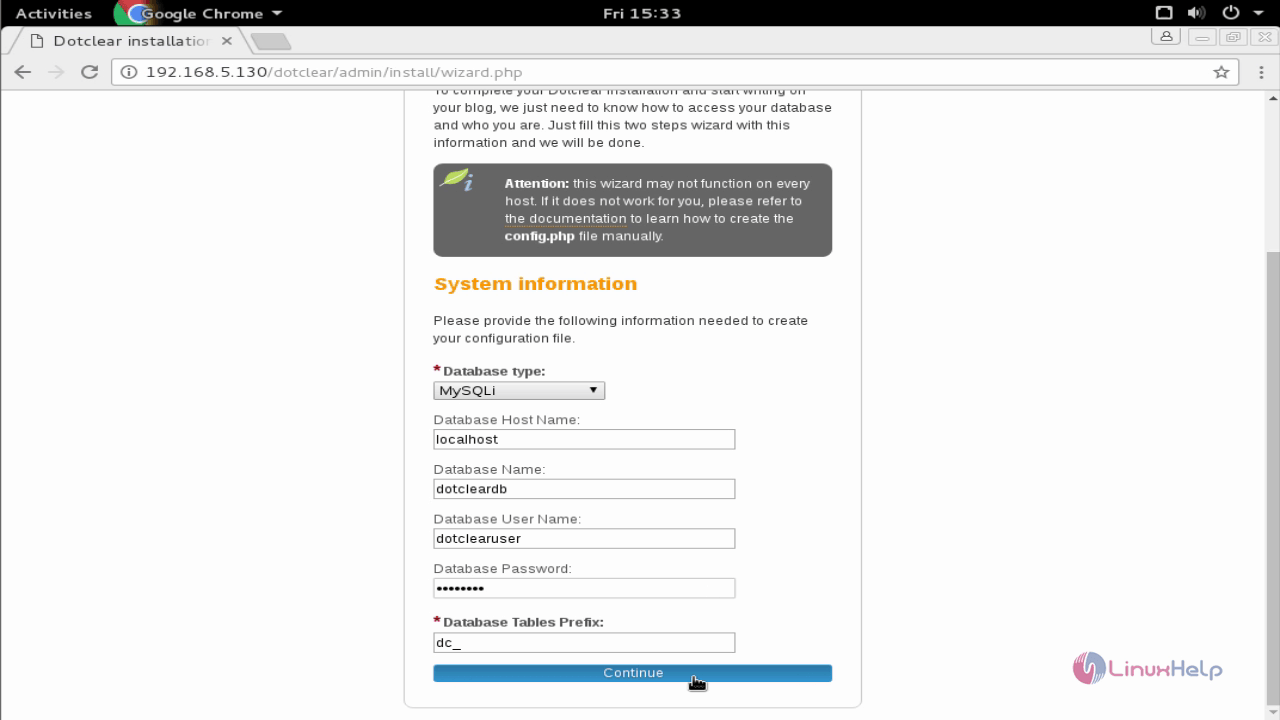
To accomplish the installation process, open the web browser with IP address and enter the DB information.
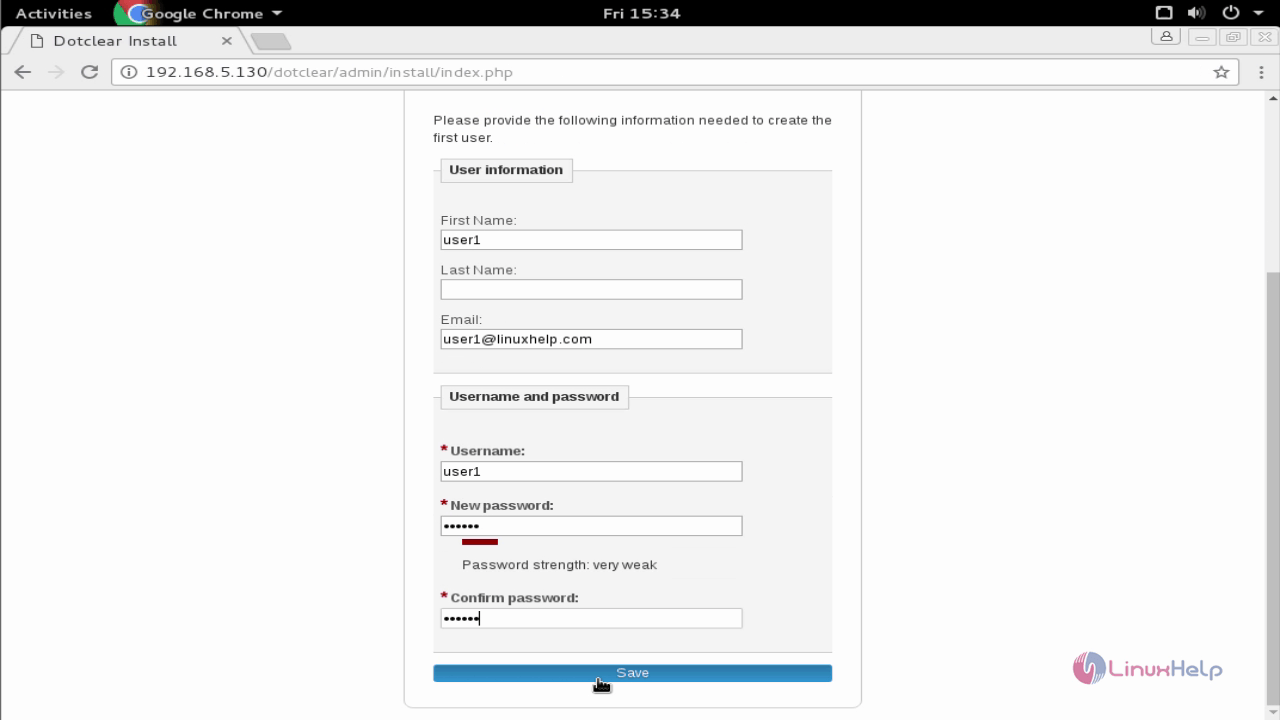
Enter the users credential and click on Save option.
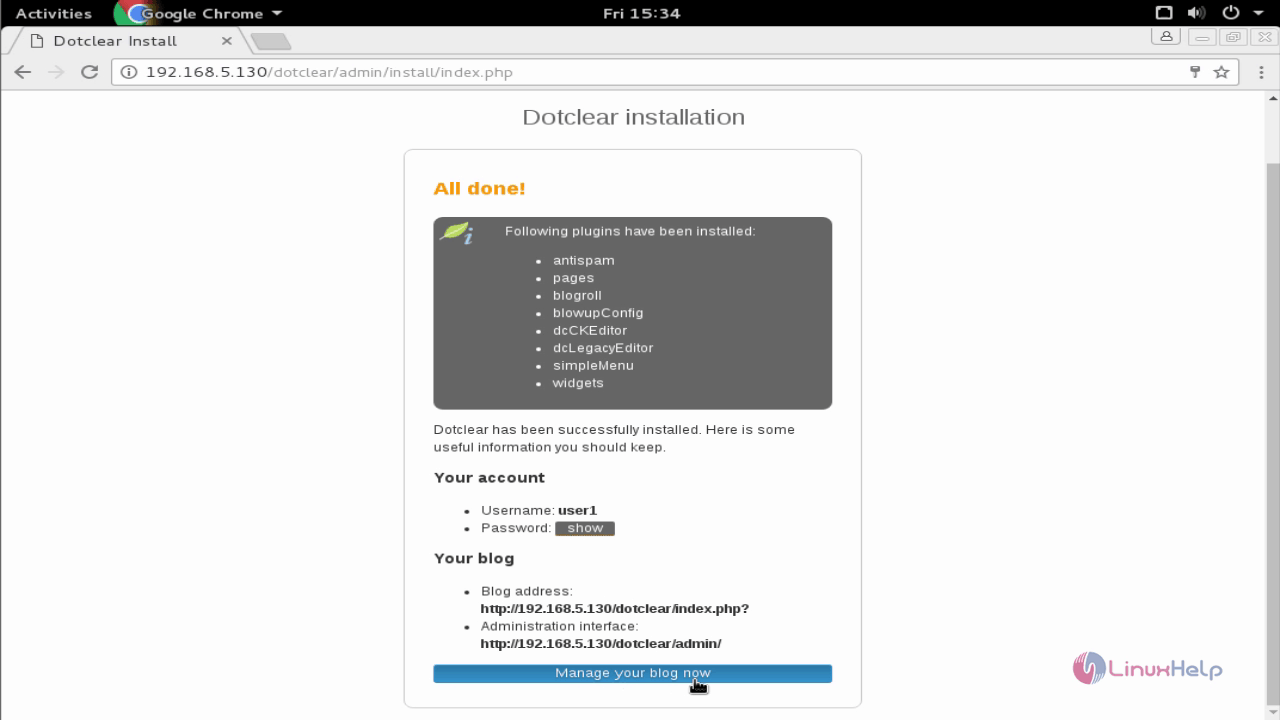
Dotclear is installed successfully. Click on the below option to manage the blog settings.
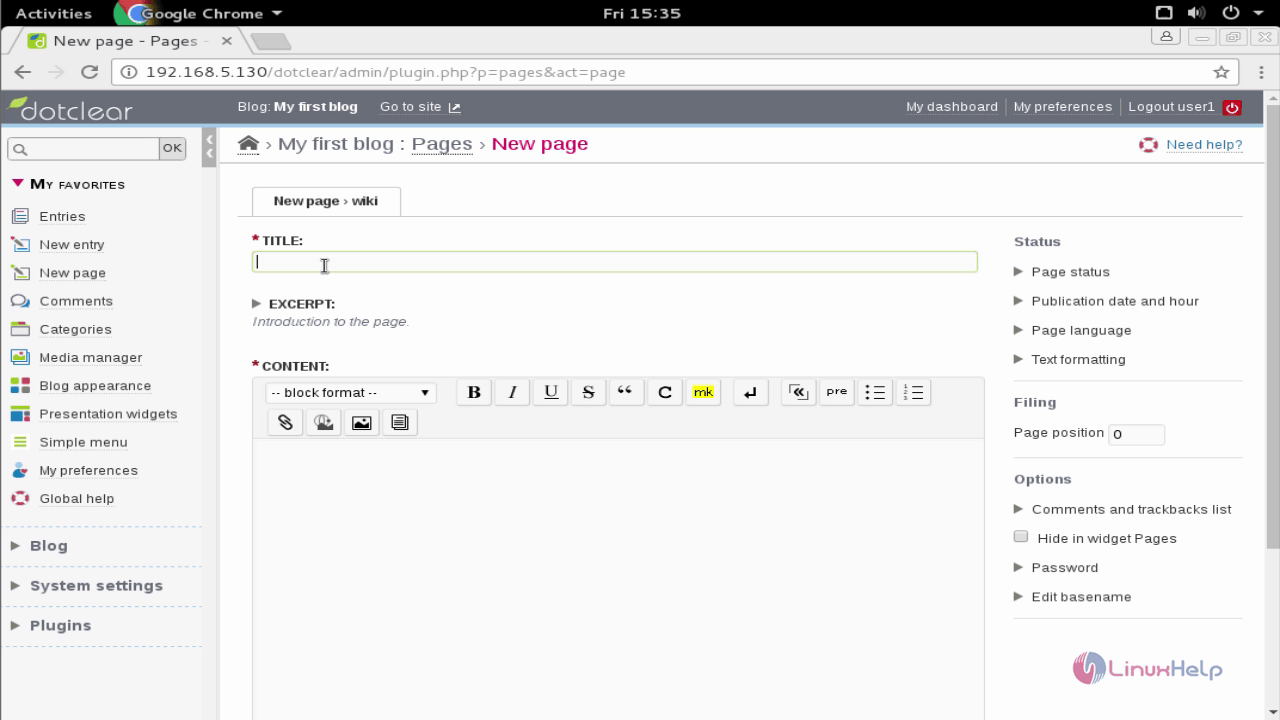
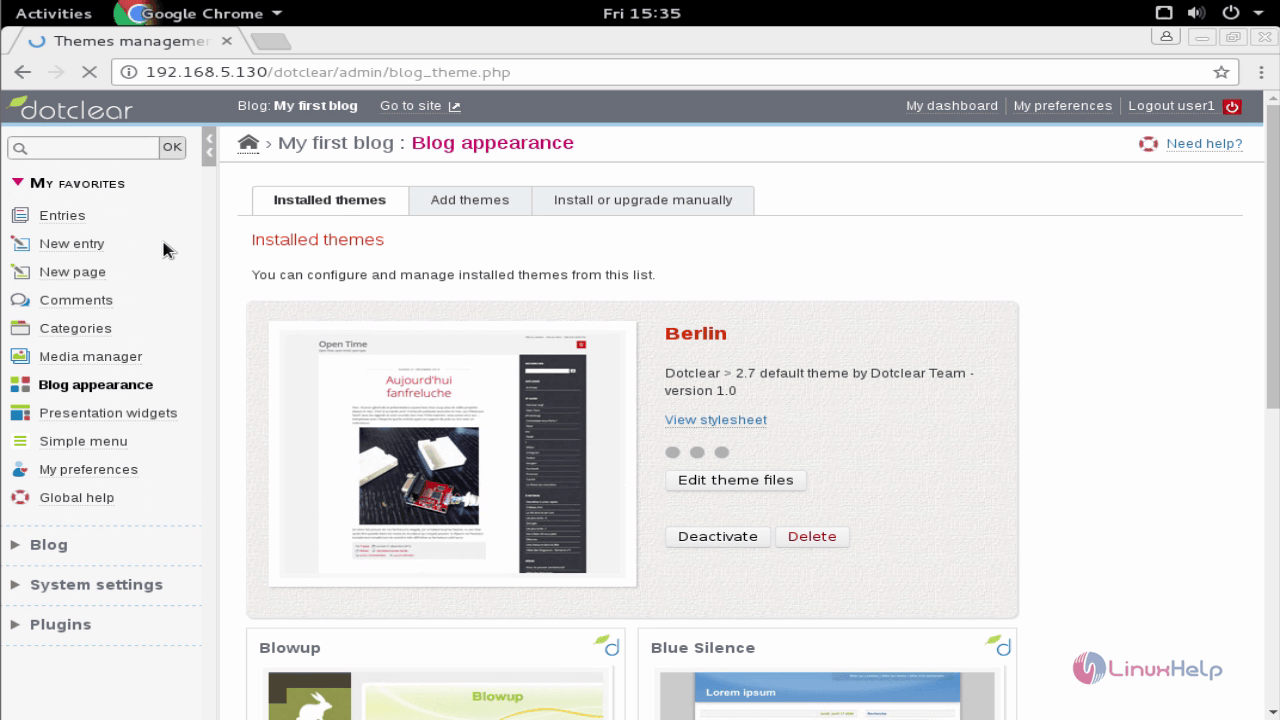
To test the Dotclear, simply create a sample blog by using the following snaps.
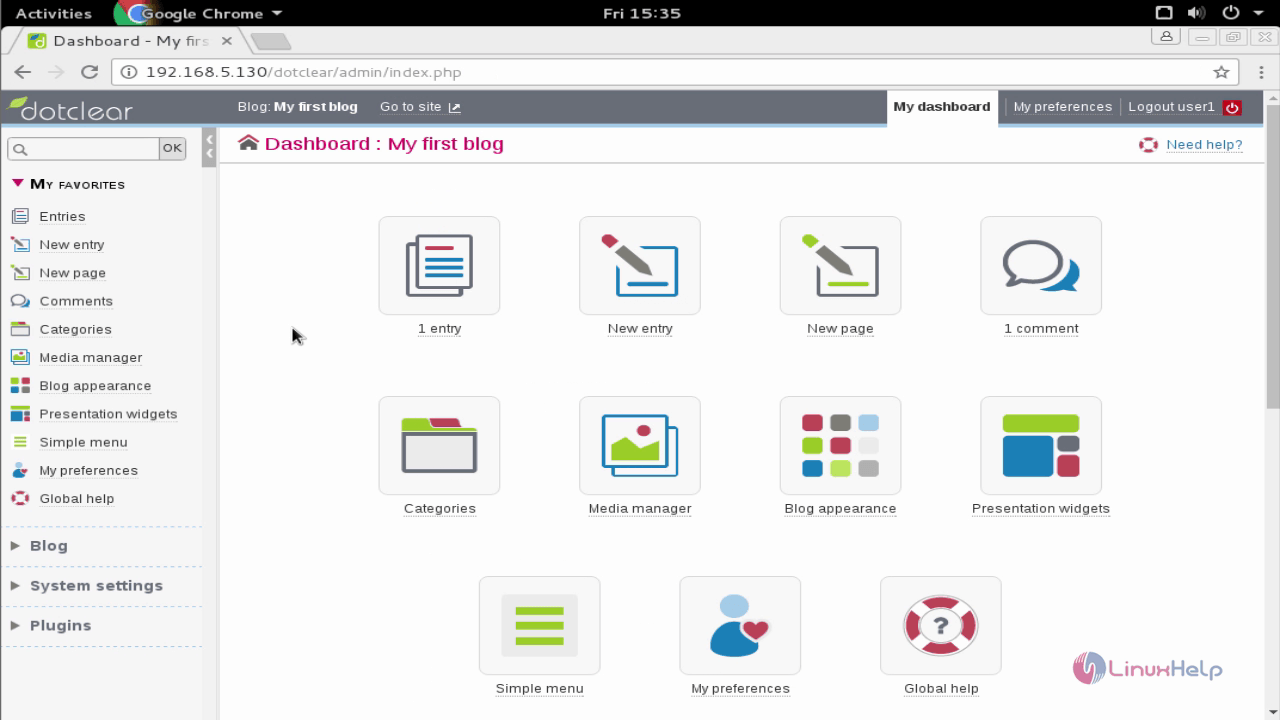
Add new page.
Mange the blog appearance.
Comments ( 0 )
No comments available