How to Install Drawpile on Ubuntu 17.04
To Install Drawpile on Ubuntu 17.04
DrawPile is an open source drawing software, used for creating sketches. It allows the users to create and share sketches easily. Users can also able to draw simultaneously on the same picture. Drawpile is also packed with so many powerful features and some of them are listed below.
Features
- Multiple blending modes
- Text annotations
- Tablet pressure sensitivity
- Built-in server for hosting shared sessions
- Fixed “ reset size” for polygonal selections
- Improved recording index file generation
It is so simple to install Drawpile on ubuntu 17.04, and this article covers the ground on the same process.
Installing Drawpile
First, download the latest and stable installation package of Drawpile by making use of the wget command.
root@linuxhelp11:~# wget -q -O - http://archive.getdeb.net/getdeb-archive.key | sudo apt-key add -
OK
And then, make sure you add the necessary repository to the source list by making use of the following command.
root@linuxhelp11:~# sh -c ' echo " deb http://archive.getdeb.net/ubuntu trusty-getdeb apps" > > /etc/apt/sources.list.d/getdeb.list'
And then, update the newly added repository through the following command.
root@linuxhelp11:~# apt-get update
Hit:1 http://security.ubuntu.com/ubuntu zesty-security InRelease
Hit:2 http://us.archive.ubuntu.com/ubuntu zesty InRelease
Hit:3 http://us.archive.ubuntu.com/ubuntu zesty-updates InRelease
Hit:4 http://us.archive.ubuntu.com/ubuntu zesty-backports InRelease
Get:5 http://screenshots.getdeb.net trusty-getdeb InRelease [8,145 B]
Get:6 http://screenshots.getdeb.net trusty-getdeb/apps amd64 Packages [72.0 kB]
Get:7 http://screenshots.getdeb.net trusty-getdeb/apps i386 Packages [72.8 kB]
Fetched 153 kB in 5s (26.8 kB/s)
Reading package lists... Done
You shall now install Drawpile by making use of the following command.
root@linuxhelp11:~# apt-get install drawpile
Reading package lists... Done
Building dependency tree
Reading state information... Done
.
.
.
Processing triggers for bamfdaemon (0.5.3+17.04.20170406-0ubuntu1) ...
Rebuilding /usr/share/applications/bamf-2.index...
Processing triggers for man-db (2.7.6.1-2) ...
Processing triggers for gnome-menus (3.13.3-6ubuntu5) ...
After installation, to check go to Ubuntu dashboard and type drawpile, the application icon will appear on the screen. Click on the icon to open it.

The Drawpile application is now open.
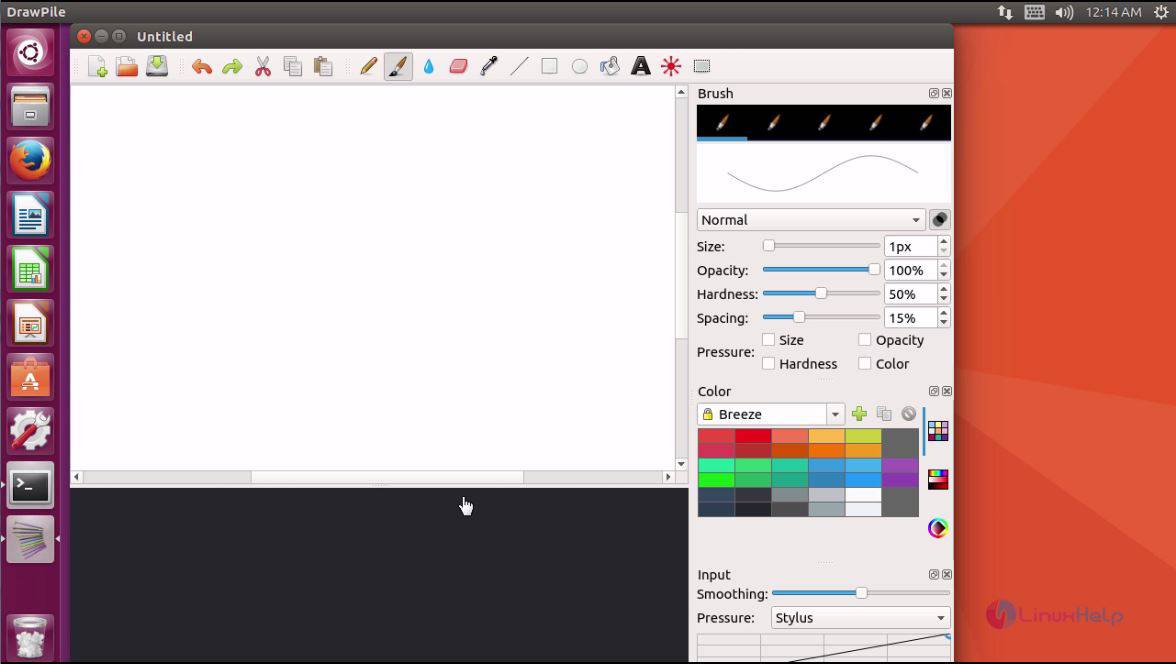
With this the installation of Drawpile application.
Comments ( 0 )
No comments available