How to install Elgg on CentOS 7
To install Elgg on CentOS 7
Elgg is an open-source social networking software that allows users and organization to create their own online social environment. It is written in PHP and also be installed on Linux VPS. It also offers blogging, microblogging, file sharing, networking, among other features. This tutorial explains the installation of Elgg on CentOS 7.
Pre-Requisite
LAMP (Apache, PHP 5.6, MariaDB)
Create a database and a user in MariaDB. Grant privileges to the user.
PHP modules (php php-mysql php-gd php-imap php-ldap php-odbc php-pear php-xml php-xmlrpc php-mbstring)
Installation procedure
To start with the installation procedure, enter into the HTML location by running the cd command.
root@linuxhelp11:~# cd /var/www/html/
Now download the Elgg package by executing the wget command followed by the download link.
root@linuxhelp11:/var/www/html# wget https://elgg.org/download/elgg-2.3.4.zip
--2017-10-26 02:51:07--  https://elgg.org/download/elgg-2.3.4.zip
Resolving elgg.org (elgg.org)... 140.211.15.97
Connecting to elgg.org (elgg.org)|140.211.15.97|:443... connected.
HTTP request sent, awaiting response... 200 OK
Length: 25414873 (24M) [application/zip]
Saving to: ‘ elgg-2.3.4.zip’

elgg-2.3.4.zip        100%[========================> ]  24.24M  1.01MB/s    in 25s

2017-10-26 02:51:34 (1001 KB/s) - ‘ elgg-2.3.4.zip’  saved [25414873/25414873]
Extract the downloaded package using unzip command.
root@linuxhelp11:/var/www/html# unzip elgg-2.3.4.zip
Archive:  elgg-2.3.4.zip
   creating: elgg-2.3.4/
  inflating: elgg-2.3.4/install.php
.
.
inflating: elgg-2.3.4/vendor/zendframework/zend-mime/README.md
  inflating: elgg-2.3.4/vendor/zendframework/zend-mime/CONTRIBUTING.md
  inflating: elgg-2.3.4/vendor/zendframework/zend-mime/LICENSE.md
  inflating: elgg-2.3.4/index.php
Rename the extracted directory by executing the following command.
[root@linuxhelp1 html]# mv elgg-2.3.4 elgg
Next create a virtual host configuration file named elgg.conf using vim editor and enter the following content in the file. Save and exit the file.
[root@linuxhelp1 html]# vim /etc/httpd/conf.d/elgg.conf
< VirtualHost *:80>
ServerAdmin admin@elgg.com
DocumentRoot /var/www/html/elgg/
ServerName elgg.com
ServerAlias www.elgg.com
ErrorLog logs/elgg.com-error_log
CustomLog logs/elgg.com-access_log common
< /VirtualHost>
Open the hosts file using vim editor and provide the entry in the file. Save and exit the file.
[root@linuxhelp1 html]# vim /etc/hosts
< ipaddress>  elgg.com
Change the ownership of file in HTML location by executing the following command.
[root@linuxhelp1 html]# chown -R apache.apache /var/www/html/
Create a directory for Elgg application by running the mkdir command.
[root@linuxhelp1 html]# mkdir elggdata
Change the permission of file in HTML location by executing the following command.
[root@linuxhelp1 html]# chmod -R 777 /var/www/html/
Restart the Apache service.
[root@linuxhelp1 html]# systemctl restart httpd
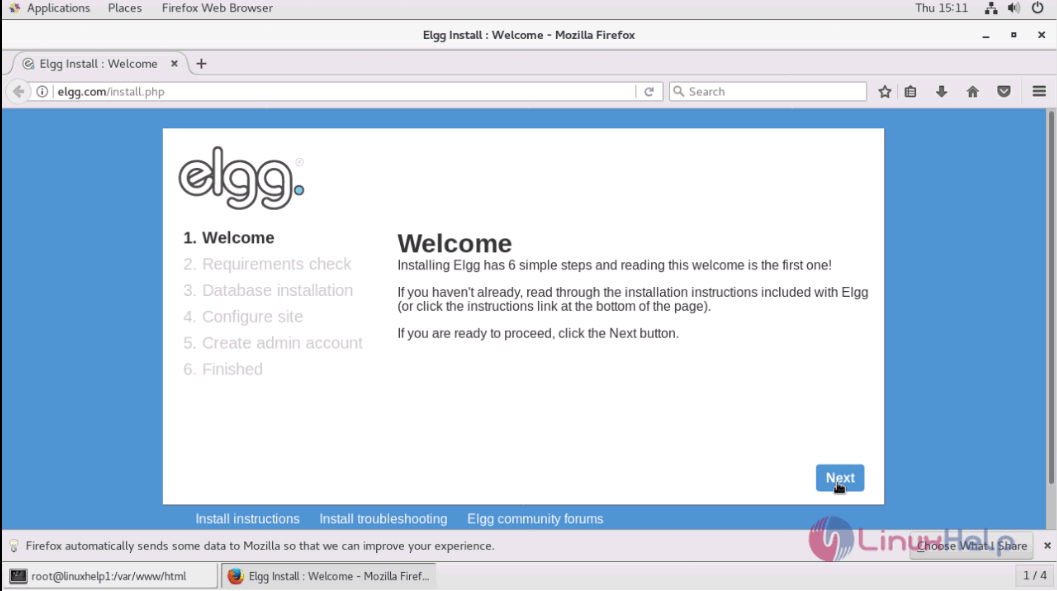
Switch over to the browser and enter the URL as elgg.com. The installation setup of Elgg appears on the screen. To continue with the installation, click Next option.
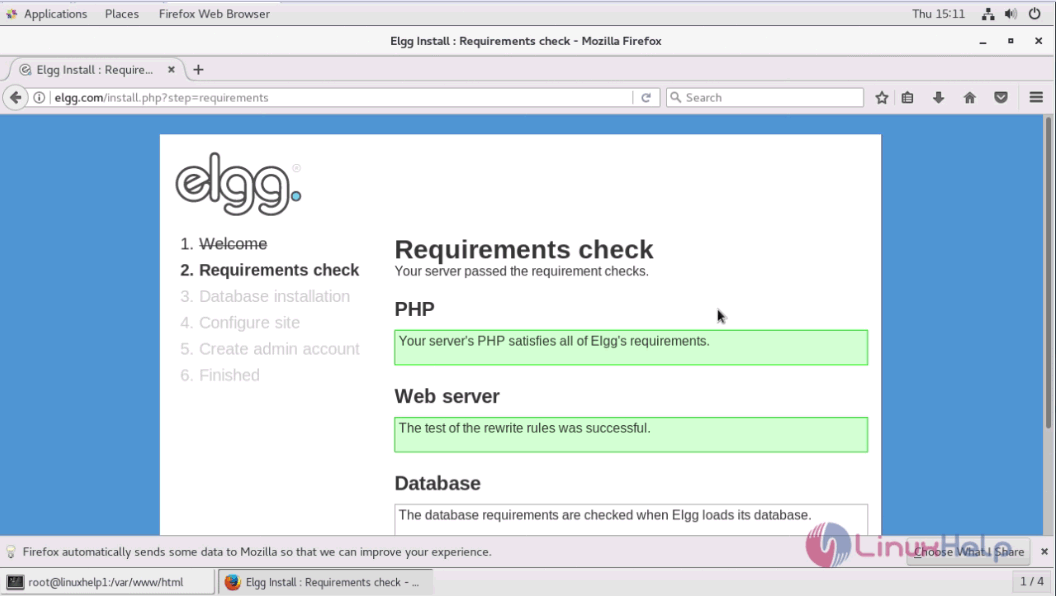
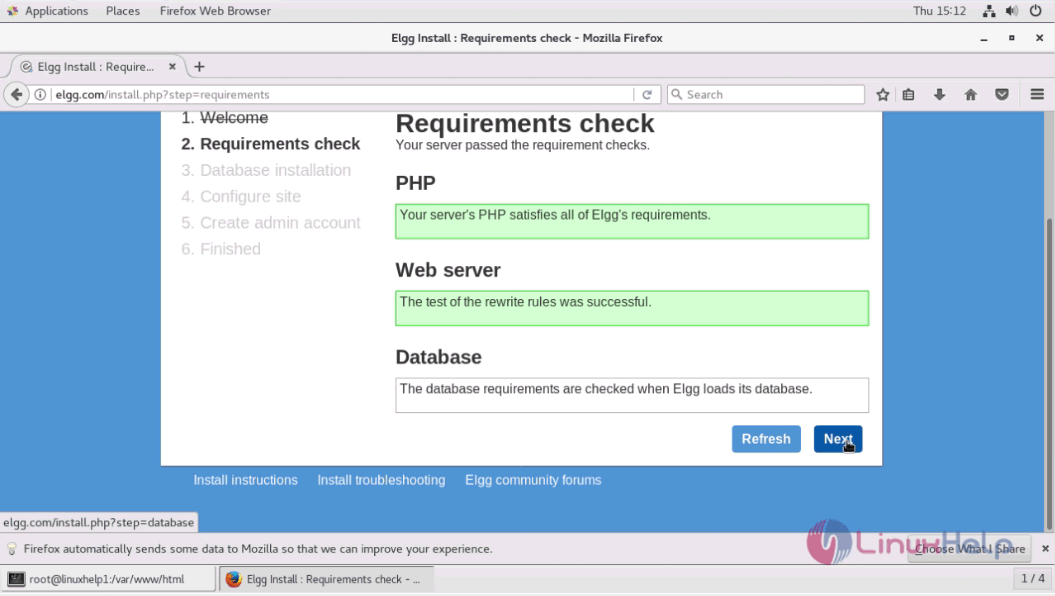
The second page shows the system requirements. If everything is fine, click Next option.
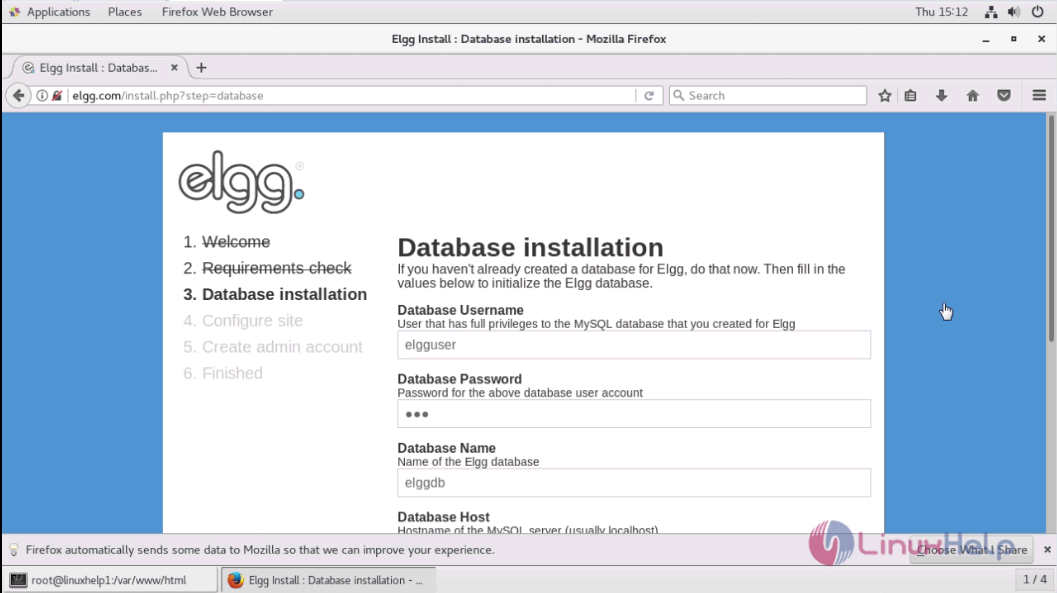
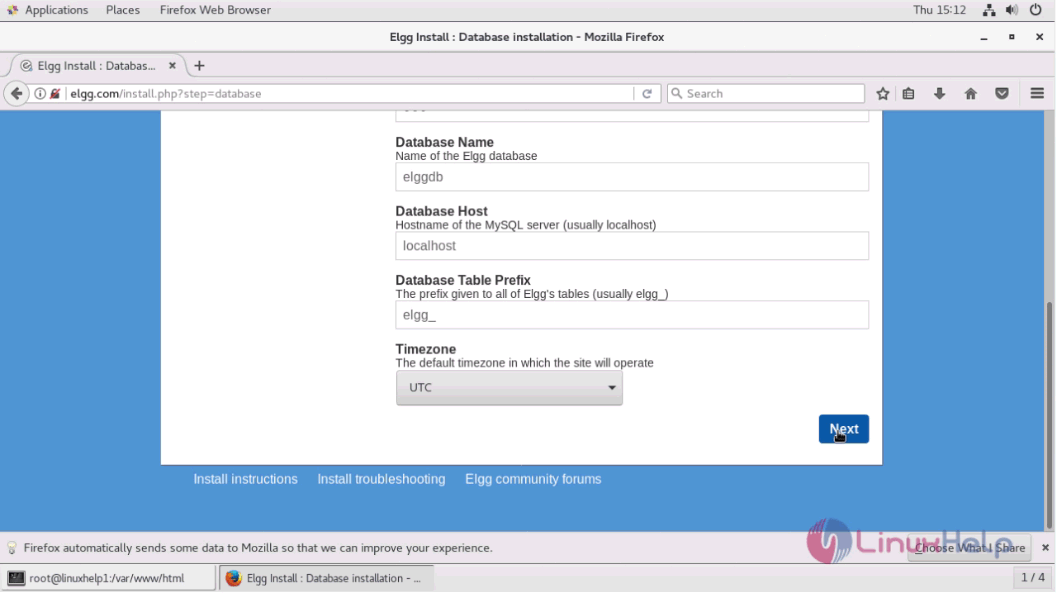
Enter the required database details and click Next option.
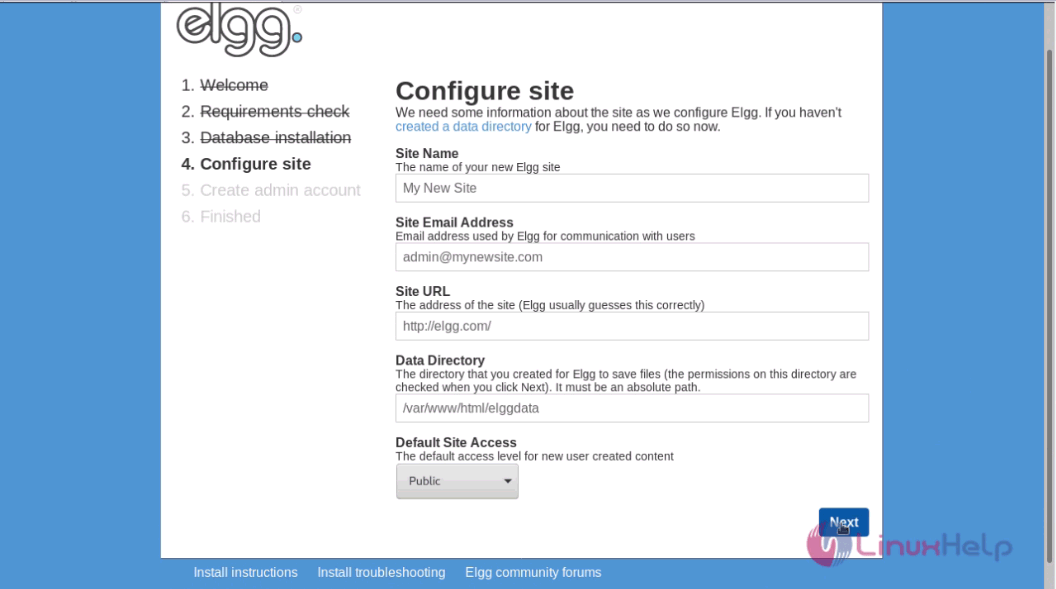
Enter the site configuration details and click Next option.
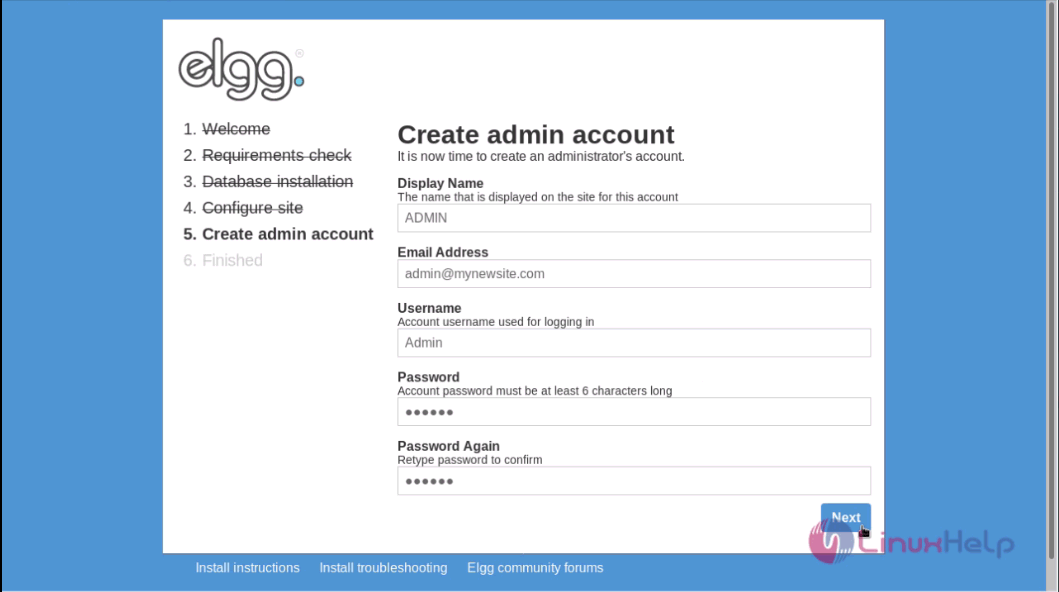
Finally enter the admin details and set the password for the admin side and click Next option.
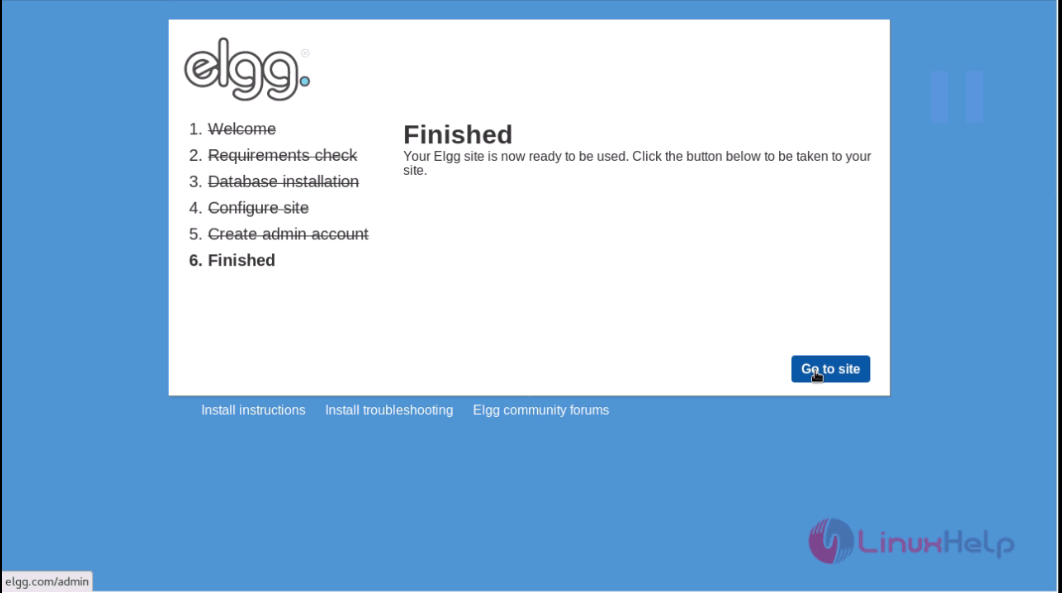
The installation is completed and now select Go to Site option to navigate to Elgg' s admin page.
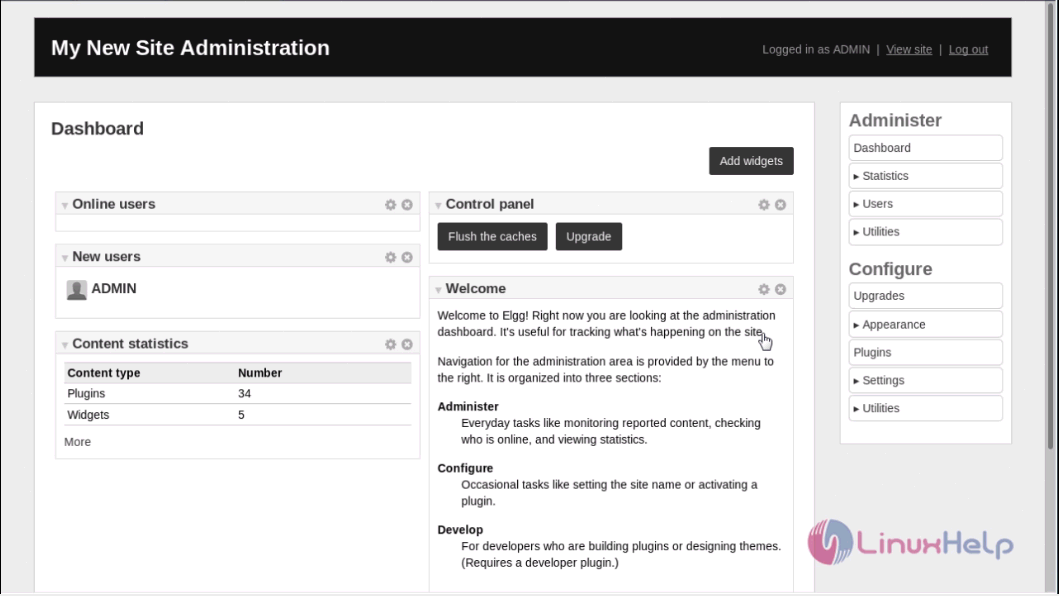
The admin dashboard of Elgg is displayed on the screen.
Thus we conclude the installation procedure of Elgg on CentOS 7.
Comments ( 0 )
No comments available