How to install Enpass in Ubuntu
To install Enpass in Ubuntu
Enpass is an advanced multi-platform password manager for Linux desktop and mobile platforms. It allows the users to store important credentials and online accounts in safe and best way. Enpass uses the SQLCipher for AES encryption of database files. Installation of Enpass in Ubuntu is explained in this article.
Features
- It has sync support for Dropbox, Google Drive, OneDrive, Box or folders.
- It also supports other information, like credit card info or secure notes.
- It contains a password generator with an strength indicator.
- The app has an autolock mechanism, for locking itself automatically when the app or the system are idle.
- It can import passwords stored in txt, csv and xml, by other password managers.
Installation of Enpass
First add the key to repository with the following command.
root@linuxhelp1:~# curl -s http://repo.sinew.in/keys/enpass-linux.key | sudo apt-key add -
OK
Then add the repository files to install Enpass package.
root@linuxhelp1:~# echo " deb http://repo.sinew.in/ stable main"  | sudo tee /etc/apt/sources.list.d/enpass.list

deb http://repo.sinew.in/ stable main
Update the newly added repository with the " apt-get update" command.
root@linuxhelp1:~# apt-get update
Hit:1 http://security.ubuntu.com/ubuntu xenial-security InRelease
Hit:2 http://in.archive.ubuntu.com/ubuntu xenial InRelease
Hit:3 http://ppa.launchpad.net/boomaga/ppa/ubuntu xenial InRelease
Hit:4 http://in.archive.ubuntu.com/ubuntu xenial-updates InRelease
Hit:5 http://ppa.launchpad.net/chris-lea/redis-server/ubuntu xenial InRelease
Hit:6 http://in.archive.ubuntu.com/ubuntu xenial-backports InRelease
Get:7 http://repo.sinew.in stable InRelease [2,742 B]
Hit:8 http://ppa.launchpad.net/dhor/myway/ubuntu xenial InRelease
Ign:9 http://download.opensuse.org/repositories/home:/Horst3180/xUbuntu_16.04  InRelease
Hit:10 http://ppa.launchpad.net/dreibh/ppa/ubuntu xenial InRelease
Hit:11 http://download.opensuse.org/repositories/home:/Horst3180/xUbuntu_16.04  Release
Get:12 http://repo.sinew.in stable/main amd64 Packages [2,216 B]
.
.
.
Ign:30 http://ppa.launchpad.net/w-vollprecht/ppa/ubuntu xenial/main i386 Packages
Ign:31 http://ppa.launchpad.net/w-vollprecht/ppa/ubuntu xenial/main all Packages
Ign:32 http://ppa.launchpad.net/w-vollprecht/ppa/ubuntu xenial/main Translation-en_IN
Ign:33 http://ppa.launchpad.net/w-vollprecht/ppa/ubuntu xenial/main Translation-en
Ign:34 http://ppa.launchpad.net/w-vollprecht/ppa/ubuntu xenial/main amd64 DEP-11 Metadata
Ign:35 http://ppa.launchpad.net/w-vollprecht/ppa/ubuntu xenial/main DEP-11 64x64 Icons
Fetched 7,496 B in 25s (297 B/s)
Reading package lists... Done
W: The repository ' http://ppa.launchpad.net/s-mankowski/ppa/ubuntu xenial Release'  does not have a Release file.
N: Data from such a repository can' t be authenticated and is therefore potentially dangerous to use.
N: See apt-secure(8) manpage for repository creation and user configuration details.
W: The repository ' http://ppa.launchpad.net/w-vollprecht/ppa/ubuntu xenial Release'  does not have a Release file.
N: Data from such a repository can' t be authenticated and is therefore potentially dangerous to use.
N: See apt-secure(8) manpage for repository creation and user configuration details.
Run the following command to install the Enpass package.
root@linuxhelp1:~# apt-get install enpass -y
Reading package lists... Done
Building dependency tree
Reading state information... Done
The following packages were automatically installed and are no longer required:
  libavahi-compat-libdnssd1 libg15daemon-client1 libgtkimageview0 libiceutil35v5 libpoppler-cpp0 libqt4-svg libsnappy1v5
  libzeroc-ice35v5
Use ' sudo apt autoremove'  to remove them.
The following NEW packages will be installed:
  enpass
0 upgraded, 1 newly installed, 0 to remove and 30 not upgraded.
Need to get 32.9 MB of archives.
After this operation, 77.9 MB of additional disk space will be used.
Get:1 http://repo.sinew.in stable/main amd64 enpass amd64 5.3.0 [32.9 MB]
Fetched 32.9 MB in 3min 21s (163 kB/s)
Selecting previously unselected package enpass.
.
.
.
Rebuilding /usr/share/applications/bamf-2.index...
Processing triggers for gnome-menus (3.13.3-6ubuntu3.1) ...
Processing triggers for desktop-file-utils (0.22-1ubuntu5) ...
Processing triggers for mime-support (3.59ubuntu1) ...
Processing triggers for hicolor-icon-theme (0.15-0ubuntu1) ...
Setting up enpass (5.3.0) ...
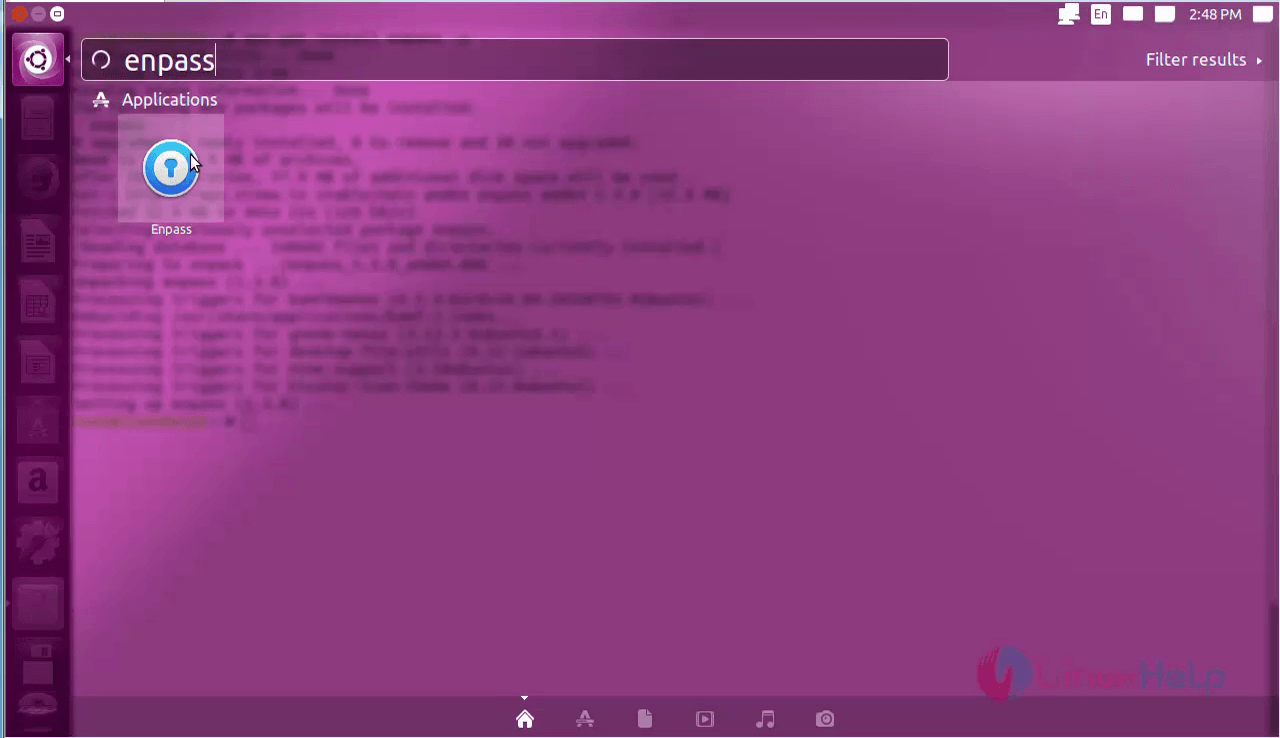
Now open the installed package in Unity dash. Type Enpass in the search bar and then click on the icon.
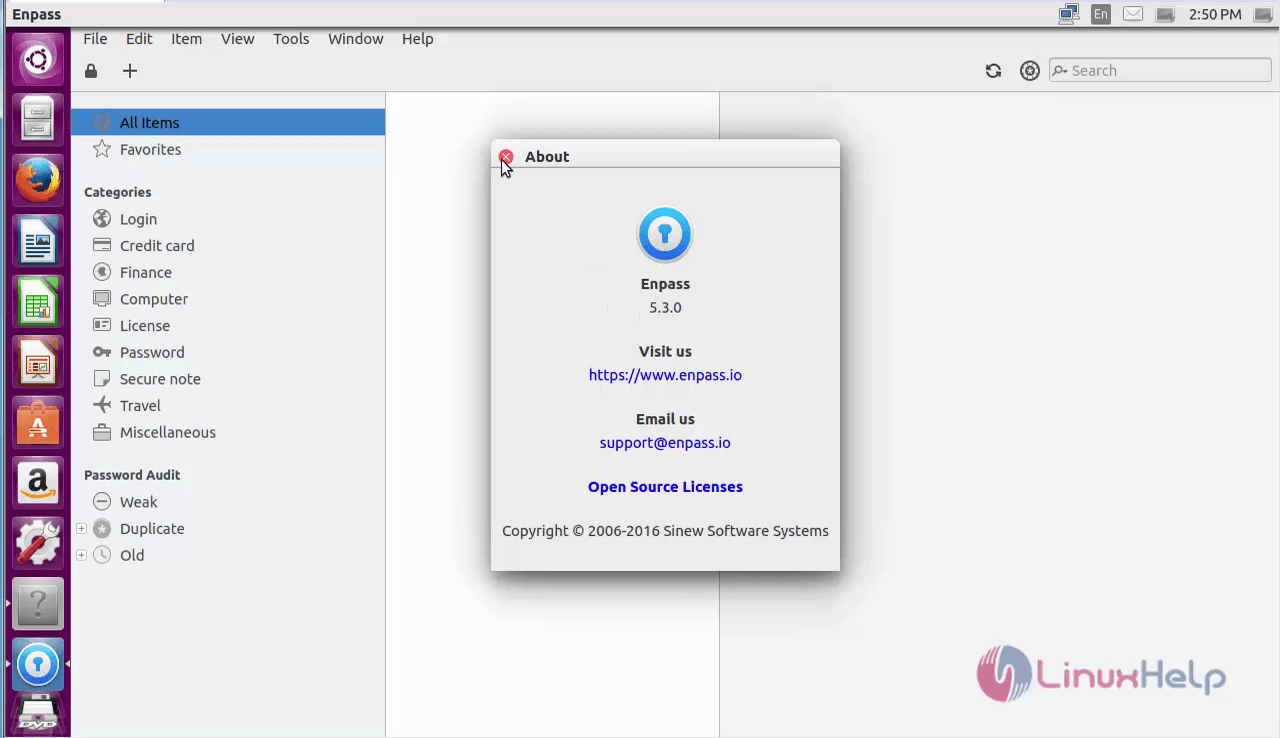
Enpass software will open on the desktop. Here you can store your important credentials and passwords for security purpose.
To remove Enpass package
Run the below command to remove the Enpass package.
root@linuxhelp1:~# apt-get remove enpass -y
Reading package lists... Done
Building dependency tree
Reading state information... Done
The following packages were automatically installed and are no longer required:
  libavahi-compat-libdnssd1 libg15daemon-client1 libgtkimageview0 libiceutil35v5 libpoppler-cpp0 libqt4-svg libsnappy1v5
  libzeroc-ice35v5
Use ' sudo apt autoremove'  to remove them.
The following packages will be REMOVED:
  enpass
.
.
.
Processing triggers for hicolor-icon-theme (0.15-0ubuntu1) ...
Processing triggers for bamfdaemon (0.5.3~bzr0+16.04.20160701-0ubuntu1) ...
Rebuilding /usr/share/applications/bamf-2.index...
Processing triggers for gnome-menus (3.13.3-6ubuntu3.1) ...
Processing triggers for desktop-file-utils (0.22-1ubuntu5) ...
Processing triggers for mime-support (3.59ubuntu1) ...
Comments ( 0 )
No comments available