How to install Enpass password manager on Ubuntu 17.04
To install Enpass Password Manager on Ubuntu 17.04
Enpass is a multi-platform offline password manager which can take care of all your important credentials & online accounts in a secure way. One of the most useful utility is its ability to make your login information available to you no matter where you are or what type of device you' re using.
Enpass encrypts the data by AES 256 bit Encryption method using open-source encryption engine SQLCipher to ensure maximum security. Also, all the data is secured offline on your device and not on the servers. It is so simple to install Enpass on Ubuntu, and this article covers the ground on the same concept.
Installing Enpass
Before you begin with the installation process of Enpass in your Ubuntu machine, make sure you add the necessary repo in the sources.list file. Use the following command to open the file.
root@linuxhelp:~# nano /etc/apt/sources.list
In the file, add the following line at its end.
deb http://repo.sinew.in/ stable main
After that, you need to download and import enpass key. You can execute this process by making use of the following command.
root@linuxhelp:~# wget -O - http://repo.sinew.in/keys/enpass-linux.key | sudo apt-key add -
--2017-09-13 05:56:56--  http://repo.sinew.in/keys/enpass-linux.key
Resolving repo.sinew.in (repo.sinew.in)... 52.218.208.227
Connecting to repo.sinew.in (repo.sinew.in)|52.218.208.227|:80... connected.
HTTP request sent, awaiting response... 200 OK
Length: 1714 (1.7K) [application/octet-stream]
Saving to: ‘ STDOUT’

-                       100%[============================> ]   1.67K  --.-KB/s    in 0s
2017-09-13 05:56:57 (17.2 MB/s) - written to stdout [1714/1714]
OK
After that, make sure you update the machine by invoking the following command.
root@linuxhelp:~# apt-get update
Hit:1 http://in.archive.ubuntu.com/ubuntu zesty InRelease
Get:2 http://security.ubuntu.com/ubuntu zesty-security InRelease [89.2 kB]
Get:3 http://repo.sinew.in stable InRelease [3,216 B]
.
.
.
Fetched 276 kB in 2s (95.7 kB/s)
Reading package lists... Done
Now is the time to install the Enpass package. Run the following command for the same process.
root@linuxhelp:~# apt-get install enpass
Reading package lists... Done
Building dependency tree
Reading state information... Done
The following NEW packages will be installed:
  Enpass
.
.
.
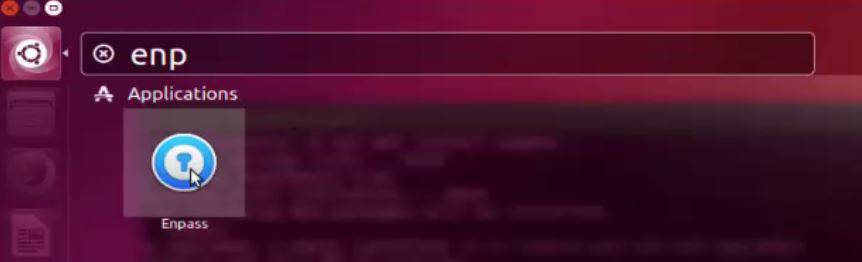
Enpass has been installed, and you can easily launch the enpass application from your Ubuntu dash board.
You can now easily manage your passwords and other confidential data using Enpass.
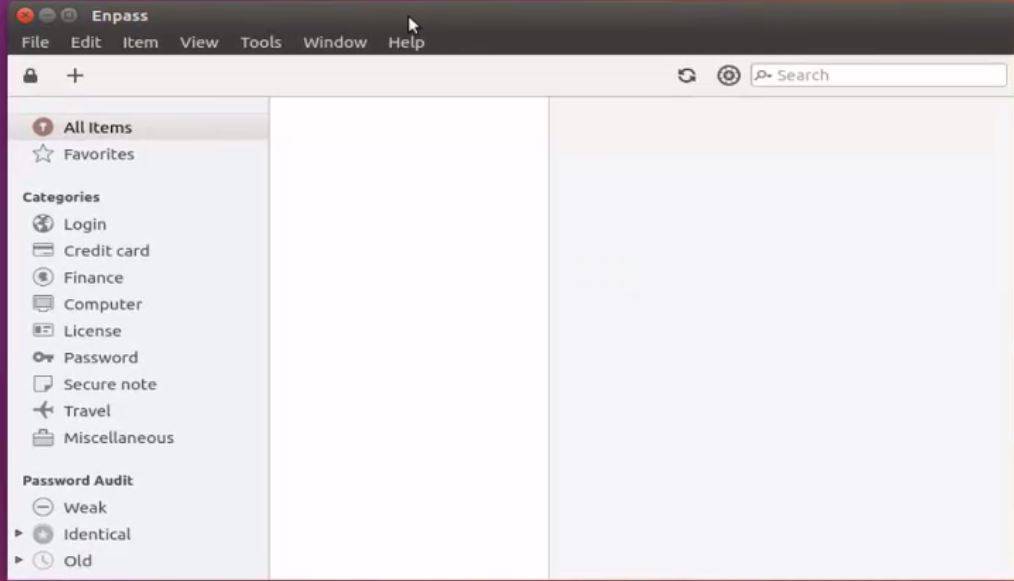
With this, the installation of Enpass on Ubuntu 17.04 comes to an end.
Comments ( 0 )
No comments available