How To Install Entangle on ubuntu 17.04
To Install Entangle on Ubuntu 17.04
Entangle is an open-source camera control tool which allows its users to take photos with digital camera which is controlled from the computer. All the camera settings can be controlled through the Entangle tool. It supports live previews, automatic downloading and display of photos. It is so simple to install Entangle and this tutorial demonstrates the method to install Entangle on Ubuntu 17.04.
Installing Entangle
To start the installation procedure, you need to add the repo by executing the following command.
root@linuxhelp11:~# add-apt-repository ppa:dhor/myway
 Every photographer needs some tools...

 More info: https://launchpad.net/~dhor/+archive/ubuntu/myway
Press [ENTER] to continue or ctrl-c to cancel adding it

gpg: keybox ' /tmp/tmp32hz_j0n/pubring.gpg'  created
gpg: /tmp/tmp32hz_j0n/trustdb.gpg: trustdb created
gpg: key E2B7D64D93330B78: public key " Launchpad PPA for Dariusz Duma"  imported
gpg: Total number processed: 1
gpg:               imported: 1
OK
And then, you shall update the newly added repository by making use of the following command.
root@linuxhelp11:~#  apt-get update
Hit:1 http://security.ubuntu.com/ubuntu zesty-security InRelease
Get:2 http://ppa.launchpad.net/dhor/myway/ubuntu zesty InRelease [15.4 kB]
Hit:3 http://us.archive.ubuntu.com/ubuntu zesty InRelease
Hit:4 http://ppa.launchpad.net/flexiondotorg/youtube-dl-gui/ubuntu zesty InRelease
Hit:5 http://us.archive.ubuntu.com/ubuntu zesty-updates InRelease
Get:6 http://ppa.launchpad.net/dhor/myway/ubuntu zesty/main amd64 Packages [8,048 B]
Hit:7 http://us.archive.ubuntu.com/ubuntu zesty-backports InRelease
Get:8 http://ppa.launchpad.net/dhor/myway/ubuntu zesty/main i386 Packages [7,652 B]
Get:9 http://ppa.launchpad.net/dhor/myway/ubuntu zesty/main Translation-en [5,880 B]
Fetched 36.9 kB in 2s (16.6 kB/s)
Reading package lists... Done
You shall now proceed with the installation of Entangle by executing the following command.
root@linuxhelp11:~# apt-get install entangle -y
Reading package lists... Done
Building dependency tree
Reading state information... Done
The following NEW packages will be installed:
  entangle
0 upgraded, 1 newly installed, 0 to remove and 310 not upgraded.
Need to get 0 B/354 kB of archives.
After this operation, 2,578 kB of additional disk space will be used.
Selecting previously unselected package entangle.
(Reading database ... 172930 files and directories currently installed.)
Preparing to unpack .../entangle_0.7.1-1build1_amd64.deb ...
Unpacking entangle (0.7.1-1build1) ...
Processing triggers for mime-support (3.60ubuntu1) ...
Processing triggers for desktop-file-utils (0.23-1ubuntu2) ...
Processing triggers for libglib2.0-0:amd64 (2.52.0-1) ...
Processing triggers for bamfdaemon (0.5.3+17.04.20170406-0ubuntu1) ...
Rebuilding /usr/share/applications/bamf-2.index...
Processing triggers for libc-bin (2.24-9ubuntu2) ...
Setting up entangle (0.7.1-1build1) ...
Processing triggers for doc-base (0.10.7) ...
Processing 1 added doc-base file...
Processing triggers for man-db (2.7.6.1-2) ...
Processing triggers for gnome-menus (3.13.3-6ubuntu5) ...
Processing triggers for hicolor-icon-theme (0.15-1) ...
Processing triggers for libc-bin (2.24-9ubuntu2) ...
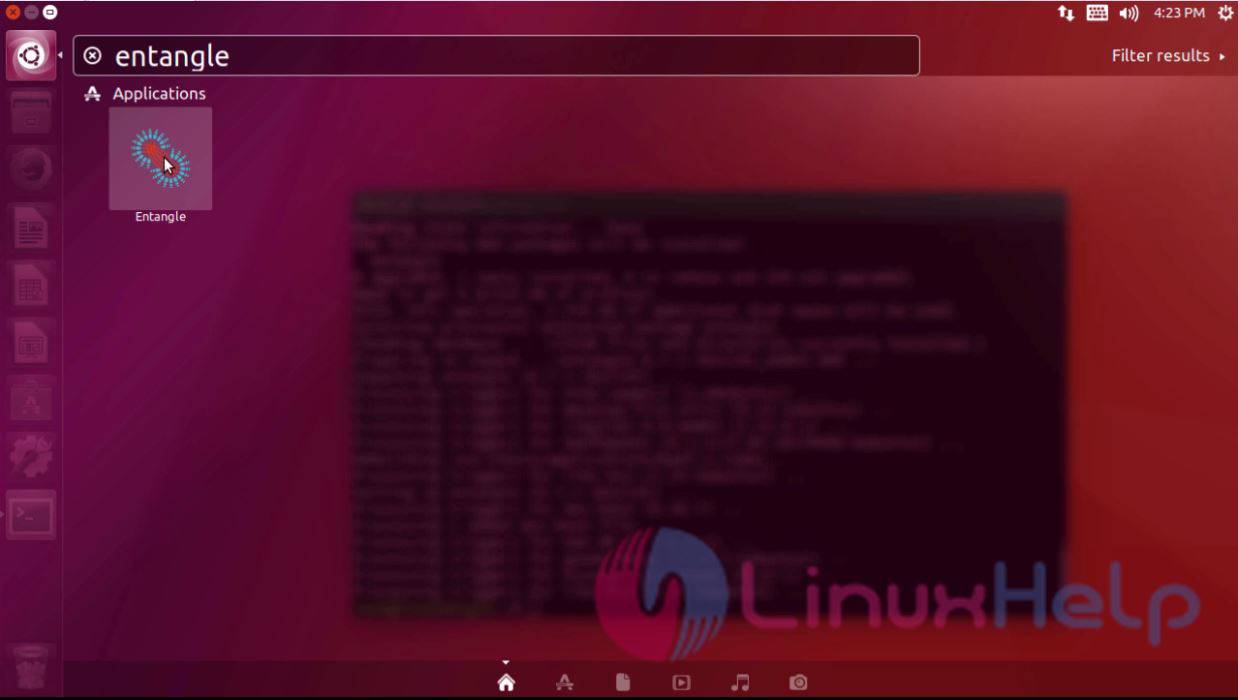
Entangle has been installed. You can launch it from your Ubuntu dashboard. Use the search field to find and launch Entangle.
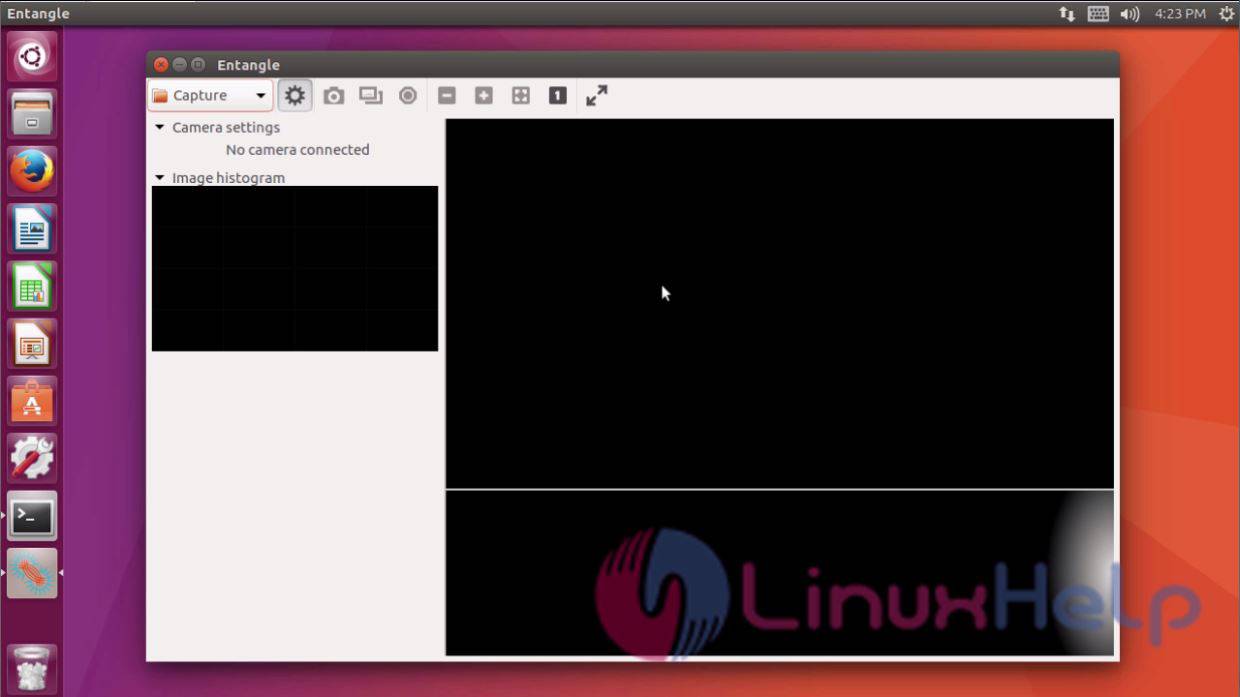
The Entangle application looks as the one in the following image.
With this, the installation of Entangle comes to an end.
Comments ( 0 )
No comments available