How to Install Etcher image editor on Linuxmint 18.03
{{postValue.id}}
To Install Etcher image editor on Linuxmint 18.03
Etcher Image Writer is a simple and easy to use end users app for burning images to SD Cards as well as USB drives. It is extensible for developers and works on any platform which includes, Windows, Linux, and Mac OS X etc. Etcher is developed with JS, HTML, node.js as well as Electron.
Installation
Download the etcher image editor using wget command.
linuxhelp ~ # wget https://github.com/resin-io/etcher/releases/download/v1.4.4/etcher-electron-1.4.4-linux-x64.zip
--2018-06-26 00:42:46--  https://github.com/resin-io/etcher/releases/download/v1.4.4/etcher-electron-1.4.4-linux-x64.zip
Resolving github.com (github.com)... 192.30.253.112, 192.30.253.113
Connecting to github.com (github.com)|192.30.253.112|:443... connected.
HTTP request sent, awaiting response... 302 Found
Location: https://github-production-release-asset-2e65be.s3.amazonaws.com/45055693/4f5bd210-493f-11e8-9d67-d4a7ed067d4e?X-Amz-Algorithm=AWS4-HMAC-SHA256& X-Amz-Credential=AKIAIWNJYAX4CSVEH53A%2F20180625%2Fus-east-1%2Fs3%2Faws4_request& X-Amz-Date=20180625T191329Z& X-Amz-Expires=300& X-Amz-Signature=66f7dea00e56319d4a1fff8dd9316cff98670177c5682141d5f128ad799d075c& X-Amz-SignedHeaders=host& actor_id=0& response-content-disposition=attachment%3B%20filename%3Detcher-electron-1.4.4-linux-x64.zip& response-content-type=application%2Foctet-stream [following]
--2018-06-26 00:42:47--  https://github-production-release-asset-2e65be.s3.amazonaws.com/45055693/4f5bd210-493f-11e8-9d67-d4a7ed067d4e?X-Amz-Algorithm=AWS4-HMAC-SHA256& X-Amz-Credential=AKIAIWNJYAX4CSVEH53A%2F20180625%2Fus-east-1%2Fs3%2Faws4_request& X-Amz-Date=20180625T191329Z& X-Amz-Expires=300& X-Amz-Signature=66f7dea00e56319d4a1fff8dd9316cff98670177c5682141d5f128ad799d075c& X-Amz-SignedHeaders=host& actor_id=0& response-content-disposition=attachment%3B%20filename%3Detcher-electron-1.4.4-linux-x64.zip& response-content-type=application%2Foctet-stream
Resolving github-production-release-asset-2e65be.s3.amazonaws.com (github-production-release-asset-2e65be.s3.amazonaws.com)... 54.231.115.27
Connecting to github-production-release-asset-2e65be.s3.amazonaws.com (github-production-release-asset-2e65be.s3.amazonaws.com)|54.231.115.27|:443... connected.
HTTP request sent, awaiting response... 200 OK
Length: 84285811 (80M) [application/octet-stream]
Saving to: ‘ etcher-electron-1.4.4-linux-x64.zip’
etcher-electron-1.4.4-li 100%[=================================> ]  80.38M   691KB/s    in 4m 7s
2018-06-26 00:46:57 (333 KB/s) - ‘ etcher-electron-1.4.4-linux-x64.zip’  saved [84285811/84285811]
The downloaded package is a zip file, so unzip the package using the following command
linuxhelp ~ # ls
etcher-electron-1.4.4-linux-x64.zip
linuxhelp ~ # unzip etcher-electron-1.4.4-linux-x64.zip
Archive:  etcher-electron-1.4.4-linux-x64.zip
  inflating: etcher-electron-1.4.4-x86_64.AppImage
Run the etcher image editor application using the following command.
linuxhelp ~ # ls
etcher-electron-1.4.4-linux-x64.zip  etcher-electron-1.4.4-x86_64.AppImage
linuxhelp ~ # ./etcher-electron-1.4.4-x86_64.AppImage
ATTENTION: default value of option force_s3tc_enable overridden by environment.
context mismatch in svga_sampler_view_destroy
context mismatch in svga_sampler_view_destroy
context mismatch in svga_sampler_view_destroy
[&hellip ]
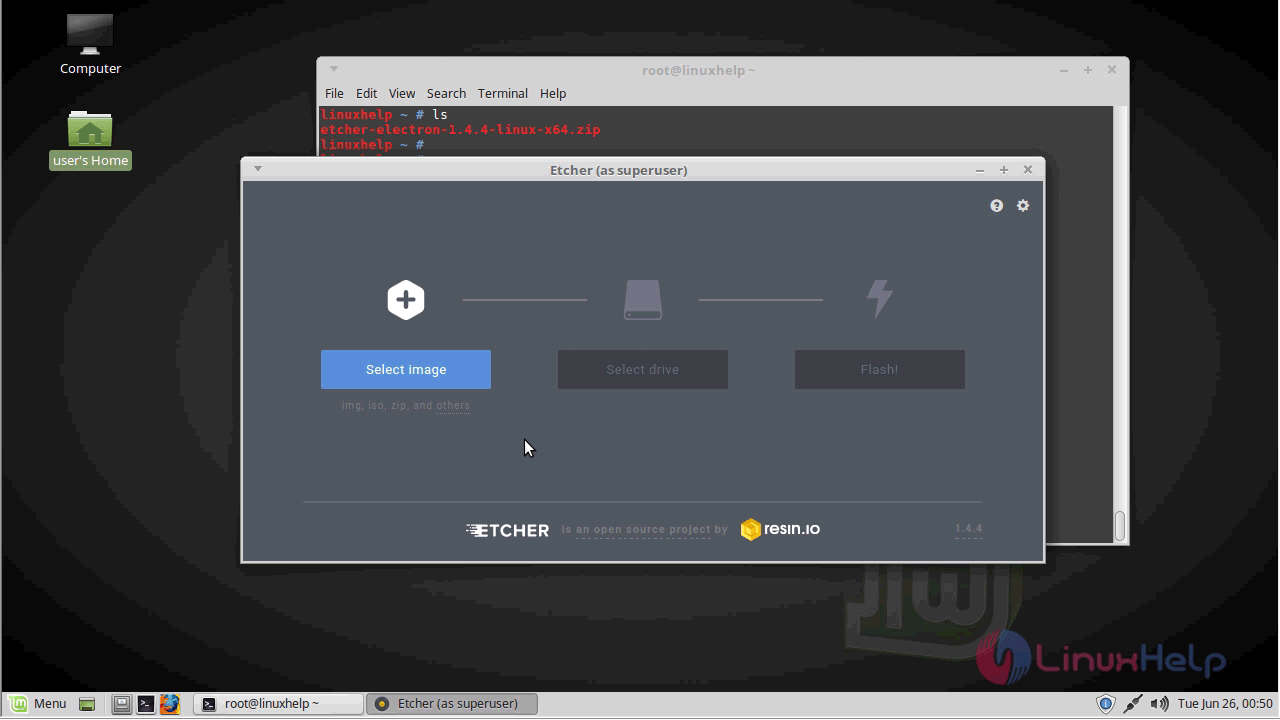
With this, the method to Install Etcher image editor on Linuxmint 18.03 comes to an end.
Comments ( 0 )
No comments available