How to install Etcher image editor on Ubuntu 17.04
To install Etcher image editor on Ubuntu 17.04
Etcher Image Writer is a simple and easy to use end users app for burning images to SD Cards as well as USB drives. It is extensible for developers and works on any platform which includes, Windows, Linux, Mac OS X etc. It is a way to stream an OS image to device. Etcher is developed with JS, HTML, node.js as well as Electron. This tutorial covers the installation procedure of Etcher image editor on Ubuntu 17.04.
Installation procedure
Before beginning the installation procedure, install gdebi tool in your system by running the following command.
root@linuxhelp:~# apt install gdebi
Reading package lists... Done
Building dependency tree
Reading state information... Done
The following additional packages will be installed:
  gconf-service gconf-service-backend gconf2 gconf2-common gdebi-core gksu
  gnome-icon-theme libgconf-2-4 libgksu2-0
Suggested packages:
  gconf-defaults-service
The following NEW packages will be installed:
  gconf-service gconf-service-backend gconf2 gconf2-common gdebi gdebi-core
  gksu gnome-icon-theme libgconf-2-4 libgksu2-0
.
.
.
.
update-alternatives: using /usr/share/libgksu/debian/gconf-defaults.libgksu-sudo to provide /usr/share/gconf/defaults/10_libgksu (libgksu-gconf-defaults) in auto mode
Processing triggers for gconf2 (3.2.6-3ubuntu7) ...
Setting up gksu (2.0.2-9ubuntu1) ...
Setting up gdebi (0.9.5.7+nmu1) ...
Processing triggers for libc-bin (2.24-9ubuntu2) ...
The gdebi installer is installed successfully. Next go to its official page and get the latest version of the application and use the wget command followed by the download link and execute it.
root@linuxhelp:~# wget https://github.com/resin-io/etcher/releases/download/v1.1.1/etcher-electron_1.1.1_amd64.deb
--2017-09-05 10:07:24--  https://github.com/resin-io/etcher/releases/download/v1.1.1/etcher-electron_1.1.1_amd64.deb
Resolving github.com (github.com)... 192.30.255.112, 192.30.255.113
Connecting to github.com (github.com)|192.30.255.112|:443... connected.
HTTP request sent, awaiting response... 302 Found
Location: https://github-production-release-asset-2e65be.s3.amazonaws.com/45055693/13e4e268-7135-11e7-9726-3765f9a148c0?X-Amz-Algorithm=AWS4-HMAC-SHA256& X-Amz-Credential=AKIAIWNJYAX4CSVEH53A%2F20170905%2Fus-east-1%2Fs3%2Faws4_request& X-Amz-Date=20170905T043755Z& X-Amz-Expires=300& X-Amz-Signature=237f5432ef26764d84c87a3bcfb97d788059bfb53e68b22d9332cbe31c4ca0f3& X-Amz-SignedHeaders=host& actor_id=0& response-content-disposition=attachment%3B%20filename%3Detcher-electron_1.1.1_amd64.deb& response-content-type=application%2Foctet-stream [following]
.
.
.
Saving to: ‘ etcher-electron_1.1.1_amd64.deb’
etcher-electron_1.1 100%[===================> ]  38.92M   851KB/s    in 3m 20s
2017-09-05 10:10:50 (200 KB/s) - ‘ etcher-electron_1.1.1_amd64.deb’  saved [40812482/40812482]
The package is downloaded in the system. Next install the etcher image editor using gdebi installer followed by the downloaded package.
root@linuxhelp:~# gdebi etcher-electron_1.1.1_amd64.deb
Reading package lists... Done
Building dependency tree
Reading state information... Done
Reading state information... Done
Requires the installation of the following packages: libappindicator1 libindicator7 libpango1.0-0

Etcher is a powerful OS image flasher built with web technologies to ensure flashing an SDCard or USB drive is a pleasant and safe experience. It protects you from accidentally writing to your hard-drives, ensures every byte of data was written correctly and much more.
.
.
.
Processing triggers for bamfdaemon (0.5.3+17.04.20170406-0ubuntu1) ...
Rebuilding /usr/share/applications/bamf-2.index...
Processing triggers for gnome-menus (3.13.3-6ubuntu5) ...
Processing triggers for desktop-file-utils (0.23-1ubuntu2) ...
Processing triggers for mime-support (3.60ubuntu1) ...
The Etcher application is installed succesfully in the system. To run it, type the application name in the ubuntu dashboard and click on the icon to run the application.
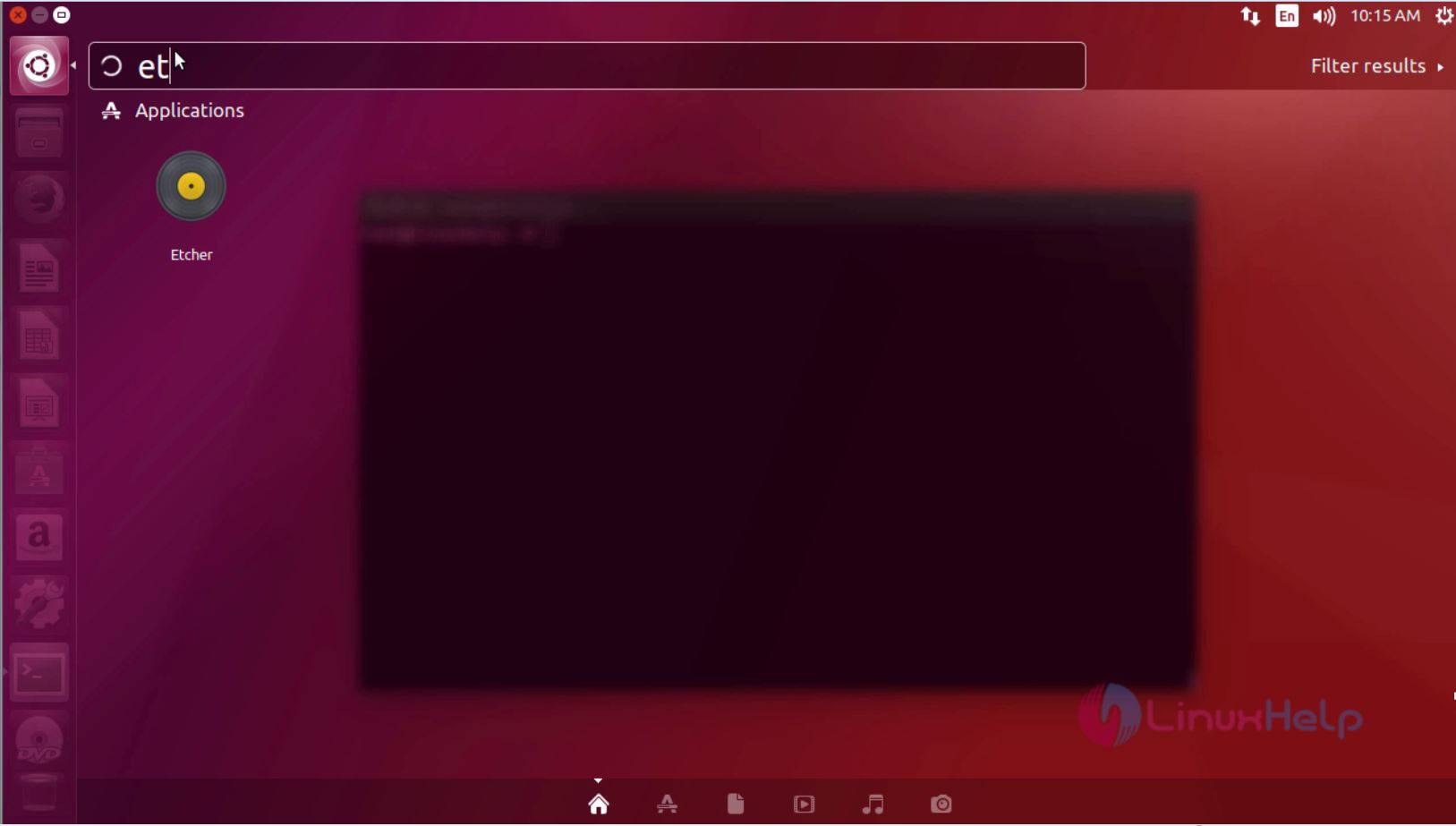
The Etcher application is running without any glitches.
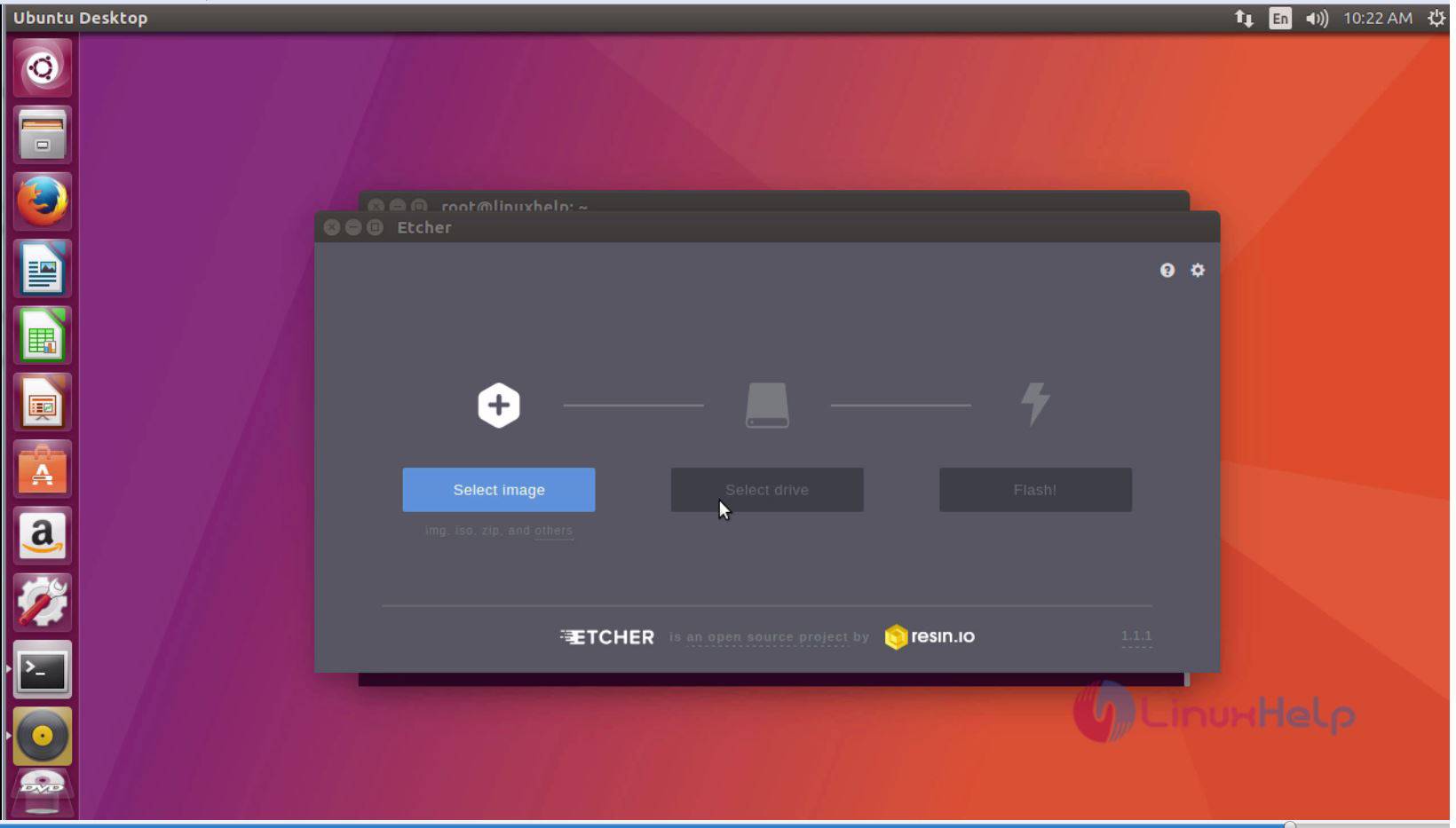
The Etcher image editor application is running successfully in the Ubuntu 17.04.
Comments ( 0 )
No comments available