How To Install Flowblade Video Editor in Debian 8.3
How To Install Flowblade Video Editor in Debian 8.3
Flowblade is a free video editor with advanced features for GNU/Linux. Flowblade is nonlinear and has very interactive GUI plus support for mutitrack and filters. In other words, it is a free replacement for Adobe Premiere (Windows & Mac) and is the same free software as Kdenlive (GNU/Linux). Flowblade is licensed under GNU GPL v3+ license. In this tutorial, we can see about the installation procedure of Flowblade video editor.
Installation procedure
To install the flowblade in debian, enter the sources.list command and run it.
root@linuxhelp:~# nano /etc/apt/sources.list
Now add this lines at end of the file,
deb http://ftp.debian.org/debian/ stable main contrib non-free
deb http://ftp.de.debian.org/debian jessie main
After adding the lines then save and exit from the file.
Next enter the command to update the apt sources-list in the terminal and run it.
root@linuxhelp:~# apt-get update
Hit http://ftp.debian.org jessie-updates InRelease
Ign http://ftp.de.debian.org jessie InRelease
Ign http://ftp.debian.org stable InRelease
Get:1 http://ftp.de.debian.org jessie Release.gpg [2,373 B]
Hit http://ftp.debian.org jessie-updates/main Sources
Get:2 http://ftp.de.debian.org jessie Release [148 kB]
Hit http://ftp.debian.org jessie-updates/contrib Sources
Get:3 http://ftp.debian.org jessie-updates/main amd64 Packages/DiffIndex [7,408 B]
Hit http://ftp.debian.org jessie-updates/contrib amd64 Packages
Hit http://ftp.debian.org jessie-updates/contrib Translation-en
Get:4 http://ftp.debian.org jessie-updates/main Translation-en/DiffIndex [2,704 B]
Get:5 http://ftp.debian.org stable Release.gpg [2,373 B]
Get:6 http://ftp.debian.org stable Release [148 kB]
Get:7 http://ftp.de.debian.org jessie/main amd64 Packages [6,776 kB]
Get:8 http://ftp.debian.org stable/main amd64 Packages [6,776 kB]
Get:9 http://ftp.debian.org stable/contrib amd64 Packages [50.2 kB]
Get:10 http://ftp.debian.org stable/non-free amd64 Packages [83.6 kB]
Get:11 http://ftp.debian.org stable/contrib Translation-en [38.5 kB]
Get:12 http://ftp.debian.org stable/main Translation-en [4,582 kB]
Get:13 http://ftp.de.debian.org jessie/main Translation-en [4,582 kB]
Get:14 http://ftp.debian.org stable/non-free Translation-en [72.1 kB]
Fetched 23.3 MB in 2min 52s (135 kB/s)
Reading package lists... Done
Now install the Flowblade package and run the following command.
root@linuxhelp:~# apt-get install flowblade
Reading package lists... Done
Building dependency tree
Reading state information... Done
The following extra packages will be installed:
  frei0r-plugins libavdevice55 libfftw3-3 libfftw3-long3 libgavl1 libmlt++3 libmlt-data libmlt6 libopencv-gpu2.4
  libopencv-ocl2.4 libopencv-photo2.4 libopencv-stitching2.4 libopencv-superres2.4 libopencv-ts2.4
  libopencv-videostab2.4 libqt4-opengl libqt4-svg libsox-fmt-alsa libsox-fmt-base libsox2 python-mlt swh-plugins
Suggested packages:
  opencv-data libfftw3-bin libfftw3-dev libsox-fmt-all
The following NEW packages will be installed:
  flowblade frei0r-plugins libavdevice55 libfftw3-3 libfftw3-long3 libgavl1 libmlt++3 libmlt-data libmlt6
.
.
Setting up flowblade (0.14.0-1) ...
Processing triggers for libc-bin (2.19-18+deb8u2) ...
Once installing the package,next click Activities and type the package name in the debian search bar.
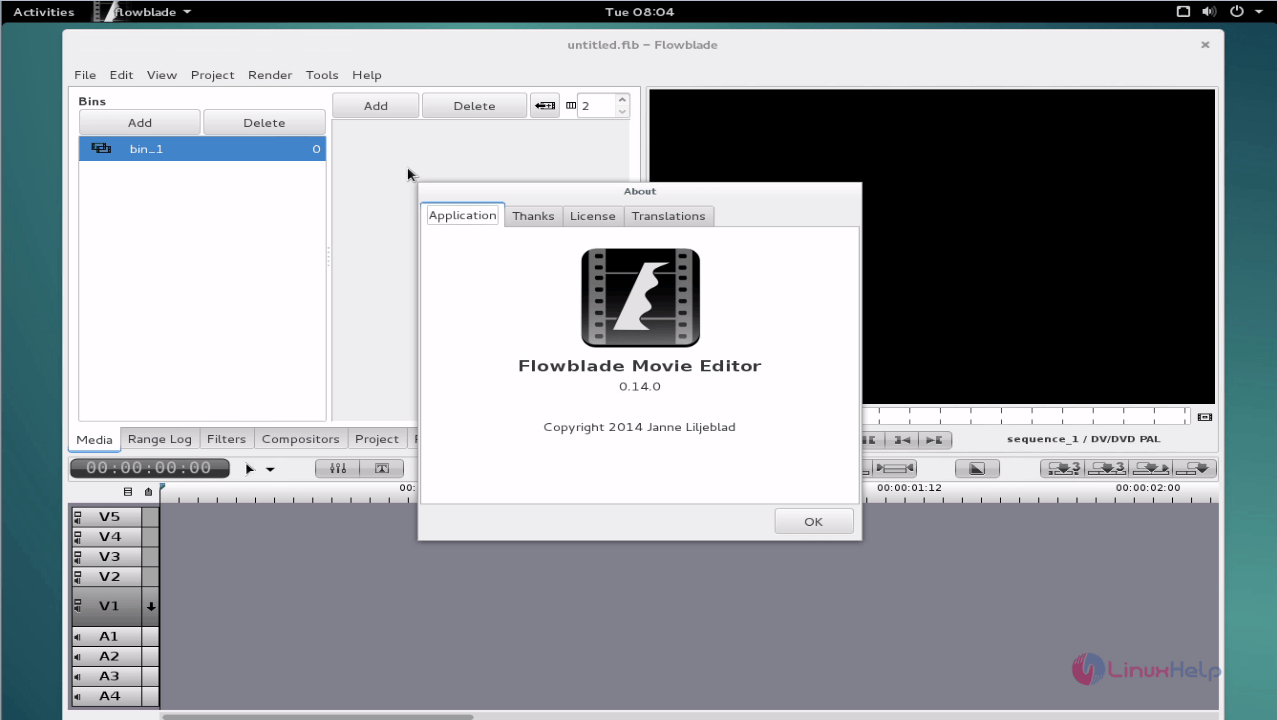
It was an easy installation, don' t you agree?. The Flowblade is an interactive video editor for debian.
Comments ( 0 )
No comments available