How to install FluxBB 1.5.10 on Linuxmint 18.03
To install FluxBB 1.5.10 on Linuxmint 18.03
FluxBB is a free and open source forum application released under the GNU General Public Licence. it is written in php and uses MySQL database. FluxBB is designed as a lighter, faster alternative to some of the traditional feature heavy forum applications.
Prerequisites
Install LAMP(Apache, MariaDB, and php7.2)
Install MariaDB (create database and user and give privileges to that user )
Php installation with required following modules
add-apt-repository ppa:ondrej/php
apt-get update
apt-get install php7.2 php7.2-mysql php7.2-curl php7.2-json php7.2-cgi libapache2-mod-php7.2 php7.2-mcrypt php7.2-xmlrpc php7.2-gd php7.2-mbstring php7.2  php7.2-common  php7.2-xmlrpc php7.2-soap  php7.2-xml php7.2-intl
php7.2-cli  php7.2-ldap php7.2-zip php7.2-readline php7.2-imap php7.2-tidy php7.2-recode php7.2-sq php7.2-intl
Installation
Download a fluxbb package using the wget command
linuxhelp ~ # wget https://fluxbb.org/download/releases/1.5.10/fluxbb-1.5.10.zip
--2018-06-12 10:53:56--  https://fluxbb.org/download/releases/1.5.10/fluxbb-1.5.10.zip
Resolving fluxbb.org (fluxbb.org)... 217.70.188.20
Connecting to fluxbb.org (fluxbb.org)|217.70.188.20|:443... connected.
HTTP request sent, awaiting response... 200 OK
Length: 404359 (395K) [application/zip]
Saving to: ‘ fluxbb-1.5.10.zip’
fluxbb-1.5.10.zip        100%[=================================> ] 394.88K   316KB/s    in 1.2s
2018-06-12 10:53:59 (316 KB/s) - ‘ fluxbb-1.5.10.zip’  saved [404359/404359]
The downloaded package is a zip file, so unzip the package
linuxhelp ~ # unzip fluxbb-1.5.10.zip
Archive:  fluxbb-1.5.10.zip
5a9a5f401f1711ecb610d5e6a70bf8c0d1e3847a
   creating: fluxbb-1.5.10/
  inflating: fluxbb-1.5.10/COPYING
   creating: fluxbb-1.5.10/addons/
  inflating: fluxbb-1.5.10/addons/index.html
  inflating: fluxbb-1.5.10/admin_bans.php
  inflating: fluxbb-1.5.10/admin_categories.php
  inflating: fluxbb-1.5.10/admin_censoring.php
  inflating: fluxbb-1.5.10/admin_forums.php
.
.
.
inflating: fluxbb-1.5.10/style/Technetium/light-shade.png
   creating: fluxbb-1.5.10/style/imports/
  inflating: fluxbb-1.5.10/style/imports/base_admin.css
  inflating: fluxbb-1.5.10/style/imports/index.html
  inflating: fluxbb-1.5.10/style/index.html
  inflating: fluxbb-1.5.10/userlist.php
  inflating: fluxbb-1.5.10/viewforum.php
  inflating: fluxbb-1.5.10/viewtopic.php
Rename the extracted directory
linuxhelp ~ # ls
fluxbb-1.5.10  fluxbb-1.5.10.zip
linuxhelp ~ # mv fluxbb-1.5.10 fluxbb
Change the ownership and permission for fluxbb directory
linuxhelp ~ # chown -R www-data:www-data fluxbb
linuxhelp ~ # chmod -R 775 fluxbb
Move the fluxbb directory into the /html location
linuxhelp ~ # mv fluxbb /var/www/html/
Create a new virtualhost configuration for accessing the fluxbb application
linuxhelp ~ # cd /etc/apache2/sites-available/
linuxhelp sites-available # vim flux.conf
< VirtualHost *:80>
ServerName www.linuxhelp1.com
DocumentRoot /var/www/html/fluxbb/
< Directory /var/www/html/fluxbb/>
AllowOverride All
allow from all
< /Directory>
< /VirtualHost>
Enable the site access
linuxhelp sites-available # a2ensite flux.conf
Enabling site flux.
To activate the new configuration, you need to run:
  service apache2 reload
Make an entry to the host file as follows
linuxhelp sites-available # vim /etc/hosts
< your ip address>      < your domain name>
Restart the apache2 service
linuxhelp sites-available # systemctl restart apache2.service
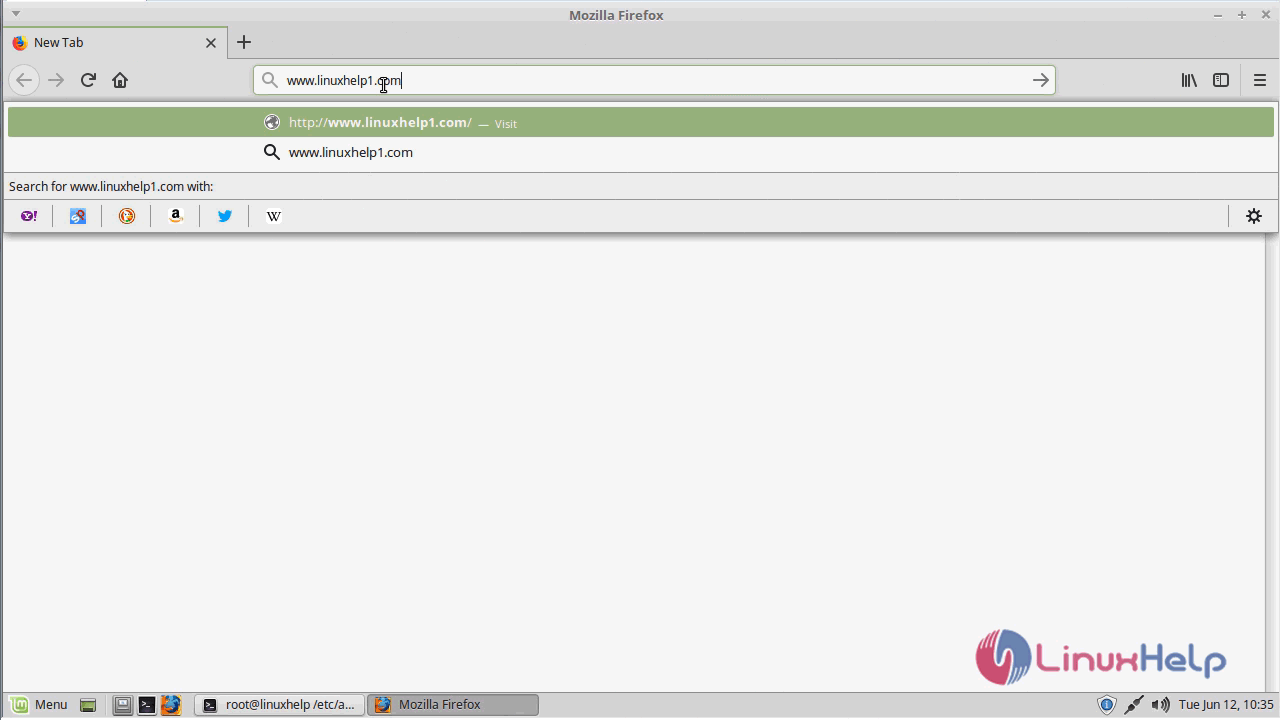
Now you can proceed the further installation and configuration from the browser by navigating to the following URL: http://< ipaddress or domain name
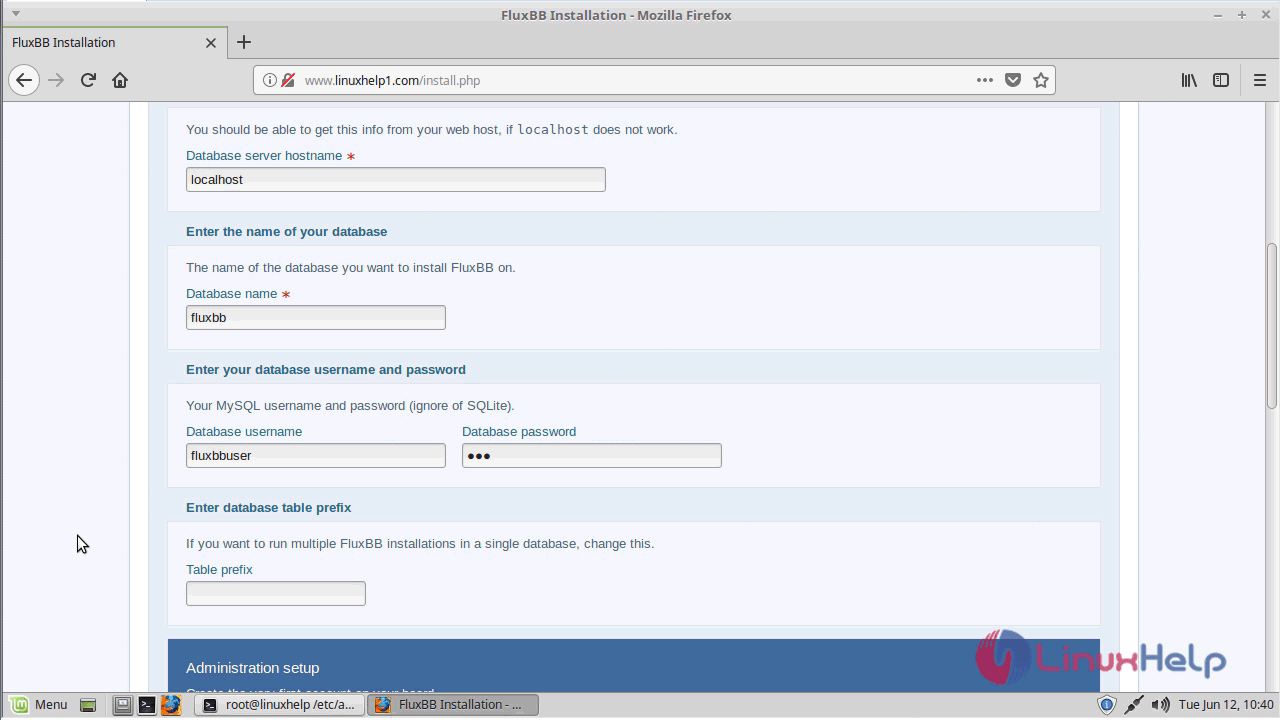
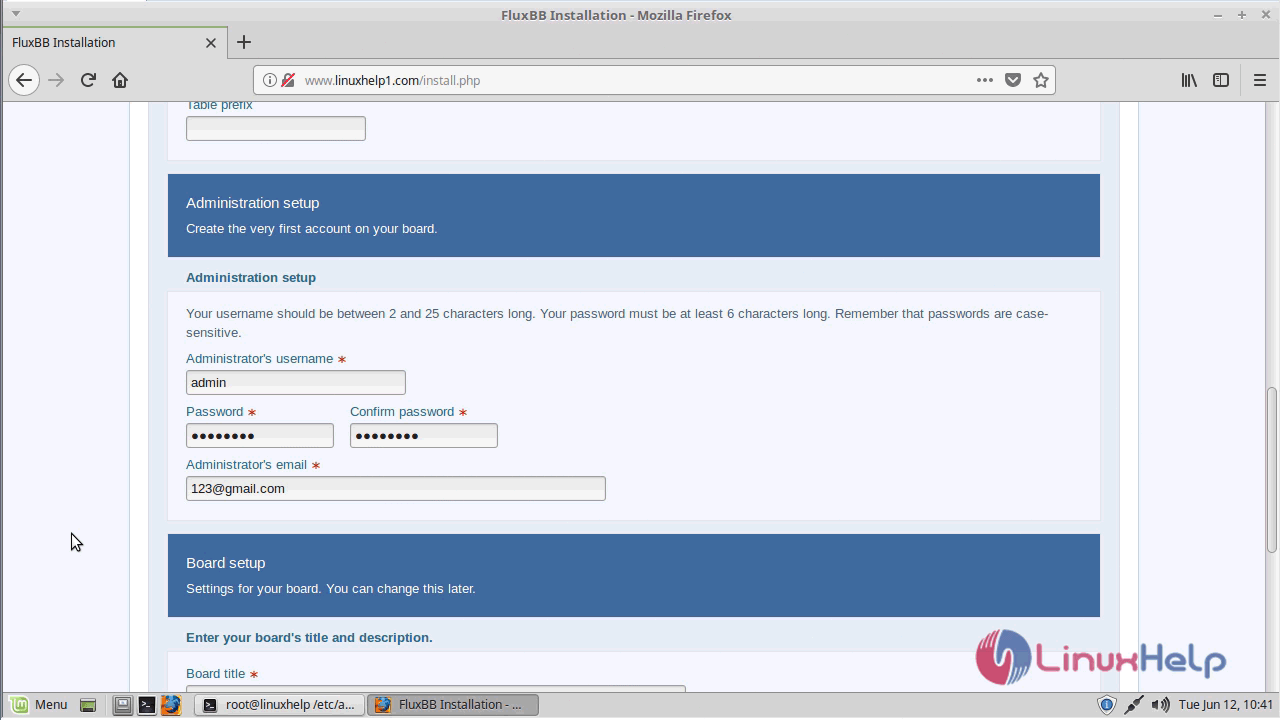
Configure the Database detail, admin user account, setup and Site information
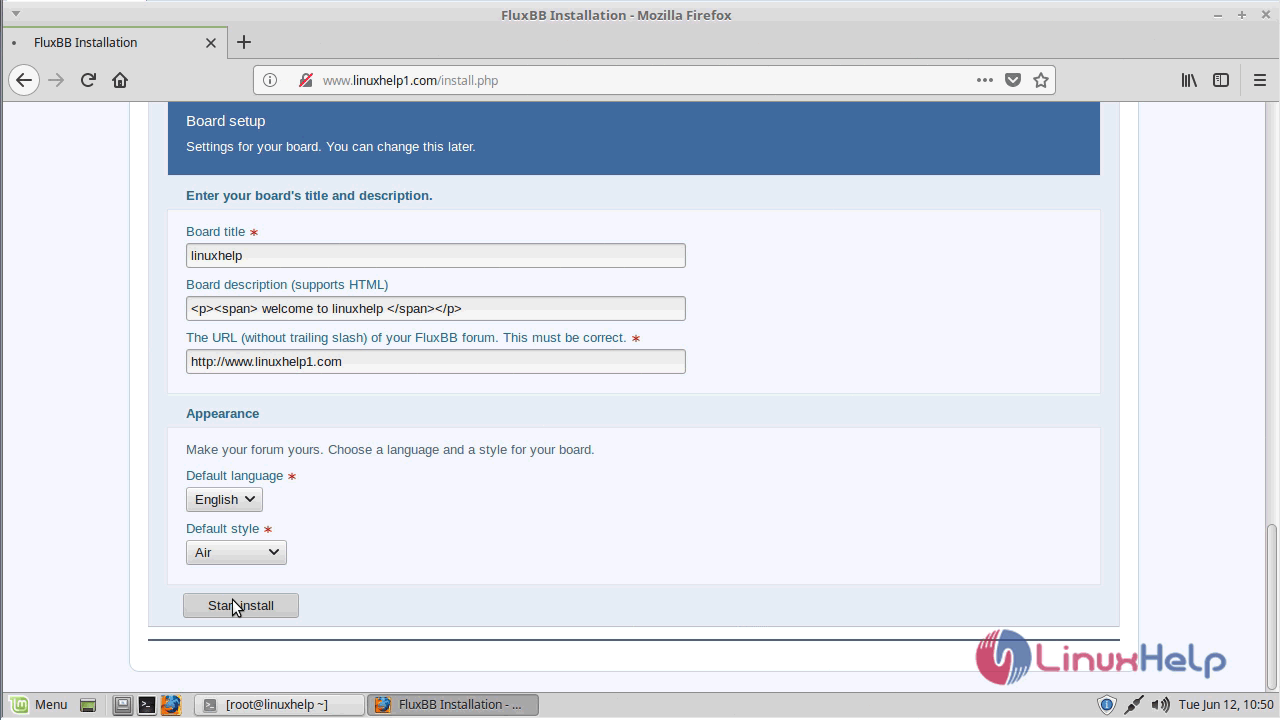
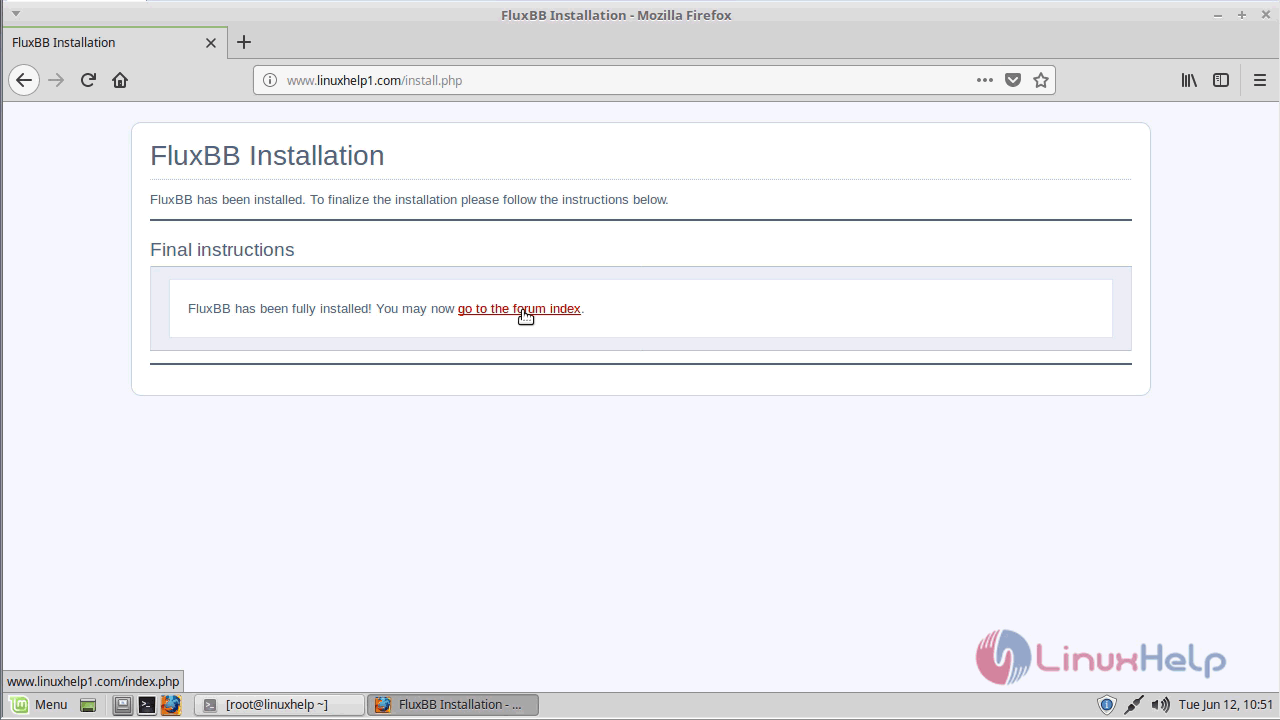
Once the installation is done you will see the following page.
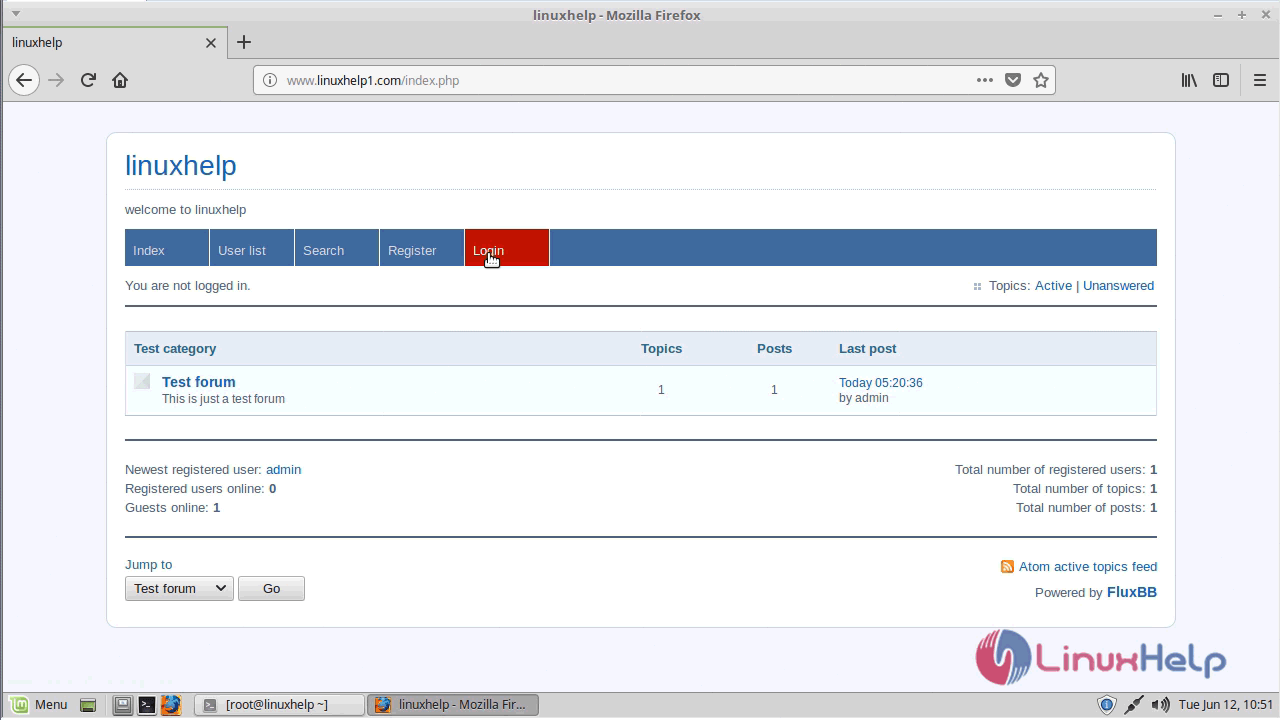
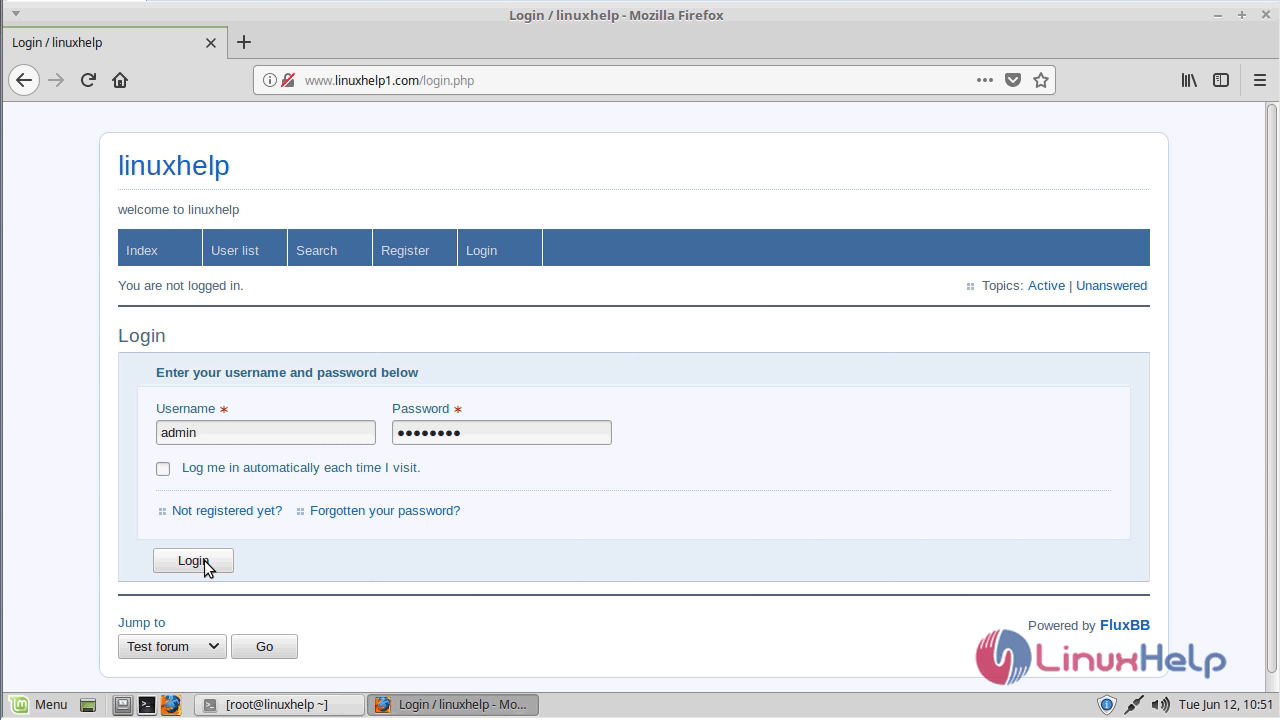
Log in using the following options shown below
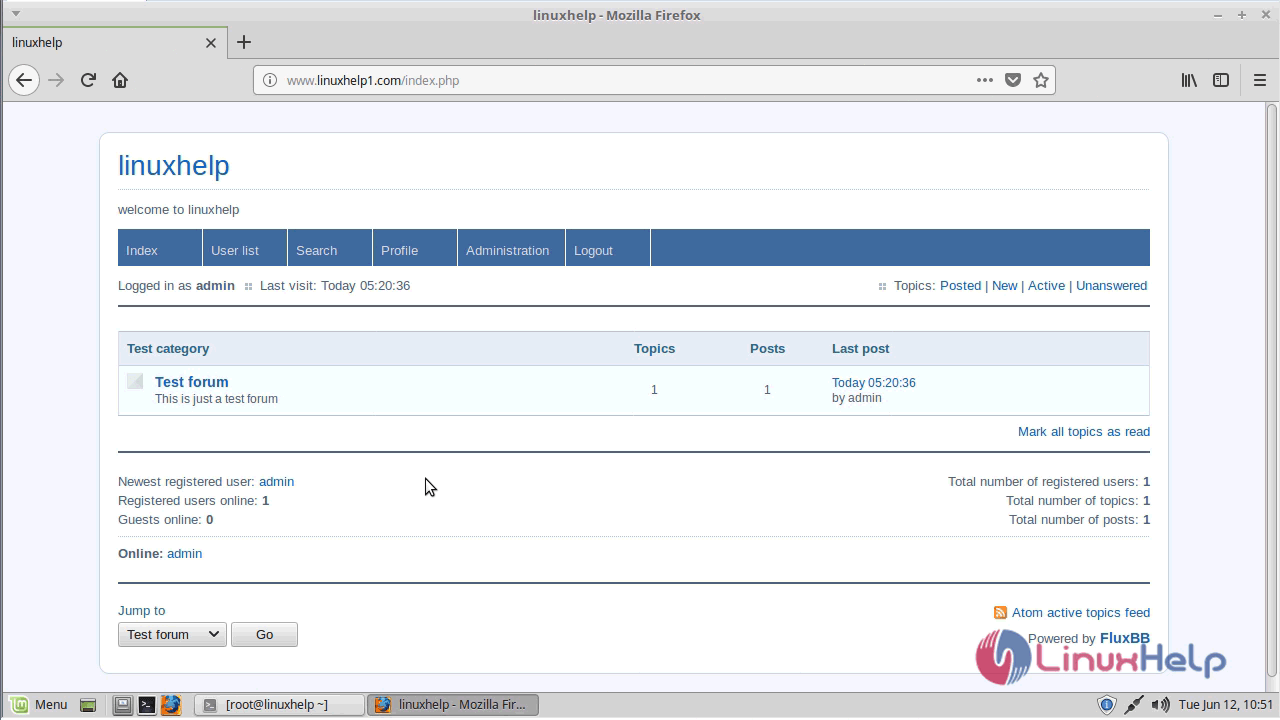
Administration panel of FluxBB
With this, the method to install FluxBB 1.5.10 on Linuxmint 18.03 comes to an end.
Comments ( 0 )
No comments available