How to install FocusWriter in Ubuntu
To install FocusWriter in Ubuntu
FocusWriter is a text editor, having a hide-away interface to provide a distraction-free environment. It is open-source and cross-plaftorm, working on Linux, Windows and Mac OS X. Among others, it has support for TXT, RTF and ODT, allows the users to set timers and alarms, it has auto-save and spell-check, it supports some new themes and is traslated in more than 20 languages.
Features
- Updated dictionaries
- FIXED: Themes did not always forget changes
- FIXED: Treated every paragraph as a scene when divider is empty
- FIXED: Switched tabs during autosave
- FIXED: Allowed pasting and saving invalid null character
- Translation updates: Catalan, Esperanto, Lithuanian, Portuguese (Brazil)
Installing FocusWriter
Add the repository for installing the focus writer.
root@linuxhelp1:~# add-apt-repository ppa:gottcode/gcppa
 Ubuntu packages for http://gottcode.org/
 More info: https://launchpad.net/~gottcode/+archive/ubuntu/gcppa
Press [ENTER] to continue or ctrl-c to cancel adding it

gpg: keyring `/tmp/tmp888tl7y5/secring.gpg'  created
gpg: keyring `/tmp/tmp888tl7y5/pubring.gpg'  created
gpg: requesting key 58043CFF from hkp server keyserver.ubuntu.com
gpg: /tmp/tmp888tl7y5/trustdb.gpg: trustdb created
gpg: key 58043CFF: public key " Launchpad PPA for Graeme Gott"  imported
gpg: Total number processed: 1
gpg:               imported: 1  (RSA: 1)
OK
Now update the newly added repository.
root@linuxhelp1:~# apt-get update
Get:1 http://security.ubuntu.com/ubuntu xenial-security InRelease [94.5 kB]
Ign:2 http://download.opensuse.org/repositories/home:/Horst3180/xUbuntu_16.04  InRelease
Hit:3 http://download.opensuse.org/repositories/home:/Horst3180/xUbuntu_16.04  Release
Get:4 http://download.opensuse.org/repositories/home:/Horst3180/xUbuntu_16.04  Release.gpg [481 B]
Hit:5 http://ppa.launchpad.net/audio-recorder/ppa/ubuntu xenial InRelease
Get:6 http://ppa.launchpad.net/gottcode/gcppa/ubuntu xenial InRelease [17.5 kB]
Hit:7 http://ppa.launchpad.net/nemh/systemback/ubuntu xenial InRelease
Get:8 http://ppa.launchpad.net/gottcode/gcppa/ubuntu xenial/main amd64 Packages [2,560 B]
Get:9 http://ppa.launchpad.net/gottcode/gcppa/ubuntu xenial/main i386 Packages [2,548 B]
Get:10 http://ppa.launchpad.net/gottcode/gcppa/ubuntu xenial/main Translation-en [2,588 B]
Err:11 http://in.archive.ubuntu.com/ubuntu xenial InRelease
  Temporary failure resolving ' in.archive.ubuntu.com'
Get:12 http://in.archive.ubuntu.com/ubuntu xenial-updates InRelease [95.7 kB]
Hit:13 http://in.archive.ubuntu.com/ubuntu xenial-backports InRelease
Fetched 216 kB in 40s (5,301 B/s)
Reading package lists... Done
W: Failed to fetch http://in.archive.ubuntu.com/ubuntu/dists/xenial/InRelease  Temporary failure resolving ' in.archive.ubuntu.com'
W: Some index files failed to download. They have been ignored, or old ones used instead.
Now install the focuswriter package.
root@linuxhelp1:~# apt-get install focuswriter -y
Reading package lists... Done
Building dependency tree
Reading state information... Done
The following packages were automatically installed and are no longer required:
  casper cifs-utils grub-efi-amd64-bin isolinux keyutils libsystemback localechooser-data lupin-casper syslinux-utils
  systemback-cli systemback-efiboot-amd64 systemback-locales systemback-scheduler user-setup
Use ' sudo apt autoremove'  to remove them.
Suggested packages:
  myspell-dictionary
The following NEW packages will be installed:
  focuswriter
0 upgraded, 1 newly installed, 0 to remove and 11 not upgraded.
Need to get 2,462 kB of archives.
After this operation, 4,562 kB of additional disk space will be used.
Get:1 http://ppa.launchpad.net/gottcode/gcppa/ubuntu xenial/main amd64 focuswriter amd64 1.5.7-0ppa1~xenial1 [2,462 kB]
Fetched 2,462 kB in 3min 53s (10.5 kB/s)
Selecting previously unselected package focuswriter.
(Reading database ... 209299 files and directories currently installed.)
Preparing to unpack .../focuswriter_1.5.7-0ppa1~xenial1_amd64.deb ...
Unpacking focuswriter (1.5.7-0ppa1~xenial1) ...
Processing triggers for bamfdaemon (0.5.3~bzr0+16.04.20160701-0ubuntu1) ...
Rebuilding /usr/share/applications/bamf-2.index...
Processing triggers for gnome-menus (3.13.3-6ubuntu3.1) ...
Processing triggers for desktop-file-utils (0.22-1ubuntu5) ...
Processing triggers for mime-support (3.59ubuntu1) ...
Processing triggers for hicolor-icon-theme (0.15-0ubuntu1) ...
Processing triggers for man-db (2.7.5-1) ...
Setting up focuswriter (1.5.7-0ppa1~xenial1) ...
For opening the focuswriter click on the search bar and type focus writer and you can see the icon of the focus writer. Click on the icon to open the focus writer software

The FocusWriter application appears on your screen.
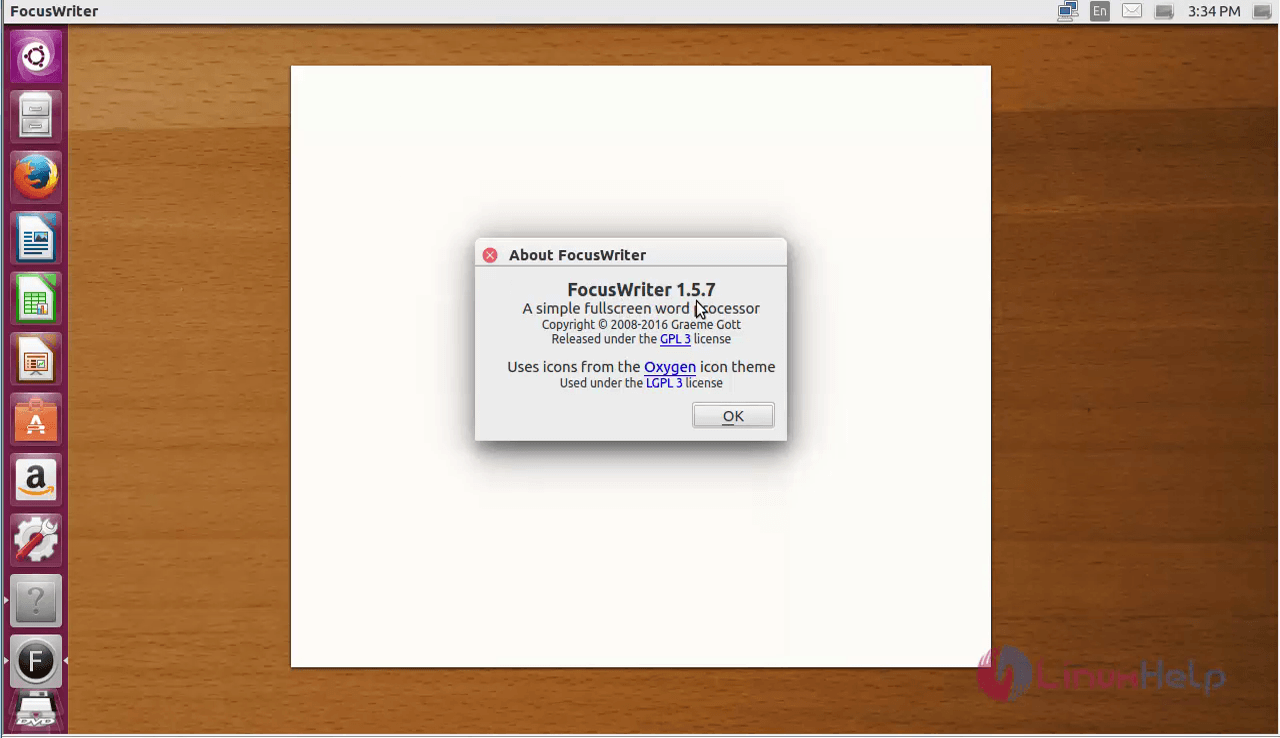
For removing the focus writer from your machine, use the following command.
root@linuxhelp1:~# apt-get remove focuswriter -y
Reading package lists... Done
Building dependency tree
Reading state information... Done
The following packages were automatically installed and are no longer required:
  casper cifs-utils grub-efi-amd64-bin isolinux keyutils libsystemback localechooser-data lupin-casper syslinux-utils
  systemback-cli systemback-efiboot-amd64 systemback-locales systemback-scheduler user-setup
Use ' sudo apt autoremove'  to remove them.
The following packages will be REMOVED:
  focuswriter
0 upgraded, 0 newly installed, 1 to remove and 11 not upgraded.
After this operation, 4,562 kB disk space will be freed.
(Reading database ... 209470 files and directories currently installed.)
Removing focuswriter (1.5.7-0ppa1~xenial1) ...
Processing triggers for man-db (2.7.5-1) ...
Processing triggers for hicolor-icon-theme (0.15-0ubuntu1) ...
Processing triggers for bamfdaemon (0.5.3~bzr0+16.04.20160701-0ubuntu1) ...
Rebuilding /usr/share/applications/bamf-2.index...
Processing triggers for gnome-menus (3.13.3-6ubuntu3.1) ...
Processing triggers for desktop-file-utils (0.22-1ubuntu5) ...
Processing triggers for mime-support (3.59ubuntu1) ...
Comments ( 0 )
No comments available