How to install Foobnix on Linux mint 18.03
{{postValue.id}}
To install Foobnix on Linux mint 18.03
Foobnix is an open-source, multi-platform audio player for Linux, Windows and Android, having all the features of a modern music player. In this article we will see about the installation of foobnix music player in Linux mint 18.03
Installation
Download the foobnix debian package by using wget command.
linuxhelp ~ # wget https://launchpad.net/~foobnix-team/+archive/ubuntu/foobnix-player/+build/7512562/+files/foobnix_3.1.01vivid1_amd64.deb
--2018-09-08 06:45:07--  https://launchpad.net/~foobnix-team/+archive/ubuntu/foobnix-player/+build/7512562/+files/foobnix_3.1.01vivid1_amd64.deb
Resolving launchpad.net (launchpad.net)... 91.189.89.223, 91.189.89.222
Connecting to launchpad.net (launchpad.net)|91.189.89.223|:443... connected.
HTTP request sent, awaiting response... 303 See Other
Location: https://launchpadlibrarian.net/208380244/foobnix_3.1.01vivid1_amd64.deb [following]
--2018-09-08 06:45:08--  https://launchpadlibrarian.net/208380244/foobnix_3.1.01vivid1_amd64.deb
Resolving launchpadlibrarian.net (launchpadlibrarian.net)... 91.189.89.228, 91.189.89.229
Connecting to launchpadlibrarian.net (launchpadlibrarian.net)|91.189.89.228|:443... connected.
HTTP request sent, awaiting response... 200 OK
Length: 867778 (847K) [application/x-debian-package]
Saving to: ‘foobnix_3.1.01vivid1_amd64.deb’
foobnix_3.1.01vivid1_amd64.deb    100%[==========================================================>] 847.44K   715KB/s    in 1.2s
2018-09-08 06:45:10 (715 KB/s) - ‘foobnix_3.1.01vivid1_amd64.deb’ saved [867778/867778]
Install the foobnix application by using gdebi command.
linuxhelp ~ # gdebi foobnix_3.1.01vivid1_amd64.deb
Reading package lists... Done
Building dependency tree
Reading state information... Done
Reading state information... Done
Requires the installation of the following packages: python-mutagen python-simplejson
Simple and Powerful music player for Linux
 All best features in one player. Foobnix small, fast, customizable, powerful
 music player with user-friendly interface.
Do you want to install the software package? [y/N]:y
Get:1 http://archive.ubuntu.com/ubuntu xenial/universe amd64 python-mutagen all 1.31-1ubuntu1 [102 kB]
Get:2 http://archive.ubuntu.com/ubuntu xenial/main amd64 python-simplejson amd64 3.8.1-1ubuntu2 [60.4 kB]
Fetched 163 kB in 0s (0 B/s)
Selecting previously unselected package python-mutagen.
(Reading database ... 225134 files and directories currently installed.)
Preparing to unpack .../python-mutagen_1.31-1ubuntu1_all.deb ...
Unpacking python-mutagen (1.31-1ubuntu1) ...
Selecting previously unselected package python-simplejson.
Preparing to unpack .../python-simplejson_3.8.1-1ubuntu2_amd64.deb ...
Unpacking python-simplejson (3.8.1-1ubuntu2) ...
Processing triggers for man-db (2.7.5-1) ...
Setting up python-mutagen (1.31-1ubuntu1) ...
Setting up python-simplejson (3.8.1-1ubuntu2) ...
Selecting previously unselected package foobnix.
(Reading database ... 225240 files and directories currently installed.)
Preparing to unpack foobnix_3.1.01vivid1_amd64.deb ...
Unpacking foobnix (3.1.01vivid1) ...
Setting up foobnix (3.1.01vivid1) ...
Processing triggers for man-db (2.7.5-1) ...
Processing triggers for desktop-file-utils (0.22+linuxmint1) ...
Processing triggers for mime-support (3.59ubuntu1) ...
Once Installation is done you can access the application from the Menu as shown here
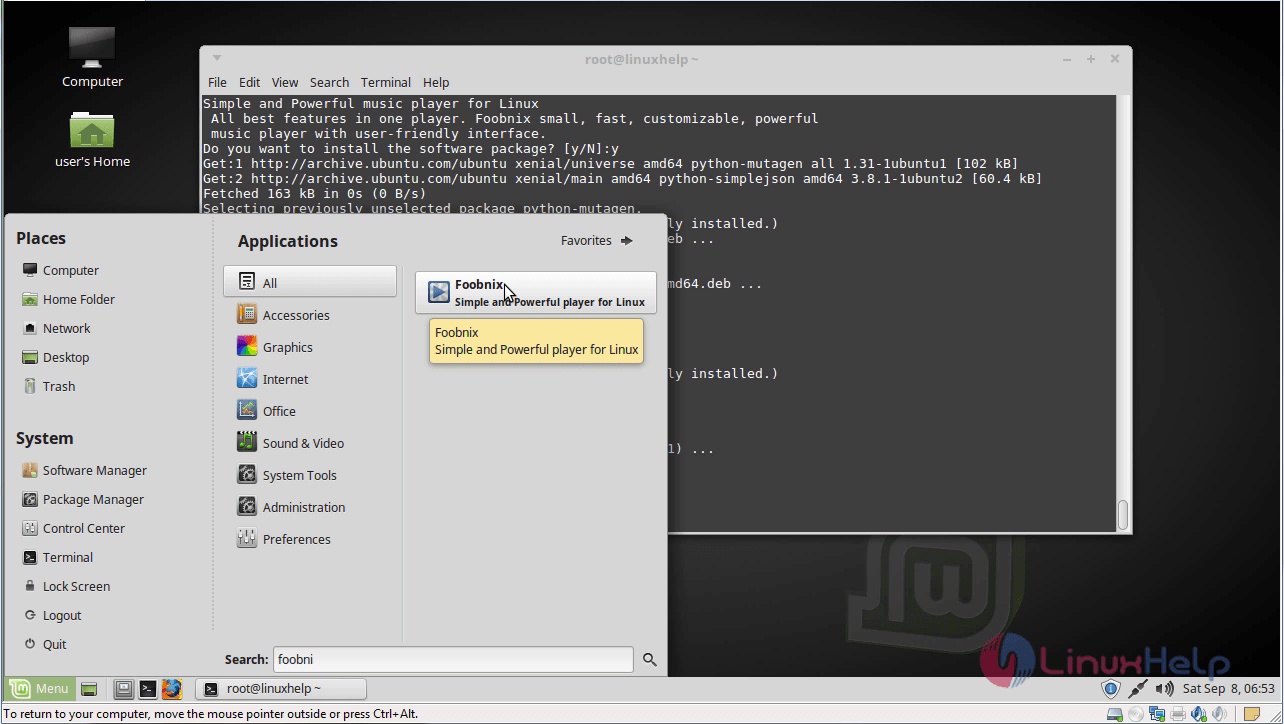
Foobnix application.
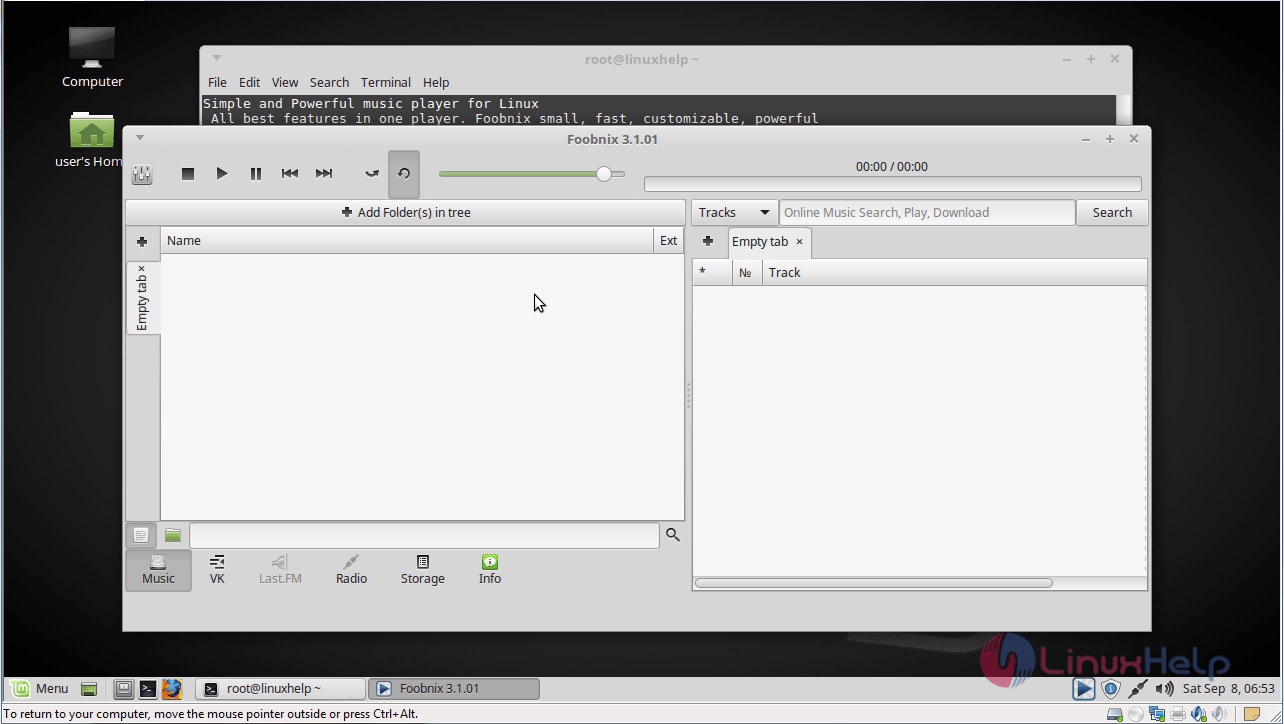
With this, the method to install Foobnix on linuxmint 18.03 comes to an end.
Comments ( 0 )
No comments available