How to install Fotoxx in Debian 8.3
To install Fotoxx in Debian 8.3
Fotoxx is a free and open-source image editor for Linux. Fotoxx is an easy-to-install tool, and we have already covered the installation of Fotoxx on Ubuntu. In this tutorial, you will be briefed about the installation of Fotoxx in Debian.
Installing Fotoxx
To begin with your installation, you should add the repo on apt source list. Use the following command for the same purpose.
root@linuxhelp:~# nano /etc/apt/sources.list
deb http://ftp.debian.org/debian/ stable main contrib non-free
deb http://ftp.de.debian.org/debian jessie main
Once it is done, update the apt source by using apt-get update command as follows.
root@linuxhelp:~# apt-get update
Get:1 http://ftp.debian.org jessie-updates InRelease [145 kB]
Ign http://ftp.de.debian.org jessie InRelease
Hit http://ftp.de.debian.org jessie Release.gpg
Hit http://ftp.de.debian.org jessie Release
Hit http://ftp.de.debian.org jessie/main amd64 Packages
Ign http://ftp.debian.org stable InRelease
Hit http://ftp.de.debian.org jessie/main Translation-en
Get:2 http://ftp.debian.org jessie-updates/main Sources [15.4 kB]
Get:3 http://ftp.debian.org jessie-updates/contrib Sources [32 B]
Get:4 http://ftp.debian.org jessie-updates/main amd64 Packages/DiffIndex [6,916 B]
Get:5 http://ftp.debian.org jessie-updates/contrib amd64 Packages [32 B]
Get:6 http://ftp.debian.org jessie-updates/contrib Translation-en [14 B]
Get:7 http://ftp.debian.org jessie-updates/main Translation-en/DiffIndex [2,704 B]
Hit http://ftp.debian.org stable Release.gpg
Hit http://ftp.debian.org stable Release
Hit http://ftp.debian.org stable/main amd64 Packages
Hit http://ftp.debian.org stable/contrib amd64 Packages
Hit http://ftp.debian.org stable/non-free amd64 Packages
Hit http://ftp.debian.org stable/contrib Translation-en
Hit http://ftp.debian.org stable/main Translation-en
Hit http://ftp.debian.org stable/non-free Translation-en
Fetched 170 kB in 4s (35.5 kB/s)
Reading package lists... Done
Now all is set for the installation of Fotoxx. Make use of apt-get install command for the same purpose.
root@linuxhelp:~# apt-get install fotoxx
Reading package lists... Done
Building dependency tree
Reading state information... Done
The following packages were automatically installed and are no longer required:
  libasn1-8-heimdal libgssapi3-heimdal libhcrypto4-heimdal
  libheimbase1-heimdal libheimntlm0-heimdal libhx509-5-heimdal
  libkrb5-26-heimdal libroken18-heimdal libwind0-heimdal
Use ' apt-get autoremove'  to remove them.
The following extra packages will be installed:
  dcraw fotoxx-common libarchive-zip-perl libgtkimageview0
  libimage-exiftool-perl liblensfun-data liblensfun0 ufraw ufraw-batch
Suggested packages:
  gphoto2 rawtherapee gimp-ufraw
The following NEW packages will be installed:
  dcraw fotoxx fotoxx-common libarchive-zip-perl libgtkimageview0
.
.
.
.
Setting up libimage-exiftool-perl (9.74-1) ...
Setting up liblensfun-data (0.2.8-2) ...
Setting up liblensfun0 (0.2.8-2) ...
Setting up ufraw-batch (0.20-2+deb8u1) ...
Setting up ufraw (0.20-2+deb8u1) ...
Setting up dcraw (9.21-0.2+b2) ...
Setting up fotoxx-common (14.10.2-1) ...
Setting up fotoxx (14.10.2-1) ...
Processing triggers for libc-bin (2.19-18+deb8u7) ...
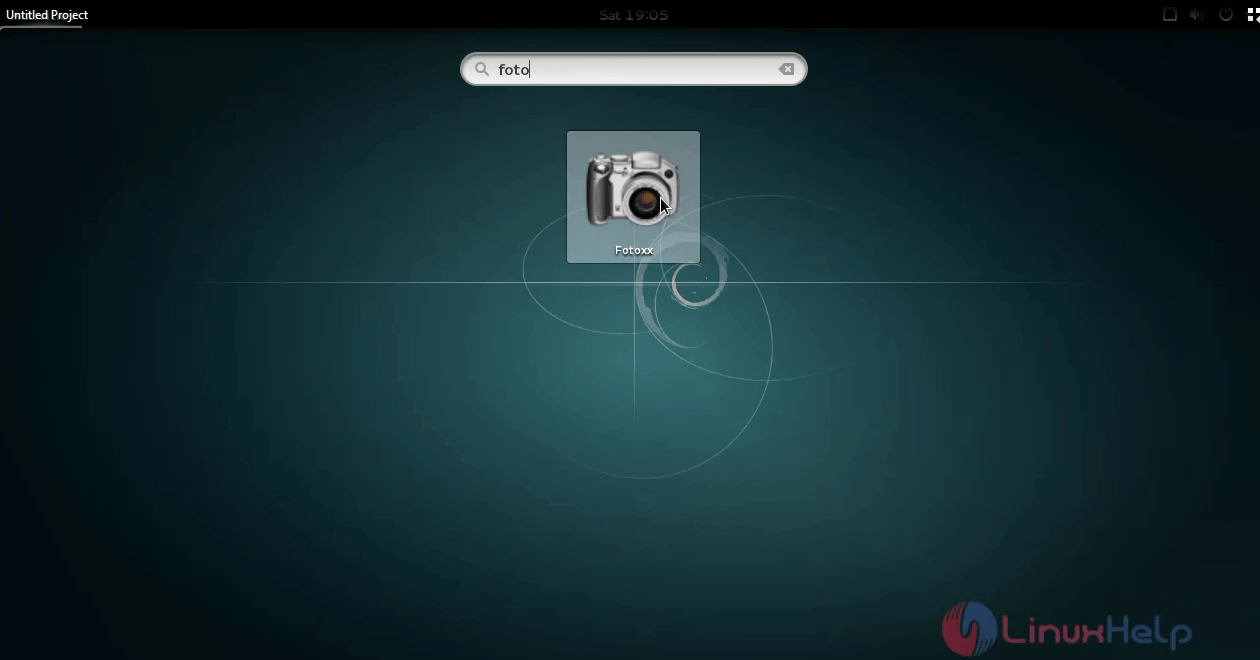
Fotoxx has been successfully installed. Use your activities search bar to view and access Fotoxx by choosing the Fotoxx icon.
The Fotoxx image editor looks as follows.
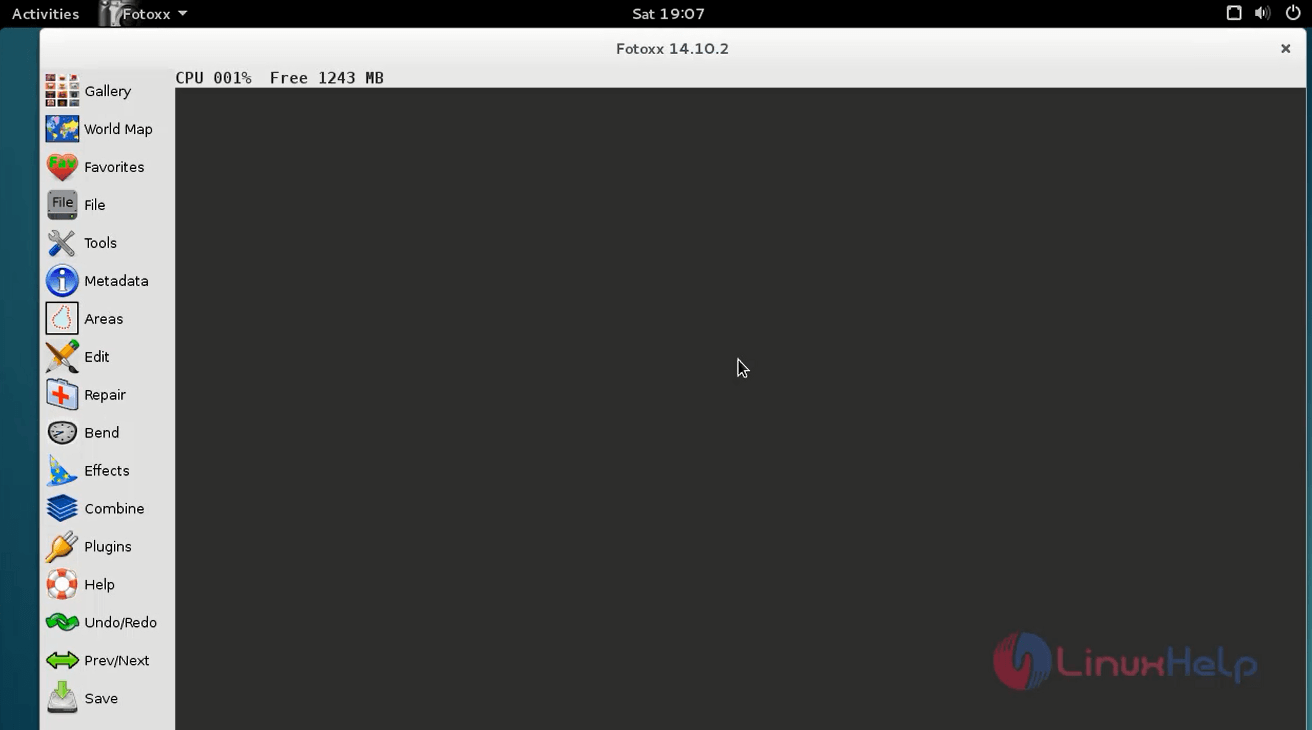
Add a touch of elegance to your images with the help of Fotoxx. Fotoxx lets you to organize all your photo collection into galleries. It can be used for enhancing your photographs by sharpening or blurring images, removing the red eye effect, cropping, rotating and flipping image orientation. Fotoxx supports almost all the important image formats which includes JPEG, BMP, PNG, TIFF and RAW. So, improve your digital photographs with the help of Fotoxx.
Comments ( 0 )
No comments available