How to install Fotoxx on Ubuntu-18.04
{{postValue.id}}
To install Fotoxx on Ubuntu-18.04
Fotoxx is a free open source Linux program for image editing and collection management. Fotoxx has a set of editing, repair, and special effects functions.
Installation
Add the repository of Fotoxx using PPA
root@linuxhelp:~# add-apt-repository ppa:dhor/myway
 Every photographer needs some tools...

 More info: https://launchpad.net/~dhor/+archive/ubuntu/myway
Press [ENTER] to continue or Ctrl-c to cancel adding it.

gpg: keybox ' /tmp/tmpabm_5r_x/pubring.gpg'  created
gpg: /tmp/tmpabm_5r_x/trustdb.gpg: trustdb created
gpg: key E2B7D64D93330B78: public key " Launchpad PPA for Dariusz Duma"  imported
gpg: Total number processed: 1
gpg:               imported: 1
OK
Hit:1 http://in.archive.ubuntu.com/ubuntu bionic InRelease
Get:2 http://ppa.launchpad.net/dhor/myway/ubuntu bionic InRelease [15.4 kB]
Hit:3 http://archive.canonical.com/ubuntu bionic InRelease
Hit:4 http://ppa.launchpad.net/mc3man/mpv-tests/ubuntu bionic InRelease
Get:5 http://in.archive.ubuntu.com/ubuntu bionic-updates InRelease [83.2 kB]
Hit:6 http://ppa.launchpad.net/nilarimogard/webupd8/ubuntu bionic InRelease
Get:7 http://in.archive.ubuntu.com/ubuntu bionic-backports InRelease [74.6 kB]
Get:8 http://security.ubuntu.com/ubuntu bionic-security InRelease [83.2 kB]
Get:9 http://ppa.launchpad.net/dhor/myway/ubuntu bionic/main i386 Packages [3,396 B]
Get:10 http://ppa.launchpad.net/dhor/myway/ubuntu bionic/main amd64 Packages [3,392 B]
Get:11 http://ppa.launchpad.net/dhor/myway/ubuntu bionic/main Translation-en [2,260 B]
Fetched 265 kB in 2s (115 kB/s)
Reading package lists... Done
Update the system repository
root@linuxhelp:~# apt-get update
Hit:1 http://ppa.launchpad.net/dhor/myway/ubuntu bionic InRelease
Hit:2 http://archive.canonical.com/ubuntu bionic InRelease
Hit:3 http://in.archive.ubuntu.com/ubuntu bionic InRelease
Hit:4 http://ppa.launchpad.net/mc3man/mpv-tests/ubuntu bionic InRelease
Get:5 http://in.archive.ubuntu.com/ubuntu bionic-updates InRelease [83.2 kB]
Hit:6 http://ppa.launchpad.net/nilarimogard/webupd8/ubuntu bionic InRelease
Get:7 http://security.ubuntu.com/ubuntu bionic-security InRelease [83.2 kB]
Get:8 http://in.archive.ubuntu.com/ubuntu bionic-backports InRelease [74.6 kB]
Fetched 241 kB in 2s (158 kB/s)
Reading package lists... Done
Install Fotoxx application
root@linuxhelp:~#
root@linuxhelp:~# apt-get install fotoxx -y
Reading package lists... Done
Building dependency tree
Reading state information... Done
The following additional packages will be installed:
  fotoxx-common leafpad libchamplain-0.12-0 libchamplain-gtk-0.12-0 libgtkimageview0
  libimage-exiftool-perl liblensfun-data-v1 liblensfun1 libmime-charset-perl
  libposix-strptime-perl libsombok3 libunicode-linebreak-perl ufraw ufraw-batch
Suggested packages:
  brasero evince-gtk libencode-hanextra-perl libpod2-base-perl gimp-ufraw
Recommended packages:
  xgd-open libtiff
The following NEW packages will be installed:
  fotoxx fotoxx-common leafpad libchamplain-0.12-0 libchamplain-gtk-0.12-0 libgtkimageview0
  libimage-exiftool-perl liblensfun-data-v1 liblensfun1 libmime-charset-perl
.
.
.
Setting up libsombok3:amd64 (2.4.0-1) ...
Setting up libposix-strptime-perl (0.13-1build3) ...
Setting up libchamplain-gtk-0.12-0:amd64 (0.12.16-2) ...
Setting up ufraw-batch (0.22-3) ...
Setting up ufraw (0.22-3) ...
Setting up libunicode-linebreak-perl (0.0.20160702-1build2) ...
Setting up fotoxx (18.01.3-1dhor~bionic) ...
Processing triggers for libc-bin (2.27-0ubuntu2) ...
After the installation you can access the application from menu as follows
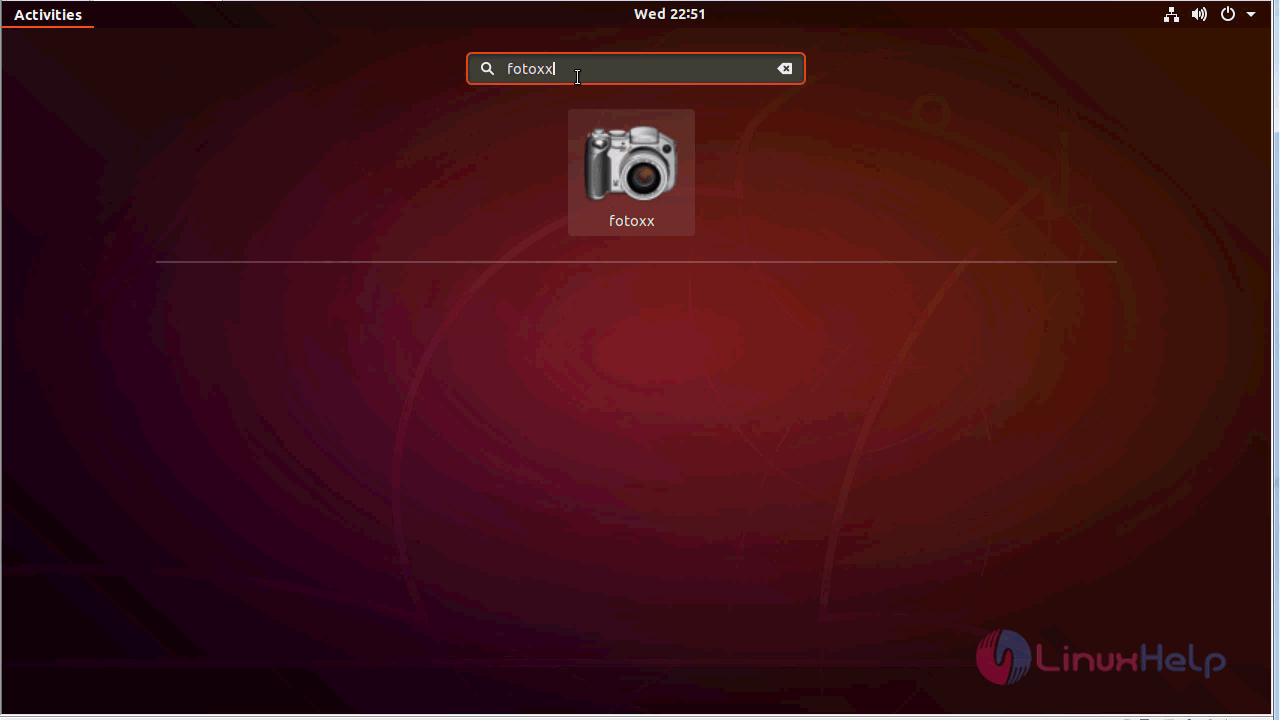
Fotoxx application
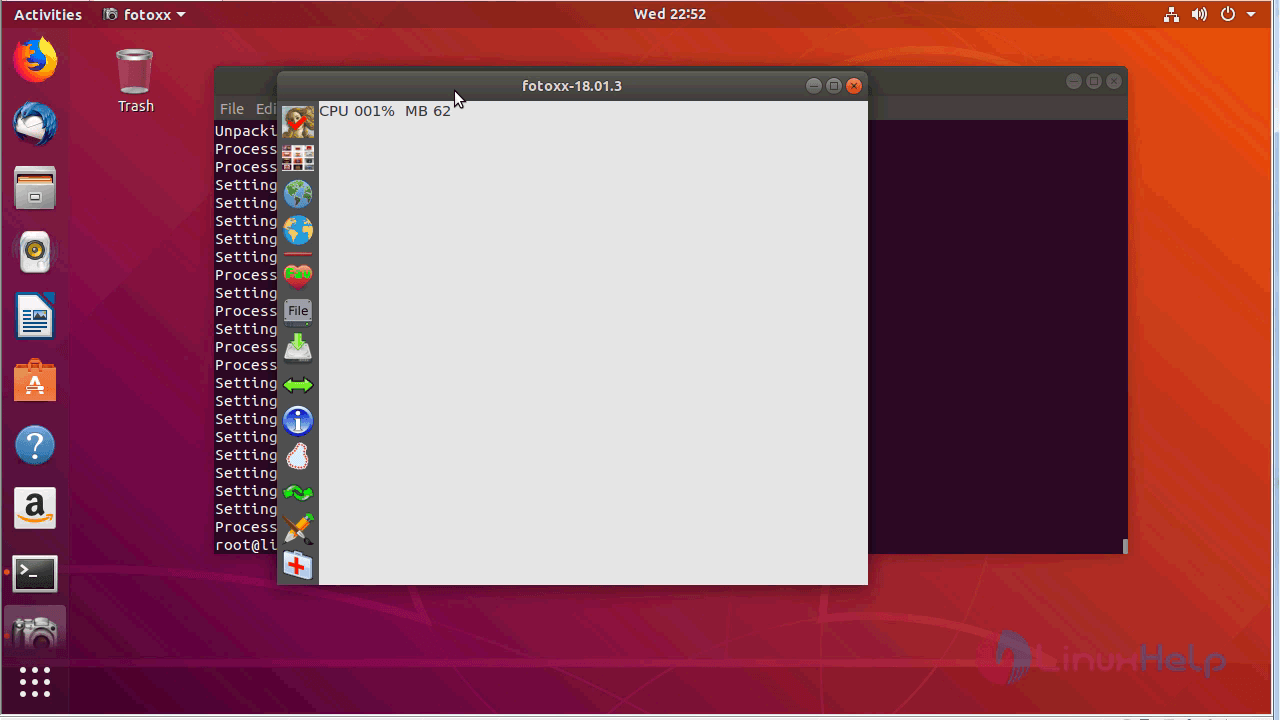
With this, the method to install Fotoxx on Ubuntu-18.04 comes to an end.
Comments ( 0 )
No comments available